Home › Business

 US
US
1 of 1 storefronts
Content in en-US
Content in en-US
Information
Preview 1 platform
iPhone 5 images


What’s New Version 3.8.4.5
- Enhanced compatibility with Apple’s Strong Password feature.
- Improved device authentication flow.
- Security improvements.
- Various bug fixes.
Note: For the best performance and experience, please update Splashtop Streamer to version 3.8.4.0 or later.
Description
NEED ACCESS RIGHT NOW?
FORGOT SOMETHING ON YOUR COMPUTER?
Your computer, anywhere you are.
Access your Mac or PC securely from your phone or tablet – anytime, anywhere.
Whether you’re traveling, helping family, or need something urgently from your Mac or PC, Splashtop gives you fast, reliable remote access in seconds.
No complicated setup.
No lag.
Just control.
GET STARTED IN 3 STEPS
1. Install Splashtop on your phone or tablet
2. Install the free Splashtop Streamer on your computer
3. Log in and connect instantly. That’s it.
WHAT PEOPLE USE SPLASHTOP FOR
• Accessing full apps, files, and tools they left at home
• Working remotely when plans change
• Helping parents or friends fix computer issues
• Staying productive while traveling
• Getting peace of mind knowing their computer is always reachable
WHY SPLASHTOP
Splashtop is trusted by millions of users and IT teams worldwide for one reason:
it works when it matters.
• ULTRA-FAST
Smooth, high-resolution streaming with low latency.
• SIMPLE SETUP
Install, log in, and connect. No IT degree required.
• SECURE
Bank-grade encryption keeps your data and your screen private.
• RELIABLE
Works even on limited bandwidth or mobile data.
This is the same remote access technology used by professionals – made simple for personal use.
FREE VS ANYWHERE ACCESS
• FREE
Access your computer on the same local network
• ANYWHERE ACCESS (UPGRADE)
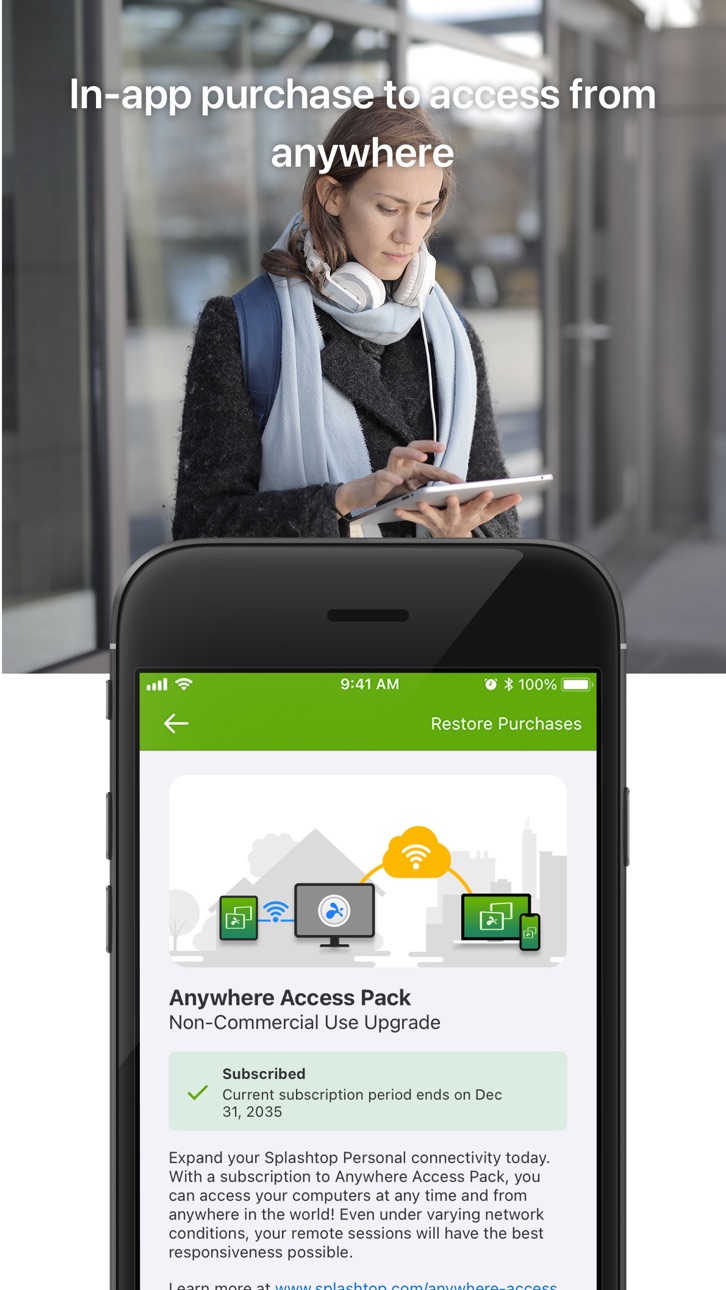
Securely connect from anywhere, on any network
When remote access becomes important – not just occasional – upgrading unlocks full freedom without changing tools.
KEY FEATURES
• Access your Mac or Windows computer anytime
• High-quality audio & video streaming
• Low-latency remote control
• Blank screen mode for privacy
• Remote webcam access
• Cross-platform support (Windows, Mac, iOS)
PERSONAL VS BUSINESS
Splashtop Personal is designed for non-commercial use.
For work or teams, try Splashtop Business for advanced features and management.
A REMOTE ACCESS TOOL YOU CAN TRUST
When your computer matters, access shouldn’t be complicated.
Splashtop gives you control, clarity, and confidence – wherever you are.
In-App Purchases US pricing
Anywhere Access Pack Subscription
Monthly$1.99
(Monthly) · Monthly$5.99
(Yearly) · Yearly$23.99
Capabilities
In-App Purchases
Accessibility
ipadiphonemacrealityDevicetvoswatch
Version history 25 versions
Build 887327793v3.8.4.52026-06-29 04:04:21
- Enhanced compatibility with Apple’s Strong Password feature.
- Improved device authentication flow.
- Security improvements.
- Various bug fixes.
Note: For the best performance and experience, please update Splashtop Streamer to version 3.8.4.0 or later.
Build 886097479v3.8.4.42026-06-04 02:29:33
- Enhanced compatibility with Apple’s Strong Password feature.
- Improved device authentication flow.
- Security improvements.
- Various bug fixes.
Note: For the best performance and experience, please update Splashtop Streamer to version 3.8.4.0 or later.
Build 882104278v3.8.0.62026-02-11 03:06:17
- New Feature: Delivers improved color accuracy across platforms.
- Security improvements.
- Various bug fixes.
Note: For the best performance and experience, please update Splashtop Streamer to version 3.8.0.4 or later.
Build 876429740v3.7.6.02025-07-23 02:27:49
- Security improvements.
- Various bug fixes.
Note: For the best performance and experience, please update Splashtop Streamer to version 3.7.4.3 or later.
Build 869746720v3.6.6.12024-10-17 02:41:16
- New Feature: Copy-paste has undergone a redesign, offering not only a substantially larger clipboard size but also the freedom to copy and paste a wider range of content types.
- New Feature: Auto-Login function has been enhanced with a new interface. Moreover, the function also works for Windows UAC (User Account Control) dialogs now — no manual credential input required anymore. This is for Windows Streamer only.
- Security improvements.
- Various bug fixes.
Note: For the best performance and experience, please update Splashtop Streamer to version 3.6.4.0 or later.
Build 864130977v3.6.6.02024-03-12 10:12:58
- New Feature: Copy-paste has undergone a redesign, offering not only a substantially larger clipboard size but also the freedom to copy and paste a wider range of content types.
- New Feature: Auto-Login function has been enhanced with a new interface. Moreover, the function also works for Windows UAC (User Account Control) dialogs now — no manual credential input required anymore. This is for Windows Streamer only.
- Security improvements.
- Various bug fixes.
Note: For the best performance and experience, please update Splashtop Streamer to version 3.6.6.0 or later.
Build 859694519v3.5.8.92023-09-12 07:22:45
- New feature: The in-session key bar has been redesigned. It now has two modes: bar mode and panel mode. In each mode, you can add, remove, and reorder function keys.
- Security improvements.
- Various bug fixes.
Note: For the best performance and experience, please update Splashtop Streamer to version 3.5.8.0 or later.
Build 859584698v3.5.8.72023-09-01 16:19:56
- New feature: The in-session key bar has been redesigned. It now has two modes: bar mode and panel mode. In each mode, you can add, remove, and reorder function keys.
- Security improvements.
- Various bug fixes.
Note: For the best performance and experience, please update Splashtop Streamer to version 3.5.8.0 or later.
Build 859072576v3.5.8.62023-08-14 02:59:32
- New feature: The in-session key bar has been redesigned. It now has two modes: bar mode and panel mode. In each mode, you can add, remove, and reorder function keys.
- Security improvements.
- Various bug fixes.
Note: For the best performance and experience, please update Splashtop Streamer to version 3.5.8.0 or later.
Build 858577593v3.5.8.42023-07-20 07:34:07
- New feature: The in-session key bar has been redesigned. It now has two modes: bar mode and panel mode. In each mode, you can add, remove, and reorder function keys.
- Security improvements.
- Various bug fixes.
Note: For the best performance and experience, please update Splashtop Streamer to version 3.5.8.0 or later.
Build 857759800v3.5.8.12023-06-28 01:47:13
- New feature: The in-session key bar has been redesigned. It now has two modes: bar mode and panel mode. In each mode, you can add, remove, and reorder function keys.
- Security improvements.
- Various bug fixes.
Note: For the best performance and experience, please update Splashtop Streamer to version 3.5.8.0 or later.
Build 853242983v3.5.2.32022-11-16 02:52:20
- New Feature: One-finger drag behavior can now be configured based on your preference. The behavior could be screen panning (default), or native remote device behavior (new).
- Security improvements.
- Various bug fixes.
Note: For best performance and experience, please update Splashtop Streamer to version 3.5.2.2 or later.
Build 849225887v3.5.0.32022-05-25 02:30:18
- Security improvements.
- Various bug fixes.
Note: For best performance and experience, please update Splashtop Streamer to version 3.5.0.2 or later.
Build 843876448v3.4.8.12021-09-06 02:03:49
- Security improvements.
- Various bug fixes.
Build 842599194v3.4.6.12021-06-15 03:08:37
- New Feature: Session quality warning. App will auto pop a poor-quality warning whenever an unstable connection is detected.
- New Feature: Improved shortcut support for external keyboards.
- New Feature: Computer shortcut. Create desktop shortcuts for frequently used computers for faster connections.
- New Feature: New resolution options. Add a few more modern resolutions in computer settings to pre-configure a connection.
- Security improvements.
- Various bug fixes.
Build 839216526v3.4.2.02020-11-17 06:13:41
- New Feature: Improved shortcut support for external keyboards.
- Security improvements.
- Various bug fixes.
Build 837710001v3.4.0.32020-09-14 02:56:01
- New Feature: Dark Mode is now supported.
- New Feature: Improved performance. Streamer version 3.3.8.0 or later is required.
- New Feature: Improved shortcut support for external keyboards.
- New Feature: Improved localization for German, French, Italian, Japanese, Spanish, Portuguese, and Simplified Chinese.
- Security improvements.
- Various bug fixes.
Build 836890059v3.4.0.12020-07-22 07:00:00
- New Feature: Dark Mode is now supported.
- New Feature: Improved performance. Streamer version 3.3.8.0 or later is required.
- New Feature: Improved shortcut support for external keyboards.
- New Feature: Improved localization for German, French, Italian, Japanese, Spanish, Portuguese, and Simplified Chinese.
- Security improvements.
- Various bug fixes.
Build 834424249v3.3.4.12020-01-21 03:21:01
- New Feature: Security code can be saved now.
- New Feature: App will try to reconnect after unexpected session disconnection.
- New Feature: Show solid background on the remote computer desktop in a session.
- New feature: Auto-login at the remote computer login screen. With your permission, the app can log in to the remote computer automatically for you.
- New feature: Through “Actions” on the toolbar, you can now use blank screen and lock keyboard and mouse
- Security improvements.
- Various bug fixes.
Build 833996415v3.3.4.02020-01-06 06:34:26
- New Feature: Security code can be saved now.
- New Feature: App will try to reconnect after unexpected session disconnection.
- New Feature: Show solid background on the remote computer desktop in a session.
- New feature: Auto-login at the remote computer login screen. With your permission, the app can log in to the remote computer automatically for you.
- New feature: Through “Actions” on the toolbar, you can now use blank screen and lock keyboard and mouse
- Security improvements.
- Various bug fixes.
Build 830353386v2.7.6.42019-02-22 02:39:10
- New feature: Try “Restore Purchases” if you encounter subscription problems.
- Various bug fixes.
Build 829353392v2.7.6.32018-11-21 07:16:34
- Bug fix: App crashes if “Auto login with Touch ID/Face ID” has been turned on.
- Bug fix: Optimize battery usage when app is in background.
- New feature: User interface has been improved for better user experience and visual effects.
- New feature: “Request Permission to Connect” security option is improved. The timer is longer and can be configured to reject or allow connection after timer expires.
- New feature: The position of arrow keys and scrollbar can be configured by in-session “Configure On-Screen Tools” button.
- New feature: Add localization for 5 languages: German, Japanese, Portuguese, Simplified Chinese and Spanish.
- Security improvements.
- Various bug fixes.
Build 828784128v2.7.6.22018-10-04 04:02:27
- Bug fix: App crashes if “Auto login with Touch ID/Face ID” has been turned on.
- Bug fix: Optimize battery usage when app is in background.
- New feature: User interface has been improved for better user experience and visual effects.
- New feature: “Request Permission to Connect” security option is improved. The timer is longer and can be configured to reject or allow connection after timer expires.
- New feature: The position of arrow keys and scrollbar can be configured by in-session “Configure On-Screen Tools” button.
- New feature: Add localization for 5 languages: German, Japanese, Portuguese, Simplified Chinese and Spanish.
- Security improvements.
- Various bug fixes.
Build 828529923v2.7.6.12018-09-11 03:56:07
- New feature: User interface has been improved for better user experience and visual effects.
- New feature: “Request Permission to Connect” security option is improved. The timer is longer and can be configured to reject or allow connection after timer expires.
- New feature: The position of arrow keys and scrollbar can be configured by in-session “Configure On-Screen Tools” button.
- New feature: Add localization for 5 languages: German, Japanese, Portuguese, Simplified Chinese and Spanish.
- Security improvements.
- Various bug fixes.
Build 828457464v2.7.6.02018-09-10 02:26:04
- New feature: User interface has been improved for better user experience and visual effects.
- New feature: “Request Permission to Connect” security option is improved. The timer is longer and can be configured to reject or allow connection after timer expires.
- New feature: The position of arrow keys and scrollbar can be configured by in-session “Configure On-Screen Tools” button.
- New feature: Add localization for 5 languages: German, Japanese, Portuguese, Simplified Chinese and Spanish.
- Security improvements.
- Various bug fixes.
Price history by region
Currency
Show
Columns
Search
Availability 1 of 1 storefronts
| Region | Language | Price | Ratings | Avg | Version |
|---|---|---|---|---|---|
| US | en-US | Free | 4.5k | 4.7 | 3.8.4.5 |
Change log 29 changes · US
✎
releaseNotes updated
- Enhanced compatibility with Apple’s Strong Password feature.
- Improved device authentication flow.
- Security improvements.
- Various bug fixes.
Note: For t
✎
description updated
NEED ACCESS RIGHT NOW?
FORGOT SOMETHING ON YOUR COMPUTER?
Your computer, anywhere you are.
Access your Mac or PC securely from your phone or tablet – anytime,
✎
subtitle updated
Access your Mac or PC anywhere
✎
name updated
Splashtop Personal for iPhone
◆
Version 3.8.4.5 released
- Enhanced compatibility with Apple’s Strong Password feature.
- Improved device authentication flow.
- Security improvements.
- Various bug fixes.
Note: For the best performance and experience, please update Splashtop Streamer to version
◆
Version 3.8.4.4 released
- Enhanced compatibility with Apple’s Strong Password feature.
- Improved device authentication flow.
- Security improvements.
- Various bug fixes.
Note: For the best performance and experience, please update Splashtop Streamer to version
◆
Version 3.8.0.6 released
- New Feature: Delivers improved color accuracy across platforms.
- Security improvements.
- Various bug fixes.
Note: For the best performance and experience, please update Splashtop Streamer to version 3.8.0.4 or later.
◆
Version 3.7.6.0 released
- Security improvements.
- Various bug fixes.
Note: For the best performance and experience, please update Splashtop Streamer to version 3.7.4.3 or later.
◆
Version 3.6.6.1 released
- New Feature: Copy-paste has undergone a redesign, offering not only a substantially larger clipboard size but also the freedom to copy and paste a wider range of content types.
- New Feature: Auto-Login function has been enhanced with a
◆
Version 3.6.6.0 released
- New Feature: Copy-paste has undergone a redesign, offering not only a substantially larger clipboard size but also the freedom to copy and paste a wider range of content types.
- New Feature: Auto-Login function has been enhanced with a
◆
Version 3.5.8.9 released
- New feature: The in-session key bar has been redesigned. It now has two modes: bar mode and panel mode. In each mode, you can add, remove, and reorder function keys.
- Security improvements.
- Various bug fixes.
Note: For the best pe
◆
Version 3.5.8.7 released
- New feature: The in-session key bar has been redesigned. It now has two modes: bar mode and panel mode. In each mode, you can add, remove, and reorder function keys.
- Security improvements.
- Various bug fixes.
Note: For the best pe
◆
Version 3.5.8.6 released
- New feature: The in-session key bar has been redesigned. It now has two modes: bar mode and panel mode. In each mode, you can add, remove, and reorder function keys.
- Security improvements.
- Various bug fixes.
Note: For the best perfor
◆
Version 3.5.8.4 released
- New feature: The in-session key bar has been redesigned. It now has two modes: bar mode and panel mode. In each mode, you can add, remove, and reorder function keys.
- Security improvements.
- Various bug fixes.
Note: For the best pe
◆
Version 3.5.8.1 released
- New feature: The in-session key bar has been redesigned. It now has two modes: bar mode and panel mode. In each mode, you can add, remove, and reorder function keys.
- Security improvements.
- Various bug fixes.
Note: For the best pe
◆
Version 3.5.2.3 released
- New Feature: One-finger drag behavior can now be configured based on your preference. The behavior could be screen panning (default), or native remote device behavior (new).
- Security improvements.
- Various bug fixes.
Note: For bes
◆
Version 3.5.0.3 released
- Security improvements.
- Various bug fixes.
Note: For best performance and experience, please update Splashtop Streamer to version 3.5.0.2 or later.
◆
Version 3.4.8.1 released
- Security improvements.
- Various bug fixes.
◆
Version 3.4.6.1 released
- New Feature: Session quality warning. App will auto pop a poor-quality warning whenever an unstable connection is detected.
- New Feature: Improved shortcut support for external keyboards.
- New Feature: Computer shortcut. Create deskto
◆
Version 3.4.2.0 released
- New Feature: Improved shortcut support for external keyboards.
- Security improvements.
- Various bug fixes.
◆
Version 3.4.0.3 released
- New Feature: Dark Mode is now supported.
- New Feature: Improved performance. Streamer version 3.3.8.0 or later is required.
- New Feature: Improved shortcut support for external keyboards.
- New Feature: Improved localization for German,
◆
Version 3.4.0.1 released
- New Feature: Dark Mode is now supported.
- New Feature: Improved performance. Streamer version 3.3.8.0 or later is required.
- New Feature: Improved shortcut support for external keyboards.
- New Feature: Improved localization for Germ
◆
Version 3.3.4.1 released
- New Feature: Security code can be saved now.
- New Feature: App will try to reconnect after unexpected session disconnection.
- New Feature: Show solid background on the remote computer desktop in a session.
- New feature: Auto-login a
◆
Version 3.3.4.0 released
- New Feature: Security code can be saved now.
- New Feature: App will try to reconnect after unexpected session disconnection.
- New Feature: Show solid background on the remote computer desktop in a session.
- New feature: Auto-login a
◆
Version 2.7.6.4 released
- New feature: Try “Restore Purchases” if you encounter subscription problems.
- Various bug fixes.
◆
Version 2.7.6.3 released
- Bug fix: App crashes if “Auto login with Touch ID/Face ID” has been turned on.
- Bug fix: Optimize battery usage when app is in background.
- New feature: User interface has been improved for better user experience and visual effects.
-
◆
Version 2.7.6.2 released
- Bug fix: App crashes if “Auto login with Touch ID/Face ID” has been turned on.
- Bug fix: Optimize battery usage when app is in background.
- New feature: User interface has been improved for better user experience and visual effects.
-
◆
Version 2.7.6.1 released
- New feature: User interface has been improved for better user experience and visual effects.
- New feature: “Request Permission to Connect” security option is improved. The timer is longer and can be configured to reject or allow connecti
◆
Version 2.7.6.0 released
- New feature: User interface has been improved for better user experience and visual effects.
- New feature: “Request Permission to Connect” security option is improved. The timer is longer and can be configured to reject or allow connecti