Home › Utilities

Information
Preview 2 platforms
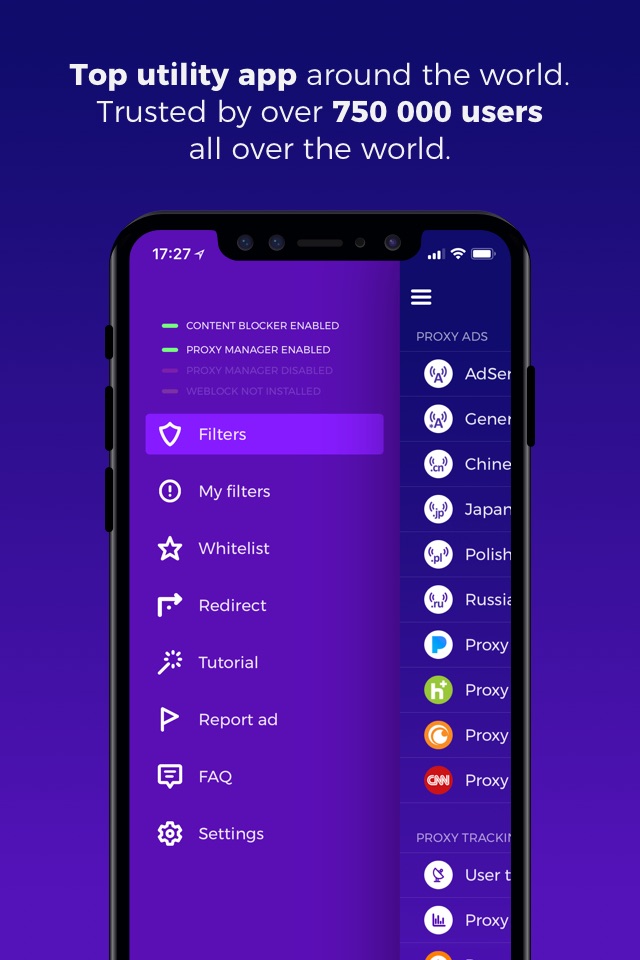
iPhone 5 images



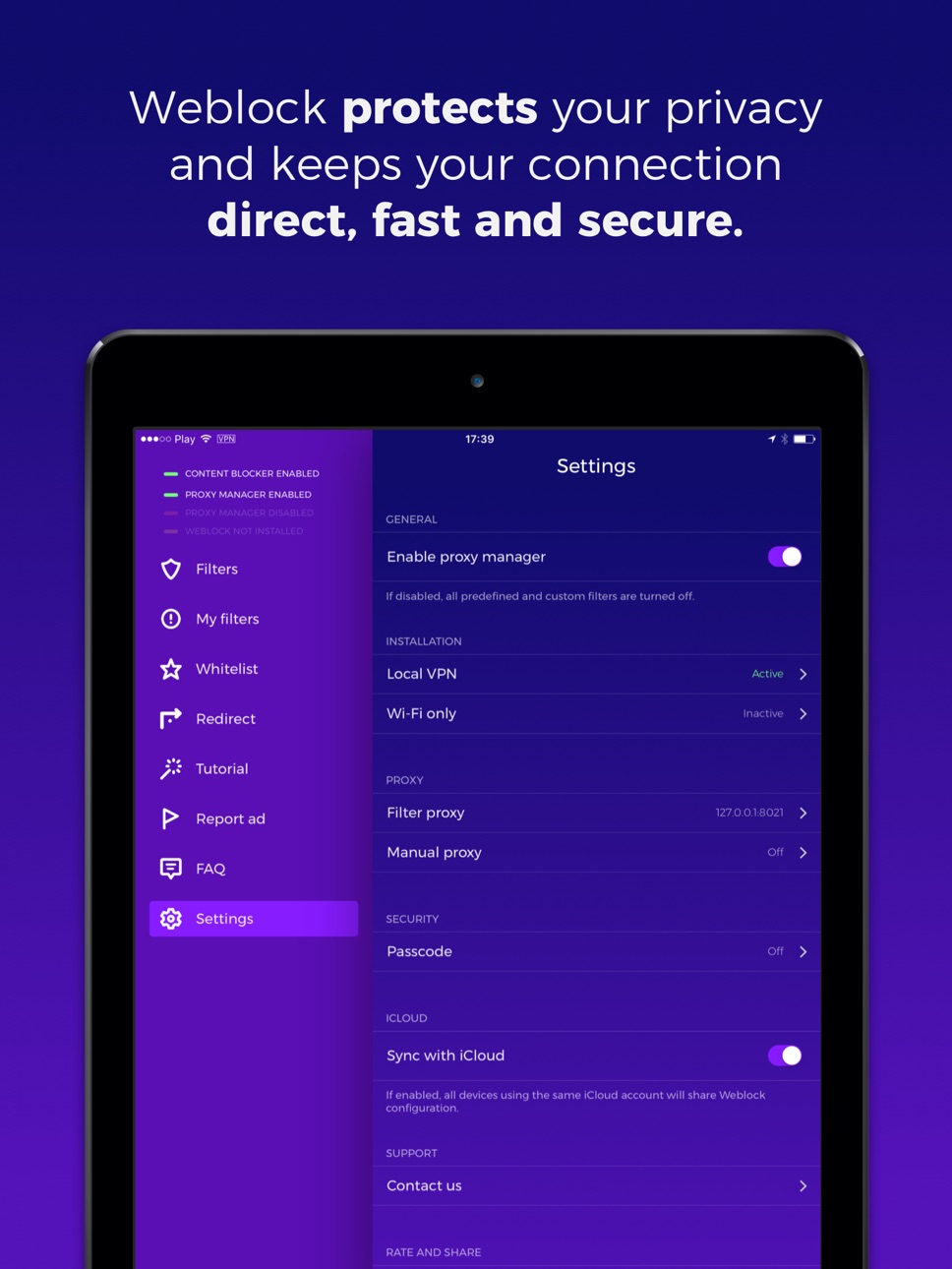
iPad 5 images



What’s New Version 5.3
- added new support contact options
- fixes for iOS 13 and iOS 14
Description
• #1 ad blocking solution for iOS, available since 2012
• Over 750 000 app downloads worldwide
• No in-app purchases, no subscription. Simple one-time payment
• Top Utility ranked in all App Stores around the world
• Over 1000+ carefully crafted filters
• Easy setup in under 1 minute with detailed tutorial
• Now with built-in Safari Content Blocker for better web ad protection
Weblock allows you to control how your device fetches online content. Easily manage PAC (Proxy Auto-Config) script and route different connections through different proxy servers. Weblock can make your device download ads (banners and popups), stats and user tracking, scripts or images through a proxy server you pick. It also allows you to use a different proxy for specific websites, like Facebook, Twitter, Google+, social widgets from websites. You can even define your own content filters. With Weblock you can control proxy for basically any network resource! This way you can choose not to reveal your real IP to different services, limit advanced ad targeting and protect your privacy.
IMPORTANT NOTICE: You're responsible for selecting a proxy server that allows you to download content you wish to download. We DO NOT provide a proxy service. Using a bad proxy server (like 127.0.0.1:8021) might result in some resources being blocked. You can control your proxy settings selectively with Weblock. Contact our support if you need help choosing right proxy server or setting up Weblock on your device.
Here are some situations in which Weblock might come in handy:
• Fetch ads through a proxy server you choose. Protect your privacy and prevent ad servers from knowing your real IP address and tracking you.
• Disable majority of ads on websites you visit on your iOS device! Weblock supports all major web browsers: Safari, Chrome, Mercury and others (browsers redirecting web traffic through third-party servers like Puffin Browser or Opera Mini are not be supported).
• Easily remove all native Facebook widgets and plugins (Like buttons, comments, etc.) on sites you visit - simply disable Facebook plugins in Weblock! Do the same for Twitter, Google+ and other social media.
• Stop annoying Tapatalk popups, nagging you to download forum browsing app on every visit.
• Take control of someone else's device - you can preconfigure any iOS device to control it with your Weblock app. Block or redirect any content, anytime, directly from your own device.
• Your predefined filters and custom rules can be synced between all your iOS devices using iCloud.
• If you wish to block something else, you can create your own rules and filters. You can block any URL (with regular expressions), domain or IP address. Don't know how? Let us know - we're here for you.
• You can also use Weblock's redirect feature to emulate '/etc/hosts' entries for HTTP and HTTPS traffic. This might be useful for web and app developers to pin domains to different IP addresses.
••• IMPORTANT! •••
Need help setting up Weblock? Contact our support directly through the app.
Capabilities
Safari extension
Accessibility
ipadiphonemacrealityDevicetvoswatch
Version history 25 versions
Build 840979961v5.32021-05-17 19:01:32
- added new support contact options
- fixes for iOS 13 and iOS 14
Build 825067274v5.22018-02-01 20:36:08
This update from Apple will improve the functionality of this app. No new features are included.
• iPhone X support
• Safari Content Blocker added
• New, improved installation mechanism affecting Wi-Fi and cellular (available in Settings)
• Other fixes and improvements
Build 823894769v5.12017-10-13 15:21:08
We had to remove the possibility to block ads with a VPN profile.
Build 822698284v5.0.02017-07-07 19:01:09
Changes in v5.0.0:
- brand new app design. We think you'll love it!
- long awaited support for Wi-Fi and cellular with the new VPN method (old method is still supported)
Build 819978922v4.4.12017-02-27 23:34:05
- iOS 10.1 compatibility (now you can update rules by restarting apps instead of reconnecting with Wi-Fi)
- improved status view UI
- many fixes and improvements
Check out our other ad blockers: AdBlock (VPN based) and ADmosphere (Safari content blocker)!
Build 819659771v4.42016-11-29 09:27:01
v4.4 changelog:
- widget problems resolved
- ad reporting extension fixed
- fewer requests made, less resources used
- many fixes and improvements
check out our other ad blocking products:
- AdBlock for blocking ads in all apps on Wi-Fi and cellular
- ADmosphere for EasyList based content blocking in Safari
Build 816814486v4.3.12016-03-28 20:13:39
- fixed a bug affecting some of the users when iCloud sync was disabled (sorry!)
- additional step explaining status indicator in the tutorial
- polished status animation
- other fixes and improvements
Build 814959212v4.3.02016-03-15 23:25:17
Changelog for v4.3.0:
- faster and more responsive interface
- improved speed of processing rules on your device - blocking is now up to 70x faster!
- better synchronisation between devices
- fixed issues with connection status updates
Changelog for v4.2.2:
- improved widget UI
- other fixes and improvements
Build 813936928v4.2.22015-10-28 02:27:34
- improved widget UI
- other fixes and improvements
Build 813773983v4.2.12015-10-19 21:23:40
- fix iOS 6 compatibility
If your configuration link isn't saved properly in Wi-Fi settings, please try to reset your network settings.
This is a known iOS problem and it's not Weblock bug. If the problem remains, please contact our support. We're here for you :)
Build 813564195v4.2.02015-10-07 23:40:32
- full support for iOS9
- add your notes to custom rules
- "Report ad" form to let us know about ads slipping through
- interface improvements
- fixed bug with TouchID support
- multiple bug fixes and performance improvements
Build 812236320v4.1.12015-06-05 01:44:39
- new language supported: german and spanish
- custom url's and settings improvements
- minor fixes
Build 812092207v4.1.02015-04-15 23:06:26
- VoiceOver fix
- TouchID Support
- new languages supported: Japanese and Chinese
- other bug fixes and improvements
Build 812014197v4.0.12015-03-24 23:06:59
- fixed startup crash on iOS6 and iOS7 (sincere apologies!)
- fixed crash when rules got duplicated
- fixed landscape orientation bug (iPhones and iPods)
- other minor fixes and improvements
Build 811727065v4.02015-03-16 21:20:00
!Warning! This update won't work properly on iOS 6 or 7. This issue will be fixed really soon in v4.0.1. Sorry! :)
- iOS 8, iPhone 6 and 6 plus support
- new fancy look and features
- new, clear and awesome installation guide
- new status widget for easy filters main switch access
- new filter: block adult sites
- multiple improvements and bug fixes
Build 630473106v3.4.12014-07-18 17:26:21
- fixed multiple bugs
- added search in filter lists
Build 614274035v3.42014-07-05 09:51:27
Changelog:
- fixed bug with manual proxy setting,
- fixed bug with iPad custom numeric keyboard,
- multiple minor bugs squashed,
- multilanguage support (Polish translation now, more translations coming really soon).
We're still working on a fix for problem with ads on YouTube. It's there and we're on it.
Build 522872634v3.32014-04-08 19:47:57
- passcode lock
- updated app setup process information
- minor bugfixes and improvements
Build 321592639v3.22014-01-24 06:38:09
- it's now possible to define your own dummy-proxy for blocking connections
- minor bugfixes and improvements
Build 305232650v3.1.12014-01-17 18:24:20
Bug fixes and other improvements.
Build 262132644v3.12014-01-08 05:50:56
- landscape view support
- iPad interface improved
- fixed a bug with custom lists entries limit on iPad
- other minor bugfixes and improvements
Build 44532651v3.02013-12-12 10:25:40
••• Weblock v3.0
The new Weblock is here - rewritten from the scratch, with brand new design and features.
• We are changing the way in which the filters are organised. You can now block specific AdServers and allow others. It's also possible to block social media widgets while still allowing general connectivity (ex. block only facebook like buttons and comments). We will keep working to extend the list to give you more control over what gets blocked. More filters coming soon!
• It's now possible to define proxy redirects. This allows you to direct specific URL, domain or IP to specific proxy address. This feature can be used by more advanced users as an equivalent of /etc/hosts in some cases, like redirecting web traffic to test environments or sniffing/spoofing web connections from your mobile apps.
• You can now easily enable/disable sync of your configuration across multiple devices via iCloud.
• You can now set manually proxy address for the outgoing traffic (in case you access the Internet through proxy).
• New, better graphics and iOS7 design.
If you like Weblock, please spare a minute to write a review. It's the reviews that keep us going :)
Build 14882694v2.02013-04-05 15:14:32
Weblock 2.0 is a major update. Changes:
• improved navigation and filters organisation
• added native iPad interface
• added landscape orientation support for all devices
• changed "Custom" filters to "Blacklist"
• added whitelisting possibility - all items from whitelist are always allowed for direct connection
• added switch allowing to totally disable Weblock filters with a single tap
• improved iCloud syncing between devices
• improved status indicator
• added sharing function
• lots of minor changes improving general app experience
If you find Weblock usefull, please share with your friends (you'll find share buttons at the bottom of FAQ tab in the app)! We appreciate all your comments and reviews. Thank you for your mail suggestions!
Build 13240868v1.12013-01-09 21:30:16
• Weblock can now check if your Wi-Fi filtering is properly configured
• improvements and bug fixes
Build 10508840v1.02012-11-12 15:48:42
Price history by region
Currency
Show
Columns
Search
Availability 29 of 29 storefronts
| Region | Language | Price | Ratings | Avg | Version |
|---|---|---|---|---|---|
 US US | en-US | USD 1.99 | 4.9k | 4.3 | 5.3 |
 DE DE | de-DE | EUR 1.99 | 442 | 4.1 | 5.3 |
 FR FR | fr-FR | EUR 1.99 | 329 | 4.2 | 5.3 |
 VN VN | en-GB | VND 59000 | 295 | 4.6 | 5.3 |
 IN IN | en-GB | INR 199 | 94 | 4.5 | 5.3 |
 NZ NZ | en-AU | NZD 3.99 | 42 | 4.6 | 5.3 |
 DK DK | en-GB | DKK 19 | 40 | 4.2 | 5.3 |
 PH PH | en-GB | PHP 129 | 31 | 4.0 | 5.3 |
 IE IE | en-GB | EUR 1.99 | 26 | 4.4 | 5.3 |
 PK PK | en-GB | PKR 500 | 11 | 4.5 | 5.3 |
 AL AL | en-GB | USD 1.99 | 3 | 3.7 | 5.3 |
 GH GH | en-GB | USD 1.99 | 2 | 5.0 | 5.3 |
 BA BA | en-GB | EUR 1.99 | 1 | 5.0 | 5.3 |
 MK MK | en-GB | USD 1.99 | 1 | 5.0 | 5.3 |
 MR MR | en-GB | USD 1.99 | 1 | 4.0 | 5.3 |
 ZW ZW | en-GB | USD 1.99 | 1 | 4.0 | 5.3 |
 AF AF | en-GB | USD 1.99 | 0 | — | 5.3 |
 BM BM | en-GB | USD 1.99 | 0 | — | 5.3 |
 DM DM | en-GB | USD 1.99 | 0 | — | 5.3 |
 GD GD | en-GB | USD 1.99 | 0 | — | 5.3 |
 GM GM | en-GB | USD 1.99 | 0 | — | 5.3 |
 KN KN | en-GB | USD 1.99 | 0 | — | 5.3 |
 LR LR | en-GB | USD 1.99 | 0 | — | 5.3 |
 MM MM | en-GB | USD 1.99 | 0 | — | 5.3 |
 RS RS | en-GB | EUR 1.99 | 0 | — | 5.3 |
 RW RW | en-GB | USD 1.99 | 0 | — | 5.3 |
 SZ SZ | en-GB | USD 1.99 | 0 | — | 5.3 |
 TZ TZ | en-GB | TZS 5900 | 0 | — | 5.3 |
 UG UG | en-GB | USD 1.99 | 0 | — | 5.3 |
Change log 29 changes · US
✎
releaseNotes updated
- added new support contact options
- fixes for iOS 13 and iOS 14
✎
description updated
• #1 ad blocking solution for iOS, available since 2012
• Over 750 000 app downloads worldwide
• No in-app purchases, no subscription. Simple one-time payment
•
✎
subtitle updated
Best ad blocker since 2012
✎
name updated
Weblock: adblock & proxy
◆
Version 5.3 released
- added new support contact options
- fixes for iOS 13 and iOS 14
◆
Version 5.2 released
This update from Apple will improve the functionality of this app. No new features are included.
• iPhone X support
• Safari Content Blocker added
• New, improved installation mechanism affecting Wi-Fi and cellular (available in Settings)
◆
Version 5.1 released
We had to remove the possibility to block ads with a VPN profile.
◆
Version 5.0.0 released
Changes in v5.0.0:
- brand new app design. We think you'll love it!
- long awaited support for Wi-Fi and cellular with the new VPN method (old method is still supported)
◆
Version 4.4.1 released
- iOS 10.1 compatibility (now you can update rules by restarting apps instead of reconnecting with Wi-Fi)
- improved status view UI
- many fixes and improvements
Check out our other ad blockers: AdBlock (VPN based) and ADmosphere (Safari c
◆
Version 4.4 released
v4.4 changelog:
- widget problems resolved
- ad reporting extension fixed
- fewer requests made, less resources used
- many fixes and improvements
check out our other ad blocking products:
- AdBlock for blocking ads in all apps on Wi-Fi a
◆
Version 4.3.1 released
- fixed a bug affecting some of the users when iCloud sync was disabled (sorry!)
- additional step explaining status indicator in the tutorial
- polished status animation
- other fixes and improvements
◆
Version 4.3.0 released
Changelog for v4.3.0:
- faster and more responsive interface
- improved speed of processing rules on your device - blocking is now up to 70x faster!
- better synchronisation between devices
- fixed issues with connection status updates
Cha
◆
Version 4.2.2 released
- improved widget UI
- other fixes and improvements
◆
Version 4.2.1 released
- fix iOS 6 compatibility
If your configuration link isn't saved properly in Wi-Fi settings, please try to reset your network settings.
This is a known iOS problem and it's not Weblock bug. If the problem remains, please contact our suppo
◆
Version 4.2.0 released
- full support for iOS9
- add your notes to custom rules
- "Report ad" form to let us know about ads slipping through
- interface improvements
- fixed bug with TouchID support
- multiple bug fixes and performance improvements
◆
Version 4.1.1 released
- new language supported: german and spanish
- custom url's and settings improvements
- minor fixes
◆
Version 4.1.0 released
- VoiceOver fix
- TouchID Support
- new languages supported: Japanese and Chinese
- other bug fixes and improvements
◆
Version 4.0.1 released
- fixed startup crash on iOS6 and iOS7 (sincere apologies!)
- fixed crash when rules got duplicated
- fixed landscape orientation bug (iPhones and iPods)
- other minor fixes and improvements
◆
Version 4.0 released
!Warning! This update won't work properly on iOS 6 or 7. This issue will be fixed really soon in v4.0.1. Sorry! :)
- iOS 8, iPhone 6 and 6 plus support
- new fancy look and features
- new, clear and awesome installation guide
- new status
◆
Version 3.4.1 released
- fixed multiple bugs
- added search in filter lists
◆
Version 3.4 released
Changelog:
- fixed bug with manual proxy setting,
- fixed bug with iPad custom numeric keyboard,
- multiple minor bugs squashed,
- multilanguage support (Polish translation now, more translations coming really soon).
We're still working on
◆
Version 3.3 released
- passcode lock
- updated app setup process information
- minor bugfixes and improvements
◆
Version 3.2 released
- it's now possible to define your own dummy-proxy for blocking connections
- minor bugfixes and improvements
◆
Version 3.1.1 released
Bug fixes and other improvements.
◆
Version 3.1 released
- landscape view support
- iPad interface improved
- fixed a bug with custom lists entries limit on iPad
- other minor bugfixes and improvements
◆
Version 3.0 released
••• Weblock v3.0
The new Weblock is here - rewritten from the scratch, with brand new design and features.
• We are changing the way in which the filters are organised. You can now block specific AdServers and allow others. It's also possi
◆
Version 2.0 released
Weblock 2.0 is a major update. Changes:
• improved navigation and filters organisation
• added native iPad interface
• added landscape orientation support for all devices
• changed "Custom" filters to "Blacklist"
• added whitelisting possib
◆
Version 1.1 released
• Weblock can now check if your Wi-Fi filtering is properly configured
• improvements and bug fixes
◆
Version 1.0 released