Home › Navigation

 US
US
1 of 1 storefronts
Content in en-US
Content in en-US
Information
Preview 2 platforms
iPhone 8 images


iPad 8 images


What’s New Version 4.2.0
NEW FEATURES:
1. Fleet filter under vessels tab.
2. Vessels list and Vessel overview includes information about which fleet they belong to.
3. New Notification rules added under Events tab.
IMPROVEMENTS:
1. Bug fixes.
Description
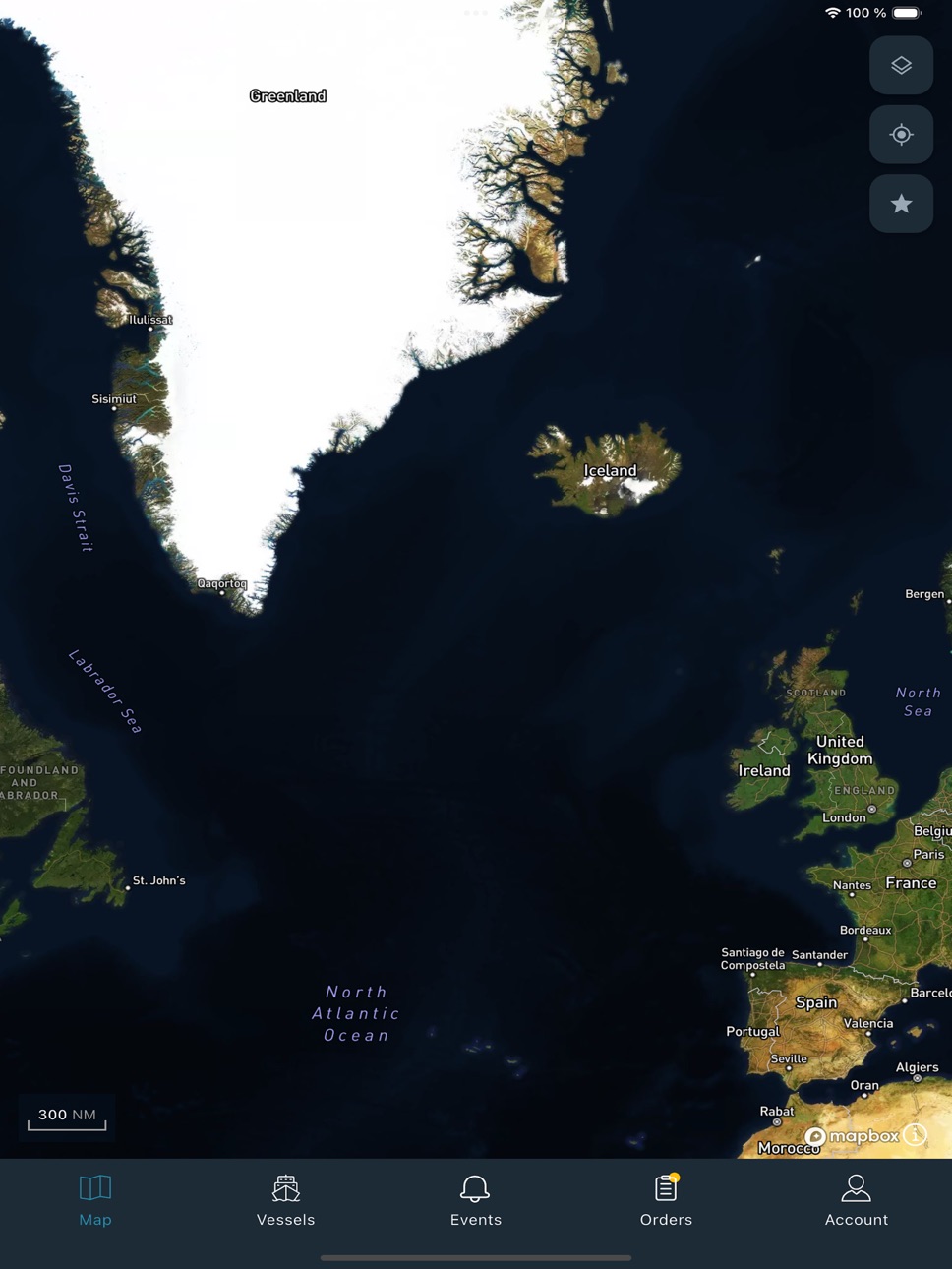
Discover an easy way to track and monitor your vessel directly from your mobile. Simply download the NavFleet app and unlock operational insight and situational awareness with one easy application, ensuring safe, smart, and sustainable shipping operations.
This app brings you the following features.
• Vessel tracking - Gain real-time visibility into vessel movement and optimize routes.
• Voyage monitoring - Plan voyages efficiently, monitor progress and receive alerts.
• Order management – View and approve vessel orders at your fingertips.
• Speed tracking - Improve efficiency by monitoring vessel speed and weather conditions.
Accessibility
ipadiphonemacrealityDevicetvoswatch
Version history 19 versions
Build 884893161v4.2.02026-04-30 19:28:13
NEW FEATURES:
1. Fleet filter under vessels tab.
2. Vessels list and Vessel overview includes information about which fleet they belong to.
3. New Notification rules added under Events tab.
IMPROVEMENTS:
1. Bug fixes.
Build 880339267v4.1.22025-12-16 12:21:59
• UI enhancements
• Additional information on the AIS data popup.
• Validation and UI updates for custom date range selection to ensure accuracy and ease of use.
• Show active vessel passages on vessel details map.
• Portal names are now sorted for easier navigation.
Build 879174923v4.1.12025-10-28 12:21:39
- App support for the Chinese region
- Bug fixes
- Orders filtering and displaying more information
- Displaying AIS Target information
- Minor UI enhancements
Build 877676156v4.1.02025-09-02 11:13:06
Event List:
* Apply filters to view only relevant notification events.
* Filters are remembered across sessions, with an option to clear them easily.
Event Details:
* Map view now shows both the notification position and the vessel position.
* Quick navigation options:
* "Go to Event Position" → map centers on the event location.
* "Go to Current Position" → map centers on the vessel’s location.
* Add comments to events.
* Edit or delete your own comments.
Vessel Details:
* Added "Re-center" button to quickly return to vessel position while panning across the map.
Keep Screen Alive:
* New setting under Accounts → Settings allows keeping the screen active to prevent device lock.
* Vessel data refreshes automatically every 3 minutes when enabled.
Others:
* Improved app response time.
* General bug fixes and performance improvements.
* Responsive for tablets both on portrait and Landscape orientations.
Build 875690349v4.0.22025-06-23 08:09:23
Bug fixes
Build 875021361v4.0.12025-05-30 06:15:06
The release contains minor additions to functionality as well as some important bug fixes.
• "Expand map" button on the Vessel Card.
• Function to see only favorites in map.
• Show speed as part of track information in map.
• Remembers selected map styles and track length.
• Map scale is now in NM.
• Time of event added to Events tab.
• Various performance and UI improvements.
Build 874396391v4.0.02025-05-06 06:37:26
• Vessel tracking - Gain real-time visibility into vessel movement and optimize routes.
• Voyage monitoring - Plan voyages efficiently, monitor progress and receive alerts.
• Order management – View and approve vessel orders at your fingertips.
• Speed tracking - Improve efficiency by monitoring vessel speed and weather conditions.
Build 864895546v3.2.12024-04-09 09:50:25
Improved support for iOS 17
Build 839483134v3.2.02020-12-09 08:00:04
Added "Position" to the vessel details
Build 835297540v3.1.02020-03-30 14:13:10
New features
- Landscape mode for iPad
Bug fixes
- Fixed toggle buttons on "Select layers" when dragging the button
- Fixed retrieval of AIS targets
Build 834401975v3.0.02020-01-29 09:00:26
- Design improvements
- Add vessels to favorite list
- View AIS targets
- Notifications for order approvals
- Map view option
- Display vessel image
Build 822064229v2.2.12017-05-09 19:22:30
- Stability improvement.
Build 821936102v2.2.02017-05-02 07:02:50
- UI changes on iPad
- Nautical map mode on iPad
- Speed and distance reports on iPad
- Minor UI changes on iPhone
Build 813623423v2.1.12015-10-09 00:51:59
Added compatibility with iOS9.
Build 811955941v2.1.02015-03-17 08:31:40
Order review/approving/rejecting is available now.
Stability improvement.
Build 601012969v2.0.22014-06-13 05:57:10
Operational Area viewing is available now.
Stability improvement.
Build 262812633v2.0.12013-12-20 00:02:32
Fleet view.
Additional vessel information.
Time slider for selecting vessel track period.
Build 238423171v2.02013-12-17 08:23:03
Fleet view.
Additional vessel information.
Time slider for selecting vessel track period.
Build 10244896v1.02012-08-31 21:28:42
No pricing data captured yet — comparisons appear once the app has paid storefronts or in-app purchases.
Availability 1 of 1 storefronts
| Region | Language | Price | Ratings | Avg | Version |
|---|---|---|---|---|---|
| US | en-US | Free | 2 | 3.0 | 4.2.0 |
Change log 23 changes · US
✎
releaseNotes updated
NEW FEATURES:
1. Fleet filter under vessels tab.
2. Vessels list and Vessel overview includes information about which fleet they belong to.
3. New Notification
✎
description updated
Discover an easy way to track and monitor your vessel directly from your mobile. Simply download the NavFleet app and unlock operational insight and situational
✎
subtitle updated
Fleet Monitoring & Tracking
✎
name updated
NAVTOR NavFleet
◆
Version 4.2.0 released
NEW FEATURES:
1. Fleet filter under vessels tab.
2. Vessels list and Vessel overview includes information about which fleet they belong to.
3. New Notification rules added under Events tab.
IMPROVEMENTS:
1. Bug fixes.
◆
Version 4.1.2 released
• UI enhancements
• Additional information on the AIS data popup.
• Validation and UI updates for custom date range selection to ensure accuracy and ease of use.
• Show active vessel passages on vessel details map.
• Portal names are now so
◆
Version 4.1.1 released
- App support for the Chinese region
- Bug fixes
- Orders filtering and displaying more information
- Displaying AIS Target information
- Minor UI enhancements
◆
Version 4.1.0 released
Event List:
* Apply filters to view only relevant notification events.
* Filters are remembered across sessions, with an option to clear them easily.
Event Details:
* Map view now shows both the notification position and the vessel position
◆
Version 4.0.2 released
Bug fixes
◆
Version 4.0.1 released
The release contains minor additions to functionality as well as some important bug fixes.
• "Expand map" button on the Vessel Card.
• Function to see only favorites in map.
• Show speed as part of track information in map.
• Remembers sele
◆
Version 4.0.0 released
• Vessel tracking - Gain real-time visibility into vessel movement and optimize routes.
• Voyage monitoring - Plan voyages efficiently, monitor progress and receive alerts.
• Order management – View and approve vessel orders at your finger
◆
Version 3.2.1 released
Improved support for iOS 17
◆
Version 3.2.0 released
Added "Position" to the vessel details
◆
Version 3.1.0 released
New features
- Landscape mode for iPad
Bug fixes
- Fixed toggle buttons on "Select layers" when dragging the button
- Fixed retrieval of AIS targets
◆
Version 3.0.0 released
- Design improvements
- Add vessels to favorite list
- View AIS targets
- Notifications for order approvals
- Map view option
- Display vessel image
◆
Version 2.2.1 released
- Stability improvement.
◆
Version 2.2.0 released
- UI changes on iPad
- Nautical map mode on iPad
- Speed and distance reports on iPad
- Minor UI changes on iPhone
◆
Version 2.1.1 released
Added compatibility with iOS9.
◆
Version 2.1.0 released
Order review/approving/rejecting is available now.
Stability improvement.
◆
Version 2.0.2 released
Operational Area viewing is available now.
Stability improvement.
◆
Version 2.0.1 released
Fleet view.
Additional vessel information.
Time slider for selecting vessel track period.
◆
Version 2.0 released
Fleet view.
Additional vessel information.
Time slider for selecting vessel track period.
◆
Version 1.0 released