Home › Photo & Video

 US
US
1 of 1 storefronts
Content in en-US
Content in en-US
Information
Preview 2 platforms
iPhone 5 images


iPad 6 images




What’s New Version 1.48
Optimization, bug fixes and performance improvements.
Description
Create a comic worthy of the Sunday newspaper or your favorite pulp-fiction cover.
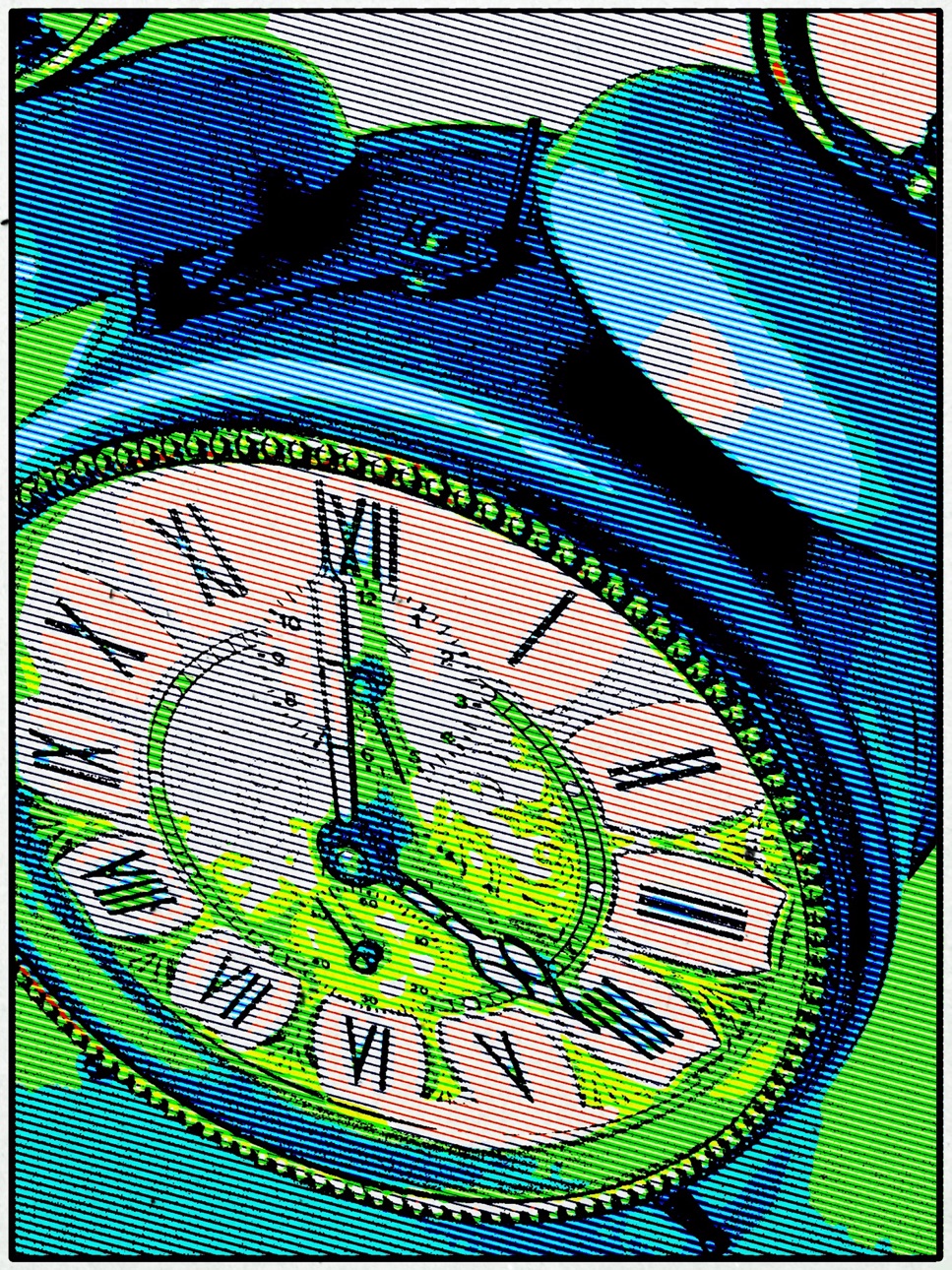
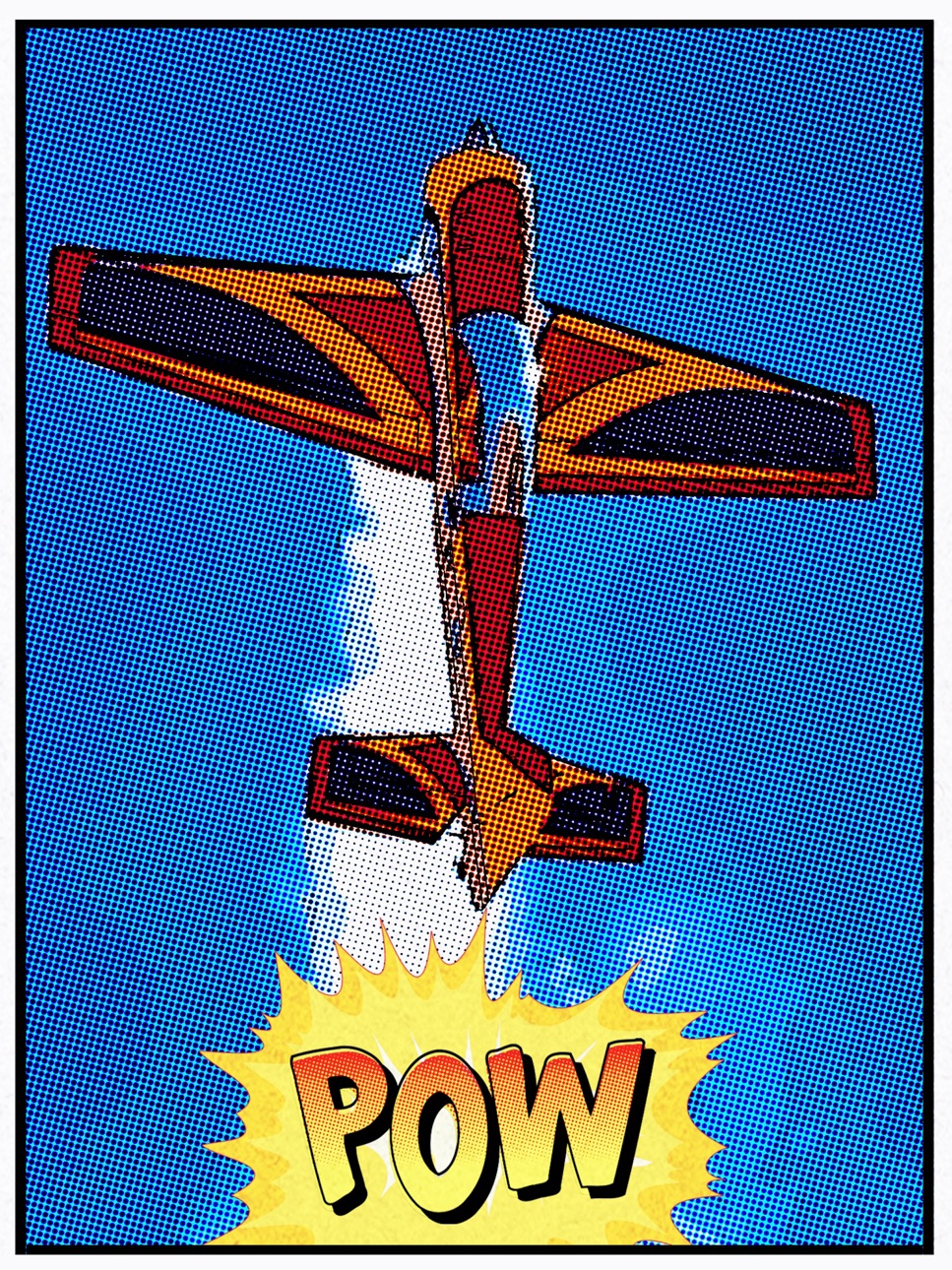
Pop Dot Comic is a fun way to create comic-book style illustrations from your snapshot or ones taken of your friends and family. Pop Dot Comic applies thick outlines, bold colors, and plenty of benday dots to newsprint or pulp papers to give every creation the look of one that’s been printed or published.
In the past, halftones were tediously inked in by cartoon artists or created in darkrooms. With Pop Dot Comic you can easily and quickly convert your photo into a comic book drawing that’s worthy enough for the Sunday newspaper or your favorite pulp-fiction cover. With a library of included “Fun Stuff”, custom messages can be added to speech bubbles and sound effects will give your creation “POW”. When your finished creating a comic book photo save it to your library or post them to your friends and family for funny moments.
COMIC STYLES
• Sunday Comics — Creates a Cartoon Photo
• Halftone — Transforms a photo into a Halftone Newspaper Photo
• Pop Comics — Converts photos into a bright Pop Art Lichtenstein-style Cartoon
• Pulp Comics — Renders a Cartoon with Vintage Color on Aged Pulp Paper
• Noir Comics — Creates a contrasted toned or blk/white Comic with selective color like those used in the Sin City series
Pop Dot Comics is a professional cartoon effect that can be done directly on your iPhone, iPad and Mac.
•Convert all your images and pictures into cartoon-style effect quickly
•Choose a preset for a quick start
•Use large photos for a high-end result!
•Crop your photo to remove unwanted parts of an image
•Choose between 5 comic styles: Sunday Comics, Halftone, Noir Comics, Pop Comics, Pulp Comics
•Make adjustments to outlines, color, border width, border inset and pulp papers
•Choose between Dots, Lines and Halftones
•Edit and resize “Fun Stuff” and “Bubbles” with an easy one-finger gesture
•Share via Email, Facebook, Twitter and Tumblr
•Save to Camera Roll
Easy to Use
•Tap to edit type in speech & thought bubbles
•Long Press to delete fun stuff and bubbles
•Pull edges of fun stuff and speech bubbles to resize
•Touch and hold center to move
FEATURES
Benday Dots — like those used in the traditional printing process. Benday Dots are two (or more) different small, colored dots combined to create a third color. Back in the day, pulp comic books used Benday Dots in primary colors to inexpensively create the secondary colors such as flesh tone.
Fully adjustable control on all aspects of the process: Dot or Line size, Outline size, Color variation, Border: Width, Inset, Color & Corner Radius.
INCLUDES
Newsprint and Pulp Papers
UNIVERSAL FEATURES
All JixiPix Apps come with: Superior Customer Service, Support for High-Resolution Images & Output, Undo/Redo, Randomize Button, Quick Presets and the ability to create Custom Presets, Cropping with the ability to specify aspect ratio, Quick Preview, Email, Print, and the ability to post directly to Facebook, Instagram, Twitter, and Tumblr. We also have an online art gallery and invite our user’s to display their artistic creations on it: http://www.flickr.com/groups/jixipixcreations/
***************
“JixiPix turns any photo into a masterpiece. All that is required of you is the appreciation — we’ll take care of the rest!”
JixiPix.com “Creative Tools for Creative People"
Photography | Artistic | Graphic Apps
MAC • iPad • iPhone
Accessibility
ipadiphonemacrealityDevicetvoswatch
Version history 22 versions
Build 880199824v1.482025-12-19 22:13:15
Optimization, bug fixes and performance improvements.
Build 863784179v1.332024-02-16 02:44:01
Optimization, bug fixes and performance improvements.
Build 857470718v1.322023-05-30 18:53:12
Optimization, bug fixes and performance improvements.
Build 854220126v1.312023-01-04 20:25:08
Optimization, bug fixes and performance improvements.
Build 844611268v1.292021-10-13 02:06:32
iOS 15 Updates
Build 833303834v1.272019-10-24 23:03:31
Optimizations, bug fixes, and performance increases.
Build 832356704v1.252019-08-13 23:40:05
Optimizations
Build 829032463v1.242018-10-24 14:36:05
iOS 12 Optimizations
Build 828582834v1.232018-09-13 18:58:29
DNG Support
iOS 12 Support
Build 827942403v1.222018-07-19 16:09:05
Adjusted app to be able to go into background mode and retain settings when coming back.
Build 825710614v1.212018-01-19 22:48:59
Optimizations
Build 823695134v1.202017-09-18 17:13:46
Updated for iOS 11
Support for iPhone 8/8+/X
Build 819833072v1.112016-11-23 14:11:37
Updated UI
Build 75602702v1.082013-10-05 23:01:28
Speedups for iPhone 5S
Bug Fixes
Build 48722651v1.072013-09-24 18:53:04
iOS 7 Fixes Pt. 2
Build 31542681v1.062013-09-19 00:09:42
iOS 7 Updates
Build 15480476v1.052013-06-03 22:46:04
Potential Fix for crashing on editing of bubbles
Build 15008654v1.042013-04-13 23:03:00
Updated font selection to show names in font.
Bug fixes
Build 14147660v1.032013-02-21 03:53:11
Fix for missing Fun Stuff on iPhone 5 and iPod Touch 5G
Build 11682422v1.022012-10-31 20:43:36
Updated for iPhone
iOS 6 Support
Faster preview
Fix for type font size not matching preview on larger sizes
Build 10364298v1.012012-09-11 21:16:50
Faster preview/final rendering
Build 9426501v1.002012-08-24 01:41:21
Price history by region
Currency
Show
Columns
Search
Availability 1 of 1 storefronts
| Region | Language | Price | Ratings | Avg | Version |
|---|---|---|---|---|---|
| US | en-US | USD 2.99 | 177 | 4.9 | 1.48 |
Change log 26 changes · US
✎
releaseNotes updated
Optimization, bug fixes and performance improvements.
✎
description updated
Create a comic worthy of the Sunday newspaper or your favorite pulp-fiction cover.
Pop Dot Comic is a fun way to create comic-book style illustrations from you
✎
subtitle updated
Comic with colored halftones
✎
name updated
Pop Dot Comics
◆
Version 1.48 released
Optimization, bug fixes and performance improvements.
◆
Version 1.33 released
Optimization, bug fixes and performance improvements.
◆
Version 1.32 released
Optimization, bug fixes and performance improvements.
◆
Version 1.31 released
Optimization, bug fixes and performance improvements.
◆
Version 1.29 released
iOS 15 Updates
◆
Version 1.27 released
Optimizations, bug fixes, and performance increases.
◆
Version 1.25 released
Optimizations
◆
Version 1.24 released
iOS 12 Optimizations
◆
Version 1.23 released
DNG Support
iOS 12 Support
◆
Version 1.22 released
Adjusted app to be able to go into background mode and retain settings when coming back.
◆
Version 1.21 released
Optimizations
◆
Version 1.20 released
Updated for iOS 11
Support for iPhone 8/8+/X
◆
Version 1.11 released
Updated UI
◆
Version 1.08 released
Speedups for iPhone 5S
Bug Fixes
◆
Version 1.07 released
iOS 7 Fixes Pt. 2
◆
Version 1.06 released
iOS 7 Updates
◆
Version 1.05 released
Potential Fix for crashing on editing of bubbles
◆
Version 1.04 released
Updated font selection to show names in font.
Bug fixes
◆
Version 1.03 released
Fix for missing Fun Stuff on iPhone 5 and iPod Touch 5G
◆
Version 1.02 released
Updated for iPhone
iOS 6 Support
Faster preview
Fix for type font size not matching preview on larger sizes
◆
Version 1.01 released
Faster preview/final rendering
◆
Version 1.00 released