Home › Business

pdf scanner-cam scan app
Document scanner&photo scan
 US
US
1 of 1 storefronts
Content in en-US
Content in en-US
Information
Apple ID530020778
Bundle IDcom.ws.SHScanFree
SellerSeller
Min iOS13.0
Min macOS11.0
Device familiesiphone, ipod
Released2012-06-15
Copyright© 2026 WorldScan Inc.
Privacy policyLink ↗
Preview 1 platform
iPhone 8 images


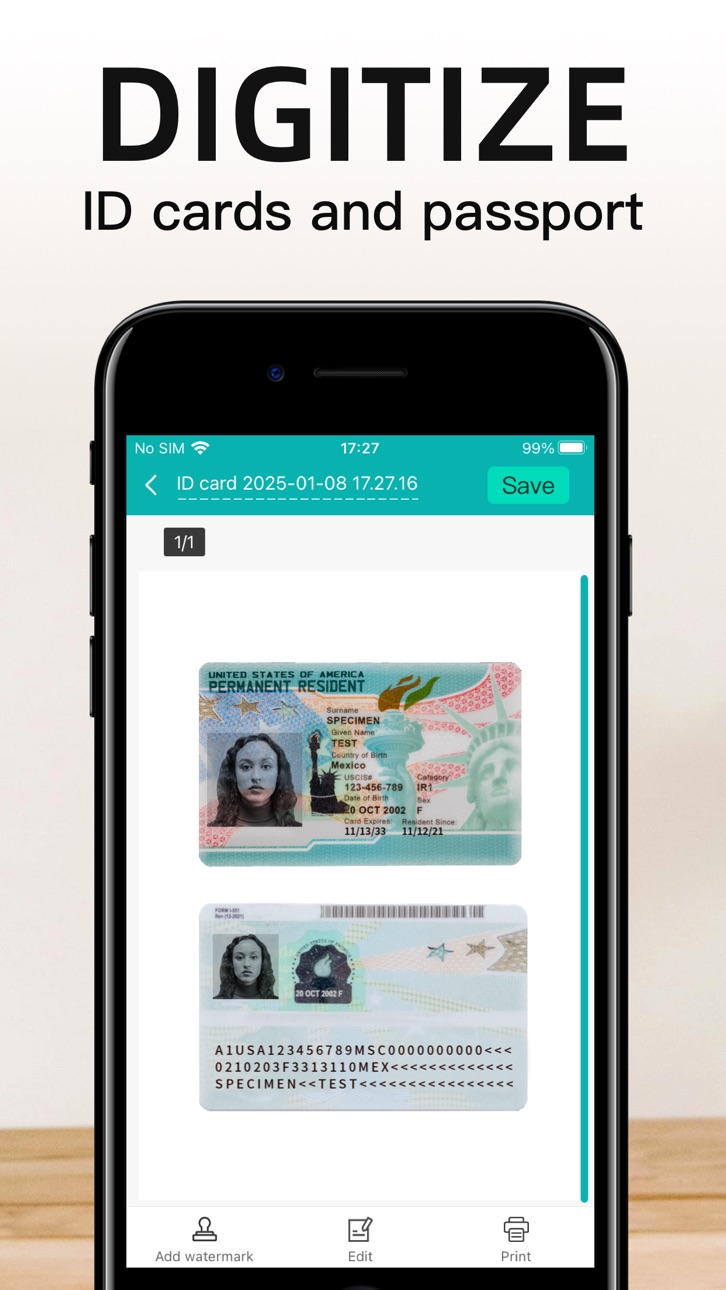


What’s New Version 5.15.11
1. Urgently fixed issues related to the questions
2. Fixed some other known issues
3. Optimized some details
4. Improved smoothness of use
Description
Scanner App Scan ererything into clear & sharp image/PDF.
With Scanner app, you can rapidly scan documents, and convert them into PDF format, as well as save them or send them by email, Print and save to cloud.
* Scan documents, photos, receipts, or just about anything.
* Batch mode combines multiple scans into a single PDF.
*Adopting advanced and fast algorithm, Scanner App use Advanced color processing algorithms remove shadows, correct perspective and distortion, making your scans as readable as possible.
*With powerful and easily operated interface, Scanner app can fast and simply adjust brightness, rotation and color through one click on one page.
Scanner app features:
1. Mobile Scanner ----scan and manage your document that may include multipage.
2. Fast scan in batch----scan continuously in batch without process waiting, which is fast and convenient.
3. Automatic side cut----utilize professional image processing algorithm to automatically help you cut the images.
4. Image enhancement----ensure document is clear and readable.
5. Text Recognition (OCR) ---- OCR (optical character recognition) feature extracts texts from single page for further editing or sharing.
6. Multi-sized PDFs----more than 10 PDF sizes are available (Letter,A4,B5, etc).You can customize the size or use self-adaption mode.
7. Save image to image library----conveniently process images so as to save them to image library.
8. Email----send your documents (PDF) or processed images by email.
9. Add Header----seach page of document may add headers, which can be searched.
10. Custom category----set custom category for your document to achieve convenient management and search.
11. Multiple browse modes----support browse modes, such as list and document-categorization.
12. Copy----support function of document copy to achieve convenient document management.
13. Search----Fast locate documents by searching document headers, page headers, etc.
Scanning tips: make sure your document is smooth and sensitive to light. Background of dead color may help to achieve the best detection result of document edge.
***********************************************************
VIP Subscription Instructions:
1. Subscription cycle: 1 quarter, 1 month, 6 months,1 year,1 week
2. Subscription price: ¥58 for continuous quarterly subscription, ¥28 for continuous monthly subscription,¥9 for continuous weekly subscription, ¥68 for continuous every 6 months subscription,and ¥198 for continuous annual subscription
3. 24 hours before the expiration of the VIP privilege, the fee will be automatically deducted from the iTunes account and the renewal fee will be determined.
4. Cancel automatic renewal: If you need to cancel automatic renewal, please manually turn off the automatic renewal function in iTunes/Apple ID settings management 24 hours before expiration. This subscription will automatically renew if not turned off at least 24 hours before expiration.
5. If a free trial period is offered, any unused portion will be forfeited when the user purchases a subscription to that publication (if applicable)
6. Privacy Policy: https://www.wordscan.net/ps/ws_privacy
7. Terms of use: https://www.wordscan.net/ps/ws_service
In-App Purchases US pricing
pdf scanner-cam scan app +Year Subscription
Yearly 1-year free trial$29.99
Upgrade the super account Subscription
Monthly VIP account · Monthly 1-month free trial$4.99
VIP for one quarter · 3 months 3-day free trial$7.99
Half-yearly membership · 6 months$9.99
Weekly membership · 7 days 3-day free trial$2.99
One-Time Purchases
50-page PDF format conversion$1.99
upgrade for worldscan$2.99
200-page PDF format conversion$4.99
2GB cloud space$6.99
500-page PDF format conversion$12.99
Capabilities
In-App Purchases
Accessibility
ipadiphonemacrealityDevicetvoswatch
Version history 25 versions
Build 887466307v5.15.112026-06-29 01:35:15
1. Urgently fixed issues related to the questions
2. Fixed some other known issues
3. Optimized some details
4. Improved smoothness of use
Build 887267813v5.15.102026-06-25 01:00:01
1. Added Markdown functionality
2. Added other features
3. Fixed some known issues
4. Optimized some details
5. Improved performance
Build 886554163v5.14.462026-06-09 01:41:50
1. Emergency fix for filter interaction issues
2. Fixed some other known issues
3. Optimized some details
4. Smoother gameplay
Build 886505018v5.14.402026-06-05 01:02:16
1. Added new filters
2. Added some other features
3. Fixed some issues
4. Improved smoothness
Build 886368469v5.14.362026-06-02 02:01:29
1. Added new puzzle templates, etc.
2. Added some other features.
3. Fixed some issues.
4. Improved performance.
Build 885604632v5.14.322026-05-14 01:44:37
1. Added check-in and other features
2. Added other features
3. Fixed some issues
4. Improved performance
Build 884827396v5.14.262026-04-29 01:34:35
1. Added photo-to-PDF conversion
2. Added some other features
3. Fixed some issues
4. Improved performance
Build 884487395v5.14.152026-04-16 01:35:48
1. Added redesign to the PDF conversion page
2. Added some other features
3. Fixed some issues
4. Improved user experience
Build 883696746v5.14.92026-03-26 01:22:07
1. Added "Convert to PDF" function
2. Added some other functions
3. Fixed some issues
4. Smoother operation
Build 883283482v5.13.112026-03-18 01:34:52
1. Added photo-based problem-solving feature
2. Added other features
3. Fixed some issues
4. Improved performance
Build 882322943v5.12.862026-02-13 13:37:01
1. Fixed known issues
2. Optimized some interaction flows
3. Improved some details
4. Smoother user experience
Build 882063859v5.12.762026-02-09 02:01:03
1. Added usage details
2. Fixed known issues
3. Optimized some interaction flows
4. Optimized some details
5. Smoother user experience
Build 881697214v5.12.612026-01-28 01:38:58
1. Added Smart HD
2. Fixed known issues
3. Optimized some interaction flows
4. Optimized some details
5. Smoother user experience
Build 881618405v5.12.522026-01-21 03:34:33
1. Fixed known issues
2. Optimized some interaction flows
3. Improved some details
4. Smoother user experience
Build 881206716v5.12.362026-01-07 06:20:42
1. Added minor adjustments
2. Added some optimizations
3. Fixed known issues
4. Improved performance
Build 880665929v5.12.242025-12-18 08:06:33
1. Added some product content
2. Fixed known issues
3. Optimized some interaction flows
4. Improved some details
5. Smoother user experience
Build 880329075v5.12.122025-12-05 01:36:20
1. Added image erasure function
2. Added some product content
3. Added detailed adjustments
4. Fixed some issues
5. Smoother operation
Build 879825805v5.11.122025-11-18 07:52:47
1. Added minor adjustments
2. Added some optimizations
3. Fixed known issues
4. Improved performance
Build 879729389v5.11.112025-11-14 01:35:54
1. Added features such as line art extraction
2. Redesigned camera interface
3. Added several optimizations
4. Fixed known issues
5. Improved performance
Build 879481242v5.11.52025-11-06 01:57:24
1. Added PDF editing and annotation features
2. Added some optimizations
3. Fixed known issues
4. Improved performance
Build 879348808v5.10.182025-11-03 01:55:54
1. Fixed known issues
2. Optimized some interaction flows
3. Improved some details
4. Smoother user experience
Build 879169874v5.10.172025-10-24 01:47:28
1. Fixed some issues with ID photos
2. Fixed some known issues
3. Optimized some processes
4. Smoother use
Build 878975453v5.10.102025-10-22 01:35:01
1. Added PDF editing support for highlighting, underlining, and striking through.
2. Added a new ID photo editing feature.
3. Added support for the latest operating systems.
4. Optimized some PDF editing interaction issues.
5. Optimized some ID photo interaction issues.
6. Fixed some known issues.
7. Optimized some details.
8. Smoother use.
Build 878503279v5.9.142025-10-01 01:54:14
1. Urgently fixed some issues with PDF page sorting
2. Fixed some other known issues
3. Optimized some details
4. Made it smoother to use
Build 878385735v5.9.112025-09-25 01:34:03
1. Added support for editing some PDF content
2. Added some ID photo features
3. Fixed some issues
4. Optimized some details
5. Smoother use
Price history by region
Currency
Show
Columns
Search
Availability 1 of 1 storefronts
| Region | Language | Price | Ratings | Avg | Version |
|---|---|---|---|---|---|
| US | en-US | Free | 769 | 4.7 | 5.15.11 |
Change log 29 changes · US
✎
releaseNotes updated
1. Urgently fixed issues related to the questions
2. Fixed some other known issues
3. Optimized some details
4. Improved smoothness of use
✎
description updated
Scanner App Scan ererything into clear & sharp image/PDF.
With Scanner app, you can rapidly scan documents, and convert them into PDF format, as well as save t
✎
subtitle updated
Document scanner&photo scan
✎
name updated
pdf scanner-cam scan app
◆
Version 5.15.11 released
1. Urgently fixed issues related to the questions
2. Fixed some other known issues
3. Optimized some details
4. Improved smoothness of use
◆
Version 5.15.10 released
1. Added Markdown functionality
2. Added other features
3. Fixed some known issues
4. Optimized some details
5. Improved performance
◆
Version 5.14.46 released
1. Emergency fix for filter interaction issues
2. Fixed some other known issues
3. Optimized some details
4. Smoother gameplay
◆
Version 5.14.40 released
1. Added new filters
2. Added some other features
3. Fixed some issues
4. Improved smoothness
◆
Version 5.14.36 released
1. Added new puzzle templates, etc.
2. Added some other features.
3. Fixed some issues.
4. Improved performance.
◆
Version 5.14.32 released
1. Added check-in and other features
2. Added other features
3. Fixed some issues
4. Improved performance
◆
Version 5.14.26 released
1. Added photo-to-PDF conversion
2. Added some other features
3. Fixed some issues
4. Improved performance
◆
Version 5.14.15 released
1. Added redesign to the PDF conversion page
2. Added some other features
3. Fixed some issues
4. Improved user experience
◆
Version 5.14.9 released
1. Added "Convert to PDF" function
2. Added some other functions
3. Fixed some issues
4. Smoother operation
◆
Version 5.13.11 released
1. Added photo-based problem-solving feature
2. Added other features
3. Fixed some issues
4. Improved performance
◆
Version 5.12.86 released
1. Fixed known issues
2. Optimized some interaction flows
3. Improved some details
4. Smoother user experience
◆
Version 5.12.76 released
1. Added usage details
2. Fixed known issues
3. Optimized some interaction flows
4. Optimized some details
5. Smoother user experience
◆
Version 5.12.61 released
1. Added Smart HD
2. Fixed known issues
3. Optimized some interaction flows
4. Optimized some details
5. Smoother user experience
◆
Version 5.12.52 released
1. Fixed known issues
2. Optimized some interaction flows
3. Improved some details
4. Smoother user experience
◆
Version 5.12.36 released
1. Added minor adjustments
2. Added some optimizations
3. Fixed known issues
4. Improved performance
◆
Version 5.12.24 released
1. Added some product content
2. Fixed known issues
3. Optimized some interaction flows
4. Improved some details
5. Smoother user experience
◆
Version 5.12.12 released
1. Added image erasure function
2. Added some product content
3. Added detailed adjustments
4. Fixed some issues
5. Smoother operation
◆
Version 5.11.12 released
1. Added minor adjustments
2. Added some optimizations
3. Fixed known issues
4. Improved performance
◆
Version 5.11.11 released
1. Added features such as line art extraction
2. Redesigned camera interface
3. Added several optimizations
4. Fixed known issues
5. Improved performance
◆
Version 5.11.5 released
1. Added PDF editing and annotation features
2. Added some optimizations
3. Fixed known issues
4. Improved performance
◆
Version 5.10.18 released
1. Fixed known issues
2. Optimized some interaction flows
3. Improved some details
4. Smoother user experience
◆
Version 5.10.17 released
1. Fixed some issues with ID photos
2. Fixed some known issues
3. Optimized some processes
4. Smoother use
◆
Version 5.10.10 released
1. Added PDF editing support for highlighting, underlining, and striking through.
2. Added a new ID photo editing feature.
3. Added support for the latest operating systems.
4. Optimized some PDF editing interaction issues.
5. Optimized som
◆
Version 5.9.14 released
1. Urgently fixed some issues with PDF page sorting
2. Fixed some other known issues
3. Optimized some details
4. Made it smoother to use
◆
Version 5.9.11 released
1. Added support for editing some PDF content
2. Added some ID photo features
3. Fixed some issues
4. Optimized some details
5. Smoother use