Home › Finance

 US
US
1 of 1 storefronts
Content in en-US
Content in en-US
Information
Preview 2 platforms
iPhone 5 images



iPad 5 images


What’s New Version 26.7.3
• Bug Fixes & Performance Improvements
Description
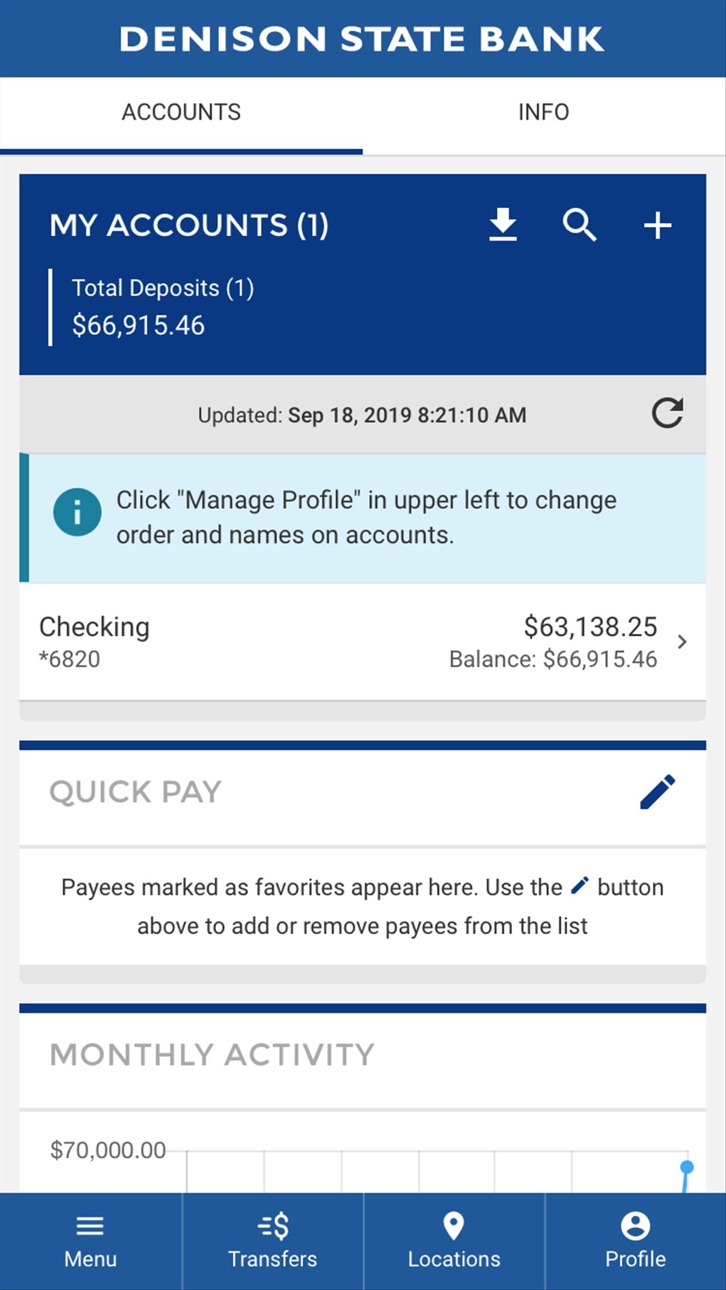
The DSBconnect mobile banking app for Apple for Denison State Bank allows you to do your DSB banking from your Apple iPhone or iPad. It’s fast, secure and free. With the DSBconnect app, you can:
• Check account balances, posted transactions, and images of cleared items.
• Use Move Money to: Pay bills * Transfer funds between DSB accounts and make loan payments * Transfer money to other people using Person to Person (P2P) with just their email address or mobile text number * Transfer money to other outside bank accounts you own using External Transfers.
• Set up sub-users under your control to access your bank accounts.
• Use Mobile Remote Deposit to deposit checks from your device.
• Manage the settings and functionality of your DSB Visa Debit card, including card on/off.
• Retrieve account alerts and bank messages.
• Opt-in to get your bank account statements and notices posted.
• Call/email DSB and find the nearest DSB branches and ATMs.
• Adjust settings and recover forgotten login credentials.
To use this app, you must be a Denison State Bank account holder and be registered for DSBconnect digital banking. To register on a browser, go to www.dsbks.com and click “Sign Up” in the Login area on right; to register from the app, download the app to your device from App Store and click the “Sign Up” link at the bottom of the app home page. Once registered, you can login with your unique Username, Password and security questions/answers that you select during the registration, and can activate Face ID/Thumb ID logins in the Profile menu.
The bank’s privacy policy is posted at http://www.dsbks.com/home/privacy.
Member FDIC
Capabilities
Wallet
Accessibility
ipadiphonemacrealityDevicetvoswatch
Version history 25 versions
Build 873193870v26.7.32025-09-30 22:49:36
• Bug Fixes & Performance Improvements
Build 872086178v25.8.32025-01-28 21:51:36
• Bug Fixes & Performance Improvements
• Support for Autobooks Tap to Pay
Build 869216912v25.6.02024-09-24 10:19:48
• Bug Fixes & Performance Improvements
Build 865051331v25.1.12024-04-13 06:35:21
• Bug Fixes & Performance Improvements
Build 857733404v24.3.02023-06-15 01:12:16
• Bug Fixes & Performance Improvements
Build 855326486v23.18.12023-03-07 22:05:23
• Bug Fixes & Performance Improvements
Build 853449853v23.12.12022-11-21 21:41:22
• Bug Fixes & Performance Improvements
Build 843244882v15.1.22021-07-23 21:09:03
• Bug Fixes & Performance Improvements
Build 841204407v13.0.22021-04-13 00:50:18
• Bug Fixes & Performance Improvements
Build 841181929v13.0.12021-04-02 23:27:41
• iOS 14 Optimization
Build 838366689v12.3.42020-10-27 19:03:54
• Bug Fixes & Performance Improvements
Build 838252602v12.3.32020-10-19 21:04:54
• Bug Fixes & Performance Improvements
Build 836948912v12.3.02020-07-22 06:13:57
• Bug Fixes & Performance Improvements
Build 836613182v12.1.02020-07-01 16:20:23
• Enhanced statement viewing capability
Build 836407121v12.0.22020-06-17 22:17:36
• iOS 13.5 Optimization
Build 835478939v10.10.72020-04-09 19:21:39
• Bug Fixes & Performance Improvements
• Additional Support for Push Notifications
Build 832332455v10.10.12019-10-29 05:07:19
Updated look and feel! Update today for a seamless experience across all platforms!
Build 831968844v6.0.322019-07-16 08:33:48
- Accounts UI changes
- New design for Account cards
- Updated display for Available balance
- Enhanced security when logging with temporary password
- Better guidance for locked out state
- Account details enhanced to show more detail
- Bug fixes and general enhancement
Build 829264898v5.11.0.302018-12-05 06:10:34
Improved Cash Back visibility
Account details view enhanced for additional details
PDF sharing for iOS users
Bug fixes and general enhancement
Build 828048483v5.10.1.282018-08-21 05:25:27
* Enhanced check deposit experience with improvements to image capture, camera view, and accessibility.
* Check deposits that are held for review may now show an explanatory message on the confirmation screen.
* Additional relevant account details are available in Account History.
Build 827224190v5.9.1.272018-06-12 07:41:59
Additional Bill Pay featuresGeneral enhancementsBug fixes and performance improvements
Build 826340043v5.8.1.262018-04-17 08:49:53
Minor enhancements and bug fixes
Build 825535268v5.7.1.252018-01-31 15:11:10
Pay bills? If so check out all the improvements we've made to Bill PayMinor enhancements and bug fixes
Build 823002365v5.6.1.242017-09-12 20:00:56
We've added a few new features! More information can be found in Messages. P.S. we fixed a few bugs, too.
Build 822527720v5.5.02017-06-20 19:22:08
Along with updates to our already great Online Banking App, we've now added Eye Print ID which allows you to login by gazing into the camera of your cell phone.
No pricing data captured yet — comparisons appear once the app has paid storefronts or in-app purchases.
Availability 1 of 1 storefronts
| Region | Language | Price | Ratings | Avg | Version |
|---|---|---|---|---|---|
| US | en-US | Free | 16 | 3.6 | 26.7.3 |
Change log 28 changes · US
✎
releaseNotes updated
• Bug Fixes & Performance Improvements
✎
description updated
The DSBconnect mobile banking app for Apple for Denison State Bank allows you to do your DSB banking from your Apple iPhone or iPad. It’s fast, secure and free.
✎
name updated
DSB Mobile
◆
Version 26.7.3 released
• Bug Fixes & Performance Improvements
◆
Version 25.8.3 released
• Bug Fixes & Performance Improvements
• Support for Autobooks Tap to Pay
◆
Version 25.6.0 released
• Bug Fixes & Performance Improvements
◆
Version 25.1.1 released
• Bug Fixes & Performance Improvements
◆
Version 24.3.0 released
• Bug Fixes & Performance Improvements
◆
Version 23.18.1 released
• Bug Fixes & Performance Improvements
◆
Version 23.12.1 released
• Bug Fixes & Performance Improvements
◆
Version 15.1.2 released
• Bug Fixes & Performance Improvements
◆
Version 13.0.2 released
• Bug Fixes & Performance Improvements
◆
Version 13.0.1 released
• iOS 14 Optimization
◆
Version 12.3.4 released
• Bug Fixes & Performance Improvements
◆
Version 12.3.3 released
• Bug Fixes & Performance Improvements
◆
Version 12.3.0 released
• Bug Fixes & Performance Improvements
◆
Version 12.1.0 released
• Enhanced statement viewing capability
◆
Version 12.0.2 released
• iOS 13.5 Optimization
◆
Version 10.10.7 released
• Bug Fixes & Performance Improvements
• Additional Support for Push Notifications
◆
Version 10.10.1 released
Updated look and feel! Update today for a seamless experience across all platforms!
◆
Version 6.0.32 released
- Accounts UI changes
- New design for Account cards
- Updated display for Available balance
- Enhanced security when logging with temporary password
- Better guidance for locked out state
- Account details enhanced to show more de
◆
Version 5.11.0.30 released
Improved Cash Back visibility
Account details view enhanced for additional details
PDF sharing for iOS users
Bug fixes and general enhancement
◆
Version 5.10.1.28 released
* Enhanced check deposit experience with improvements to image capture, camera view, and accessibility.
* Check deposits that are held for review may now show an explanatory message on the confirmation screen.
* Additional relevant account
◆
Version 5.9.1.27 released
Additional Bill Pay featuresGeneral enhancementsBug fixes and performance improvements
◆
Version 5.8.1.26 released
Minor enhancements and bug fixes
◆
Version 5.7.1.25 released
Pay bills? If so check out all the improvements we've made to Bill PayMinor enhancements and bug fixes
◆
Version 5.6.1.24 released
We've added a few new features! More information can be found in Messages. P.S. we fixed a few bugs, too.
◆
Version 5.5.0 released
Along with updates to our already great Online Banking App, we've now added Eye Print ID which allows you to login by gazing into the camera of your cell phone.