Home › Business

 US
US
 AEen-GB
 AGen-GB
 AIen-GB
 ALen-GB
 AOen-GB
 ARes-MX
 ATde-DE
 AUen-AU
 BAen-GB
 BBen-GB
 BEen-GB
 BFen-GB
 BGen-GB
 BJen-GB
 BOes-MX
 BSen-GB
 BWen-GB
 BYen-GB
 BZen-GB
 CAen-CA
 CDen-GB
 CGen-GB
 CHde-CH
 CIfr-FR
 CLes-MX
 CMfr-FR
 COes-MX
 CRes-MX
 CVen-GB
 CYen-GB
 CZen-GB
 DEde-DE
 DKen-GB
 DMen-GB
 DOes-MX
 DZen-GB
 ECes-MX
 EEen-GB
 ESes-ES
 FIen-GB
 FRfr-FR
 GAfr-FR
 GBen-GB
 GDen-GB
 GMen-GB
 GRen-GB
 GTes-MX
 GWen-GB
 GYen-GB
 HNes-MX
 HRen-GB
 HUen-GB
 IEen-GB
 ILen-GB
 ISen-GB
 ITit
ITit JMen-GB
 KNen-GB
 KYen-GB
 LCen-GB
 LRen-GB
 LTen-GB
 LUen-GB
 LVen-GB
 LYen-GB
 MAen-GB
 MDen-GB
 MEen-GB
 MGen-GB
 MKen-GB
 MLen-GB
 MSen-GB
 MTen-GB
 MUen-GB
 MWen-GB
 MZen-GB
 NAen-GB
 NEen-GB
 NIes-MX
 NLnl
NLnl NOen-GB
 NZen-AU
 PAes-MX
 PEes-MX
 PLen-GB
 PTpt-PT
 PYes-MX
 ROen-GB
 RSen-GB
 RUru
RUru RWen-GB
 SAen-GB
 SCen-GB
 SEsv
SEsv SIen-GB
 SKen-GB
 SLen-GB
 SNen-GB
 SRen-GB
 STen-GB
 SVes-MX
 SZen-GB
 TCen-GB
 TDen-GB
 TNen-GB
 TRen-GB
 TTen-GB
 TZen-GB
 UAen-GB
 UGen-GBUSen-US
 UYen-GB
 VCen-GB
 VEes-MX
 VGen-GB
 XKen-GB
 ZMen-GB
 ZWen-GB
118 of 118 storefronts
Content in en-US
Content in en-US
Information
Preview 2 platforms
iPhone 7 images


iPad 8 images




What’s New Version 2.1.9
. Resolve crash when opening app in specific circumstances
Description
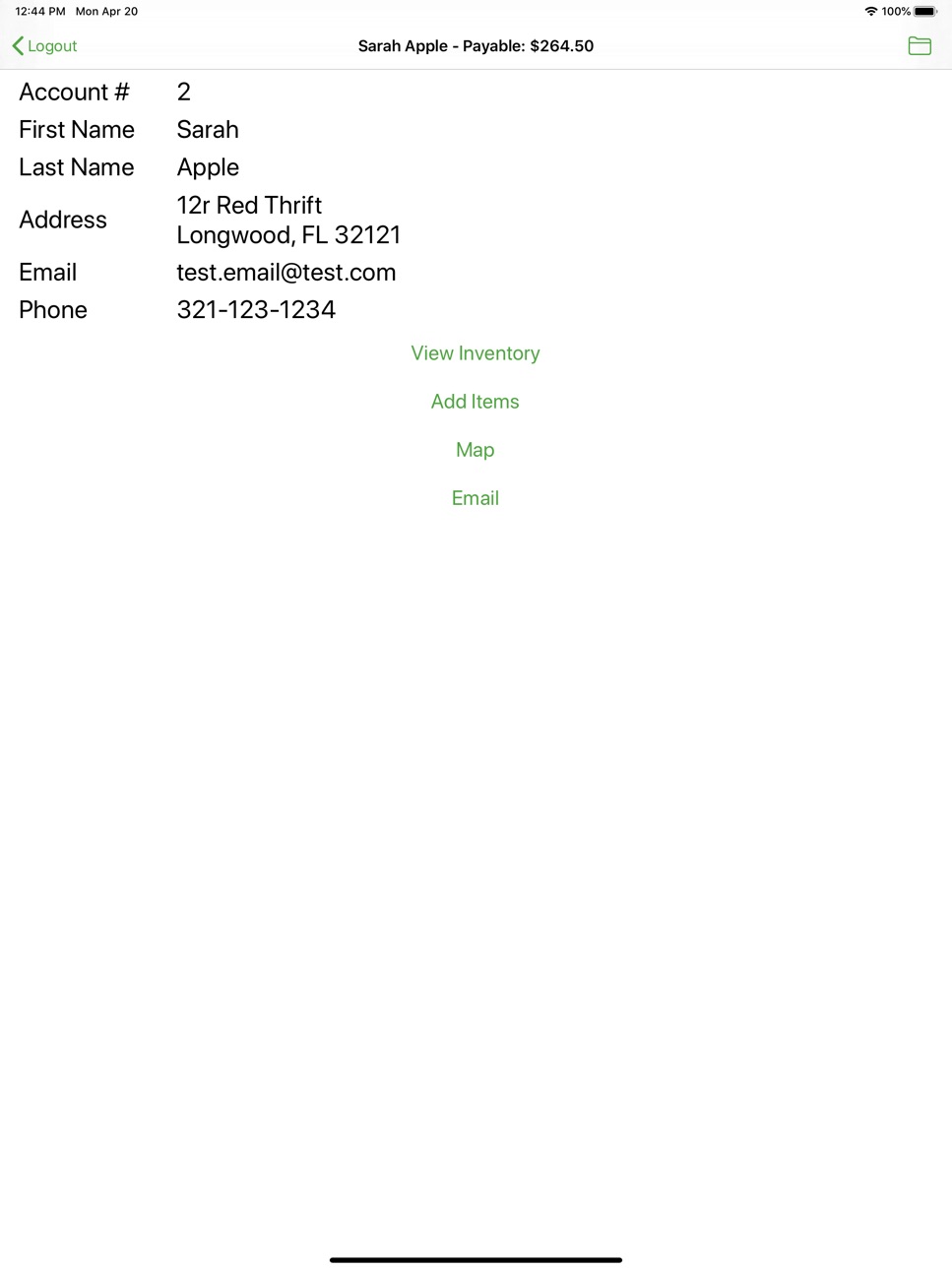
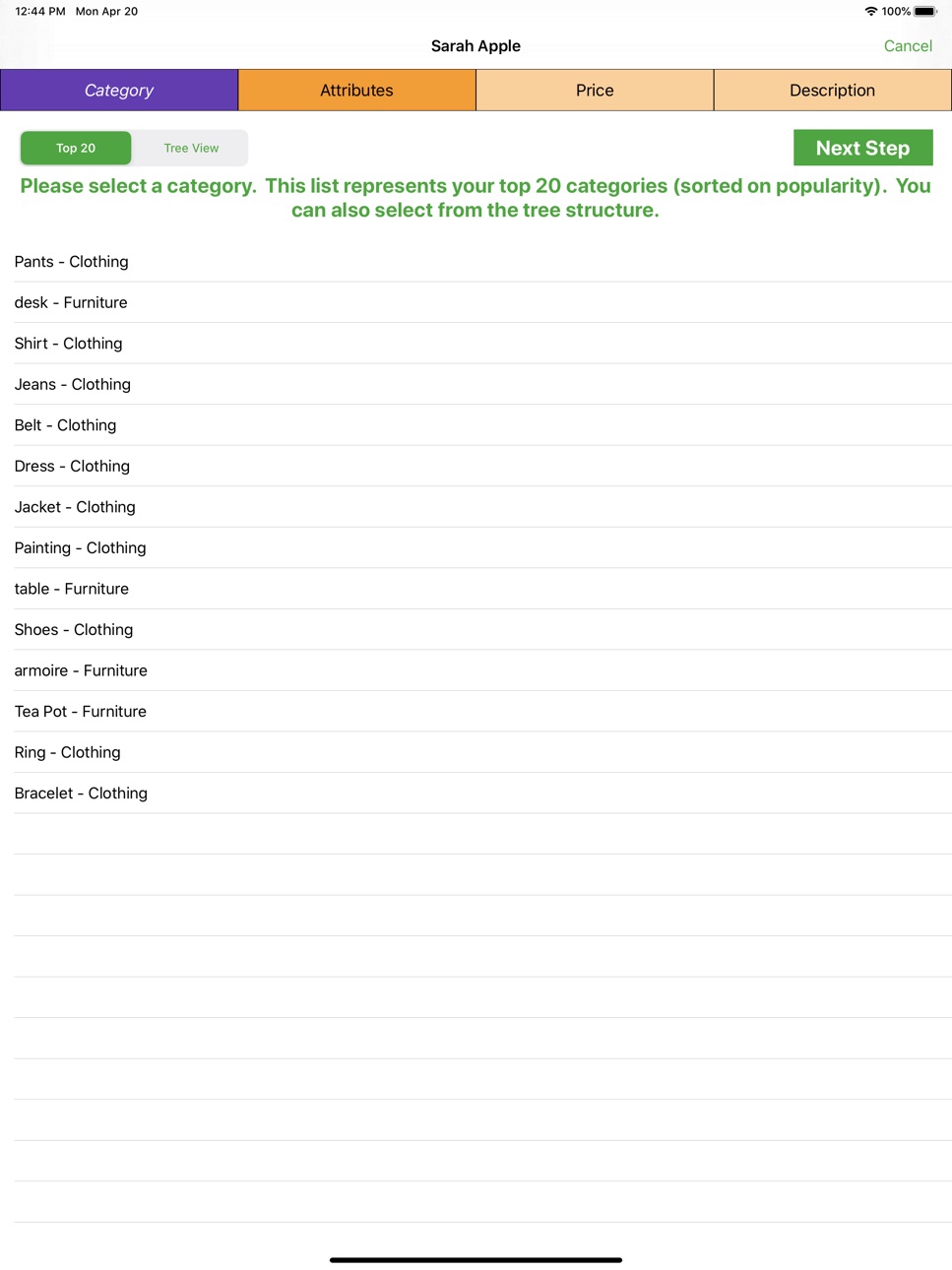
The Liberty Item Entry Lite App is tool designed to allow consignors, vendors, or other sellers to add inventory directly into a store's inventory management system. Items are added by selecting a category, entering a price, and a description for inventory. Photographs may be added as well.
This app is only compatible with Resaleworld's Liberty software (Liberty 5 or Liberty 4 Consignment) and will only function once a store has set up device-specific access in Liberty's backend. Setup of the app requires a gateway address and a security key which will be generated by and provided by the store.
Stores wishing to allow remote access via this app must have either a qualifying Web Service plan or a stand-alone Liberty Mobile Access license.
Accessibility
ipadiphonemacrealityDevicetvoswatch
Version history 23 versions
Build 858910592v2.1.92023-08-03 15:59:30
. Resolve crash when opening app in specific circumstances
Build 849805433v2.1.52022-06-21 21:55:42
+ Added image crop capability - needs to be enabled in the app settings.
. Resolve translucent bar for iOS 15
Build 841234490v2.1.12021-04-08 13:10:14
. Resolved display issue when adding additional items in the same session, the Tree View selector would be selected but the Top 20 Categories would be displayed
. Resolved crash when trying to change attributes in the full attribute table
Build 840555339v2.1.02021-03-22 13:50:50
+ Liberty 5.1+ has the ability to generate a QR code to ease the device registration process with the server
Build 835975918v2.0.32020-05-20 12:53:20
. Changed the attribute value filter slightly - giving higher priority to an exact match and those values that start with the search text
. Fix bug that could cause the app to crash in certain circumstances when the login screen appears
Build 835812544v2.0.22020-05-06 13:45:53
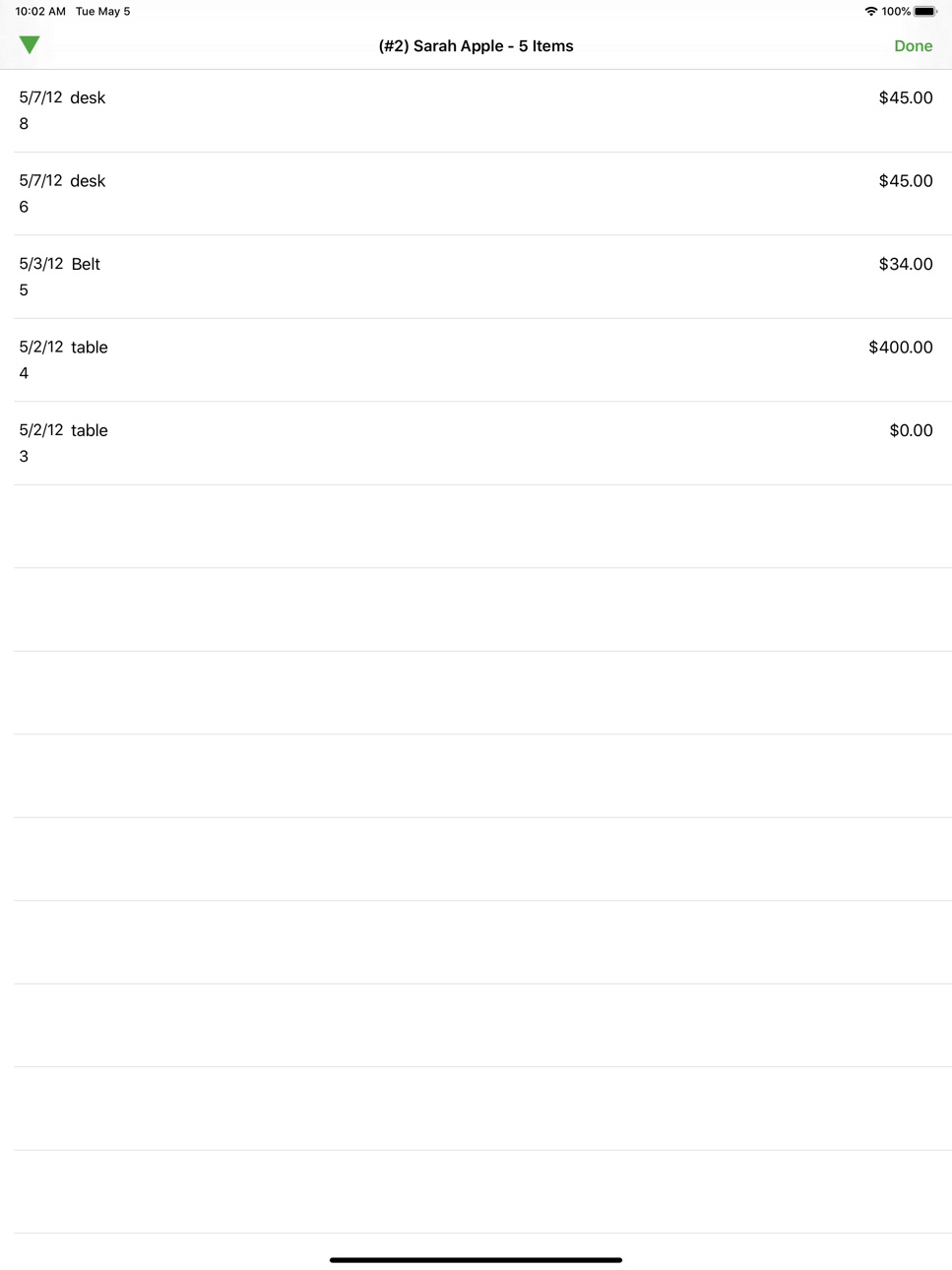
+ Added a sort selection for Client Items - Can choose between the Item Receive Date, Price, or Item Number
+ Added the client account and name to the Client Item List view
. Resolved issue with item description not appearing correct in the list
Build 835673465v2.0.12020-04-29 15:56:10
. Fixed a rounding issue leaving out the last page of items
Build 835576816v2.0.02020-04-23 19:34:49
Major overhaul for iOS 13 support. This version is only compatible with iOS 11.0 and higher.
Build 832829630v1.8.42019-09-23 13:10:52
. Resolve order of images added via library - will now be uploaded in the order you click to add from library
Build 832542683v1.8.32019-08-29 18:42:15
. Resolved issue with blank screen when attempting to view images twice on the same item
. Resolved issue with blank screen after adding images via the camera
. Multiple image uploads should be added to the item in the order in which they were added to the queue
Build 832354312v1.8.22019-08-22 18:05:20
Bug fixes
Build 825873038v1.8.02019-02-11 14:20:15
+ Adds support for the latest Liberty version.
Build 824406604v1.6.12017-11-15 14:55:04
. Changed keyboard to allow dashes on item lookup so you can search by acct-item number.
. Resolved layout issue on iphone x when viewing the image queue
Build 824247363v1.6.02017-11-06 14:43:05
. Fixed display anomalies for various combinations of devices and iOS versions.
. Will now allow you to just save the changes if you change the server address instead of requiring the device to re-register
Build 824170803v1.5.102017-11-01 16:17:06
. Fix keyboard on iOS11 when Smart Quotes is enabled.
Build 823261903v1.5.92017-09-19 19:09:25
- Update for iOS 11 compatibility.
Build 255722640v1.5.02014-01-06 19:21:35
Various display bug fixes.
+ Landscape mode is back for iPad users.
Build 15083278v1.4.02013-04-29 13:20:41
. Resolved an issue that could prevent images from uploading even when the Image Queue is enabled, but the Auto Starts are disabled.
+ Added the Image Thumbnail to the table view when viewing the Image Upload Queue. This will help you decide if you want to cancel a pending upload.
+ New Setting - Use Image Queue for Badge Number: This setting will set the Badge Number (the number on the icon when viewing the home screen) to the size of the pending Image Upload Queue. This will give you a quick glance to see if you need to open the App so that the images can process. This setting is disabled by default.
+ New Setting - Prevent Screen Lock: This setting will disable the Auto Screen Lock while the Image Upload Queue is active and not empty. This way you can walk away from the device and allow the images to upload without worrying about the screen locking while trying to upload the images. This setting is disabled by default.
+ If you have multiple servers, the number of images in the Image Upload Queue for each server is displayed next to the server on the Server Selection screen.
Build 14908064v1.3.42013-04-03 15:26:59
- The 'logout' button on the iPad version of the App has returned on the login screen to allow you to switch users. This was incidentally removed in a previous version.
+ Added a dismiss button to the Notification Window (the one that appears when all images are done uploading) to force the Window to close without waiting for the timeout, as well as to force it close should it be stuck
+ If you are using a device with a camera, there is a new setting to allow you to save the image to the Camera Roll. This is turned off by default. When enabled, all pictures taking with the Camera (both at Item Entry and adding images to an existing item) will be saved to the Camera Roll. This way if something happens to the image, there will be a backup on the device.
Build 14128397v1.3.32013-02-21 18:19:30
- Entering a description or title with quotes will no longer remove all spaces between the quotes. (Requires an update to the Server, if you get a message that the server must be updated, please contact the store)
- Resolved severe iOS 6.0 display bug which could cause the keyboard to appear as if the App was in Landscape mode when it is really Portrait
Build 13136440v1.3.12013-01-07 15:28:40
- Resolved an issue that would prevent certain devices from allowing the edit of items.
- Reworked the way the login screen is displayed to try to fix more issues with the automated 5 minute logout and crashing after the automated logout occurs.
Build 10371648v1.3.02012-09-07 15:33:54
+ A new setting has been created to let you choose how many available items to fetch per page (as opposed to the limit of 50 maximum available items appearing). On the iPad Client Detail Screen, there is a button to fetch the next page if there is one. On the iPhone Client Items Screen, a second toolbar will dropdown showing how many pages are left along with a button to fetch the next page.
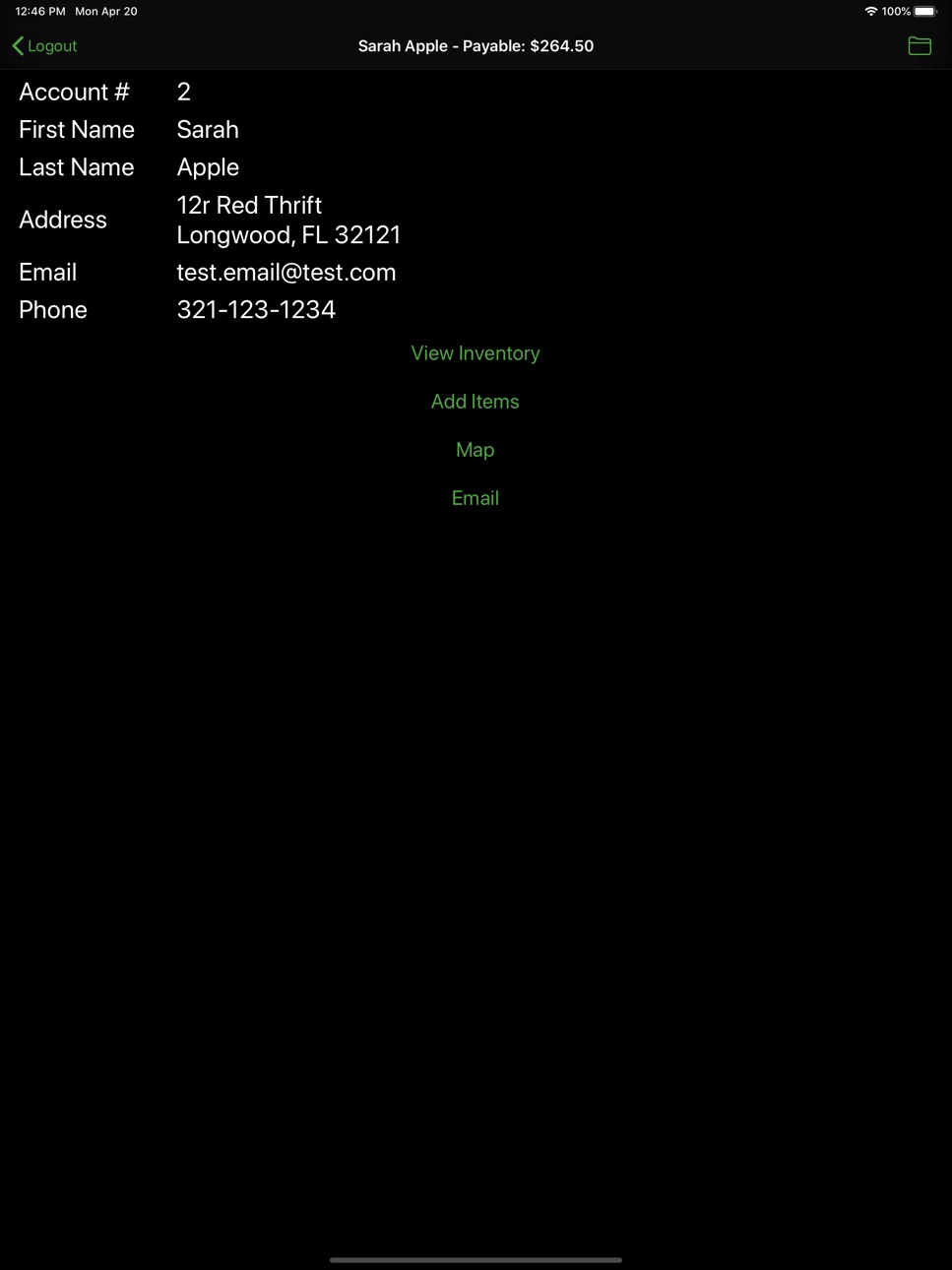
+ If your store allows, the title of your Client Detail Screen (which first appears when you login) will show your Total Payable Amount.
✓ Resolved several crashes
Build 7982269v1.2.32012-05-22 22:21:58
No pricing data captured yet — comparisons appear once the app has paid storefronts or in-app purchases.
Availability 118 of 118 storefronts
| Region | Language | Price | Ratings | Avg | Version |
|---|---|---|---|---|---|
| AE | en-GB | Free | 0 | — | 2.1.9 |
| AG | en-GB | Free | 0 | — | 2.1.9 |
| AI | en-GB | Free | 0 | — | 2.1.9 |
| AL | en-GB | Free | 0 | — | 2.1.9 |
| AO | en-GB | Free | 0 | — | 2.1.9 |
| AR | es-MX | Free | 0 | — | 2.1.9 |
| AT | de-DE | Free | 0 | — | 2.1.9 |
| AU | en-AU | Free | 0 | — | 2.1.9 |
| BA | en-GB | Free | 0 | — | 2.1.9 |
| BB | en-GB | Free | 0 | — | 2.1.9 |
| BE | en-GB | Free | 0 | — | 2.1.9 |
| BF | en-GB | Free | 0 | — | 2.1.9 |
| BG | en-GB | Free | 0 | — | 2.1.9 |
| BJ | en-GB | Free | 0 | — | 2.1.9 |
| BO | es-MX | Free | 0 | — | 2.1.9 |
| BS | en-GB | Free | 0 | — | 2.1.9 |
| BW | en-GB | Free | 0 | — | 2.1.9 |
| BY | en-GB | Free | 0 | — | 2.1.9 |
| BZ | en-GB | Free | 0 | — | 2.1.9 |
| CA | en-CA | Free | 0 | — | 2.1.9 |
| CD | en-GB | Free | 0 | — | 2.1.9 |
| CG | en-GB | Free | 0 | — | 2.1.9 |
| CH | de-CH | Free | 0 | — | 2.1.9 |
| CI | fr-FR | Free | 0 | — | 2.1.9 |
| CL | es-MX | Free | 0 | — | 2.1.9 |
| CM | fr-FR | Free | 0 | — | 2.1.9 |
| CO | es-MX | Free | 0 | — | 2.1.9 |
| CR | es-MX | Free | 0 | — | 2.1.9 |
| CV | en-GB | Free | 0 | — | 2.1.9 |
| CY | en-GB | Free | 0 | — | 2.1.9 |
| CZ | en-GB | Free | 0 | — | 2.1.9 |
| DE | de-DE | Free | 0 | — | 2.1.9 |
| DK | en-GB | Free | 0 | — | 2.1.9 |
| DM | en-GB | Free | 0 | — | 2.1.9 |
| DO | es-MX | Free | 0 | — | 2.1.9 |
| DZ | en-GB | Free | 0 | — | 2.1.9 |
| EC | es-MX | Free | 0 | — | 2.1.9 |
| EE | en-GB | Free | 0 | — | 2.1.9 |
| ES | es-ES | Free | 0 | — | 2.1.9 |
| FI | en-GB | Free | 0 | — | 2.1.9 |
| FR | fr-FR | Free | 0 | — | 2.1.9 |
| GA | fr-FR | Free | 0 | — | 2.1.9 |
| GB | en-GB | Free | 0 | — | 2.1.9 |
| GD | en-GB | Free | 0 | — | 2.1.9 |
| GM | en-GB | Free | 0 | — | 2.1.9 |
| GR | en-GB | Free | 0 | — | 2.1.9 |
| GT | es-MX | Free | 0 | — | 2.1.9 |
| GW | en-GB | Free | 0 | — | 2.1.9 |
| GY | en-GB | Free | 0 | — | 2.1.9 |
| HN | es-MX | Free | 0 | — | 2.1.9 |
| HR | en-GB | Free | 0 | — | 2.1.9 |
| HU | en-GB | Free | 0 | — | 2.1.9 |
| IE | en-GB | Free | 0 | — | 2.1.9 |
| IL | en-GB | Free | 0 | — | 2.1.9 |
| IS | en-GB | Free | 0 | — | 2.1.9 |
| IT | it | Free | 0 | — | 2.1.9 |
| JM | en-GB | Free | 0 | — | 2.1.9 |
| KN | en-GB | Free | 0 | — | 2.1.9 |
| KY | en-GB | Free | 0 | — | 2.1.9 |
| LC | en-GB | Free | 0 | — | 2.1.9 |
| LR | en-GB | Free | 0 | — | 2.1.9 |
| LT | en-GB | Free | 0 | — | 2.1.9 |
| LU | en-GB | Free | 0 | — | 2.1.9 |
| LV | en-GB | Free | 0 | — | 2.1.9 |
| LY | en-GB | Free | 0 | — | 2.1.9 |
| MA | en-GB | Free | 0 | — | 2.1.9 |
| MD | en-GB | Free | 0 | — | 2.1.9 |
| ME | en-GB | Free | 0 | — | 2.1.9 |
| MG | en-GB | Free | 0 | — | 2.1.9 |
| MK | en-GB | Free | 0 | — | 2.1.9 |
| ML | en-GB | Free | 0 | — | 2.1.9 |
| MS | en-GB | Free | 0 | — | 2.1.9 |
| MT | en-GB | Free | 0 | — | 2.1.9 |
| MU | en-GB | Free | 0 | — | 2.1.9 |
| MW | en-GB | Free | 0 | — | 2.1.9 |
| MZ | en-GB | Free | 0 | — | 2.1.9 |
| NA | en-GB | Free | 0 | — | 2.1.9 |
| NE | en-GB | Free | 0 | — | 2.1.9 |
| NI | es-MX | Free | 0 | — | 2.1.9 |
| NL | nl | Free | 0 | — | 2.1.9 |
| NO | en-GB | Free | 0 | — | 2.1.9 |
| NZ | en-AU | Free | 0 | — | 2.1.9 |
| PA | es-MX | Free | 0 | — | 2.1.9 |
| PE | es-MX | Free | 0 | — | 2.1.9 |
| PL | en-GB | Free | 0 | — | 2.1.9 |
| PT | pt-PT | Free | 0 | — | 2.1.9 |
| PY | es-MX | Free | 0 | — | 2.1.9 |
| RO | en-GB | Free | 0 | — | 2.1.9 |
| RS | en-GB | Free | 0 | — | 2.1.9 |
| RU | ru | Free | 0 | — | 2.1.9 |
| RW | en-GB | Free | 0 | — | 2.1.9 |
| SA | en-GB | Free | 0 | — | 2.1.9 |
| SC | en-GB | Free | 0 | — | 2.1.9 |
| SE | sv | Free | 0 | — | 2.1.9 |
| SI | en-GB | Free | 0 | — | 2.1.9 |
| SK | en-GB | Free | 0 | — | 2.1.9 |
| SL | en-GB | Free | 0 | — | 2.1.9 |
| SN | en-GB | Free | 0 | — | 2.1.9 |
| SR | en-GB | Free | 0 | — | 2.1.9 |
| ST | en-GB | Free | 0 | — | 2.1.9 |
| SV | es-MX | Free | 0 | — | 2.1.9 |
| SZ | en-GB | Free | 0 | — | 2.1.9 |
| TC | en-GB | Free | 0 | — | 2.1.9 |
| TD | en-GB | Free | 0 | — | 2.1.9 |
| TN | en-GB | Free | 0 | — | 2.1.9 |
| TR | en-GB | Free | 0 | — | 2.1.9 |
| TT | en-GB | Free | 0 | — | 2.1.9 |
| TZ | en-GB | Free | 0 | — | 2.1.9 |
| UA | en-GB | Free | 0 | — | 2.1.9 |
| UG | en-GB | Free | 0 | — | 2.1.9 |
| US | en-US | Free | 0 | — | 2.1.9 |
| UY | en-GB | Free | 0 | — | 2.1.9 |
| VC | en-GB | Free | 0 | — | 2.1.9 |
| VE | es-MX | Free | 0 | — | 2.1.9 |
| VG | en-GB | Free | 0 | — | 2.1.9 |
| XK | en-GB | Free | 0 | — | 2.1.9 |
| ZM | en-GB | Free | 0 | — | 2.1.9 |
| ZW | en-GB | Free | 0 | — | 2.1.9 |
Change log 26 changes · US
✎
releaseNotes updated
. Resolve crash when opening app in specific circumstances
✎
description updated
The Liberty Item Entry Lite App is tool designed to allow consignors, vendors, or other sellers to add inventory directly into a store's inventory management sy
✎
name updated
Item Entry Lite
◆
Version 2.1.9 released
. Resolve crash when opening app in specific circumstances
◆
Version 2.1.5 released
+ Added image crop capability - needs to be enabled in the app settings.
. Resolve translucent bar for iOS 15
◆
Version 2.1.1 released
. Resolved display issue when adding additional items in the same session, the Tree View selector would be selected but the Top 20 Categories would be displayed
. Resolved crash when trying to change attributes in the full attribute table
◆
Version 2.1.0 released
+ Liberty 5.1+ has the ability to generate a QR code to ease the device registration process with the server
◆
Version 2.0.3 released
. Changed the attribute value filter slightly - giving higher priority to an exact match and those values that start with the search text
. Fix bug that could cause the app to crash in certain circumstances when the login screen appears
◆
Version 2.0.2 released
+ Added a sort selection for Client Items - Can choose between the Item Receive Date, Price, or Item Number
+ Added the client account and name to the Client Item List view
. Resolved issue with item description not appearing correct in the
◆
Version 2.0.1 released
. Fixed a rounding issue leaving out the last page of items
◆
Version 2.0.0 released
Major overhaul for iOS 13 support. This version is only compatible with iOS 11.0 and higher.
◆
Version 1.8.4 released
. Resolve order of images added via library - will now be uploaded in the order you click to add from library
◆
Version 1.8.3 released
. Resolved issue with blank screen when attempting to view images twice on the same item
. Resolved issue with blank screen after adding images via the camera
. Multiple image uploads should be added to the item in the order in which they w
◆
Version 1.8.2 released
Bug fixes
◆
Version 1.8.0 released
+ Adds support for the latest Liberty version.
◆
Version 1.6.1 released
. Changed keyboard to allow dashes on item lookup so you can search by acct-item number.
. Resolved layout issue on iphone x when viewing the image queue
◆
Version 1.6.0 released
. Fixed display anomalies for various combinations of devices and iOS versions.
. Will now allow you to just save the changes if you change the server address instead of requiring the device to re-register
◆
Version 1.5.10 released
. Fix keyboard on iOS11 when Smart Quotes is enabled.
◆
Version 1.5.9 released
- Update for iOS 11 compatibility.
◆
Version 1.5.0 released
Various display bug fixes.
+ Landscape mode is back for iPad users.
◆
Version 1.4.0 released
. Resolved an issue that could prevent images from uploading even when the Image Queue is enabled, but the Auto Starts are disabled.
+ Added the Image Thumbnail to the table view when viewing the Image Upload Queue. This will help you deci
◆
Version 1.3.4 released
- The 'logout' button on the iPad version of the App has returned on the login screen to allow you to switch users. This was incidentally removed in a previous version.
+ Added a dismiss button to the Notification Window (the one that ap
◆
Version 1.3.3 released
- Entering a description or title with quotes will no longer remove all spaces between the quotes. (Requires an update to the Server, if you get a message that the server must be updated, please contact the store)
- Resolved severe iOS 6
◆
Version 1.3.1 released
- Resolved an issue that would prevent certain devices from allowing the edit of items.
- Reworked the way the login screen is displayed to try to fix more issues with the automated 5 minute logout and crashing after the automated logout o
◆
Version 1.3.0 released
+ A new setting has been created to let you choose how many available items to fetch per page (as opposed to the limit of 50 maximum available items appearing). On the iPad Client Detail Screen, there is a button to fetch the next page if
◆
Version 1.2.3 released