Home › Business

 US
US
1 of 1 storefronts
Content in en-US
Content in en-US
Information
Preview 2 platforms
iPhone 5 images


iPad 5 images




What’s New Version 2.12.0
- UI improvements
Description
*Requires JumpStock license available from Jump Technologies.
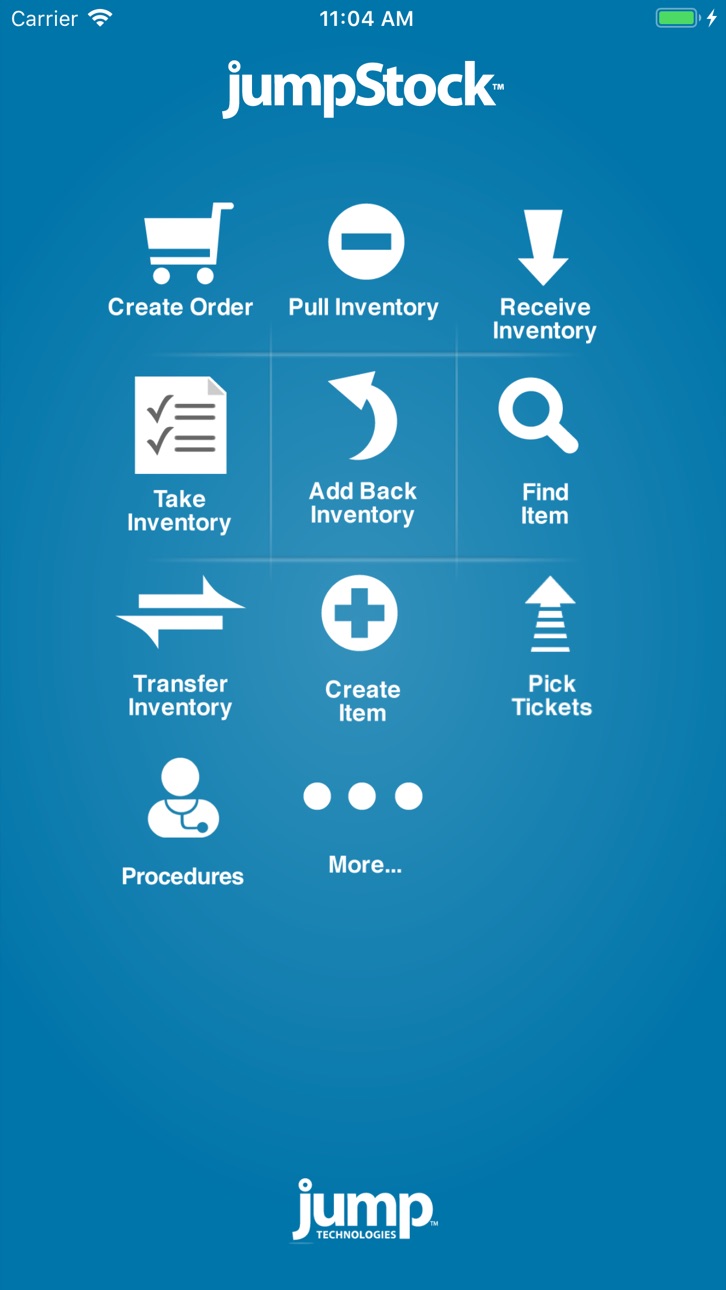
JumpStock is the simple, yet sophisticated automated inventory management app that mimics the pen and paper method of taking inventory - but it is much faster and reduces errors. JumpStock works in tandem with the Web-based administration to create a powerful inventory management system that leverages inexpensive mobile devices to easily record inventory transactions.
Because JumpStock is automated, it cuts down on errors while allowing you to keep accurate levels of inventory on hand. This eliminates stock-outs and rush charges, saving you both time and money. JumpStock also helps enforce pre-negotiated purchasing contracts insuring the best pricing from your vendors. JumpStock resides on reliable and secure servers in the cloud, meaning there is no software for your IT team to install and maintain.
**** Features****
• Works with Par Levels or 2Bin™
• Create orders by searching your inventory or scanning a barcode and then submit orders right from your mobile device
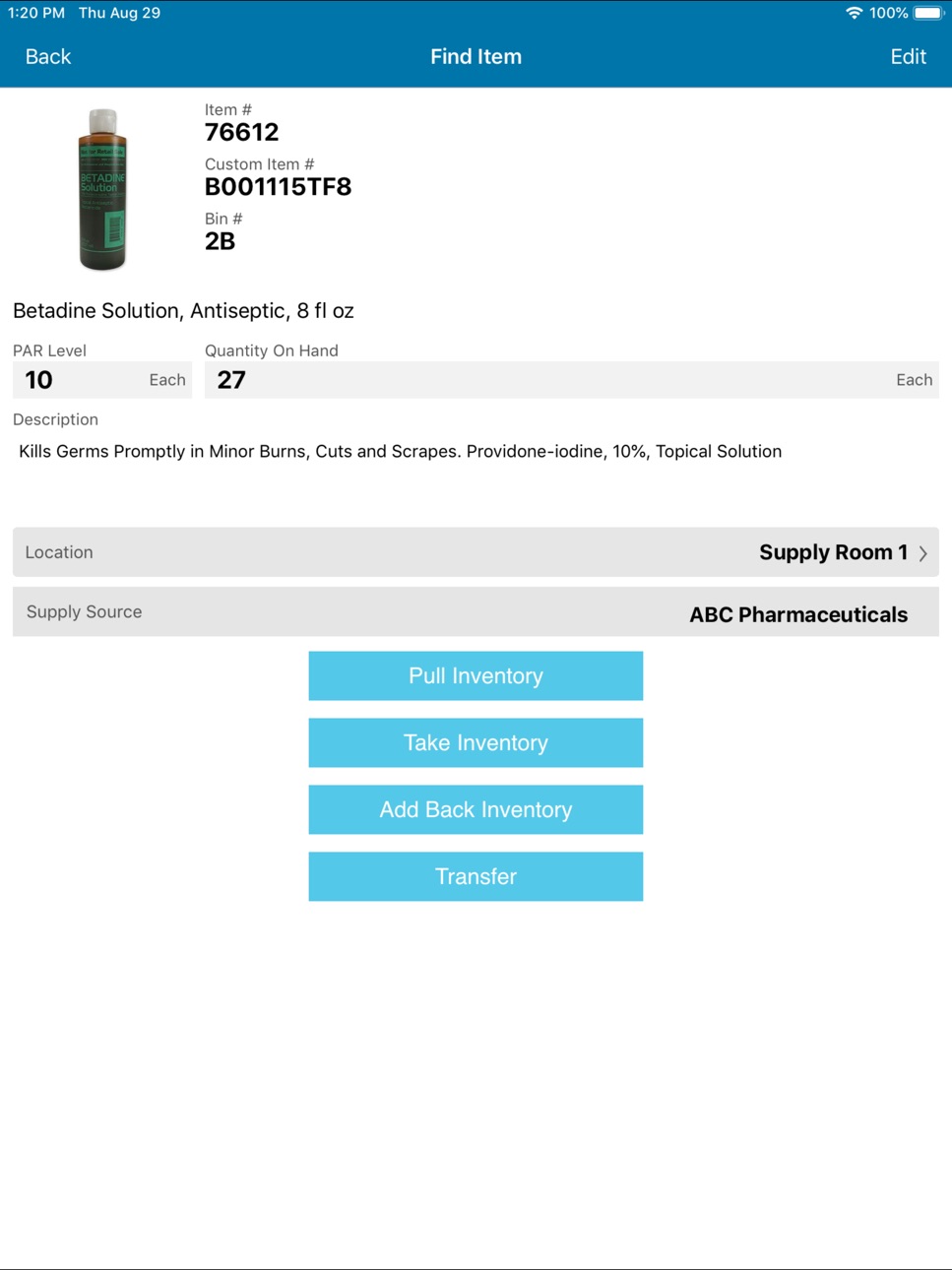
• Pull from and add back into inventory
• Receive POs into inventory
• Take a physical inventory
• Transfer items from one location to another
• Create inventory items along with photos and UPC/barcodes
• Quickly add UPCs to existing inventory items
• Scan barcodes quickly with built-in camera, attached scanner or Bluetooth keyfob scanner
• Works offline and auto-updates when re-connected to network
• Works with multiple users, locations and suppliers
• Works with lot numbers and expiration dates
• Supports location grouping for maximum flexibility
• Assign inventory to specific jobs, cases or patients
• Auto triggers orders when inventory reaches preset levels
• Easy to integrate with third-party ERP or procurement systems
• Open API
Accessibility
ipadiphonemacrealityDevicetvoswatch
Version history 25 versions
Build 871276627v2.12.02024-12-30 16:16:42
- UI improvements
Build 858384750v2.11.32023-11-28 14:55:09
- Replaced the Overpack unit of measure with Unit.
- Reduced variance in the charge code selection screens.
Build 854851147v2.9.02023-02-10 17:51:29
Users who are no longer authorized to login or perform actions will receive appropriate error messaging.
Build 851321256v2.8.02022-08-05 07:03:58
Fixes an issue in the Receive Inventory module
Build 844212363v2.7.02022-04-11 17:36:07
Minor bug fixes for iOS 15
Build 843656043v2.4.02021-08-20 08:12:29
Revised the login functionality to allow users to use multiple devices (Issue: 105)
Resolved an issue where certain users were unable to upload item images (Issue: 110)
Corrected an issue where external user configuration was causing an error upon logging in
Build 842610966v2.3.32021-06-18 04:23:41
Bug fixes
Build 841945964v2.2.02021-05-11 18:21:51
- Improved usability of mobile scanning for receiving. Scanning a Jump barcode from the list of purchase orders will filter the list of purchase orders to only those with that item. If only one purchase order has that item on it, the application will automatically navigate to the purchase order details
- Fixed an intermittent issue where users were getting a ‘Database Locked’ error
Build 840321792v2.1.12021-02-03 17:35:06
- Improved usability of mobile scanning for receiving. Scanning a Jump barcode will navigate to the receiving details screen for that item on a purchase order and default the quantity received to the quantity that was requested.
- Added note field to the manual pick ticket orders
Build 838176722v2.1.02020-10-21 14:50:57
- Fixed an issue with the the Receive Inventory module where searching by a purchase order was causing search progress indicator to remain on the screen (Issue: 1598)
- Added support for faster provisioning of inventory data (This will be rolled out incrementally to users over the next few weeks)
- Improved screen load time of items in the Create Order, Pull Inventory, Transfer Inventory, and Find Item modules
Build 830349609v2.0.12020-07-31 15:16:41
- New blue color scheme.
- Improved performance of data loading.
- Fixed an issue when using the Custom Charge Code Pattern validation on Pull Inventory, the user was unable to clear out an invalid charge code and submit without backing out one screen and navigating back into Pull Inventory.
- Fixed an issue where Pull Inventory was displaying a warning about the inventory going negative for the item if a charge code was entered that is all numbers and that number is larger than the quantity on hand.
- Corrected an intermittent issue with the Create Order module that was allowing an order to be created with items from multiple requesting locations. This was possible if a location had items supplied by a vendor and an internal supply source. And, the items in the internal supply source are supplied by the same vendor as those vendor items in the requesting location.
- Added support for WebP image format.
Build 830193801v1.7.92019-02-15 04:46:31
• Add Last Order Date in the Take Inventory module item detail screen. This date represents the last time a JumpStock PO was created for the item. Note: Since JumpStock was designed to generate orders automatically based on PAR levels, it is not recommended to make ordering decisions based on this date.
• Fixed an issue where some users were unable to add more than one item to a manual pick ticket.
Build 828322883v1.7.62018-08-28 19:38:35
• Added ability to sort by bin number.
• Added unsynced order screen to manage orders and inventory adjustments that were made out of network range.
• Unsynced orders will now be retained locally if you choose to force close the app or logout.
Build 826857800v1.7.52018-05-01 20:27:53
Fixed the following issue:
• Fixed issue where user unable to create manual pick ticket.
• Fixed issue where charge time was always set to Eastern Time.
Build 826735692v1.7.42018-04-20 18:28:23
Fixed the following issue:
• Fixed issue where charge time was always set to Eastern Time.
Build 826453366v1.7.32018-03-30 14:35:05
Added the following features:
• User is now able to over pick items.
• User is now able to scan pick ticket number barcode on printed pick ticket.
• User is now able to sort case pick tickets by case date and procedure code.
• Procedure code is now showing on case pick tickets in pick ticket list.
Build 825615805v1.7.22018-02-13 21:33:20
Fixed the the following issues:
• Keyboard missing a dismiss button
• Charge Code not being held in Pull Inventory module after scanning one item and attempting to scan a second item.
• Take Inventory module returning an error (Location not found) if the same item is scanned twice
• Par auto-generated pick tickets going straight to a “Released” status instead of an “Open” status after submitting par levels from the Take Inventory module.
Build 823732993v1.7.12017-11-20 21:20:10
JumpStock now includes support for generating electronic pick tickets in the JumpStock app on the mobile device for items requested from an internal supply source. With previous releases of JumpStock, users set internal stockrooms up as “vendors” to generate paper pick tickets. In release 1.7.1 JumpStock will:
• Shift away from the concept of vendors and focus on the inventory Supply Source of the supplies that are requested for a par location
• Vendors, internal warehouses, central supply and specific stocking locations will now be referred to as the Supply Source for inventory
Features:
• Automatically generate pick tickets when inventory falls below specified par levels at a par location or when a user creates an order from
the mobile app or web
• View pick tickets across each internal supply source on your mobile device
• View and manage pick tickets by the receiving location
• Decrement inventory as items are pulled and then scanned at the internal supply source
• Allocate expenses to the requesting par locations
Build 823649839v1.6.112017-09-16 17:27:22
• Fixes charge code scan function.
• Minor bug fixes.
Build 822700384v1.6.102017-07-10 18:45:04
Minor bug fixes.
Build 822482784v1.6.92017-06-14 14:30:58
Minor bug fixes.
Build 820719453v1.6.82017-06-06 16:16:15
Minor bug fixes.
Batch scanning mode.
Receive inventory scanning.
Build 820446653v1.6.42017-01-07 19:37:40
• Fixed minor issue.
Build 820132737v1.6.32016-12-14 22:14:07
Fixed minor issue adding and editing images for items.
Build 818728094v1.6.22016-12-09 20:54:44
• Ability to manually set quantity received for GS1 scanned items
• Ability to search long lists of POs in Receive Inventory module
• Enhanced location codes when used in conjunction with non-location specific barcodes such as UPC
No pricing data captured yet — comparisons appear once the app has paid storefronts or in-app purchases.
Availability 1 of 1 storefronts
| Region | Language | Price | Ratings | Avg | Version |
|---|---|---|---|---|---|
| US | en-US | Free | 0 | — | 2.12.0 |
Change log 28 changes · US
✎
releaseNotes updated
- UI improvements
✎
description updated
*Requires JumpStock license available from Jump Technologies.
JumpStock is the simple, yet sophisticated automated inventory management app that mimics the pen
✎
name updated
JumpStock
◆
Version 2.12.0 released
- UI improvements
◆
Version 2.11.3 released
- Replaced the Overpack unit of measure with Unit.
- Reduced variance in the charge code selection screens.
◆
Version 2.9.0 released
Users who are no longer authorized to login or perform actions will receive appropriate error messaging.
◆
Version 2.8.0 released
Fixes an issue in the Receive Inventory module
◆
Version 2.7.0 released
Minor bug fixes for iOS 15
◆
Version 2.4.0 released
Revised the login functionality to allow users to use multiple devices (Issue: 105)
Resolved an issue where certain users were unable to upload item images (Issue: 110)
Corrected an issue where external user configuration was causing an err
◆
Version 2.3.3 released
Bug fixes
◆
Version 2.2.0 released
- Improved usability of mobile scanning for receiving. Scanning a Jump barcode from the list of purchase orders will filter the list of purchase orders to only those with that item. If only one purchase order has that item on it, the applic
◆
Version 2.1.1 released
- Improved usability of mobile scanning for receiving. Scanning a Jump barcode will navigate to the receiving details screen for that item on a purchase order and default the quantity received to the quantity that was requested.
- Added not
◆
Version 2.1.0 released
- Fixed an issue with the the Receive Inventory module where searching by a purchase order was causing search progress indicator to remain on the screen (Issue: 1598)
- Added support for faster provisioning of inventory data (This will be r
◆
Version 2.0.1 released
- New blue color scheme.
- Improved performance of data loading.
- Fixed an issue when using the Custom Charge Code Pattern validation on Pull Inventory, the user was unable to clear out an invalid charge code and submit without backing out
◆
Version 1.7.9 released
• Add Last Order Date in the Take Inventory module item detail screen. This date represents the last time a JumpStock PO was created for the item. Note: Since JumpStock was designed to generate orders automatically based on PAR levels, it i
◆
Version 1.7.6 released
• Added ability to sort by bin number.
• Added unsynced order screen to manage orders and inventory adjustments that were made out of network range.
• Unsynced orders will now be retained locally if you choose to force close the app or logo
◆
Version 1.7.5 released
Fixed the following issue:
• Fixed issue where user unable to create manual pick ticket.
• Fixed issue where charge time was always set to Eastern Time.
◆
Version 1.7.4 released
Fixed the following issue:
• Fixed issue where charge time was always set to Eastern Time.
◆
Version 1.7.3 released
Added the following features:
• User is now able to over pick items.
• User is now able to scan pick ticket number barcode on printed pick ticket.
• User is now able to sort case pick tickets by case date and procedure code.
• Procedure
◆
Version 1.7.2 released
Fixed the the following issues:
• Keyboard missing a dismiss button
• Charge Code not being held in Pull Inventory module after scanning one item and attempting to scan a second item.
• Take Inventory module returning an error (Location
◆
Version 1.7.1 released
JumpStock now includes support for generating electronic pick tickets in the JumpStock app on the mobile device for items requested from an internal supply source. With previous releases of JumpStock, users set internal stockrooms up as “ve
◆
Version 1.6.11 released
• Fixes charge code scan function.
• Minor bug fixes.
◆
Version 1.6.10 released
Minor bug fixes.
◆
Version 1.6.9 released
Minor bug fixes.
◆
Version 1.6.8 released
Minor bug fixes.
Batch scanning mode.
Receive inventory scanning.
◆
Version 1.6.4 released
• Fixed minor issue.
◆
Version 1.6.3 released
Fixed minor issue adding and editing images for items.
◆
Version 1.6.2 released
• Ability to manually set quantity received for GS1 scanned items
• Ability to search long lists of POs in Receive Inventory module
• Enhanced location codes when used in conjunction with non-location specific barcodes such as UPC