Home › Travel

 US
US
1 of 1 storefronts
Content in en-US
Content in en-US
Information
Apple ID515287841
Bundle IDcom.amadeus.sqmobile
SellerSeller
Min iOS17.0
Min macOS14.0
Device familiesiphone, ipad
Released2012-04-07
Copyright© 2019 Singapore Airlines
Privacy policyLink ↗
Preview 2 platforms

iPhone 6 images




iPad 6 images


What’s New Version 26.6.1
Bug fixes and performance improvements
Description
Get ready for a greater experience from booking to boarding and beyond with the SingaporeAir app.
From user experience to personalised features, our app is designed to be fast, intuitive and a delight to use.
More features will be progressively added in future updates, but here are some key functions you can enjoy now:
1. Explore, be inspired and get the latest deals on the go
Where to next? Discover the latest fare deals to your favourite destinations. Planning your next destination has never been easier.
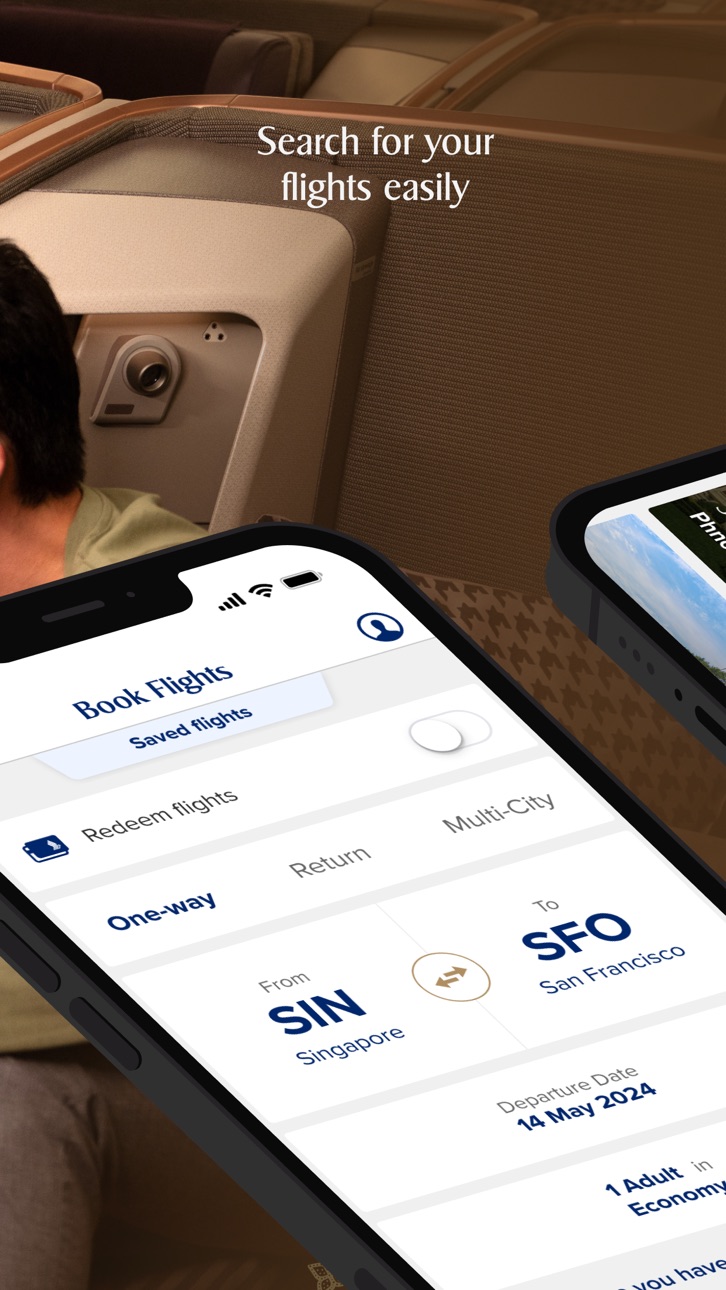
2. Search, book and manage your flights
Search and book flights to your next getaway with Singapore Airlines or one of our many airline partners. You can now use your KrisFlyer miles, Apple Pay and Alipay to book your flights and preferred seats. Receive updates on your upcoming trips and pre-select your inflight meals and entertainment. After that, all you need to do is sit back and relax.
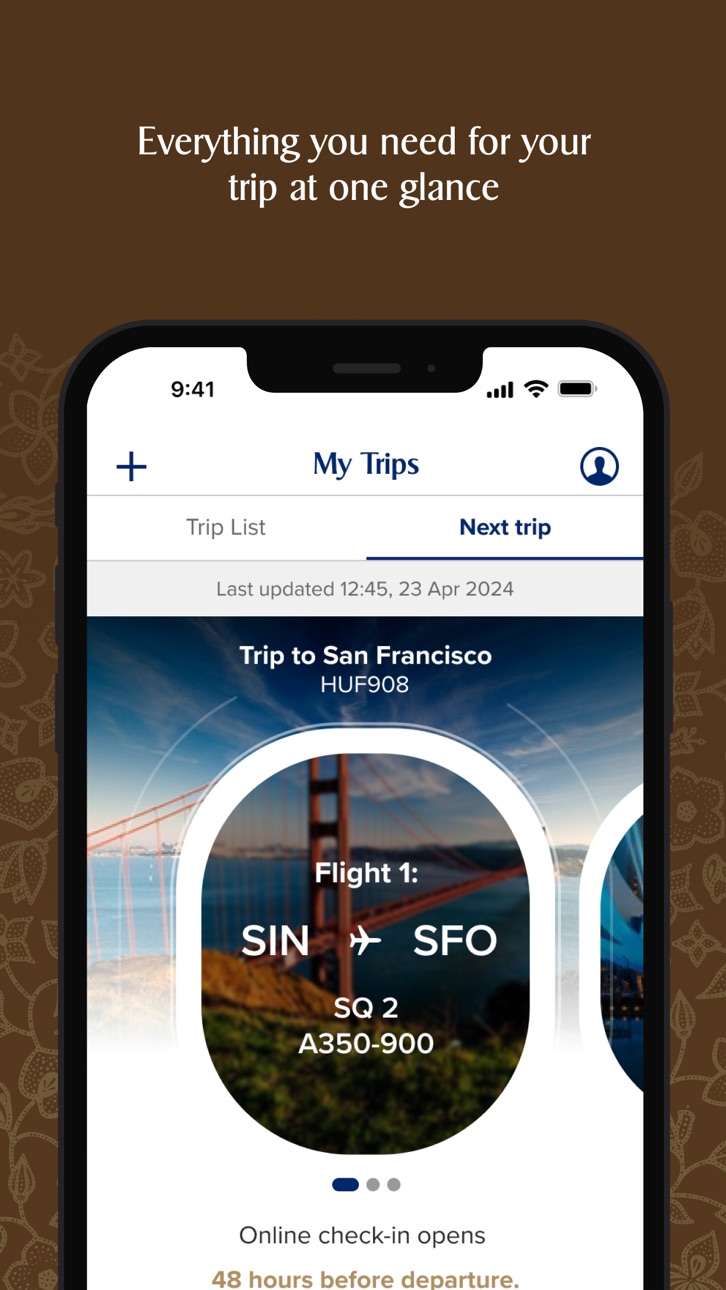
3. Skip the check-in queues
To prepare for your trip, stay updated on the latest entry requirements with our travel advisory. Skip the queues at the airport, check in and download your boarding pass* on our app before departure. Select your seats and browse our digital menu to see what’s served onboard.
If you are departing from Singapore Changi Airport, generate your baggage tags on our app* during check-in and track the status of your baggage. Simply scan your mobile boarding pass at the check-in kiosks to print your baggage tags and proceed to the automated bag drop counters to deposit your checked bag.
4. Manage your KrisFlyer account
Log in to your KrisFlyer account to keep track of your KrisFlyer miles balance and expiry, transaction statements and PPS value. PPS Club members can also connect with our customer support team via PPS Connect**.
5. Experience the future of flying
Find out what’s playing on our award-winning KrisWorld inflight entertainment system. Curate playlists on your app and pick up right where you last left off between flights, or view your flight’s progress***.
*Subject to regulatory requirements
**This service is currently only available for registered PPS Club members with valid Singapore mobile numbers
*** This feature is available on A350 and selected Boeing 777-300ER aircrafts
Please also note that by downloading the SingaporeAir app, you agree to the terms and conditions, including the privacy policy, which can be found at http://www.singaporeair.com/en_UK/terms-conditions/ and http://www.singaporeair.com/en_UK/privacy-policy/
Capabilities
Wallet
Accessibility
ipadiphonemacrealityDevicetvoswatch
Version history 25 versions
Build 887672324v26.6.12026-07-07 06:31:23
Bug fixes and performance improvements
Build 887120969v26.6.02026-06-22 02:31:28
Improved app deep linking and advanced third-party page integration.
- Better standardization across deep-linked pages in the app
Clearer messaging for flights operated by Partner Airlines
- Clearer UI to indicate and acknowledge when Partner Airline flights are selected
Enhancements for more robust data privacy handling
- New entrypoints for user to manage app and account settings
Bug fixes and performance improvements
Build 885948325v26.5.02026-05-28 01:27:16
Improved error handling on Book Flights screen
-Clearer guidance on any missing information when there are incomplete fields in a flight search query
Improved Inflight Menu experience in MyTrips
-Reduced loading time for trips with many segments
Bug fixes and performance improvements
Build 884754355v26.4.02026-04-30 02:30:55
Clearer Trip List
-Easily view all journey segments
Book Flights error handling
-Clearer prompts for required fields
Enhanced Online Check-in
-Get helpful, destination-specific tips during check-in
Find great fares faster
-New filters to find the right fare
Enhanced Redemption Fare Calendar
-Navigate easily with Next/Previous on Alternative Dates
Enhanced promo code support
-Bank-specific codes now supported
New Online call feature
-PPS members may access this in Help & Feedback
Build 883498888v26.3.02026-04-02 01:45:17
- Smarter “My Trips” default view — Automatically shows Trip List or Next Trip based on your upcoming travel, and surfaces Next Trip/Today as departure gets closer.
Bug fixes and performance improvements
Build 882622542v26.2.02026-02-26 02:07:21
Enhanced display in Live Activity
-Live activity to be displayed with baggage belt information for select flights
Enhanced error messaging for online check-in
-Clearer error messaging for various scenarios
Increased visibility of Flight Details in My Trips
-Flight details are now displayed more prominently within My Trips
Bug fixes and performance improvements
Build 881953523v26.1.12026-02-02 01:59:14
Bug fixes and performance improvements
Build 881511138v26.1.02026-01-21 03:55:30
Improved UI for Seats section on My Trips:
-New shortcut to seat selection on My Trips page
Enhancement for flights with mixed cabin class during flight booking:
-See clearer mixed-cabin details on the 'Review cabin class' page after selecting your flight
Build 880022218v25.11.02025-11-27 08:07:08
Shortcut to Pelago offers in Trip Details page:
- Discover exclusive Pelago offers under 'Get ready for this trip' section
Enhanced Saved Flights feature:
- Book your saved flights instantly with our new 'Book this flight' button in the ‘Saved flights’ screen
Build 878950159v25.10.02025-10-17 03:07:18
New log in option:
- Log in to your KF account directly from the Passenger Details page when booking non-redemption flights
Build 878347280v25.9.02025-09-26 01:53:35
KrisWorld Digital:
Access KrisWorld with a refreshed interface
My Trips – Inflight Meals:
Access inflight meals selection and menu more quickly from My Trips
More Menu – Help & Feedback:
Navigate Help & Feedback more easily with reorganized menu structure
New KrisFlyer Qualification Tracking Dial:
Introduced tracking for miles/PPS value earned from SIA non-flight partner transactions towards membership tier qualification
Build 877831529v25.8.12025-09-06 04:13:09
Bug fixes and performance improvements
Build 877441428v25.8.02025-08-22 06:03:46
- Report Mishandled Baggage with ease:
Access the form directly from My Trips
- New Meal Selection flow:
More intuitive post-booking meal selection experience with our redesigned interface
Build 876755231v25.7.02025-07-31 08:09:09
Bug fixes and performance improvements
Build 875272205v25.6.02025-07-04 09:11:43
Bug fixes and performance improvements
Build 874468074v25.5.02025-05-22 01:57:44
New mySQupgrade link on My Trips:
-Check your eligibility for cabin class upgrades directly from Trip Details!
Find Your Perfect Fare:
-Searching for best fares just got easier! New filter options in Our Best Fares section let you refine searches based on your preferences.
Compare Fares Quickly:
-New "View Fare Details" option lets you easily compare different fare types and benefits while choosing your flight.
Build 874350188v25.4.12025-04-30 08:44:52
Bug fixes and performance improvements
Build 873836369v25.4.02025-04-14 02:24:52
Bug fixes and performance improvements
Build 873014941v25.3.02025-03-12 09:09:48
Bug fixes and performance improvements
Build 872647829v25.2.12025-02-21 07:15:02
Bug fixes and performance improvements
Build 872313708v25.2.02025-02-12 09:14:28
Flight Recommender:
- Search for personalised flight suggestions and best fares with our new AI-powered flight recommender
Build 871882341v25.1.12025-01-24 03:09:11
Bug fixes and performance improvements
Build 871115031v24.12.02024-12-16 03:02:06
Frequent Flyer Details:
- View your linked Frequent Flyer numbers in My Trips for easier travel planning.
Selected Meal Details:
- Your in-flight dining, at your fingertips. See your selected meals in My Trips.
Build 870448930v24.11.02024-11-21 02:57:30
Saved Passengers:
- When booking a flight, guest users can now save passenger details as passenger profiles that can be easily selected when making future bookings, for a faster and more convenient booking experience.
Mobile Boarding Pass (policy update):
- Mobile Boarding Passes can now be generated between 48 hours to 1 hour before departure. Users who successfully generated their Mobile Boarding Passes will be able to view them till flight departure.
Build 869475353v24.10.02024-10-07 06:34:26
Bug fixes and performance improvements
No pricing data captured yet — comparisons appear once the app has paid storefronts or in-app purchases.
Availability 1 of 1 storefronts
| Region | Language | Price | Ratings | Avg | Version |
|---|---|---|---|---|---|
| US | en-US | Free | 42.0k | 4.7 | 26.6.1 |
Change log 29 changes · US
✎
releaseNotes updated
Bug fixes and performance improvements
✎
description updated
Get ready for a greater experience from booking to boarding and beyond with the SingaporeAir app.
From user experience to personalised features, our app is des
✎
subtitle updated
A Great Way to Fly
✎
name updated
Singapore Airlines
◆
Version 26.6.1 released
Bug fixes and performance improvements
◆
Version 26.6.0 released
Improved app deep linking and advanced third-party page integration.
- Better standardization across deep-linked pages in the app
Clearer messaging for flights operated by Partner Airlines
- Clearer UI to indicate and acknowledge when Part
◆
Version 26.5.0 released
Improved error handling on Book Flights screen
-Clearer guidance on any missing information when there are incomplete fields in a flight search query
Improved Inflight Menu experience in MyTrips
-Reduced loading time for trips with many se
◆
Version 26.4.0 released
Clearer Trip List
-Easily view all journey segments
Book Flights error handling
-Clearer prompts for required fields
Enhanced Online Check-in
-Get helpful, destination-specific tips during check-in
Find great fares faster
-New filters to fi
◆
Version 26.3.0 released
- Smarter “My Trips” default view — Automatically shows Trip List or Next Trip based on your upcoming travel, and surfaces Next Trip/Today as departure gets closer.
Bug fixes and performance improvements
◆
Version 26.2.0 released
Enhanced display in Live Activity
-Live activity to be displayed with baggage belt information for select flights
Enhanced error messaging for online check-in
-Clearer error messaging for various scenarios
Increased visibility of Fligh
◆
Version 26.1.1 released
Bug fixes and performance improvements
◆
Version 26.1.0 released
Improved UI for Seats section on My Trips:
-New shortcut to seat selection on My Trips page
Enhancement for flights with mixed cabin class during flight booking:
-See clearer mixed-cabin details on the 'Review cabin class' page after select
◆
Version 25.11.0 released
Shortcut to Pelago offers in Trip Details page:
- Discover exclusive Pelago offers under 'Get ready for this trip' section
Enhanced Saved Flights feature:
- Book your saved flights instantly with our new 'Book this flight' button in the ‘S
◆
Version 25.10.0 released
New log in option:
- Log in to your KF account directly from the Passenger Details page when booking non-redemption flights
◆
Version 25.9.0 released
KrisWorld Digital:
Access KrisWorld with a refreshed interface
My Trips – Inflight Meals:
Access inflight meals selection and menu more quickly from My Trips
More Menu – Help & Feedback:
Navigate Help & Feedback more easily with reorganiz
◆
Version 25.8.1 released
Bug fixes and performance improvements
◆
Version 25.8.0 released
- Report Mishandled Baggage with ease:
Access the form directly from My Trips
- New Meal Selection flow:
More intuitive post-booking meal selection experience with our redesigned interface
◆
Version 25.7.0 released
Bug fixes and performance improvements
◆
Version 25.6.0 released
Bug fixes and performance improvements
◆
Version 25.5.0 released
New mySQupgrade link on My Trips:
-Check your eligibility for cabin class upgrades directly from Trip Details!
Find Your Perfect Fare:
-Searching for best fares just got easier! New filter options in Our Best Fares section let you refine
◆
Version 25.4.1 released
Bug fixes and performance improvements
◆
Version 25.4.0 released
Bug fixes and performance improvements
◆
Version 25.3.0 released
Bug fixes and performance improvements
◆
Version 25.2.1 released
Bug fixes and performance improvements
◆
Version 25.2.0 released
Flight Recommender:
- Search for personalised flight suggestions and best fares with our new AI-powered flight recommender
◆
Version 25.1.1 released
Bug fixes and performance improvements
◆
Version 24.12.0 released
Frequent Flyer Details:
- View your linked Frequent Flyer numbers in My Trips for easier travel planning.
Selected Meal Details:
- Your in-flight dining, at your fingertips. See your selected meals in My Trips.
◆
Version 24.11.0 released
Saved Passengers:
- When booking a flight, guest users can now save passenger details as passenger profiles that can be easily selected when making future bookings, for a faster and more convenient booking experience.
Mobile Boarding Pass
◆
Version 24.10.0 released
Bug fixes and performance improvements