Home › Lifestyle

 US
US
USen-US AUen-AU
 CAen-CA
 GBen-GB
 PHen-GB
 AEen-GB
 AFen-GB
 AGen-GB
 AIen-GB
 ALen-GB
 AMen-GB
 AOen-GB
 ARes-MX
 ATde-DE
 AZen-GB
 BAen-GB
 BBen-GB
 BEen-GB
 BFen-GB
 BGen-GB
 BHen-GB
 BJen-GB
 BMen-GB
 BNen-GB
 BOes-MX
 BRpt-BR
 BSen-GB
 BTen-GB
 BWen-GB
 BYen-GB
 BZen-GB
 CDen-GB
 CGen-GB
 CHde-CH
 CIfr-FR
 CLes-MX
 CMfr-FR
 CNzh-Hans-CN
 COes-MX
 CRes-MX
 CVen-GB
 CYen-GB
 CZen-GB
 DEde-DE
 DKen-GB
 DMen-GB
 DOes-MX
 DZen-GB
 ECes-MX
 EEen-GB
 EGen-GB
 ESes-ES
 FIen-GB
 FJen-GB
 FMen-GB
 GAfr-FR
 GDen-GB
 GEen-GB
 GHen-GB
 GMen-GB
 GRen-GB
 GTes-MX
 GWen-GB
 GYen-GB
 HKzh-Hant-HK
 HNes-MX
 HRen-GB
 HUen-GB
 IDen-GB
 IEen-GB
 ILen-GB
 INen-GB
 IQen-GB
 ISen-GB
 ITit
ITit JMen-GB
 JOen-GB
 JPja
JPja KEen-GB
 KGen-GB
 KHen-GB
 KNen-GB
 KRko
KRko KWen-GB
 KYen-GB
 KZen-GB
 LAen-GB
 LBen-GB
 LCen-GB
 LKen-GB
 LRen-GB
 LTen-GB
 LUen-GB
 LVen-GB
 LYen-GB
 MAen-GB
 MDen-GB
 MEen-GB
 MGen-GB
 MKen-GB
 MLen-GB
 MMen-GB
 MNen-GB
 MOzh-Hant-HK
 MRen-GB
 MSen-GB
 MTen-GB
 MUen-GB
 MVen-GB
 MWen-GB
 MXes-MX
 MYen-GB
 MZen-GB
 NAen-GB
 NEen-GB
 NGen-GB
 NIes-MX
 NLnl
NLnl NOen-GB
 NPen-GB
 NRen-GB
 NZen-AU
 OMen-GB
 PAes-MX
 PEes-MX
 PGen-GB
 PKen-GB
 PLen-GB
 PTpt-PT
 PWen-GB
 PYes-MX
 QAen-GB
 ROen-GB
 RSen-GB
 RUru
RUru RWen-GB
 SAen-GB
 SBen-GB
 SCen-GB
 SEsv
SEsv SGen-GB
 SIen-GB
 SKen-GB
 SLen-GB
 SNen-GB
 SRen-GB
 STen-GB
 SVes-MX
 SZen-GB
 TCen-GB
 TDen-GB
 THen-GB
 TJen-GB
 TMen-GB
 TNen-GB
 TOen-GB
 TRen-GB
 TTen-GB
 TWzh-Hant-TW
 TZen-GB
 UAen-GB
 UGen-GB
 UYen-GB
 UZen-GB
 VCen-GB
 VEes-MX
 VGen-GB
 VNen-GB
 VUen-GB
 XKen-GB
 YEen-GB
 ZAen-GB
 ZMen-GB
 ZWen-GB
 FRNot Available
174 of 175 storefronts
Content in en-US
Content in en-US
Information
Preview 2 platforms
iPhone 6 images




iPad 8 images





What’s New Version 2.0.19
Fixed orientation issue with iOS/iPadOS 17.
Description
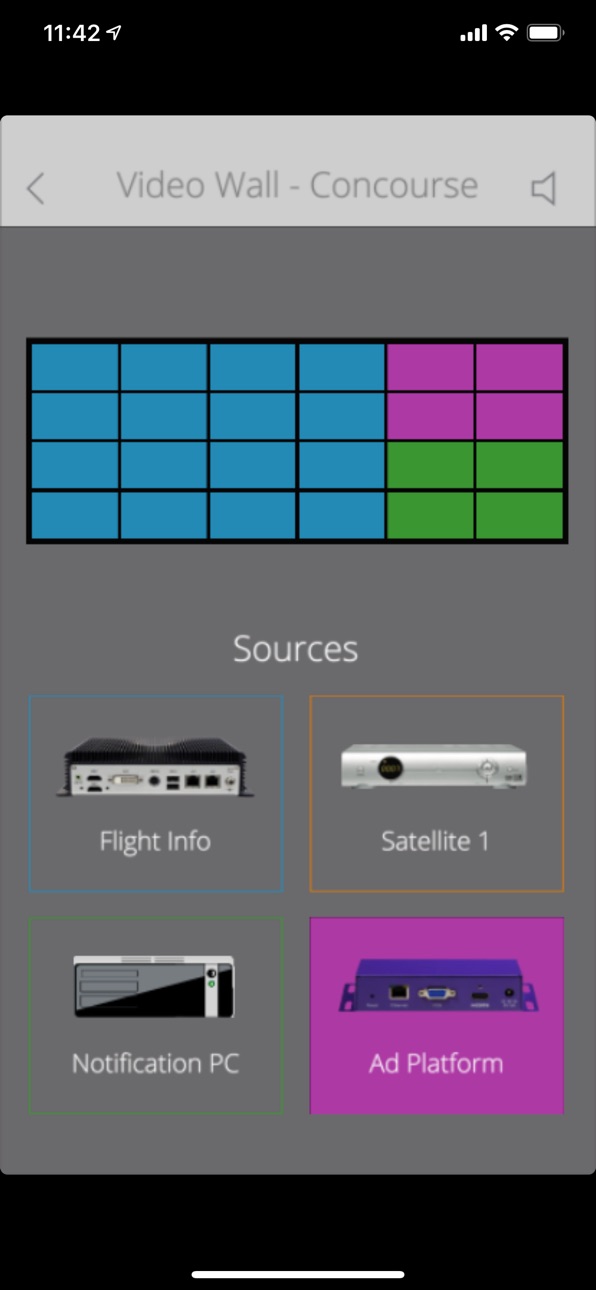
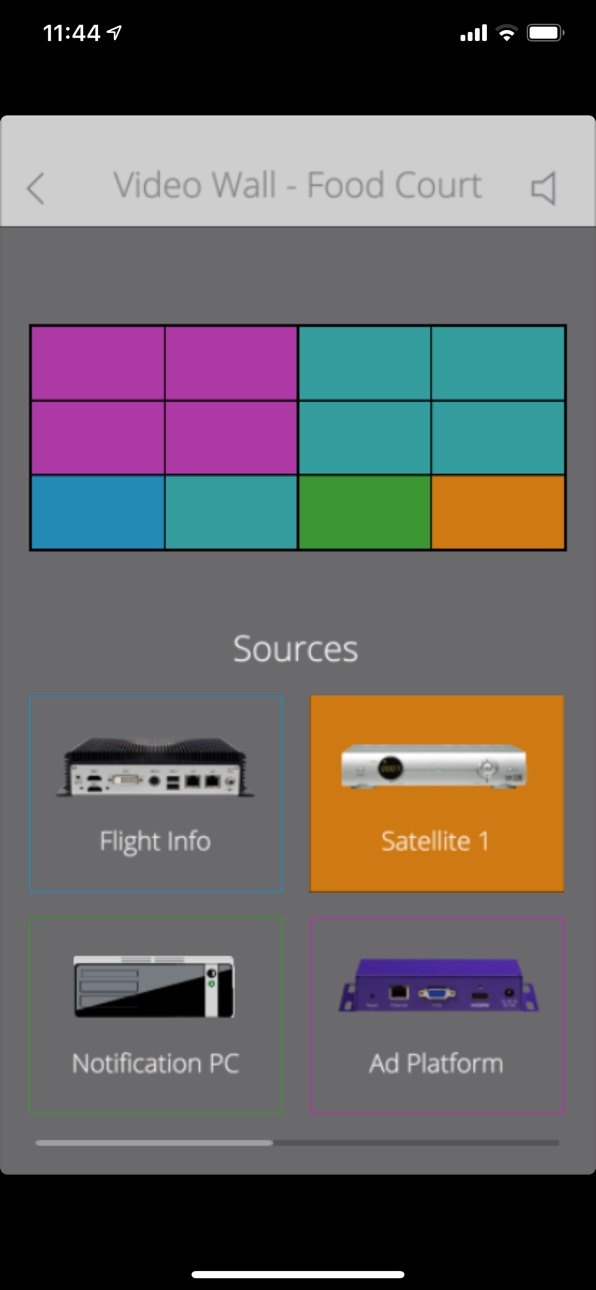
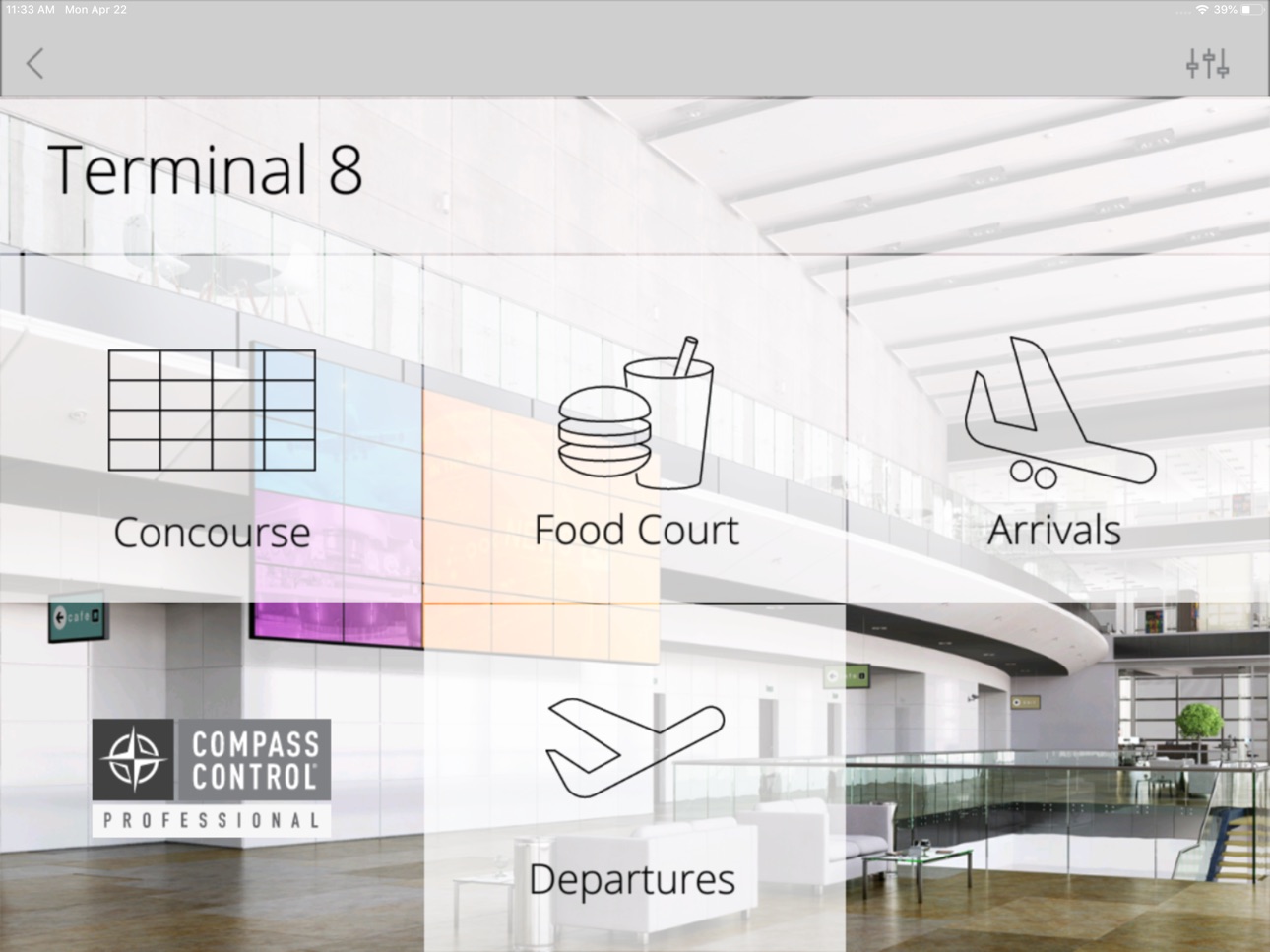
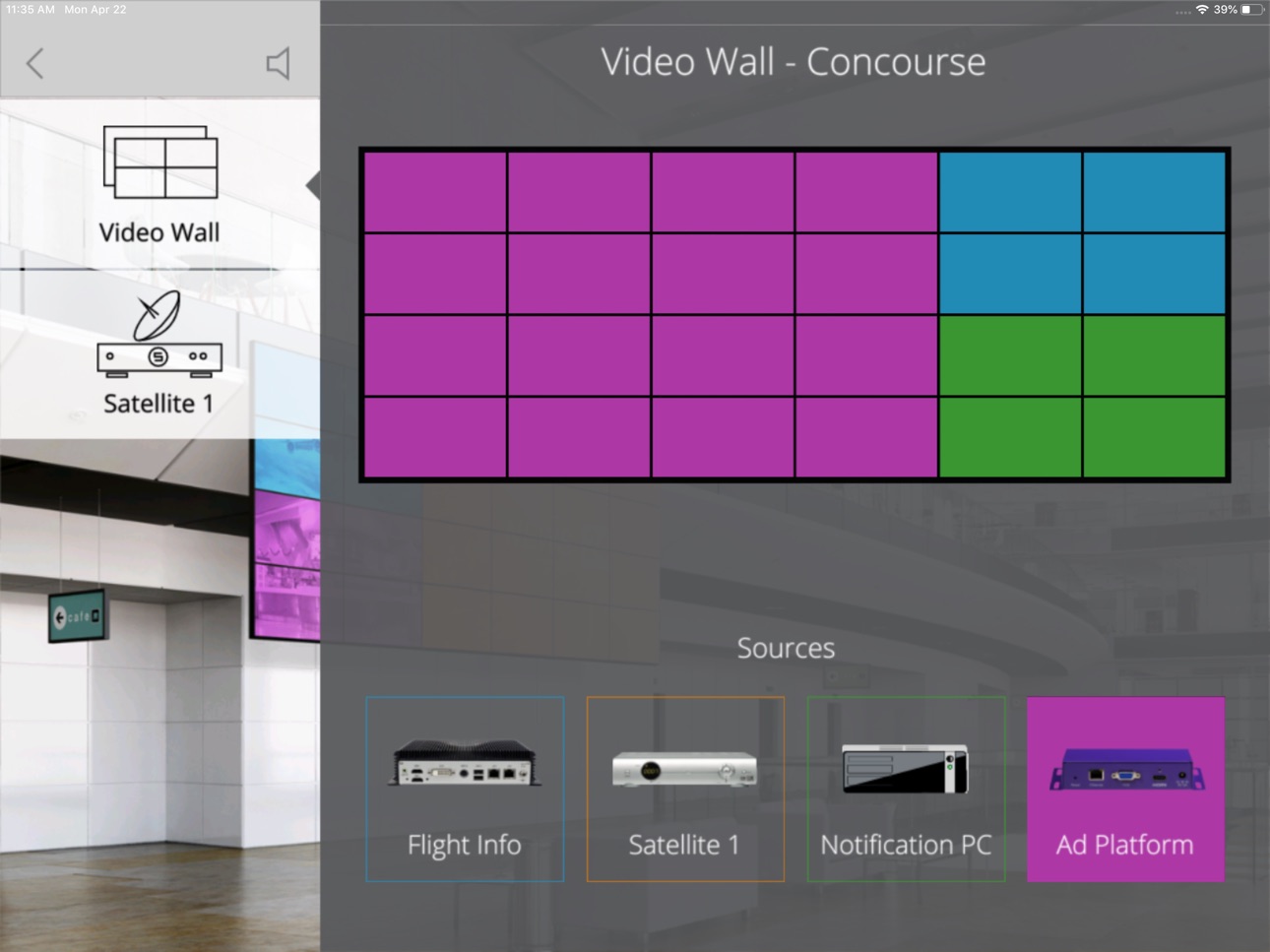
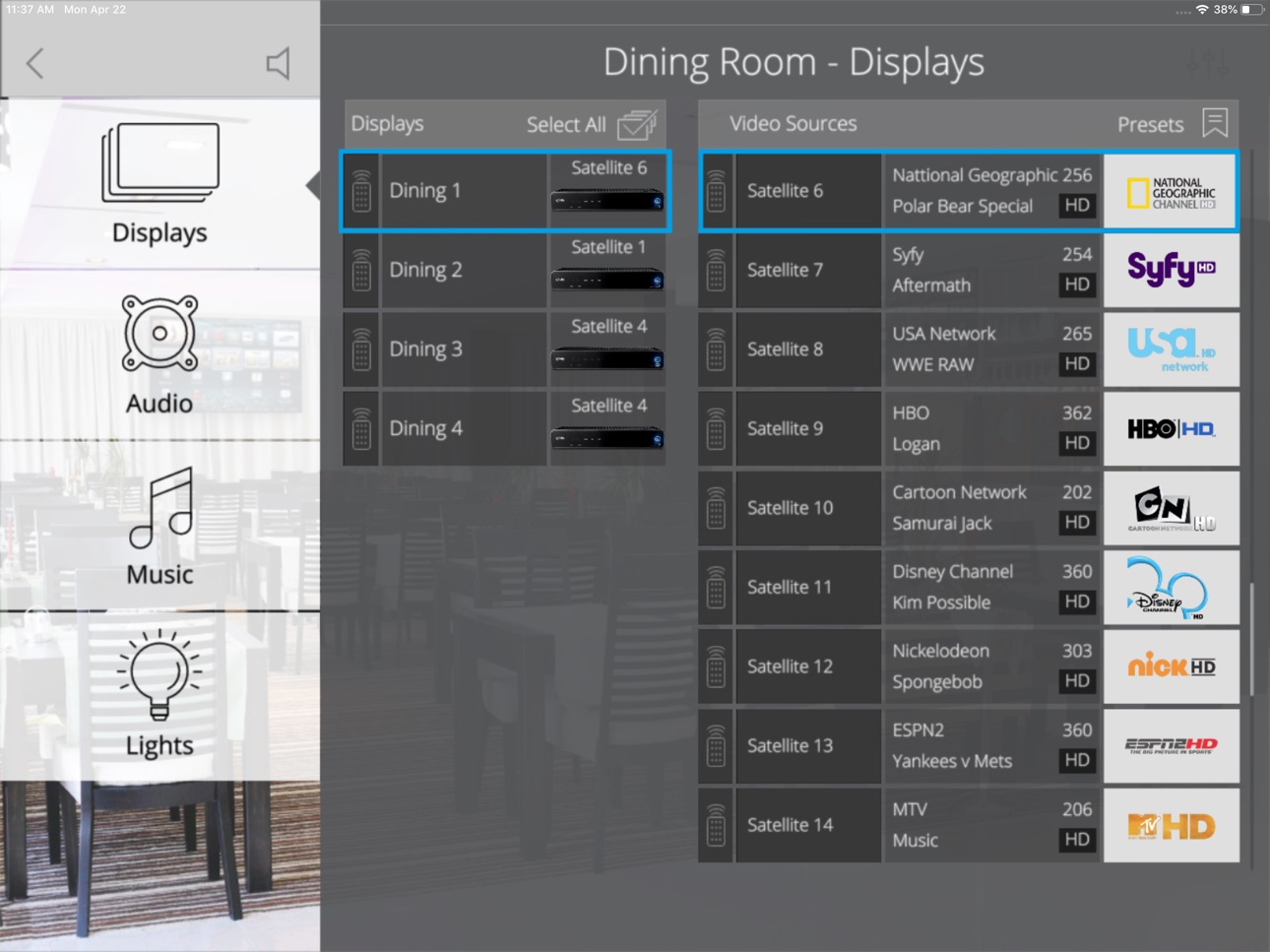
Compass Control represents the first fully integrated major control system built from the ground up to use Apple's iOS devices - iPad, iPhone, and iPod touch - as its backbone.
Let Compass Control be your guide to complete control for your residential or commercial application. Compass Control replaces all of your remotes and traditional control interfaces with one device. Compass Control becomes your cable remote, TV remote, thermostat, alarm control panel, and many other remote devices all contained in the sleek and beautiful shape of Apple's family of iOS powered devices.
Compass Control has an entire family of integrated devices allowing plug and play thanks to our Key Alliance Partners: Aprilaire, Denon, Furman, iPort, Key Digital, Lutron, Luxul, Marantz, Onkyo, Panamax, Russound, and SurgeX. Key Alliance third party hardware combined with Compass Control provides seamless integration and unparalleled capability for your entire AV or 'smart' automation system.
To use the application for actual control of components please contact an approved Compass Control reseller or sales@keydigital.com for System Creating assistance.
Accessibility
ipadiphonemacrealityDevicetvoswatch
Version history 25 versions
Build 864543826v2.0.192024-03-21 01:48:52
Fixed orientation issue with iOS/iPadOS 17.
Build 860352386v2.0.182023-12-12 00:21:10
Added Life Feeds (Preview) support for AVoIP switchers.
Added offline devices management.
Build 853344087v2.0.172023-02-01 13:00:02
Added KD-WP8-2 as a master controller support.
Build 853147921v2.0.162022-11-11 15:16:13
Added iOS 16 and iPadOS 16 support
Build 847460039v2.0.152022-05-17 18:13:00
Added TOA support
Build 846733099v2.0.142022-02-10 22:03:22
Fixed checking of UDP-controlled devices.
Build 846418526v2.0.132022-01-07 15:29:03
Added three-finger entry to the setup menu.
Build 840195666v2.0.122021-12-13 15:23:54
New step-by-step process for project load, MC connection, and device detection.
Faster app launching and menu entry from control GUI.
App now notifies user of missing master controllers and devices, but continues to work with active hardware.
Resolved invisible text entered into textfield.
Build 837430980v2.0.112020-08-21 18:08:02
Added possiblity to call Safari for WEB control.
IMPORTANT NOTE: 1.After updating the app, please reload your control project from Setup->Projects screen.
2.Do not use Home Button to exit Compass Standby. Use touch or move screen. Brightness may change.
3.If Device ID is not generated, please contact Key Digital tech support for further instructions.
Build 835043770v2.0.102020-03-10 14:53:42
Changed return from hibernation to be compatible with iPadOS 13.3.
IMPORTANT NOTE: 1.After updating the app, please reload your control project from Setup->Projects screen.
2.Do not use Home Button to exit Compass Standby. Use touch or move screen. Brightness may change.
3.If Device ID is not generated, please contact Key Digital tech support for further instructions.
Build 833400322v2.0.092019-10-31 13:55:25
Changed video stream player to be compatible with iPadOS 13.1.3.
IMPORTANT NOTE: 1.After updating the app, please reload your control project from Setup->Projects screen.
2.Do not use Home Button to exit Compass Standby. Use touch or move screen. Brightness may change.
3.If Device ID is not generated, please contact Key Digital tech support for further instructions.
Build 833238228v2.0.082019-10-21 13:09:37
Changed pop-up alert dialogs to be compatible with iPadOS 13.1.3.
IMPORTANT NOTE: 1.After updating the app, please reload your control project from Setup->Projects screen.
2.Do not use Home Button to exit Compass Standby. Use touch or move screen. Brightness may change.
3.If Device ID is not generated, please contact Key Digital tech support for further instructions.
Build 832016562v2.0.072019-07-16 16:16:48
Changed RTSP player to be compatible with iOS12.
IMPORTANT NOTE: 1.After updating the app, please reload your control project from Setup->Projects screen.
2.Do not use Home Button to exit Compass Standby. Use touch or move screen. Brightness may change.
3.If Device ID is not generated, please contact Key Digital tech support for further instructions.
Added temporary device control exclusion if device is not communicating
Build 831227597v2.0.062019-05-08 19:06:50
Fixed accidental launch of demo project after tipping the screen while loading the control project.
IMPORTANT NOTE: 1.After updating the app, please reload your control project from Setup->Projects screen.
2.Do not use Home Button to exit Compass Standby. Use touch or move screen. Brightness may change.
3.If Device ID is not generated, please contact Key Digital tech support for further instructions.
Added temporary device control exclusion if device is not communicating
Build 830671287v2.0.052019-04-29 13:02:52
Supports differentiation of UDP clients by IP address.
Added temporary device control exclusion if device is not communicating.
Reduced memory consumption by applying single module for redundant devices.
Simple controllers may be added as control conversion device for reduced project load time.
IMPORTANT NOTE: 1.After updating the app, please reload your control project from Setup->Projects screen.
2.Do not use Home Button to exit Compass Standby. Use touch or move screen. Brightness may change.
3.If Device ID is not generated, please contact Key Digital tech support for further instructions.
Build 826275072v2.0.042018-03-15 18:24:02
Supports Compass Pro Modular projects
Supports cross driver function calls.
Supports multi-device modules.
IMPORTANT NOTE: 1.After updating the app, please reload your control project from Setup->Projects screen.
2.Do not use Home Button to exit Compass Standby. Use touch or move screen. Brightness may change.
3.If Device ID is not generated, please contact Key Digital tech support for further instructions.
Build 824474444v2.0.032017-11-27 14:30:45
Supports KD-IP922 as a Master Controller
Added Residential Demo Project.
IMPORTANT NOTE: 1.After updating the app, please reload your control project from Setup->Projects screen.
2.Do not use Home Button to exit Compass Standby. Use touch or move screen. Brightness may change.
3.If Device ID is not generated, please contact Key Digital tech support for further instructions.
Build 823466414v2.0.022017-08-31 20:43:59
Updated App Icon
IMPORTANT NOTE: 1.After updating the app, please reload your control project from Setup->Projects screen.
2.Do not use Home Button to exit Compass Standby. Use touch or move screen. Brightness may change.
3.If Device ID is not generated, please contact Key Digital tech support for further instructions.
Build 823311080v2.0.012017-08-22 19:38:29
Application launches into current Control Project.
Updated Application Setup look & feel
Updated all demo projects with Compass Control Commercial look & feel
Added dual connection driver supports
Added “path” and “stroke_type” properties for Graphic GUI element
Added “selectedNumber” system variable
Added supports of “OpenSans” font
IMPORTANT NOTE: 1.After updating the app, please reload your control project from Setup->Projects screen
2.Do not use Home Button to exit Compass Standby. Use touch or move screen. Brightness may change.
3.If Device ID is not generated, please contact Key Digital tech support for further instructions.
Build 820511236v1.1.262017-01-17 17:43:08
Improved UDP control.
Improved GUI Element’s direct link to variable functionality
IMPORTANT NOTE: 1.After updating the app, please update your control project from Setup->Registration screen
2.Do not use Home Button to exit Compass Standby. Use touch or move screen. Brightness may change.
3.If Device ID is not generated, please contact Key Digital tech support for further instructions.
Build 819878523v1.1.252016-11-29 14:17:05
Fixed control project loading and booting sequence to accommodate new iOS versions.
IMPORTANT NOTE: 1.After updating the app, please update your control project from Setup->Registration screen
2.Do not use Home Button to exit Compass Standby. Use touch or move screen. Brightness may change.
3.If Device ID is not generated, please contact Key Digital tech support for further instructions.
Build 819515969v1.1.242016-11-02 13:11:17
Added UDP control functionality.
Added Temporary server from device deriver.
Added dual control device modules.
Updated Video Player library.
IMPORTANT NOTE: 1.After updating the app, please update your control project from Setup->Registration screen
2.Do not use Home Button to exit Compass Standby. Use touch or move screen. Brightness may change.
3.If Device ID is not generated, please contact Key Digital tech support for further instructions.
Build 818454219v1.1.232016-08-15 16:21:43
Added cross-platform compatibility with auto-scaling to fit device screen.
Updated Video Player Library.
Added set “new_value” property to reload image without caching.
Added “color” property for Text GUI Element.
IMPORTANT NOTE: 1.After updating the app, please update your control project from Setup->Registration screen
2.Do not use Home Button to exit Compass Standby. Use touch or move screen. Brightness may change.
3.If Device ID is not generated, please contact Key Digital tech support for further instructions.
Build 817066528v1.1.222016-04-21 13:44:16
Improved Multi-Controller Variable Synchronization.
Fixed switching from Demo project to Main project without updating.
IMPORTANT NOTE: 1.After updating the app, please update your control project from Setup->Registration screen
2.Do not use Home Button to exit Compass Standby. Use touch or move screen. Brightness may change.
3.If Device ID is not generated, please contact Key Digital tech support for further instructions.
Build 816830902v1.1.212016-03-24 18:40:22
Fixed Standby mode.
IMPORTANT NOTE: 1.After updating the app, please update your control project from Setup->Registration screen
2.Do not use Home Button to exit Compass Standby. Use touch or move screen. Brightness may change.
3.If Device ID is not generated, please contact Key Digital tech support for further instructions.
No pricing data captured yet — comparisons appear once the app has paid storefronts or in-app purchases.
Availability 174 of 175 storefronts
| Region | Language | Price | Ratings | Avg | Version |
|---|---|---|---|---|---|
| US | en-US | Free | 7 | 4.3 | 2.0.19 |
| AU | en-AU | Free | 1 | 1.0 | 2.0.19 |
| CA | en-CA | Free | 1 | 1.0 | 2.0.19 |
| GB | en-GB | Free | 1 | 1.0 | 2.0.19 |
| PH | en-GB | Free | 1 | 2.0 | 2.0.19 |
| AE | en-GB | Free | 0 | — | 2.0.19 |
| AF | en-GB | Free | 0 | — | 2.0.19 |
| AG | en-GB | Free | 0 | — | 2.0.19 |
| AI | en-GB | Free | 0 | — | 2.0.19 |
| AL | en-GB | Free | 0 | — | 2.0.19 |
| AM | en-GB | Free | 0 | — | 2.0.19 |
| AO | en-GB | Free | 0 | — | 2.0.19 |
| AR | es-MX | Free | 0 | — | 2.0.19 |
| AT | de-DE | Free | 0 | — | 2.0.19 |
| AZ | en-GB | Free | 0 | — | 2.0.19 |
| BA | en-GB | Free | 0 | — | 2.0.19 |
| BB | en-GB | Free | 0 | — | 2.0.19 |
| BE | en-GB | Free | 0 | — | 2.0.19 |
| BF | en-GB | Free | 0 | — | 2.0.19 |
| BG | en-GB | Free | 0 | — | 2.0.19 |
| BH | en-GB | Free | 0 | — | 2.0.19 |
| BJ | en-GB | Free | 0 | — | 2.0.19 |
| BM | en-GB | Free | 0 | — | 2.0.19 |
| BN | en-GB | Free | 0 | — | 2.0.19 |
| BO | es-MX | Free | 0 | — | 2.0.19 |
| BR | pt-BR | Free | 0 | — | 2.0.19 |
| BS | en-GB | Free | 0 | — | 2.0.19 |
| BT | en-GB | Free | 0 | — | 2.0.19 |
| BW | en-GB | Free | 0 | — | 2.0.19 |
| BY | en-GB | Free | 0 | — | 2.0.19 |
| BZ | en-GB | Free | 0 | — | 2.0.19 |
| CD | en-GB | Free | 0 | — | 2.0.19 |
| CG | en-GB | Free | 0 | — | 2.0.19 |
| CH | de-CH | Free | 0 | — | 2.0.19 |
| CI | fr-FR | Free | 0 | — | 2.0.19 |
| CL | es-MX | Free | 0 | — | 2.0.19 |
| CM | fr-FR | Free | 0 | — | 2.0.19 |
| CN | zh-Hans-CN | Free | 0 | — | 2.0.19 |
| CO | es-MX | Free | 0 | — | 2.0.19 |
| CR | es-MX | Free | 0 | — | 2.0.19 |
| CV | en-GB | Free | 0 | — | 2.0.19 |
| CY | en-GB | Free | 0 | — | 2.0.19 |
| CZ | en-GB | Free | 0 | — | 2.0.19 |
| DE | de-DE | Free | 0 | — | 2.0.19 |
| DK | en-GB | Free | 0 | — | 2.0.19 |
| DM | en-GB | Free | 0 | — | 2.0.19 |
| DO | es-MX | Free | 0 | — | 2.0.19 |
| DZ | en-GB | Free | 0 | — | 2.0.19 |
| EC | es-MX | Free | 0 | — | 2.0.19 |
| EE | en-GB | Free | 0 | — | 2.0.19 |
| EG | en-GB | Free | 0 | — | 2.0.19 |
| ES | es-ES | Free | 0 | — | 2.0.19 |
| FI | en-GB | Free | 0 | — | 2.0.19 |
| FJ | en-GB | Free | 0 | — | 2.0.19 |
| FM | en-GB | Free | 0 | — | 2.0.19 |
| GA | fr-FR | Free | 0 | — | 2.0.19 |
| GD | en-GB | Free | 0 | — | 2.0.19 |
| GE | en-GB | Free | 0 | — | 2.0.19 |
| GH | en-GB | Free | 0 | — | 2.0.19 |
| GM | en-GB | Free | 0 | — | 2.0.19 |
| GR | en-GB | Free | 0 | — | 2.0.19 |
| GT | es-MX | Free | 0 | — | 2.0.19 |
| GW | en-GB | Free | 0 | — | 2.0.19 |
| GY | en-GB | Free | 0 | — | 2.0.19 |
| HK | zh-Hant-HK | Free | 0 | — | 2.0.19 |
| HN | es-MX | Free | 0 | — | 2.0.19 |
| HR | en-GB | Free | 0 | — | 2.0.19 |
| HU | en-GB | Free | 0 | — | 2.0.19 |
| ID | en-GB | Free | 0 | — | 2.0.19 |
| IE | en-GB | Free | 0 | — | 2.0.19 |
| IL | en-GB | Free | 0 | — | 2.0.19 |
| IN | en-GB | Free | 0 | — | 2.0.19 |
| IQ | en-GB | Free | 0 | — | 2.0.19 |
| IS | en-GB | Free | 0 | — | 2.0.19 |
| IT | it | Free | 0 | — | 2.0.19 |
| JM | en-GB | Free | 0 | — | 2.0.19 |
| JO | en-GB | Free | 0 | — | 2.0.19 |
| JP | ja | Free | 0 | — | 2.0.19 |
| KE | en-GB | Free | 0 | — | 2.0.19 |
| KG | en-GB | Free | 0 | — | 2.0.19 |
| KH | en-GB | Free | 0 | — | 2.0.19 |
| KN | en-GB | Free | 0 | — | 2.0.19 |
| KR | ko | Free | 0 | — | 2.0.19 |
| KW | en-GB | Free | 0 | — | 2.0.19 |
| KY | en-GB | Free | 0 | — | 2.0.19 |
| KZ | en-GB | Free | 0 | — | 2.0.19 |
| LA | en-GB | Free | 0 | — | 2.0.19 |
| LB | en-GB | Free | 0 | — | 2.0.19 |
| LC | en-GB | Free | 0 | — | 2.0.19 |
| LK | en-GB | Free | 0 | — | 2.0.19 |
| LR | en-GB | Free | 0 | — | 2.0.19 |
| LT | en-GB | Free | 0 | — | 2.0.19 |
| LU | en-GB | Free | 0 | — | 2.0.19 |
| LV | en-GB | Free | 0 | — | 2.0.19 |
| LY | en-GB | Free | 0 | — | 2.0.19 |
| MA | en-GB | Free | 0 | — | 2.0.19 |
| MD | en-GB | Free | 0 | — | 2.0.19 |
| ME | en-GB | Free | 0 | — | 2.0.19 |
| MG | en-GB | Free | 0 | — | 2.0.19 |
| MK | en-GB | Free | 0 | — | 2.0.19 |
| ML | en-GB | Free | 0 | — | 2.0.19 |
| MM | en-GB | Free | 0 | — | 2.0.19 |
| MN | en-GB | Free | 0 | — | 2.0.19 |
| MO | zh-Hant-HK | Free | 0 | — | 2.0.19 |
| MR | en-GB | Free | 0 | — | 2.0.19 |
| MS | en-GB | Free | 0 | — | 2.0.19 |
| MT | en-GB | Free | 0 | — | 2.0.19 |
| MU | en-GB | Free | 0 | — | 2.0.19 |
| MV | en-GB | Free | 0 | — | 2.0.19 |
| MW | en-GB | Free | 0 | — | 2.0.19 |
| MX | es-MX | Free | 0 | — | 2.0.19 |
| MY | en-GB | Free | 0 | — | 2.0.19 |
| MZ | en-GB | Free | 0 | — | 2.0.19 |
| NA | en-GB | Free | 0 | — | 2.0.19 |
| NE | en-GB | Free | 0 | — | 2.0.19 |
| NG | en-GB | Free | 0 | — | 2.0.19 |
| NI | es-MX | Free | 0 | — | 2.0.19 |
| NL | nl | Free | 0 | — | 2.0.19 |
| NO | en-GB | Free | 0 | — | 2.0.19 |
| NP | en-GB | Free | 0 | — | 2.0.19 |
| NR | en-GB | Free | 0 | — | 2.0.19 |
| NZ | en-AU | Free | 0 | — | 2.0.19 |
| OM | en-GB | Free | 0 | — | 2.0.19 |
| PA | es-MX | Free | 0 | — | 2.0.19 |
| PE | es-MX | Free | 0 | — | 2.0.19 |
| PG | en-GB | Free | 0 | — | 2.0.19 |
| PK | en-GB | Free | 0 | — | 2.0.19 |
| PL | en-GB | Free | 0 | — | 2.0.19 |
| PT | pt-PT | Free | 0 | — | 2.0.19 |
| PW | en-GB | Free | 0 | — | 2.0.19 |
| PY | es-MX | Free | 0 | — | 2.0.19 |
| QA | en-GB | Free | 0 | — | 2.0.19 |
| RO | en-GB | Free | 0 | — | 2.0.19 |
| RS | en-GB | Free | 0 | — | 2.0.19 |
| RU | ru | Free | 0 | — | 2.0.19 |
| RW | en-GB | Free | 0 | — | 2.0.19 |
| SA | en-GB | Free | 0 | — | 2.0.19 |
| SB | en-GB | Free | 0 | — | 2.0.19 |
| SC | en-GB | Free | 0 | — | 2.0.19 |
| SE | sv | Free | 0 | — | 2.0.19 |
| SG | en-GB | Free | 0 | — | 2.0.19 |
| SI | en-GB | Free | 0 | — | 2.0.19 |
| SK | en-GB | Free | 0 | — | 2.0.19 |
| SL | en-GB | Free | 0 | — | 2.0.19 |
| SN | en-GB | Free | 0 | — | 2.0.19 |
| SR | en-GB | Free | 0 | — | 2.0.19 |
| ST | en-GB | Free | 0 | — | 2.0.19 |
| SV | es-MX | Free | 0 | — | 2.0.19 |
| SZ | en-GB | Free | 0 | — | 2.0.19 |
| TC | en-GB | Free | 0 | — | 2.0.19 |
| TD | en-GB | Free | 0 | — | 2.0.19 |
| TH | en-GB | Free | 0 | — | 2.0.19 |
| TJ | en-GB | Free | 0 | — | 2.0.19 |
| TM | en-GB | Free | 0 | — | 2.0.19 |
| TN | en-GB | Free | 0 | — | 2.0.19 |
| TO | en-GB | Free | 0 | — | 2.0.19 |
| TR | en-GB | Free | 0 | — | 2.0.19 |
| TT | en-GB | Free | 0 | — | 2.0.19 |
| TW | zh-Hant-TW | Free | 0 | — | 2.0.19 |
| TZ | en-GB | Free | 0 | — | 2.0.19 |
| UA | en-GB | Free | 0 | — | 2.0.19 |
| UG | en-GB | Free | 0 | — | 2.0.19 |
| UY | en-GB | Free | 0 | — | 2.0.19 |
| UZ | en-GB | Free | 0 | — | 2.0.19 |
| VC | en-GB | Free | 0 | — | 2.0.19 |
| VE | es-MX | Free | 0 | — | 2.0.19 |
| VG | en-GB | Free | 0 | — | 2.0.19 |
| VN | en-GB | Free | 0 | — | 2.0.19 |
| VU | en-GB | Free | 0 | — | 2.0.19 |
| XK | en-GB | Free | 0 | — | 2.0.19 |
| YE | en-GB | Free | 0 | — | 2.0.19 |
| ZA | en-GB | Free | 0 | — | 2.0.19 |
| ZM | en-GB | Free | 0 | — | 2.0.19 |
| ZW | en-GB | Free | 0 | — | 2.0.19 |
Not available in: FR
Change log 28 changes · US
✎
releaseNotes updated
Fixed orientation issue with iOS/iPadOS 17.
✎
description updated
Compass Control represents the first fully integrated major control system built from the ground up to use Apple's iOS devices - iPad, iPhone, and iPod touch -
✎
name updated
Compass Control
◆
Version 2.0.19 released
Fixed orientation issue with iOS/iPadOS 17.
◆
Version 2.0.18 released
Added Life Feeds (Preview) support for AVoIP switchers.
Added offline devices management.
◆
Version 2.0.17 released
Added KD-WP8-2 as a master controller support.
◆
Version 2.0.16 released
Added iOS 16 and iPadOS 16 support
◆
Version 2.0.15 released
Added TOA support
◆
Version 2.0.14 released
Fixed checking of UDP-controlled devices.
◆
Version 2.0.13 released
Added three-finger entry to the setup menu.
◆
Version 2.0.12 released
New step-by-step process for project load, MC connection, and device detection.
Faster app launching and menu entry from control GUI.
App now notifies user of missing master controllers and devices, but continues to work with active hardwar
◆
Version 2.0.11 released
Added possiblity to call Safari for WEB control.
IMPORTANT NOTE: 1.After updating the app, please reload your control project from Setup->Projects screen.
2.Do not use Home Button to exit Compass Standby. Use touch o
◆
Version 2.0.10 released
Changed return from hibernation to be compatible with iPadOS 13.3.
IMPORTANT NOTE: 1.After updating the app, please reload your control project from Setup->Projects screen.
2.Do not use Home Button to exit Compass St
◆
Version 2.0.09 released
Changed video stream player to be compatible with iPadOS 13.1.3.
IMPORTANT NOTE: 1.After updating the app, please reload your control project from Setup->Projects screen.
2.Do not use Home Button to exit Compass Stan
◆
Version 2.0.08 released
Changed pop-up alert dialogs to be compatible with iPadOS 13.1.3.
IMPORTANT NOTE: 1.After updating the app, please reload your control project from Setup->Projects screen.
2.Do not use Home Button to exit Compass Sta
◆
Version 2.0.07 released
Changed RTSP player to be compatible with iOS12.
IMPORTANT NOTE: 1.After updating the app, please reload your control project from Setup->Projects screen.
2.Do not use Home Button to exit Compass Standby. Use touch o
◆
Version 2.0.06 released
Fixed accidental launch of demo project after tipping the screen while loading the control project.
IMPORTANT NOTE: 1.After updating the app, please reload your control project from Setup->Projects screen.
2.Do not use
◆
Version 2.0.05 released
Supports differentiation of UDP clients by IP address.
Added temporary device control exclusion if device is not communicating.
Reduced memory consumption by applying single module for redundant devices.
Simple controllers may be added as c
◆
Version 2.0.04 released
Supports Compass Pro Modular projects
Supports cross driver function calls.
Supports multi-device modules.
IMPORTANT NOTE: 1.After updating the app, please reload your control project from Setup->Projects screen.
2.Do n
◆
Version 2.0.03 released
Supports KD-IP922 as a Master Controller
Added Residential Demo Project.
IMPORTANT NOTE: 1.After updating the app, please reload your control project from Setup->Projects screen.
2.Do not use Home Button to exit Compass
◆
Version 2.0.02 released
Updated App Icon
IMPORTANT NOTE: 1.After updating the app, please reload your control project from Setup->Projects screen.
2.Do not use Home Button to exit Compass Standby. Use touch or move screen. Brightness may change.
◆
Version 2.0.01 released
Application launches into current Control Project.
Updated Application Setup look & feel
Updated all demo projects with Compass Control Commercial look & feel
Added dual connection driver supports
Added “path” and “stroke_type” properties
◆
Version 1.1.26 released
Improved UDP control.
Improved GUI Element’s direct link to variable functionality
IMPORTANT NOTE: 1.After updating the app, please update your control project from Setup->Registration screen
2.Do not use Home Button to ex
◆
Version 1.1.25 released
Fixed control project loading and booting sequence to accommodate new iOS versions.
IMPORTANT NOTE: 1.After updating the app, please update your control project from Setup->Registration screen
2.Do not use Home Button to e
◆
Version 1.1.24 released
Added UDP control functionality.
Added Temporary server from device deriver.
Added dual control device modules.
Updated Video Player library.
IMPORTANT NOTE: 1.After updating the app, please update your control project from Setup->Registr
◆
Version 1.1.23 released
Added cross-platform compatibility with auto-scaling to fit device screen.
Updated Video Player Library.
Added set “new_value” property to reload image without caching.
Added “color” property for Text GUI Element.
IMPORTANT NOTE: 1.After
◆
Version 1.1.22 released
Improved Multi-Controller Variable Synchronization.
Fixed switching from Demo project to Main project without updating.
IMPORTANT NOTE: 1.After updating the app, please update your control project from Setup->Registration screen
◆
Version 1.1.21 released
Fixed Standby mode.
IMPORTANT NOTE: 1.After updating the app, please update your control project from Setup->Registration screen
2.Do not use Home Button to exit Compass Standby. Use touch or move screen. Brightness may ch