Home › Weather

 US
US
1 of 1 storefronts
Content in en-US
Content in en-US
Information
Preview 3 platforms
iPhone 10 images




iPad 10 images




Mac 10 images






What’s New Version 2.1.6
- You can now sort POI/Cities alphabetically or by distance.
- Fixed rare missing location at app start.
- [Subscribers] If 500 or 850 mb chart is selected, other data layers auto hide for cleaner view.
Description
Know exactly when rain will start and stop at your location. RainAware, the original hyperlocal rain app with RainClock, push alerts, live radar, satellite, lightning & storm tracking.
***** INCLUDED IN THE STANDARD VERSION *****
• Rain Clock
See rain timing for your location up to 3 hours ahead.
Example: “Rain starts in 1 hr 30 min and ends at 4:30 PM.”
Background images match the weather outside.
• Alerts & notifications
Get notified when rain is coming or ending, or when severe weather threatens.
Customize alert timing, rain-duration thresholds, proximity settings, and alert frequency.
• Regional radar, satellite, and 1-hour precipitation
View live weather imagery over a regional domain, then move the domain anywhere to inspect weather there.
• Watches, warnings, and advisories
View active hazards including severe storms, floods, winter weather, wind, fire, marine alerts, and more.
• Weather map overlays
Analyze the map with overlays for surface observations, lightning, hurricane tracks, storm reports, moving ship observations, and more.
• Landscape mode & fast looping
Use landscape mode for a larger map with extra pan and zoom controls. Long-press to burst-loop imagery faster and spot trends.
• Current conditions ticker
Cycles through the nearest surface observation and also shows nearby lightning, precipitation, and storm reports when relevant. Tap icons to jump to the location.
• Interactive graphs
View 36-hour trend graphs for temperature, wind, cloud cover, precipitation amount and type.
• Forecast Clock
See the next 8 days in a concise Today/Tonight format, including sunrise, sunset, and moon phase.
• Site lists
Quickly check weather for nearby cities, airports, ballparks, speedways, golf courses, and more. Stadium views include wind direction for in, out, or across-field awareness.
• Drawing tools
Draw on the map, add text, overlay it on weather imagery, and share.
• Weather badges
Badges show when rapid changes in rain, temperature, clouds, or wind are forecast. Configurable.
• Deep customization
RainAware includes extensive settings so you can tune the app to your workflow.
***** SUBSCRIPTION FEATURES *****
Subscriptions are available in-app and work across supported devices.
• Full-map access
View the full weather map without regional limits.
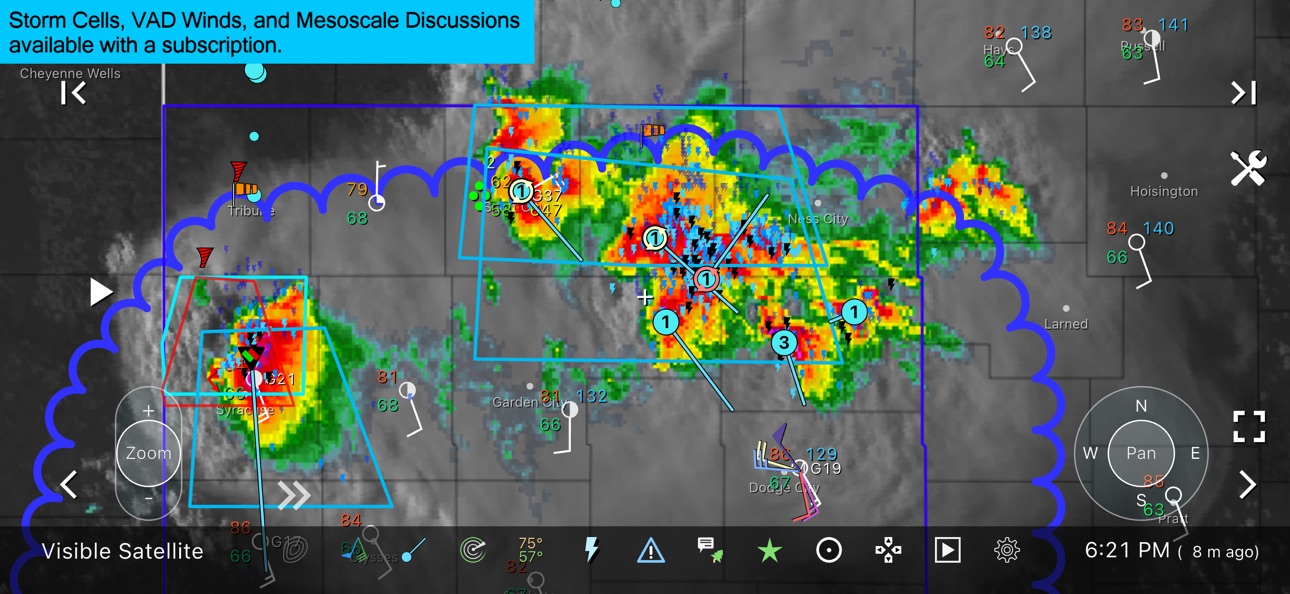
• Storm cell tracking
Filter storm cells and view motion, hail potential, rotation, and more.
• National radar products
Includes Echo Tops, Hail Swaths, and Rotation Tracks.
• Single-site radar
Access reflectivity and velocity products, with options to merge Hawaii, Alaska, and Puerto Rico radar into the national view.
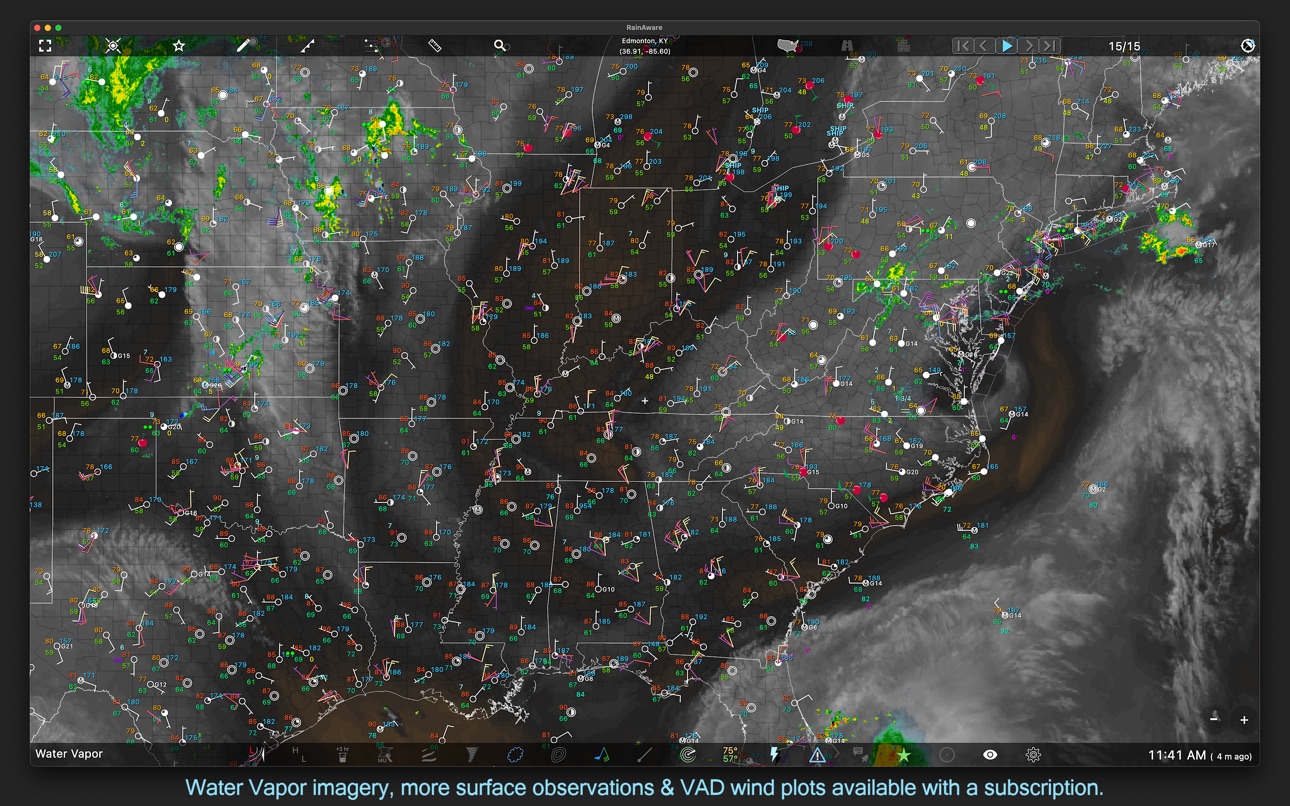
• Expanded satellite imagery
Adds water vapor and colorized visible imagery for enhanced cloud-top analysis.
• More alert types
Add lightning proximity alerts, severe storm report alerts, and alerts for another location.
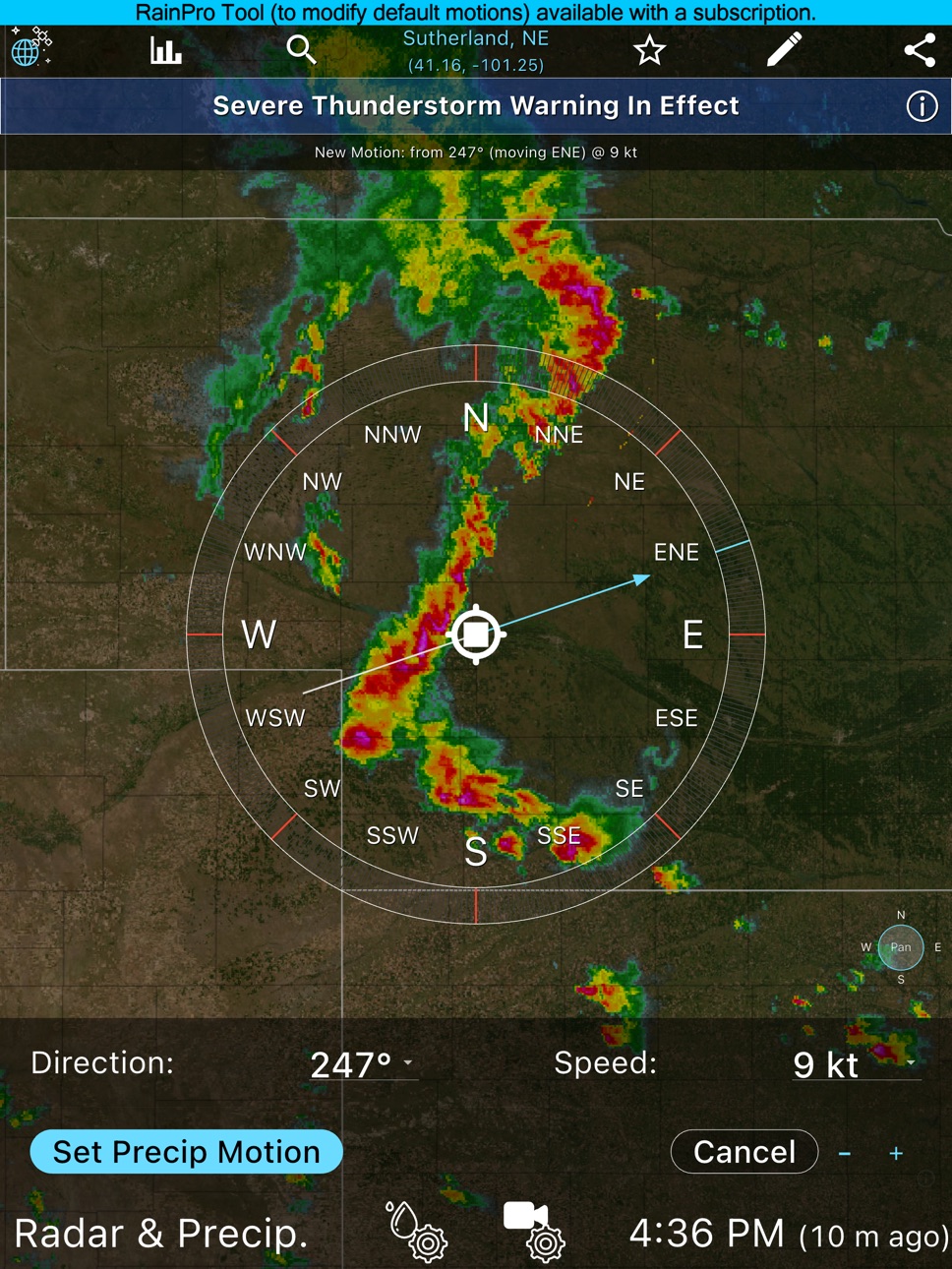
• RainPro tool
Interactively refine precipitation motion for even more precise rain timing.
• Environmental fields
Display threat areas, VAD wind profiles, isobars, CAPE, updraft helicity, 500 & 850 mb charts & more.
• Warning & observation monitor
Filter and sort warnings and surface observations.
• Advanced surface observations
Plot thousands of stations, ships, and buoys, including water temperature and wave height.
• Longer loops
Animate up to 36 frames and as much as 12 hours ahead on capable devices.
• Aviation mode
Use FAA sectional maps as an underlay, display flight rules at stations, and view winds aloft at VWP locations.
• Advanced drawing tools
Draw fronts, time-match drawings to imagery, and create lines, polygons, circles, and squares.
• Faster data updates
Get more frequent radar, satellite, and surface data refreshes.
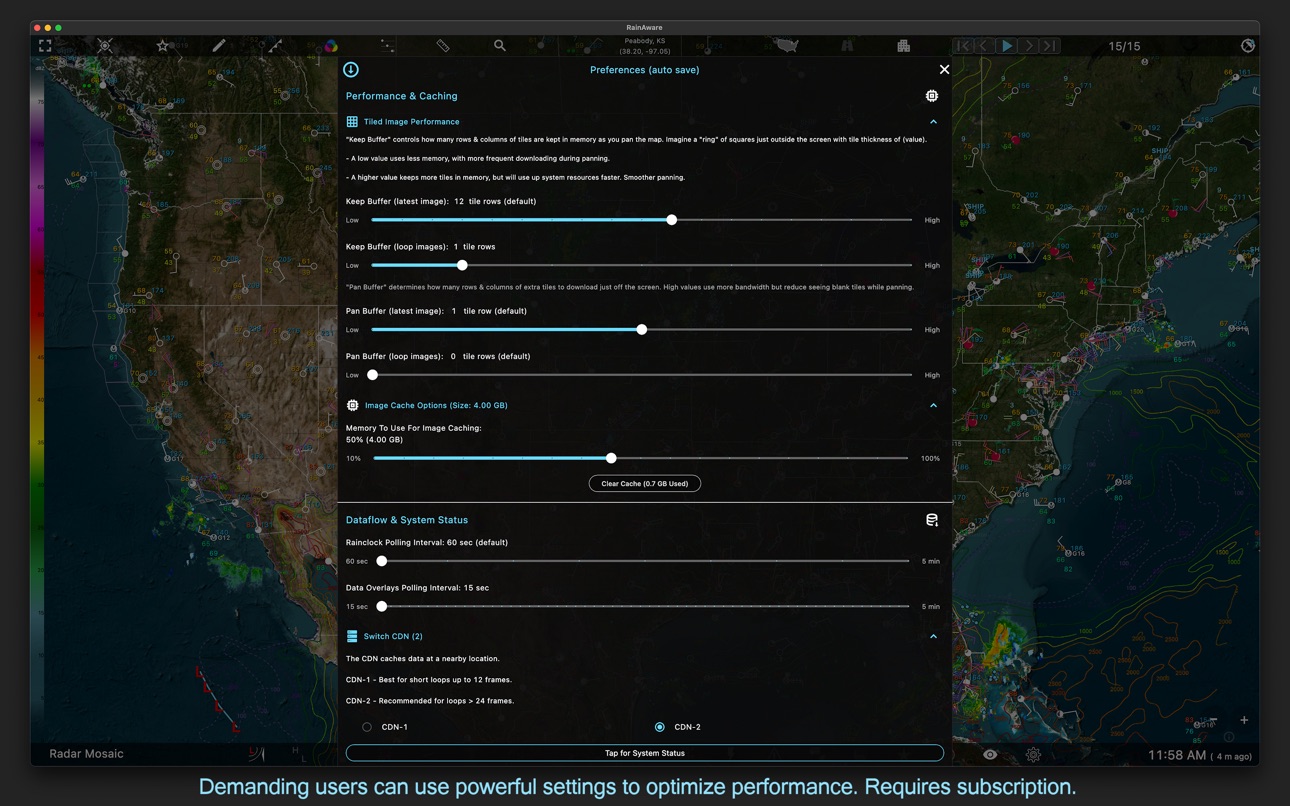
• Performance controls
Manage memory, cache behavior, panning, and image tiling.
Coverage is best across the USA and southern Canada. Satellite and local radar coverage also extends from Hawaii to the Caribbean. https://www.rainaware.com/rainaware_coverage_map.webp
In-App Purchases US pricing
RainAware Suite Subscription
Annual · Yearly$69.99
Monthly · Monthly$6.99
One-Time Purchases
RainAware Suite - Day Pass$0.99
Capabilities
In-App Purchases
Accessibility
ipadiphonemacrealityDevicetvoswatch
Version history 25 versions
Build 885894488v2.1.62026-05-22 19:58:59
- You can now sort POI/Cities alphabetically or by distance.
- Fixed rare missing location at app start.
- [Subscribers] If 500 or 850 mb chart is selected, other data layers auto hide for cleaner view.
Build 885549147v2.1.52026-05-12 19:30:27
- Bug Fix: Location at startup (a few users reported a location in Arizona or Florida, even when Location Services are turned on).
- Subscriber Feature: Added freezing line to Pressure Overlay.
- Subscriber Feature: Added 500 mb Height & Wind Overlay.
- Subscriber Feature: Added 850 mb Wind & Theta-E Overlay.
Build 885444340v2.1.42026-05-10 05:28:00
- Faster update of warnings & national radar.
- Subscribers can set data updates to every 10 seconds.
- Fixed the "Sent to Florida" bug.
Build 884706139v2.1.32026-04-23 23:19:53
- Network optimizations.
- Better performance when coming out of background/sleep.
- You can remove the "Get More" prompts in Settings > Buttons... > Hide Get More Prompts.
Build 884158164v2.1.22026-04-14 07:59:23
- Expand the time-length of image loops (Settings > Loop Settings > Expand...)
- Large 3-chart view now retains new selections per app session.
- Users in HI, AK, and PR now have faster app startup & hourly precip info.
- The "Show Loop Buttons At Startup" option now works properly.
- Fixed an issue where 8 day forecast would be old if app resumed from background after a day.
Build 883897760v2.1.12026-03-29 18:34:25
Quick bug fix regarding top location readout.
Build 883847154v2.1.02026-03-27 23:28:47
• The original RainClock design is restored, including "Rain Summary" text inside.
• Bottom page navigation buttons are restored.
- For users who prefer the existing layout, you can disable at startup or revert in Settings.
• Zip Code lookup implemented in search bar for phones/tablets.
• For tablets & macOS, RainClock side panel is available in landscape.
• [Fix] Added attribution for maps beneath radar.
• [Fix] Mini-chart now behaves when saving custom weather type.
• [Sub Feature] Added "Restore Purchase" button (top of Settings menu, mainly for reinstalls).
Build 883321633v2.0.92026-03-13 17:07:28
- Hotfix for users outside the USA/CN domain (Code 2 error).
- Added thousands of small towns to search bar lookup.
- User Guide Updated to explain subscriptions and cross-platform ability: https://www.rainaware.com/quick_start.html
Build 869519779v2.0.82026-03-10 19:01:20
RainAware has been redesigned to accommodate many new features.
Almost everything can be tapped, swiped, or long pressed.
Highly Recommended:
Please see the quick start guide at: https://www.rainaware.com/quick_start.html
***** New Standard Version Features *****
• Notifications
Get alerts when rain is coming or going, or severe weather threatens. You can even define how long precip must last to be alertable. Set a rain proximity boundary, & modify alert frequency.
• Dual "Clock" Views: Rain and Forecast
A new "Forecast Clock" will automatically show when the RainClock shows no rain ("Dry").
Concisely shows the next 8 days in Today/Tonight format, including sunrise, sunset, and moon phase.
If there is precipitation coming, the regular "RainClock" will show by default. You can toggle between them at any time.
• Larger Satellite & Radar Map
Now you can pan and zoom the map, and tap on data overlays for more information. 1hr Precipitation accumulation imagery has been added.
Tap the "blue globe" to see imagery.
• Weather Map Overlays
Tap toggles for quick analysis. Surface observations at select locations plotted on the map, including temperature, humidity, wind & more. Plot lightning, hurricane tracks, storm reports & moving SHIP obs. See watches, warnings, advisories when in effect. Spans all entities including storms, floods, winter, wind, fire, marine & more.
• Landscape & Hyperloop
View larger map in landscape with added pan/zoom controls.
Burst loop speed to see trends (long-press Play button).
• Interactive Graphs
Get data readouts & visuals for temperature, wind speed, cloud cover, precip amount & type, over the next 36 hr.
• Weather Badges
Badges show up outside the Rain clock only when SIGNIFICANT or RAPID changes in precip, temperature, cloud or wind are forecast. Configurable.
• Drawing Tool
Paint drawings or text on screen. Overlay on map and share.
• Settings & Customization
An immense number of customizations are available in the Settings Menu.
See in action: https://www.youtube.com/watch?v=3fEh26giw4Y
***** New Subscription Tiers *****
For power users, subscriptions are available in-app and work across all your supported devices. New features include:
• Ability to view entire weather map without regional constraints.
• Satellite Imagery
Adds Water Vapor & colorized Visible imagery which colors higher cloud tops.
• National Radar Products
Adds Echo Tops, Hail Swaths, Rotation Tracks.
• Storm Cells
Plot storm cells with a multitude of filtering options. See storm motion, hail potential, rotation and more.
• Single-Site Radar
Basic Reflectivity and Velocity products.
Option to merge HI, AK, PR radars onto national view.
• Surface Observations
Plot thousands of stations, ships and buoys, including water temperature and wave height.
• Warning & Obs Monitor
Filter & sort surface obs & warnings.
• Environmental Fields
Plot threat areas, VAD Wind Profiles (VWP), Isobars, CAPE, Updraft Helicity & more.
• RainPro Tool
The #1 reason for inaccurate rain times is when precipitation moves in erratic directions.
Use this interactive tool to refine precip motion for the best timings possible.
• Drawing Tools
Draw fronts on the weather map.
Time-match your drawings to satellite & radar imagery.
Draw lines, open & closed shapes, circles & squares.
• Longer Loops
Animate up to 36 frames on capable devices.
• More Alert Options
Lightning proximity alerts, Tornado or Hail reported, or alert for another location.
• Aviation Mode
Use FAA sectional maps as map underlay
Flight rules plotted at surface stations
Winds aloft at VWP locations
• Faster Data Updates
More frequent updates to radar, satellite, and surface data.
• Performance & More
Manage memory & cache. Customize panning and image-tiling behavior.
- Full feature set available across the USA and southern Canada. Satellite and local radar coverage extends from Hawaii to the Caribbean. See: https://www.rainaware.com/rainaware_coverage_map.webp
Build 834117690v1.9.152021-05-18 22:03:53
- Added Radar setting to manually choose between single-site radar (most timely) or composite radar (better coverage in the West and cleaner), or use default-mode which lets the RainAware system decide which method to use.
- Worked with NWS to improve 7-day forecast reliability.
- Updated for iOS 14.x
Build 833253718v1.9.142019-12-17 18:57:55
- Updated for iOS 13 and Dark Mode
- Fixed a bug where 7-day forecast would show zero degrees if there was no weather data available
Build 832809393v1.9.122019-09-25 14:56:12
- View forecasts without GPS mode
- Various bug fixes
- Updated for iOS 13
Build 832699406v1.9.112019-09-11 19:24:00
- Minor bug fixes including iPad landscape mode issue.
- Restored previous VoiceOver functionality.
Build 831349399v1.9.102019-09-06 16:56:38
- Minor bug fixes including iPad landscape mode issue.
Build 820034040v1.9.92019-05-15 17:25:04
- Clutter removed from the system (responsible for false alarms).
- Simplified settings with explicit rain intensity (dbz).
- Option to detect VERY light precipitation (5 dbz)
- Added Imperial/Metric conversion option.
- Added wind to 7 day forecast.
- Much more reliable and responsive 7 day NWS forecast.
- Added temperature to the POI/City lists.
- Optimized for iPhone X screens.
- Fixed iPad bug where app would stick on "Loading"
- Added server redundancy
Build 819309793v1.9.82016-12-03 01:19:59
Fixed a crash while in Airplane Mode
Build 816951694v1.9.72016-10-12 20:15:49
- New model-based precip chances 9 more hours beyond the 3-hour rain clock! Tap graph to see probability and intensity, or swipe for readout over time. Uses our proprietary short range model ensemble.
- Revamped 7-day forecast, including much larger text and icons, as well as a color bar that gets longer and more prominent as precip chances increase.
- Increased forecast accuracy with less false alarms from radar clutter.
Important message: We are working on Push notifications that will alert even when the app is closed! An initial version of this feature will be available in the next update, so stay tuned!
Build 815696765v1.9.62016-01-19 17:17:51
- Clear extra pins on Map View by tapping the Edit button and then Clear Dropped Pins.
- Added a Go button to the Favorites list to jump directly to the Main View.
- Faster location detection when using cellular networks (sorry for the slowdown, it was iOS 9 related).
Build 814748422v1.9.52015-12-04 17:26:03
New map-based location lookup:
- Drop a pin anywhere in the US with a long-press on the map or
- Manually enter a set of coordinates (latitude,longitude)
- Easily save and edit your favorite locations.
Radar and Satellite Imagery view shows thumbnail toggle; tap to swap image.
Fixed truncated lines on NWS Forecast screen.
Various bug fixes.
Build 812825338v1.9.42015-08-11 17:14:38
- Severe weather warnings are shown for the viewed location.
- Easily reset custom settings.
- Custom settings indicator.
- Fixed share button bug.
Build 812678538v1.9.32015-06-27 03:09:02
- Modified code to increase detection of light rain (less misses by default).
- Added Dewpoint and Pressure to Current Observation. Auto animates or tap to advance.
- Added Loading progress bar for radar and satellite loops.
- Various bug fixes, stability improvements, and optimizations.
Thank you to all who have provided feedback. We have a button for that, please use!
Note: Alerts are coming, thanks for being patient.
Build 812482518v1.9.22015-06-09 17:33:21
- Major overhaul to city search and browsing. Search by name or zip code and save your favorites!
- View radar and satellite in full screen (long-press screen or tap icon).
- Increased size of satellite images for a broader view of your region.
- Increased speed of radar and satellite downloads.
- Cleaner Location/GPS icon plot.
- Fixed bug related to Timezone/Region settings.
- Fixed bug related to Apple Watch precipitation type.
- Additional support for iOS 7 users and smaller screens
- Check out our new website: www.rainaware.com
Many more changes coming in the next few months!
Build 812215895v1.9.12015-04-21 19:42:45
- Apple Watch compatibility. Great Scott! The future is here.
- See clouds at night! We increased infrared satellite resolution to 4km.
Build 812172070v1.92015-04-10 02:35:09
- See the clouds with high resolution Visible Satellite imagery during the day and Infrared Satellite at night.
- Share rain times via Facebook, Twitter and more.
- Send Feedback directly from the app.
- Receive system status alerts.
Build 811870723v1.8.22015-03-01 19:58:19
- Added chance of rain percentage to the 7-day Forecast screen
- Added wind speed and direction
Price history by region
Currency
Show
Columns
Search
Availability 1 of 1 storefronts
| Region | Language | Price | Ratings | Avg | Version |
|---|---|---|---|---|---|
| US | en-US | USD 4.99 | 1.1k | 3.9 | 2.1.6 |
Change log 29 changes · US
✎
releaseNotes updated
- You can now sort POI/Cities alphabetically or by distance.
- Fixed rare missing location at app start.
- [Subscribers] If 500 or 850 mb chart is selected, oth
✎
description updated
Know exactly when rain will start and stop at your location. RainAware, the original hyperlocal rain app with RainClock, push alerts, live radar, satellite, lig
✎
subtitle updated
Rain Timing, Radar & Alerts
✎
name updated
RainAware
◆
Version 2.1.6 released
- You can now sort POI/Cities alphabetically or by distance.
- Fixed rare missing location at app start.
- [Subscribers] If 500 or 850 mb chart is selected, other data layers auto hide for cleaner view.
◆
Version 2.1.5 released
- Bug Fix: Location at startup (a few users reported a location in Arizona or Florida, even when Location Services are turned on).
- Subscriber Feature: Added freezing line to Pressure Overlay.
- Subscriber Feature: Added 500 mb Height &
◆
Version 2.1.4 released
- Faster update of warnings & national radar.
- Subscribers can set data updates to every 10 seconds.
- Fixed the "Sent to Florida" bug.
◆
Version 2.1.3 released
- Network optimizations.
- Better performance when coming out of background/sleep.
- You can remove the "Get More" prompts in Settings > Buttons... > Hide Get More Prompts.
◆
Version 2.1.2 released
- Expand the time-length of image loops (Settings > Loop Settings > Expand...)
- Large 3-chart view now retains new selections per app session.
- Users in HI, AK, and PR now have faster app startup & hourly precip info.
- The "Show Loop But
◆
Version 2.1.1 released
Quick bug fix regarding top location readout.
◆
Version 2.1.0 released
• The original RainClock design is restored, including "Rain Summary" text inside.
• Bottom page navigation buttons are restored.
- For users who prefer the existing layout, you can disable at startup or revert in Settings.
• Zip Code loo
◆
Version 2.0.9 released
- Hotfix for users outside the USA/CN domain (Code 2 error).
- Added thousands of small towns to search bar lookup.
- User Guide Updated to explain subscriptions and cross-platform ability: https://www.rainaware.com/quick_start.html
◆
Version 2.0.8 released
RainAware has been redesigned to accommodate many new features.
Almost everything can be tapped, swiped, or long pressed.
Highly Recommended:
Please see the quick start guide at: https://www.rainaware.com/quick_start.html
***** New St
◆
Version 1.9.15 released
- Added Radar setting to manually choose between single-site radar (most timely) or composite radar (better coverage in the West and cleaner), or use default-mode which lets the RainAware system decide which method to use.
- Worked with NWS
◆
Version 1.9.14 released
- Updated for iOS 13 and Dark Mode
- Fixed a bug where 7-day forecast would show zero degrees if there was no weather data available
◆
Version 1.9.12 released
- View forecasts without GPS mode
- Various bug fixes
- Updated for iOS 13
◆
Version 1.9.11 released
- Minor bug fixes including iPad landscape mode issue.
- Restored previous VoiceOver functionality.
◆
Version 1.9.10 released
- Minor bug fixes including iPad landscape mode issue.
◆
Version 1.9.9 released
- Clutter removed from the system (responsible for false alarms).
- Simplified settings with explicit rain intensity (dbz).
- Option to detect VERY light precipitation (5 dbz)
- Added Imperial/Metric conversion option.
- Added wind to 7 day
◆
Version 1.9.8 released
Fixed a crash while in Airplane Mode
◆
Version 1.9.7 released
- New model-based precip chances 9 more hours beyond the 3-hour rain clock! Tap graph to see probability and intensity, or swipe for readout over time. Uses our proprietary short range model ensemble.
- Revamped 7-day forecast, including mu
◆
Version 1.9.6 released
- Clear extra pins on Map View by tapping the Edit button and then Clear Dropped Pins.
- Added a Go button to the Favorites list to jump directly to the Main View.
- Faster location detection when using cellular networks (sorry for the slow
◆
Version 1.9.5 released
New map-based location lookup:
- Drop a pin anywhere in the US with a long-press on the map or
- Manually enter a set of coordinates (latitude,longitude)
- Easily save and edit your favorite locations.
Radar and Satellite Imagery view show
◆
Version 1.9.4 released
- Severe weather warnings are shown for the viewed location.
- Easily reset custom settings.
- Custom settings indicator.
- Fixed share button bug.
◆
Version 1.9.3 released
- Modified code to increase detection of light rain (less misses by default).
- Added Dewpoint and Pressure to Current Observation. Auto animates or tap to advance.
- Added Loading progress bar for radar and satellite loops.
- Various bug
◆
Version 1.9.2 released
- Major overhaul to city search and browsing. Search by name or zip code and save your favorites!
- View radar and satellite in full screen (long-press screen or tap icon).
- Increased size of satellite images for a broader view of your reg
◆
Version 1.9.1 released
- Apple Watch compatibility. Great Scott! The future is here.
- See clouds at night! We increased infrared satellite resolution to 4km.
◆
Version 1.9 released
- See the clouds with high resolution Visible Satellite imagery during the day and Infrared Satellite at night.
- Share rain times via Facebook, Twitter and more.
- Send Feedback directly from the app.
- Receive system status alerts.
◆
Version 1.8.2 released
- Added chance of rain percentage to the 7-day Forecast screen
- Added wind speed and direction