Home › Education

 US
US
1 of 1 storefronts
Content in en-US
Content in en-US
Information
Preview 2 platforms
iPhone 6 images


iPad 6 images


What’s New Version 3.3.10
This update from Apple will improve the functionality of this app. No new features are included.
Improved stability
Description
iVocabulary is your personal vocabulary coach. Collect, manage and study your vocabulary and specific terms for school, University, your job or your hobby.
This free version of iVocabulary 3 is limited to 2 documents with 30 words each. You can upgrade iVocabulary 3 from within the app to an unlimited version.
Now learn vocabulary on your new Apple Watch. The new iVocabulary Watch app offers slideshows, multiple choice tests and cards to study on the go.
With iCloud all your vocabulary will be synchronized across your devices such as iPhone, iPod touch and iPad. Using iVocabulary for Mac you can even manage and learn your vocabulary directly on your Mac. Or enter new terms on your Mac or iPad and learn them using your iPhone while you’re out. iVocabulary for Mac is available on the Mac App Store as a separate purchase.
You have access to more than 4,000 vocabulary lessons which are available for download to your iPhone or iPad. These lessons were made by the users of ProVoc. Or you simply download lessons from the Cram (former FlashcardExchange) platform that offers more than 68,000,000 flash cards.
The slide show will make learning vocabulary a breeze. Test your knowledge afterwards using the various training modes: learning cards, multiple choice or written test. You are free to adapt these training modes to your own preferences.
iVocabulary is your personal vocabulary book that stores your terms in lessons and chapters.
For every single term, iVocabulary determines a grade mark and automatically calculates the next date to learn this term. This way iVocabulary will always present your vocabulary at the right time to ensure the highest level of learning success.
- Learn new vocabulary using the slide show
- Test your knowledge with learning cards, multiple choice test or written tests
- Create your own vocabulary books
- Separate your vocabulary in chapters and books
- Download existing vocabulary books and amend/change them
- Record audio to your terms
- Add images using your iPhone camera
- Search for terms
- See your learning success immediately in a pie chart
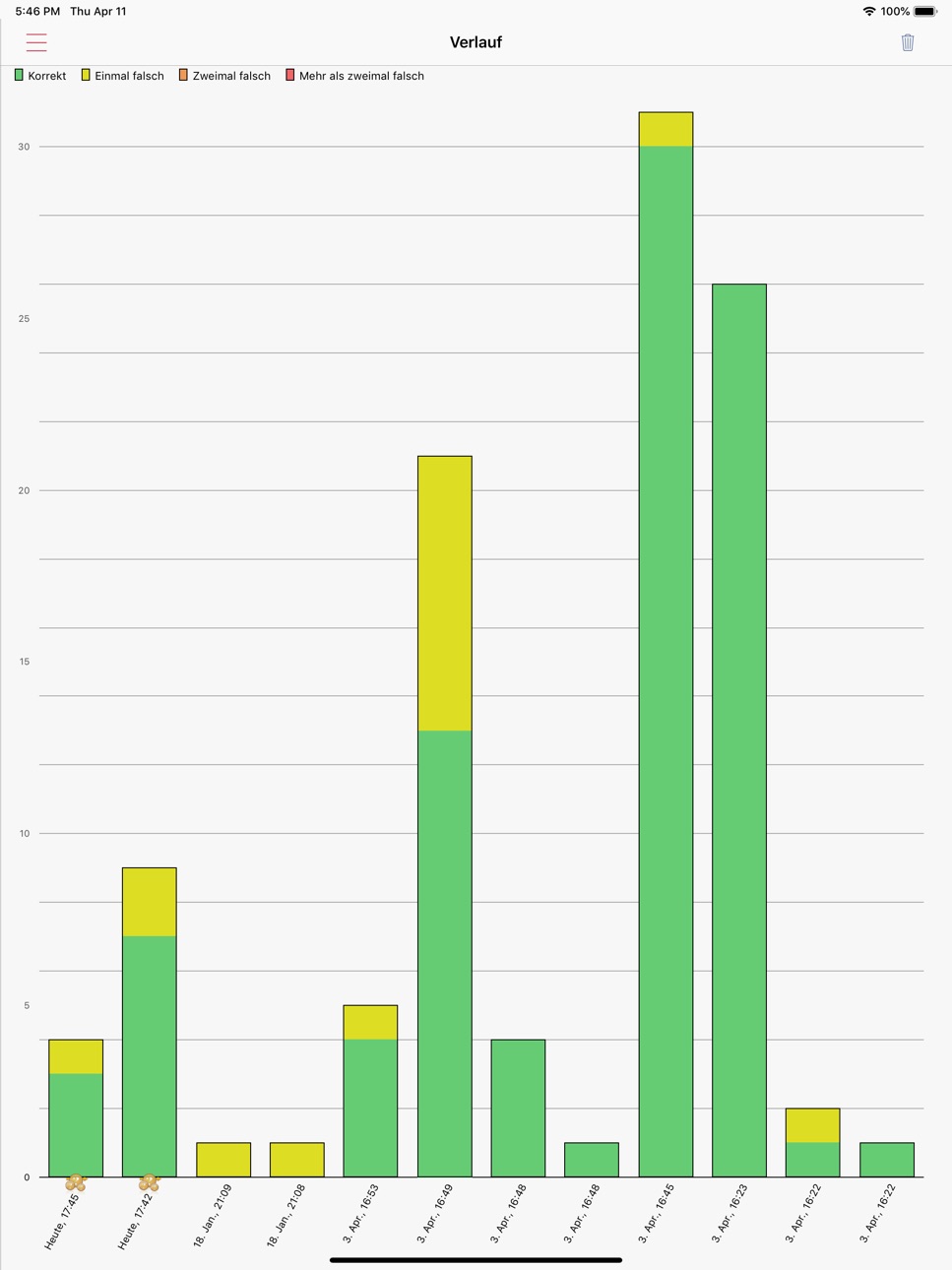
- See your long term improvements in a bar chart
- Adapt the training modes to your needs
- Compatible to the discontinued ProVoc Mac application
For a first glance on iVocabulary please take a look at our support website. There you will find screenshots and a manual for further information on the app.
iVocabulary offers all ProVoc files for download, provided by Arizona Software.
If you have any questions, please visit the iVocabulary website or send us an email.
Please note that we cannot react to questions raised in iTunes reviews.
Capabilities
In-App Purchases
Accessibility
ipadiphonemacrealityDevicetvoswatch
Version history 25 versions
Build 879962513v3.3.102026-04-01 16:49:52
This update from Apple will improve the functionality of this app. No new features are included.
Improved stability
Build 879902828v3.3.92025-11-19 21:54:40
Fixes crashes happening on some iPads
Build 879798288v3.3.82025-11-16 17:26:54
- Fixes rare crash on iPad
- Fixes minor bugs in the user interface in iOS 26
- iVocabulary 4 recommendation can be removed
Build 879750537v3.3.72025-11-15 08:34:44
- Fixes minor bugs in the user interface in iOS 26
- iVocabulary 4 recommendation can be removed
Build 872635320v3.3.62025-02-20 05:10:09
Added splash screen and small buttons about iVocabulary 4
Build 871470252v3.3.52025-01-02 06:41:53
Improves saving of language settings.
Build 863245410v3.3.42024-10-20 12:27:45
Disables suggestions in written tests
Build 861266170v3.3.32023-11-06 16:45:59
- Fixed a missing update when switching to/from dark-mode (Thanks Alex)
Build 860857775v3.3.22023-10-23 06:26:08
- Thanks to Françoise for finding issues with light mode!
- Finally the long awaited dark mode is coming to iVocabulary! Enjoy learning in dark environments.
- Fixes swapping of words on iPad
- Improved user interface and stability
- Thanks to Yoan and Alex for finding a few issues with dark mode!
Build 860622898v3.3.12023-10-13 10:22:31
- Finally the long awaited dark mode is coming to iVocabulary! Enjoy learning in dark environments.
- Thanks to Yoan and Alex for finding a few issues with dark mode!
- Fixes swapping of words on iPad
- Improved user interface and stability
Build 860505321v3.32023-10-11 03:56:42
- Finally the long awaited dark mode is coming to iVocabulary! Enjoy learning in dark environments.
- Fixes swapping of words on iPad
- Improved user interface and stability
Build 858428068v3.2.332023-07-12 16:18:54
Fixes logging in to Dropbox
Build 842515195v3.2.322021-06-05 17:24:05
Stability improvements and fix of web access.
- Fixes crash on iOS 9
- Fixes accessing the vocabulary via the web UI
Build 840081189v3.2.312021-01-21 07:12:54
- Enabled sync using CloudKit
- Stability improvements
Build 836733316v3.2.302020-07-08 18:56:29
- Fixes crash after fresh install. Sorry!
Build 836081777v3.2.292020-06-23 18:29:42
Stability improvements
Build 835712804v3.2.282020-05-20 05:18:15
- Fixes missing full screen view of images in word editor
- Stability improvements
Build 835624661v3.2.272020-04-22 05:16:07
- Fixes missing characters when entering words
- Fixes language selection with synonyms
- Added Thai language
- Stability improvements
Build 835531560v3.2.262020-04-17 19:36:19
- Keyboard re-appears when adding words
Build 835364500v3.2.252020-04-02 13:59:21
- Fixes tag selection while testing
Build 835181060v3.2.242020-03-20 06:40:57
- Fixes missing icons in chapter and page list
Build 833778886v3.2.232020-03-16 11:56:17
- Fixed media in slideshow when direction is swapped
- Tests on iPad now full screen
- Improved stability
Build 833552051v3.2.222019-11-13 22:37:29
Fixes crash when saving ProVoc files
Build 832516978v3.2.212019-11-05 19:52:36
- Fixes white text (after copy & paste, for example)
- Fixes crash in iTunes file import when deleting
- Stability improvements
Build 832040699v3.2.202019-08-17 16:54:13
- Added sorting and font settings to word list on iPad
- Added support for PDF images for words
- Improved stability
- Improved support for displaying accents (like in Thai)
No pricing data captured yet — comparisons appear once the app has paid storefronts or in-app purchases.
Availability 1 of 1 storefronts
| Region | Language | Price | Ratings | Avg | Version |
|---|---|---|---|---|---|
| US | en-US | Free | 12 | 4.5 | 3.3.10 |
Change log 29 changes · US
✎
releaseNotes updated
This update from Apple will improve the functionality of this app. No new features are included.
Improved stability
✎
description updated
iVocabulary is your personal vocabulary coach. Collect, manage and study your vocabulary and specific terms for school, University, your job or your hobby.
Th
✎
subtitle updated
Your personal knowledge coach
✎
name updated
iVocabulary 3 - Learn Words
◆
Version 3.3.10 released
This update from Apple will improve the functionality of this app. No new features are included.
Improved stability
◆
Version 3.3.9 released
Fixes crashes happening on some iPads
◆
Version 3.3.8 released
- Fixes rare crash on iPad
- Fixes minor bugs in the user interface in iOS 26
- iVocabulary 4 recommendation can be removed
◆
Version 3.3.7 released
- Fixes minor bugs in the user interface in iOS 26
- iVocabulary 4 recommendation can be removed
◆
Version 3.3.6 released
Added splash screen and small buttons about iVocabulary 4
◆
Version 3.3.5 released
Improves saving of language settings.
◆
Version 3.3.4 released
Disables suggestions in written tests
◆
Version 3.3.3 released
- Fixed a missing update when switching to/from dark-mode (Thanks Alex)
◆
Version 3.3.2 released
- Thanks to Françoise for finding issues with light mode!
- Finally the long awaited dark mode is coming to iVocabulary! Enjoy learning in dark environments.
- Fixes swapping of words on iPad
- Improved user interface and stability
- Thank
◆
Version 3.3.1 released
- Finally the long awaited dark mode is coming to iVocabulary! Enjoy learning in dark environments.
- Thanks to Yoan and Alex for finding a few issues with dark mode!
- Fixes swapping of words on iPad
- Improved user interface and stability
◆
Version 3.3 released
- Finally the long awaited dark mode is coming to iVocabulary! Enjoy learning in dark environments.
- Fixes swapping of words on iPad
- Improved user interface and stability
◆
Version 3.2.33 released
Fixes logging in to Dropbox
◆
Version 3.2.32 released
Stability improvements and fix of web access.
- Fixes crash on iOS 9
- Fixes accessing the vocabulary via the web UI
◆
Version 3.2.31 released
- Enabled sync using CloudKit
- Stability improvements
◆
Version 3.2.30 released
- Fixes crash after fresh install. Sorry!
◆
Version 3.2.29 released
Stability improvements
◆
Version 3.2.28 released
- Fixes missing full screen view of images in word editor
- Stability improvements
◆
Version 3.2.27 released
- Fixes missing characters when entering words
- Fixes language selection with synonyms
- Added Thai language
- Stability improvements
◆
Version 3.2.26 released
- Keyboard re-appears when adding words
◆
Version 3.2.25 released
- Fixes tag selection while testing
◆
Version 3.2.24 released
- Fixes missing icons in chapter and page list
◆
Version 3.2.23 released
- Fixed media in slideshow when direction is swapped
- Tests on iPad now full screen
- Improved stability
◆
Version 3.2.22 released
Fixes crash when saving ProVoc files
◆
Version 3.2.21 released
- Fixes white text (after copy & paste, for example)
- Fixes crash in iTunes file import when deleting
- Stability improvements
◆
Version 3.2.20 released
- Added sorting and font settings to word list on iPad
- Added support for PDF images for words
- Improved stability
- Improved support for displaying accents (like in Thai)