Home › Photo & Video

 US
US
1 of 1 storefronts
Content in en-US
Content in en-US
Information
Preview 2 platforms
iPhone 6 images


iPad 6 images



What’s New Version 3.6.5
Bug fixes and improvements
Description
KYMS – Military-grade privacy, real-time decryption, total control
KYMS is the ultimate app to secure your digital life with AES military-grade encryption. Hide, protect and manage your photos, videos, documents, and passwords in one private, encrypted space.
Real-time decryption
KYMS is the only app that decrypts files instantly. Tap on a video or file, and it starts immediately — while decryption continues in the background.
What can you protect with KYMS?
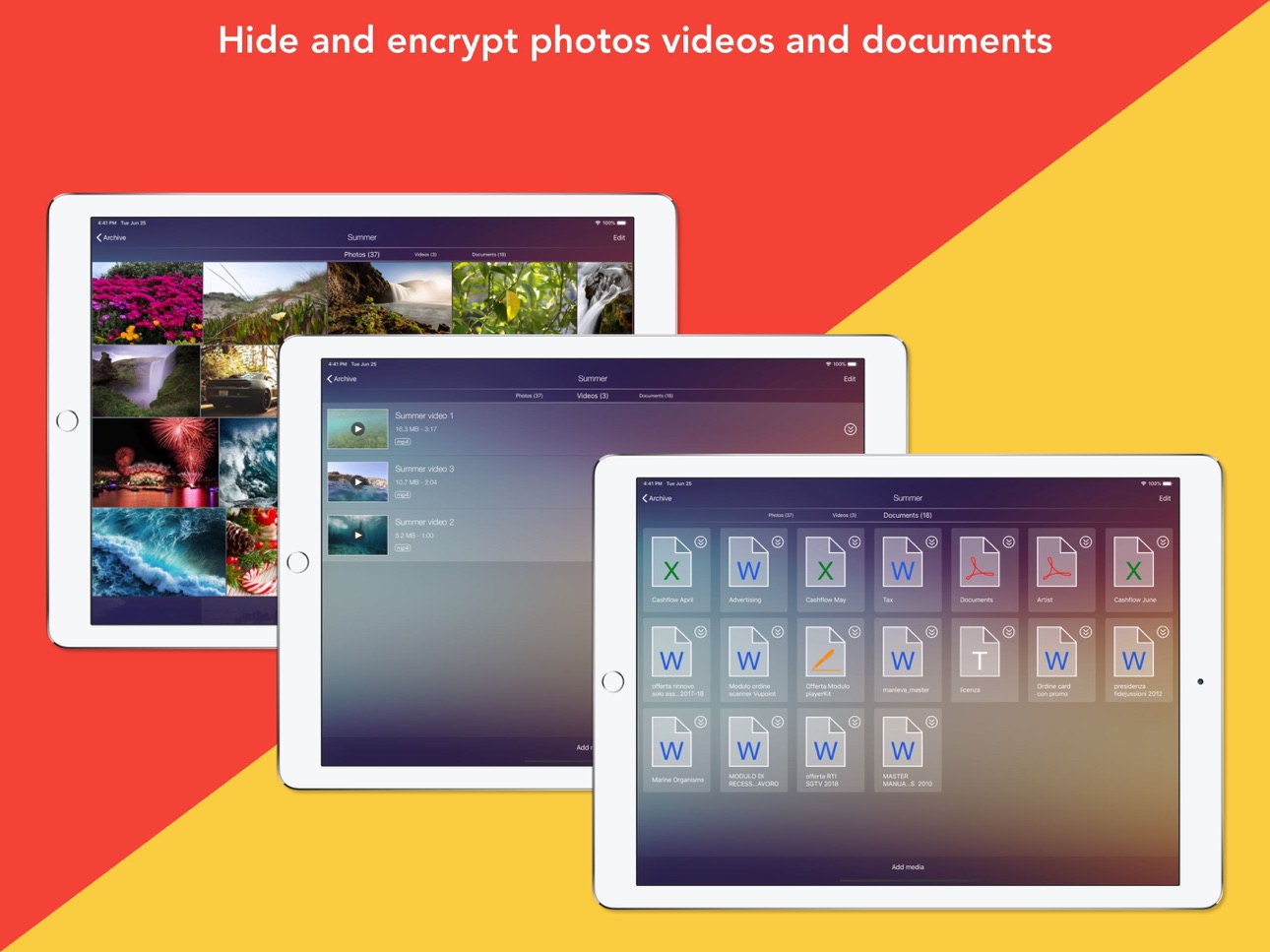
- Photos: Includes a powerful photo editor with thousands of effects
- Videos: Play non-standard formats like FLV, AVI, WMV, MKV — all decrypted in real time
- Documents: PDF, Word, Excel, PowerPoint, Pages, Numbers — create and edit directly in-app
- Passwords & PINs: Safely store your credentials in a customizable vault
Built-in private browser
- Multi-tab browsing
- Save passwords securely
- One-tap video download
- Private bookmarks and foldered history
Advanced security features
- Fake PIN for decoy vault
- Panic gesture: Cover the screen or close the smart cover to auto-lock
- Multi-factor login: PIN + alphanumeric password + Face ID / Touch ID
Premium Features
- Contacts vault
- Secure audio recordings (even with the screen off)
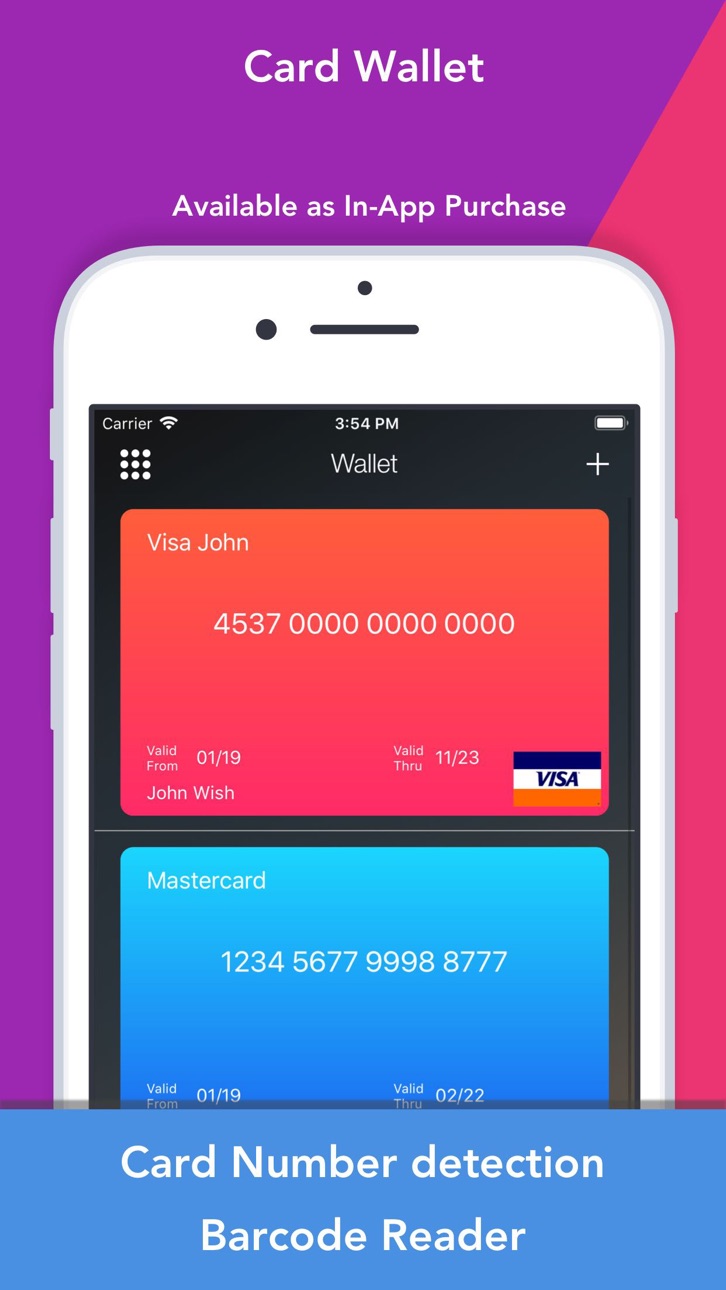
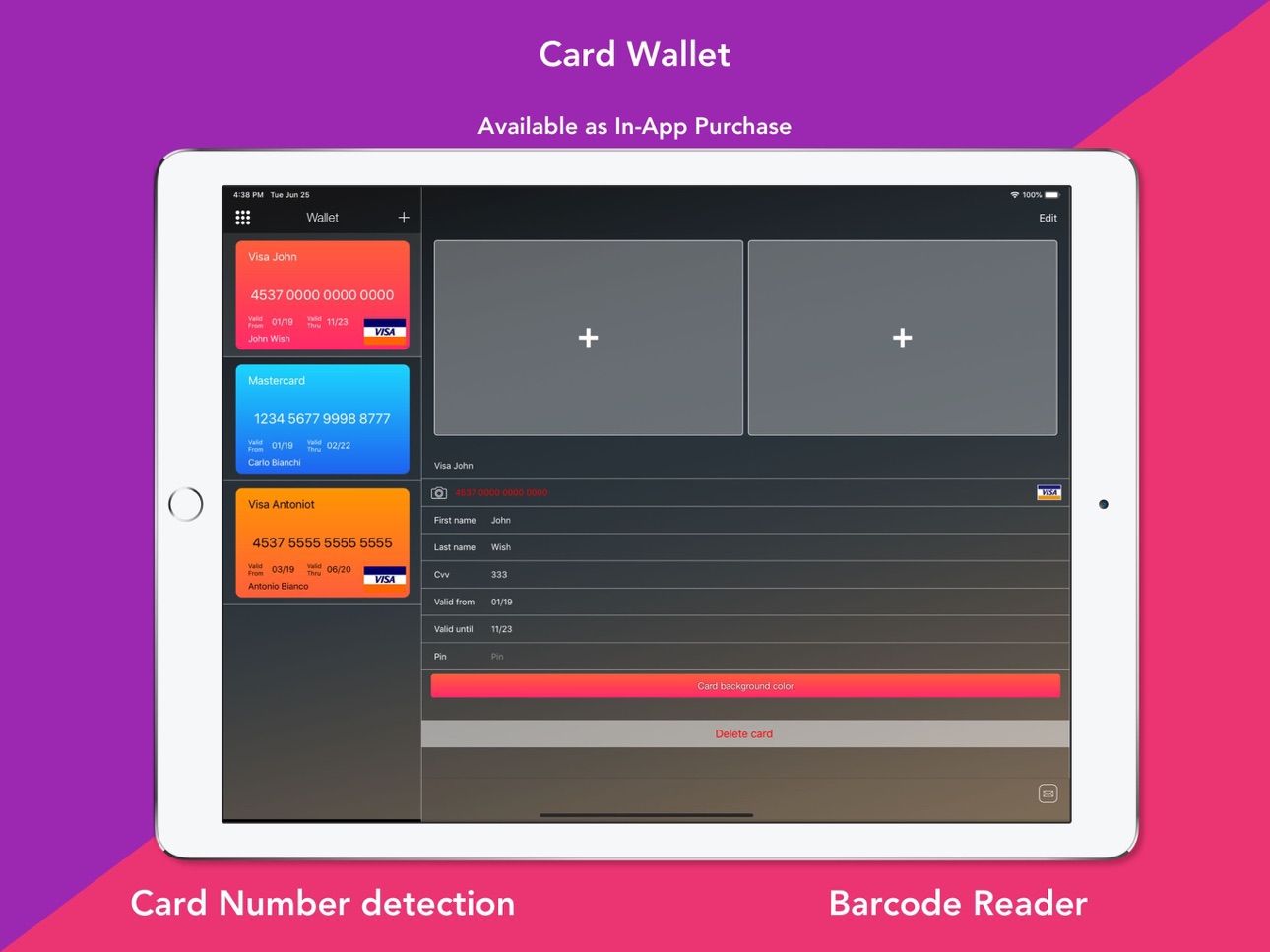
- Wallet for cards with barcode scanner
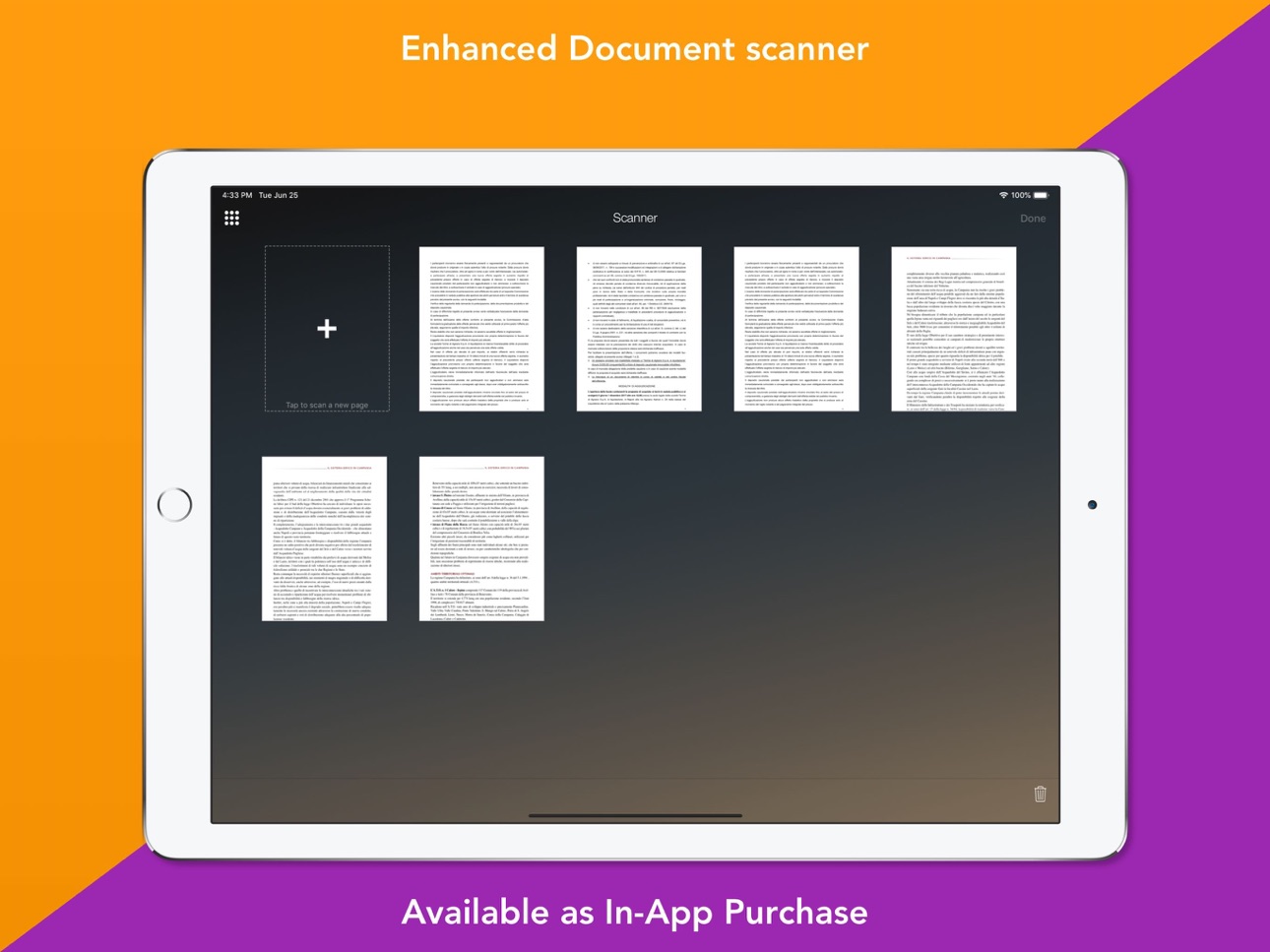
- Doc scanner with auto-page detection
- Tasks manager with priorities and deadlines
Why KYMS?
Your privacy is non-negotiable. KYMS gives you control, speed, and peace of mind — all in one place.
Subscriptions are managed via your Apple account. No refunds for unused periods.
In-App Purchases US pricing
One-Time Purchases
Remove advertising$4.99
Premium features$4.99
Capabilities
In-App Purchases
Accessibility
ipadiphonemacrealityDevicetvoswatch
Version history 25 versions
Build 875432081v3.6.52025-06-10 07:10:51
Bug fixes and improvements
Build 874810368v3.6.42025-05-16 09:37:02
- fixed a bug that prevented importing photos
- fixed minor translation issues
- bug fixes and improvements
Build 874280053v3.6.32025-05-05 08:15:42
Bugfixes and improvements
Build 872319959v3.6.22025-02-08 14:06:14
Bug fixes and improvements
Build 871208163v3.6.12024-12-18 13:38:27
Fixed a bug preventing import of video to the gallery
Bug fixes and improvements
Build 870930130v3.6.02024-12-06 09:53:31
Bug fix and performance improvements
Build 863421404v3.5.82024-02-06 10:50:35
- Fixes a crash on iOS 12
Build 861664389v3.5.72023-11-22 15:39:38
- Bug fix and performance improvements
Build 848119879v3.5.62022-04-19 15:04:48
- Bug fix and performance improvements
Build 835533660v3.5.42020-12-04 14:41:29
- Fixed WiFi Transfer on iOS 14
- Fixed direct import from camera
- Fixed a crash when importing contacts from the device address book
- Other bug fixes
Build 833163419v3.5.02019-12-05 10:40:19
In version 3.5.0:
- Restored photo editor on iPhone X/XR/XS/11 (require iOS 13)
- Improvements and fixes
In version 3.4.7:
- Bug fixes and improvements
In version 3.4.5:
- Support for new iPhones and iPads screen sizes
- Bug fixes and improvements
Note: Since version 3.4.4 the multiple SKIN feature is not yet available. The app show a regular pinpad to access
Build 829710004v3.4.82019-07-01 13:03:52
In version 3.4.8:
- Bug fixes and improvements
In version 3.4.5:
- Support for new iPhones and iPads screen sizes
- Bug fixes and improvements
Note: Since version 3.4.4 the multiple SKIN feature is not yet available. The app show a regular pinpad to access
Build 829266685v3.4.52018-11-15 08:53:28
- Support for new iPhones and iPads screen sizes
- Bug fixes and improvements
Build 827391727v3.4.42018-07-05 08:51:38
IMPORTANT: from this version the icon/login screen skin change will not be available. The only supported login method will be the regular Pin Pad.
NEW FEATURE: It's now possible to create an additional PIN to access a parallel encrypted archive.
Bug Fixes
In the previous version:
- GDPR compliance for EU countries
Build 827375121v3.4.32018-06-01 10:31:14
- Bug fix and improvements
- GDPR compliance for EU countries
Build 825615953v3.4.22018-01-18 08:12:53
- Bug fix and other improvements
- Fixed a bug for which some options in settings were not always visible
Build 825568024v3.4.12018-01-09 08:32:25
- Fixed layout issues on iPhone X
- Bug fix and other improvements
On previous release:
- Complete support to iPhone X and Face ID
- Support for new image and video file formats (HEVC/H.265) available in iOS 11
- Improved compatibility with iOS 11
- New icons and skin!
- Bug Fix
Build 823548758v3.32018-01-08 15:02:45
- Complete support to iPhone X and Face ID
- Support for new image and video file formats (HEVC/H.265) available in iOS 11
- Improved compatibility with iOS 11
- New icon!
- Bug Fix
Build 818998619v3.1.12016-10-25 10:12:44
- Full iOS 10 support
- Bug fix and performance improvements
Build 812357012v3.0.62016-02-26 09:27:58
- New recovery method for password! You can now print or save a recovery card that can be used to reset your password!
- Greatly improved Web Browser, switched to new WebKit engine (for iOS 9 users)
- Bug Fix & performance improvements
Build 812277070v3.0.52015-05-05 07:36:28
-Bug fix
Build 812082782v3.0.42015-04-23 08:19:57
- Improved photo viewer performance
- Bug Fix and improvements
Build 811671950v3.0.32015-03-24 09:19:27
- Added support for iCloud Photo Library: it's now possible to import photos stored in the cloud directly
- Bug fix and improvements
Build 811414642v3.0.22015-01-26 10:01:00
In this version:
1) Added support for animated GIF (download & display)!
2) Greatly improved browser speed and reliability! Now is possible use gestures to go back page
3) Added select all in web interface and in collections
4) Added export to iCloud Drive for photos, videos, documents and recordings
5) Added sensitive slider to video
6) Bug fix and improvements
7) Added Russian localization
8) Added Korean Localization
9) Added more detailed logs (to improve tech support service)
10) Added option in settings to close all browser tabs
Build 811103211v3.0.12014-12-11 07:22:31
Kyms 3.0 has been rewritten from scratch!
* Because your data will be migrated and encrypted, it's recommended that you made an iTunes or iCloud backup before start the process.
In 3.0.1:
- Added an option (in settings) to switch back to squared photo thumbnails
- Restored fast forward and rewind button in video playback
- Added ability to set custom size for scanned documents
- Fixed 3gp video playback
- Improved browser speed
- Fixed crash when scrolling in very large collections
- Fixed slow collection opening on iPad (for very large collections)
- Many other minor fixes and improvements
In 3.0:
- Removed limits on the number of media for FREE USER!!
- AES military grade encryption for any elements saved in the app!
- Decrypts any files on the fly without any waiting
- New stunning interface with 4 background themes
- iPhone 6 and 6 Plus screen support
- Pin & Password encrypted archive, browser keychain
- New Web server interface to easy download and uploads files in the encrypted Kyms archive.
- Sync collections between two or more devices.
NEW FEATURES AVAILABLE AS IN-APP PURCHASE:
- Contacts: you can import your phonebook contacts or create new hidden contacts.
- Tasks: Create your private tasks with expiration date and three priority levels.
- Wallet: Credit cards or any other type of cards are supported. It integrates an enhanced barcode reader.
- Recordings: You can record audio files also while your device screen is locked.
- Scanner: easy scan any paper document and save PDF multipage files in your collections
Price history by region
Currency
Show
Columns
Search
Availability 1 of 1 storefronts
| Region | Language | Price | Ratings | Avg | Version |
|---|---|---|---|---|---|
| US | en-US | Free | 17.3k | 4.7 | 3.6.5 |
Change log 29 changes · US
✎
releaseNotes updated
Bug fixes and improvements
✎
description updated
KYMS – Military-grade privacy, real-time decryption, total control
KYMS is the ultimate app to secure your digital life with AES military-grade encryption. Hid
✎
subtitle updated
Vault to hide and lock media
✎
name updated
Secret photos - KYMS
◆
Version 3.6.5 released
Bug fixes and improvements
◆
Version 3.6.4 released
- fixed a bug that prevented importing photos
- fixed minor translation issues
- bug fixes and improvements
◆
Version 3.6.3 released
Bugfixes and improvements
◆
Version 3.6.2 released
Bug fixes and improvements
◆
Version 3.6.1 released
Fixed a bug preventing import of video to the gallery
Bug fixes and improvements
◆
Version 3.6.0 released
Bug fix and performance improvements
◆
Version 3.5.8 released
- Fixes a crash on iOS 12
◆
Version 3.5.7 released
- Bug fix and performance improvements
◆
Version 3.5.6 released
- Bug fix and performance improvements
◆
Version 3.5.4 released
- Fixed WiFi Transfer on iOS 14
- Fixed direct import from camera
- Fixed a crash when importing contacts from the device address book
- Other bug fixes
◆
Version 3.5.0 released
In version 3.5.0:
- Restored photo editor on iPhone X/XR/XS/11 (require iOS 13)
- Improvements and fixes
In version 3.4.7:
- Bug fixes and improvements
In version 3.4.5:
- Support for new iPhones and iPads screen sizes
- Bug fixes and imp
◆
Version 3.4.8 released
In version 3.4.8:
- Bug fixes and improvements
In version 3.4.5:
- Support for new iPhones and iPads screen sizes
- Bug fixes and improvements
Note: Since version 3.4.4 the multiple SKIN feature is not yet available. The app show a regula
◆
Version 3.4.5 released
- Support for new iPhones and iPads screen sizes
- Bug fixes and improvements
◆
Version 3.4.4 released
IMPORTANT: from this version the icon/login screen skin change will not be available. The only supported login method will be the regular Pin Pad.
NEW FEATURE: It's now possible to create an additional PIN to access a parallel encrypted arc
◆
Version 3.4.3 released
- Bug fix and improvements
- GDPR compliance for EU countries
◆
Version 3.4.2 released
- Bug fix and other improvements
- Fixed a bug for which some options in settings were not always visible
◆
Version 3.4.1 released
- Fixed layout issues on iPhone X
- Bug fix and other improvements
On previous release:
- Complete support to iPhone X and Face ID
- Support for new image and video file formats (HEVC/H.265) available in iOS 11
- Improved compatibility wi
◆
Version 3.3 released
- Complete support to iPhone X and Face ID
- Support for new image and video file formats (HEVC/H.265) available in iOS 11
- Improved compatibility with iOS 11
- New icon!
- Bug Fix
◆
Version 3.1.1 released
- Full iOS 10 support
- Bug fix and performance improvements
◆
Version 3.0.6 released
- New recovery method for password! You can now print or save a recovery card that can be used to reset your password!
- Greatly improved Web Browser, switched to new WebKit engine (for iOS 9 users)
- Bug Fix & performance improvements
◆
Version 3.0.5 released
-Bug fix
◆
Version 3.0.4 released
- Improved photo viewer performance
- Bug Fix and improvements
◆
Version 3.0.3 released
- Added support for iCloud Photo Library: it's now possible to import photos stored in the cloud directly
- Bug fix and improvements
◆
Version 3.0.2 released
In this version:
1) Added support for animated GIF (download & display)!
2) Greatly improved browser speed and reliability! Now is possible use gestures to go back page
3) Added select all in web interface and in collections
4) Added expor
◆
Version 3.0.1 released
Kyms 3.0 has been rewritten from scratch!
* Because your data will be migrated and encrypted, it's recommended that you made an iTunes or iCloud backup before start the process.
In 3.0.1:
- Added an option (in settings) to switch back to