Home › Education

 US
US
1 of 1 storefronts
Content in en-US
Content in en-US
Information
Apple ID456291135
Bundle IDedu.tri-c.cuyahoga
SellerSeller
Min iOS26.0
Min macOS26.0
Device familiesiphone, ipad
Released2011-08-17
Copyright© Cuyahoga Community College @2023
Privacy policyLink ↗
Preview 2 platforms
iPhone 7 images


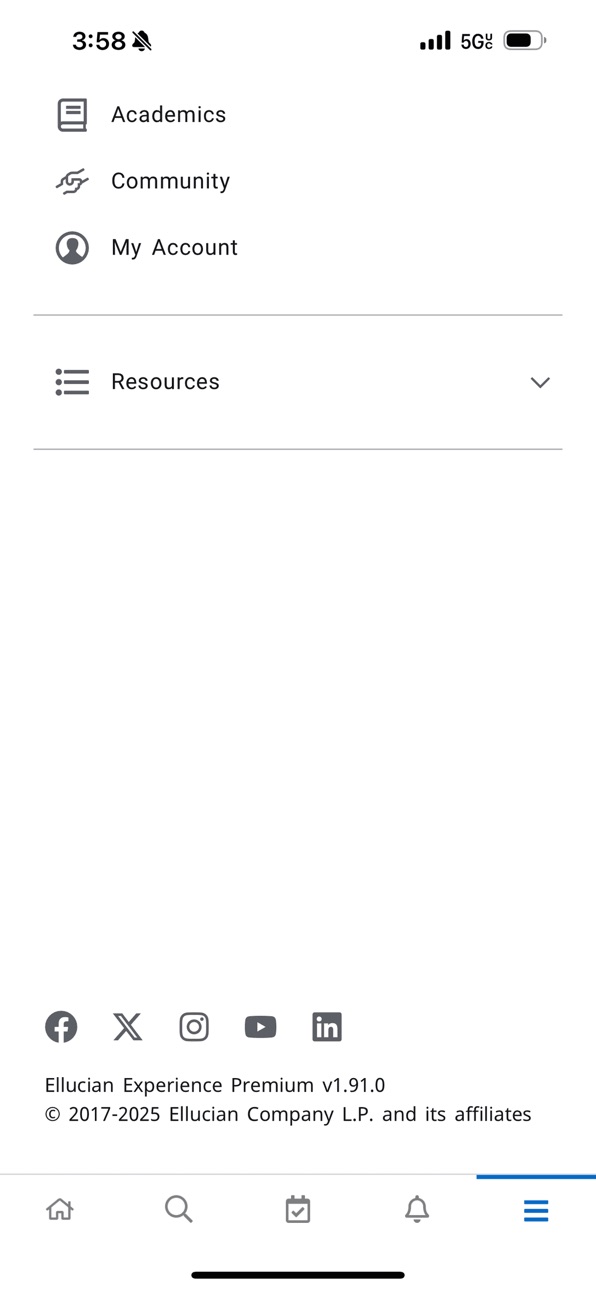
iPad 8 images


What’s New Version 2061.100.42
General updates to improve the overall user experience.
Description
Tri-C Mobile helps you stay connected to Cuyahoga Community College from wherever you are, on or off campus.
Use Tri-C Mobile to find anyone in the Directory and get in touch instantly, stay-in-the-loop with the latest campus news, keep tabs on Cuyahoga Community College sports scores, watch videos from recent campus events, see real-time bus locations, check grades and access course content, browse the course catalog. It’s Cuyahoga Community College in the palm of your hand!
Features:
Maps: Search campus buildings by name, pinpoint them on the map, see their location relative to your own.
Courses: Browse and search courses for current and future terms, see course descriptions, times, locations, and availability.
Learn: Get instant access to all of your Blackboard Learn™ course content on the go. Check grades, post to discussion forums, view important class announcements, read and download assignments, upload content and more.
Directory: Get in touch with anyone campus-wide.
News: Keep up with all the happenings on and off campus with news from a variety of sources including the Cuyahoga Community College.
Videos: Access all of Cuyahoga Community College video content in one easy-to-view place.
Emergency: Get access to important numbers and information when you need them. Call to report an emergency or get information from the Cuyahoga Community College Emergency Information Hotline.
My Tri-C: Get access to your myTri-C Space.
Modules: Get access to Ask Tri-C, Registration, Athletics, Events, Financial Aid, Library, and Programs information.
Social: Get access to Tri-C's Facebook, Twitter, Linkedin and Youtube feeds.
Accessibility
ipadiphonemacrealityDevicetvoswatch
Version history 25 versions
Build 887706202v2061.100.422026-07-02 05:46:58
General updates to improve the overall user experience.
Build 886483600v2050.100.412026-06-03 19:37:27
Routine enhancements for a better, more reliable experience.
Build 885437279v2040.100.402026-05-08 19:53:10
We’ve made updates to ensure smoother navigation and a more reliable experience.
Build 884200580v2030.100.392026-04-06 22:37:11
General updates to improve performance and usability.
Build 883106629v2020.100.372026-03-06 23:18:04
General updates to improve the overall user experience.
Build 882452644v2010.100.352026-02-14 21:25:46
Now updated with new features and refinements.
Build 881228068v1991.100.342026-01-06 17:20:58
General updates to improve the overall user experience.
Build 879980524v1980.100.332025-11-22 22:15:17
This update improves the login experience on iOS.
Build 879119933v1960.100.322025-10-22 18:19:30
Performance improvements to enhance your experience.
Build 877819664v1940.100.312025-09-04 07:58:09
Routine enhancements aimed at optimizing the user experience.
Build 877101875v1930.100.302025-08-09 06:54:05
General updates to improve the overall user experience.
Build 876577207v1920.100.732025-07-21 23:17:38
Performance improvements to enhance your reading experience.
Build 874660521v1910.100.292025-07-02 21:52:14
Performance improvements.
Build 874480270v1880.100.242025-05-02 19:37:38
Performance improvements and bug fixes to control menus and loading page.
Build 873529943v1861.100.222025-03-26 08:30:25
Improved display of academic details in the user profile.
Build 872819716v1850.100.202025-02-26 21:02:17
Fix for new theme disappearing from configuration.
Build 872160055v1840.100.192025-02-25 21:42:56
Updated logic to have term greater or equal to the current term.
Build 871676571v1830.100.182025-01-12 14:49:48
The Experience App can now be viewed in landscape mode.
Build 870962622v1.822024-12-07 03:41:56
This release fixes an issue with scrolling contents of cards.
Build 869897387v1800.100.162024-10-23 03:30:40
Expanding Cards - Now it is even easier to view content on mobile devices with new expanding card functionality. Just tap a card and enter full-screen interactive mode!
Build 868823760v1780.100.152024-09-07 17:22:52
Class Schedule card: Display enhancements
Classes card: Performance improvements
Build 867557878v1750.100.142024-07-17 20:30:08
Correct the school ID on the profile page to not fall outside the viewable area.
Build 866446028v1730.100.132024-06-05 00:45:06
Change Default Event Calendar Settings to List View and Roles Specific Themes.
Build 862306329v1660.100.122023-12-19 01:14:45
Fixes the office 365 email link issue.
Build 861542210v1640.100.112023-11-21 11:54:05
version 1640.100.11
Notification Dismiss Button Disabled for Holds
Improve disability access and experience.
No pricing data captured yet — comparisons appear once the app has paid storefronts or in-app purchases.
Availability 1 of 1 storefronts
| Region | Language | Price | Ratings | Avg | Version |
|---|---|---|---|---|---|
| US | en-US | Free | 37 | 3.3 | 2061.100.42 |
Change log 28 changes · US
✎
releaseNotes updated
General updates to improve the overall user experience.
✎
description updated
Tri-C Mobile helps you stay connected to Cuyahoga Community College from wherever you are, on or off campus.
Use Tri-C Mobile to find anyone in the Directory a
✎
name updated
Tri-C Mobile
◆
Version 2061.100.42 released
General updates to improve the overall user experience.
◆
Version 2050.100.41 released
Routine enhancements for a better, more reliable experience.
◆
Version 2040.100.40 released
We’ve made updates to ensure smoother navigation and a more reliable experience.
◆
Version 2030.100.39 released
General updates to improve performance and usability.
◆
Version 2020.100.37 released
General updates to improve the overall user experience.
◆
Version 2010.100.35 released
Now updated with new features and refinements.
◆
Version 1991.100.34 released
General updates to improve the overall user experience.
◆
Version 1980.100.33 released
This update improves the login experience on iOS.
◆
Version 1960.100.32 released
Performance improvements to enhance your experience.
◆
Version 1940.100.31 released
Routine enhancements aimed at optimizing the user experience.
◆
Version 1930.100.30 released
General updates to improve the overall user experience.
◆
Version 1920.100.73 released
Performance improvements to enhance your reading experience.
◆
Version 1910.100.29 released
Performance improvements.
◆
Version 1880.100.24 released
Performance improvements and bug fixes to control menus and loading page.
◆
Version 1861.100.22 released
Improved display of academic details in the user profile.
◆
Version 1850.100.20 released
Fix for new theme disappearing from configuration.
◆
Version 1840.100.19 released
Updated logic to have term greater or equal to the current term.
◆
Version 1830.100.18 released
The Experience App can now be viewed in landscape mode.
◆
Version 1.82 released
This release fixes an issue with scrolling contents of cards.
◆
Version 1800.100.16 released
Expanding Cards - Now it is even easier to view content on mobile devices with new expanding card functionality. Just tap a card and enter full-screen interactive mode!
◆
Version 1780.100.15 released
Class Schedule card: Display enhancements
Classes card: Performance improvements
◆
Version 1750.100.14 released
Correct the school ID on the profile page to not fall outside the viewable area.
◆
Version 1730.100.13 released
Change Default Event Calendar Settings to List View and Roles Specific Themes.
◆
Version 1660.100.12 released
Fixes the office 365 email link issue.
◆
Version 1640.100.11 released
version 1640.100.11
Notification Dismiss Button Disabled for Holds
Improve disability access and experience.