Home › Graphics & Design


Screenshots 1 platform
iPad 10 shots · full-res
Description
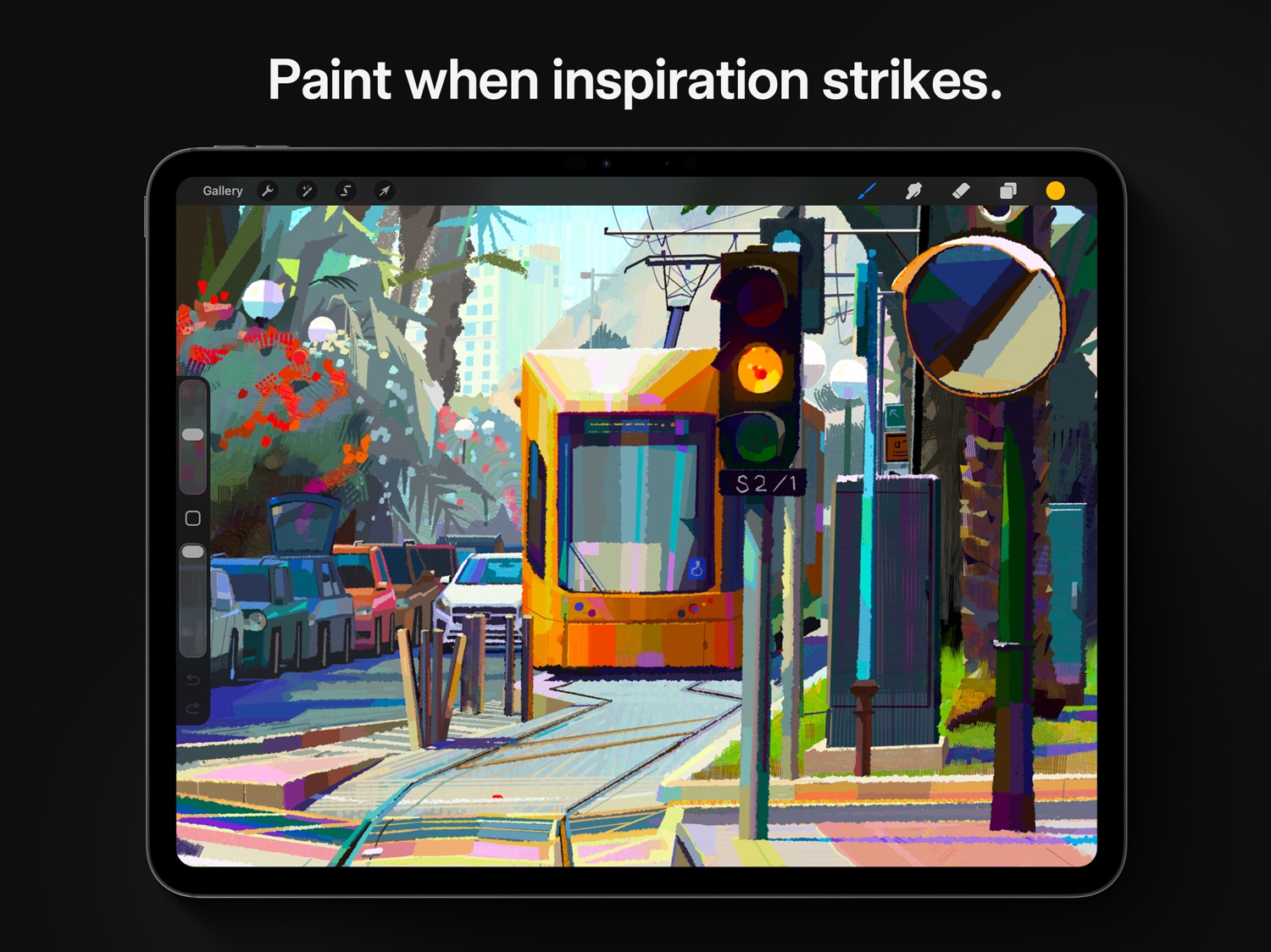
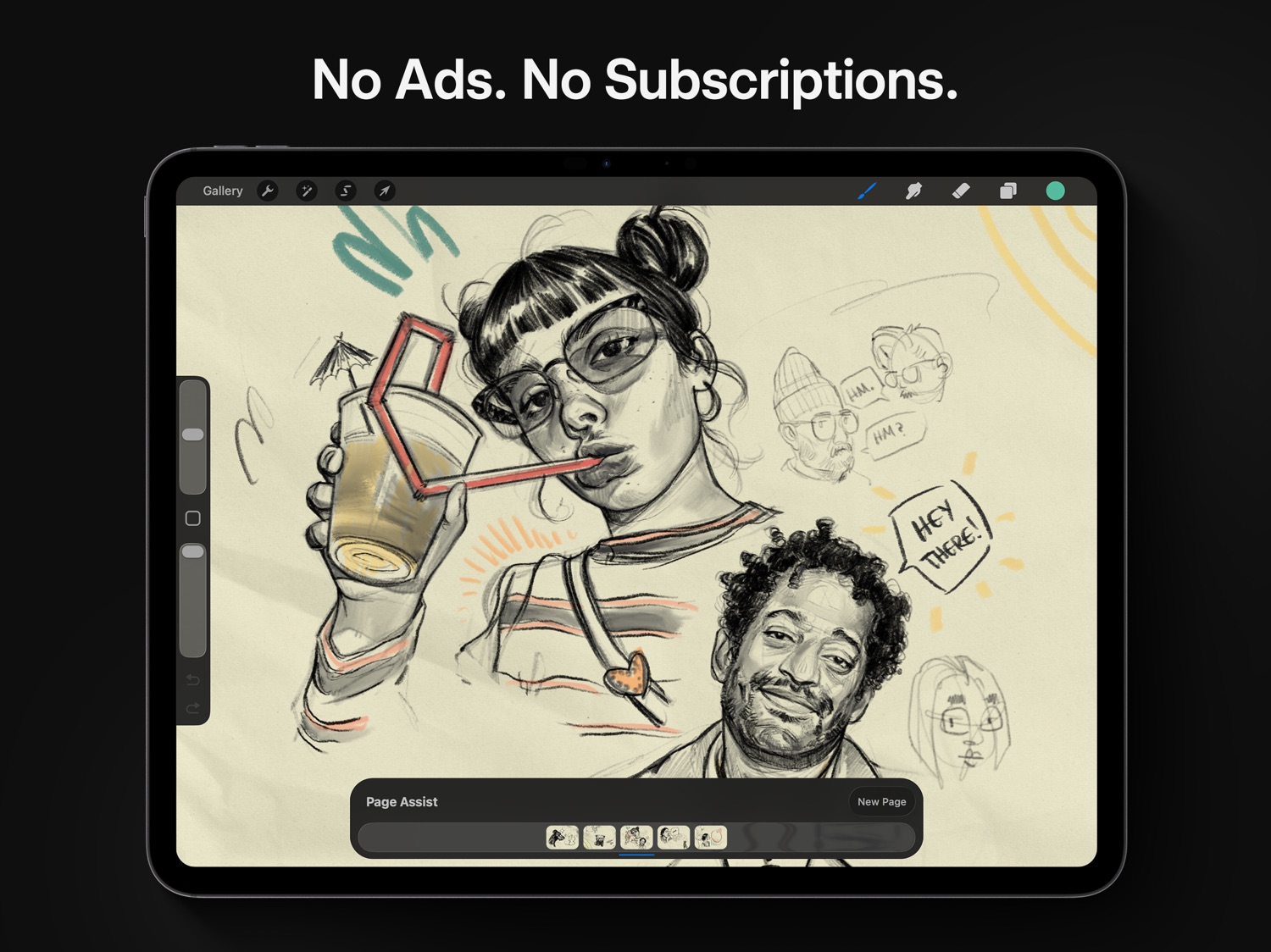
Loved by creative professionals and aspiring artists alike, Procreate is the leading creative application made for iPad.
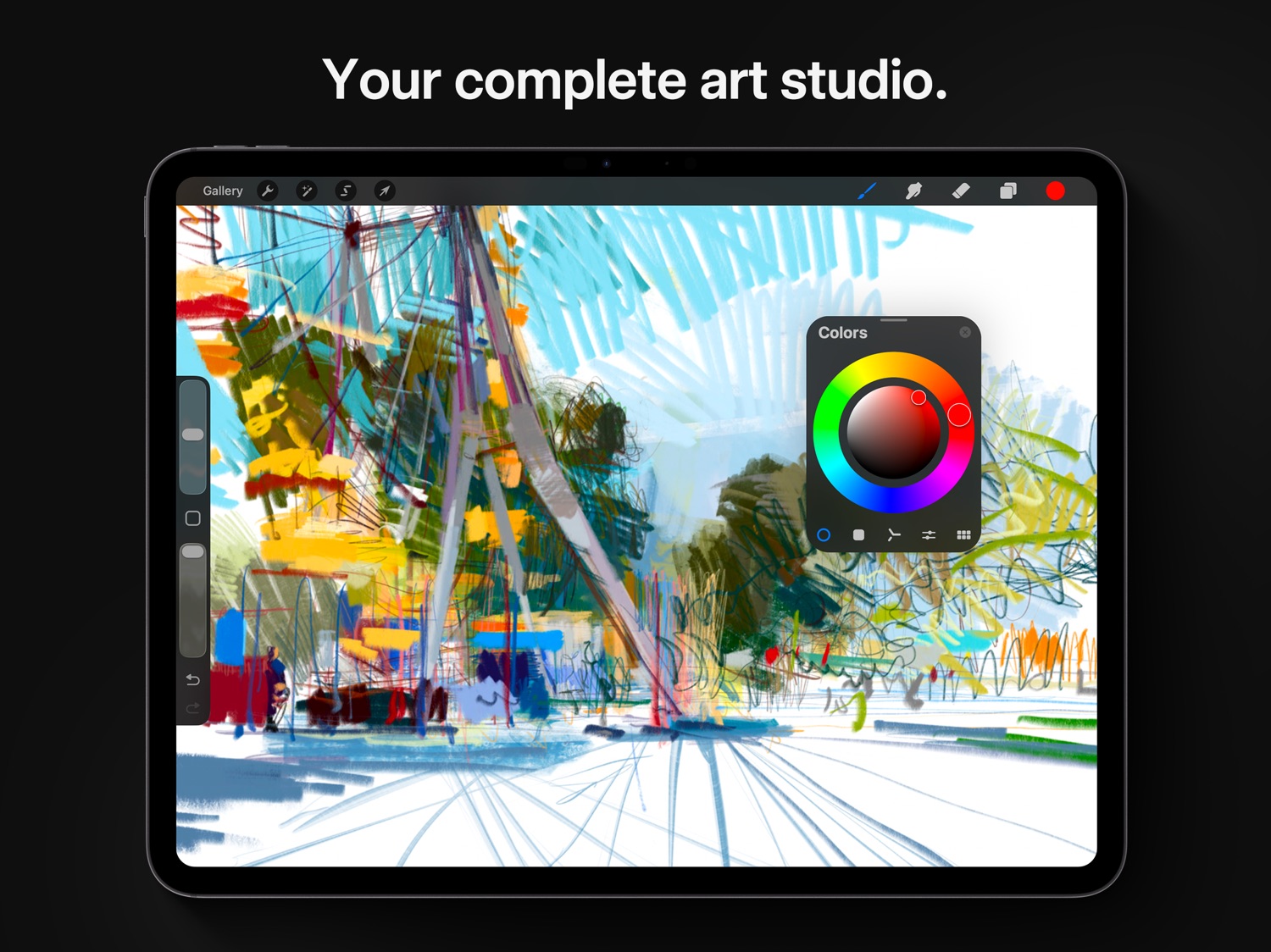
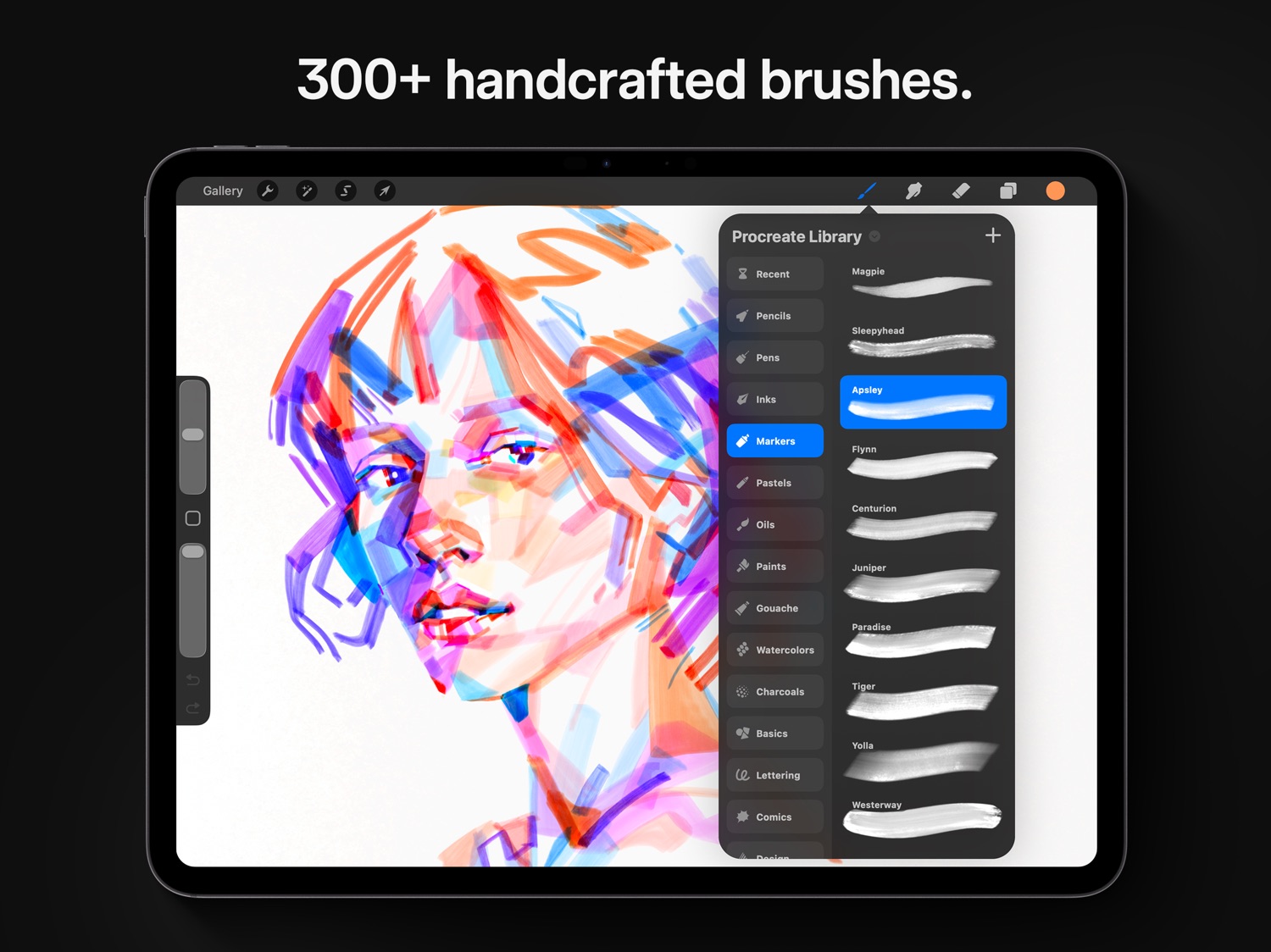
Procreate has everything you need to create expressive sketches, rich paintings, gorgeous illustrations, and beautiful animations. Offering 100s of handmade brushes, a suite of industry-leading artistic tools, an advanced layer system, and the powerful Valkyrie graphics engine.
It’s a complete art studio you can take anywhere.
Highlights:
- High resolution canvases — up to 16k by 8k on compatible iPad Pros
- Beautifully intuitive interface made for iPad and Apple Pencil
- Revolutionary QuickShape feature for perfect shapes
- Smooth and responsive smudge sampling
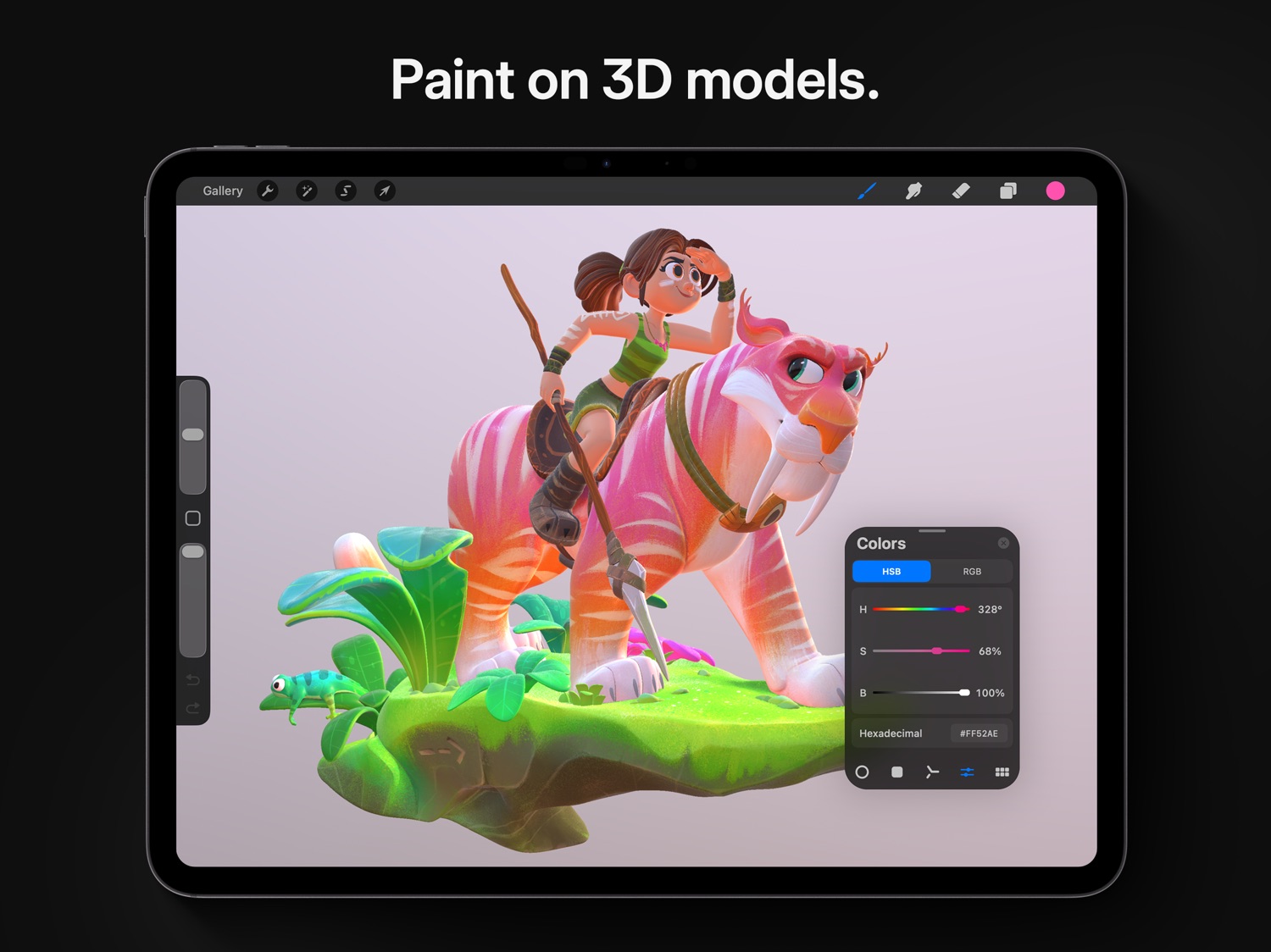
- 3D Painting with Lighting Studio, exportable as models, images, or animations
- Powered by Valkyrie, the lightning-fast 64-bit painting engine
- Speed up your workflow with keyboard shortcuts
- Create art in stunning 64-bit color
- Continuous auto-save — never lose work again
Breakthrough brushes:
- Packed with hundreds of beautifully crafted brushes
- Organize your brushes into sets and libraries
- Add Metallic and Roughness for painting in 3D
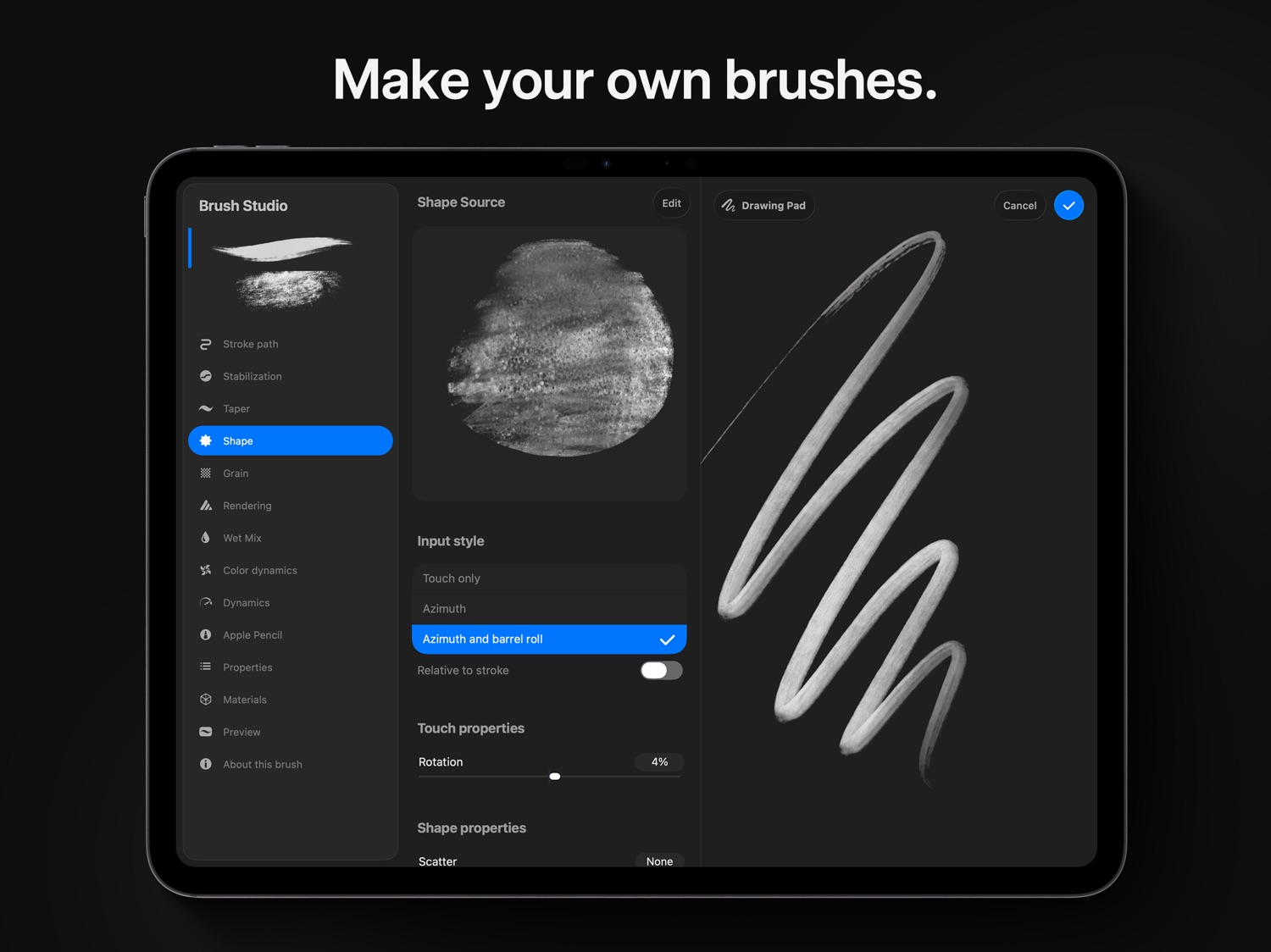
- Brush Studio — with over 100 customizable settings
- Import and export custom Procreate brushes
- Import Adobe® Photoshop® brushes, and run them faster than Photoshop®
Full-featured layering system:
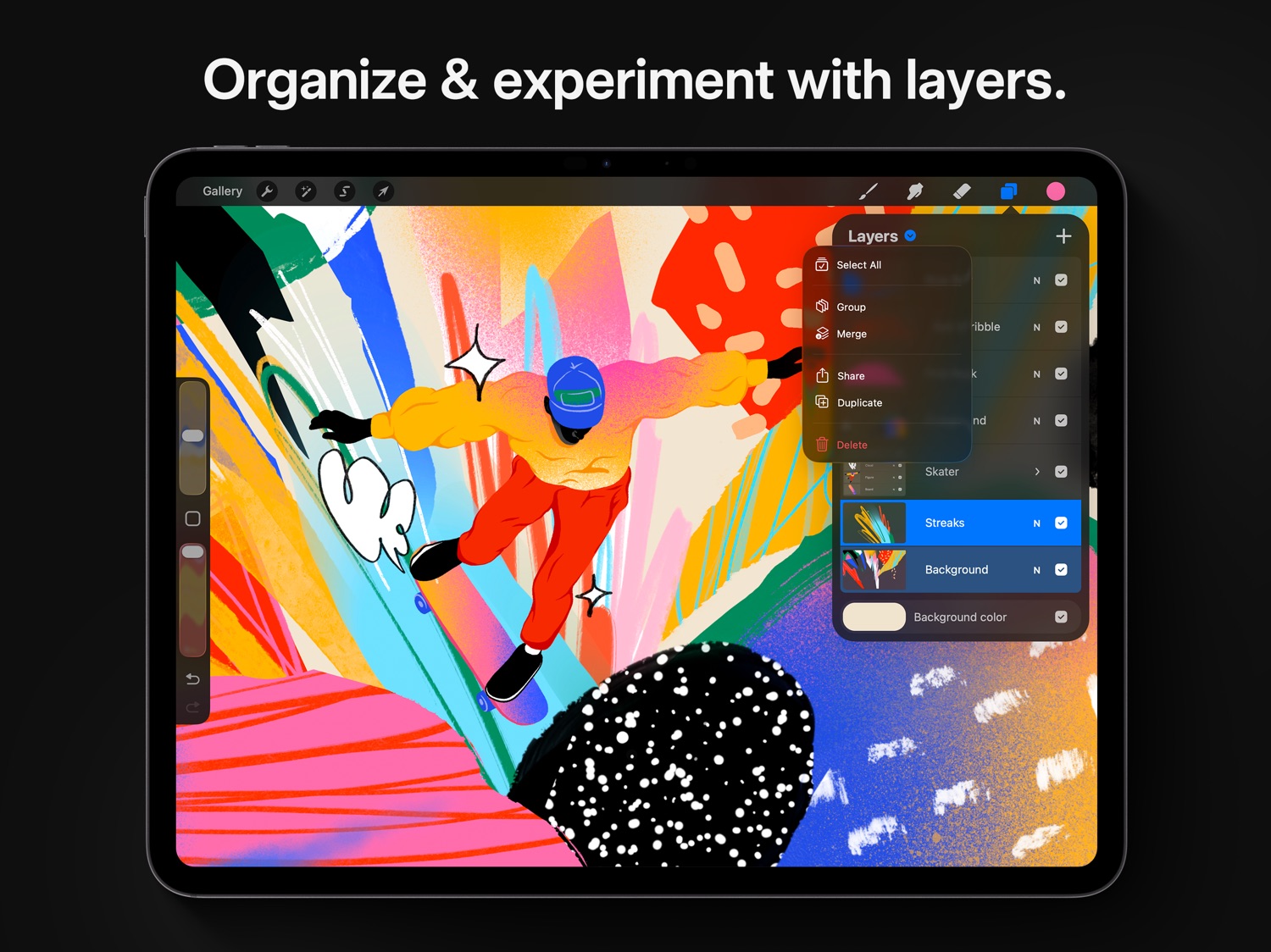
- Layer your art for precise control over details and composition
- Create Layer Masks and Clipping Masks for non-destructive editing
- Stay organized by combining layers into Groups
- Select multiple layers to move or Transform objects simultaneously
- Access over 25 layer blend modes for industry-grade compositing
Color without compromise:
- Fill your line work with ColorDrop and SwatchDrop
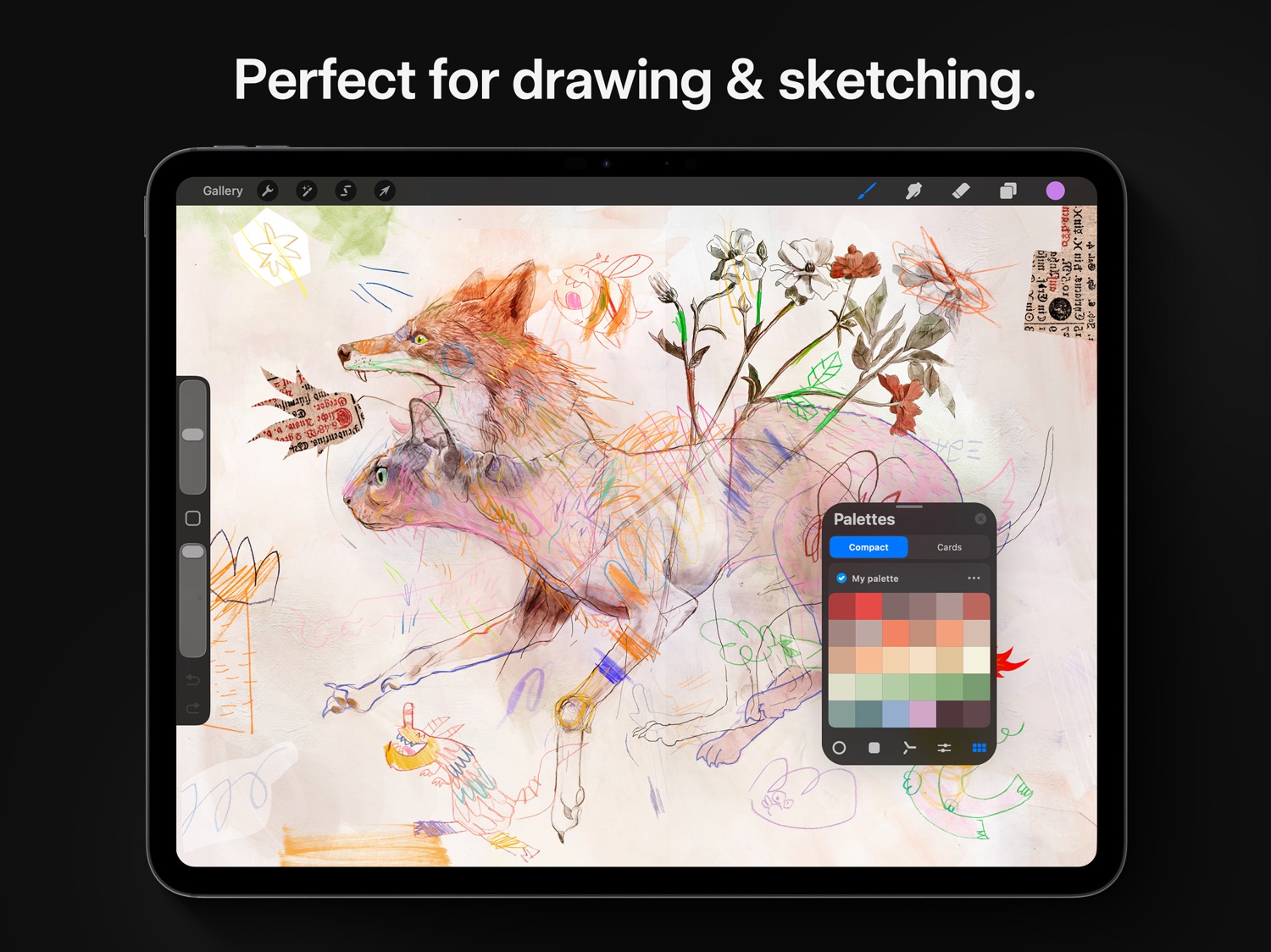
- Disc, Classic, Harmony, Value, and Palette color panels
- Import color profiles for color matching
- Assign Color Dynamics to any brush
Precision design tools:
- Add vector text to your illustrations
- Easily import all your favorite fonts
- Crop and resize your canvas for perfect composition
- Perspective, Isometric, 2D, and Symmetry visual guides
- Drawing Assist perfects your strokes in real time
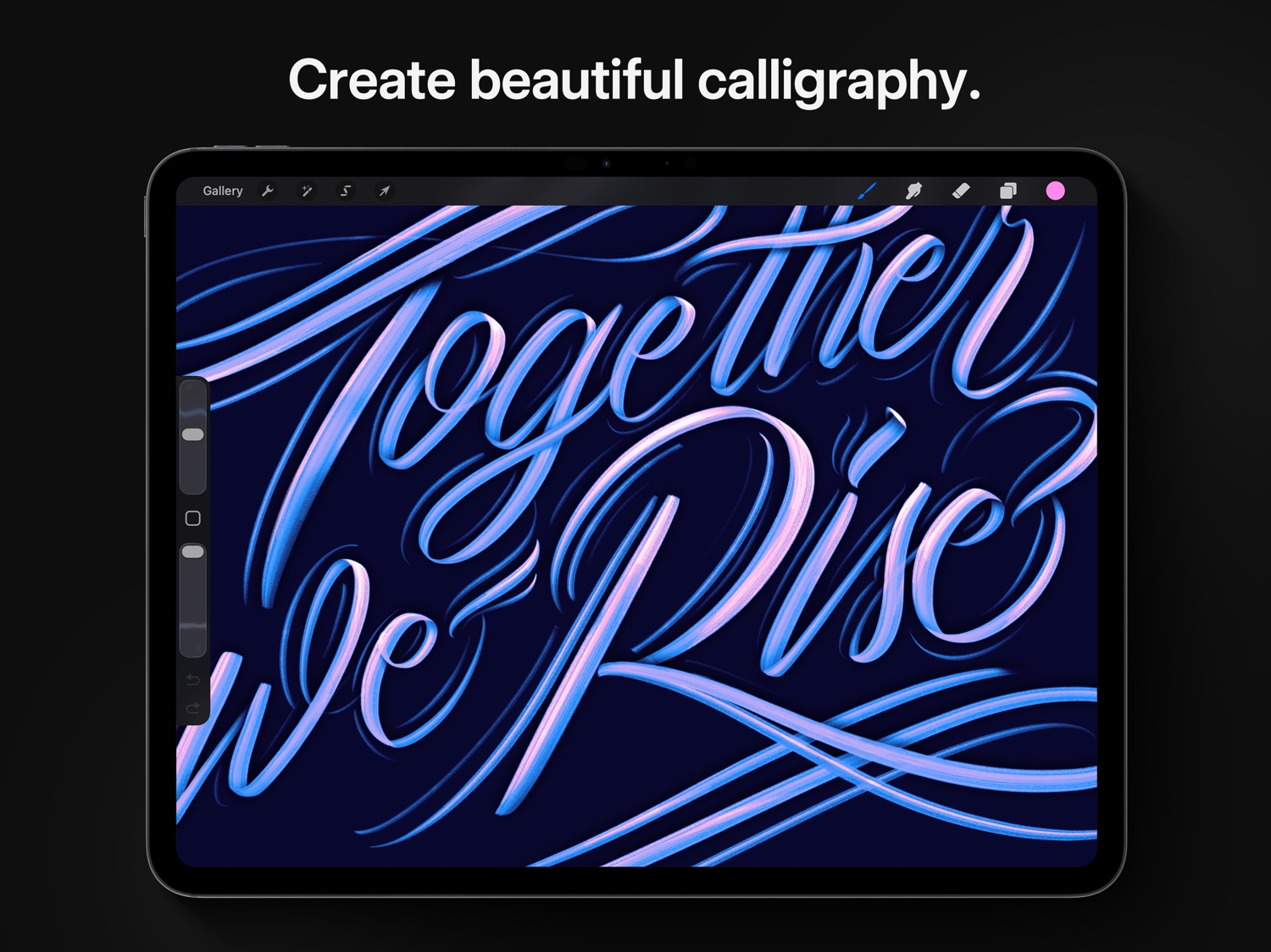
- StreamLine and stabilization smooths strokes for beautiful calligraphy and expert inking
- Use Scribble to name layers, change settings, and create text
Accessibility features:
- Advanced stroke stabilization
- Dynamic Type, VoiceOver, and Feedback Sounds
- Assignable single-touch gestures
- Color naming
Animation and Page Assist
- Easy frame-by-frame animation with customizable onion skinning
- Create storyboards, GIFs, animatics, and simple animations
- Sketch page-by-page concepts or begin a comic with Page Assist
- Import, edit, and share PDFs
Dramatic finishing effects:
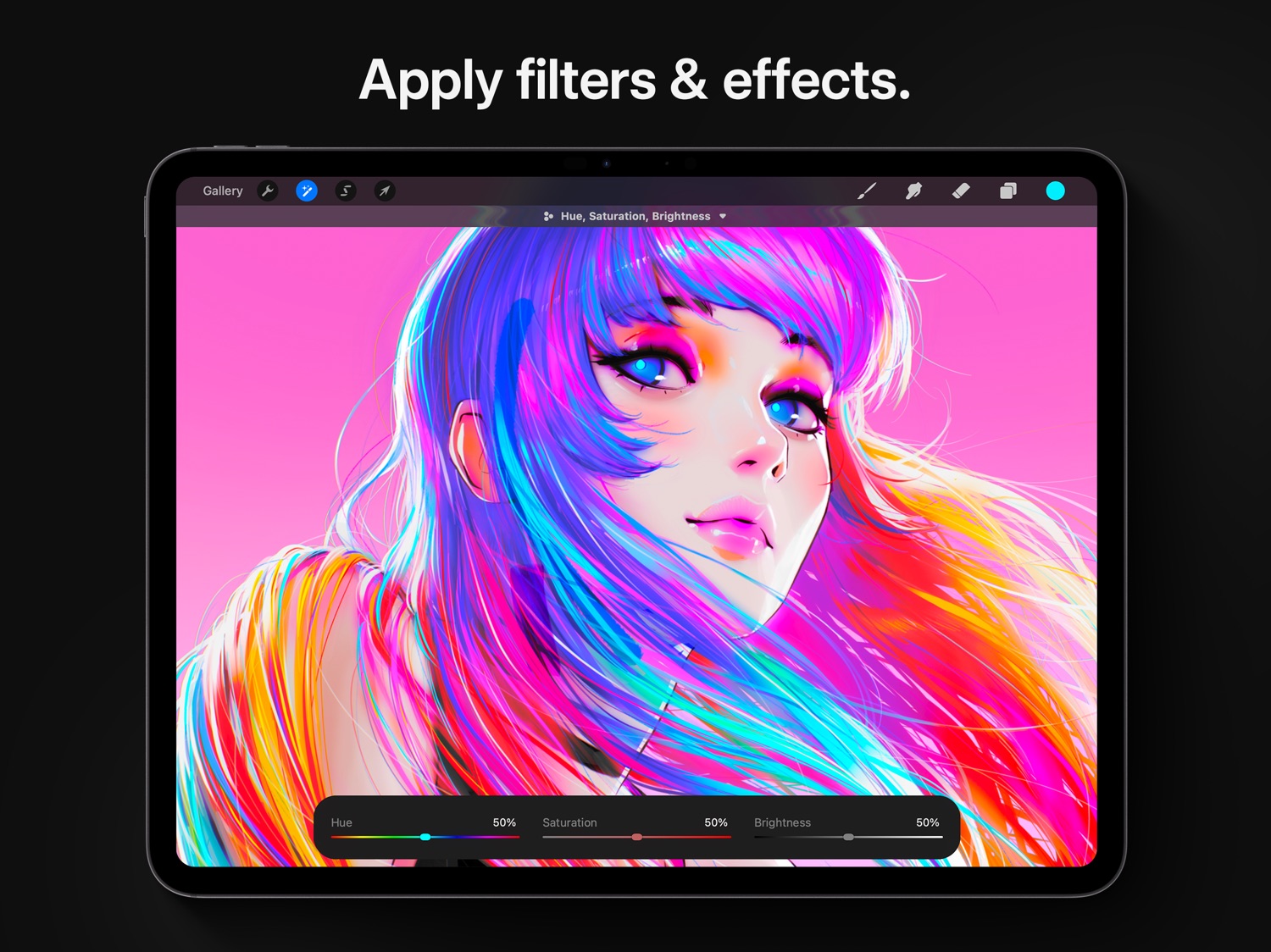
- Brush in image adjustments and effects with Apple Pencil
- Glitch, Chromatic Aberration, Bloom, Noise, and Halftone add new dimensions to your work
- Gaussian, Motion, and Perspective Blur filters create depth and movement
- Powerful image adjustments including Color Balance, Curves, HSB, and Gradient Map
- Bring your art to life with the fun, intuitive, and creative Warp, Symmetry, and Liquify Dynamics
Time-lapse replay
- Relive your creative journey with Procreate’s Time-lapse Replay
- Export your Time-lapse recording in 4K for high-quality video production
- Share a shorter 30-second Time-lapse on your socials
Import assets and share your creations:
- Import or export your art as Adobe® Photoshop® PSD files
- Import Adobe® ASE and ACO Color Palettes
- Import image files such as JPG, PNG, and TIFF
- Export your working files in layered .procreate or PSD file formats
- Share your art as TIFF, transparent PNG, multi-page PDF, web-ready JPEG, OBJ, USDZ, and animated GIFs, PNGs, and MP4s
Information
Accessibility
ipadiphonemacrealityDevicetvoswatch
Price history · 4 regions
BR · BRL 79.9 1 sample
DE · EUR 14.99 1 sample
GB · GBP 12.99 1 sample
JP · JPY 1800 1 sample
Reviews 20 captured
★★★★★ Genuinely satisfied — annoyiser
I am genuinely and truly happy with procreate. I don’t announce my appreciation for things very often but I will try to more often. It has assisted me with my mobile art set up for years and I am always using it either for main projects or supplementing. I love it for sketches , storyboards, and illustrations. I deeply appreciate that it is one time purchase, so many companies who were doing just fine with one time purchase continually remove the option to nickel and dime their userbase (of whom
★★★★★ I’ve had Procreate for almost 8 years and it’s still the best. Unfortunately it’s slow to grow. :/ — MoMacs
Edited: This is why I wrote this review, There seems to be no ‘working overtime’ on Procreate. More people use the original Procreate than they use Dreams but even your automatic responses are geared towards the animation app. Seriously though, is a donate button needed? 🤦♀️ I do sometimes wish for more frequent, small updates or less frequent but larger updates and not just when a new iPad comes out.
★★★★★ Please make an account system! READ PLZ ‼️ — Urilad
Listen, I absolutely love this app, it doesn't become extremely laggy at times, and it's just overall great, I could say a lot, but WHAT I REALLY WISH was in this app that would make it an amazing 10/10 is like an Account System! I've seen many artists lose their beloved art pieces because either they couldn't do backup with like iCloud or like their drawing device probably broke or whatever. Backup process could be extremely difficult to do especially when you have NO STORAGE to save anything!
★★★★★ I’ve been using this program for years! — Fangirl Victor11
I’ve been using Procreate for years, I’m just gonna start with saying that. I got my IPad Pro as a high school graduation gift back in 2020, and it came with the Apple Pencil. After a week of getting used to just the iPad interface, I got Procreate. Since then, I have been using Procreate as my main program for creating art! Procreate is a wonderful program, and is super ease to use. I highly recommend it for anyone who wants to get more into digital art creation.
That being said, I just want t
★★★★★ Apple Pencil BUG! PLEASE FIX- UPDATED — luna noire
WTH happened Procreate? There is a massive pencil bug that happened only with Procreate. When using the Apple Pencil (2nd gen) it only shows the exact same weird brush cursor and doesn’t put down any color at all on the canvas, it only shows an outline of a certain brush no matter what different brush I select. I can no longer use the app. I’m sick because I use Procreate frequently for my work and this bug showed up with the latest update. Yes, yes, I’ve tightened the tip,of the pencil, reset t
★★★★★ Fantastic App, Tricky for certain disabilities — rccobler
I use this app all the time for everything I need to design. I’m especially grateful that Procreate is not based on a subscription model, which is the reason I left Adobe products behind.
I also teach an Intro to Digital Illustration class where we solely use Procreate to learn about concepts like layers, masks, selections, and effects. The students overall have responded positively to the ease of use in the app and its capabilities. However, I have had a few students with disabilities, both p
★★★★★ Accessibility questions and concerns — ibljp
This is a very good app! It's probably one of the best digital art apps on the iOS market, but I have a few extremely minor complaints/suggestions for how you could improve. Can you please add a feature where you're able to change the layout of the program based on which version you prefer? I have no idea when the last time I updated Procreate was, but I had the version where there wasn't a menu for arcs, and you could just pick and choose whether you wanted a line, quadrilateral, circle, etc. w
★★★★★ Fantastic for beginners and professionals alike — TokyoDAZElucu
One thing I never liked about most other drawing programs, especially on desktop, was how incredibly overwhelming and complicated the user interface tends to be. Even as someone who has been doing digital art for many years, I find the many buttons and knobs and whistles of other programs to be very difficult to get used to, and the workspace feels very cluttered even when I trim down the windows to just the tools I need.
Procreate is different. The developers put a lot of care into developing
★★★★★ Plz fix bugs, add a text tool and shape tool — Avesaurus
This is the superior digital art program for iPad, but it’s missing a few fundamental features that nearly all others have to offer! I have to edit my comic pages in another app for text and speech bubbles. I would like to shortcut this step by just having a complete app. Give me proper shape tools and text tools! Selection is too much of a hassle and the auto shape function doesn’t create perfect shapes about 80 percent of the time. Though it’s a handy tool, I want a conventional shape tool as
★★★★★ Amazing!! — 🍩👩🏼
I love this app it’s so easy to draw with I’ve been using it for about a month and I’ve compared it to other apps this is by far the best iPad art app this makes people who aren’t great at drawing amazing like I’m not that good myself at least not for detailed drawing but this made it easy I admit there are some bugs and some MAJOR bugs but the last update really helped and even with the bugs it’s the best iPad art app out there if ur a pro artist or literally anyone use this app I use it to mak
★★★★★ Magical App and a go-to for my Creative Director husband — Discount_Dracula
This app is the only one my husband uses as Creative Director for a very successful, exploding social platform. His art has been a big factor in the success of the company…in the words of the CEO/Founder, with whom he is good friends. He has become buddies with some very famous people through that platform; much of those online interactions have begun through his artwork. (He has also gotten to know some celebrities by arguing with them, 😂 He has gotten into online “wars” with very famous peopl
★★★★★ Amazing app but a few problems — Blackshiver12
I’ve been using this app for about two weeks now and realized there are a few problems…
1. When trying to fill in a circle or perfectly closed shape, it will sometimes color the entire layer but not at 100% opacity for some reason
2. I have to screenshot my drawing when finished because the option so save as a png and etc is not possible or won’t work and will only save as a file not to my gallery and when I try to share an artwork, it will make it unavailable to open for other devices or peopl
★★★★★ a pretty solid app for any skill range — spiritwolf121
I’ve been using procreate for a few months now, and overall it’s been an amazing platform, and I tried out probably 10+ different drawing apps to see which ones worked the best for me, so this app really tops them all. I can’t say I really have too many complaints other than small nitpicks. But heres some smaller things that I would really love to see on this app- I think it would be very beneficial if there could be a slider/more customization for the paint bucket tool specifically, to change t
★★★★★ Usually not an Apple fan, but… — vvindyra
I’ve used clip studio on my surface pro for around two years, and it never felt ‘intuitive’ to me. Sure, I learned all of the bells and whistles, but my workflow felt consistently stunted by having to reach for the keyboard in-between steps. It made me feel frustrated, like I couldn’t achieve what all of my favorite artists were doing since they found their mysterious rhythm while I was still ctrl-zing the same line 1000 times. I heard good things about Procreate’s creative process and the iPad’
★★★★★ Great and getting better all of the time — GreenGoth
Brilliant, intuitive drawing app. Procreate has always been a great app for free-form drawing and painting. Now, finally, the grids they’ve added for symmetry and perspective have been improved to the point of being quite usable. For a while I had to use other apps like Sketchbook Pro and Infinite Painter for perspective drawing. Now Procreate grid tools have surpassed the capabilities of their competitors. For example, assisted drawing isn’t enough on its own. It’s often necessary to find cente
★★★★★ Professional, casual and well equipped — Sonic fan forever XD
I really do enjoy procreate. Personally, I prefer it above the rest of the programs I have used. Its well balanced out and the tabs are well organized. The brush diversity has to be my favorite thing the app has to offer. As well as the blending selection; once you learn how to use it properly it becomes a very handy tool. However, there are some setbacks I have encountered, that didn't make my experience with the app bad, just made me a bit disappointed if you could say. Like, I make use of the
★★★★★ Just WOW! — AppKrayze
SO I am a amateur woodworker that likes to sketch out his plans n paper before doing a project. I was looking for a way to organize and make cleaner plans so I can always go back to them or print them. I downloaded a few programs (apps) on my iPad to try them out, and a few were good. When I looked more into other application, everyone in the woodworking community were saying to download and use a certain CAD program and it cost $300 a year. Yeah no, WAY TO MUCH for an amateur. Then a saw someon
★★★★★ Out of all the art programs I’ve used.. — Dataverse
I got an iPad Pro to replace my broken Cintiq Companion. While I have found that I love using the iPad Pro more for art, than I did with my cintiq, I thought I would eventually need to invest into an actual desktop PC to use my other programs like Clip Studio Paint (without a subscription fee), and just use Astropad with the iPad instead. But since I’ve tried out and used Procreate, that need and desire for having an actual PC to do art with other programs, has gone away.
Out of all programs
★★★★★ Fill bucket + reference — mondepurple
I love this app and it has made digital art so easy for me, and I’m thrilled to see the addition of clipping masks and shape tools! One thing I think is an absolute necessity for the next update, however, is a reworking of how the fill bucket tool functions. Other (free) programs such as medibangpaint that I’ve used have capabilities like expanding fill bucket selection without having to use the select tool, and the fill bucket taking all marks into consideration, regardless of layers, when maki
★★★★★ It’s wonderful! — JillyBean91334
I love Procreate so much, having a iPad Pro with a Apple Pencil works so well with this app, the price is worth buying it. Tbh I stop using my laptop for drawing since the drawing and painting feels so natural and smooth though sometimes when I try to use the short cuts it won’t work other than that it’s works like a charm.
There are some things that could be worked on, color picking a color from a reference or from the color wheel isn’t the exactly what it should look like while painting with
Version history · 25 recorded
5.4.11
2026-06-09
This update includes some small, but highly requested features! Eyedropper can pick colors exclusively from the active layer, and you can select all layers then duplicate, share, and merge them all at once.
¡Bienvenidos amigos de Latino América! Procreate is now a better experience for Spanish speakers, supporting both Spanish from Spain and Spanish from Latin America.
Eyedropper active layer
Tap with a second finger while you are picking colors to toggle between sampling from your current layer and the whole canvas. You can pick colors from a layer even if the pixels are behind something else.
Multiple layer actions
Swipe right on all the layers you like the look of, and tap on the Layers title to get some new options. In addition to grouping and deleting in bulk, you can now merge, duplicate and share. You can also Select All and do all those things to all your layers.
There's also a bunch of high value fixes for:
- brushes duplicating themselves.
- transforming layer masks.
- improving the end of stroke on devices with hover.
- content deleting after undoing layer merges and then moving layers.
Did you know in Gesture Controls under Eyedropper toggling on Apple Pencil squeeze means you can pick colors without ever touching the screen?
5.4.10
2026-03-29
This update includes 25 new fonts for customising your text, including brand new choices for Arabic, Hindi, Thai, and Japanese.
The fonts Eina and Jack Armstrong BB are no longer available, but you can continue to edit your image layers, or rasterise your text layer to keep your exact design. You can also choose to replace these fonts with a similar option.
Did you know you can import your own fonts into Procreate? Tap the Import button on the text Edit Style keyboard, drag and drop, or place them into your On My iPad → Procreate → Fonts folder.
5.4.9
2026-03-17
This compatibility update helps you get the best out of Procreate on every supported device and operating system version.
5.4.8
2025-12-17
OK. We went too far. This update sharpens the corners of your Gallery thumbnails. It also calms down the height of Animation and Page Assist and fixes an issue in 3D painting where you couldn't import meshes without normals.
Remember that all your custom brushes are available in the Classic Library by pinching the brush panel, or tapping the Procreate Library title.
5.4.7
2025-10-23
This is a compatibility update to help Procreate run smoothly across all devices.
5.4.6
2025-10-14
This version includes some important bug fixes for the iPadOS compatibility update, including Text sliders supporting negative values, improvements to layer thumbnail visibility, and improved performance in the Brushes panel with large amounts of brushes.
5.4.5
2025-10-08
This is a compatibility update to get you ready for everything new coming your way.
5.4.4
2025-10-01
This update delivers an all-new brush library, bursting with hundreds of wonderful brushes. There is stacks more to love in this update too, like search and libraries. We’ve had lots of fun with this massive overhaul. Now it’s your turn.
New Brushes
This is big. Get ready to express yourself in a whole new way with Procreate’s new brush collection. 18 new sets with over 150 brushes built from the ground up with our in-house Brush Developer Kyle T. Webster. It’s like being handed the keys to your own fully stocked art store; one that’s filled with brushes and styles that combine real-world familiarity with the endless possibilities of digital art. The beloved Classic brush library is still available by pinching out.
Brush Search
We see you brush collectors, and we are here for you — brush search has arrived! This highly requested feature will make finding the ideal brush so much faster. To search, simply swipe down in the library and start typing text or emoji.
Brush Libraries
Libraries will take your workflow and projects to a higher level. Build collections containing the brush sets you need most and dive into your creative zone. To access, create, edit, or share libraries, use the pinch gesture in the brush panel. We’ll start you off with two libraries: the new Procreate Library and the Classic Library. What you make next is up to you.
Brush File Management
Sleep better at night by protecting your precious brush collection. Backup, organize and share them right in the Files app. Choose from storing your brushes On My iPad or in iCloud Drive, and if you change your mind, you can move them later in the Actions menu.
New Brush Studio Settings
While crafting the new Procreate Library, we made a bunch of new brush settings. You can now remove anti-aliasing with alpha threshold; perfect for pixel art. We’ve also added more controls for spacing, shape roundness, stroke jitter, and per brush pressure curves.
Brush Preview
Brush thumbnails have been updated to better reflect how brushes mark the canvas. And with the new Preview tab in Brush Studio, you can make further adjustments to how your brush thumbnails appear in the brush library.
Color Improvements
iPad mini owners rejoice. Color history is now visible on all devices, including the small but mighty ones. There are also fresh, new color palettes. If you can’t see them, select ‘Restore example palettes’ from the + menu in the palette panel.
Custom Brush Set Icons
Finally, you can personalize brush set icons to quickly find your favorite sets. Pick an icon from a list or rename your set with an emoji to use that instead.
As always, our team is here to help at support.procreate.com. We’re keen to see how these new brushes thrive out in the wild; if you create something with them, please tag #Procreate in all the right places.
5.4.3
2025-09-25
This update delivers an all-new brush library, bursting with hundreds of wonderful brushes. There is stacks more to love in this update too, like search and libraries. We’ve had lots of fun with this massive overhaul. Now it’s your turn.
New Brushes
This is big. Get ready to express yourself in a whole new way with Procreate’s new brush collection. 18 new sets with over 150 brushes built from the ground up with our in-house Brush Developer Kyle T. Webster. It’s like being handed the keys to your own fully stocked art store; one that’s filled with brushes and styles that combine real-world familiarity with the endless possibilities of digital art. The beloved Classic brush library is still available by pinching out.
Brush Search
We see you brush collectors, and we are here for you — brush search has arrived! This highly requested feature will make finding the ideal brush so much faster. To search, simply swipe down in the library and start typing text or emoji.
Brush Libraries
Libraries will take your workflow and projects to a higher level. Build collections containing the brush sets you need most and dive into your creative zone. To access, create, edit, or share libraries, use the pinch gesture in the brush panel. We’ll start you off with two libraries: the new Procreate Library and the Classic Library. What you make next is up to you.
Brush File Management
Sleep better at night by protecting your precious brush collection. Backup, organize and share them right in the Files app. Choose from storing your brushes On My iPad or in iCloud Drive, and if you change your mind, you can move them later in the Actions menu.
New Brush Studio Settings
While crafting the new Procreate Library, we made a bunch of new brush settings. You can now remove anti-aliasing with alpha threshold; perfect for pixel art. We’ve also added more controls for spacing, shape roundness, stroke jitter, and per brush pressure curves.
Brush Preview
Brush thumbnails have been updated to better reflect how brushes mark the canvas. And with the new Preview tab in Brush Studio, you can make further adjustments to how your brush thumbnails appear in the brush library.
Color Improvements
iPad mini owners rejoice. Color history is now visible on all devices, including the small but mighty ones. There are also fresh, new color palettes. If you can’t see them, select ‘Restore example palettes’ from the + menu in the palette panel.
Custom Brush Set Icons
Finally, you can personalize brush set icons to quickly find your favorite sets. Pick an icon from a list or rename your set with an emoji to use that instead.
As always, our team is here to help at support.procreate.com. We’re keen to see how these new brushes thrive out in the wild; if you create something with them, please tag #Procreate in all the right places.
5.4.2
2025-09-19
This update delivers an all-new brush library, bursting with hundreds of wonderful brushes. There is stacks more to love in this update too, like search and libraries. We’ve had lots of fun with this massive overhaul. Now it’s your turn.
New Brushes
This is big. Get ready to express yourself in a whole new way with Procreate’s new brush collection. 18 new sets with over 150 brushes built from the ground up with our in-house Brush Developer Kyle T. Webster. It’s like being handed the keys to your own fully stocked art store; one that’s filled with brushes and styles that combine real-world familiarity with the endless possibilities of digital art. The beloved Classic brush library is still available by pinching out.
Brush Search
We see you brush collectors, and we are here for you — brush search has arrived! This highly requested feature will make finding the ideal brush so much faster. To search, simply swipe down in the library and start typing text or emoji.
Brush Libraries
Libraries will take your workflow and projects to a higher level. Build collections containing the brush sets you need most and dive into your creative zone. To access, create, edit, or share libraries, use the pinch gesture in the brush panel. We’ll start you off with two libraries: the new Procreate Library and the Classic Library. What you make next is up to you.
Brush File Management
Sleep better at night by protecting your precious brush collection. Backup, organize and share them right in the Files app. Choose from storing your brushes On My iPad or in iCloud Drive, and if you change your mind, you can move them later in the Actions menu.
New Brush Studio Settings
While crafting the new Procreate Library, we made a bunch of new brush settings. You can now remove anti-aliasing with alpha threshold; perfect for pixel art. We’ve also added more controls for spacing, shape roundness, stroke jitter, and per brush pressure curves.
Brush Preview
Brush thumbnails have been updated to better reflect how brushes mark the canvas. And with the new Preview tab in Brush Studio, you can make further adjustments to how your brush thumbnails appear in the brush library.
Color Improvements
iPad mini owners rejoice. Color history is now visible on all devices, including the small but mighty ones. There are also fresh, new color palettes. If you can’t see them, select ‘Restore example palettes’ from the + menu in the palette panel.
Custom Brush Set Icons
Finally, you can personalize brush set icons to quickly find your favorite sets. Pick an icon from a list or rename your set with an emoji to use that instead.
As always, our team is here to help at support.procreate.com. We’re keen to see how these new brushes thrive out in the wild; if you create something with them, please tag #Procreate in all the right places.
5.4.1
2025-09-16
This update delivers an all-new brush library, bursting with hundreds of wonderful brushes. There is stacks more to love in this update too, like search and libraries. We’ve had lots of fun with this massive overhaul. Now it’s your turn.
New Brushes
This is big. Get ready to express yourself in a whole new way with Procreate’s new brush collection. 18 new sets with over 150 brushes built from the ground up with our in-house Brush Developer Kyle T. Webster. It’s like being handed the keys to your own fully stocked art store; one that’s filled with brushes and styles that combine real-world familiarity with the endless possibilities of digital art. The beloved Classic brush library is still available by pinching out.
Brush Search
We see you brush collectors, and we are here for you — brush search has arrived! This highly requested feature will make finding the ideal brush so much faster. To search, simply swipe down in the library and start typing text or emoji.
Brush Libraries
Libraries will take your workflow and projects to a higher level. Build collections containing the brush sets you need most and dive into your creative zone. To access, create, edit, or share libraries, use the pinch gesture in the brush panel. We’ll start you off with two libraries: the new Procreate Library and the Classic Library. What you make next is up to you.
Brush File Management
Sleep better at night by protecting your precious brush collection. Backup, organize and share them right in the Files app. Choose from storing your brushes On My iPad or in iCloud Drive, and if you change your mind, you can move them later in the Actions menu.
New Brush Studio Settings
While crafting the new Procreate Library, we made a bunch of new brush settings. You can now remove anti-aliasing with alpha threshold; perfect for pixel art. We’ve also added more controls for spacing, shape roundness, stroke jitter, and per brush pressure curves.
Brush Preview
Brush thumbnails have been updated to better reflect how brushes mark the canvas. And with the new Preview tab in Brush Studio, you can make further adjustments to how your brush thumbnails appear in the brush library.
Color Improvements
iPad mini owners rejoice. Color history is now visible on all devices, including the small but mighty ones. There are also fresh, new color palettes. If you can’t see them, select ‘Restore example palettes’ from the + menu in the palette panel.
Custom Brush Set Icons
Finally, you can personalize brush set icons to quickly find your favorite sets. Pick an icon from a list or rename your set with an emoji to use that instead.
As always, our team is here to help at support.procreate.com. We’re keen to see how these new brushes thrive out in the wild; if you create something with them, please tag #Procreate in all the right places.
5.4
2025-09-11
This update delivers an all-new brush library, bursting with hundreds of wonderful brushes. There is stacks more to love in this update too, like search and libraries. We’ve had lots of fun with this massive overhaul. Now it’s your turn.
New Brushes
This is big. Get ready to express yourself in a whole new way with Procreate’s new brush collection. 18 new sets with over 150 brushes built from the ground up with our in-house Brush Developer Kyle T. Webster. It’s like being handed the keys to your own fully stocked art store; one that’s filled with brushes and styles that combine real-world familiarity with the endless possibilities of digital art. The beloved Classic brush library is still available by pinching out.
Brush Search
We see you brush collectors, and we are here for you — brush search has arrived! This highly requested feature will make finding the ideal brush so much faster. To search, simply swipe down in the library and start typing text or emoji.
Brush Libraries
Libraries will take your workflow and projects to a higher level. Build collections containing the brush sets you need most and dive into your creative zone. To access, create, edit, or share libraries, use the pinch gesture in the brush panel. We’ll start you off with two libraries: the new Procreate Library and the Classic Library. What you make next is up to you.
Brush File Management
Sleep better at night by protecting your precious brush collection. Backup, organize and share them right in the Files app. Choose from storing your brushes On My iPad or in iCloud Drive, and if you change your mind, you can move them later in the Actions menu.
New Brush Studio Settings
While crafting the new Procreate Library, we made a bunch of new brush settings. You can now remove anti-aliasing with alpha threshold; perfect for pixel art. We’ve also added more controls for spacing, shape roundness, stroke jitter, and per brush pressure curves.
Brush Preview
Brush thumbnails have been updated to better reflect how brushes mark the canvas. And with the new Preview tab in Brush Studio, you can make further adjustments to how your brush thumbnails appear in the brush library.
Color Improvements
iPad mini owners rejoice. Color history is now visible on all devices, including the small but mighty ones. There are also fresh, new color palettes. If you can’t see them, select ‘Restore example palettes’ from the + menu in the palette panel.
Custom Brush Set Icons
Finally, you can personalize brush set icons to quickly find your favorite sets. Pick an icon from a list or rename your set with an emoji to use that instead.
As always, our team is here to help at support.procreate.com. We’re keen to see how these new brushes thrive out in the wild; if you create something with them, please tag #Procreate in all the right places.
5.3.15
2025-03-14
This is a compatibility update with important fixes and a bonus new feature.
This update delivers some important fixes along with greater support for Animated PNGs.
- Animated PNG frames will be preserved upon import instead of being flattened.
- There's another fix for those who crash when opening the Color Panel.
- Add text to your canvas with dictation and no crashing.
- Brushes should no longer be mysteriously overridden.
- No more crashes when you adjust the ColorDrop Threshold with Animation Assist or Page Assist enabled.
We're busy working on our next major update, for more information check out what our CEO had to say: procre.at/procreateroadmap.
5.3.14
2024-12-03
You asked (a while ago) and we've listened! Not only can you Group, you can now even Ungroup. Tap the Layer Group to find it in the Layer Options menu.
This update also brings a multitude of bug fixes.
• Importing large PDF files into the Gallery will no longer cause a crash.
• The secondary component of a Dual Brush will display at the correct size when Dynamic brush scaling is toggled off.
• Repeated crashing of the Color Panel caused by errant palettes will no longer interrupt your flow.
• Merging down on a Clipping Mask when Animation Assist is active won’t close the app.
• The Remove function in Selections is now removing instead of adding.
• Things will continue to run smoothly if layers are dragged from a large canvas into another artwork.
Work on our next major update is well underway and it's all about everyone's most important tools; brushes.
5.3.13
2024-10-23
This update provides compatibility for the newest iPads. We’re also boosting performance with a number of fixes.
• The Photos Picker will successfully import photos onto the canvas without becoming unresponsive
• Exporting an animation from within a canvas will no longer corrupt your layers temporarily
• Importing multi-layer PSDs into the Gallery via drag and drop will preserve your layers
• Tapping the canvas after exporting in any animated file format will crash no more
• Pasting into an empty Layer Mask is back to behaving as expected
Experiencing an issue or have a question? We'd love to help! You can reach our Customer Care team at procre.at/support
5.3.12
2024-09-18
This is a compatibility update to get you ready for everything new coming your way.
5.3.11
2024-09-16
This is a compatibility update to get you ready for everything new coming your way.
5.3.10
2024-06-13
Say hello to the exciting new features for Apple Pencil Pro in Procreate.
Apple Pencil Pro with Procreate unlocks new ways to customize your favorite brushes, introducing new possibilities for your workflow. This update releases support for barrel roll, squeeze and haptic feedback.
Brush Settings for barrel roll
Barrel roll supercharges Procreate brushes in Brush Studio, providing a new way to control shape rotation, stroke jitter, color dynamics, grain rotation, size, opacity and more. You can add barrel roll to many other settings in the Apple Pencil tab, or by tapping the numeric entry button on the slider and switching on barrel roll.
Squeeze
Hover over your canvas and squeeze to select the layer you wish to work on, speeding up navigation on even the most complex projects. Squeeze to pick colors with Eyedropper or use QuickMenu to activate shortcuts without ever touching the screen. Assign squeeze to custom actions with Actions → Prefs → Gesture controls.
Haptic feedback
Haptic feedback provides a more tactile experience when making selection masks, transforming layers, using ColorDrop, drawing QuickShapes and more. Try turning on Snapping on the Transform toolbar to feel the layer snap to the canvas edges.
Liquify Twirl with barrel roll
You now have full control over rotation in Liquify Twirl. Twist the Apple Pencil Pro back and forth to bend your layers exactly how you want them.
To learn how to Procreate like an expert, please visit the Procreate Handbook: https://help.procreate.com/procreate/handbook
5.3.9
2024-05-14
This update adds compatibility for the latest iPads. Full support for the new Apple Pencil Pro is coming soon.
5.3.8
2024-05-06
This update to Procreate reintroduces option key functionality for keyboards, and improves Smiley Sans font for Chinese Simplified. Procreate also welcomes stability improvements and bug fixes.
If you're looking for more resources and help, head to help.procreate.com/procreate
5.3.7
2023-12-21
This update includes a fix for dragging brushes from Procreate to our brand new 2D animation app Procreate Dreams! Available now on the App Store.
5.3.6
2023-09-18
This is a compatibility update to get you ready for everything new coming your way.
5.3.5
2023-05-24
Selamat datang to Malay and Indonesian speakers!
Procreate also welcomes some bug fixes:
• Importing portrait images from iPhone into Reference Companion will no longer stretch
• Fix for flicking across your Gradient Maps or Animation Assist to rapidly scroll
• Support for .jpf and .m4v
• Your default color palette is always visible when switching between Compact and Cards
If you want to keep drawing on your layer without Drawing Assist, tap the assisted layer twice and tap Drawing Assist from the Layers Options menu to turn it off.
5.3.4
2023-03-27
Apple Pencil hover has just gotten even better and this update now lets you preview Tilt and Azimuth. Procreate is giving you one more reason to smile. You can now add Text with the Smiley Sans font in both simplified Chinese and Roman characters.
5.3.3
2023-02-27
We've fixed up a few issues that were causing some of you trouble:
- Certain Gesture Controls were interfering with Selections and Adjustments. Now you are able to use Selections with your Apple Pencil again and make changes to your Adjustments amounts, regardless of setting.
- Printing from your app directly is possible again.
Did you know that tapping in Freehand Selection results in straight lines when selecting? Give it a tap next time you use it!
Listing history · 4 snapshots — every change kept with its date
releaseNotes
2026-06-19
This update includes some small, but highly requested features! Eyedropper can pick colors exclusively from the active layer, and you can select all layers then duplicate, share, and merge them all at once.
¡Bienvenido…
full text
This update includes some small, but highly requested features! Eyedropper can pick colors exclusively from the active layer, and you can select all layers then duplicate, share, and merge them all at once. ¡Bienvenidos amigos de Latino América! Procreate is now a better experience for Spanish speakers, supporting both Spanish from Spain and Spanish from Latin America. Eyedropper active layer Tap with a second finger while you are picking colors to toggle between sampling from your current layer and the whole canvas. You can pick colors from a layer even if the pixels are behind something else. Multiple layer actions Swipe right on all the layers you like the look of, and tap on the Layers title to get some new options. In addition to grouping and deleting in bulk, you can now merge, duplicate and share. You can also Select All and do all those things to all your layers. There's also a bunch of high value fixes for: - brushes duplicating themselves. - transforming layer masks. - improving the end of stroke on devices with hover. - content deleting after undoing layer merges and then moving layers. Did you know in Gesture Controls under Eyedropper toggling on Apple Pencil squeeze means you can pick colors without ever touching the screen?description
2026-06-19
Loved by creative professionals and aspiring artists alike, Procreate is the leading creative application made for iPad.
Procreate has everything you need to create expressive sketches, rich paintings, gorgeous illustra…
full text
Loved by creative professionals and aspiring artists alike, Procreate is the leading creative application made for iPad. Procreate has everything you need to create expressive sketches, rich paintings, gorgeous illustrations, and beautiful animations. Offering 100s of handmade brushes, a suite of industry-leading artistic tools, an advanced layer system, and the powerful Valkyrie graphics engine. It’s a complete art studio you can take anywhere. Highlights: - High resolution canvases — up to 16k by 8k on compatible iPad Pros - Beautifully intuitive interface made for iPad and Apple Pencil - Revolutionary QuickShape feature for perfect shapes - Smooth and responsive smudge sampling - 3D Painting with Lighting Studio, exportable as models, images, or animations - Powered by Valkyrie, the lightning-fast 64-bit painting engine - Speed up your workflow with keyboard shortcuts - Create art in stunning 64-bit color - Continuous auto-save — never lose work again Breakthrough brushes: - Packed with hundreds of beautifully crafted brushes - Organize your brushes into sets and libraries - Add Metallic and Roughness for painting in 3D - Brush Studio — with over 100 customizable settings - Import and export custom Procreate brushes - Import Adobe® Photoshop® brushes, and run them faster than Photoshop® Full-featured layering system: - Layer your art for precise control over details and composition - Create Layer Masks and Clipping Masks for non-destructive editing - Stay organized by combining layers into Groups - Select multiple layers to move or Transform objects simultaneously - Access over 25 layer blend modes for industry-grade compositing Color without compromise: - Fill your line work with ColorDrop and SwatchDrop - Disc, Classic, Harmony, Value, and Palette color panels - Import color profiles for color matching - Assign Color Dynamics to any brush Precision design tools: - Add vector text to your illustrations - Easily import all your favorite fonts - Crop and resize your canvas for perfect composition - Perspective, Isometric, 2D, and Symmetry visual guides - Drawing Assist perfects your strokes in real time - StreamLine and stabilization smooths strokes for beautiful calligraphy and expert inking - Use Scribble to name layers, change settings, and create text Accessibility features: - Advanced stroke stabilization - Dynamic Type, VoiceOver, and Feedback Sounds - Assignable single-touch gestures - Color naming Animation and Page Assist - Easy frame-by-frame animation with customizable onion skinning - Create storyboards, GIFs, animatics, and simple animations - Sketch page-by-page concepts or begin a comic with Page Assist - Import, edit, and share PDFs Dramatic finishing effects: - Brush in image adjustments and effects with Apple Pencil - Glitch, Chromatic Aberration, Bloom, Noise, and Halftone add new dimensions to your work - Gaussian, Motion, and Perspective Blur filters create depth and movement - Powerful image adjustments including Color Balance, Curves, HSB, and Gradient Map - Bring your art to life with the fun, intuitive, and creative Warp, Symmetry, and Liquify Dynamics Time-lapse replay - Relive your creative journey with Procreate’s Time-lapse Replay - Export your Time-lapse recording in 4K for high-quality video production - Share a shorter 30-second Time-lapse on your socials Import assets and share your creations: - Import or export your art as Adobe® Photoshop® PSD files - Import Adobe® ASE and ACO Color Palettes - Import image files such as JPG, PNG, and TIFF - Export your working files in layered .procreate or PSD file formats - Share your art as TIFF, transparent PNG, multi-page PDF, web-ready JPEG, OBJ, USDZ, and animated GIFs, PNGs, and MP4ssubtitle
2026-06-19
Sketch. Paint. Create.
name
2026-06-19
Procreate
Region availability · 5 of 5 storefronts
| Store | Price | Ratings | Avg | Version |
|---|---|---|---|---|
| US | USD 12.99 | 49.7k | 4.4 | 5.4.11 |
| GB | GBP 12.99 | 7.5k | 4.4 | 5.4.11 |
| DE | EUR 14.99 | 5.0k | 4.3 | 5.4.11 |
| JP | JPY 1800 | 4.1k | 4.0 | 5.4.11 |
| BR | BRL 79.9 | 2.4k | 4.4 | 5.4.11 |