Home › Weather

 US
US
1 of 1 storefronts
Content in en-US
Content in en-US
Information
Apple ID419048258
Bundle IDcom.bryanneel.NWSRADAR
SellerSeller
Min iOS17.6
Min macOS14.6
Device familiesiphone, ipad
Released2011-03-04
Copyright© 2026 Bryan Neel
Privacy policyLink ↗
Preview 2 platforms
iPhone 10 images




iPad 10 images


What’s New Version 2.0.0
* Optimized radar image loading and display.
* Added radar site status reporting.
* Tweaked radar site list interface.
* User interface performance improvements.
Description
Radar Pro is an interactive Weather Radar application for anyone with a need for graphical weather updates on the go. It allows you to view the most up-to-date weather radar data - direct from the United States National Weather Service NEXRAD Level 3 Radar Network. Coverage includes the entire 50 states and Puerto Rico.
What sets Radar Pro apart from other weather radar apps is that Radar Pro receives radar data directly from the National Weather Service operational servers. The images are in their true, original format and not a smoothed graphic - smoothing any data reduces its accuracy. This means the radar data is the most accurate view of precipitation freely available to the public.
Set the Radar In Motion -- easily begin an animation loop to view storm motion over the past several minutes.
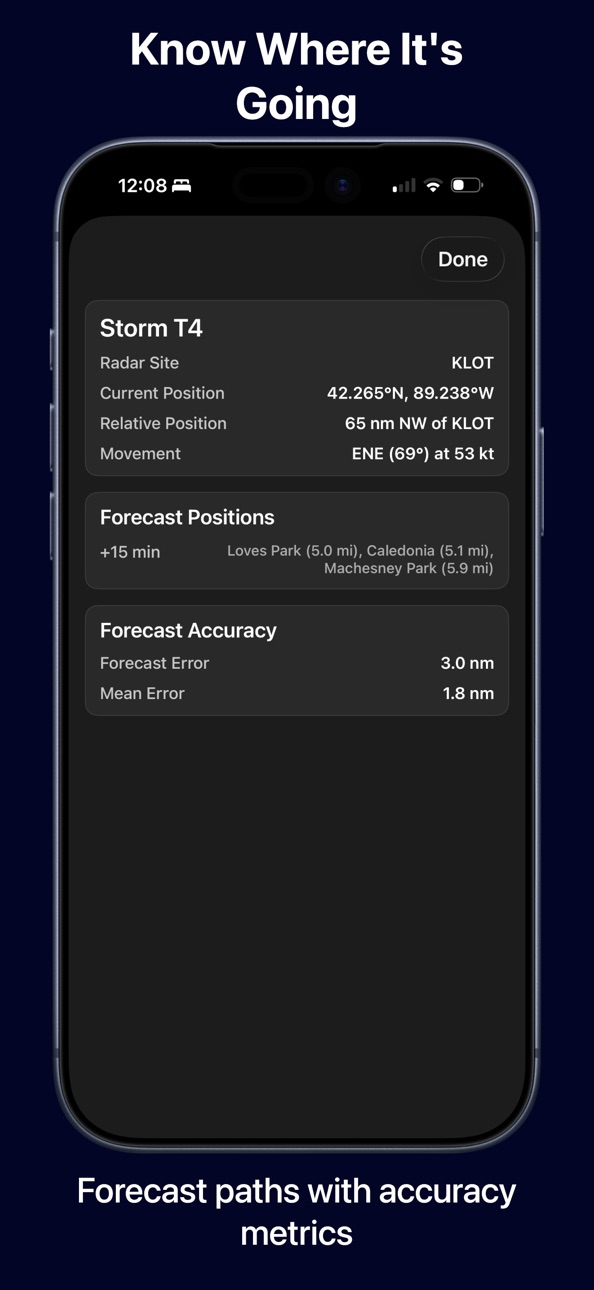
Know exactly where a storm is and where it's going and how it could impact you -- set the radar image in motion and easily begin an animation loop to view storm motion over the past several minutes; and with one touch, your current location is marked on the map so you'll always know where you are in relation to precipitation or severe weather warnings.
Radar Features:
● Level 3 NEXRAD display to 248 nautical miles
● Animation
● User Configurable Data Updates Rates
● Favorite Radar List
● Radar Site Status Information
● Complete US coverage including Alaska, Hawaii, and Puerto Rico
● 154 Radar Sites
Map Features:
● Auto radar selection
● Pinch to Zoom In and Out
● Swipe to Pan
● Complete US/Canada/Mexico outline
● Cities and Towns
● State Boundaries
● County Boundaries
● Major Highways
● Radar Selection via Map
Accessibility
ipadiphonemacrealityDevicetvoswatch
Version history 13 versions
Build 883605965v2.0.02026-03-21 13:14:58
* Optimized radar image loading and display.
* Added radar site status reporting.
* Tweaked radar site list interface.
* User interface performance improvements.
Build 825672137v1.5.12018-09-17 15:00:13
Performance improvements and updates.
Build 480182633v1.52016-08-17 00:21:06
- Update to iOS 9
- Auto Radar Selection
- Several Updates and Bug Fixes
Build 11100036v1.4.12012-09-30 22:11:12
- Updated for iOS 6 and the iPhone 5
- Various bug fixes and performance improvements
Build 8590490v1.42012-06-18 02:29:20
● Added New Radar Products, Base Reflectivity Tilts 1-4.
● Radar Site Favorites System.
● Radar Site Status Indicators.
● Bug fixes and performance improvements.
Build 7774882v1.3.12012-04-30 20:53:58
- Fixed crash on some devices when receiving bad warning data.
- Updated to Retina display for iPad.
- Added Langley Hill (Northwest Washington) radar site.
- Various performance improvements and minor bug fixes.
Build 4356380v1.32011-10-06 22:47:03
- Tested on iOS 5.0
- Warnings System enhancements.
- More accurate radar data position calculation.
- Double-tap to zoom
- Performance enhancements and bug fixes.
Build 3911614v1.2.22011-07-12 23:09:55
- Added Canada and Mexico maps to provide context for users along the borders.
- Increased number of city labels visible at higher zoom levels.
- Performance improvements.
- Minor bug fixes.
Build 3872415v1.2.12011-07-01 22:39:08
- Resolved issue where location icon was not showing on some devices.
- Resolved issue where last map position was not being saved between app launches.
- Minor tweaks and performance improvements.
Build 3846465v1.22011-06-22 20:02:23
**Name changed to Radar Pro to consolidate Mac and iOS versions.
Animation Feature
--------------
Animation is now available by selecting the Play Button on the bottom of the screen. When this button is pressed, a secondary toolbar is displayed allowing interaction with the animation sequence. Selecting the X button on this toolbar closes the animation sequence and returns the display to the static view.
User Interface Changes
------------------
Radar Selection via Screen: To select a radar from the screen, simply move the map view to the desired location and select the radar icon on the bottom toolbar. This will display the latest radar data from the closest radar site to the geographic center of the display.
Radar Selection and Status Information via Button: To select from a list of available radars or view the radar status information, the left button on the toolbar is now used to bring up the radar selection screen.
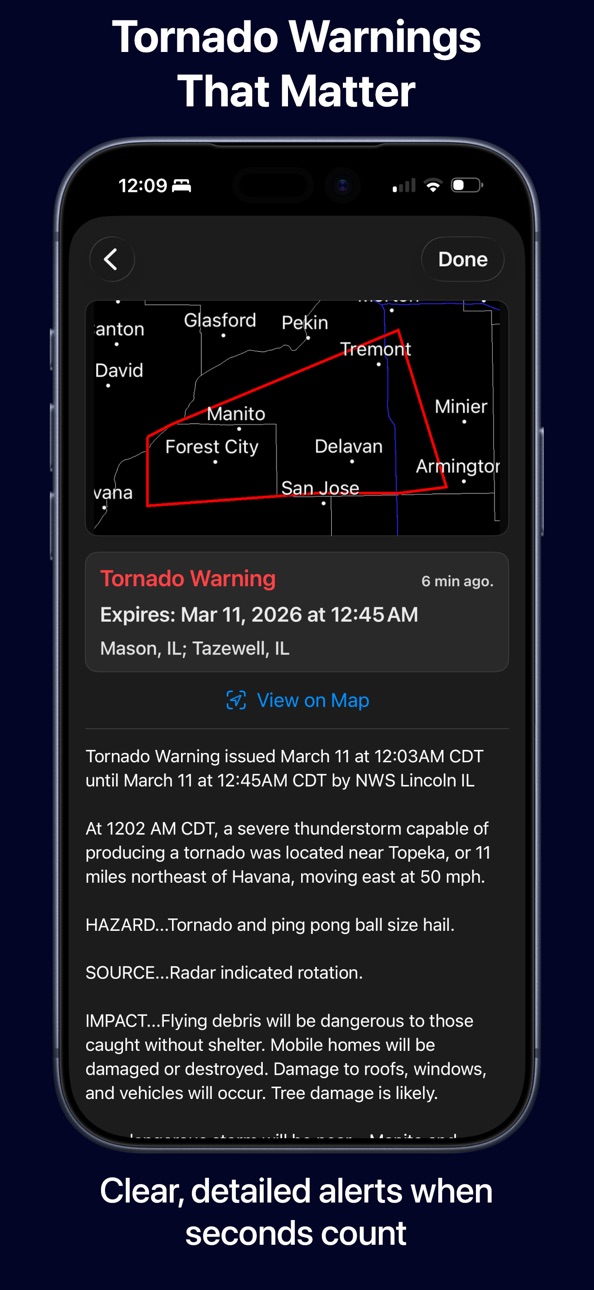
Warnings Button: Warnings are now available from the top right button. Selecting this button will bring up the warning display list.
Refresh Button: A refresh button is now available to immediately refresh the radar image. Note that typically the NWS updates radar imagery every 5 to 12 minutes.
Warnings System Changes
--------------------
On the warning detail screen, selecting the "View In Map" closes the warning screen and moves the map display to the selected warning and automatically chooses the closest radar to the warning location.
Location Service
-------------
Selecting the location icon now automatically selects the closest radar and displays the most recent radar imagery.
New Settings
-----------
The refresh time for both radar data and warnings are now user definable.
Build 3564213v1.12011-03-31 00:30:00
Severe Weather Warnings Map Display and Statement Text
● Tornado
● Thunderstorm
● Flash Flood
Alaska, Hawaii, and Puerto Rico Radar Sites now supported. Now all operational NEXRAD sites are supported with the exception of Guam. 154 Radar Sites.
Map display switched to Mercator projection.
Map has been optimized for increased performance/lower memory usage.
Various bug fixes and additional performance improvements.
Build 3527682v1.0.12011-03-18 00:01:16
Tested on iOS 4.3.
Performance improvements.
Minor bug fixes.
Build 3408540v1.02011-03-04 03:05:32
No pricing data captured yet — comparisons appear once the app has paid storefronts or in-app purchases.
Availability 1 of 1 storefronts
| Region | Language | Price | Ratings | Avg | Version |
|---|---|---|---|---|---|
| US | en-US | Free | 128 | 4.4 | 2.0.0 |
Change log 17 changes · US
✎
releaseNotes updated
* Optimized radar image loading and display.
* Added radar site status reporting.
* Tweaked radar site list interface.
* User interface performance improvemen
✎
description updated
Radar Pro is an interactive Weather Radar application for anyone with a need for graphical weather updates on the go. It allows you to view the most up-to-date
✎
subtitle updated
NEXRAD Level III Weather Radar
✎
name updated
Radar Pro
◆
Version 2.0.0 released
* Optimized radar image loading and display.
* Added radar site status reporting.
* Tweaked radar site list interface.
* User interface performance improvements.
◆
Version 1.5.1 released
Performance improvements and updates.
◆
Version 1.5 released
- Update to iOS 9
- Auto Radar Selection
- Several Updates and Bug Fixes
◆
Version 1.4.1 released
- Updated for iOS 6 and the iPhone 5
- Various bug fixes and performance improvements
◆
Version 1.4 released
● Added New Radar Products, Base Reflectivity Tilts 1-4.
● Radar Site Favorites System.
● Radar Site Status Indicators.
● Bug fixes and performance improvements.
◆
Version 1.3.1 released
- Fixed crash on some devices when receiving bad warning data.
- Updated to Retina display for iPad.
- Added Langley Hill (Northwest Washington) radar site.
- Various performance improvements and minor bug fixes.
◆
Version 1.3 released
- Tested on iOS 5.0
- Warnings System enhancements.
- More accurate radar data position calculation.
- Double-tap to zoom
- Performance enhancements and bug fixes.
◆
Version 1.2.2 released
- Added Canada and Mexico maps to provide context for users along the borders.
- Increased number of city labels visible at higher zoom levels.
- Performance improvements.
- Minor bug fixes.
◆
Version 1.2.1 released
- Resolved issue where location icon was not showing on some devices.
- Resolved issue where last map position was not being saved between app launches.
- Minor tweaks and performance improvements.
◆
Version 1.2 released
**Name changed to Radar Pro to consolidate Mac and iOS versions.
Animation Feature
--------------
Animation is now available by selecting the Play Button on the bottom of the screen. When this button is pressed, a secondary toolbar is disp
◆
Version 1.1 released
Severe Weather Warnings Map Display and Statement Text
● Tornado
● Thunderstorm
● Flash Flood
Alaska, Hawaii, and Puerto Rico Radar Sites now supported. Now all operational NEXRAD sites are supported with the exception of Guam. 154 Rada
◆
Version 1.0.1 released
Tested on iOS 4.3.
Performance improvements.
Minor bug fixes.
◆
Version 1.0 released