Home › Music

Information
Preview 2 platforms
iPhone 5 images



iPad 5 images


What’s New Version 2026-06-29
• Updated the Bluetooth input code for more reliable foot switch connections on iOS 26.
Description
NOTE: We are no longer adding new features to Set List Maker. We recommend our newer product, BandHelper, for the latest design and functionality.
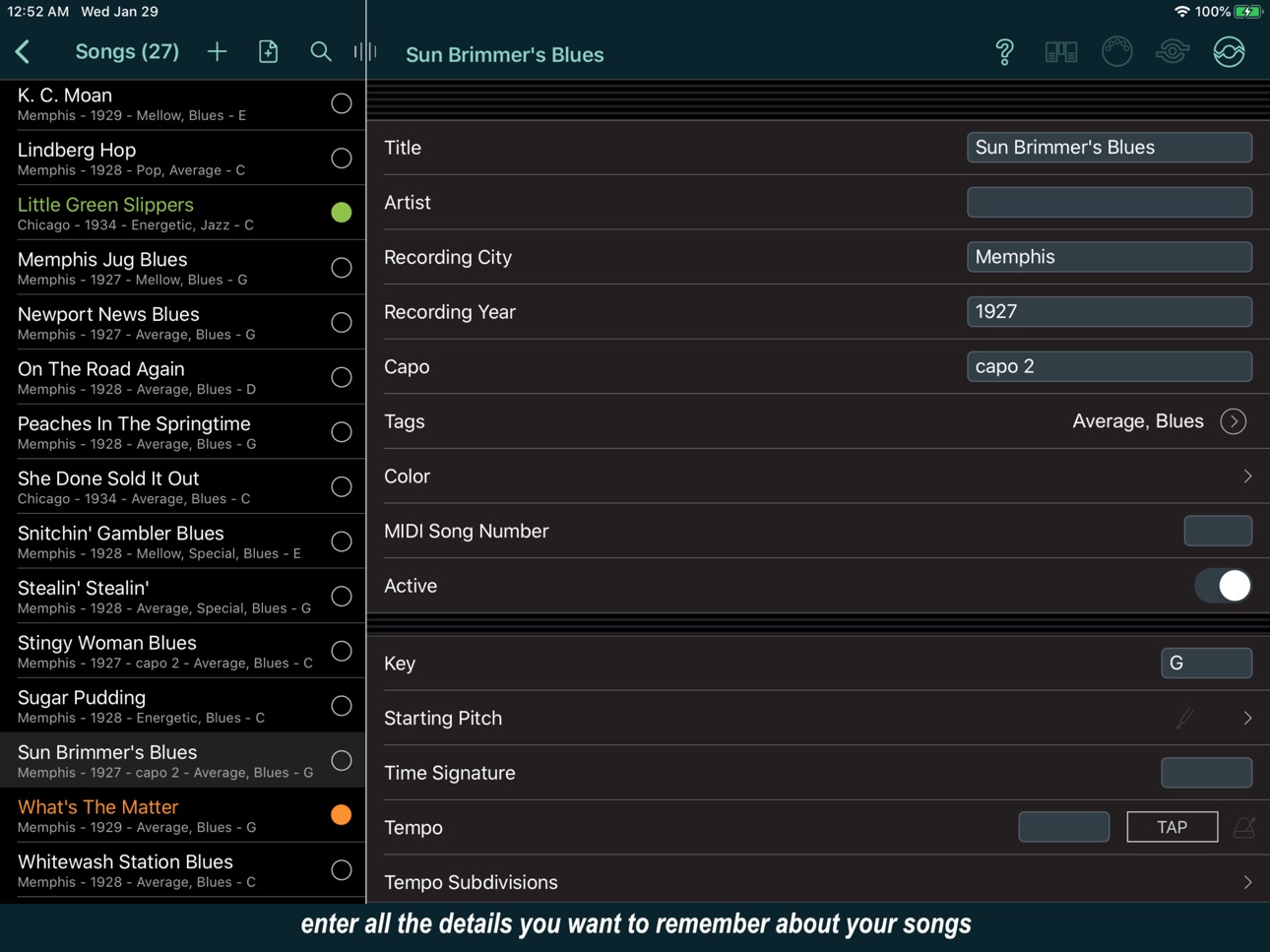
Set List Maker is a powerful organizational tool for musicians. With thousands of people around the world using the app in creative ways, the app is packed with features to manage your repertoire, control your on-stage electronics and share with your bandmates.
MORE THAN A DIGITAL SONGBOOK
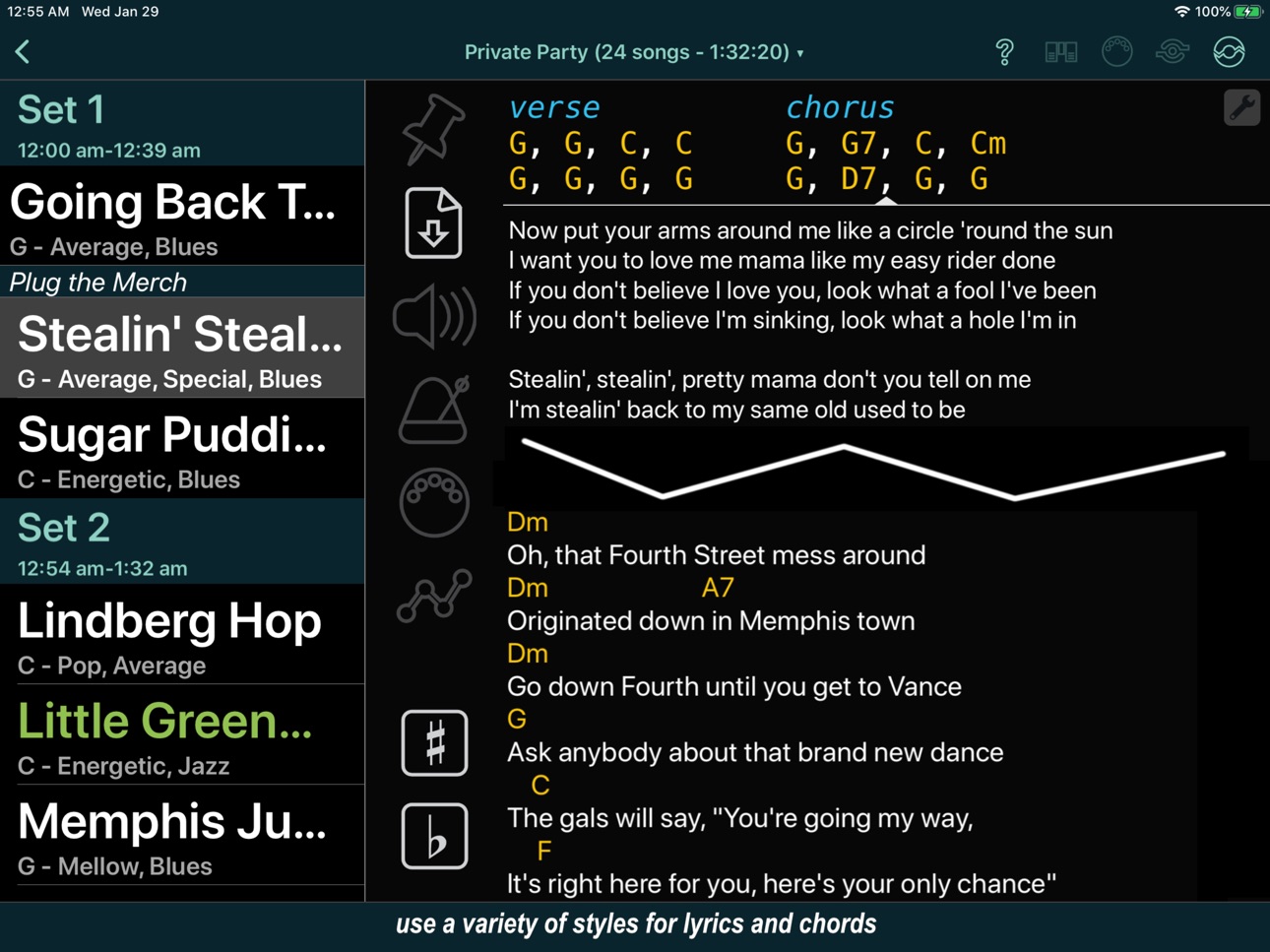
Set List Maker can store your lyrics and chord charts, but it can also keep track of your rehearsal notes and serves as an archive of all your set lists. You can include multiple reference recordings for each song, slow down or pitch-shift recordings while practicing,* transpose chords with one touch, and make a quick recording if inspiration strikes.* Then design your own screen layouts to show the most important information in each setting you play in.
YOUR COMMAND CENTER ON STAGE
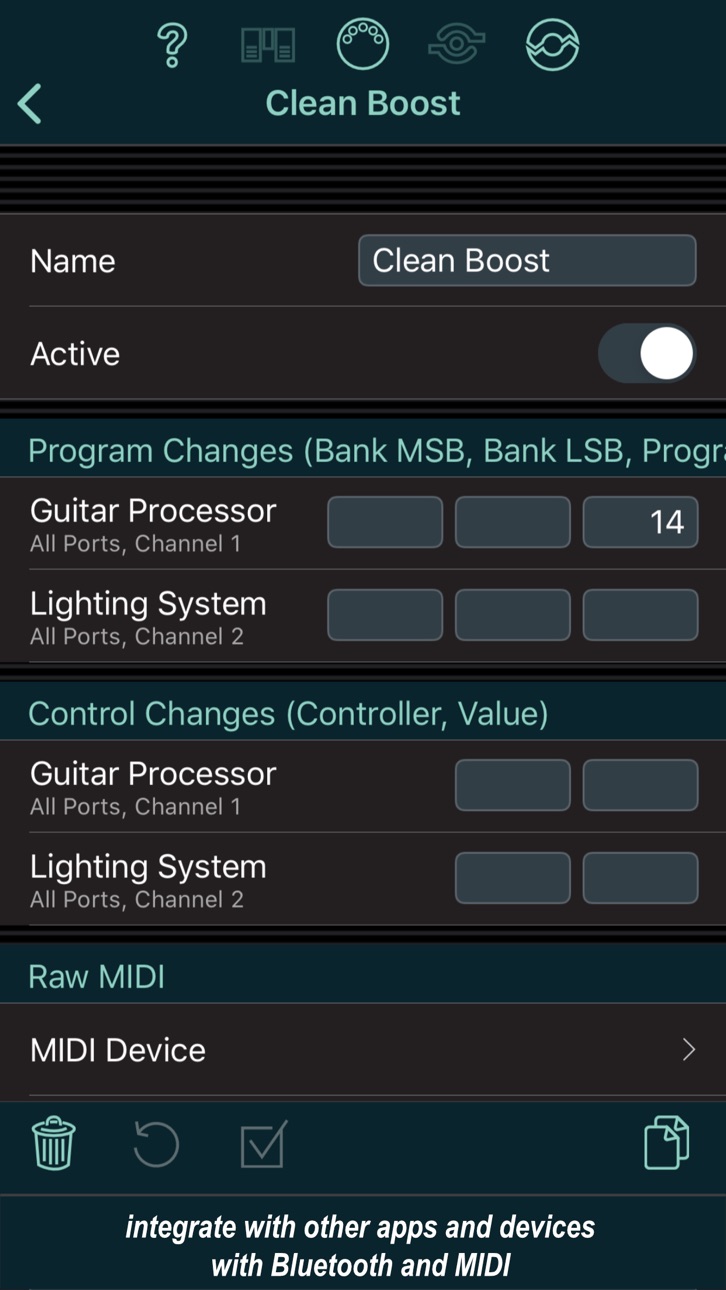
Set List Maker can display your lyrics with simple auto-scrolling or custom automation tracks,* play backing tracks and click tracks through separate audio ports or inter-app audio,* play videos,* and configure MIDI-compatible sound and lighting equipment as you move from song to song.* You can control Set List Maker with MIDI* or Bluetooth footswitches, and link together multiple devices for screen sharing or remote control on stage.*
KEEP YOUR BANDMATES IN THE LOOP
Set List Maker can can export databases and import them onto your bandmates' mobile devices so everyone has access to the latest songs, set lists, and details of upcoming shows. You can also email set lists in PDF or HTML format, or print good old paper set lists to keep it simple on stage.
Some advanced features (*) require an in-app purchase. For details, please visit the Set List Maker website, which also contains tutorials and demo videos to help with your purchase decision.
*** If you have a problem or a suggestion, please contact us before writing a bad review. We can't respond or help you if you publish your complaints in a review, but we respond promptly to all emails and posts in our support forum. ***
Capabilities
In-App Purchases
Accessibility
ipadiphonemacrealityDevicetvoswatch
Version history 25 versions
Build 887612743v2026-06-292026-06-30 19:19:38
• Updated the Bluetooth input code for more reliable foot switch connections on iOS 26.
Build 886998268v2026-06-152026-06-15 22:51:15
• Stopped warning about annotations saved with the old format. That warning is over 10 years old, so any annotations still not updated are probably broken and will be deleted.
Build 883010687v2026-03-042026-03-04 17:17:04
• Fixed a crash when an external display is connected.
Build 882991028v2026-03-032026-03-03 20:21:35
• Fixed a problem that prevented sharing a file from another app to BandHelper.
Build 882881600v2026-02-272026-03-01 16:03:33
• Updated the Tempo field to support fractional bpm values entered with a comma as the decimal delimiter on devices that use a comma as the decimal delimiter.
• Tightened the decay on some of the tempo click sounds to reduce the sensation of a reverb effect.
• Implemented code updates required by upcoming iOS versions.
Build 882028939v2026-01-302026-02-03 13:06:10
• Fixed a problem that caused the app to show a duplicate connection to Bluetooth MIDI devices on iOS 26.
• Fixed a crash with the Import Playlist function on iOS 26.
Build 881645612v2026-01-162026-01-20 02:01:33
• Fixed an incorrect page count after resizing the lyrics text in the show view.
• Improved the scaling of layout elements with the Copy For This Size function on the layout Edit Details page.
Build 879324050v2025-10-282025-10-29 23:50:33
• Restored the marker edit options on iOS 26.
Build 878665106v2025-10-032025-10-05 15:09:10
• Fixed a problem that triggered a swipe gesture when dragging a slider on iOS 26.
Build 878478999v2025-09-262025-09-28 15:07:36
• Fixed a problem that sometimes hid top toolbar buttons on phones on iOS 26.
• Fixed a crash when playing SMF music files on iOS 26.
Build 878172509v2025-09-162025-09-17 15:01:41
• Restored the updates for iOS 26. Ended support for iOS 12-14. Set List Maker now requires iOS 15 or newer.
Build 878139140v2025-09-152025-09-16 14:53:38
• Restored support for iOS 12-14.
Build 878013487v2025-09-102025-09-14 15:08:45
• Updated for iOS 26.
• Improved how layouts are scaled to fit different devices.
! Improved how new layouts are created to fit different OS versions. If you have an older layout that doesn't fully scale to your screen, you can click Help > Utilities > Update Layout Height. You will only be able to do this from the same device you originally created the layout on, or a device with the same screen size, and you should only do it once for a given layout.
• Fixed a problem saving Settings > Audio & MIDI > MIDI Preset Order.
Build 877498014v2025-08-222025-08-24 15:09:15
• Fixed a problem that retained custom field values when deleting a custom field.
• Stopped hiding parentheses in lines containing parenthesized text but no chords when Settings > Appearance > Hide Parentheses In Chord Lines is on.
Build 875395233v2025-06-062025-06-23 22:54:56
• Updated the Start Recording app control action to do nothing (instead of pausing the recording) if the recording is already playing.
• Updated the Start Automation app control action to resume the automation (instead of doing nothing) if the automation is paused.
• Updated the Stop Automation app control action to stop any recording, video, tempo or auto-scroll that was started from the automation track. This is consistent with the behavior of the automation button and the automation controls.
• Renamed the Start/Stop Automation app control action to Play/Pause Automation to better reflect its behavior.
• Fixed a problem where the completed song marks didn't update when reordering a set list.
• Adjusted the text length on the set list Edit Songs page to avoid overlapping the options buttons.
• Updated multi-line text fields to scroll to the cursor position after pasting text in.
• Stopped adding an automatic Start marker to lyrics that have a marker before the first line when the first line contains ChordPro chords.
• Disabled the Clear Formatting button on formatted text fields when no text is selected.
Build 872704394v2025-02-212025-02-23 16:01:01
• Added Settings > Advanced > Trigger Song Completion From Duration, which is on by default for existing databases. If you turn this off, song completion actions will only be triggered from the end of a recording, video or automation track.
• Updated the month values for date filters in smart lists to take a decimal value. For example, you could add a filter "Date Updated greater than .25" to show songs updated within approximately the last week (or .23 to be more precise, since a typical month has 4.28 weeks).
• Updated the document picker to save and reload the last used sort value.
• Reduced the transparency in the inactive layers when editing layouts to make aligning objects between layers easier.
Build 872069295v2025-01-272025-01-28 19:46:58
• Fixed a crash on the Share Set List page.
Build 872014100v2025-01-242025-01-26 16:00:53
• Restored the annotation button to the document toolbar for songs that have no documents or lyrics. You can use this to add annotations to a blank canvas for these songs.
• Updated the document viewer to stop disabling scrolling when you view a one page document with the two column presentation.
• Updated the Roman numerals function to ignore any currently applied transposition.
• Fixed a problem where the song list sometimes didn't scroll to show a newly selected song when using live sharing or app control.
• Fixed the recording loop buttons when the iOS Accessibility > Display & Text Size > Increase Contrast setting is on.
• Added an error message if you use the Quick Add button within a smart list to select a song that isn't in the smart list. Also, ignored Settings > Advanced > Insert Duplicate Quick Added Songs in a smart list.
• Stopped hiding the song list from app control actions in layouts where the song list is not layered on top.
Build 869933901v2024-10-232024-10-24 08:46:06
• Fixed a problem that caused the screen sharing function to miss some screen updates.
Build 869809392v2024-10-172024-10-18 08:35:05
• Fixed a problem that caused the screen sharing function to miss some screen updates.
• Fixed a problem that skipped the pre-roll when starting auto-scroll for a document with a saved zoom position.
Build 869448666v2024-10-022024-10-03 06:48:44
• Fixed the search buttons on the song edit page and map buttons in the Shows list on iOS 18.
• Updated the auto-scroll function so if you manually scroll before starting auto-scroll, the speed is not recalculated unless Recalculate Speed If Overridden is on.
• Fixed a problem with chord alignment when the Chords field contains a line of non-chord text.
• Fixed a problem that expanded the left column to the full screen when switching to another app from the set list share pages.
• Added optional External Display Width and External Display Height fields to override the external screen size set by iOS in case that size is incorrect.
Build 869339763v2024-09-272024-09-29 15:00:32
• If Personal Transpose is set for a song but Show Roman Numerals is on but the Key is not set, revert to the Personal Transpose function.
• Updated the Capitalize Lyrics function to retain the correct formatting positions when the lyrics contain the German letter ß.
• Fixed a problem where the current text field wouldn't be visible after switching between apps multiple times.
• Removed the Use Analog Video Output setting, since no devices that use it are still supported.
Build 868826937v2024-09-062024-09-08 15:00:21
• Fixed a problem that created a duplicate layout the first time you view a show.
• Improved the alignment of the recording loop region bar against the recording progress bar.
• Fixed a crash when transposing chords that use bar lines but only have one bar on a line.
• Turned on Settings > Audio & MIDI > Play Audio In Background and Settings > Audio & MIDI > Let Other Apps Play Audio In Background by default for new installations.
• When using the Auto-Fit To Page setting on the set list Share Songs page, stopped shrinking the Chords text, unless even the Chords text without the Lyrics text is too long to fit.
Build 867779784v2024-07-262024-07-28 15:00:45
! Changed how standard layouts are added to new databases. The first time you view a show in a new database, instead of prompting you to select a layout template, $site_name will automatically add a landscape and portrait layout from the More Buttons template. You can still add different layouts using the other layout templates.
• Updated the More Buttons layout template for phones to include a tempo button and a recording button instead of the transpose buttons.
• Sped up the opening of databases by loading document and recording metadata in a background thread. This means if you change this metadata in a different database and then change databases, you might not immediately see the change in the new database. In that case, you can wait a moment and try again.
• Updated the edit pages so that selecting a field will move it into view after the on-screen keyboard appears.
Build 867440541v2024-07-122024-07-15 01:16:24
• Updated the transpose function to retain alignment of bar lines (| characters) even when repeated beats aren't marked with dashes. This allows a more horizontally condensed chord chart that can be sized larger without wrapping lines.
• Fixed the alignment of ChordPro chords within right-to-left text.
• Fixed a crash when exporting documents to BandHelper when the database links to a document that isn't present on the device.
• Fixed the button colors in the print popup on the document edit page.
Price history by region
Currency
Show
Columns
Search
Availability 18 of 18 storefronts
| Region | Language | Price | Ratings | Avg | Version |
|---|---|---|---|---|---|
 US US | en-US | USD 19.99 | 87 | 3.7 | 2026-06-29 |
 NZ NZ | en-AU | NZD 39.99 | 6 | 5.0 | 2026-06-29 |
 AT AT | de-DE | EUR 22.99 | 5 | 3.6 | 2026-06-29 |
 TR TR | en-GB | TRY 999.99 | 3 | 5.0 | 2026-06-29 |
 DK DK | en-GB | DKK 179 | 2 | 3.0 | 2026-06-29 |
 PH PH | en-GB | PHP 1290 | 2 | 5.0 | 2026-06-29 |
 CY CY | en-GB | EUR 22.99 | 1 | 5.0 | 2026-06-29 |
 ID ID | en-GB | IDR 349000 | 1 | 5.0 | 2026-06-29 |
 TH TH | en-GB | THB 699 | 1 | 5.0 | 2026-06-29 |
 IQ IQ | en-GB | USD 19.99 | 0 | — | 2026-06-29 |
 LC LC | en-GB | USD 19.99 | 0 | — | 2026-06-29 |
 ME ME | en-GB | EUR 19.99 | 0 | — | 2026-06-29 |
 TC TC | en-GB | USD 19.99 | 0 | — | 2026-06-29 |
 TZ TZ | en-GB | TZS 59900 | 0 | — | 2026-06-29 |
 VC VC | en-GB | USD 19.99 | 0 | — | 2026-06-29 |
 VG VG | en-GB | USD 19.99 | 0 | — | 2026-06-29 |
 VN VN | en-GB | VND 599000 | 0 | — | 2026-06-29 |
 XK XK | en-GB | EUR 22.99 | 0 | — | 2026-06-29 |
Change log 29 changes · US
✎
releaseNotes updated
• Updated the Bluetooth input code for more reliable foot switch connections on iOS 26.
✎
description updated
NOTE: We are no longer adding new features to Set List Maker. We recommend our newer product, BandHelper, for the latest design and functionality.
Set List Mak
✎
subtitle updated
Song organizer for musicians
✎
name updated
Set List Maker
◆
Version 2026-06-29 released
• Updated the Bluetooth input code for more reliable foot switch connections on iOS 26.
◆
Version 2026-06-15 released
• Stopped warning about annotations saved with the old format. That warning is over 10 years old, so any annotations still not updated are probably broken and will be deleted.
◆
Version 2026-03-04 released
• Fixed a crash when an external display is connected.
◆
Version 2026-03-03 released
• Fixed a problem that prevented sharing a file from another app to BandHelper.
◆
Version 2026-02-27 released
• Updated the Tempo field to support fractional bpm values entered with a comma as the decimal delimiter on devices that use a comma as the decimal delimiter.
• Tightened the decay on some of the tempo click sounds to reduce the sensation
◆
Version 2026-01-30 released
• Fixed a problem that caused the app to show a duplicate connection to Bluetooth MIDI devices on iOS 26.
• Fixed a crash with the Import Playlist function on iOS 26.
◆
Version 2026-01-16 released
• Fixed an incorrect page count after resizing the lyrics text in the show view.
• Improved the scaling of layout elements with the Copy For This Size function on the layout Edit Details page.
◆
Version 2025-10-28 released
• Restored the marker edit options on iOS 26.
◆
Version 2025-10-03 released
• Fixed a problem that triggered a swipe gesture when dragging a slider on iOS 26.
◆
Version 2025-09-26 released
• Fixed a problem that sometimes hid top toolbar buttons on phones on iOS 26.
• Fixed a crash when playing SMF music files on iOS 26.
◆
Version 2025-09-16 released
• Restored the updates for iOS 26. Ended support for iOS 12-14. Set List Maker now requires iOS 15 or newer.
◆
Version 2025-09-15 released
• Restored support for iOS 12-14.
◆
Version 2025-09-10 released
• Updated for iOS 26.
• Improved how layouts are scaled to fit different devices.
! Improved how new layouts are created to fit different OS versions. If you have an older layout that doesn't fully scale to your screen, you can click Help
◆
Version 2025-08-22 released
• Fixed a problem that retained custom field values when deleting a custom field.
• Stopped hiding parentheses in lines containing parenthesized text but no chords when Settings > Appearance > Hide Parentheses In Chord Lines is on.
◆
Version 2025-06-06 released
• Updated the Start Recording app control action to do nothing (instead of pausing the recording) if the recording is already playing.
• Updated the Start Automation app control action to resume the automation (instead of doing nothing) if
◆
Version 2025-02-21 released
• Added Settings > Advanced > Trigger Song Completion From Duration, which is on by default for existing databases. If you turn this off, song completion actions will only be triggered from the end of a recording, video or automation track.
◆
Version 2025-01-27 released
• Fixed a crash on the Share Set List page.
◆
Version 2025-01-24 released
• Restored the annotation button to the document toolbar for songs that have no documents or lyrics. You can use this to add annotations to a blank canvas for these songs.
• Updated the document viewer to stop disabling scrolling when you
◆
Version 2024-10-23 released
• Fixed a problem that caused the screen sharing function to miss some screen updates.
◆
Version 2024-10-17 released
• Fixed a problem that caused the screen sharing function to miss some screen updates.
• Fixed a problem that skipped the pre-roll when starting auto-scroll for a document with a saved zoom position.
◆
Version 2024-10-02 released
• Fixed the search buttons on the song edit page and map buttons in the Shows list on iOS 18.
• Updated the auto-scroll function so if you manually scroll before starting auto-scroll, the speed is not recalculated unless Recalculate Speed
◆
Version 2024-09-27 released
• If Personal Transpose is set for a song but Show Roman Numerals is on but the Key is not set, revert to the Personal Transpose function.
• Updated the Capitalize Lyrics function to retain the correct formatting positions when the lyrics
◆
Version 2024-09-06 released
• Fixed a problem that created a duplicate layout the first time you view a show.
• Improved the alignment of the recording loop region bar against the recording progress bar.
• Fixed a crash when transposing chords that use bar lines but
◆
Version 2024-07-26 released
! Changed how standard layouts are added to new databases. The first time you view a show in a new database, instead of prompting you to select a layout template, $site_name will automatically add a landscape and portrait layout from the Mo
◆
Version 2024-07-12 released
• Updated the transpose function to retain alignment of bar lines (| characters) even when repeated beats aren't marked with dashes. This allows a more horizontally condensed chord chart that can be sized larger without wrapping lines.
• F