Home › Finance

 US
US
1 of 1 storefronts
Content in en-US
Content in en-US
Information
Preview 2 platforms
iPhone 7 images


iPad 7 images




What’s New Version 3.56
- Minor bug fixes
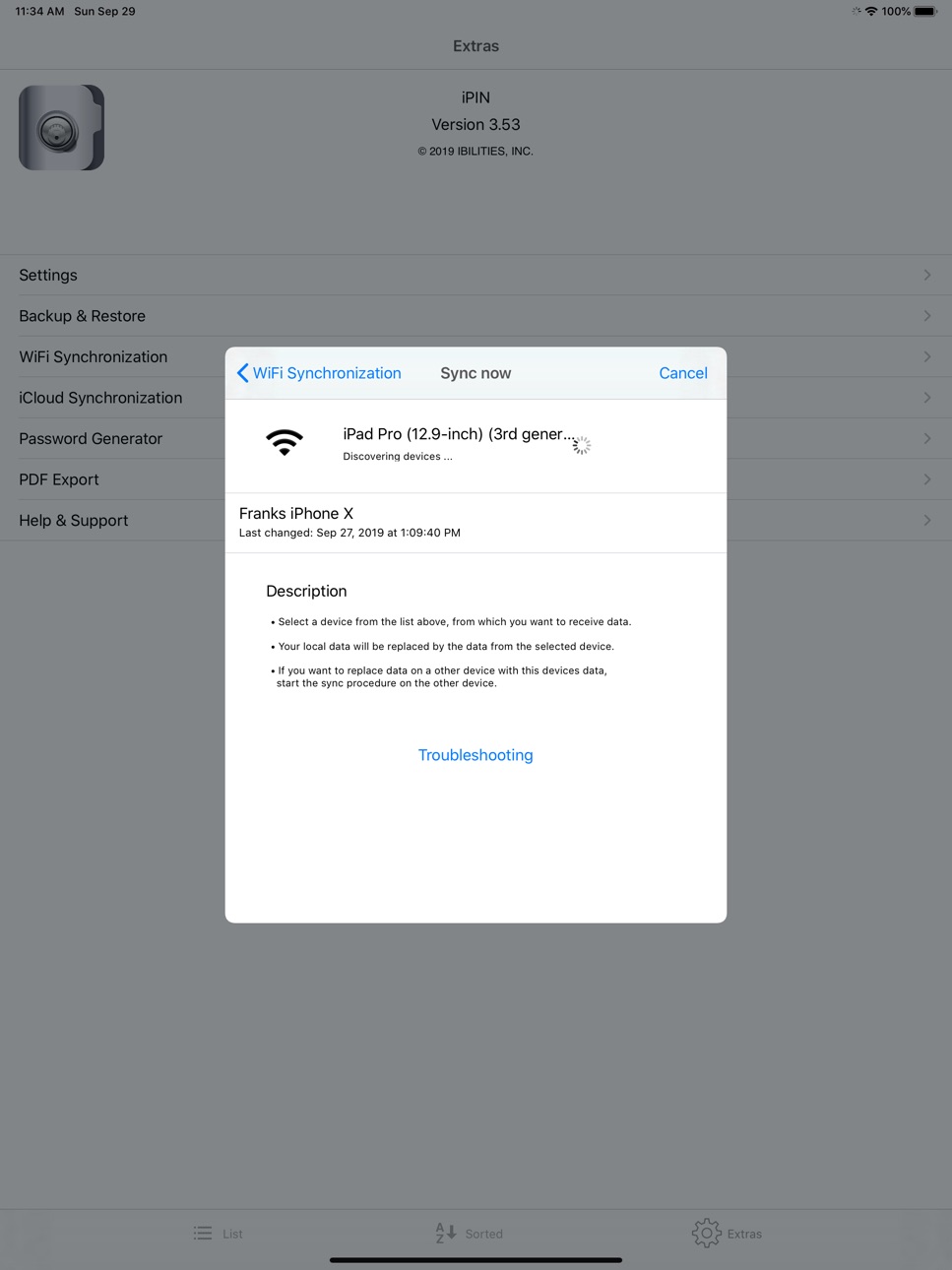
- Simplified data transfer to iPIN2
We highly recommend switching to iPIN2 since this version will be retired!
Description
You have to remember several PINs and passwords? For various credit cards, online-banking, security-token, email accounts and so on?
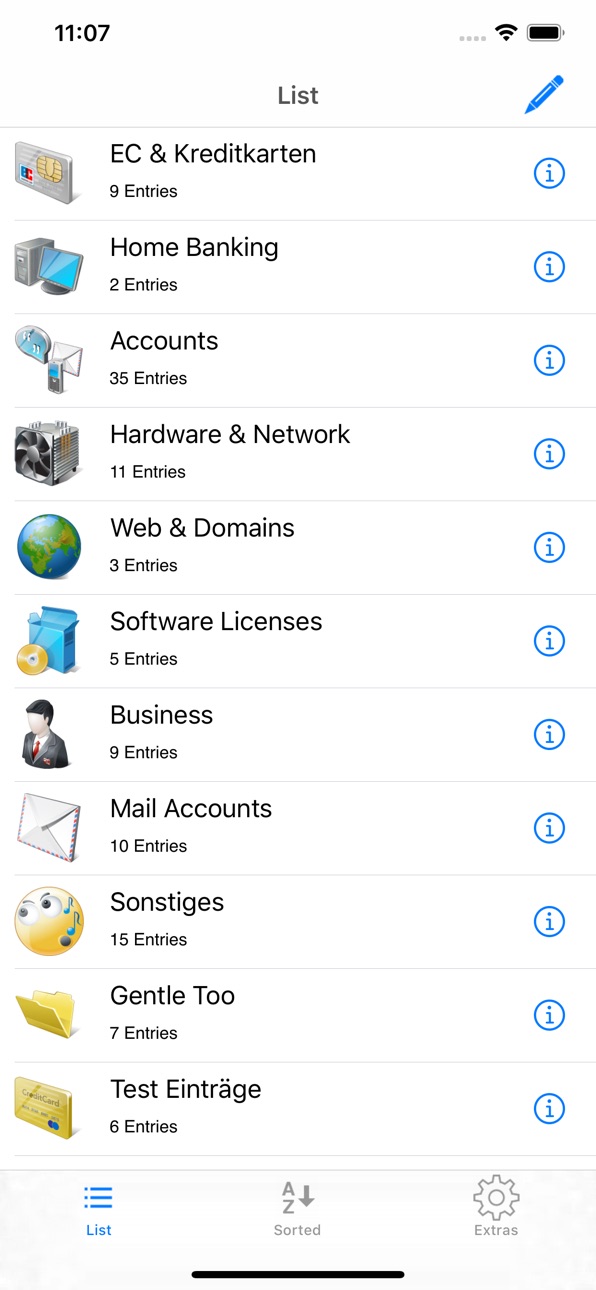
iPIN - and your PINs and passwords are always at hand. Access at lightning speed, as secure as possible and - if you like - also in synch via iCloud at any time on your iPhone, iPod touch, iPad and your Mac OS devices!
* Touch ID & Face ID Login
* iCloud Sync
* WiFi Sync
* Safari Extension
* AutoFill Extension
* Backup & Restore
... and much more
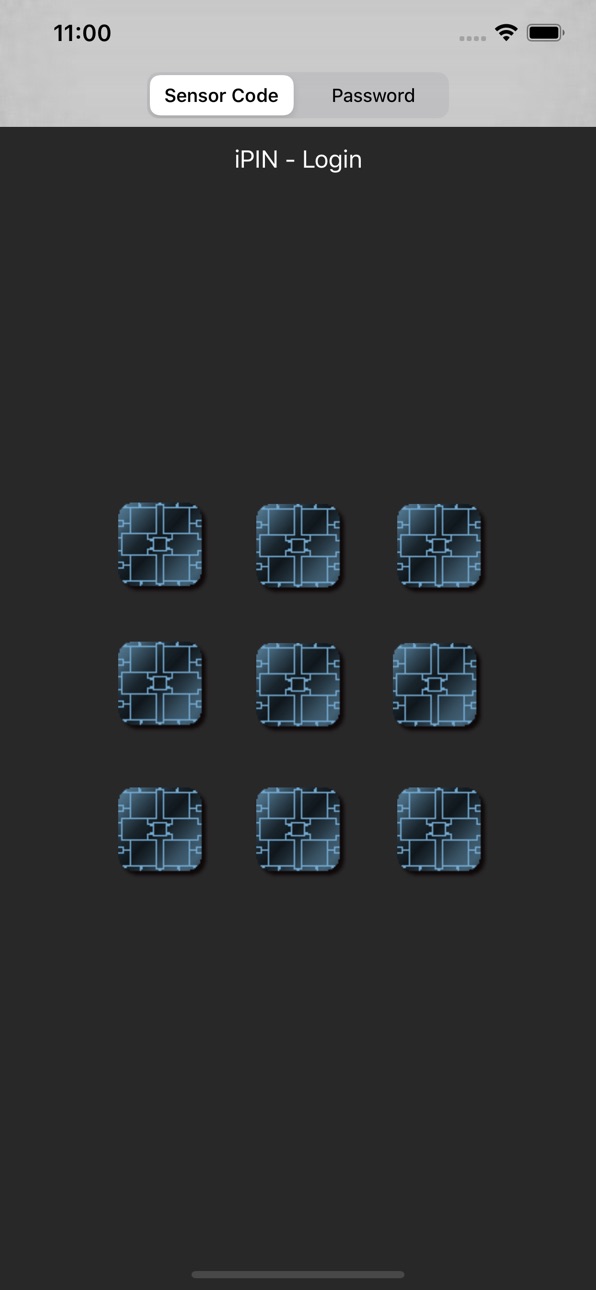
Login with the sensor keyboard
With an innovative sensor keyboard you'll have quick access to all your PINs - without any annoying and time-killing passwords. Just remember a geometrical shape, a digit, an alphabetic character or an individual sensor combination and set up your private sensor code.
You can simply touch a sensor or swipe across multiple sensors at once. Naturally, combinations are allowed and should be used to make your sensor code as secure as possible. The first touch activates the sensor, and with a second touch the sensor becomes deactivated. You can activate and deactivate the sensors as often as you like. Your individual sensor code is calculated by the order in which you have activated and deactivated the sensors and in which way the sensors have been activated and deactivated: single touch or swipe.
Security
Security is of greatest importance! All data (including the data in iCloud if you enable iCloud synchronisation in iPIN) is encrypted with the Advanced Encryption Standard and a key length of 256 bit (abbreviated AES-256). With this state-of-the-art encryption algorithm your private data is protected from unauthorized access - even in the case your iPhone, iPod touch, iPad or Mac gets into the wrong hands.
KISS - keep it simple and secure
iPIN tries to fulfill the KISS principle. iPIN was developed to store and display PINs and passwords - no more and no less. So the focus is on simplicity, clarity and high level of security.
Please don't hesitate to contact us regarding any questions, comments or feature reuests - just send an email to iPIN@ibilities.com.
Visit www.ibilities.com for more detailed information.
You think this App is useful? Well, write a review or tell it a friend :-)
Have a lot of fun with iPIN!
Accessibility
ipadiphonemacrealityDevicetvoswatch
Version history 25 versions
Build 879920377v3.562026-05-29 06:43:10
- Minor bug fixes
- Simplified data transfer to iPIN2
We highly recommend switching to iPIN2 since this version will be retired!
Build 834965115v3.552020-03-05 02:52:59
- Sort entries within a group alphabetically via new menu entry
- Minor Bug Fixes & Improvements
To prevent data loss we highly recommend to create and save an iPIN backup before updating the App!
If you have any technical problems, please contact the support.
We love every review! Including updates ;-)
Build 833338986v3.542019-11-09 13:03:50
- Finally: Welcome to the Dark Mode
- Minor Bug Fixes & Improvements
To prevent data loss we highly recommend to create and save an iPIN backup before updating the App!
If you have any technical problems, please contact the support.
We love every review! Including updates ;-)
Build 832953273v3.532019-10-01 09:54:51
- fixed opening files (PDF's etc.) exclusively in iPIN
We apologize for any inconvenience
To prevent data loss we highly recommend to create and save an iPIN backup before updating the App!
If you have any technical problems, please contact the support.
We love every review! Including updates ;-)
Build 830507577v3.522019-03-06 15:50:05
- Minor Bug Fixes and improvements
To prevent data loss we highly recommend to create and save an iPIN backup before updating the App!
If you have any technical problems, please contact the support.
We love every review! Including updates ;-)
Build 830356658v3.512019-02-20 22:52:48
- Finally: The iPIN AutoFill Extension
- New Setting: Initiate search at start
- Minor bug fixes and improvements
To prevent data loss we highly recommend to create and save an iPIN backup before updating the App!
If you have any technical problems, please contact the support.
We love every review! Including updates ;-)
Build 830328821v3.502019-02-19 15:53:45
- Finally: The iPIN AutoFill Extension
- New Setting: Initiate search at start
- Minor bug fixes and improvements
To prevent data loss we highly recommend to create and save an iPIN backup before updating the App!
If you have any technical problems, please contact the support.
We love every review! Including updates ;-)
Build 827995882v3.432018-07-25 20:36:19
Minor bug fixes and improvements
- Detail view and Icon view display problem on iPhone X and iPhone 8 Plus solved .
- "Open in iPIN" document import problem solved.
- Added file extension asc to import file whitelist.
To prevent data loss we highly recommend to create and save an iPIN backup before updating the App!
If you have any technical problems, please contact the support.
We love every review! Including updates ;-)
Build 827504494v3.422018-06-18 20:44:03
- Finally with iPhone X high-resolution Super Retina display support.
- Bugfixes for document import, export and document icons.
To prevent data loss we highly recommend to create and save an iPIN backup before updating the App!
If you have any technical problems, please contact the support.
We love every review! Including updates ;-)
Build 825396691v3.412017-12-26 15:01:07
Minor bugfixes.
To prevent data loss we highly recommend to create and save an iPIN backup before updating the App!
If you have any technical problems, please contact the support.
We love every review! Including updates ;-)
Build 824423166v3.402017-11-16 19:21:02
Minor bugfixes:
- fixed edit group dialog on iPhone 6/7/8 plus devices
- fixed layout of the alphabetical view
To prevent data loss we highly recommend to create and save an iPIN backup before updating the App!
If you have any technical problems, please contact the support.
We love every review! Including updates ;-)
Build 824331689v3.392017-11-08 22:24:12
- fixed Face ID Login (white screen after login)
- fixed and enhanced pasteboard content identifier (added org.nspasteboard.ConcealedType)
- fixed typo (english version)
To prevent data loss we highly recommend to create and save an iPIN backup before updating the App!
If you have any technical problems, please contact the support.
We love every review! Including updates ;-)
Build 824185562v3.382017-11-02 14:07:17
- Ready for Face ID ;-)
- Touch ID login without fallback to passcode
To prevent data loss we highly recommend to create and save an iPIN backup before updating the App!
If you have any technical problems, please contact the support.
We love every review! Including updates ;-)
Build 822769206v3.372017-07-06 16:51:45
- Minor bug fixes
- Added bundle identifier 'com.ibilities.iPIN' for pasteboard items created by iPIN (requested by SnipNotes - a very nice app!)
To prevent data loss we highly recommend to create and save an iPIN backup before updating the App!
If you have any technical problems, please contact the support.
We love every review! Including updates ;-)
Build 821389711v3.362017-03-21 14:49:07
Fixed crash under iOS version < 10.0 and activated Touch ID login
To prevent data loss we highly recommend to create and save an iPIN backup before updating the App!
If you have any technical problems, please contact the support.
We love every review! Including updates ;-)
Build 821332669v3.352017-03-16 17:51:36
Improved Setup and Minor Bug Fixes
To prevent data loss we highly recommend to create and save an iPIN backup before updating the App!
If you have any technical problems, please contact the support.
We love every review! Including updates ;-)
Build 815529619v3.342015-12-28 21:36:30
Major Bugfix: Change password could cause data loss on other devices when iCloud sync was enabled
To prevent data loss we highly recommend to create and save an iPIN backup before updating the App!
If you have any technical problems, please contact the support.
We love every review! Including updates ;-)
Build 815155883v3.332015-12-16 02:15:40
- Minor bugfixes and improvements
- Preparation for new iPIN family member (coming soon)
We love every review! Including updates ;-)
If you have any technical problems, please contact the support.
Build 813423054v3.322015-10-01 15:59:42
- Bugfix for iPIN Touch ID Login and Clipboard for iOS 9
We love every review ;-)
If you have any technical problems, please contact the support.
Build 811804163v3.312015-02-24 18:47:40
- Bugfix for iPIN Safari Extension: crash mostly occurred on older devices
- URL Schema Support: Start iPIN via URL schema (for example ipin://startApp)
- Minor improvements and bugfixes
To prevent data loss we highly recommend to create and save an iPIN backup before updating the App!
We love every review! If you have any technical problems, please contact the support.
Build 811722083v3.302015-02-12 03:03:30
- iPIN Safari Extension: auto-fill web login forms with username & password stored in iPIN
- Reordering fields: reorder existing fields in the edit dialog via drag & drop
To prevent data loss we highly recommend to create and save an iPIN backup before updating the App!
We love every review! If you have any technical problems, please contact the support.
Build 787932679v3.202014-11-16 20:51:05
- Support for iPhone 6 und 6 Plus
- New setting for entry selection behavior: open detail view or security display
- Manage your PDF exports in iPIN (delete, view, export, print, share)
- Export existing iPIN backup files
- Document support for xml and pfx files
- Minor improvements and bugfixes
To prevent data loss we highly recommend to create and save an iPIN backup before updating the App!
We love every review! If you have any technical problems, please contact the support.
Build 716702709v3.00.12014-09-24 00:02:56
The greatest update ever with a lot of new features:
- Touch ID Login with iOS 8
- Custom Fields
- More Templates
- Completely revised edit dialogs
- New Copy-To-Clipboard functionality: simply touch the value in the detail view
- Duplicate entries
- New context menu in the list views
- Minor improvements and bugfixes
Update 3.00.1 (HotFix)
- Adding entries on the iPad possible again
- Fixed crash after deleting a backup file
- Activating Touch ID Login now works reliable
We apologize for the inconvenience! And please don't forget to update your Review!
To prevent data loss we highly recommend to create and save an iPIN backup before updating the App!
Build 701662701v3.002014-09-19 19:09:47
The greatest update ever with a lot of new features:
- Touch ID Login with iOS 8
- Custom Fields
- More Templates
- Completely revised edit dialogs
- New Copy-To-Clipboard functionality: simply touch the value in the detail view
- Duplicate entries
- New context menu in the list views
- Minor improvements and bugfixes
To prevent data loss we highly recommend to create and save an iPIN backup before updating the App!
Attention: We have tow known bugs in this version:
1. Adding entries on the iPad doesn't work
2. Touch ID Login sometimes won't work
An update will be available as soon as possible. We apologize for the inconvenience!
Build 596802646v2.362014-06-13 12:30:43
- Restructuring of the settings
- Minor improvements and bugfixes
- Internal preparations for custom fields (comes with the next version)
To prevent data loss we highly recommend to create and save an iPIN backup before updating the App!
No pricing data captured yet — comparisons appear once the app has paid storefronts or in-app purchases.
Availability 1 of 1 storefronts
| Region | Language | Price | Ratings | Avg | Version |
|---|---|---|---|---|---|
| US | en-US | Free | 18 | 4.7 | 3.56 |
Change log 29 changes · US
✎
releaseNotes updated
- Minor bug fixes
- Simplified data transfer to iPIN2
We highly recommend switching to iPIN2 since this version will be retired!
✎
description updated
You have to remember several PINs and passwords? For various credit cards, online-banking, security-token, email accounts and so on?
iPIN - and your PINs and
✎
subtitle updated
Secure PIN & Password Safe
✎
name updated
iPIN - Password Safe
◆
Version 3.56 released
- Minor bug fixes
- Simplified data transfer to iPIN2
We highly recommend switching to iPIN2 since this version will be retired!
◆
Version 3.55 released
- Sort entries within a group alphabetically via new menu entry
- Minor Bug Fixes & Improvements
To prevent data loss we highly recommend to create and save an iPIN backup before updating the App!
If you have any technical problems, ple
◆
Version 3.54 released
- Finally: Welcome to the Dark Mode
- Minor Bug Fixes & Improvements
To prevent data loss we highly recommend to create and save an iPIN backup before updating the App!
If you have any technical problems, please contact the support.
We
◆
Version 3.53 released
- fixed opening files (PDF's etc.) exclusively in iPIN
We apologize for any inconvenience
To prevent data loss we highly recommend to create and save an iPIN backup before updating the App!
If you have any technical problems, please con
◆
Version 3.52 released
- Minor Bug Fixes and improvements
To prevent data loss we highly recommend to create and save an iPIN backup before updating the App!
If you have any technical problems, please contact the support.
We love every review! Including updat
◆
Version 3.51 released
- Finally: The iPIN AutoFill Extension
- New Setting: Initiate search at start
- Minor bug fixes and improvements
To prevent data loss we highly recommend to create and save an iPIN backup before updating the App!
If you have any technic
◆
Version 3.50 released
- Finally: The iPIN AutoFill Extension
- New Setting: Initiate search at start
- Minor bug fixes and improvements
To prevent data loss we highly recommend to create and save an iPIN backup before updating the App!
If you have any techni
◆
Version 3.43 released
Minor bug fixes and improvements
- Detail view and Icon view display problem on iPhone X and iPhone 8 Plus solved .
- "Open in iPIN" document import problem solved.
- Added file extension asc to import file whitelist.
To prevent data loss
◆
Version 3.42 released
- Finally with iPhone X high-resolution Super Retina display support.
- Bugfixes for document import, export and document icons.
To prevent data loss we highly recommend to create and save an iPIN backup before updating the App!
If you ha
◆
Version 3.41 released
Minor bugfixes.
To prevent data loss we highly recommend to create and save an iPIN backup before updating the App!
If you have any technical problems, please contact the support.
We love every review! Including updates ;-)
◆
Version 3.40 released
Minor bugfixes:
- fixed edit group dialog on iPhone 6/7/8 plus devices
- fixed layout of the alphabetical view
To prevent data loss we highly recommend to create and save an iPIN backup before updating the App!
If you have any technical
◆
Version 3.39 released
- fixed Face ID Login (white screen after login)
- fixed and enhanced pasteboard content identifier (added org.nspasteboard.ConcealedType)
- fixed typo (english version)
To prevent data loss we highly recommend to create and save an iPIN b
◆
Version 3.38 released
- Ready for Face ID ;-)
- Touch ID login without fallback to passcode
To prevent data loss we highly recommend to create and save an iPIN backup before updating the App!
If you have any technical problems, please contact the support.
We
◆
Version 3.37 released
- Minor bug fixes
- Added bundle identifier 'com.ibilities.iPIN' for pasteboard items created by iPIN (requested by SnipNotes - a very nice app!)
To prevent data loss we highly recommend to create and save an iPIN backup before updating t
◆
Version 3.36 released
Fixed crash under iOS version < 10.0 and activated Touch ID login
To prevent data loss we highly recommend to create and save an iPIN backup before updating the App!
If you have any technical problems, please contact the support.
We love
◆
Version 3.35 released
Improved Setup and Minor Bug Fixes
To prevent data loss we highly recommend to create and save an iPIN backup before updating the App!
If you have any technical problems, please contact the support.
We love every review! Including update
◆
Version 3.34 released
Major Bugfix: Change password could cause data loss on other devices when iCloud sync was enabled
To prevent data loss we highly recommend to create and save an iPIN backup before updating the App!
If you have any technical problems, ple
◆
Version 3.33 released
- Minor bugfixes and improvements
- Preparation for new iPIN family member (coming soon)
We love every review! Including updates ;-)
If you have any technical problems, please contact the support.
◆
Version 3.32 released
- Bugfix for iPIN Touch ID Login and Clipboard for iOS 9
We love every review ;-)
If you have any technical problems, please contact the support.
◆
Version 3.31 released
- Bugfix for iPIN Safari Extension: crash mostly occurred on older devices
- URL Schema Support: Start iPIN via URL schema (for example ipin://startApp)
- Minor improvements and bugfixes
To prevent data loss we highly recommend to create
◆
Version 3.30 released
- iPIN Safari Extension: auto-fill web login forms with username & password stored in iPIN
- Reordering fields: reorder existing fields in the edit dialog via drag & drop
To prevent data loss we highly recommend to create and save an iPIN
◆
Version 3.20 released
- Support for iPhone 6 und 6 Plus
- New setting for entry selection behavior: open detail view or security display
- Manage your PDF exports in iPIN (delete, view, export, print, share)
- Export existing iPIN backup files
- Document suppor
◆
Version 3.00.1 released
The greatest update ever with a lot of new features:
- Touch ID Login with iOS 8
- Custom Fields
- More Templates
- Completely revised edit dialogs
- New Copy-To-Clipboard functionality: simply touch the value in the detail view
- Duplic
◆
Version 3.00 released
The greatest update ever with a lot of new features:
- Touch ID Login with iOS 8
- Custom Fields
- More Templates
- Completely revised edit dialogs
- New Copy-To-Clipboard functionality: simply touch the value in the detail view
- Dupli
◆
Version 2.36 released
- Restructuring of the settings
- Minor improvements and bugfixes
- Internal preparations for custom fields (comes with the next version)
To prevent data loss we highly recommend to create and save an iPIN backup before updating the App!