Home › Productivity

SimpleMind Pro - Mind Mapping
Capture your ideas and notes
 US
US
USen-US DEde-DE
 KRko
KRko JPja
JPja GBen-GB
 FRfr-FR
 BRpt-BR
 ITit
ITit CAen-CA
 CNzh-Hans-CN
 MXes-MX
 CHde-CH
 TWzh-Hant-TW
 NLnl
NLnl AUen-AU
 ESes-ES
 VNen-GB
 BEen-GB
 COes-MX
 HKzh-Hant-HK
 ATde-DE
 CLes-MX
 SEsv
SEsv DKen-GB
 TRen-GB
 PLen-GB
 FIen-GB
 MYen-GB
 ARes-MX
 PHen-GB
 NZen-AU
 SKen-GB
 AEen-GB
 EGen-GB
 IEen-GB
 PEes-MX
 GRen-GB
 NOen-GB
 CRes-MX
 KWen-GB
 LUen-GB
 PTpt-PT
 ECes-MX
 GTes-MX
 KZen-GB
 BOes-MX
 JOen-GB
 KHen-GB
 LVen-GB
 NGen-GB
 ROen-GB
 SIen-GB
 TTen-GB
 DOes-MX
 EEen-GB
 GHen-GB
 KEen-GB
 LAen-GB
 LCen-GB
 MAen-GB
 PAes-MX
 PKen-GB
 PYes-MX
 UYen-GB
 AFen-GB
 AGen-GB
 AIen-GB
 ALen-GB
 AMen-GB
 AOen-GB
 BAen-GB
 BBen-GB
 BFen-GB
 BHen-GB
 BJen-GB
 BSen-GB
 BTen-GB
 BWen-GB
 BZen-GB
 CDen-GB
 CGen-GB
 CIfr-FR
 CMfr-FR
 CVen-GB
 CYen-GB
 DMen-GB
 DZen-GB
 FMen-GB
 GAfr-FR
 GDen-GB
 GMen-GB
 GWen-GB
 GYen-GB
 HNes-MX
 HRen-GB
 ISen-GB
 JMen-GB
 KNen-GB
 KYen-GB
 LRen-GB
 LTen-GB
 LYen-GB
 MDen-GB
 MEen-GB
 MGen-GB
 MKen-GB
 MLen-GB
 MNen-GB
 MOzh-Hant-HK
 MRen-GB
 MSen-GB
 MTen-GB
 MUen-GB
 MWen-GB
 MZen-GB
 NAen-GB
 NEen-GB
 NIes-MX
 NPen-GB
 OMen-GB
 PGen-GB
 PWen-GB
 RWen-GB
 SBen-GB
 SCen-GB
 SLen-GB
 SNen-GB
 SRen-GB
 STen-GB
 SVes-MX
 SZen-GB
 TCen-GB
 TDen-GB
 TJen-GB
 TNen-GB
 TZen-GB
 UGen-GB
 VCen-GB
 VEes-MX
 VGen-GB
 XKen-GB
 YEen-GB
 ZMen-GB
 ZWen-GB
144 of 144 storefronts
Content in en-US
Content in en-US
Information
Preview 2 platforms
iPhone 10 images


iPad 10 images


What’s New Version 2.9.2
• Background Patterns enhance visual appearance of your mind maps.
• Automatically add a Progress Bar when two or more child topics have a checkbox.
• Faster Checklists: Checking or unchecking a topic no longer auto-selects it
• Split topic text into a new sibling topic.
• Set default layout for Central Theme and Imports in Preferences.
• Add web links with web page descriptions.
• Compatibility update
Description
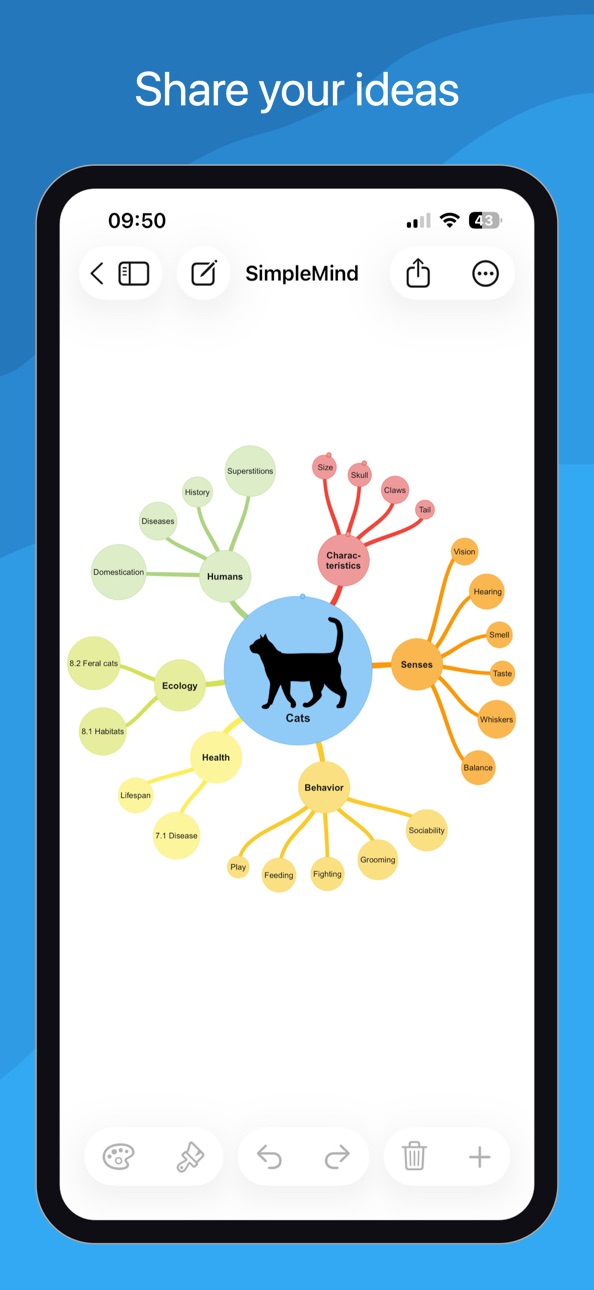
Mind mapping helps you organize your thoughts, remember information and generate new ideas. We've created a beautiful, intuitive app, so you can mind map wherever you are and whenever you want.
SimpleMind Pro is designed to synchronize your Mind Maps across platforms. For example (as a separate purchase) for Mac - https://simplemind.eu/download/full-edition/
Highlights
• Easy to use.
• Continuously fine-tuned based on customer feedback.
• Trustworthy and reliable: 15+ years of updates and improvements.
• Used in a wide range of applications: business, education, legal and medical.
• Unique free-form layout or various auto layouts.
• Seamless synchronization using clouds.
• Add media and documents.
• Share Mind Maps.
• Change and customize the style of the Mind Map.
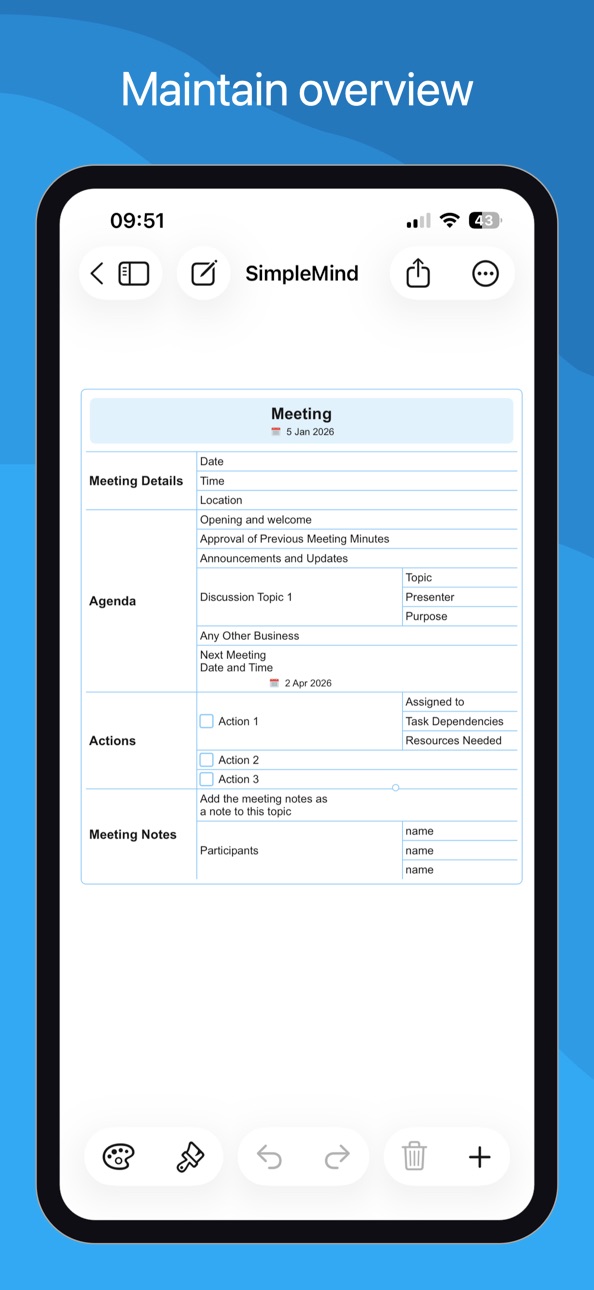
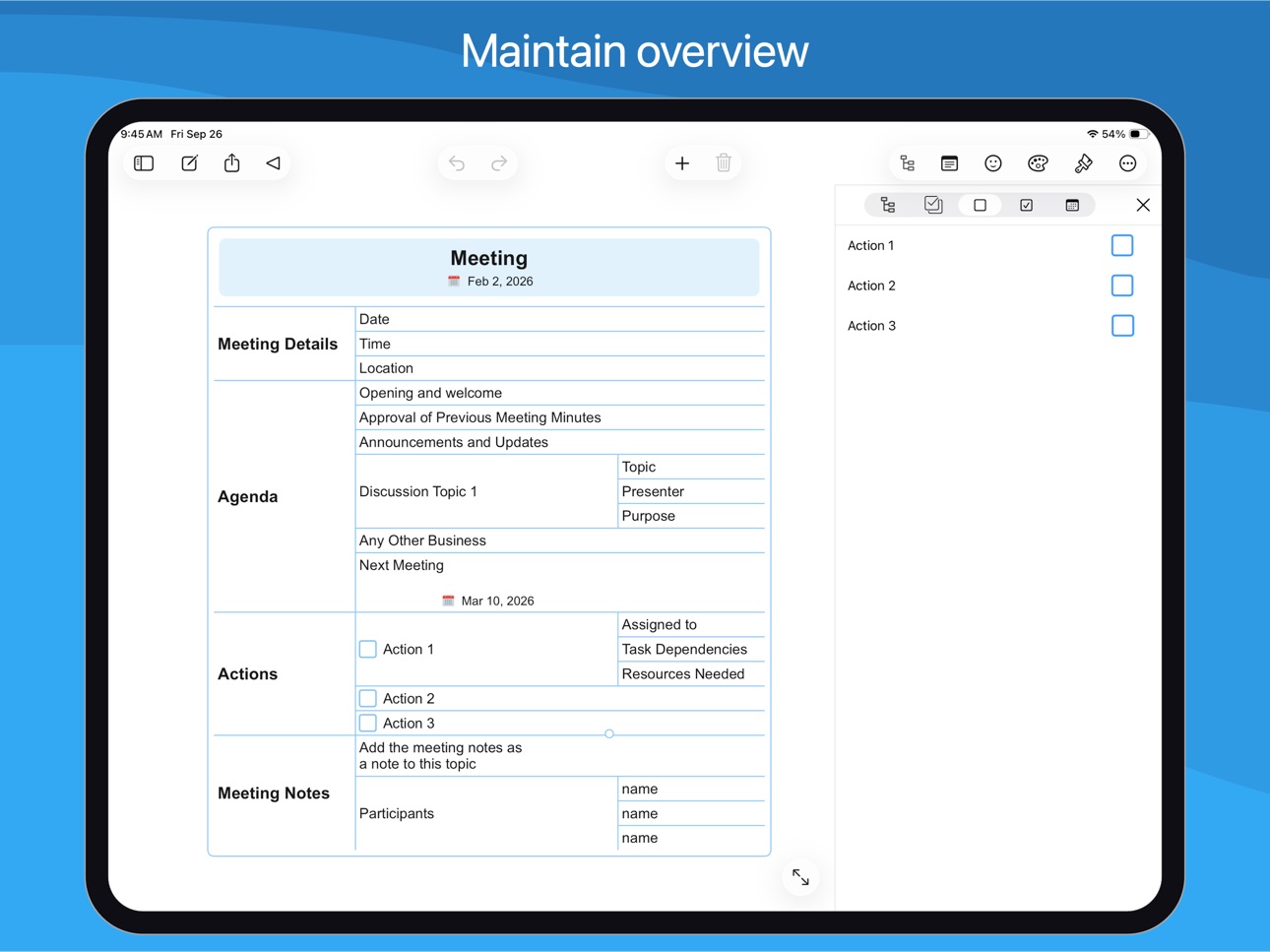
• Tools to help you maintain overview.
Create
○ place topics anywhere you want in the free-form layout
○ or use auto layout - great for brainstorming
○ reorganize and restructure using drag, rotate, re-arrange or reconnect
○ use checkboxes, progress bars, auto-numbering
○ connect any two topics with a crosslink
○ label relations
○ virtually unlimited page size and number of elements
○ supports multiple Mind Maps on one page
Add media and documents
○ images and photos
○ notes
○ icons (stock, emojis or custom)
○ link to a topic, mind map, contact, file or webpage
○ voice memos
○ videos
Seamless synchronization using clouds
○ sync mind maps with your iPads and iPhones
○ sync mind maps across platforms. For example with Mac - as a separate purchase
○ sync using iCloud, Dropbox, OneDrive, 坚果云 - Nutstore and Nextcloud
Share your Mind Map
○ for example as PDF or Image
○ outline, can be imported in word processors
○ create a slideshow to present your Mind Map (Tablet only)
○ print
○ export to Reminders or Calendar
Style your mind map
○ change the appearance by selecting one of the 15+ style sheets
○ create your own style sheets
○ style every detail, exactly how you want it
○ change borders, lines, colors, background color, the checkbox color, and much more
Maintain overview
○ collapse and expand branches
○ hide or show branches or topics
○ block out distractions with autofocus
○ highlight branches by displaying branch borders
○ visually group topics with group borders
○ organize your Mind Maps in folders
○ outline view
○ search
Accessibility
ipadiphonemacrealityDevicetvoswatch
Version history 25 versions
Build 885272062v2.9.22026-05-06 07:24:34
• Background Patterns enhance visual appearance of your mind maps.
• Automatically add a Progress Bar when two or more child topics have a checkbox.
• Faster Checklists: Checking or unchecking a topic no longer auto-selects it
• Split topic text into a new sibling topic.
• Set default layout for Central Theme and Imports in Preferences.
• Add web links with web page descriptions.
• Compatibility update
Build 883832506v2.9.02026-03-30 07:35:45
• Background Patterns enhance visual appearance of your mind maps.
• Automatically add a Progress Bar when two or more child topics have a checkbox.
• Faster Checklists: Checking or unchecking a topic no longer auto-selects it
• Split topic text into a new sibling topic.
• Set default layout for Central Theme and Imports in Preferences.
• Add web links with web page descriptions.
Build 882292442v2.8.22026-02-17 07:45:23
Service update: Minor bug fixes and improvements
Build 881427457v2.8.12026-01-26 17:34:46
Service update: Minor bug fixes and improvements
Build 878727431v2.8.02025-11-19 08:39:12
Full compatibility and optimization for iOS 26, modernized UI
Smart Roll-Up Detection. The parent topic changes to a Roll-Up Progress Bar if all child topics have checkboxes.
Enhanced OPML import. Import .opml with checkboxes (checked or unchecked).
Improved Sibling Tool. Long-press the sibling tool to choose between Add Sibling (below topic) or Insert Sibling (above topic).
Floating Window Support. Supports the free adjustment and resizing of windows.
If available SimpleMind now uses high resolution images in the Editor. Controlled via Preferences – Image Options.
Build 875658893v2.7.02025-06-18 07:46:53
• Horizontal layout direction added: “Automatic Clockwise”.
• When sharing (as .pdf and .png) and printing SimpleMind exports with high resolution images when available.
• Updated Dropbox support to assure continuing integration with Dropbox.
• General improvements and bug fixes.
Build 872464089v2.6.02025-02-17 08:33:20
• Share mind maps via the “Share” button, making it easier to share to mail and messages apps.
• “Delete Single Topic” added in the Topic Toolbar. Delete a single topic only, without deleting the whole branch.
• Tinted Note Indicators, the note indicator adjusts to the color of the topic.
• Command “Editor Mode” can be added on the iPad toolbar.
• Improved Importing non-native files.
• Pasting .opml improved.
• Open non-native files (.opml, .mm, .txt, .itmz) from SimpleMind Files explorer.
• General improvements and minor bug fixes.
Build 868807118v2.5.02024-09-25 08:29:57
• Due to recent changes in Google’s security policies, built-in support for Google Drive is no longer available. We would have loved to continue supporting Google Drive, but it’s no longer possible. Check our web site for details.
• Add a linked image inside a topic.
• Move images inside/ outside a topic by using the Topic and Image toolbars.
• New Images are cropped to a rounded shape by default.
Build 866238635v2.4.02024-06-11 06:31:14
• Spotlight Search support – use Spotlight to search for text in mind maps – including notes.
• Sort Children: sorts child topics alphabetically.
• Importing the basics of iThoughts files (*.itmz): hierarchy, text, notes, navigation links, icons and images in topics.
• Customize Topic Toolbar – show only the commands relevant to you on the topic toolbar.
Build 864901398v2.3.42024-04-04 08:08:09
Service Update: many minor improvements and bug fixes.
Build 864223847v2.3.32024-03-07 07:46:12
• New Layout Mode picker on iPad.
• Improved contrast in Auto Focus and Search modes.
• Updated built-in Dropbox integration ensuring continued support.
• Service update, many minor improvements and bugs fixed.
Build 863104735v2.3.22024-01-23 07:54:06
• Switch to another layout scheme inside an auto layout. For example start in horizontal layout and switch to a linear layout.
• On iPad: improved layout options picker.
• On iPad: customize toolbar commands.
• On iPhone: full screen command available on toolbar.
• Labels are included in outline exports and when copying as text.
• General improvements and bug fixes.
Build 863085537v2.3.12024-01-22 17:46:15
• Switch to another layout scheme inside an auto layout. For example start in horizontal layout and switch to a linear layout.
• On iPad: improved layout options picker.
• On iPad: customize toolbar commands.
• On iPhone: full screen command available on toolbar.
• Labels are included in outline exports and when copying as text.
• General improvements and bug fixes.
Build 862212948v2.3.02024-01-08 08:06:07
• Switch to another layout scheme inside an auto layout. For example start in horizontal layout and switch to a linear layout.
• On iPad: customize toolbar commands.
• On iPhone: full screen command available on toolbar.
• Labels are included in outline exports and when copying as text.
• General improvements and minor bug fixes.
Build 858030374v2.2.02023-08-28 06:01:36
• New Matrix auto layout, great for displaying information compact.
• Add Labels in Topics to add additional information
• Automatic Left/Right Text Alignment in auto-layouts. Optionally disable this via Preferences | General.
• Create a New Mind Map from what’s copied to your Clipboard.
• Use your downloaded custom fonts in Preferences – Fonts.
• Turkish Language supported.
Build 856367415v2.1.12023-04-19 06:47:41
• Images can be cropped to a shape: circle, rounded etc.
• Add multiple cross-links between any two topics.
• Exchange with ChatGPT using Copy & Paste
• Creating a new Mind Map on iCloud Drive lets you input the file name.
• Full text search on iCloud Drive supported.
• Minor bug fixes and improvements
Build 855804028v2.1.02023-04-11 07:34:18
• Images can be cropped to a shape: circle, rounded etc.
• Add multiple cross-links between any two topics.
• Creating a new Mind Map on iCloud Drive lets you input the file name.
• Full text search on iCloud Drive supported.
• Minor bug fixes and improvements
Build 854183976v2.0.02023-01-09 08:08:06
• Native iCloud support
• Link to mind maps and documents in iCloud
• iOS 16 supported
• General improvements and minor bug fixes.
Build 852104371v1.32.12022-09-10 07:17:12
• “Add Image in Topic” or “Add Image” adds the image directly to the mind map. No need to select thumbnail size or the linked image size.
• The image now maintains the same quality when resizing. Enlarging the image increases the number of pixels ensuring the image still looks good.
• An “Image in Topic” can be as large as 640*640.
• “Add Linked Image” adds an image as in previous versions: a thumbnail in the mind map opens a full-size image.
• Use Preferences to set the default size and density for new images.
• On iPad, view and edit Notes in a Note panel on the right side of the screen. Use “Note” in the menu to open or close the panel.
• Linking to documents is now available in the Local and the Files tab. Add links to documents on your device or iCloud etc., links can be opened on that device only.
• Linking to mind maps is now available in the Files tab as well. Links can be opened on that device only.
• Improved look of Labels.
• SimpleMind supports Quick Look thumbnails and previews. When using the Files app (or other apps that support Quick Look) you’ll see a thumbnail or preview for .smmx Mind Map files.
• General improvements and minor bug fixes.
• iOS 11/12 related crash bug fixed.
Build 851289203v1.32.02022-09-07 12:47:58
• “Add Image in Topic” or “Add Image” adds the image directly to the mind map. No need to select thumbnail size or the linked image size.
• The image now maintains the same quality when resizing. Enlarging the image increases the number of pixels ensuring the image still looks good.
• An “Image in Topic” can be as large as 640*640.
• “Add Linked Image” adds an image as in previous versions: a thumbnail in the mind map opens a full-size image.
• Use Preferences to set the default size and density for new images.
• On iPad, view and edit Notes in a Note panel on the right side of the screen. Use “Note” in the menu to open or close the panel.
• Linking to documents is now available in the Local and the Files tab. Add links to documents on your device or iCloud etc., links can be opened on that device only.
• Linking to mind maps is now available in the Files tab as well. Links can be opened on that device only.
• Improved look of Labels.
• SimpleMind supports Quick Look thumbnails and previews. When using the Files app (or other apps that support Quick Look) you’ll see a thumbnail or preview for .smmx Mind Map files.
• General improvements and minor bug fixes.
Build 845774611v1.31.02022-01-10 10:04:47
• The style sheets have been updated with a fresh new look.
• The built-in style sheets support dark mode, meaning if you switch to dark mode the style sheet will as well.
• Making your own custom style sheets has been made easier with the new stylesheet editor.
• Advanced Search options added - search for icon, checkbox or date.
• General improvements and minor bug fixes.
Build 844838652v1.30.32021-11-08 08:56:54
• Edit (embedded) Apple Pencil drawings
• Support for screenshots to capture the entire mind map as a Full Page PDF.
• Bugs reported on v1.30.2 fixed
Build 844651151v1.30.22021-10-16 09:30:25
• Bugs reported on v1.30.0 fixed
• Add Apple pencil drawings as images.
• Use the new Full Screen Button to easily switch to full screen.
• The icon inspector shows recently used icons and all icons used in this mind map.
• Reorder stocks icons and stylesheets.
• Google Drive now includes “Shared with me”.
• Word wrap improved for far east languages.
• Maximum thumbnail size increased to 640 pixels.
• Thumbnails can be locked to a fixed position via the lock icon.
• Swipe from the side to open the list with mind maps. Swipe from other side to open the inspector.
Build 842699258v1.30.02021-10-11 09:17:46
• Add Apple pencil drawings as images.
• Use the new Full Screen Button to easily switch to full screen.
• The icon inspector shows recently used icons and all icons used in this mind map.
• Reorder stocks icons and stylesheets.
• Google Drive now includes “Shared with me”.
• Word wrap improved for far east languages.
• Maximum thumbnail size increased to 640 pixels.
• Thumbnails can be locked to a fixed position via the lock icon.
• Swipe from the side to open the list with mind maps. Swipe from other side to open the inspector.
Build 842525955v1.29.22021-06-05 20:19:31
Fixed issue that only occurs on iPads running iOS 12
Price history by region
Currency
Show
Columns
Search
Availability 144 of 144 storefronts
| Region | Language | Price | Ratings | Avg | Version |
|---|---|---|---|---|---|
| US | en-US | USD 10.99 | 447 | 4.7 | 2.9.2 |
| DE | de-DE | EUR 11.99 | 228 | 4.5 | 2.9.2 |
| KR | ko | KRW 17000 | 194 | 4.5 | 2.9.2 |
| JP | ja | JPY 1800 | 134 | 4.4 | 2.9.2 |
| GB | en-GB | GBP 9.99 | 114 | 4.7 | 2.9.2 |
| FR | fr-FR | EUR 11.99 | 102 | 4.6 | 2.9.2 |
| BR | pt-BR | BRL 69.9 | 87 | 4.5 | 2.9.2 |
| IT | it | EUR 11.99 | 80 | 4.3 | 2.9.2 |
| CA | en-CA | CAD 14.99 | 72 | 4.7 | 2.9.2 |
| CN | zh-Hans-CN | CNY 78 | 72 | 4.3 | 2.9.2 |
| MX | es-MX | MXN 229 | 68 | 4.6 | 2.9.2 |
| CH | de-CH | CHF 10 | 56 | 4.4 | 2.9.2 |
| TW | zh-Hant-TW | TWD 390 | 55 | 4.6 | 2.9.2 |
| NL | nl | EUR 11.99 | 48 | 4.7 | 2.9.2 |
| AU | en-AU | AUD 17.99 | 46 | 4.8 | 2.9.2 |
| ES | es-ES | EUR 11.99 | 36 | 4.6 | 2.9.2 |
| VN | en-GB | VND 349000 | 26 | 4.8 | 2.9.2 |
| BE | en-GB | EUR 11.99 | 25 | 4.8 | 2.9.2 |
| CO | es-MX | COP 49900 | 23 | 4.8 | 2.9.2 |
| HK | zh-Hant-HK | HKD 88 | 23 | 4.7 | 2.9.2 |
| AT | de-DE | EUR 11.99 | 21 | 4.7 | 2.9.2 |
| CL | es-MX | CLP 11990 | 18 | 4.6 | 2.9.2 |
| SE | sv | SEK 149 | 18 | 4.4 | 2.9.2 |
| DK | en-GB | DKK 99 | 17 | 4.7 | 2.9.2 |
| TR | en-GB | TRY 599.99 | 14 | 4.4 | 2.9.2 |
| PL | en-GB | PLN 49.99 | 13 | 4.8 | 2.9.2 |
| FI | en-GB | EUR 11.99 | 11 | 4.5 | 2.9.2 |
| MY | en-GB | MYR 49.9 | 11 | 4.3 | 2.9.2 |
| AR | es-MX | USD 10.99 | 9 | 4.4 | 2.9.2 |
| PH | en-GB | PHP 699 | 8 | 4.6 | 2.9.2 |
| NZ | en-AU | NZD 19.99 | 7 | 5.0 | 2.9.2 |
| SK | en-GB | EUR 11.99 | 7 | 4.3 | 2.9.2 |
| AE | en-GB | AED 39.99 | 6 | 5.0 | 2.9.2 |
| EG | en-GB | EGP 599.99 | 6 | 4.7 | 2.9.2 |
| IE | en-GB | EUR 11.99 | 6 | 4.5 | 2.9.2 |
| PE | es-MX | PEN 49.9 | 6 | 3.8 | 2.9.2 |
| GR | en-GB | EUR 11.99 | 5 | 3.0 | 2.9.2 |
| NO | en-GB | NOK 149 | 5 | 4.8 | 2.9.2 |
| CR | es-MX | USD 10.99 | 4 | 4.8 | 2.9.2 |
| KW | en-GB | USD 10.99 | 4 | 3.8 | 2.9.2 |
| LU | en-GB | EUR 11.99 | 4 | 4.8 | 2.9.2 |
| PT | pt-PT | EUR 11.99 | 4 | 4.5 | 2.9.2 |
| EC | es-MX | USD 10.99 | 3 | 4.3 | 2.9.2 |
| GT | es-MX | USD 10.99 | 3 | 4.7 | 2.9.2 |
| KZ | en-GB | KZT 5990 | 3 | 5.0 | 2.9.2 |
| BO | es-MX | USD 10.99 | 2 | 5.0 | 2.9.2 |
| JO | en-GB | USD 10.99 | 2 | 4.5 | 2.9.2 |
| KH | en-GB | USD 11.99 | 2 | 5.0 | 2.9.2 |
| LV | en-GB | EUR 11.99 | 2 | 5.0 | 2.9.2 |
| NG | en-GB | NGN 17900 | 2 | 5.0 | 2.9.2 |
| RO | en-GB | RON 59.99 | 2 | 3.0 | 2.9.2 |
| SI | en-GB | EUR 11.99 | 2 | 4.0 | 2.9.2 |
| TT | en-GB | USD 10.99 | 2 | 4.5 | 2.9.2 |
| DO | es-MX | USD 10.99 | 1 | 5.0 | 2.9.2 |
| EE | en-GB | EUR 11.99 | 1 | 1.0 | 2.9.2 |
| GH | en-GB | USD 12.99 | 1 | 5.0 | 2.9.2 |
| KE | en-GB | USD 12.99 | 1 | 4.0 | 2.9.2 |
| LA | en-GB | USD 11.99 | 1 | 5.0 | 2.9.2 |
| LC | en-GB | USD 10.99 | 1 | 5.0 | 2.9.2 |
| MA | en-GB | USD 10.99 | 1 | 5.0 | 2.9.2 |
| PA | es-MX | USD 10.99 | 1 | 5.0 | 2.9.2 |
| PK | en-GB | PKR 2900 | 1 | 5.0 | 2.9.2 |
| PY | es-MX | USD 10.99 | 1 | 5.0 | 2.9.2 |
| UY | en-GB | USD 10.99 | 1 | 4.0 | 2.9.2 |
| AF | en-GB | USD 10.99 | 0 | — | 2.9.2 |
| AG | en-GB | USD 10.99 | 0 | — | 2.9.2 |
| AI | en-GB | USD 10.99 | 0 | — | 2.9.2 |
| AL | en-GB | USD 12.99 | 0 | — | 2.9.2 |
| AM | en-GB | USD 12.99 | 0 | — | 2.9.2 |
| AO | en-GB | USD 10.99 | 0 | — | 2.9.2 |
| BA | en-GB | EUR 11.99 | 0 | — | 2.9.2 |
| BB | en-GB | USD 12.99 | 0 | — | 2.9.2 |
| BF | en-GB | USD 10.99 | 0 | — | 2.9.2 |
| BH | en-GB | USD 11.99 | 0 | — | 2.9.2 |
| BJ | en-GB | USD 12.99 | 0 | — | 2.9.2 |
| BS | en-GB | USD 11.99 | 0 | — | 2.9.2 |
| BT | en-GB | USD 10.99 | 0 | — | 2.9.2 |
| BW | en-GB | USD 10.99 | 0 | — | 2.9.2 |
| BZ | en-GB | USD 10.99 | 0 | — | 2.9.2 |
| CD | en-GB | USD 10.99 | 0 | — | 2.9.2 |
| CG | en-GB | USD 10.99 | 0 | — | 2.9.2 |
| CI | fr-FR | USD 12.99 | 0 | — | 2.9.2 |
| CM | fr-FR | USD 12.99 | 0 | — | 2.9.2 |
| CV | en-GB | USD 10.99 | 0 | — | 2.9.2 |
| CY | en-GB | EUR 11.99 | 0 | — | 2.9.2 |
| DM | en-GB | USD 10.99 | 0 | — | 2.9.2 |
| DZ | en-GB | USD 10.99 | 0 | — | 2.9.2 |
| FM | en-GB | USD 10.99 | 0 | — | 2.9.2 |
| GA | fr-FR | USD 10.99 | 0 | — | 2.9.2 |
| GD | en-GB | USD 10.99 | 0 | — | 2.9.2 |
| GM | en-GB | USD 10.99 | 0 | — | 2.9.2 |
| GW | en-GB | USD 10.99 | 0 | — | 2.9.2 |
| GY | en-GB | USD 10.99 | 0 | — | 2.9.2 |
| HN | es-MX | USD 10.99 | 0 | — | 2.9.2 |
| HR | en-GB | EUR 11.99 | 0 | — | 2.9.2 |
| IS | en-GB | USD 12.99 | 0 | — | 2.9.2 |
| JM | en-GB | USD 10.99 | 0 | — | 2.9.2 |
| KN | en-GB | USD 10.99 | 0 | — | 2.9.2 |
| KY | en-GB | USD 10.99 | 0 | — | 2.9.2 |
| LR | en-GB | USD 10.99 | 0 | — | 2.9.2 |
| LT | en-GB | EUR 11.99 | 0 | — | 2.9.2 |
| LY | en-GB | USD 10.99 | 0 | — | 2.9.2 |
| MD | en-GB | USD 12.99 | 0 | — | 2.9.2 |
| ME | en-GB | EUR 9.99 | 0 | — | 2.9.2 |
| MG | en-GB | USD 10.99 | 0 | — | 2.9.2 |
| MK | en-GB | USD 10.99 | 0 | — | 2.9.2 |
| ML | en-GB | USD 10.99 | 0 | — | 2.9.2 |
| MN | en-GB | USD 10.99 | 0 | — | 2.9.2 |
| MO | zh-Hant-HK | USD 10.99 | 0 | — | 2.9.2 |
| MR | en-GB | USD 10.99 | 0 | — | 2.9.2 |
| MS | en-GB | USD 10.99 | 0 | — | 2.9.2 |
| MT | en-GB | EUR 11.99 | 0 | — | 2.9.2 |
| MU | en-GB | USD 12.99 | 0 | — | 2.9.2 |
| MW | en-GB | USD 10.99 | 0 | — | 2.9.2 |
| MZ | en-GB | USD 10.99 | 0 | — | 2.9.2 |
| NA | en-GB | USD 10.99 | 0 | — | 2.9.2 |
| NE | en-GB | USD 10.99 | 0 | — | 2.9.2 |
| NI | es-MX | USD 10.99 | 0 | — | 2.9.2 |
| NP | en-GB | USD 12.99 | 0 | — | 2.9.2 |
| OM | en-GB | USD 10.99 | 0 | — | 2.9.2 |
| PG | en-GB | USD 10.99 | 0 | — | 2.9.2 |
| PW | en-GB | USD 10.99 | 0 | — | 2.9.2 |
| RW | en-GB | USD 10.99 | 0 | — | 2.9.2 |
| SB | en-GB | USD 10.99 | 0 | — | 2.9.2 |
| SC | en-GB | USD 10.99 | 0 | — | 2.9.2 |
| SL | en-GB | USD 10.99 | 0 | — | 2.9.2 |
| SN | en-GB | USD 12.99 | 0 | — | 2.9.2 |
| SR | en-GB | USD 11.99 | 0 | — | 2.9.2 |
| ST | en-GB | USD 10.99 | 0 | — | 2.9.2 |
| SV | es-MX | USD 10.99 | 0 | — | 2.9.2 |
| SZ | en-GB | USD 10.99 | 0 | — | 2.9.2 |
| TC | en-GB | USD 10.99 | 0 | — | 2.9.2 |
| TD | en-GB | USD 10.99 | 0 | — | 2.9.2 |
| TJ | en-GB | USD 11.99 | 0 | — | 2.9.2 |
| TN | en-GB | USD 10.99 | 0 | — | 2.9.2 |
| TZ | en-GB | TZS 29900 | 0 | — | 2.9.2 |
| UG | en-GB | USD 12.99 | 0 | — | 2.9.2 |
| VC | en-GB | USD 10.99 | 0 | — | 2.9.2 |
| VE | es-MX | USD 10.99 | 0 | — | 2.9.2 |
| VG | en-GB | USD 10.99 | 0 | — | 2.9.2 |
| XK | en-GB | EUR 11.99 | 0 | — | 2.9.2 |
| YE | en-GB | USD 10.99 | 0 | — | 2.9.2 |
| ZM | en-GB | USD 12.99 | 0 | — | 2.9.2 |
| ZW | en-GB | USD 12.99 | 0 | — | 2.9.2 |
Change log 29 changes · US
✎
releaseNotes updated
• Background Patterns enhance visual appearance of your mind maps.
• Automatically add a Progress Bar when two or more child topics have a checkbox.
• Faster Ch
✎
description updated
Mind mapping helps you organize your thoughts, remember information and generate new ideas. We've created a beautiful, intuitive app, so you can mind map wherev
✎
subtitle updated
Capture your ideas and notes
✎
name updated
SimpleMind Pro - Mind Mapping
◆
Version 2.9.2 released
• Background Patterns enhance visual appearance of your mind maps.
• Automatically add a Progress Bar when two or more child topics have a checkbox.
• Faster Checklists: Checking or unchecking a topic no longer auto-selects it
• Split topic
◆
Version 2.9.0 released
• Background Patterns enhance visual appearance of your mind maps.
• Automatically add a Progress Bar when two or more child topics have a checkbox.
• Faster Checklists: Checking or unchecking a topic no longer auto-selects it
• Split topic
◆
Version 2.8.2 released
Service update: Minor bug fixes and improvements
◆
Version 2.8.1 released
Service update: Minor bug fixes and improvements
◆
Version 2.8.0 released
Full compatibility and optimization for iOS 26, modernized UI
Smart Roll-Up Detection. The parent topic changes to a Roll-Up Progress Bar if all child topics have checkboxes.
Enhanced OPML import. Import .opml with checkboxes (checked or un
◆
Version 2.7.0 released
• Horizontal layout direction added: “Automatic Clockwise”.
• When sharing (as .pdf and .png) and printing SimpleMind exports with high resolution images when available.
• Updated Dropbox support to assure continuing integration with Dropbo
◆
Version 2.6.0 released
• Share mind maps via the “Share” button, making it easier to share to mail and messages apps.
• “Delete Single Topic” added in the Topic Toolbar. Delete a single topic only, without deleting the whole branch.
• Tinted Note Indicators, the
◆
Version 2.5.0 released
• Due to recent changes in Google’s security policies, built-in support for Google Drive is no longer available. We would have loved to continue supporting Google Drive, but it’s no longer possible. Check our web site for details.
• Add a l
◆
Version 2.4.0 released
• Spotlight Search support – use Spotlight to search for text in mind maps – including notes.
• Sort Children: sorts child topics alphabetically.
• Importing the basics of iThoughts files (*.itmz): hierarchy, text, notes, navigation links,
◆
Version 2.3.4 released
Service Update: many minor improvements and bug fixes.
◆
Version 2.3.3 released
• New Layout Mode picker on iPad.
• Improved contrast in Auto Focus and Search modes.
• Updated built-in Dropbox integration ensuring continued support.
• Service update, many minor improvements and bugs fixed.
◆
Version 2.3.2 released
• Switch to another layout scheme inside an auto layout. For example start in horizontal layout and switch to a linear layout.
• On iPad: improved layout options picker.
• On iPad: customize toolbar commands.
• On iPhone: full screen comman
◆
Version 2.3.1 released
• Switch to another layout scheme inside an auto layout. For example start in horizontal layout and switch to a linear layout.
• On iPad: improved layout options picker.
• On iPad: customize toolbar commands.
• On iPhone: full screen comman
◆
Version 2.3.0 released
• Switch to another layout scheme inside an auto layout. For example start in horizontal layout and switch to a linear layout.
• On iPad: customize toolbar commands.
• On iPhone: full screen command available on toolbar.
• Labels are includ
◆
Version 2.2.0 released
• New Matrix auto layout, great for displaying information compact.
• Add Labels in Topics to add additional information
• Automatic Left/Right Text Alignment in auto-layouts. Optionally disable this via Preferences | General.
• Create a N
◆
Version 2.1.1 released
• Images can be cropped to a shape: circle, rounded etc.
• Add multiple cross-links between any two topics.
• Exchange with ChatGPT using Copy & Paste
• Creating a new Mind Map on iCloud Drive lets you input the file name.
• Full text sear
◆
Version 2.1.0 released
• Images can be cropped to a shape: circle, rounded etc.
• Add multiple cross-links between any two topics.
• Creating a new Mind Map on iCloud Drive lets you input the file name.
• Full text search on iCloud Drive supported.
• Minor bug fi
◆
Version 2.0.0 released
• Native iCloud support
• Link to mind maps and documents in iCloud
• iOS 16 supported
• General improvements and minor bug fixes.
◆
Version 1.32.1 released
• “Add Image in Topic” or “Add Image” adds the image directly to the mind map. No need to select thumbnail size or the linked image size.
• The image now maintains the same quality when resizing. Enlarging the image increases the number of
◆
Version 1.32.0 released
• “Add Image in Topic” or “Add Image” adds the image directly to the mind map. No need to select thumbnail size or the linked image size.
• The image now maintains the same quality when resizing. Enlarging the image increases the number of
◆
Version 1.31.0 released
• The style sheets have been updated with a fresh new look.
• The built-in style sheets support dark mode, meaning if you switch to dark mode the style sheet will as well.
• Making your own custom style sheets has been made easier with th
◆
Version 1.30.3 released
• Edit (embedded) Apple Pencil drawings
• Support for screenshots to capture the entire mind map as a Full Page PDF.
• Bugs reported on v1.30.2 fixed
◆
Version 1.30.2 released
• Bugs reported on v1.30.0 fixed
• Add Apple pencil drawings as images.
• Use the new Full Screen Button to easily switch to full screen.
• The icon inspector shows recently used icons and all icons used in this mind map.
• Reorder stoc
◆
Version 1.30.0 released
• Add Apple pencil drawings as images.
• Use the new Full Screen Button to easily switch to full screen.
• The icon inspector shows recently used icons and all icons used in this mind map.
• Reorder stocks icons and stylesheets.
• Google Dr
◆
Version 1.29.2 released
Fixed issue that only occurs on iPads running iOS 12