Home › Business

 US
US
1 of 1 storefronts
Content in en-US
Content in en-US
Information
Preview 2 platforms
iPhone 8 images



iPad 7 images




What’s New Version 9.12
- MATLAB Copilot (license required) - Bug fixes
Description
Connect to MATLAB® from your iPhone or iPad.
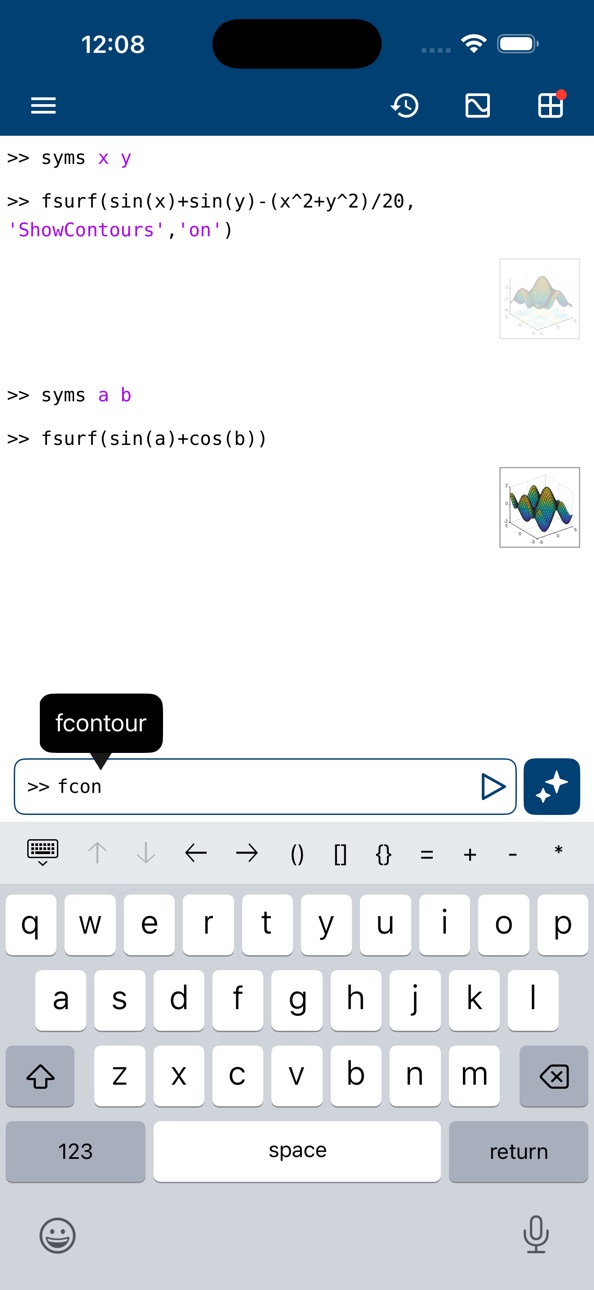
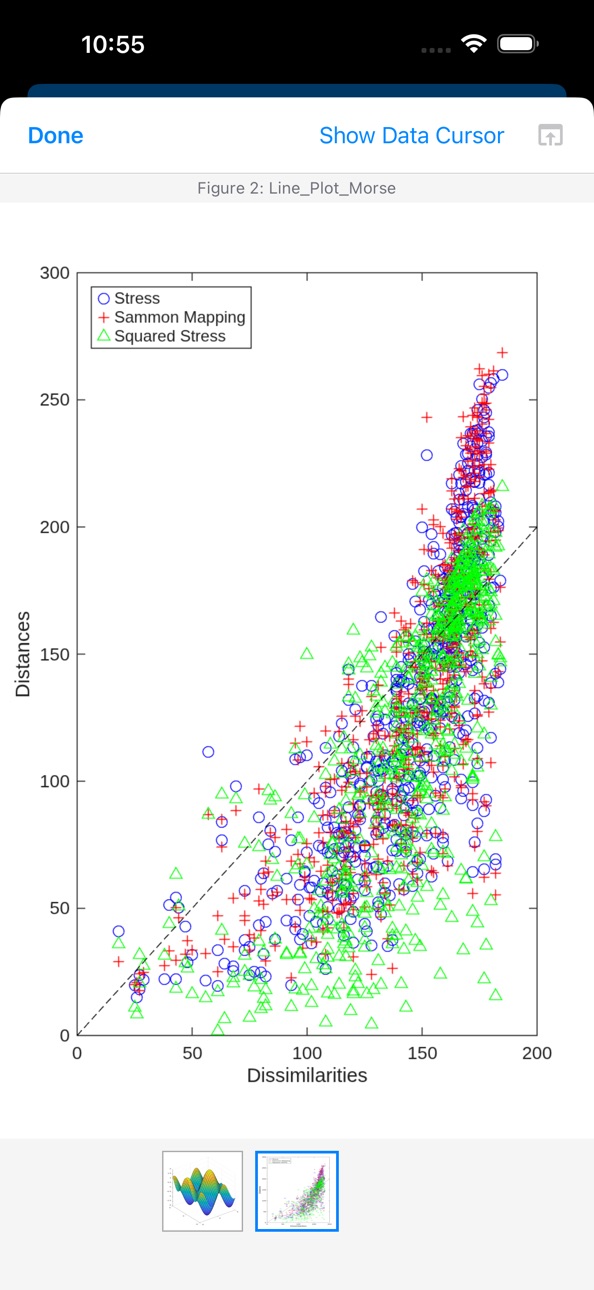
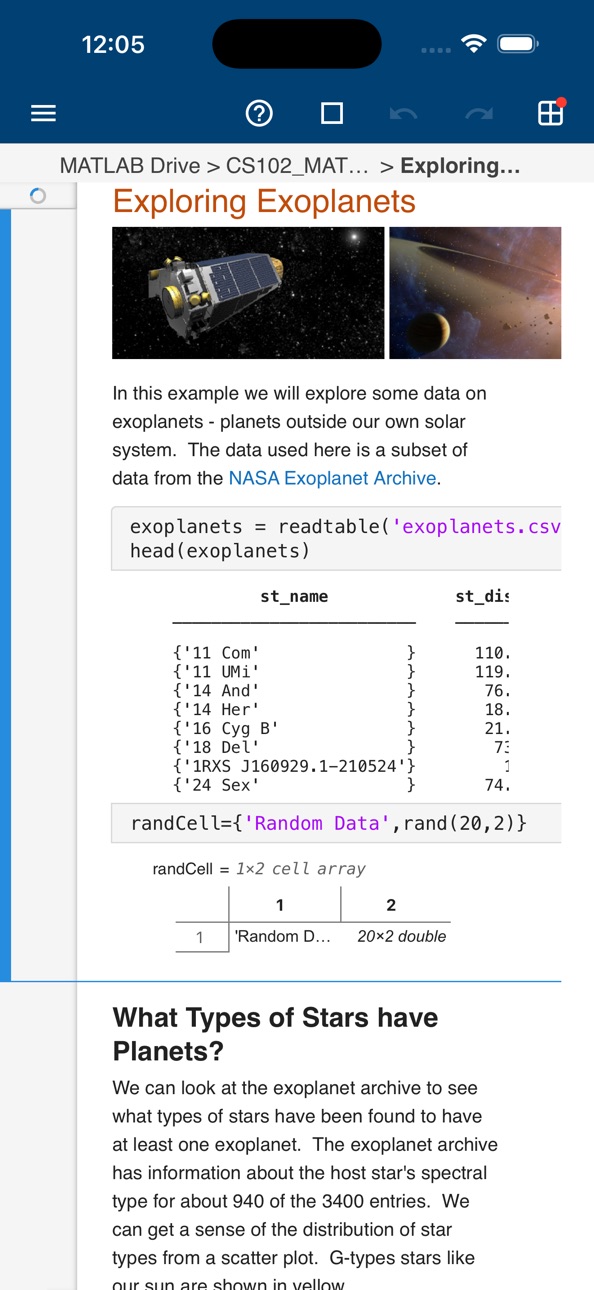
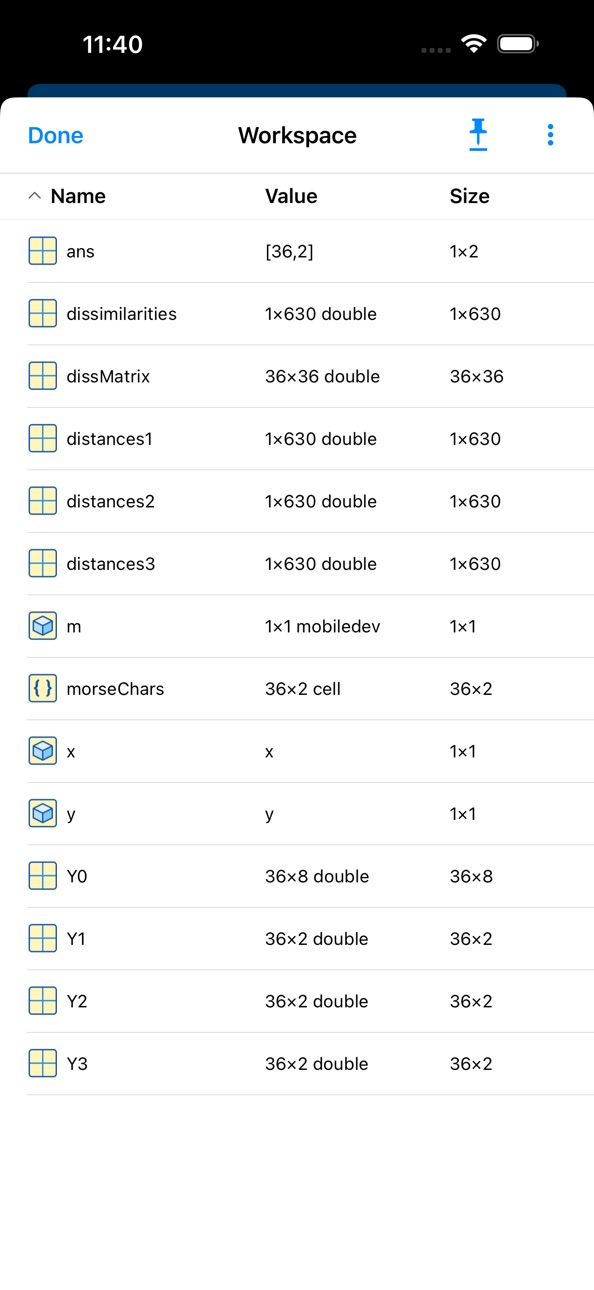
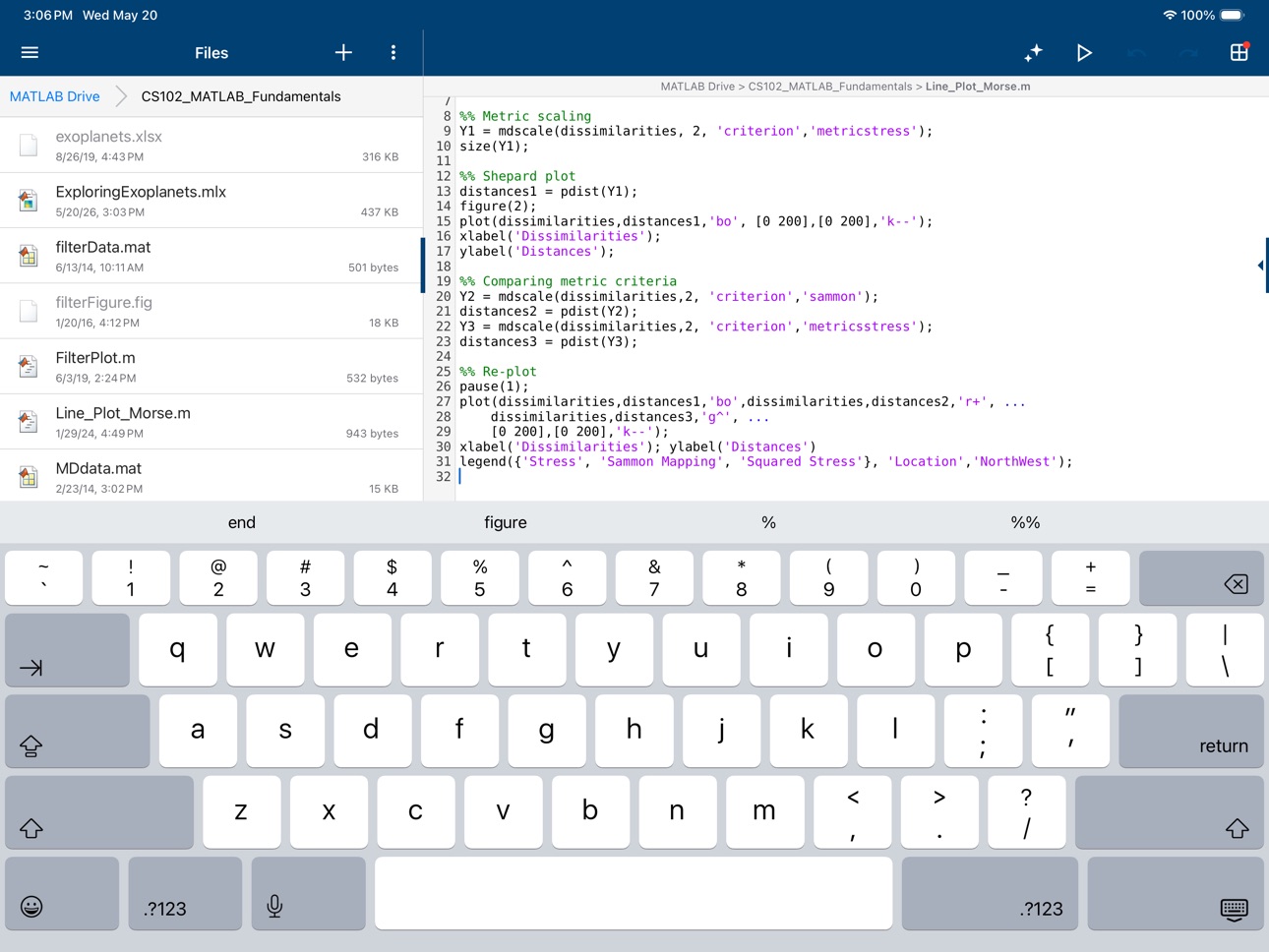
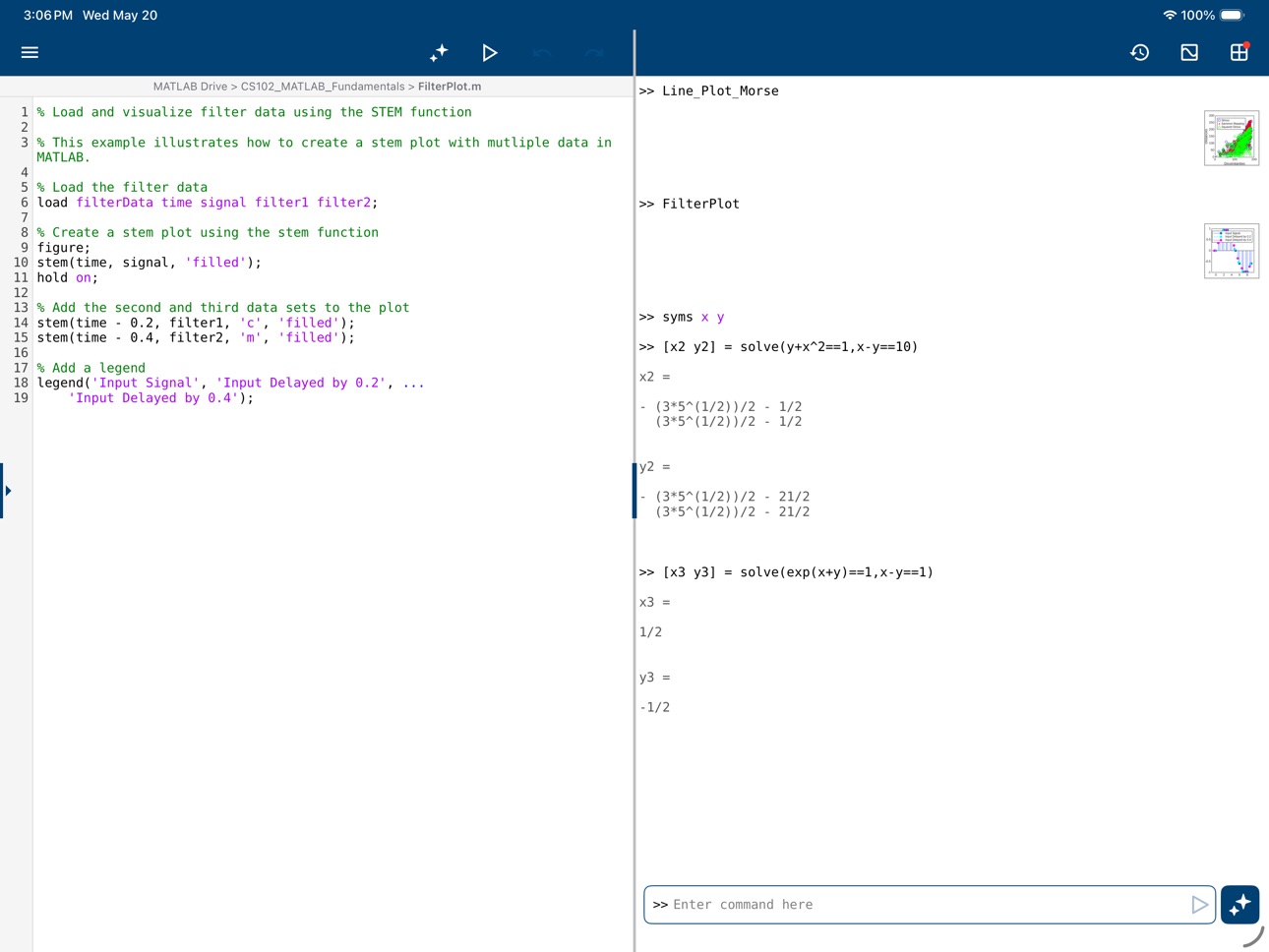
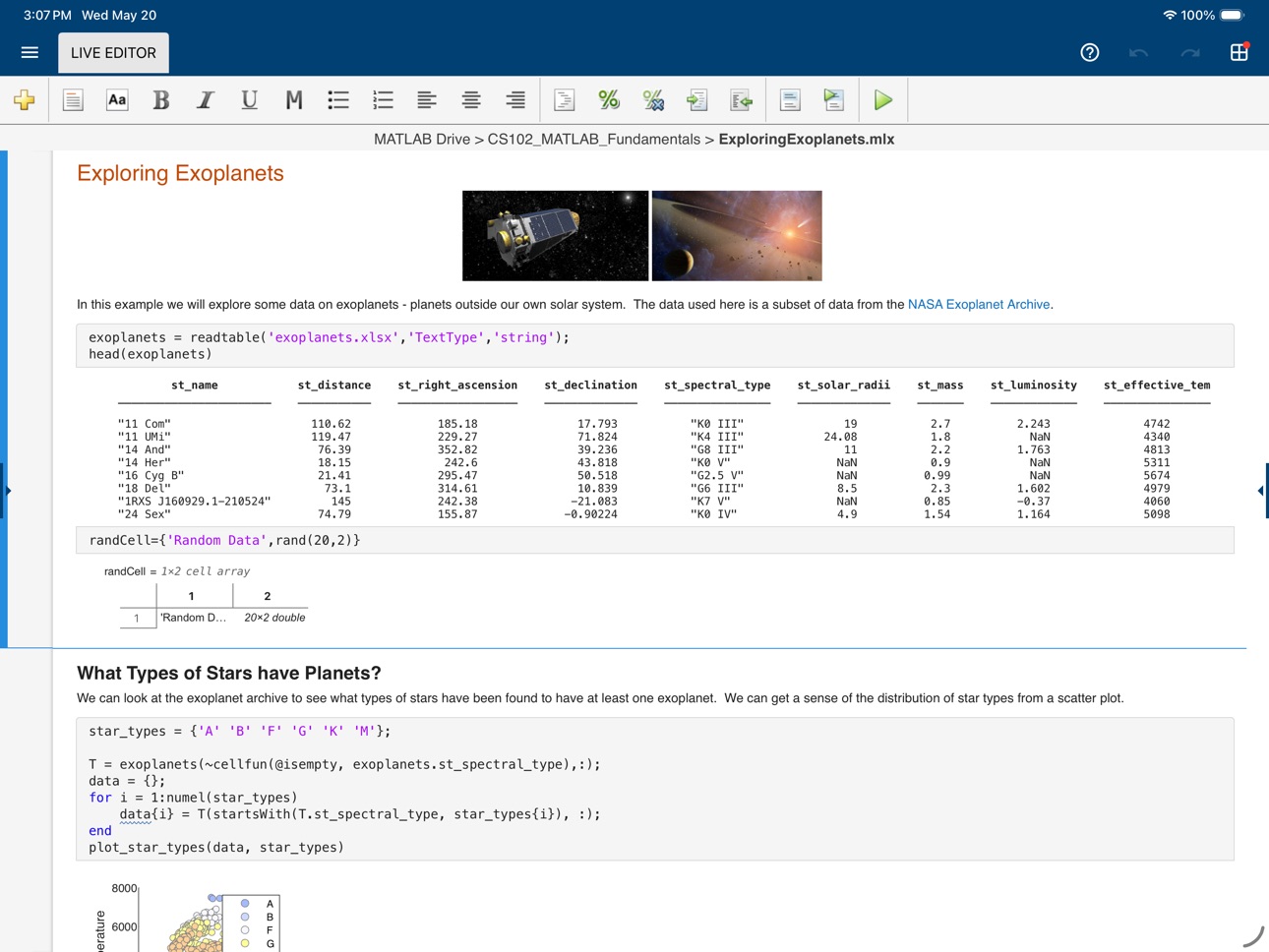
Evaluate MATLAB commands, create and edit files, view results, acquire data from sensors, and visualize data – from the convenience of your mobile device.
CONNECT TO THE CLOUD
Use your MathWorks Account to connect to MathWorks Cloud from MATLAB Mobile™. Linking a license that is current on MathWorks Software Maintenance Service to your MathWorks Account increases your storage quota and unlocks access to other add-on products on the license.
With your MathWorks Account, you can:
• Access MATLAB from the command-line
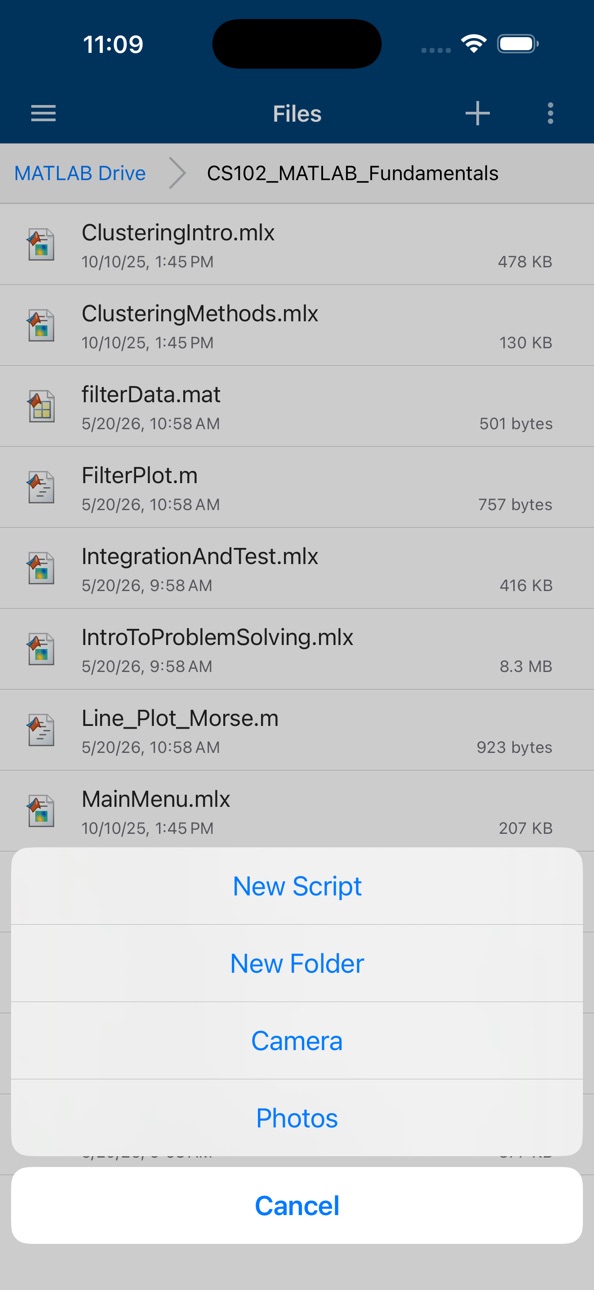
• View, run, edit and create files from the Editor
• Acquire data from device sensors
• Store your files and data on MATLAB Drive (you receive 5 GB of cloud storage)
Link a license that is current on MathWorks Software Maintenance Service to your MathWorks Account to unlock the following features:
• Access to other add-on products on your license
• 20 GB of cloud storage on MATLAB Drive
FEATURES
• Command-line access to MATLAB and add-on products
• MATLAB Copilot for AI-assisted coding with a valid license
• 2D and 3D plots to visualize data
• Editor to view, run, edit and create MATLAB files
• Data acquisition from device sensors
• Image and video acquisition from the camera
• Cloud storage and synchronization with MATLAB Drive
• Custom keyboard to enter typical MATLAB syntax
LIMITATIONS
The following features are not supported:
• Using MATLAB Apps, such as Curve Fitting
• Creating apps with App Designer
• Interacting with 3D figures
• Opening or creating models using the Simulink graphical environment
Note: Continued use of GPS running in the background can dramatically decrease battery life.
ABOUT MATLAB
MATLAB is the leading technical computing software for algorithm development, data visualization, data analysis, and numeric computation. MATLAB is used in a wide range of applications, including signal and image processing, communications, control design, test and measurement, financial modeling and analysis, and computational biology.
Accessibility
ipadiphonemacrealityDevicetvoswatch
Version history 25 versions
Build 885918149v9.122026-06-29 13:44:56
- MATLAB Copilot (license required) - Bug fixes
Build 883675341v9.112026-03-31 15:45:25
- Bug fixes
Build 880822588v9.102025-12-29 15:25:41
- Support for iOS 26
- Bug fixes
Build 878836335v9.9.12025-10-14 13:44:08
- Bug fixes
Build 878404146v9.92025-09-25 20:48:23
- Open MATLAB examples in the app directly from web browser
- Bug fixes
Build 873062131v9.82025-03-12 13:26:50
- Bug fixes
Build 871214907v9.72024-12-19 21:59:37
- Open in MATLAB Mobile from GitHub
- Bug fixes
Build 869041674v9.62024-09-30 12:26:27
- Support for iOS 18
- Bug fixes
Build 865620156v9.52024-06-26 13:31:18
- Control camera zoom when acquiring images
- Pinch to zoom in the Live Editor
- Bug fixes
Build 864255887v9.42024-03-28 13:51:08
- Bug fixes
Build 861965564v9.32023-12-27 20:28:56
- New example for audio data acquisition and analysis
- Support for iOS 17
- Bug fixes
Build 860133532v9.2.12023-09-25 13:37:20
- Bug fixes
Build 859593586v9.22023-09-12 13:42:22
- Bug fixes
Build 857668743v9.12023-06-14 14:44:24
- App content available in French, German, and Italian
- Code suggestion enhancements
- Bug fixes
Build 855755355v9.02023-03-28 17:49:35
- Workspace Browser to manage your variables
- MATLAB code suggestions in the Editor
- Bug fixes
Build 853770949v8.112022-12-13 14:37:14
- Acquire and analyze audio data from the microphone
- Syntax highlighting in the Commands tab
- Edit more text-based file formats, such as CSV, XML, etc.
- Bug fixes
Build 852469721v8.102022-10-04 14:18:56
- Adjust code font size using pinch-to-zoom or in Settings
- Increased storage space on MATLAB Drive
- Support for iOS 16
- Bug fixes
Build 850486007v8.9.12022-06-30 13:42:42
- Bug fixes
Build 850012165v8.92022-06-22 13:35:35
- VoiceOver screen reader support for improved accessibility
- Bug fixes
Build 847437116v8.82022-03-28 15:55:12
- Load .mat files from the Files tab
- Open MATLAB scripts from sources in addition to MATLAB Drive
- Bug fixes
Build 846473565v8.72022-01-13 14:45:36
- New onboarding experience for first-time users
- Enhanced login performance
- Open PDF files from the Files tab
- Bug fixes
Build 843245373v8.62021-09-27 14:45:14
- Access files from MATLAB Drive in your Files app
- Support for iOS 15
- Bug fixes
Build 842625587v8.52021-06-15 13:23:38
- Bug fixes
Build 841195930v8.42021-04-07 13:24:27
- Support for the DOC command
- Login optimization: session data is cleared after 6 hours
- Bug Fixes
Build 839946473v8.32021-01-12 14:46:04
- Non-blocking command and script execution
- Stream sensor data from multiple devices to desktop MATLAB
- New help page integrated with MATLAB Answers
- Bug fixes
No pricing data captured yet — comparisons appear once the app has paid storefronts or in-app purchases.
Availability 1 of 1 storefronts
| Region | Language | Price | Ratings | Avg | Version |
|---|---|---|---|---|---|
| US | en-US | Free | 178 | 3.2 | 9.12 |
Change log 28 changes · US
✎
releaseNotes updated
- MATLAB Copilot (license required)
✎
description updated
Connect to MATLAB® from your iPhone or iPad.
Evaluate MATLAB commands, create and edit files, view results, acquire data from sensors, and visualize data – fro
✎
name updated
MATLAB Mobile
◆
Version 9.12 released
- MATLAB Copilot (license required)
◆
Version 9.11 released
- Bug fixes
◆
Version 9.10 released
- Support for iOS 26
- Bug fixes
◆
Version 9.9.1 released
- Bug fixes
◆
Version 9.9 released
- Open MATLAB examples in the app directly from web browser
- Bug fixes
◆
Version 9.8 released
- Bug fixes
◆
Version 9.7 released
- Open in MATLAB Mobile from GitHub
- Bug fixes
◆
Version 9.6 released
- Support for iOS 18
- Bug fixes
◆
Version 9.5 released
- Control camera zoom when acquiring images
- Pinch to zoom in the Live Editor
- Bug fixes
◆
Version 9.4 released
- Bug fixes
◆
Version 9.3 released
- New example for audio data acquisition and analysis
- Support for iOS 17
- Bug fixes
◆
Version 9.2.1 released
- Bug fixes
◆
Version 9.2 released
- Bug fixes
◆
Version 9.1 released
- App content available in French, German, and Italian
- Code suggestion enhancements
- Bug fixes
◆
Version 9.0 released
- Workspace Browser to manage your variables
- MATLAB code suggestions in the Editor
- Bug fixes
◆
Version 8.11 released
- Acquire and analyze audio data from the microphone
- Syntax highlighting in the Commands tab
- Edit more text-based file formats, such as CSV, XML, etc.
- Bug fixes
◆
Version 8.10 released
- Adjust code font size using pinch-to-zoom or in Settings
- Increased storage space on MATLAB Drive
- Support for iOS 16
- Bug fixes
◆
Version 8.9.1 released
- Bug fixes
◆
Version 8.9 released
- VoiceOver screen reader support for improved accessibility
- Bug fixes
◆
Version 8.8 released
- Load .mat files from the Files tab
- Open MATLAB scripts from sources in addition to MATLAB Drive
- Bug fixes
◆
Version 8.7 released
- New onboarding experience for first-time users
- Enhanced login performance
- Open PDF files from the Files tab
- Bug fixes
◆
Version 8.6 released
- Access files from MATLAB Drive in your Files app
- Support for iOS 15
- Bug fixes
◆
Version 8.5 released
- Bug fixes
◆
Version 8.4 released
- Support for the DOC command
- Login optimization: session data is cleared after 6 hours
- Bug Fixes
◆
Version 8.3 released
- Non-blocking command and script execution
- Stream sensor data from multiple devices to desktop MATLAB
- New help page integrated with MATLAB Answers
- Bug fixes