Home › Music

 US
US
1 of 1 storefronts
Content in en-US
Content in en-US
Information
Apple ID358733250
Bundle IDcom.dev4phone.EarTrainer
SellerSeller
Min iOS12.1
Min macOS11.0
Device familiesiphone, ipad, ipod
Released2010-05-25
Copyright© thoor software AB
Privacy policyLink ↗
Preview 2 platforms

iPhone 5 images


iPad 5 images



What’s New Version 4.3
- Added support for MIDI out to use a digital piano for playback
Description
With an overall 4.8 out of 5 rating in it is a must to try out this ear training app.
What our users says:
Awesome ear training app *****
One of the most in depth apps out there for ear training and a easy to use interface. You can even make your own exercises. I wish you could undo a note entry in the melodic exercises, a lot of the times iv just pressed the wrong note because of my fat fingers but I guess it’s part of the challenge to not make a mistake(wish you could change it in the settings or something). Still a must buy for ear training.
Guy *****
You guys deserve 1000000 stars thank you
Everything You Need ****
It took a while for me to appreciate this app. It wasn't until I had a bit of ear training done that I could see the limitations in other apps and how this one would take me further and teach more of what I could actually use versus simpler apps. Once I could hear intervals up to an octave and major vs minor chords, this app had plenty more for me to study. Great app.
----
Listening is the most important skill in music, and this app will help you to listen better.
Ear Trainer is an educational tool designed for musicians, music students and anyone interested in improving ones musical ear. It has over 260 individual exercises that are conveniently placed into nine different areas of study. It is also possible to create custom exercises so that you can practice exactly what you need.
No need to be an expert, Ear Trainer is suitable for all users from beginner to very advanced. No matter what level your musical hearing skills are, Ear Trainer will help to hone them.
* Built-in Exercises *
- Interval Comparison (48 different exercises)
- Interval Identification (30 different exercises)
- Chord Identification (48 different exercises)
- Chord Inversions (24 different exercises)
- Chord Progressions (25 different exercises)
- Scales (24 different exercises)
- Note relative to chord (18 different exercises)
- Relative Pitch (12 different exercises)
- Melody Exercises (38 different exercises)
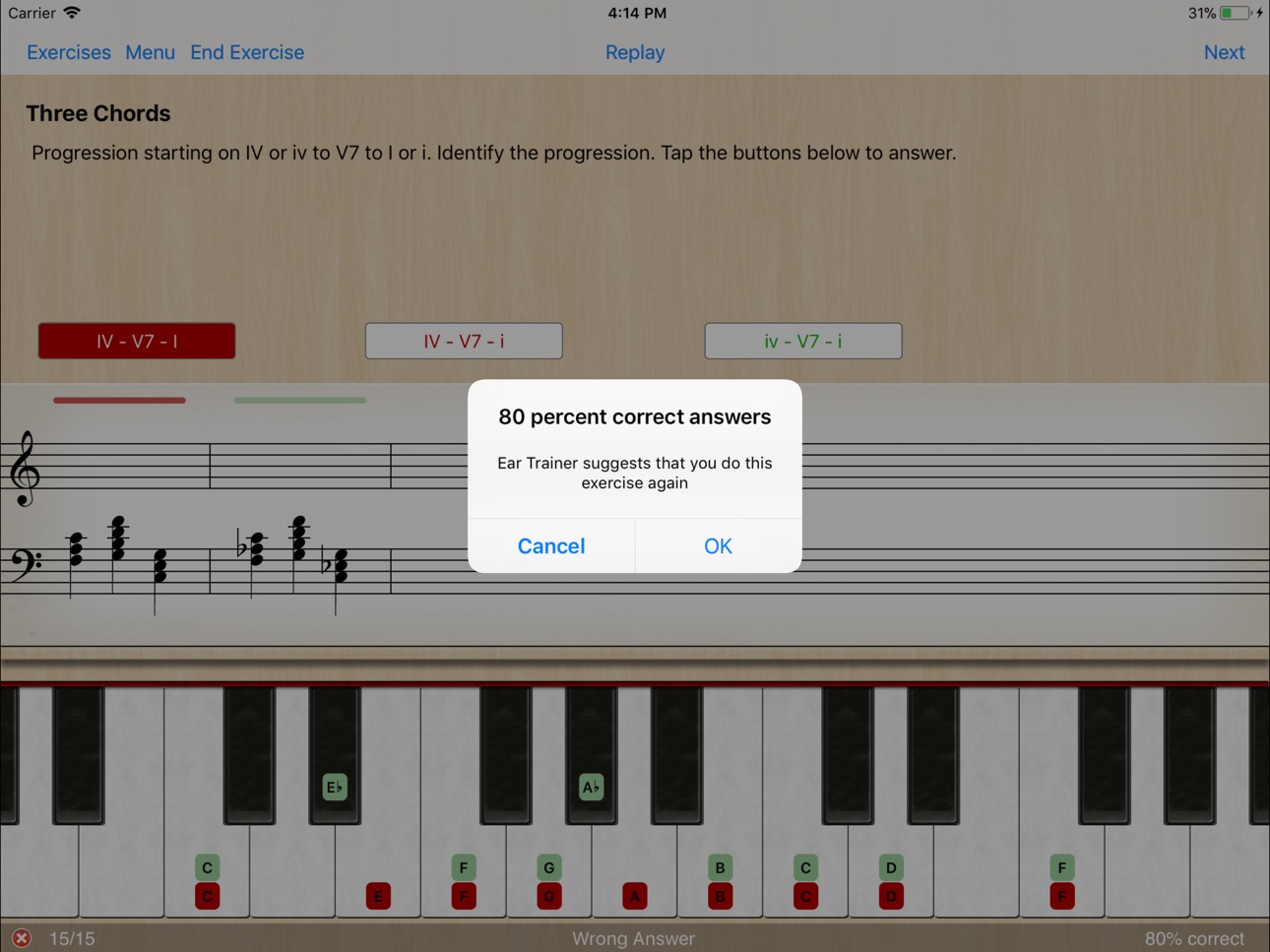
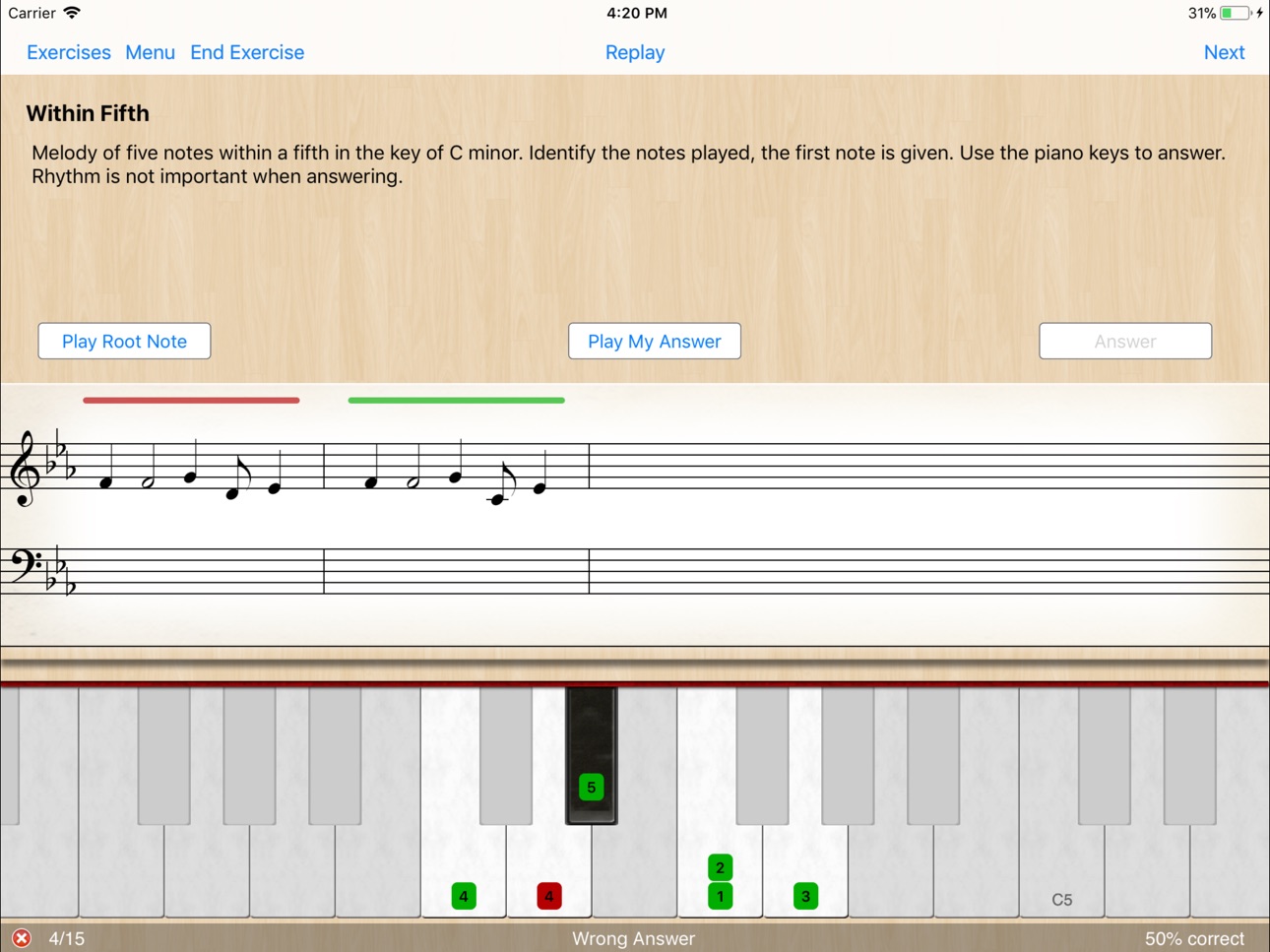
Each exercise has a short description of its purpose and optional preview. A virtual piano keyboard and note view in each exercise helps you visually understand and analyze the notes that have been played. To aid your progression you can compare the different options after answering. (You can even play the virtual piano if you like!)
As you work through the exercises, statistics are collected so that you can see your progress.
The questions in the exercises are randomly generated so you can do them over and over again as many times as you like to continue to hone your skills.
* Custom Exercises *
Users can create their own custom exercises to match their desired areas of study and/or skill level. The following areas are available for custom exercises:
- Interval Comparison
- Interval Identification
- Chord Identification
- Chord inversion
- Chord Progression
- Scale Identification
- Note after chord
* Share Custom Exercises *
Custom exercises can be shared with friends and class mates through Email, AirDrop and iMessage.
What our users says:
------
***** Must Have!!!
This is the best Ear Trainer of all I tried in App Store, everything works just perfectly. If you are interested in improving your musical hearing you must have it.
------
***** Amazing
I have been using this app every day for just about a year now and the result are simply amazing.
------
**** I'm in my second third semester as a music major and I have to say, this is a great app for any music major, or anyone looking for ear training. I like that I'm able to switch between different instruments, it makes hearing the notes on the instrument you're use to a bit easier for me.
------
For more information please see: www.dev4phone.com
Accessibility
ipadiphonemacrealityDevicetvoswatch
Version history 25 versions
Build 842438283v4.32021-08-21 07:03:13
- Added support for MIDI out to use a digital piano for playback
Build 840974501v4.22021-03-29 18:14:49
- Support for multitasking on iPad
- Support for dark mode
Build 830060381v4.1.32019-01-24 02:42:23
- Corrected some chord progression texts
- Stability improvements
Build 829535060v4.1.22019-01-09 20:24:28
- Fixed a graphics issue in the note view.
Build 826728938v4.1.12018-08-27 22:03:53
- Larger range in Note View for compact devices
- Correct enharmonic spellings of broken chords
- Stability improvements
Build 825558186v4.12018-01-19 09:53:14
- Improved visual feedback for correct/incorrect answer
- Added button to play the root note in melody exercises
- Displays both the treble and bass clefs when there is room on large screen iPhones
- Improved compatibility with voiceover (no longer speaks button labels while playing)
- Improved support for dynamic type
- Support for iPhone X
Build 823851464v4.0.52017-10-17 02:26:48
- Updated for iOS 11
Build 821199828v4.0.42017-03-06 23:52:33
- Fixed an issue that could cause the sound to stop working, making Ear Trainer silent.
- Fixed a rare crash at start up and exit
Build 820796377v4.0.32017-03-01 15:35:50
- Sometimes Ear Trainer wouldn't let you create a custom chord progression exercise since it thought that the chord progressions sounded the same.
- When creating custom exercises the options switches only worked if they where tapped (sliding a switch did not register)
- It's now possible to click 'answer' in a melody exercise before entering all the notes. This means that if you hit the wrong note and know it, you no longer have to input dummy notes to get to the retry option.
Build 819292480v4.0.22016-10-20 18:00:43
- Stability improvements
Build 817965913v4.0.12016-06-30 20:14:50
- Stability improvements
Build 816267058v4.02016-06-17 17:11:55
- Custom exercises, create and share exercises
- Enhancements of UI, performance and stability
- Native support for iPad Pro
Build 813842155v3.0.22015-11-03 10:29:23
- Fixed an issue with duplicate answers in some scale exercises
- UI improvements
Build 813193237v3.0.12015-09-18 13:56:01
- Minor text edit of description for exercises
- Fixed incorrect Major tenth interval
Build 812375595v3.02015-08-11 20:35:15
- Native support for iPhone 6
- 40 new exercises (267 in total)
- Improved sounds
- Enhanced UI
Build 235032638v2.52013-12-18 17:13:33
- Melody exercises
- Additional chords, chord progressions and scales exercises
- Added setting to switch between English, Solfége and German note names
- Improved algorithm to fix enharmonic misspellings (e.g. minor second should be spelled C-Db, not C-C#)
- Added glossary with terms used in Ear Trainer
- Improved UI for iPhone 5
- Improved UI for better visual feedback and layout.
- Improved exercise texts.
Special Thanks to Peter Andreev, René Reiter and Benjamin Gras for feedback and ideas.
Build 14642498v2.0.12013-03-13 21:11:24
- Setting for Middle-C (C3/C4) position in note view and on piano
- Bugfixes and stability enhancements
Build 12370032v2.02012-12-20 06:55:49
2.0:
- New and improved UI
- Note view on iPhone
- Improved note layout in note view
- New exercises: Church mode scales
- New sounds: Acoustic and electric guitar
- Improved sound quality
- Added option to control exercise range
- Support for iPhone 5 (4 inch retina display)
- Bug fixes
1.6.2:
- Added support for double flat and double sharp (bb, ##)
- Fixed bugs causing enharmonic misspellings (e.g. use of G# vs. Ab)
- Improved chord layout in note view
- Fixed numerous spelling errors and vagueness in exercise texts. Special Thanks To Peter Andreev for many corrections and suggestions!
1.6.1:
- Fixed an issue that could cause no sound after resuming
1.6:
- Added landscape mode on iPhone
- By popular request; configurable keys for exercises
Build 4011777v1.6.22011-08-09 23:44:43
1.6.2:
- Added support for double flat and double sharp (bb, ##)
- Fixed bugs causing enharmonic misspellings (e.g. use of G# vs. Ab)
- Improved chord layout in note view
- Fixed numerous spelling errors and vagueness in exercise texts. Special Thanks To Peter Andreev for many corrections and suggestions!
1.6.1:
- Fixed an issue that could cause no sound after resuming
1.6:
- Added landscape mode on iPhone
- By popular request; configurable keys for exercises
Build 3733895v1.6.12011-05-20 15:12:44
1.6.1:
Fixed an issue that could cause no sound after resuming
1.6:
- Added landscape mode on iPhone
- By popular request; configurable keys for exercises
- 15 new Interval Identification exercises
Build 3370543v1.62011-01-27 16:30:11
- Added landscape mode on iPhone
- By popular request; configurable keys for exercises
- 15 new Interval Identification exercises
Build 3210078v1.5.22010-12-15 22:48:43
- Improved stability on multitasking device
- Fixed an issue where Ear Trainer could stop generate sound
- Now plays sound even when the mute button is engaged
- Fixed a problem where the status field on iPad could get truncated
- Minor UI improvements
- Improved handling of low memory conditions
Build 3098486v1.5.12010-11-05 17:50:23
Improved algorithm for determining flats and sharps
Fixed descending Melodic Minor Scale
Improved button layout
Added option for 'auto continue after correct answer'
Fixed redraw issue for the meters on the table cells
Build 3029953v1.52010-10-04 12:38:57
- Ear Trainer is now a hybrid iPhone iPad application
- iPad version adds a note view
- Revised and improved exercises
- Better visual feedback in exercises
- Improved use of flats and sharps in labels
- Improved sound quality
- Improved graphics
Build 2989570v1.0.22010-09-24 02:01:42
Fixed some issues in interval comparison exercises
Price history by region
Currency
Show
Columns
Search
Availability 1 of 1 storefronts
| Region | Language | Price | Ratings | Avg | Version |
|---|---|---|---|---|---|
| US | en-US | USD 7.99 | 1.2k | 4.8 | 4.3 |
Change log 28 changes · US
✎
releaseNotes updated
- Added support for MIDI out to use a digital piano for playback
✎
description updated
With an overall 4.8 out of 5 rating in it is a must to try out this ear training app.
What our users says:
Awesome ear training app *****
One of the most in d
✎
name updated
Ear Trainer
◆
Version 4.3 released
- Added support for MIDI out to use a digital piano for playback
◆
Version 4.2 released
- Support for multitasking on iPad
- Support for dark mode
◆
Version 4.1.3 released
- Corrected some chord progression texts
- Stability improvements
◆
Version 4.1.2 released
- Fixed a graphics issue in the note view.
◆
Version 4.1.1 released
- Larger range in Note View for compact devices
- Correct enharmonic spellings of broken chords
- Stability improvements
◆
Version 4.1 released
- Improved visual feedback for correct/incorrect answer
- Added button to play the root note in melody exercises
- Displays both the treble and bass clefs when there is room on large screen iPhones
- Improved compatibility with voiceover
◆
Version 4.0.5 released
- Updated for iOS 11
◆
Version 4.0.4 released
- Fixed an issue that could cause the sound to stop working, making Ear Trainer silent.
- Fixed a rare crash at start up and exit
◆
Version 4.0.3 released
- Sometimes Ear Trainer wouldn't let you create a custom chord progression exercise since it thought that the chord progressions sounded the same.
- When creating custom exercises the options switches only worked if they where tapped (slidi
◆
Version 4.0.2 released
- Stability improvements
◆
Version 4.0.1 released
- Stability improvements
◆
Version 4.0 released
- Custom exercises, create and share exercises
- Enhancements of UI, performance and stability
- Native support for iPad Pro
◆
Version 3.0.2 released
- Fixed an issue with duplicate answers in some scale exercises
- UI improvements
◆
Version 3.0.1 released
- Minor text edit of description for exercises
- Fixed incorrect Major tenth interval
◆
Version 3.0 released
- Native support for iPhone 6
- 40 new exercises (267 in total)
- Improved sounds
- Enhanced UI
◆
Version 2.5 released
- Melody exercises
- Additional chords, chord progressions and scales exercises
- Added setting to switch between English, Solfége and German note names
- Improved algorithm to fix enharmonic misspellings (e.g. minor second should be spelle
◆
Version 2.0.1 released
- Setting for Middle-C (C3/C4) position in note view and on piano
- Bugfixes and stability enhancements
◆
Version 2.0 released
2.0:
- New and improved UI
- Note view on iPhone
- Improved note layout in note view
- New exercises: Church mode scales
- New sounds: Acoustic and electric guitar
- Improved sound quality
- Added option to control exercise range
- Support
◆
Version 1.6.2 released
1.6.2:
- Added support for double flat and double sharp (bb, ##)
- Fixed bugs causing enharmonic misspellings (e.g. use of G# vs. Ab)
- Improved chord layout in note view
- Fixed numerous spelling errors and vagueness in exercise texts. Spe
◆
Version 1.6.1 released
1.6.1:
Fixed an issue that could cause no sound after resuming
1.6:
- Added landscape mode on iPhone
- By popular request; configurable keys for exercises
- 15 new Interval Identification exercises
◆
Version 1.6 released
- Added landscape mode on iPhone
- By popular request; configurable keys for exercises
- 15 new Interval Identification exercises
◆
Version 1.5.2 released
- Improved stability on multitasking device
- Fixed an issue where Ear Trainer could stop generate sound
- Now plays sound even when the mute button is engaged
- Fixed a problem where the status field on iPad could get truncated
- Minor UI
◆
Version 1.5.1 released
Improved algorithm for determining flats and sharps
Fixed descending Melodic Minor Scale
Improved button layout
Added option for 'auto continue after correct answer'
Fixed redraw issue for the meters on the table cells
◆
Version 1.5 released
- Ear Trainer is now a hybrid iPhone iPad application
- iPad version adds a note view
- Revised and improved exercises
- Better visual feedback in exercises
- Improved use of flats and sharps in labels
- Improved sound quality
- Improved gr
◆
Version 1.0.2 released
Fixed some issues in interval comparison exercises