Home › Photo & Video

 US
US
1 of 1 storefronts
Content in en-US
Content in en-US
Information
Preview 1 platform
iPhone 5 images
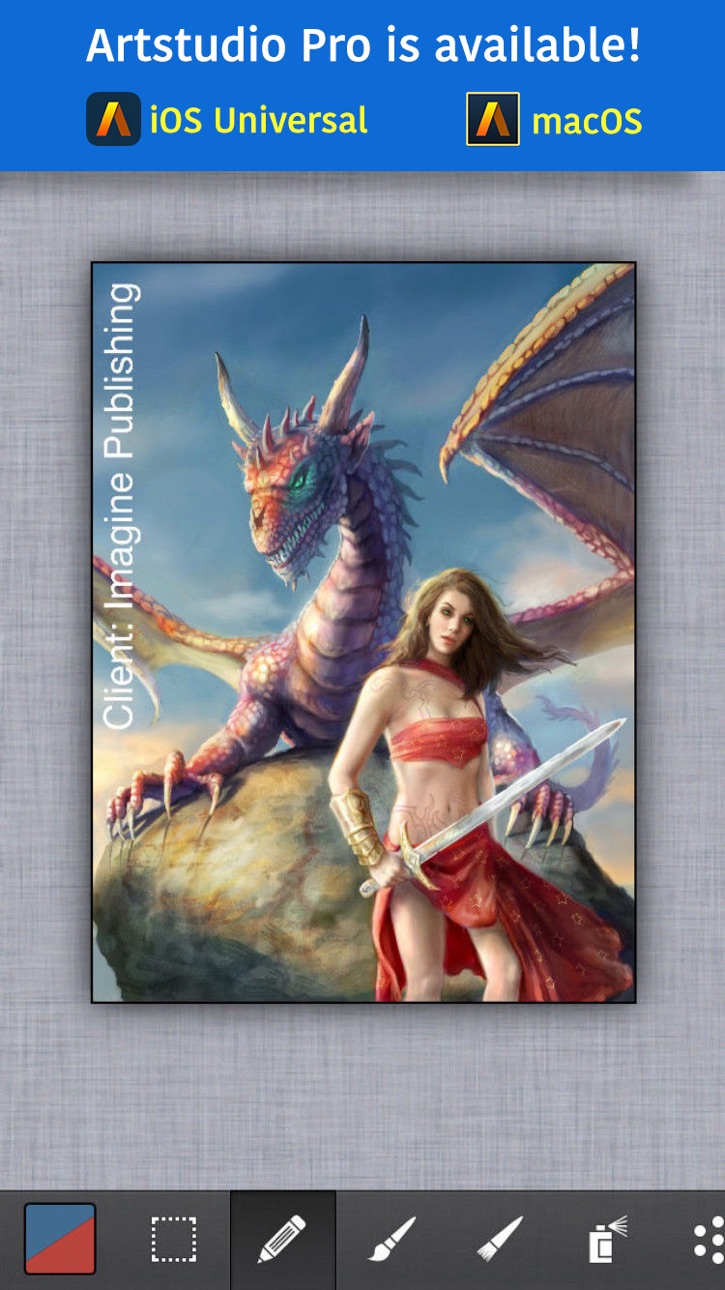


What’s New Version 5.105
- bug fixes
Description
*** This is the LEGACY version. ARTSTUDIO PRO, the successor to this app, is available now with many new features and improvements. Find it by searching for “Artstudio Pro” on the Mac/iOS App Store.
ArtStudio is the most comprehensive, sketching, painting and photo editing tool in the App Store. Completely re-designed from the ground up the new ArtStudio features a beautiful new user interface and a powerful new graphics engine to make creating works of art faster, easier, and more fun! Using advanced drawing algorithms this is the fastest and most precise version of ArtStudio to date.
See the video:
http://www.youtube.com/watch?v=P__arq3jk3U
Follow us on twitter: http://twitter.com/lucky_clan
Follow us on facebook: https://www.facebook.com/LuckyClanApps
Gallery:
http://flickr.com/groups/artstudioimages/
appmodo.com:
"It doesn’t matter whether you’re a skilled artist or a newbie; ArtStudio is for you."
appsmile.com: 5/5
"This is what PhotoShop Mobile wishes it had been."
FEATURES:
- flexible canvas size, max: 3024x4032(iPhone 6s), 3264x2448(iPhone 5/5s/6), 2592×1936 (iPhone 4s, iPhone 4), 2048×1536 (iPhone 3gs)
- 16 tools: select, pencil, wet paintbrush, dry paintbrush, spray, dots, eraser, smudge, bucket fill, gradient, text, clone, heal, blur/sharpen, dodge/burn, eyedropper
- 450 HIGH QUALITY BRUSHES (150 free, 300 paid) divided into 30 groups
- custom brushes, max size: 500x500px
- select tool: rect/ellipse/lasso/magic wand/by color, add/sub/intersect, contract/expand/round corners/border/...
- text tool: over 150 system fonts, support of external TTF fonts (just upload .ttf file in iTunes using File Sharing), special text layer to easy edit text
- favorites list to quickly access user's favorite brush settings
- fully customizable stroke settings: blur, flip, size, opacity, spacing, fadeout, squeeze, angle, speed-size, speed-opacity, random flip, scatter, jitter-spacing, jitter-angle, jitter-size, jitter-squeeze, jitter-opacity, jitter-hue, jitter-saturation, jitter-lightness
- symmetric drawing
- guidelines, grid
- shapes: lines, rectangles, ellipses, polygons (open, closed)
- layer options: add, duplicate, merge down/visible, delete, lock alpha, show/hide, link, name, reorder, opacity, blending modes
- layer masks
- layer/selection transformations: move/scale/rotate with multi-touch, flip, rotate left/right, fill/erase
- distort (skew, perspective etc)
- 21 layer blending modes: normal, multiply, add, difference, screen, overlay, hue, saturation, color, value, ...
- import from 'Camera Roll', camera, iTunes, clipboard
- export as JPG/PNG/PSD to 'Camera Roll', email, clipboard, iTunes
- multi-touch navigation with unlimited zoom
- undo/redo with almost infinite number of steps
- image resize (none, bilinear, bicubic, lanczos interpolations) , change canvas size, crop
- 40 filters: gaussian/motion/radial blur, sharpen, unsharp mask, add noise, render clouds, edge detect, border/vignette and more
- Elastify filter used to make incredible distortions
- adjustments: brightness/contrast/exposure, hue/saturation/lightness, color balance, temperature, shadows/highlights, CURVES, auto contrast/colors/white balance and more
- video tutorials
## IPAD VERSION AVAILABLE IN APP STORE ##
In-App Purchases US pricing
One-Time Purchases
Brush Pack$2.99
Capabilities
In-App Purchases
Accessibility
ipadiphonemacrealityDevicetvoswatch
Version history 25 versions
Build 829831883v5.1052019-01-18 06:57:34
- bug fixes
Build 828850721v5.1042018-10-08 20:51:41
- fixed brush preview on iOS 12
Build 826165173v5.1032018-03-02 22:24:15
This is the LEGACY version. ARTSTUDIO PRO, the successor to this app, is available for iOS and macOS with many new features and improvements.
Tap 'Artstudio Pro' item in side menu or search for "Artstudio Pro" on the App Store to find it.
What's new:
- added button to easily find Artstudio Pro on the App Store
Build 825874927v5.1022018-02-09 10:58:53
This is the LEGACY version. ARTSTUDIO PRO, the successor to this app, is available for iOS and macOS with many new features and improvements.
Tap in top menu ArtStudio->Artstudio Pro to open it on the App Store. Or search for "Artstudio Pro" on the App Store.
Build 825568357v5.1012018-01-08 23:16:52
Artstudio Pro (iOS, macOS), the successor to this app, is available with tons of new features and improvements.
Tap in top menu ArtStudio->Artstudio Pro to open it on the App Store.
Build 825291979v5.1002017-12-13 16:55:55
Artstudio Pro, the successor to this app, is available now with many new features and improvements.
It works on both iOS(universal) and macOS.
Find it by searching for “Artstudio Pro” on the Mac/iOS App Store.
Give it a try!
Build 823758047v5.952017-09-23 02:07:45
- iOS 11 compatibility
Build 813588730v5.942015-10-21 23:01:11
- added 12mpix resolution for iPhone 6s/6s+
- improved iOS 9 compatibility
- few other bug fixes
* We are working on new ArtStudio for iOS and OSX. Please follow us on facebook: https://www.facebook.com/LuckyClanApps or twitter: https://twitter.com/lucky_clan to keep up with new ArtStudio progress.
Build 755793011v5.702014-10-28 23:28:48
- iOS 4, iOS5, iOS6 compatibility is back
Build 742562659v5.602014-10-20 16:25:33
iOS 6, iOS 5 users - PLEASE DON'T UPDATE.
- app was crashing when select then zoom in
Build 728892647v5.52014-10-09 01:45:26
- fixed problems with selections on iPhone 6+
- fixed color view on iPhone 6+
Build 719622649v5.42014-09-29 17:20:58
- fixed problem with wrong app size on iPhone 5/5s/5c
Build 718353615v5.302014-09-23 16:17:22
- iOS 8 compatibility
- iPhone 6/6+ support
Build 114602651v5.182013-11-14 21:36:08
- fixed ArtStudio->Store feature
- added "Like us on Facebook" button
- bug fixes
* like our facebook page to follow current news, ask questions etc
Build 77502803v5.162013-10-03 22:31:04
- fixed problem with font list
- fixed problem with status bar
- few other bugs fixed
Build 59662727v5.152013-10-02 16:06:59
- added support of new Pogo Connect stylus
- fixed support of Wacom Intuos stylus on iOS 7
- few other bug fixes
Build 50692635v5.142013-09-24 19:31:44
iOS 7 related bugs fixed
Build 15931554v5.132013-08-20 21:34:14
- added support of new Wacom pressure-sensitive stylus (will be released soon)
- fixed problems with drawing Lines/Ellipses/Rectangles
Build 15628657v5.122013-06-24 22:37:12
- added possibility to assign "activate color picker" action to any gesture or stylus button
- few other small bugs fixed
Build 15527239v5.112013-06-11 00:24:23
- added push notification - it will be used to inform ArtStudio users about paid->free promotion of other Lucky Clan's apps, we promise it will not be used often
- fixed copy/paste - pasted area had 1px right edge trimmed
Build 15417920v5.102013-05-28 22:53:28
- added Adonit Jot Touch 4 support
Build 14665231v5.92013-03-24 10:49:21
- added "Import from Photos" option to quickly load images from Camera Roll
Build 13421643v5.82013-02-21 14:50:03
- It is now possible to ROTATE THE CANVAS - This feature is DISABLED by default, it can be enabled in the settings menu.
- added "Size Fadeout" slider
- fixed "Color" blending mode
- few other small bugs fixed
Build 12998822v5.72012-12-19 16:51:31
- improved support of iPod Touch 5th gen
- fixed bug that Clone/Heal did not work when Color Picker was disabled in app settings
- app crashed after trying to send email when email account was not configured
- few other small bugs fixed
Build 12792820v5.62012-12-10 22:21:50
- double tap on any slider to type a value
- colour code (for example #345F6E) in Colors Editor is now editable
- improved line smoothing (and there is less drawing delay)
- improved stability on iPod Touch 4th gen (max canvas size had to be decreased)
- fixed pattern filter
- bottom toolbar was sometimes not fully visible
- few other small bugs fixed
Price history by region
Currency
Show
Columns
Search
Availability 1 of 1 storefronts
| Region | Language | Price | Ratings | Avg | Version |
|---|---|---|---|---|---|
| US | en-US | USD 4.99 | 559 | 4.6 | 5.105 |
Change log 29 changes · US
✎
releaseNotes updated
- bug fixes
✎
description updated
*** This is the LEGACY version. ARTSTUDIO PRO, the successor to this app, is available now with many new features and improvements. Find it by searching for “Ar
✎
subtitle updated
Painting drawing, photo editor
✎
name updated
ArtStudio - Draw and Paint
◆
Version 5.105 released
- bug fixes
◆
Version 5.104 released
- fixed brush preview on iOS 12
◆
Version 5.103 released
This is the LEGACY version. ARTSTUDIO PRO, the successor to this app, is available for iOS and macOS with many new features and improvements.
Tap 'Artstudio Pro' item in side menu or search for "Artstudio Pro" on the App Store to find it.
W
◆
Version 5.102 released
This is the LEGACY version. ARTSTUDIO PRO, the successor to this app, is available for iOS and macOS with many new features and improvements.
Tap in top menu ArtStudio->Artstudio Pro to open it on the App Store. Or search for "Artstudio Pr
◆
Version 5.101 released
Artstudio Pro (iOS, macOS), the successor to this app, is available with tons of new features and improvements.
Tap in top menu ArtStudio->Artstudio Pro to open it on the App Store.
◆
Version 5.100 released
Artstudio Pro, the successor to this app, is available now with many new features and improvements.
It works on both iOS(universal) and macOS.
Find it by searching for “Artstudio Pro” on the Mac/iOS App Store.
Give it a try!
◆
Version 5.95 released
- iOS 11 compatibility
◆
Version 5.94 released
- added 12mpix resolution for iPhone 6s/6s+
- improved iOS 9 compatibility
- few other bug fixes
* We are working on new ArtStudio for iOS and OSX. Please follow us on facebook: https://www.facebook.com/LuckyClanApps or twitter: https://tw
◆
Version 5.70 released
- iOS 4, iOS5, iOS6 compatibility is back
◆
Version 5.60 released
iOS 6, iOS 5 users - PLEASE DON'T UPDATE.
- app was crashing when select then zoom in
◆
Version 5.5 released
- fixed problems with selections on iPhone 6+
- fixed color view on iPhone 6+
◆
Version 5.4 released
- fixed problem with wrong app size on iPhone 5/5s/5c
◆
Version 5.30 released
- iOS 8 compatibility
- iPhone 6/6+ support
◆
Version 5.18 released
- fixed ArtStudio->Store feature
- added "Like us on Facebook" button
- bug fixes
* like our facebook page to follow current news, ask questions etc
◆
Version 5.16 released
- fixed problem with font list
- fixed problem with status bar
- few other bugs fixed
◆
Version 5.15 released
- added support of new Pogo Connect stylus
- fixed support of Wacom Intuos stylus on iOS 7
- few other bug fixes
◆
Version 5.14 released
iOS 7 related bugs fixed
◆
Version 5.13 released
- added support of new Wacom pressure-sensitive stylus (will be released soon)
- fixed problems with drawing Lines/Ellipses/Rectangles
◆
Version 5.12 released
- added possibility to assign "activate color picker" action to any gesture or stylus button
- few other small bugs fixed
◆
Version 5.11 released
- added push notification - it will be used to inform ArtStudio users about paid->free promotion of other Lucky Clan's apps, we promise it will not be used often
- fixed copy/paste - pasted area had 1px right edge trimmed
◆
Version 5.10 released
- added Adonit Jot Touch 4 support
◆
Version 5.9 released
- added "Import from Photos" option to quickly load images from Camera Roll
◆
Version 5.8 released
- It is now possible to ROTATE THE CANVAS - This feature is DISABLED by default, it can be enabled in the settings menu.
- added "Size Fadeout" slider
- fixed "Color" blending mode
- few other small bugs fixed
◆
Version 5.7 released
- improved support of iPod Touch 5th gen
- fixed bug that Clone/Heal did not work when Color Picker was disabled in app settings
- app crashed after trying to send email when email account was not configured
- few other small bugs fixed
◆
Version 5.6 released
- double tap on any slider to type a value
- colour code (for example #345F6E) in Colors Editor is now editable
- improved line smoothing (and there is less drawing delay)
- improved stability on iPod Touch 4th gen (max canvas size had to b