Home › Photo & Video

 US
US
USen-US ITit
ITit CAen-CA
 RUru
RUru KWen-GB
 QAen-GB
 UAen-GB
 JMen-GB
 JOen-GB
 SVes-MX
 AGen-GB
 AOen-GB
 BBen-GB
 BHen-GB
 BSen-GB
 BWen-GB
 BZen-GB
 CGen-GB
 CIfr-FR
 CMfr-FR
 CVen-GB
 DMen-GB
 DOes-MX
 DZen-GB
 FJen-GB
 FMen-GB
 GDen-GB
 GYen-GB
 HNes-MX
 KNen-GB
 LTen-GB
 LUen-GB
 LVen-GB
 MLen-GB
 MUen-GB
 MVen-GB
 MZen-GB
 NAen-GB
 NIes-MX
 OMen-GB
 PGen-GB
 SBen-GB
 SNen-GB
 SRen-GB
 TOen-GB
 TTen-GB
 UGen-GB
 VNen-GB
 VUen-GB
 ZMen-GB
 ZWen-GB
51 of 51 storefronts
Content in en-US
Content in en-US
Information
Preview 2 platforms
iPhone 8 images


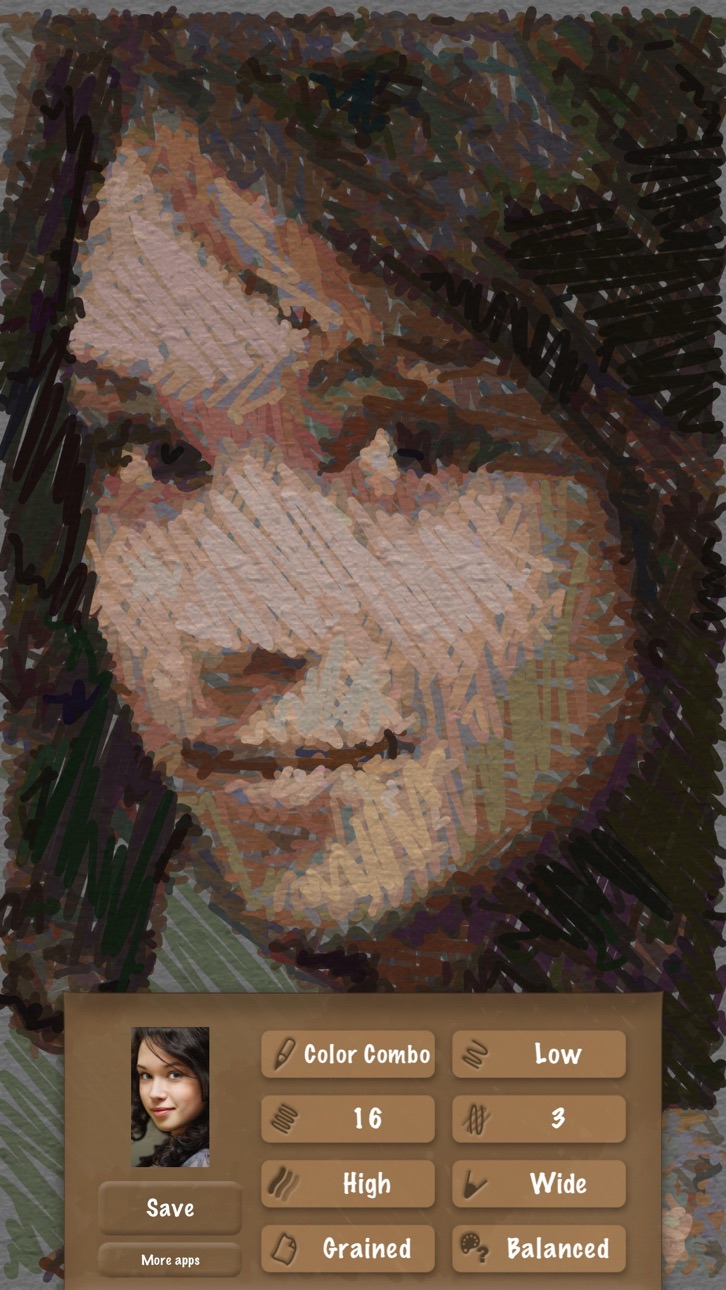

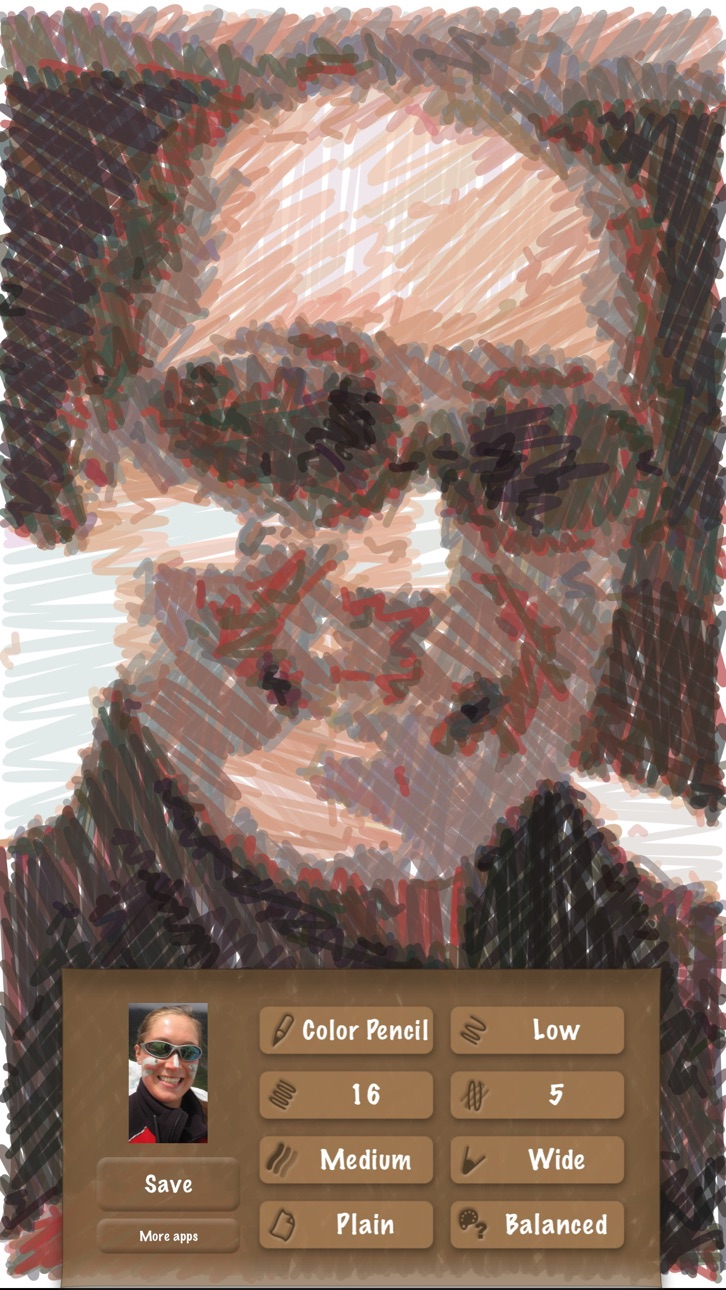


iPad 7 images


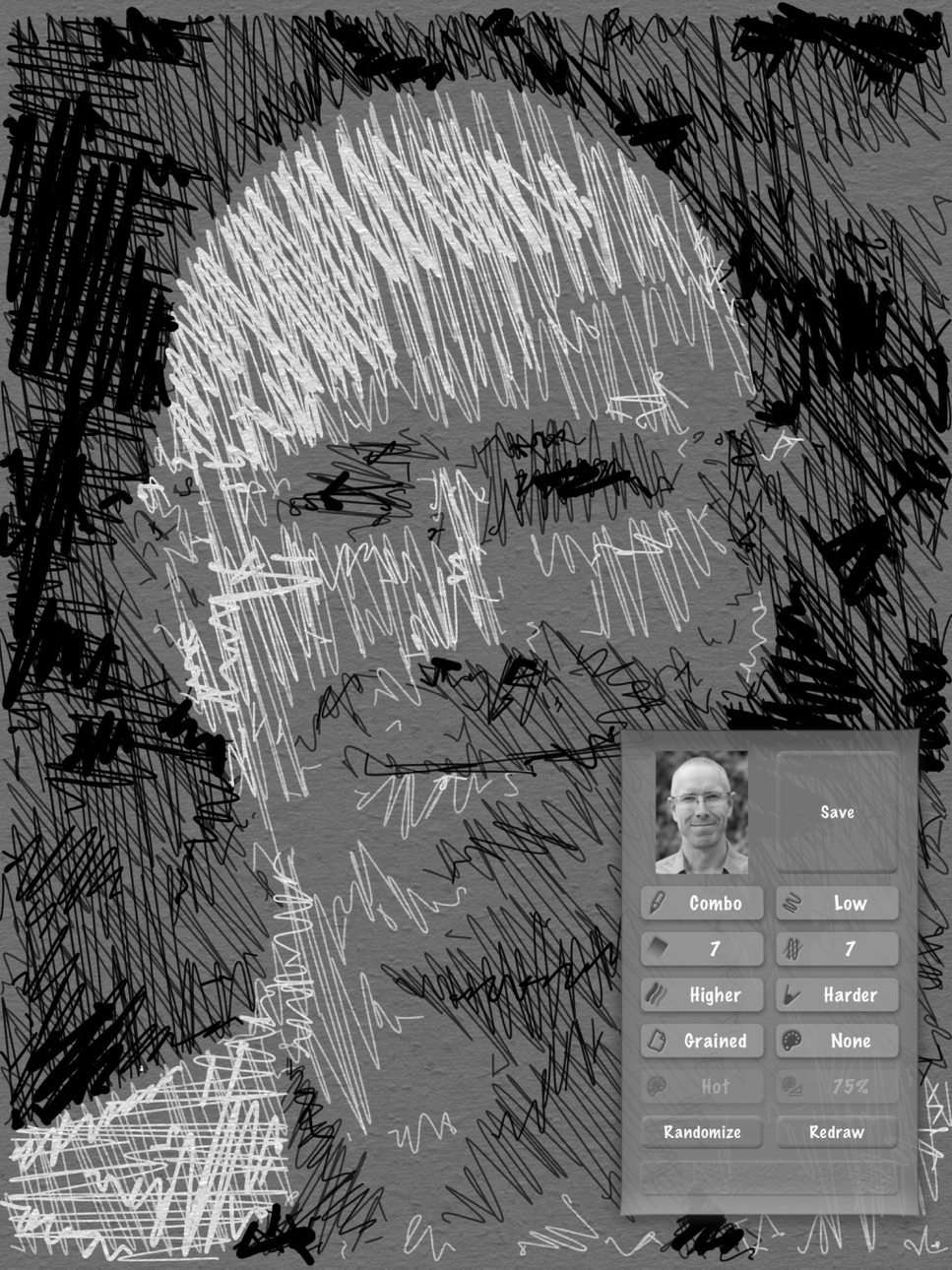

What’s New Version 4.7
- Powerful PDF vector export!
- Updated for iOS 13.
- Fixed a bug that could cause too low image quality when saving as JPEG.
Description
The photo-to-sketch app that stands out from the rest! SketchMee analyses, interprets and redraws your photo from scratch, instead of the simple edge filtering other apps do.
New York Times sums it up: "This app turns your photos into pencil sketches of remarkable quality."
Long time feature under "Staff Favorites / Impress Your Friends" in the US App Store.
Just pick an image from your photo library, and watch it being sketched into a beautiful piece of art. Have endless fun playing around with settings, exploring a vast world of art possibilities.
Extremely easy to use. A handful of simple but powerful controls make you the artist in charge, enabling a wide range of different sketch art styles.
Unparalleled art quality. Not even desktop computer programs come close.
Save your creations in 4K resolution.
Zoom as deep as you like into the finished sketches to inspect the strokes. Your art will appear perfectly sharp at any zoom level. This is because sketches are built using vector curves, not from blocky pixel data.
Accessibility
ipadiphonemacrealityDevicetvoswatch
Version history 22 versions
Build 832814619v4.72019-10-03 22:04:36
- Powerful PDF vector export!
- Updated for iOS 13.
- Fixed a bug that could cause too low image quality when saving as JPEG.
Build 828881969v4.62018-10-18 21:58:57
- Adaptations for recent iPhones & iOS 12
- Universal: runs on iPads too
- Saves in 4K resolution
- Bug fixes
Build 765562816v4.5.32014-11-05 01:52:44
- iOS 8-compatibility
- 64 bit device support
Build 604932648v4.5.22014-06-20 06:35:41
- Minor fixes.
Build 15606873v4.5.12013-06-28 17:06:01
Native facebook sharing for iOS6.
Build 9793459v4.52012-09-27 08:27:36
- Full support for iPhone 5 and iOS 6.
- Contrast effect added
- Facebook login works with lite version installed
Build 7037244v4.4.12012-03-21 22:03:07
- Bugfix: more responsive menus on iOS 4 devices.
Build 4758459v4.42011-11-03 17:21:45
- Upload to Twitter! Requires iOS 5.
- Shake to randomize settings. A great way to discover possibilities!
- Taking advantage of multiple processor cores on iPhone 4S.
- Improved rendering speed.
- Updated facebook integration.
- Lost PDF purchase restore button.
Build 3471964v4.32011-03-10 23:49:44
- Higher maximum output resolution.
- Photo album is now the default save destination, not facebook.
- 40% smaller file size.
- Bug fixes.
Build 3284275v4.22011-01-06 21:54:41
- Substantially increased maximum detail level. Works on all devices, but a retina display is highly recommended!
Tip: SketchMee for Mac is now available on the Mac App Store! If you like SketchMee for iPhone, it will blow you away.
Build 3221312v4.12010-12-19 20:01:42
New in SketchMee 4.1:
- Added a cool new technique, "Combo", combining both pencil and chalk strokes on a 50% gray paper. We think this turned out so good we made it the new default. Enjoy!
New in SketchMee 4.0.1:
- Fixed a bug sometimes causing photos to show in wrong orientation.
New in SketchMee 4.0:
- Flexible crop functionality. Create art in a selection of canvas dimensions.
- Work in landscape or portrait mode, whichever suits your current work best.
- Hidable control panel to let you view your art full screen.
- Export directly to facebook, email, photo library, clipboard or the shared documents folder.
- Increased maximum sketch detail.
- A new control for grayscale modes: colored papers.
- Greatly improved memory use, ensuring high stability.
- Option to restore default settings (Info -> Restore Defaults).
- The paper control is now visible also in color modes.
- More detailed rendering progress during save operations.
Build 3104373v4.0.12010-11-06 22:15:05
New in 4.0.1:
- Fixed a bug that rotated some photos by 90 degrees.
New in 4.0:
- Flexible crop functionality. Create art in a selection of canvas dimensions.
- Work in landscape or portrait mode, whichever suits your current work best.
- Hidable control panel to let you view your art full screen.
- Export directly to facebook, email, photo library, clipboard or the shared documents folder.
- Increased maximum sketch detail.
- A new control for grayscale modes: colored papers.
- Greatly improved memory use, ensuring high stability.
- Option to restore default settings (Info -> Restore Defaults).
- The paper control is now visible also in color modes.
- More detailed rendering progress during save operations.
Build 3066114v4.02010-10-26 10:30:12
- Flexible crop functionality. Create art in a selection of canvas dimensions.
- Work in landscape or portrait mode, whichever suits your current work best.
- Hidable control panel to let you view your art full screen.
- Export directly to facebook, email, photo library, clipboard or the shared documents folder.
- Increased maximum sketch detail.
- A new control for grayscale modes: colored papers.
- Greatly improved memory use, ensuring high stability.
- Option to restore default settings (Info -> Restore Defaults).
- The paper control is now visible also in color modes.
- More detailed rendering progress during save operations.
Build 2901965v3.1.12010-08-24 04:27:44
- Preview rendered in high resolution on iPhone 4.
- Photo button displayed in high resolution on iPhone 4.
- Slightly adjusted icon.
Build 2806076v3.12010-07-20 21:14:16
Added features:
- High resolution interface when running on an iPhone 4.
- Improved grayscale sketches using more irregular stroke directions.
- Very deep zooms supported + zoom scale indicator.
- More paper styles.
- Fast paper switching.
- Paper setting applies to color sketches too.
- Configurable paper scale, paper opacity and image preprocessing using the Settings app.
- Clever stroke grouping in exported PDFs.
Fixes:
- Finer progress detail when saving.
- Fixed weird looking progress bar when running under iOS 4.
- Higher quality image preprocessing.
- More efficient memory use.
Build 2457053v3.02010-03-24 23:29:24
- New name and icon (previously "Photo Sketch").
- Color. The standard grayscale settings remain unchanged, and two new powerful techniques are added with associated settings: Color Pencil and Color Chalk. Explore a whole new world of artistic possibilities. See studiomee.com/sketchmee for inspirational example artwork.
- New and existing infinite resolution PDF upgrades will also work with color sketches!
Build 2209392v2.02009-12-23 04:49:12
- Faster!
- 3 additional powerful controls: pencil tip hardness, stroke layering limit, intensity.
- 3 additional paper styles.
- Improved stroke layout.
- Movable progress window.
- Help texts.
- More efficient memory usage.
- Bug fixes.
Build 2070085v1.52009-11-04 16:40:29
- Fast and smooth preview rendering.
- No re-rendering needed when switching resolution. Instead sketches are refined as needed when zooming in. Full rendering takes place only when actually saving the result.
- Optional professional quality upgrade available (USD $3.99) to enable infinite resolution, miniature file size, extremely fast PDF output.
Build 1963604v1.22009-09-18 21:26:02
- Increased detail option!
- Better UI responsiveness.
- Faster rendering.
- Double tap to zoom in and out.
- Bug fixes.
Build 1899154v1.12009-08-26 00:19:13
Added a pretty cool chalk mode.
Build 1826246v1.0.12009-07-19 21:20:37
Sketch detail control added!
Bug fixes.
Reduced file size.
Build 1770833v1.02009-06-17 19:47:43
Price history by region
Currency
Show
Columns
Search
Availability 51 of 51 storefronts
| Region | Language | Price | Ratings | Avg | Version |
|---|---|---|---|---|---|
| US | en-US | USD 2.99 | 142 | 4.5 | 4.7 |
| IT | it | EUR 2.99 | 13 | 4.8 | 4.7 |
| CA | en-CA | CAD 3.99 | 12 | 4.7 | 4.7 |
| RU | ru | RUB 249 | 4 | 4.8 | 4.7 |
| KW | en-GB | USD 2.99 | 2 | 5.0 | 4.7 |
| QA | en-GB | QAR 9.99 | 2 | 5.0 | 4.7 |
| UA | en-GB | USD 3.99 | 2 | 5.0 | 4.7 |
| JM | en-GB | USD 2.99 | 1 | 4.0 | 4.7 |
| JO | en-GB | USD 2.99 | 1 | 4.0 | 4.7 |
| SV | es-MX | USD 2.99 | 1 | 5.0 | 4.7 |
| AG | en-GB | USD 2.99 | 0 | — | 4.7 |
| AO | en-GB | USD 2.99 | 0 | — | 4.7 |
| BB | en-GB | USD 3.99 | 0 | — | 4.7 |
| BH | en-GB | USD 2.99 | 0 | — | 4.7 |
| BS | en-GB | USD 2.99 | 0 | — | 4.7 |
| BW | en-GB | USD 2.99 | 0 | — | 4.7 |
| BZ | en-GB | USD 2.99 | 0 | — | 4.7 |
| CG | en-GB | USD 2.99 | 0 | — | 4.7 |
| CI | fr-FR | USD 3.99 | 0 | — | 4.7 |
| CM | fr-FR | USD 3.99 | 0 | — | 4.7 |
| CV | en-GB | USD 2.99 | 0 | — | 4.7 |
| DM | en-GB | USD 2.99 | 0 | — | 4.7 |
| DO | es-MX | USD 2.99 | 0 | — | 4.7 |
| DZ | en-GB | USD 2.99 | 0 | — | 4.7 |
| FJ | en-GB | USD 2.99 | 0 | — | 4.7 |
| FM | en-GB | USD 2.99 | 0 | — | 4.7 |
| GD | en-GB | USD 2.99 | 0 | — | 4.7 |
| GY | en-GB | USD 2.99 | 0 | — | 4.7 |
| HN | es-MX | USD 2.99 | 0 | — | 4.7 |
| KN | en-GB | USD 2.99 | 0 | — | 4.7 |
| LT | en-GB | EUR 2.99 | 0 | — | 4.7 |
| LU | en-GB | EUR 2.99 | 0 | — | 4.7 |
| LV | en-GB | EUR 2.99 | 0 | — | 4.7 |
| ML | en-GB | USD 2.99 | 0 | — | 4.7 |
| MU | en-GB | USD 3.99 | 0 | — | 4.7 |
| MV | en-GB | USD 2.99 | 0 | — | 4.7 |
| MZ | en-GB | USD 2.99 | 0 | — | 4.7 |
| NA | en-GB | USD 2.99 | 0 | — | 4.7 |
| NI | es-MX | USD 2.99 | 0 | — | 4.7 |
| OM | en-GB | USD 2.99 | 0 | — | 4.7 |
| PG | en-GB | USD 2.99 | 0 | — | 4.7 |
| SB | en-GB | USD 2.99 | 0 | — | 4.7 |
| SN | en-GB | USD 3.99 | 0 | — | 4.7 |
| SR | en-GB | USD 2.99 | 0 | — | 4.7 |
| TO | en-GB | USD 2.99 | 0 | — | 4.7 |
| TT | en-GB | USD 2.99 | 0 | — | 4.7 |
| UG | en-GB | USD 3.99 | 0 | — | 4.7 |
| VN | en-GB | VND 99000 | 0 | — | 4.7 |
| VU | en-GB | USD 2.99 | 0 | — | 4.7 |
| ZM | en-GB | USD 3.99 | 0 | — | 4.7 |
| ZW | en-GB | USD 3.99 | 0 | — | 4.7 |
Change log 26 changes · US
✎
releaseNotes updated
- Powerful PDF vector export!
- Updated for iOS 13.
- Fixed a bug that could cause too low image quality when saving as JPEG.
✎
description updated
The photo-to-sketch app that stands out from the rest! SketchMee analyses, interprets and redraws your photo from scratch, instead of the simple edge filtering
✎
subtitle updated
The original sketch filter app
✎
name updated
SketchMee
◆
Version 4.7 released
- Powerful PDF vector export!
- Updated for iOS 13.
- Fixed a bug that could cause too low image quality when saving as JPEG.
◆
Version 4.6 released
- Adaptations for recent iPhones & iOS 12
- Universal: runs on iPads too
- Saves in 4K resolution
- Bug fixes
◆
Version 4.5.3 released
- iOS 8-compatibility
- 64 bit device support
◆
Version 4.5.2 released
- Minor fixes.
◆
Version 4.5.1 released
Native facebook sharing for iOS6.
◆
Version 4.5 released
- Full support for iPhone 5 and iOS 6.
- Contrast effect added
- Facebook login works with lite version installed
◆
Version 4.4.1 released
- Bugfix: more responsive menus on iOS 4 devices.
◆
Version 4.4 released
- Upload to Twitter! Requires iOS 5.
- Shake to randomize settings. A great way to discover possibilities!
- Taking advantage of multiple processor cores on iPhone 4S.
- Improved rendering speed.
- Updated facebook integration.
- Lost PDF p
◆
Version 4.3 released
- Higher maximum output resolution.
- Photo album is now the default save destination, not facebook.
- 40% smaller file size.
- Bug fixes.
◆
Version 4.2 released
- Substantially increased maximum detail level. Works on all devices, but a retina display is highly recommended!
Tip: SketchMee for Mac is now available on the Mac App Store! If you like SketchMee for iPhone, it will blow you away.
◆
Version 4.1 released
New in SketchMee 4.1:
- Added a cool new technique, "Combo", combining both pencil and chalk strokes on a 50% gray paper. We think this turned out so good we made it the new default. Enjoy!
New in SketchMee 4.0.1:
- Fixed a bug sometim
◆
Version 4.0.1 released
New in 4.0.1:
- Fixed a bug that rotated some photos by 90 degrees.
New in 4.0:
- Flexible crop functionality. Create art in a selection of canvas dimensions.
- Work in landscape or portrait mode, whichever suits your current work best.
-
◆
Version 4.0 released
- Flexible crop functionality. Create art in a selection of canvas dimensions.
- Work in landscape or portrait mode, whichever suits your current work best.
- Hidable control panel to let you view your art full screen.
- Export directly to
◆
Version 3.1.1 released
- Preview rendered in high resolution on iPhone 4.
- Photo button displayed in high resolution on iPhone 4.
- Slightly adjusted icon.
◆
Version 3.1 released
Added features:
- High resolution interface when running on an iPhone 4.
- Improved grayscale sketches using more irregular stroke directions.
- Very deep zooms supported + zoom scale indicator.
- More paper styles.
- Fast paper switch
◆
Version 3.0 released
- New name and icon (previously "Photo Sketch").
- Color. The standard grayscale settings remain unchanged, and two new powerful techniques are added with associated settings: Color Pencil and Color Chalk. Explore a whole new world of ar
◆
Version 2.0 released
- Faster!
- 3 additional powerful controls: pencil tip hardness, stroke layering limit, intensity.
- 3 additional paper styles.
- Improved stroke layout.
- Movable progress window.
- Help texts.
- More efficient memory usage.
- Bug f
◆
Version 1.5 released
- Fast and smooth preview rendering.
- No re-rendering needed when switching resolution. Instead sketches are refined as needed when zooming in. Full rendering takes place only when actually saving the result.
- Optional professional
◆
Version 1.2 released
- Increased detail option!
- Better UI responsiveness.
- Faster rendering.
- Double tap to zoom in and out.
- Bug fixes.
◆
Version 1.1 released
Added a pretty cool chalk mode.
◆
Version 1.0.1 released
Sketch detail control added!
Bug fixes.
Reduced file size.
◆
Version 1.0 released