Home › Business

 US
US
1 of 1 storefronts
Content in en-US
Content in en-US
Information
Preview 2 platforms
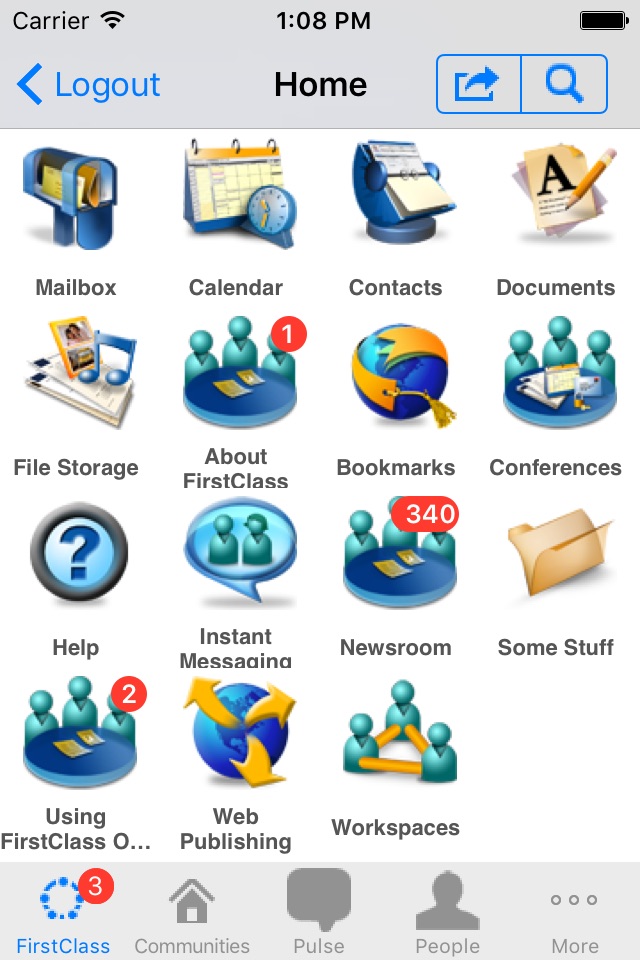
iPhone 1 image
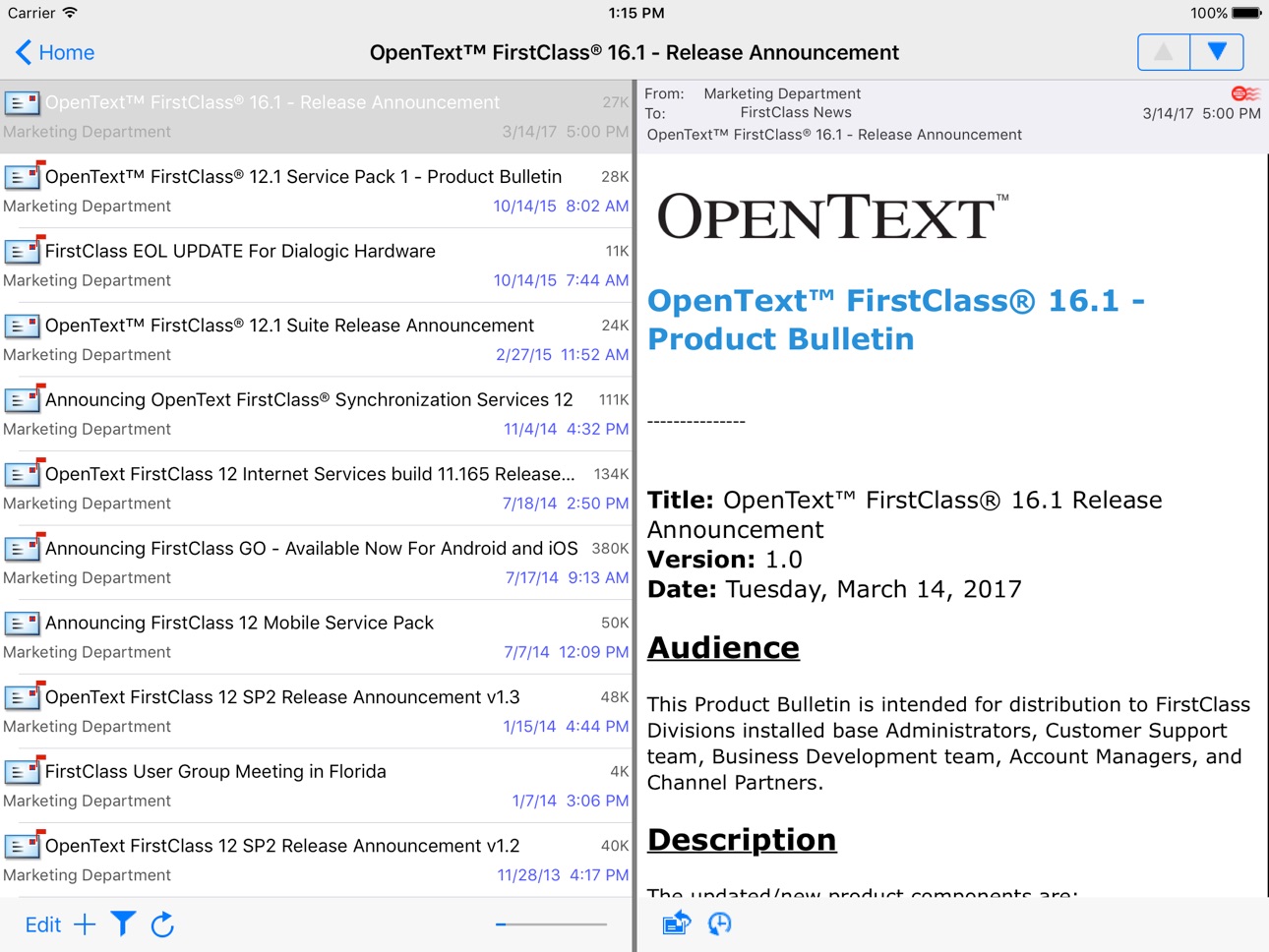
iPad 1 image
What’s New Version 16.1.5
Fixed crash on some older devices with iOS 9-10
Description
Your FirstClass content is now just a touch and a slide away! With FirstClass Mobile, iPhone®, iPod touch®, and iPad™ users can now take FirstClass with them on the road and have all of the power of FirstClass in the palm of their hands — delivering a true “anytime, anywhere” mobile collaboration experience.
With FirstClass Mobile, users with a FirstClass account can:
• Create, view, reply to, forward and delete email in their FirstClass account.
• Play voice messages encoded in MP3 format.
• View and access all containers on their FirstClass desktop.
• Read, forward, reply to, and check history of messages in FirstClass Conferences.
• Access a list of bookmarks created in the desktop version of FirstClass.
• View documents created in the FirstClass desktop client.
• View files uploaded to FirstClass, including images, text files and PDFs.
• Search for FirstClass content from the FirstClass Mobile home screen.
• Access FirstClass calendars and contacts.
Languages:
US English, UK English, Swedish, Finnish, Danish, Norwegian, German, French, Spanish, Italian, Dutch, Japanese
Requirements:
FirstClass Server 12.0 or later
Accessibility
ipadiphonemacrealityDevicetvoswatch
Version history 25 versions
Build 833561643v16.1.52019-11-14 00:53:22
Fixed crash on some older devices with iOS 9-10
Build 833351113v16.1.42019-10-27 13:52:57
- Layout improvements for larger phones.
- Fixed Copy to FirstClass sometimes failing
Build 833321183v16.1.32019-10-24 19:18:33
- Various usability improvements.
- Crash fixes.
Build 833220344v16.1.22019-10-18 21:09:14
Performance improvements for all devices.
Build 828021913v16.1.12018-08-22 15:37:42
Compatibility with iOS 12
Build 821704567v16.1.02017-04-13 01:20:10
- Keyboard was getting partially blocked on iPad Mini
- Other bug fixes
Build 818386271v16.0.1.0002016-08-04 21:56:52
- Fixed bug that stopped users from logging into sites that do not allow saved passwords
Build 818368999v16.0.0.0022016-08-02 22:56:57
- SHA512 digests for login
- MDM configuration for the server name
- Various bug fixes and UI improvements
Build 816070946v12.1.2.0002016-01-25 20:23:45
Fixed crash when aborting loading of very large calendars
Fixed push notification registration
Fixed clipped signature field in preferences on iPads
Build 815855470v12.1.1.0022016-01-18 21:07:00
- Fixed calendar crash on 64bit devices
- Fixed improper icon layout when connecting to pre 12.1 FirstClass servers
- Fixed saving of images
- Fixed attaching of images on iPads
Build 815503545v12.1.0.0042016-01-11 22:56:17
UI refresh
iOS 9 compatible fixes
Build 85873048v11.2.92013-10-29 22:37:08
Fix UI corruption in previous version due to iOS 7 SDK
Build 85102940v11.2.82013-10-28 04:35:18
Bug fix for missing items in mailboxes and conferences
Build 16101938v11.2.72013-08-15 18:28:58
- connection interruption when editing messages no longer looses all the message content
- client no longer continually asks you to save your password when you do not wish to
- reply all with quote option added
- mailbox filling issue fixed for compatibility with 12.x servers not completely filling a screens worth of content
- fixed issue when in edit mode the wrong message or folder would be deleted
Build 12321641v11.2.62012-12-07 11:50:06
- iPhone 5 layout improvements
- sent messages can now be unsent
- bug fix for crash when uploading pictures in iOS 6.0
Build 10369054v11.2.52012-09-12 21:51:53
- Bug fix for deleting the wrong items after reconnect.
- Bug fix for showing the view in Safari button even if the web page being viewed did not load due to needing user authentication.
- Added support for other apps to be able to view documents in FirstClass. This will attach the viewed file to a new FirstClass message.
Build 7527654v11.2.42012-05-16 18:06:48
New Features:
- Added support for Contact subfolders
- Completed tasks are now listed newest completed to oldest
Bug Fixes:
- Rare deadlock on reconnect with single core devices that would lock or freeze the device
- After a FirstClass Server audit, which happened while the iphone was offline, the FC iOS client could possibly delete the wrong message in the Mailbox
- Aborting a file view in a community could cause a crash
- iPad community documents were incorrectly being listed in the wiki file list for document wrapped files
Build 5671767v11.2.32012-01-04 00:16:20
- Fixed bug that prevented running on iOS 3.x
- Saved login digests are now cleared after logout
Build 5365680v11.2.22011-12-11 17:59:58
- Users can now choose which servers and accounts they want to receive push notifications from
- Images that have inlined thumbnails are now displayed and the original image is no longer downloaded until the user requests it
- Pictures that are scaled before they are uploaded no longer change from JPEG to PNG
- FCP links that are generated by the desktop client are now openable
- Fixed crash when marking tasks completed in iOS 5
- Login version is now the same as the app version like the desktop clients
- Fixed view corruption when international keyboards are shown or hidden
Build 4129073v11.2.12011-09-12 23:25:29
- Punch Through Calendaring
- Fixed crash when pasting images into messages or attaching images that are in portrait
Build 3800182v11.22011-06-09 17:32:21
• User settable font size for read only content.
• Toolbar button to retrieve the complete list of items in mailbox, conferences and folders.
• iPad UI improvements for navigating conferences, mailboxes and folders which have sub-containers to list the list items in one step.
• Various bug fixes.
Build 3665187v11.1.12011-04-29 00:18:09
- Calendaring Scheduling and other event features
- Tasks integrated with Calendars
- Document Sharing
- Contacts enhancements for iPad
- bug fixes
Build 3210462v11.12010-12-07 00:57:06
- Day view for calendar
- Topbar tints red to indicate offline
- Bug fixes related to working offline
Build 3049483v11.02010-10-18 15:43:49
• User interface enhancements to take best advantage of the iPad’s large display.
• Integrated support for FirstClass calendars and contacts – separate ActiveSync links are no longer required.
• One tap access to the Social Workplace Pulse, Communities, and People.
• The new FCX Instant Messaging supports Social Workplace Chat.
• FirstClass Mobile now defaults to displaying signatures at the end of posts. This can be turned off by removing the signature text.
• The choice to use CAST encryption for the communications link is now user settable on a per server basis.
• A Save Password? dialog is now presented when an account password is newly entered, to save it or not.
• Offline support and Fast Start.
• Performance improvements by utilizing iOS 4.0 multitasking and fast app switching.
Build 2314975v10.2.12010-02-03 22:30:20
Fixes crash when moving items in the mailbox.
No pricing data captured yet — comparisons appear once the app has paid storefronts or in-app purchases.
Availability 1 of 1 storefronts
| Region | Language | Price | Ratings | Avg | Version |
|---|---|---|---|---|---|
| US | en-US | Free | 95 | 1.8 | 16.1.5 |
Change log 28 changes · US
✎
releaseNotes updated
Fixed crash on some older devices with iOS 9-10
✎
description updated
Your FirstClass content is now just a touch and a slide away! With FirstClass Mobile, iPhone®, iPod touch®, and iPad™ users can now take FirstClass with them on
✎
name updated
FirstClass Mobile
◆
Version 16.1.5 released
Fixed crash on some older devices with iOS 9-10
◆
Version 16.1.4 released
- Layout improvements for larger phones.
- Fixed Copy to FirstClass sometimes failing
◆
Version 16.1.3 released
- Various usability improvements.
- Crash fixes.
◆
Version 16.1.2 released
Performance improvements for all devices.
◆
Version 16.1.1 released
Compatibility with iOS 12
◆
Version 16.1.0 released
- Keyboard was getting partially blocked on iPad Mini
- Other bug fixes
◆
Version 16.0.1.000 released
- Fixed bug that stopped users from logging into sites that do not allow saved passwords
◆
Version 16.0.0.002 released
- SHA512 digests for login
- MDM configuration for the server name
- Various bug fixes and UI improvements
◆
Version 12.1.2.000 released
Fixed crash when aborting loading of very large calendars
Fixed push notification registration
Fixed clipped signature field in preferences on iPads
◆
Version 12.1.1.002 released
- Fixed calendar crash on 64bit devices
- Fixed improper icon layout when connecting to pre 12.1 FirstClass servers
- Fixed saving of images
- Fixed attaching of images on iPads
◆
Version 12.1.0.004 released
UI refresh
iOS 9 compatible fixes
◆
Version 11.2.9 released
Fix UI corruption in previous version due to iOS 7 SDK
◆
Version 11.2.8 released
Bug fix for missing items in mailboxes and conferences
◆
Version 11.2.7 released
- connection interruption when editing messages no longer looses all the message content
- client no longer continually asks you to save your password when you do not wish to
- reply all with quote option added
- mailbox filling issue fi
◆
Version 11.2.6 released
- iPhone 5 layout improvements
- sent messages can now be unsent
- bug fix for crash when uploading pictures in iOS 6.0
◆
Version 11.2.5 released
- Bug fix for deleting the wrong items after reconnect.
- Bug fix for showing the view in Safari button even if the web page being viewed did not load due to needing user authentication.
- Added support for other apps to be able to view d
◆
Version 11.2.4 released
New Features:
- Added support for Contact subfolders
- Completed tasks are now listed newest completed to oldest
Bug Fixes:
- Rare deadlock on reconnect with single core devices that would lock or freeze the device
- After a FirstCla
◆
Version 11.2.3 released
- Fixed bug that prevented running on iOS 3.x
- Saved login digests are now cleared after logout
◆
Version 11.2.2 released
- Users can now choose which servers and accounts they want to receive push notifications from
- Images that have inlined thumbnails are now displayed and the original image is no longer downloaded until the user requests it
- Pictures that
◆
Version 11.2.1 released
- Punch Through Calendaring
- Fixed crash when pasting images into messages or attaching images that are in portrait
◆
Version 11.2 released
• User settable font size for read only content.
• Toolbar button to retrieve the complete list of items in mailbox, conferences and folders.
• iPad UI improvements for navigating conferences, mailboxes and folders which have sub-cont
◆
Version 11.1.1 released
- Calendaring Scheduling and other event features
- Tasks integrated with Calendars
- Document Sharing
- Contacts enhancements for iPad
- bug fixes
◆
Version 11.1 released
- Day view for calendar
- Topbar tints red to indicate offline
- Bug fixes related to working offline
◆
Version 11.0 released
• User interface enhancements to take best advantage of the iPad’s large display.
• Integrated support for FirstClass calendars and contacts – separate ActiveSync links are no longer required.
• One tap access to the Social Workplace
◆
Version 10.2.1 released
Fixes crash when moving items in the mailbox.