Home › Utilities

 US
US
1 of 1 storefronts
Content in en-US
Content in en-US
Information
Preview 2 platforms
iPhone 5 images


iPad 3 images


What’s New Version 6.0
- Improved Download process
- Minor fixes and enhancements
Description
Save your favorite websites to your iPhone, iPod touch or iPad.
This app helps you save favorite websites directly to your iPhone and browse them offline, even when you don't have Internet connection.
With iSaveWeb you can:
- Store websites directly on iPhone, iPod touch or iPad, ONE PAGE AT A TIME.
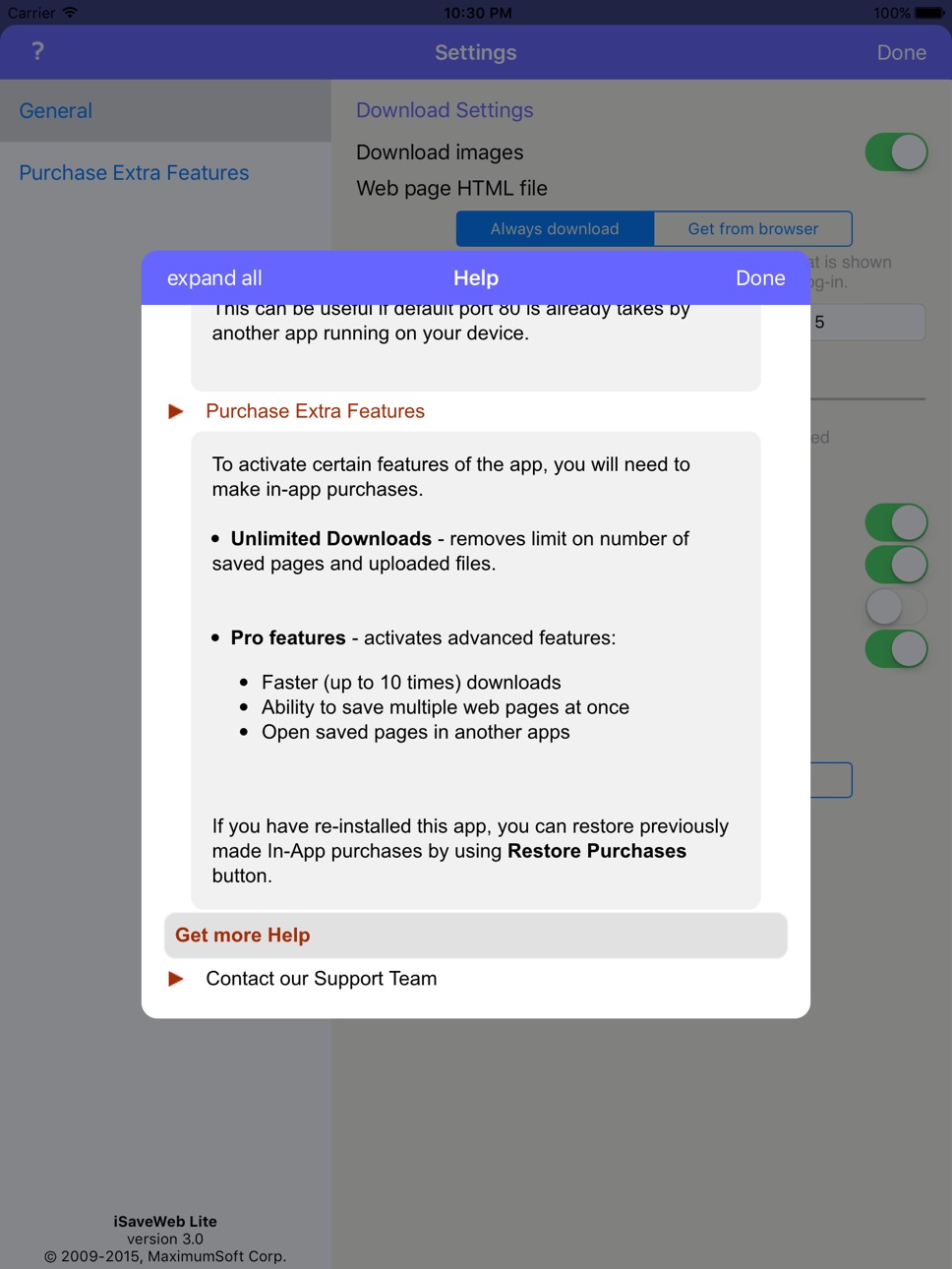
To save MULTIPLE pages at once - purchase 'Pro features'.
- Each page is saved with all shown images, JavaScript and CSS files.
- iSaveWeb can store public Internet web sites, as well as sites that require users to login. The information is stored directly on your device.
- Browse through sites and save only pages that you need.
Save pages either from
- iSaveWeb build-in browser, or
- Directly from iPhone Safari browser (when using special Safari bookmark, contact support for more information).
- Transfer saved pages from iPhone to desktop computer.
- Upload files from desktop computers directly to your iPhone / iPod touch / iPad.
You can upload single HTML files, Web Archives, Zip archives containing saved web sites, PDF and any other files that can be viewed in Safari browser on your iPhone.
Use iSaveWeb to store your favorite web sites, online books, news, pictures, study materials - everything you can see in your browser.
*** IMPORTANT ***
To save MULTIPLE pages at once - purchase 'Pro features'.
If you need greater control over website download (exclude certain links, file types, etc.), we recommend to use our desktop WebCopier products (available for Mac, Windows and Linux) that can download sites to your desktop computer and then transfer downloaded files directly to iSaveWeb running on iPad / iPhone / iPod touch.
*** YOU CAN TRY IT BEFORE BUYING ***
Still not sure if this app will work for you?
Try its free version "iSaveWeb Lite" that has same great features, but limits number of saved pages.
In-App Purchases US pricing
One-Time Purchases
Pro features$3.99
Capabilities
In-App Purchases
Accessibility
ipadiphonemacrealityDevicetvoswatch
Version history 24 versions
Build 873226915v6.02025-03-14 14:37:18
- Improved Download process
- Minor fixes and enhancements
Build 842438493v5.02021-06-02 01:43:25
- Improved Download process
- Minor fixes and enhancements
Build 825387549v4.32017-12-20 20:43:13
This update from Apple will improve the functionality of this app. No new features are included.
- Improved HTML parser;
- Minor fixes and enhancements.
Build 816522824v3.12016-02-29 21:04:10
- Improved HTML parser;
- Minor fixes and enhancements.
Build 815459114v3.02016-01-11 03:52:14
- Redesigned UI;
- Full screen mode when viewing saved pages;
- iOS 9 Multitasking support;
- Integrated Help;
- Miscellaneous fixes and enhancements;
- Faster downloads (requires in-app purchase);
- Ability to open saved pages in other apps (requires in-app purchase);
- Can share saved pages with others via Cloud services (requires in-app purchase).
Build 5265974v2.7.52011-12-08 17:50:08
- Increases maximum zoom factor when viewing saved files;
- Fixes files Sharing problem.
Build 4907574v2.72011-11-17 00:41:12
- Minor system improvements
- Fix for iOS 5 compatibility issue
Build 4133238v2.62011-09-14 21:29:59
- Full Screen browsing - shake device when viewing saved pages;
- Minor system improvements.
Build 3449126v2.52011-03-02 16:39:32
- Improved HTML parser;
- Minor system improvements
Build 3196584v2.42010-12-07 13:49:10
- Fixes compatibility issue with iOS 3.0 and 3.1
- Provides support for iOS 4.2
- Minor system improvements
Build 3114412v2.32010-11-14 16:00:07
- improved Fullscreen mode on iPad
- Minor system improvements
Build 2858949v2.2.52010-08-08 23:35:18
Includes minor system improvements.
Build 2771053v2.22010-07-02 20:16:53
- Supports iOS 4.0;
- Includes minor fixes.
Build 2702430v2.1.62010-06-12 16:03:36
- Includes toolbar button for Full Screen browsing in landscape mode on iPad;
- Fixes issue with upload of ZIP files from internet Explorer.
Build 2671103v2.1.52010-06-02 20:14:00
Fixes for minor issues
Build 2585096v2.12010-05-19 15:44:49
- Improved HTML parser;
- Full Screen browsing of saved pages on iPad - just Shake it;
- Improved handling of uploaded ZIP files;
- Fixed issues with navigation to saved pages that have Urls with named anchors.
Build 2515384v2.0.22010-04-02 21:23:07
- The app was enhanced to support iPad features.
- Fixes web page zoom issue in iPad version.
Build 2464117v2.02010-04-01 18:25:52
The app was enhanced to support iPad features.
Build 2333571v1.42010-02-09 18:57:19
- The app now not only downloads web pages from the Internet, but also allows to Upload files from desktop.
- Just start "Sharing" files, go to "Upload" page in desktop browser, select a file and upload it to iSaveWeb to be viewed on iPhone / iPod touch.
- Verity of files can be uploaded: single HTML file, Web Archive, Zip archive containing saved web sites (it will be Unzipped automatically), PDF and any other files that can be viewed in Safari browser on iPhone / iPod touch.
Build 2262073v1.3.82010-01-13 00:58:31
Fixes a problem with configuration settings that might prevent from downloading images, by default.
Build 2183863v1.32009-12-11 03:55:17
- Full Screen browsing - when viewing saved pages turn device into Landscape mode or shake it;
- Improved HTML parser.
Build 1965513v1.22009-09-20 23:03:41
- Files Sharing - access pages saved by iSaveWeb from any browser over WiFi connection;
- Tap-and-hold to Email or Copy saved images, when viewing saved pages;
- Improved HTML parser;
- Additional Setting for greater control over the saving process.
Build 1738261v1.12009-08-03 21:33:30
- Improved HTML parser;
- Program shows page saving progress;
- Allows to stop page saving;
- New Page Info screen that allows to change page Title, Domain, URL.
Build 1475543v1.02009-04-07 00:34:00
Price history by region
Currency
Show
Columns
Search
Availability 1 of 1 storefronts
| Region | Language | Price | Ratings | Avg | Version |
|---|---|---|---|---|---|
| US | en-US | Free | 13 | 3.2 | 6.0 |
Change log 27 changes · US
✎
releaseNotes updated
- Improved Download process
- Minor fixes and enhancements
✎
description updated
Save your favorite websites to your iPhone, iPod touch or iPad.
This app helps you save favorite websites directly to your iPhone and browse them offline, even
✎
name updated
iSaveWeb - web saving tool
◆
Version 6.0 released
- Improved Download process
- Minor fixes and enhancements
◆
Version 5.0 released
- Improved Download process
- Minor fixes and enhancements
◆
Version 4.3 released
This update from Apple will improve the functionality of this app. No new features are included.
- Improved HTML parser;
- Minor fixes and enhancements.
◆
Version 3.1 released
- Improved HTML parser;
- Minor fixes and enhancements.
◆
Version 3.0 released
- Redesigned UI;
- Full screen mode when viewing saved pages;
- iOS 9 Multitasking support;
- Integrated Help;
- Miscellaneous fixes and enhancements;
- Faster downloads (requires in-app purchase);
- Ability to open saved pages in other
◆
Version 2.7.5 released
- Increases maximum zoom factor when viewing saved files;
- Fixes files Sharing problem.
◆
Version 2.7 released
- Minor system improvements
- Fix for iOS 5 compatibility issue
◆
Version 2.6 released
- Full Screen browsing - shake device when viewing saved pages;
- Minor system improvements.
◆
Version 2.5 released
- Improved HTML parser;
- Minor system improvements
◆
Version 2.4 released
- Fixes compatibility issue with iOS 3.0 and 3.1
- Provides support for iOS 4.2
- Minor system improvements
◆
Version 2.3 released
- improved Fullscreen mode on iPad
- Minor system improvements
◆
Version 2.2.5 released
Includes minor system improvements.
◆
Version 2.2 released
- Supports iOS 4.0;
- Includes minor fixes.
◆
Version 2.1.6 released
- Includes toolbar button for Full Screen browsing in landscape mode on iPad;
- Fixes issue with upload of ZIP files from internet Explorer.
◆
Version 2.1.5 released
Fixes for minor issues
◆
Version 2.1 released
- Improved HTML parser;
- Full Screen browsing of saved pages on iPad - just Shake it;
- Improved handling of uploaded ZIP files;
- Fixed issues with navigation to saved pages that have Urls with named anchors.
◆
Version 2.0.2 released
- The app was enhanced to support iPad features.
- Fixes web page zoom issue in iPad version.
◆
Version 2.0 released
The app was enhanced to support iPad features.
◆
Version 1.4 released
- The app now not only downloads web pages from the Internet, but also allows to Upload files from desktop.
- Just start "Sharing" files, go to "Upload" page in desktop browser, select a file and upload it to iSaveWeb to be viewed on iPhon
◆
Version 1.3.8 released
Fixes a problem with configuration settings that might prevent from downloading images, by default.
◆
Version 1.3 released
- Full Screen browsing - when viewing saved pages turn device into Landscape mode or shake it;
- Improved HTML parser.
◆
Version 1.2 released
- Files Sharing - access pages saved by iSaveWeb from any browser over WiFi connection;
- Tap-and-hold to Email or Copy saved images, when viewing saved pages;
- Improved HTML parser;
- Additional Setting for greater control over the sav
◆
Version 1.1 released
- Improved HTML parser;
- Program shows page saving progress;
- Allows to stop page saving;
- New Page Info screen that allows to change page Title, Domain, URL.
◆
Version 1.0 released