Home › Business

 US
US
1 of 1 storefronts
Content in en-US
Content in en-US
Information
Preview 3 platforms
iPhone 5 images


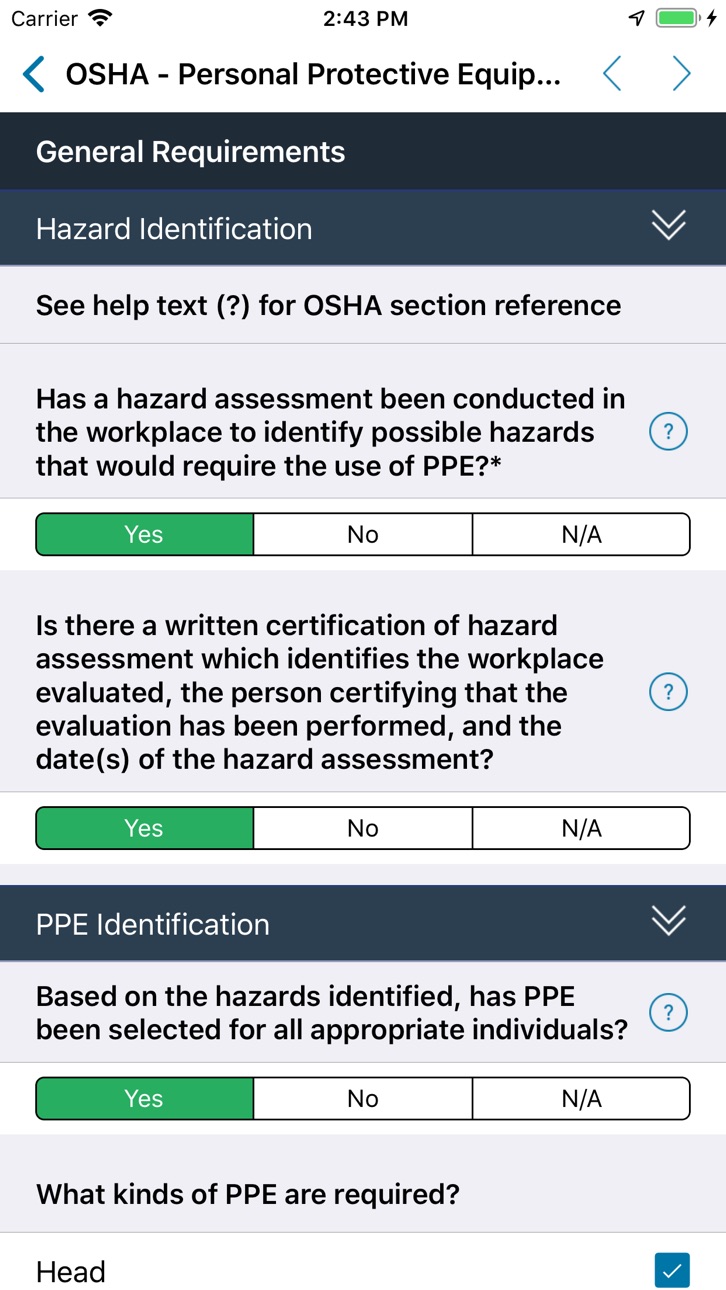
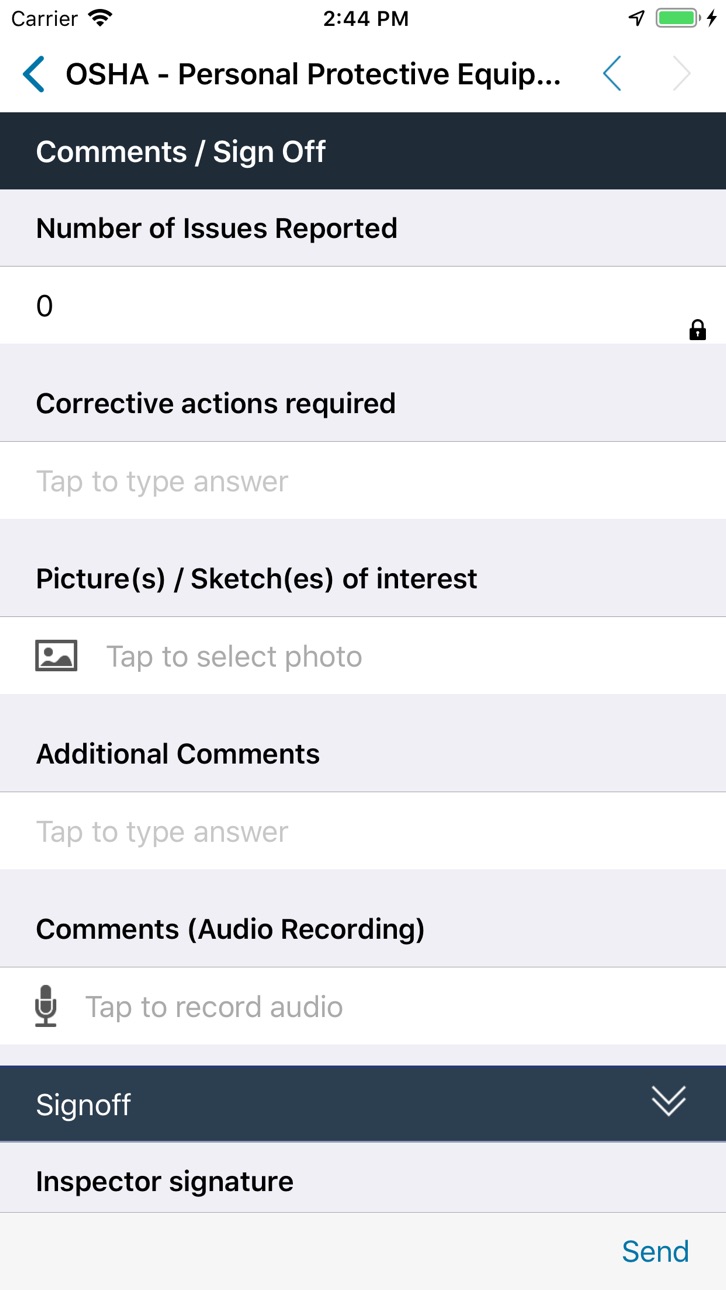

iPad 6 images


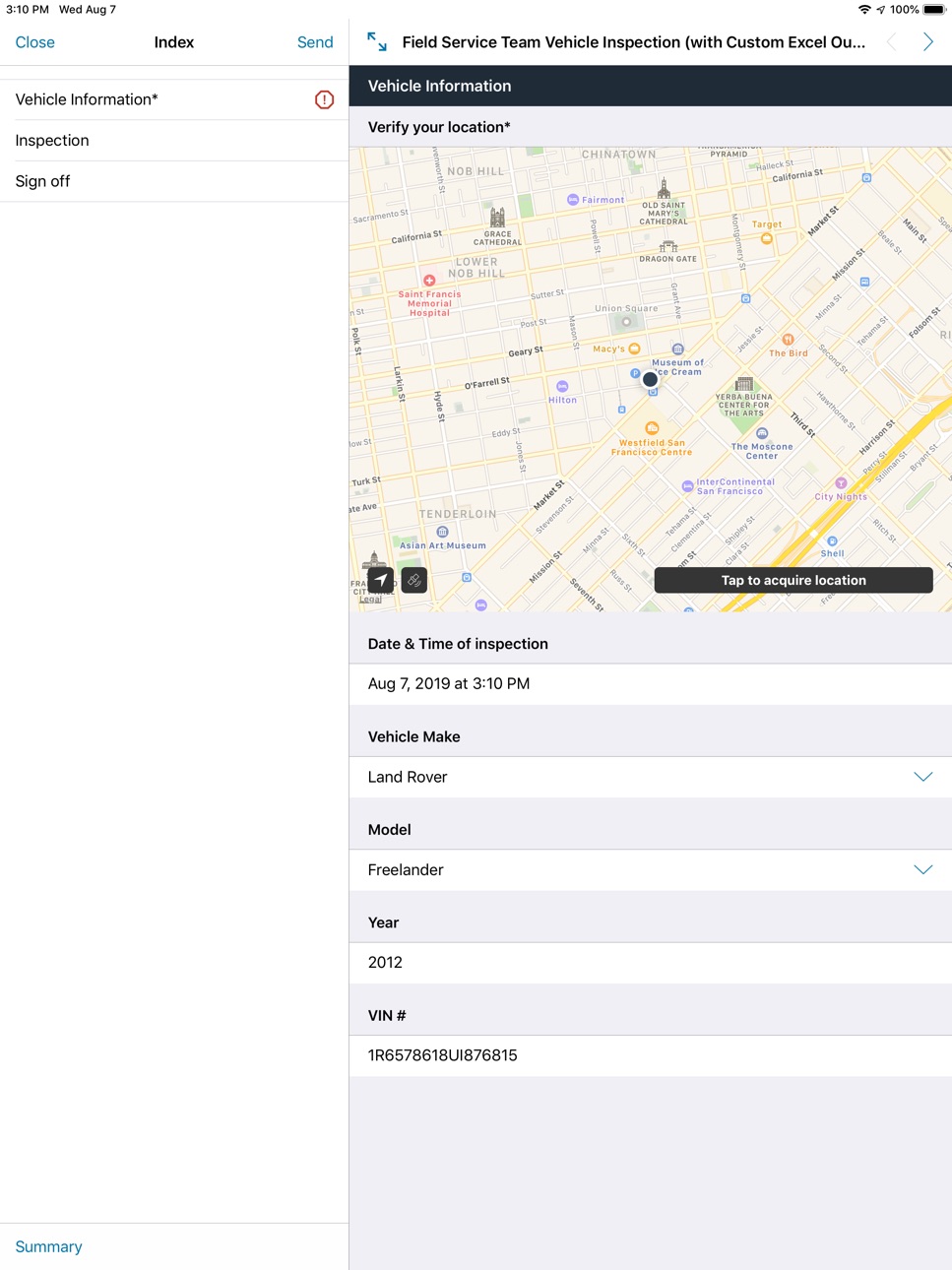


Mac 4 images


What’s New Version 28.2.0
Bugfixes and Optimizations
Description
TrueContext is the global leader in automating mobile workflows.
The TrueContext mobile solution makes it easy for remote workers to collect data on a mobile device, access company data in the field, and automatically share the results with back-office systems, cloud services, and people. We make it possible for companies to track, analyze, and continuously improve processes.
TrueContext for macOS brings the same data collection functionality to Apple laptops and desktops, and makes it easier for desk workers to participate in approval workflows.
Platform Elements:
* The Mobile Forms App
Automate business tasks through powerful data access, collection and delivery.
* Integrations & Workflows
Seamlessly connect and route data across systems, cloud services, and people.
* Analytics & Reporting
Track and measure field operations to optimize business performance.
Capabilities
In-App Purchases
Accessibility
ipadiphonemacrealityDevicetvoswatch
Version history 25 versions
Build 887653298v28.2.02026-07-06 18:04:32
Bugfixes and Optimizations
Build 886776365v28.1.02026-06-11 18:04:51
Bugfixes and Optimizations
Build 886164748v28.0.02026-06-01 19:07:13
Bugfixes and Optimizations
Build 885977825v27.3.02026-05-25 16:01:16
Bugfixes and Optimizations
Build 884718469v27.2.02026-05-11 18:14:32
Bugfixes and Optimizations
Build 883548958v27.1.02026-03-24 18:00:06
Available Now!
- Updated interface - TrueContext now adopts Apple's modern design framework for a refined, native iOS experience.
On-Demand Integrations (Coming Soon!)
Access real-time data from your critical business systems without leaving your mobile forms. On-Demand Integrations bring the information technicians need, exactly when they need it.
- On-Demand Data Sources - Pull fresh data in real-time from leading CRM, ERP, and asset management systems based on the current state of your job. Perfect for large datasets that can't be synced in advance and for retrieving information that's specific to your work-in-progress, ensuring technicians always work with current, relevant information.
- Webhook Control - Make real-time calls to external services during form completion. Look up information, access AI-powered tools, or send status updates to back-office systems as work progresses.
Build 883027547v27.0.02026-03-10 18:04:53
Available Now!
- Updated interface - TrueContext now adopts Apple's modern design framework for a refined, native iOS experience.
On-Demand Integrations (Coming Soon!)
Access real-time data from your critical business systems without leaving your mobile forms. On-Demand Integrations bring the information technicians need, exactly when they need it.
- On-Demand Data Sources - Pull fresh data in real-time from leading CRM, ERP, and asset management systems based on the current state of your job. Perfect for large datasets that can't be synced in advance and for retrieving information that's specific to your work-in-progress, ensuring technicians always work with current, relevant information.
- Webhook Control - Make real-time calls to external services during form completion. Look up information, access AI-powered tools, or send status updates to back-office systems as work progresses.
Build 881423646v26.1.02026-01-15 19:01:01
Bugfixes and Optimizations
Build 880531301v26.0.02025-12-15 19:00:34
Available Now!
- Transfer to Myself moves your work in-progress to another device and makes it visible to supervisors via the TrueContext portal.
Coming soon!
- On-Demand Data Sources pulls data in real-time into your active mobile workflow from critical back-office systems like Salesforce, Dynamics and many more.
- Work History gives technicians instant access to insights and data from past work. View record history tied to assets, sites, persons, products, projects and customers. Drill into specific details and metrics from previous work. Spot trends and anomalies quickly.
Build 880182856v25.2.22025-12-01 19:00:31
Bugfixes and Optimizations
Build 879907727v25.2.12025-11-20 20:07:15
Bugfixes and Optimizations
Build 879460793v25.2.02025-11-11 19:09:48
Bugfixes and Optimizations
Build 878746174v25.0.42025-10-08 22:08:52
- File Name Preservation
Attached files and images now keep their original file names instead of being automatically renamed. This preserves any meaningful information you included in your file names, making it easier to identify and organize your attachments.
- Image Rotation
New rotate button in photo controls lets you fix the orientation of images captured from your camera or photo gallery. Simply tap to rotate images 90 degrees until they're positioned correctly.
- Enhanced Pick List Views
Multi-column view for form pick lists now supports up to five columns, giving you more flexibility to view, sort, and filter your data when making selections in the TrueContext apps.
Build 878713010v25.0.32025-10-07 18:13:52
- File Name Preservation
Attached files and images now keep their original file names instead of being automatically renamed. This preserves any meaningful information you included in your file names, making it easier to identify and organize your attachments.
- Image Rotation
New rotate button in photo controls lets you fix the orientation of images captured from your camera or photo gallery. Simply tap to rotate images 90 degrees until they're positioned correctly.
- Enhanced Pick List Views
Multi-column view for form pick lists now supports up to five columns, giving you more flexibility to view, sort, and filter your data when making selections in the TrueContext apps.
Build 878650854v25.0.22025-10-06 12:47:09
- File Name Preservation
Attached files and images now keep their original file names instead of being automatically renamed. This preserves any meaningful information you included in your file names, making it easier to identify and organize your attachments.
- Image Rotation
New rotate button in photo controls lets you fix the orientation of images captured from your camera or photo gallery. Simply tap to rotate images 90 degrees until they're positioned correctly.
- Enhanced Pick List Views
Multi-column view for form pick lists now supports up to five columns, giving you more flexibility to view, sort, and filter your data when making selections in the TrueContext apps.
Build 878474483v25.0.12025-09-29 18:54:56
- File Name Preservation
Attached files and images now keep their original file names instead of being automatically renamed. This preserves any meaningful information you included in your file names, making it easier to identify and organize your attachments.
- Image Rotation
New rotate button in photo controls lets you fix the orientation of images captured from your camera or photo gallery. Simply tap to rotate images 90 degrees until they're positioned correctly.
- Enhanced Pick List Views
Multi-column view for form pick lists now supports up to five columns, giving you more flexibility to view, sort, and filter your data when making selections in the TrueContext apps.
Build 878239699v25.0.02025-09-23 18:25:34
- File Name Preservation
Attached files and images now keep their original file names instead of being automatically renamed. This preserves any meaningful information you included in your file names, making it easier to identify and organize your attachments.
- Image Rotation
New rotate button in photo controls lets you fix the orientation of images captured from your camera or photo gallery. Simply tap to rotate images 90 degrees until they're positioned correctly.
- Enhanced Pick List Views
Multi-column view for form pick lists now supports up to five columns, giving you more flexibility to view, sort, and filter your data when making selections in the TrueContext apps.
Build 877879838v23.4.02025-09-11 18:05:44
* iOS 26 support
* Bugfixes and Optimizations
Build 877074915v23.3.12025-08-08 17:37:37
Bugfixes and Optimizations
Build 876910151v23.3.02025-08-05 17:59:30
Bugfixes and Optimizations
Build 876423394v23.2.02025-07-16 18:01:21
Bugfixes and Optimizations
Build 875533367v23.1.02025-06-17 17:59:44
Reorder Images with Drag-and-Drop
You can now rearrange images and sketches captured in your forms with simple drag-and-drop functionality. When using Image or Sketch form controls that allow multiple captures, just press and drag to reorder them however you need.
This gives you complete control over how your images appear in generated reports—whether you're creating PDFs, Word documents, or HTML outputs. Organize your visual data exactly how you want it presented, making your documentation clearer and more professional.
Perfect for inspection reports, site documentation, or any workflow where image sequence matters.
Build 875035275v23.0.12025-05-26 14:12:17
NEW: TrueContext Mobile Resource Library
Access critical reference materials instantly—all within one app! Our new Mobile Resource Library eliminates the need for field techs to juggle multiple apps or carry printed materials. All your manuals, diagrams, and essential documents are now centralized where your teams already work. Boost productivity with:
* Seamless offline access to all documents
* Lightning-fast search across titles, descriptions, and full content
* One-click access from home screen or within workflows
* Automatic language matching based on user preferences
* Support for multiple formats (PDF, Word, Excel, JPEG, PNG)
COMING SOON: On-demand Salesforce Data Sources (June 2025)
Enhance your field operations with dynamic Salesforce integration! This new feature complements our existing offline-friendly data sources by adding the option to retrieve up-to-date Salesforce data sets directly through the TrueContext mobile app. When connected to the internet, field techs can refresh their view with the latest customer information, service histories, inventory data, and more.
Note: This on-demand feature requires internet connectivity, while our existing data source capabilities continue to provide reliable offline access to synchronized data.
Watch for this powerful update in our next release!
Build 874748459v23.0.02025-05-20 18:00:03
NEW: TrueContext Mobile Resource Library
Access critical reference materials instantly—all within one app! Our new Mobile Resource Library eliminates the need for field techs to juggle multiple apps or carry printed materials. All your manuals, diagrams, and essential documents are now centralized where your teams already work. Boost productivity with:
* Seamless offline access to all documents
* Lightning-fast search across titles, descriptions, and full content
* One-click access from home screen or within workflows
* Automatic language matching based on user preferences
* Support for multiple formats (PDF, Word, Excel, JPEG, PNG)
COMING SOON: On-demand Salesforce Data Sources (June 2025)
Enhance your field operations with dynamic Salesforce integration! This new feature complements our existing offline-friendly data sources by adding the option to retrieve up-to-date Salesforce data sets directly through the TrueContext mobile app. When connected to the internet, field techs can refresh their view with the latest customer information, service histories, inventory data, and more.
Note: This on-demand feature requires internet connectivity, while our existing data source capabilities continue to provide reliable offline access to synchronized data.
Watch for this powerful update in our next release!
Build 873621969v22.1.02025-04-09 18:01:30
Bugfixes and Optimizations
No pricing data captured yet — comparisons appear once the app has paid storefronts or in-app purchases.
Availability 1 of 1 storefronts
| Region | Language | Price | Ratings | Avg | Version |
|---|---|---|---|---|---|
| US | en-US | Free | 58 | 2.3 | 28.2.0 |
Change log 28 changes · US
✎
releaseNotes updated
Bugfixes and Optimizations
✎
description updated
TrueContext is the global leader in automating mobile workflows.
The TrueContext mobile solution makes it easy for remote workers to collect data on a mobile
✎
name updated
TrueContext
◆
Version 28.2.0 released
Bugfixes and Optimizations
◆
Version 28.1.0 released
Bugfixes and Optimizations
◆
Version 28.0.0 released
Bugfixes and Optimizations
◆
Version 27.3.0 released
Bugfixes and Optimizations
◆
Version 27.2.0 released
Bugfixes and Optimizations
◆
Version 27.1.0 released
Available Now!
- Updated interface - TrueContext now adopts Apple's modern design framework for a refined, native iOS experience.
On-Demand Integrations (Coming Soon!)
Access real-time data from your critical business systems without lea
◆
Version 27.0.0 released
Available Now!
- Updated interface - TrueContext now adopts Apple's modern design framework for a refined, native iOS experience.
On-Demand Integrations (Coming Soon!)
Access real-time data from your critical business systems without lea
◆
Version 26.1.0 released
Bugfixes and Optimizations
◆
Version 26.0.0 released
Available Now!
- Transfer to Myself moves your work in-progress to another device and makes it visible to supervisors via the TrueContext portal.
Coming soon!
- On-Demand Data Sources pulls data in real-time into your active mobile workf
◆
Version 25.2.2 released
Bugfixes and Optimizations
◆
Version 25.2.1 released
Bugfixes and Optimizations
◆
Version 25.2.0 released
Bugfixes and Optimizations
◆
Version 25.0.4 released
- File Name Preservation
Attached files and images now keep their original file names instead of being automatically renamed. This preserves any meaningful information you included in your file names, making it easier to identify and organ
◆
Version 25.0.3 released
- File Name Preservation
Attached files and images now keep their original file names instead of being automatically renamed. This preserves any meaningful information you included in your file names, making it easier to identify and organ
◆
Version 25.0.2 released
- File Name Preservation
Attached files and images now keep their original file names instead of being automatically renamed. This preserves any meaningful information you included in your file names, making it easier to identify and organ
◆
Version 25.0.1 released
- File Name Preservation
Attached files and images now keep their original file names instead of being automatically renamed. This preserves any meaningful information you included in your file names, making it easier to identify and organ
◆
Version 25.0.0 released
- File Name Preservation
Attached files and images now keep their original file names instead of being automatically renamed. This preserves any meaningful information you included in your file names, making it easier to identify and organ
◆
Version 23.4.0 released
* iOS 26 support
* Bugfixes and Optimizations
◆
Version 23.3.1 released
Bugfixes and Optimizations
◆
Version 23.3.0 released
Bugfixes and Optimizations
◆
Version 23.2.0 released
Bugfixes and Optimizations
◆
Version 23.1.0 released
Reorder Images with Drag-and-Drop
You can now rearrange images and sketches captured in your forms with simple drag-and-drop functionality. When using Image or Sketch form controls that allow multiple captures, just press and drag to reord
◆
Version 23.0.1 released
NEW: TrueContext Mobile Resource Library
Access critical reference materials instantly—all within one app! Our new Mobile Resource Library eliminates the need for field techs to juggle multiple apps or carry printed materials. All your man
◆
Version 23.0.0 released
NEW: TrueContext Mobile Resource Library
Access critical reference materials instantly—all within one app! Our new Mobile Resource Library eliminates the need for field techs to juggle multiple apps or carry printed materials. All your man
◆
Version 22.1.0 released
Bugfixes and Optimizations