Home › Music

 US
US
USen-US NLnl
NLnl CLes-MX
 DOes-MX
 DZen-GB
 ECes-MX
 MXes-MX
 AGen-GB
 AIen-GB
 AOen-GB
 ARes-MX
 BBen-GB
 BEen-GB
 BFen-GB
 BJen-GB
 BOes-MX
 BRpt-BR
 BSen-GB
 BWen-GB
 BZen-GB
 CDen-GB
 CGen-GB
 CIfr-FR
 CMfr-FR
 COes-MX
 CRes-MX
 CVen-GB
 CYen-GB
 DMen-GB
 FIen-GB
 GAfr-FR
 GDen-GB
 GHen-GB
 GMen-GB
 GTes-MX
 GWen-GB
 GYen-GB
 HNes-MX
 JMen-GB
 KEen-GB
 KHen-GB
 KNen-GB
 KYen-GB
 LAen-GB
 LCen-GB
 LKen-GB
 LRen-GB
 LYen-GB
 MAen-GB
 MEen-GB
 MGen-GB
 MLen-GB
 MSen-GB
 MUen-GB
 MWen-GB
 MZen-GB
 NAen-GB
 NEen-GB
 NGen-GB
 NIes-MX
 NPen-GB
 PAes-MX
 PEes-MX
 PYes-MX
 RWen-GB
 SCen-GB
 SLen-GB
 SNen-GB
 SRen-GB
 STen-GB
 SVes-MX
 SZen-GB
 TCen-GB
 TDen-GB
 TNen-GB
 TTen-GB
 TZen-GB
 UGen-GB
 UYen-GB
 VCen-GB
 VEes-MX
 VGen-GB
 ZMen-GB
 ZWen-GB
84 of 84 storefronts
Content in en-US
Content in en-US
Information
Preview 2 platforms
iPhone 1 image
iPad 1 image
What’s New Version 5.1
-Fixed a possible crash on launch
Description
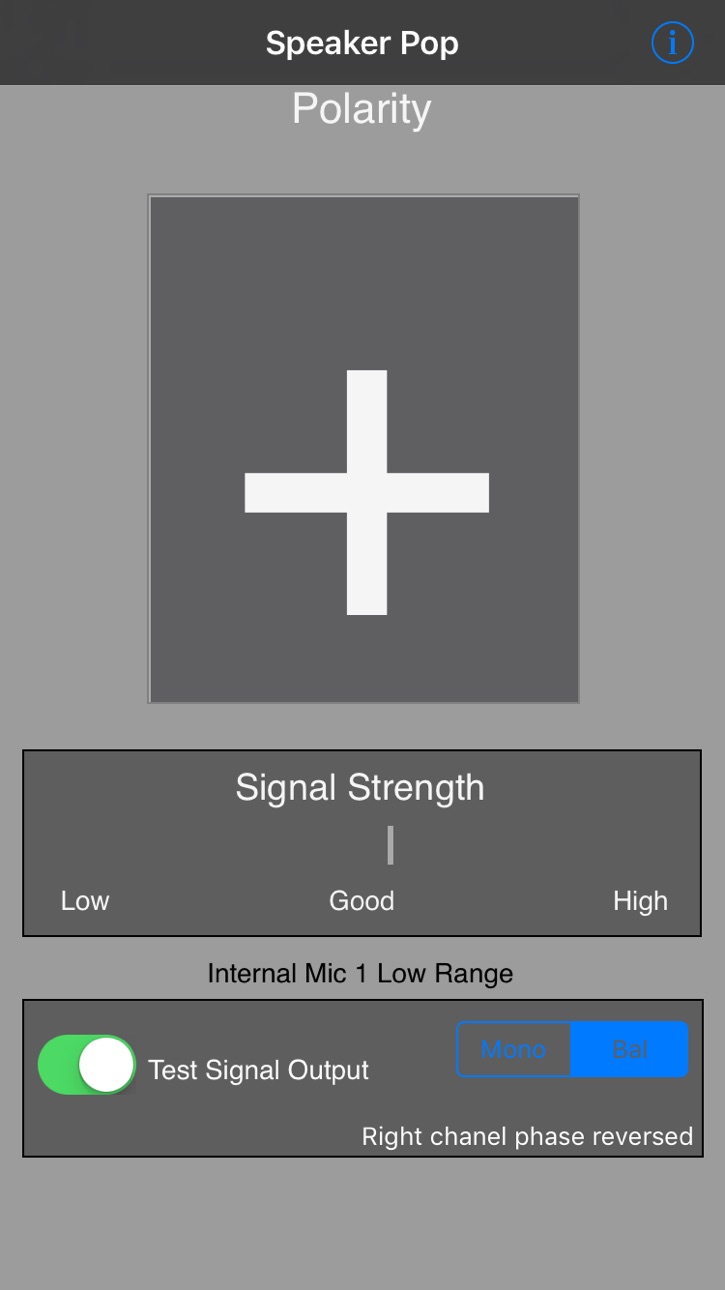
This app is a speaker polarity tester. Find out if your speakers are wired correctly (in phase or out of phase). Test your surround speakers, stereo speakers, PA speakers, in fact any speaker with wiring terminals on the back.
This speaker polarity tester was designed by the same people who built the Audio Toolbox, and the polarity tester in that unit was known as the most accurate and reliable polarity tester available. Now that technology is available in your iPhone.
Use this app to test your home speakers, recording studio monitors, home theater systems, car audio systems, or as part of your professional contractor work. Speakers wired backwards are the most common error in sound system setup, cause big problems, and are easily corrected. This app will give you the answers, no matter how difficult the wiring may be to trace.
Speaker Pop works by watching for a proprietary "pop" sound from the speaker, and doing DSP analysis of the sound to determine if the speaker cone is moving in the correct direction.
For iOS devices with headset jacks, as long as you use a standard 1/8" stereo plug, you can use any normal 1/8" to RCA adapter to get the signal into your system. You can also to record the "pop" test signal to a CD, DVD, or another iPod, and play this signal through your speakers.
We also support both Bluetooth and AirPlay streaming of the test signal to any device which supports one of these protocols.
If you are working on a home theater system, download our Apple TV app "Surround Generator". This app includes the Speaker Polarity signal, and can route the signal directly to any 5.1 or Atmos 9.6.1 speaker.
Speaker Polarity works with iAudioInterface and iTestMic2.
There is automatic adaptive technology to support any speaker type, Woofer, Midrange, or Tweeter, so you will get reliable readings.
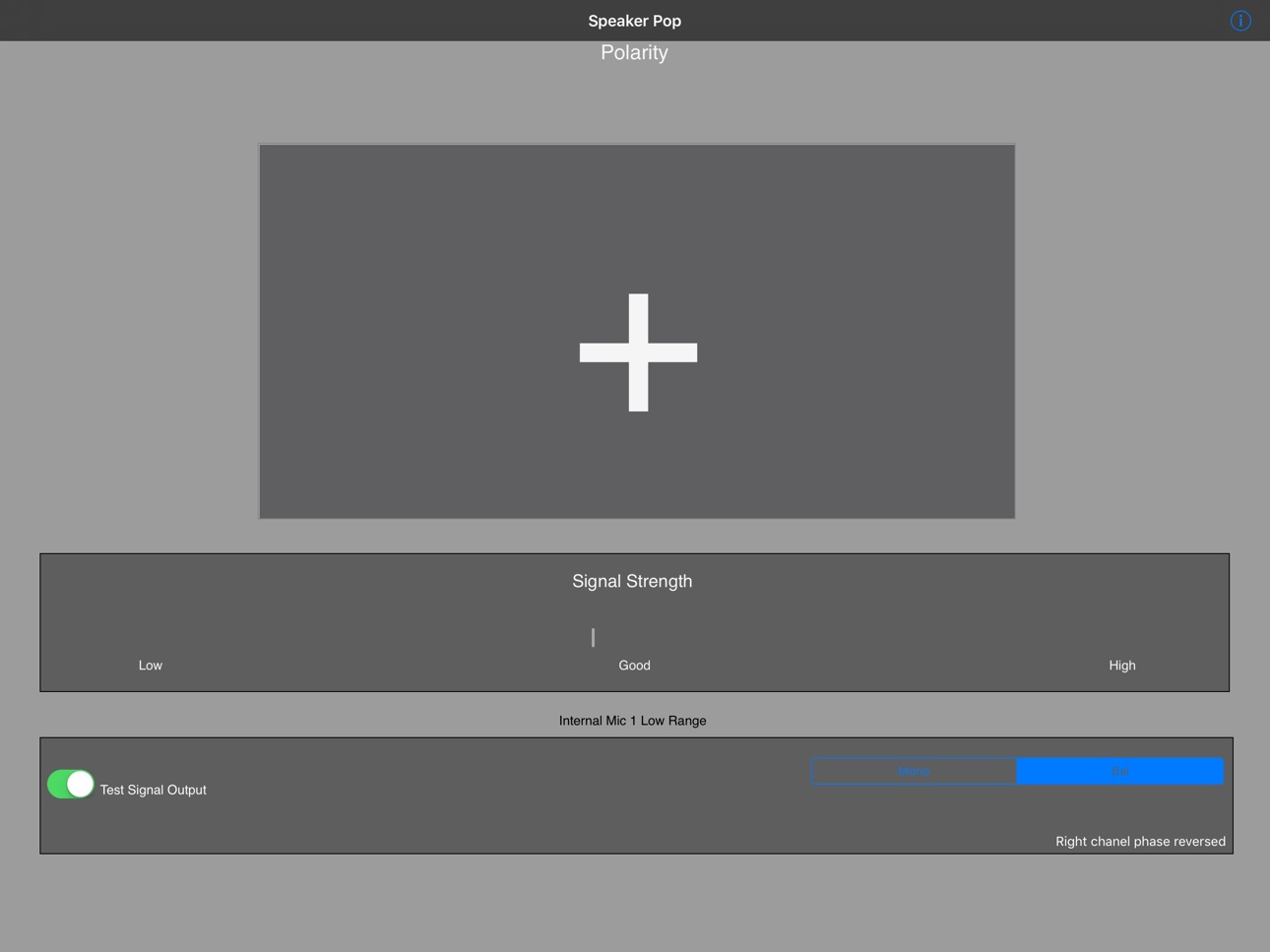
Once you have the test signal coming out of the speaker, position your phone near the speaker (we suggest you flip it over to point the internal mic directly at the speaker -- the display will flip). In a few seconds you will get the reading on the screen, either a Plus or a Minus. Plus indicates correct speaker polarity, Minus means you need to swap the wires coming into the speaker.
We also have stereo and surround test signals available for download from our web site which are ready for burning to USB stick, CD, or DVD. See our web site or for more information.
See our other audio apps: AudioTools, our premier audio and acoustics test and analysis app, SPL, the professional grade sound level meter for the iPhone, SPL Graph, for recording SPL over time, RTA, a 1/3 octave real time analyzer, FFT, for detailed acoustic analysis, ETC, the Energy Time Curve app, RT60, for automated octave-band decay time analysis, and Generator, the iPhone signal generator. Watch for more coming soon.
Accessibility
ipadiphonemacrealityDevicetvoswatch
Version history 25 versions
Build 880953646v5.12025-12-26 23:21:19
-Fixed a possible crash on launch
Build 880854088v5.02025-12-22 07:57:56
-Bug fixes and stability improvements
Build 880023536v4.92025-11-24 16:41:25
-Updated for new iOS devices
-Bug fixes and stability improvements
Build 874566038v4.82025-05-07 07:26:03
-Added Bluetooth and AirPlay support
-Improved UI display on large-screen devices
Build 870540380v4.72024-11-21 23:30:34
-Updated for latest iOS devices and calibrations
-Bug fixes and operational improvements
Build 868848433v4.62024-09-09 12:10:44
-Added support for AirPlay and Bluetooth signal output
Build 867388028v4.52024-07-10 19:52:41
-Updated for latest iOS devices and calibrations
-Bug fixes and operational improvements
Build 860802641v4.42023-10-19 20:57:08
-Updated for latest iOS devices and new iOS versions
-Bug fixes and stability improvements
Build 850817981v4.32022-07-13 20:27:07
-Bug fixes and improvements
-Support for more iOS devices and iOS versions
Build 844296565v4.22021-09-24 19:34:07
-Bug fixes and stability improvements
-Updated for latest iOS and devices
Build 840324003v4.12021-02-04 22:57:24
-Bug fixes and stability improvements
Build 837450959v4.02020-08-21 11:57:07
-Bug fixes and stability improvements
-Support for latest devices and iOS versions
Build 833055083v3.62019-10-09 15:46:20
-Updated Speaker Polarity for compatibility with iOS 13
Build 832317636v3.52019-08-13 22:22:50
-Updated for any iOS 9 or later
-Fixed issue with setup menu
-Bug fixes and stability improvements
Build 830898509v3.42019-04-09 00:18:06
-Updated for latest iOS devices
-Bug fixes and stability improvements
Build 824023172v3.32018-10-04 20:17:50
-Updated for iOS 12 and latest iPhone XS and iPhone XS Max models
-Bug fixes and stability improvements
Build 823785413v3.22017-09-29 22:22:55
General
- Added Calibration Error Report link to support page
- Fixed crashes on iOS 8 and iOS 9
- Fixed issue with multiple Studio Six Digital apps trying to access our accessories
- Updated App Store in-app purchase accessing and authorization for iOS 11
Live Calibration Updates
- Added cloud-based database for all iOS devices that can be updated in real time
- All devices included
- Includes local default files, in case a device has no internet connectivity
- Different databases for each major iOS version, starting with iOS 10
- New iPhones added to live calibration database
Build 823465773v3.12017-08-30 17:36:39
-Bug fixes and stability improvements
Build 819198311v3.02016-10-12 18:46:39
-Updated for iOS 9 & 10
Build 10643718v2.52012-09-13 18:21:35
** Updated test signal
** Improved detection algorithm, no longer need to pick speaker type
Build 10326247v2.42012-08-31 23:54:47
** Fixed output for iOS 5 and later
Build 2752073v2.32010-06-27 02:07:35
Updated for iOS 4 compatibility.
Build 2441122v2.22010-03-26 14:47:16
** Built for OS 3.0
** Improved speaker selector filters for more reliable results
Tools.
Build 1997257v2.12009-10-07 02:48:58
** Fixed issues with OS 3.0 and 3.1
** Now runs without Run / Stop button
Build 1807576v2.02009-07-05 20:36:07
Fixed: Added OS 3.0 compatibility; still runs on 2.2.1
Added: New choices for sub-woofer and Ultra-High Frequency (UHF) tweeter
Improved user interface.
Updated audio engine and processing.
Recommended for all users.
Price history by region
Currency
Show
Columns
Search
Availability 84 of 84 storefronts
| Region | Language | Price | Ratings | Avg | Version |
|---|---|---|---|---|---|
| US | en-US | USD 4.99 | 18 | 3.6 | 5.1 |
| NL | nl | EUR 5.99 | 3 | 3.7 | 5.1 |
| CL | es-MX | CLP 5990 | 1 | 5.0 | 5.1 |
| DO | es-MX | USD 4.99 | 1 | 4.0 | 5.1 |
| DZ | en-GB | USD 4.99 | 1 | 1.0 | 5.1 |
| EC | es-MX | USD 4.99 | 1 | 1.0 | 5.1 |
| MX | es-MX | MXN 99 | 1 | 4.0 | 5.1 |
| AG | en-GB | USD 4.99 | 0 | — | 5.1 |
| AI | en-GB | USD 4.99 | 0 | — | 5.1 |
| AO | en-GB | USD 4.99 | 0 | — | 5.1 |
| AR | es-MX | USD 4.99 | 0 | — | 5.1 |
| BB | en-GB | USD 5.99 | 0 | — | 5.1 |
| BE | en-GB | EUR 5.99 | 0 | — | 5.1 |
| BF | en-GB | USD 4.99 | 0 | — | 5.1 |
| BJ | en-GB | USD 5.99 | 0 | — | 5.1 |
| BO | es-MX | USD 4.99 | 0 | — | 5.1 |
| BR | pt-BR | BRL 29.9 | 0 | — | 5.1 |
| BS | en-GB | USD 4.99 | 0 | — | 5.1 |
| BW | en-GB | USD 4.99 | 0 | — | 5.1 |
| BZ | en-GB | USD 4.99 | 0 | — | 5.1 |
| CD | en-GB | USD 4.99 | 0 | — | 5.1 |
| CG | en-GB | USD 4.99 | 0 | — | 5.1 |
| CI | fr-FR | USD 5.99 | 0 | — | 5.1 |
| CM | fr-FR | USD 5.99 | 0 | — | 5.1 |
| CO | es-MX | COP 24900 | 0 | — | 5.1 |
| CR | es-MX | USD 4.99 | 0 | — | 5.1 |
| CV | en-GB | USD 4.99 | 0 | — | 5.1 |
| CY | en-GB | EUR 5.99 | 0 | — | 5.1 |
| DM | en-GB | USD 4.99 | 0 | — | 5.1 |
| FI | en-GB | EUR 5.99 | 0 | — | 5.1 |
| GA | fr-FR | USD 4.99 | 0 | — | 5.1 |
| GD | en-GB | USD 4.99 | 0 | — | 5.1 |
| GH | en-GB | USD 5.99 | 0 | — | 5.1 |
| GM | en-GB | USD 4.99 | 0 | — | 5.1 |
| GT | es-MX | USD 4.99 | 0 | — | 5.1 |
| GW | en-GB | USD 4.99 | 0 | — | 5.1 |
| GY | en-GB | USD 4.99 | 0 | — | 5.1 |
| HN | es-MX | USD 4.99 | 0 | — | 5.1 |
| JM | en-GB | USD 4.99 | 0 | — | 5.1 |
| KE | en-GB | USD 5.99 | 0 | — | 5.1 |
| KH | en-GB | USD 4.99 | 0 | — | 5.1 |
| KN | en-GB | USD 4.99 | 0 | — | 5.1 |
| KY | en-GB | USD 4.99 | 0 | — | 5.1 |
| LA | en-GB | USD 4.99 | 0 | — | 5.1 |
| LC | en-GB | USD 4.99 | 0 | — | 5.1 |
| LK | en-GB | USD 4.99 | 0 | — | 5.1 |
| LR | en-GB | USD 4.99 | 0 | — | 5.1 |
| LY | en-GB | USD 4.99 | 0 | — | 5.1 |
| MA | en-GB | USD 4.99 | 0 | — | 5.1 |
| ME | en-GB | EUR 4.99 | 0 | — | 5.1 |
| MG | en-GB | USD 4.99 | 0 | — | 5.1 |
| ML | en-GB | USD 4.99 | 0 | — | 5.1 |
| MS | en-GB | USD 4.99 | 0 | — | 5.1 |
| MU | en-GB | USD 5.99 | 0 | — | 5.1 |
| MW | en-GB | USD 4.99 | 0 | — | 5.1 |
| MZ | en-GB | USD 4.99 | 0 | — | 5.1 |
| NA | en-GB | USD 4.99 | 0 | — | 5.1 |
| NE | en-GB | USD 4.99 | 0 | — | 5.1 |
| NG | en-GB | NGN 7900 | 0 | — | 5.1 |
| NI | es-MX | USD 4.99 | 0 | — | 5.1 |
| NP | en-GB | USD 5.99 | 0 | — | 5.1 |
| PA | es-MX | USD 4.99 | 0 | — | 5.1 |
| PE | es-MX | PEN 22.9 | 0 | — | 5.1 |
| PY | es-MX | USD 4.99 | 0 | — | 5.1 |
| RW | en-GB | USD 4.99 | 0 | — | 5.1 |
| SC | en-GB | USD 4.99 | 0 | — | 5.1 |
| SL | en-GB | USD 4.99 | 0 | — | 5.1 |
| SN | en-GB | USD 5.99 | 0 | — | 5.1 |
| SR | en-GB | USD 4.99 | 0 | — | 5.1 |
| ST | en-GB | USD 4.99 | 0 | — | 5.1 |
| SV | es-MX | USD 4.99 | 0 | — | 5.1 |
| SZ | en-GB | USD 4.99 | 0 | — | 5.1 |
| TC | en-GB | USD 4.99 | 0 | — | 5.1 |
| TD | en-GB | USD 4.99 | 0 | — | 5.1 |
| TN | en-GB | USD 4.99 | 0 | — | 5.1 |
| TT | en-GB | USD 4.99 | 0 | — | 5.1 |
| TZ | en-GB | TZS 14900 | 0 | — | 5.1 |
| UG | en-GB | USD 5.99 | 0 | — | 5.1 |
| UY | en-GB | USD 4.99 | 0 | — | 5.1 |
| VC | en-GB | USD 4.99 | 0 | — | 5.1 |
| VE | es-MX | USD 4.99 | 0 | — | 5.1 |
| VG | en-GB | USD 4.99 | 0 | — | 5.1 |
| ZM | en-GB | USD 5.99 | 0 | — | 5.1 |
| ZW | en-GB | USD 5.99 | 0 | — | 5.1 |
Reviews 30 reviews · US
★★★★★
Crashes on opening
App won’t even open. It flashes then crashes. No way to get my money back either, apparently.
DENWYG2025-12-23
★★★★★
Lame
Pretty much the worst $5 I’ve ever spent. Does not matter if I’m Bluetooth, wired CarPlay, wireless CarPlay. Tells me “low sample rate detected” and then reads no signal when I play the sound. I restarted the iPhone, restarted the uconnect, turned off all other apps and radios on my phone. Don’t bother with this junk if you are trying to figure out polarity on a 2025 wrangler.
Jhalla9202025-05-21
★★★★★
EXCELLENT
Worked for my Jeep , Found out my Jeep Grand Cherokee front 2 door speaker were wired backwards, and all 3 dash tweeters also 🤦🏽♂️, After only reversing the the 2 front door speakers the sound system sounds so much better. Once I receive my adapters from Crutchfield I will replace the Tweeters. FOR THOSE OF YOU WHO DONT LIKE TO READ INSTRUCTIONS,HOLDING YOUR CLOSE TO THE SPEAKER EITH TEST TONE PLAYING IF THE PHONE READS A NEGATIVE IT MEANS THAT SPEAKER US OUT OF PHASE/POLARITY. All speakers should read + and not -
KJJ2702025-02-12
★★★★★
Chuchero testing
Used this app after I found my channels for my chuchero setup and it was accurate on the phase when I switched it on my drivers, mids, and tweeters.
JORGEA10102025-01-22
★★★★★
Must have
This app accurately identified the speakers out of phase. Bluetooth connected, turned on the test tone, held my phone in front of each of the speakers.
Raspberry Fields2024-05-05
★★★★★
Didn’t work…
Follower instructions, Bluetooth and wired. I tested it on car speakers, my TV and the speaker I bought from the store. Even the speaker that was intentionally crossed wired
$Riverside132024-02-10
★★★★★
Best money spent on an app
Works great with Bluetooth, (doesn’t work when Apple Car Play is running, but does with Bluetooth) Within 2 minutes I was done. Found out 3 speakers were backwards, literally the most useful app I’ve ever downloaded.
taytayinthebay2022-06-10
★★★★★
Best $5 i’ve ever spent!!!
Moved into new house with speakers built in everywhere to the ceilings and walls. No idea how the wires are connected, and i’m not about to go around removing each speaker from the wall and ceiling to see how they are attached (i tried one one, but they are very difficult to remove).
I needed to know the correct polarity so that I could correctly calculate the impedance of various series and parallel circuits of speakers with the amp so i didn’t overload it (in addition to them having optimal sound).
The builders of my house did not seem to follow any sort of convention or pattern when ins
SparkySnark2021-05-04
★★★★★
Quick and easy
I ran the WAV click file from their website through my stereo (using my iPad), then held my phone in front of each speaker to check polarity. 3 out of 4 of my speakers were negative, so I reversed the wires on those. Very quick and easy.
xv1442021-02-05
★★★★★
Great for any car audio install (Instructions in Review)
Installed new speakers, head unit, and amplifier in my project truck. When using the factory wiring to connect to aftermarket speakers, it’s challenging to know the correct wiring schematic, even with a harness.
After install I wanted to see if I did the wiring correctly... nope all speakers out of phase.
This app gives a simple “-“ or “+” based on the phase of your speakers. I would have given 5 stars, but this app must of been created in an hour. It’s very poor with little to no instructions.
What I did. Visit the app designers website on a Windows or OS computer and download their “Spea
EM3 to LV2019-04-27
★★★★★
Perfect!!!
Just built a new audio system in my car and I was struggling with some weird polarity issues coming from the OEM head unit. I downloaded and burned the WAV file to CD and played it on repeat. And then one by one I could test each speaker simply by hold my phone near it. Brilliant!
jbstegman2018-02-07
★★★★★
Works as advertised!
I recently hooked up surround speakers in a house that was pre wired for them. Unfortunately whoever wired it chose to use plain wire without any indication of positive or negative.
I was strongly suspicious that my speakers were wired backward, and I found this app.
Sure enough one of the surrounds was out of phase, and after fixing it they sound dramatically better!
This is one of those apps that is well worth the 5 bucks. I'm very pleased. Thanks!
DS Leadfoot2016-10-13
★★★★★
What an AWESOME app!
I installed an amp and upgraded speakers on my motorcycle. Took great effort to install everything according to my wiring diagrams.
After it was all done my front speakers just didn't sound right. Same speakers as the rear but nowhere near the quality as the rear speakers.
I took the bike apart to check my work. I did it right but using a multimeter I discovered that the original bike wiring was wrong. POS and NEG wires were backwards even though color coding and connectors were correct. Strange I know.
I fixed it but something was nagging me about it. Was the factory wiring really wrong
MVandG2016-04-15
★★★★★
Works Perfect!
I installed new speakers in my car recently, and could tell something was just "off." I did some research on my own, and concluded it was most likely a polarity issue with the speakers. I didn't want to buy an expensive polarity testing device, so I looked through the App Store store and found this app. Trust me, it works. In less than 5 minutes, I installed the app, hooked up my phone to the car stereo, and tested all 4 car speakers individually. The test showed me 3 out of 4 speakers were connected properly with a positive polarity. I switched the wires for the one that came back negative, a
RewindTheImage2016-03-11
★★★★★
BEST APP--EVER!!!
THE BEST FIVE DOLLARS I EVER SPENT IN MY LIFE!!!!
This is the best app I have ever used. Period. Something didn't sound right in my car stereo after upgrading the speakers, which required cutting the factory harnesses. It turns out the Crutchfield and other available schematics had the colors of + and - opposite to my car's factory wiring. It could be due to my car being a very limited run car (the only one I know of and that the dealers knew of). After spending a lot of money on a sound system, I didnt want to be in another $200 to buy a phase tester. THIS IS IT !! BEST 5 DOLLARS I EVER S
DubiousMosquito2016-02-02
★★★★★
Too hard to give instructions?????????????????
I have it. I'm trying to figure how to us it. Would it be so hard to write STEP BY STEP INSTRUCTIONS telling how? like should i turn the signal output on or off? Like you say "select speaker type" Where would I do that??
How come you don't think about the user? It might be a good app, but you won't bother to explain usage. Is this digital, nonhuman, lack of understanding the other person's position ? Would it be so hard to present step by step instructions? Really! you put this up cause you enjoy this stuff but you also want to sell it, right??? So why be inconsiderate of the user? Yes, I'm
Disrespected72015-12-17
★★★★★
Great little app!
This little app saved me a huge headache when replacing the factory speakers in my truck and figuring out which speaker was out of phase. It works as described and the developer offers a free downloadable test tone that can be burned to CD. It makes the testing process very quick. Once the wiring was corrected, the improvement to the overall sound in the truck was fantastic. Great app.
The app is still scaled to iPhone 4/4s screens, but it works just fine on newer phones.
Grunewold2015-05-07
★★★★★
Pretty good
App functions fine. Please increase the level of the generated speaker pop though as it is very low
inkdhead2toe2015-03-13
★★★★★
Awesome tool - Did EXACTLY what I needed
I needed to test polarity in my car stereo system as I cannot find wiring diagram for it ANYWHERE! I knew polarity for speakers but not for the wires coming from the head units amp. I looked all over the internet for ways to test it, only found expensive testers and ways to test the polarity of the speaker itself. I was able to use this app plugged into my stereo aux input and test each speaker one at a time to confirm that I had correctly deduced the correct wiring. Can’t say how excited I am to have found this easy to use app. Most of the testers I found cost over $100. This app was to
Chad Kuske2015-02-26
★★★★★
Works well, but a big buggy!
I purchased this to help determine the correct polarity for my DIY electrostatic loud speakers. The way I got this to work was to download the audio click from their download section and play it through each speaker tested. This being said it seemed unreliable at my buddys apt when tested on exact similar speakers (we believe it was likely getting reflections from the adjacent walls). When I tested this at my house it worked like a charm…(since I have diplole speaker I it changed consistanty when moved from front to back confirming it was functioning properly) ultimately confirming the speaker
DOCHUNGWELL2012-07-26
★★★★★
Great Product!
I had to splice unlabeled wires together on my 7.1 surround setup and could get the phase right. I had a significant drop in bass response. I downloaded this app, hit their web site and played the calibration file while testing each speaker. 5 of them were out of phase! 5 minutes later I had everything in phase and rocking! This saved me hours of wiring work and 30 bucks in speaker wire. Excellent app!!!!
Pixel672012-01-23
★★★★★
Do not buy
This polarity tester does not work. Do not buy it. Hope somebody makes on that works.
Md14141414142011-03-04
★★★★★
Won't work
Consistently wrong when tested against other phase checkers. And sometimes it just waffles back and forth. Waste of money.
statik732010-11-30
★★★★★
Huge bug
When the screen inverts and you touch the "I" for info. Causes a permanent crash. Fix. I'm sick of reinstalling this app.
Ron|n2010-06-27
★★★★★
Speaker Pop
handy-dandy little app, if you're settin' up a system this will help you make sure your speaker wiring is right. Google "Ferrari Safari" to see what I used it on!
Scott Bowen2010-04-25
★★★★★
Nice app
Works perfectly with my iPod Touch 3rd Gen and a headset mic. I played the test .wav through a ps3, set my receiver to output All Channel Stereo and placed the mic next to each speaker's tweeter. It caught an incorrectly wired rear speaker which was connected to a wall-plate. Simple as that.
Trixar832010-02-16
Change log 29 changes · US
✎
releaseNotes updated
-Fixed a possible crash on launch
✎
description updated
This app is a speaker polarity tester. Find out if your speakers are wired correctly (in phase or out of phase). Test your surround speakers, stereo speakers, P
✎
subtitle updated
Speaker Pop Wiring tester
✎
name updated
Speaker Polarity
◆
Version 5.1 released
-Fixed a possible crash on launch
◆
Version 5.0 released
-Bug fixes and stability improvements
◆
Version 4.9 released
-Updated for new iOS devices
-Bug fixes and stability improvements
◆
Version 4.8 released
-Added Bluetooth and AirPlay support
-Improved UI display on large-screen devices
◆
Version 4.7 released
-Updated for latest iOS devices and calibrations
-Bug fixes and operational improvements
◆
Version 4.6 released
-Added support for AirPlay and Bluetooth signal output
◆
Version 4.5 released
-Updated for latest iOS devices and calibrations
-Bug fixes and operational improvements
◆
Version 4.4 released
-Updated for latest iOS devices and new iOS versions
-Bug fixes and stability improvements
◆
Version 4.3 released
-Bug fixes and improvements
-Support for more iOS devices and iOS versions
◆
Version 4.2 released
-Bug fixes and stability improvements
-Updated for latest iOS and devices
◆
Version 4.1 released
-Bug fixes and stability improvements
◆
Version 4.0 released
-Bug fixes and stability improvements
-Support for latest devices and iOS versions
◆
Version 3.6 released
-Updated Speaker Polarity for compatibility with iOS 13
◆
Version 3.5 released
-Updated for any iOS 9 or later
-Fixed issue with setup menu
-Bug fixes and stability improvements
◆
Version 3.4 released
-Updated for latest iOS devices
-Bug fixes and stability improvements
◆
Version 3.3 released
-Updated for iOS 12 and latest iPhone XS and iPhone XS Max models
-Bug fixes and stability improvements
◆
Version 3.2 released
General
- Added Calibration Error Report link to support page
- Fixed crashes on iOS 8 and iOS 9
- Fixed issue with multiple Studio Six Digital apps trying to access our accessories
- Updated App Store in-app purchase accessing and authoriz
◆
Version 3.1 released
-Bug fixes and stability improvements
◆
Version 3.0 released
-Updated for iOS 9 & 10
◆
Version 2.5 released
** Updated test signal
** Improved detection algorithm, no longer need to pick speaker type
◆
Version 2.4 released
** Fixed output for iOS 5 and later
◆
Version 2.3 released
Updated for iOS 4 compatibility.
◆
Version 2.2 released
** Built for OS 3.0
** Improved speaker selector filters for more reliable results
Tools.
◆
Version 2.1 released
** Fixed issues with OS 3.0 and 3.1
** Now runs without Run / Stop button
◆
Version 2.0 released
Fixed: Added OS 3.0 compatibility; still runs on 2.2.1
Added: New choices for sub-woofer and Ultra-High Frequency (UHF) tweeter
Improved user interface.
Updated audio engine and processing.
Recommended for all users.