Home › Weather

 ATNot Available
 CNNot Available
 GRNot Available
 KZNot Available
 QANot Available
 SINot Available
 VNNot Available
Information
Preview 5 platforms
iPhone 10 images


iPad 10 images


Mac 10 images




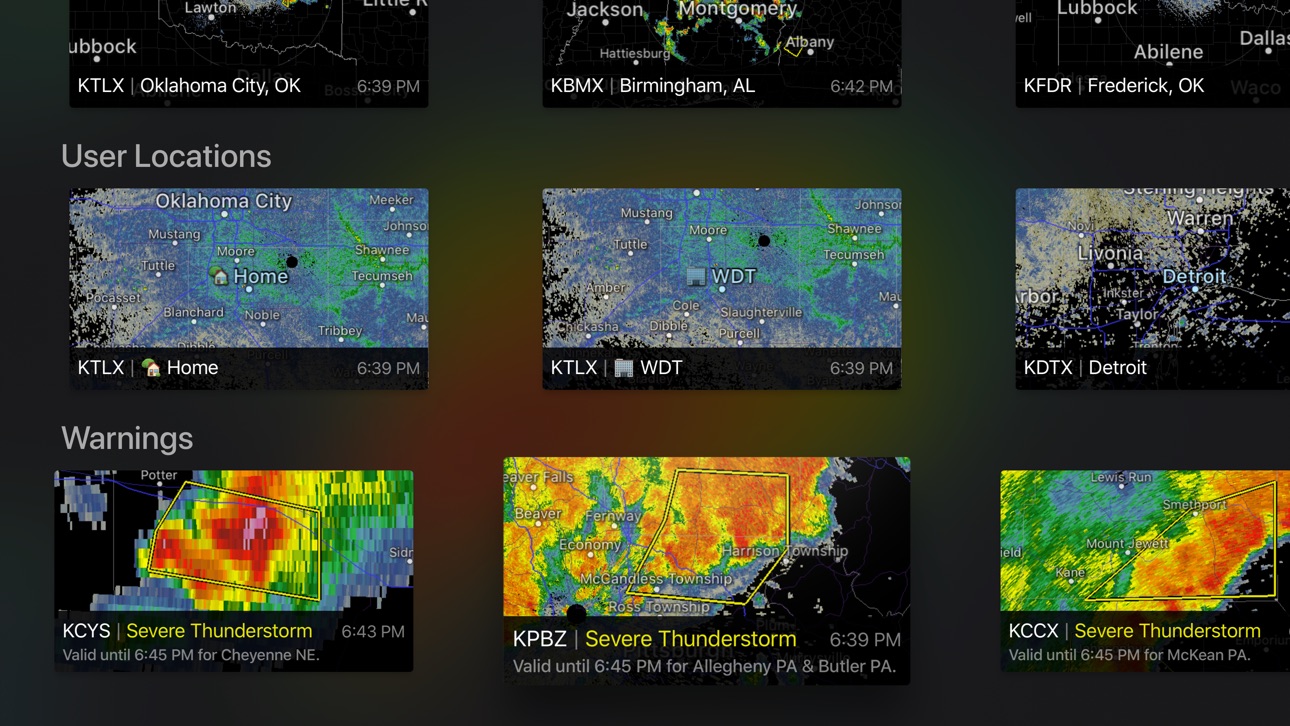
Apple TV 5 images



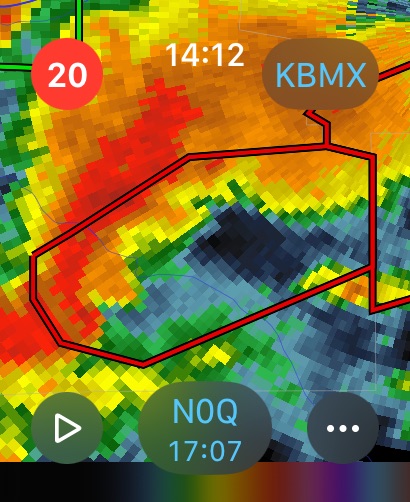
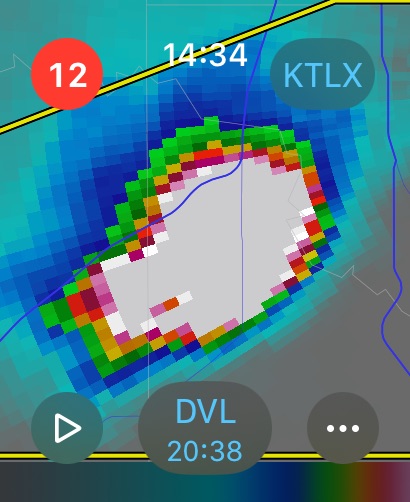
Apple Watch 10 images





What’s New Version 5.5.6
• Added probabilistic category for day 3 outlook
• Improvements to download error reporting
• Optimized download behavior when switching radars
• Updated NWS zone names
• Updated city database
• Updated line with for land outlines
• Possible fix for a map jumping bug
• Fixed a bug when launching the app from a widget or URL
• Fixed incorrect mPING icing icon
• Fixed coordinate display bug for mPING and SN report submissions
• Fixed an issue with some archive L2 data
• Fixed watchOS full screen toggle when scrolling
• Fixed map tile crown rotation bug on watchOS
• Fixed a tool icon bug
• Fixed outlook drawing order
• Fixed a refresh jitter when changing the outlook type
Description
RadarScope is an AMS-award-winning weather visualization tool that empowers meteorologists, public safety officials, storm spotters, and weather enthusiasts to view a full suite of single-site radar data and related severe weather products. Your initial purchase provides professional radar visualization in a fully native app, free from distracting and invasive practices, with optional subscription packages to add even more capabilities.
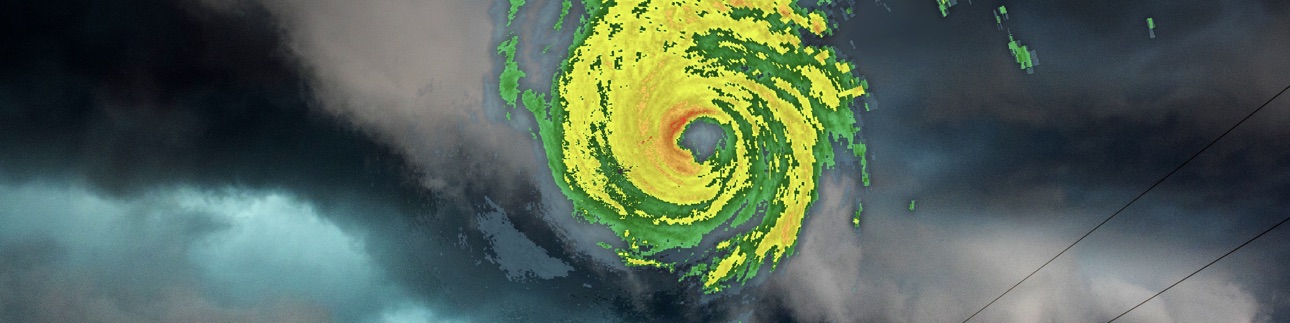
Whether you’re scanning for a mesocyclone’s tell-tale hook echo, pinpointing the landfall of a hurricane’s eye wall, or identifying velocity couplet, hail spike, or debris ball signatures, RadarScope displays native radar data in its original radial format. You see what the radar sees almost as soon as the radar sees it, with automatic updates every two to ten minutes depending on the radar’s scanning strategy.
Your initial app purchase includes the following:
• Full suite of single-site radar products for the US, Canada, Guam, Denmark, Finland, and Germany
• 6-frame radar loops
• Two built-in providers for radar data
• Tornado, thunderstorm, flash flood, marine, snow squall, extreme wind, tropical, and other warnings in the US
• Selected severe weather warnings in Canada and Australia
• NWS-generated storm tracks with hail, TVS, and mesocyclone attributes
• Inspector and distance tools
• Color palette options for radar data
• Weather Pulse data plan integration
• Spotter Network integration for storm and location reporting
• mPING integration for submitting weather reports to NSSL
• Bundled maps with political boundaries, water bodies, and major highways, optimized for low-bandwidth use
• Support for widgets and complications
• Universal app for Apple platforms, including Apple Watch and Apple TV
• Family Sharing support
RadarScope Pro Tier One is an optional annual subscription that adds more features for tracking severe weather:
• 30-frame radar loops
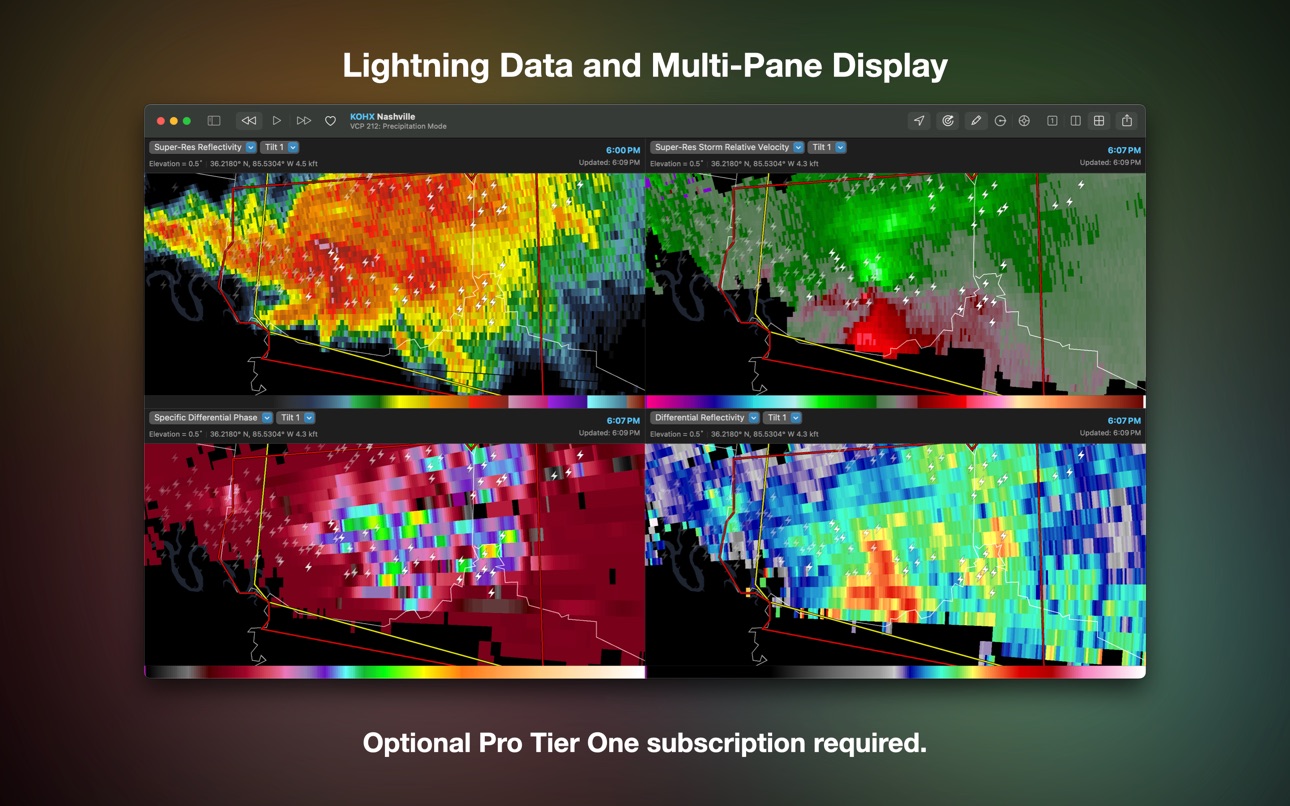
• Cloud-to-ground lightning strikes
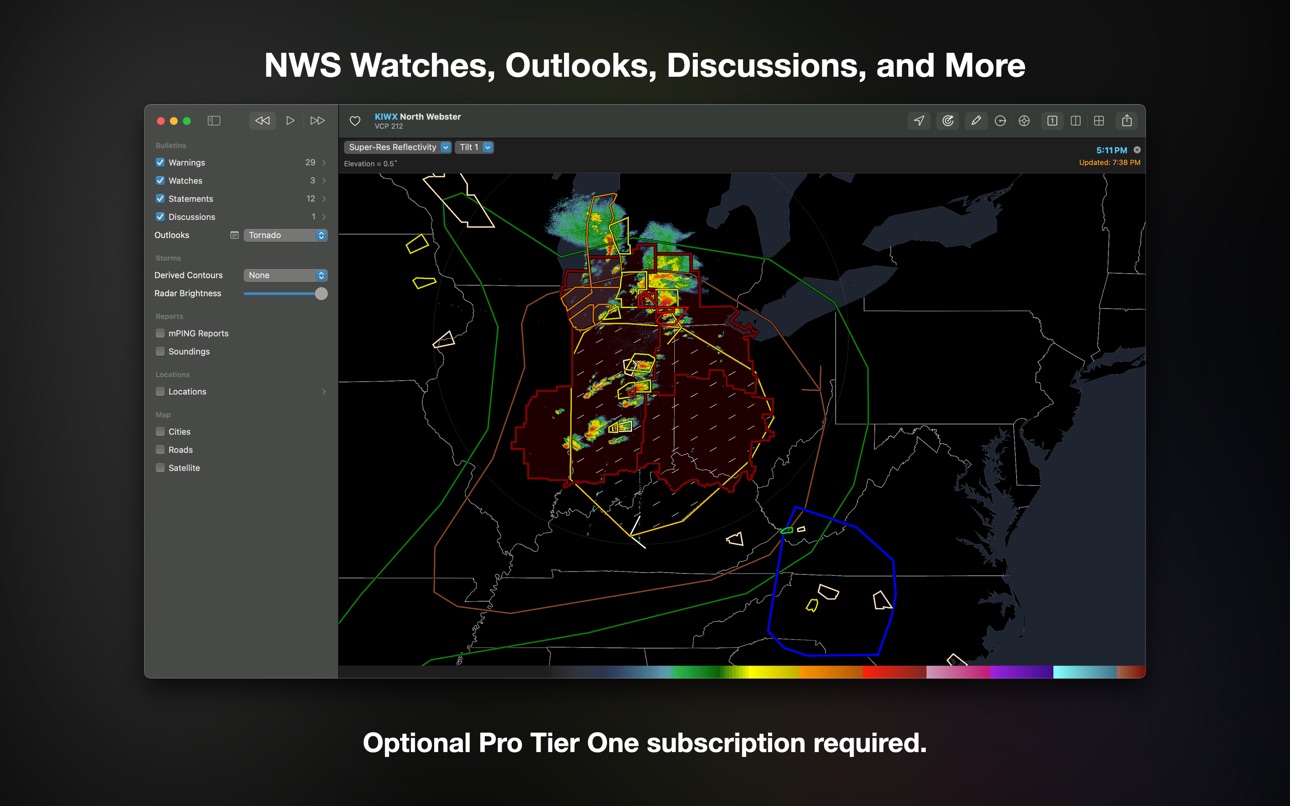
• Severe weather watches in the US and Canada
• Special weather statements in the US and Canada
• Mesoscale convective and precipitation discussions
• SPC convective, tornado, hail, wind, and fire outlooks
• WPC excessive rainfall outlooks in the US
• Local storm reports in the US
• Custom color palette support
• Multi-pane display (2 on phones; 4 on larger devices)
• Family Sharing support
RadarScope Pro Tier Two is an optional annual or monthly subscription that transforms RadarScope into a more complete visualization tool for a larger suite of weather products, including:
• Everything in Pro Tier One
• 50-frame radar loops
• A third provider for US radar data
• 30-year archive of NEXRAD Level II radar data
• 6-year archive of NEXRAD Level III data
• 30-day archive of super-res and non-US radar data
• 20-year archive of NWS bulletins
• GOES satellite data
• Multi-Radar Multi-Sensor (MRMS) data
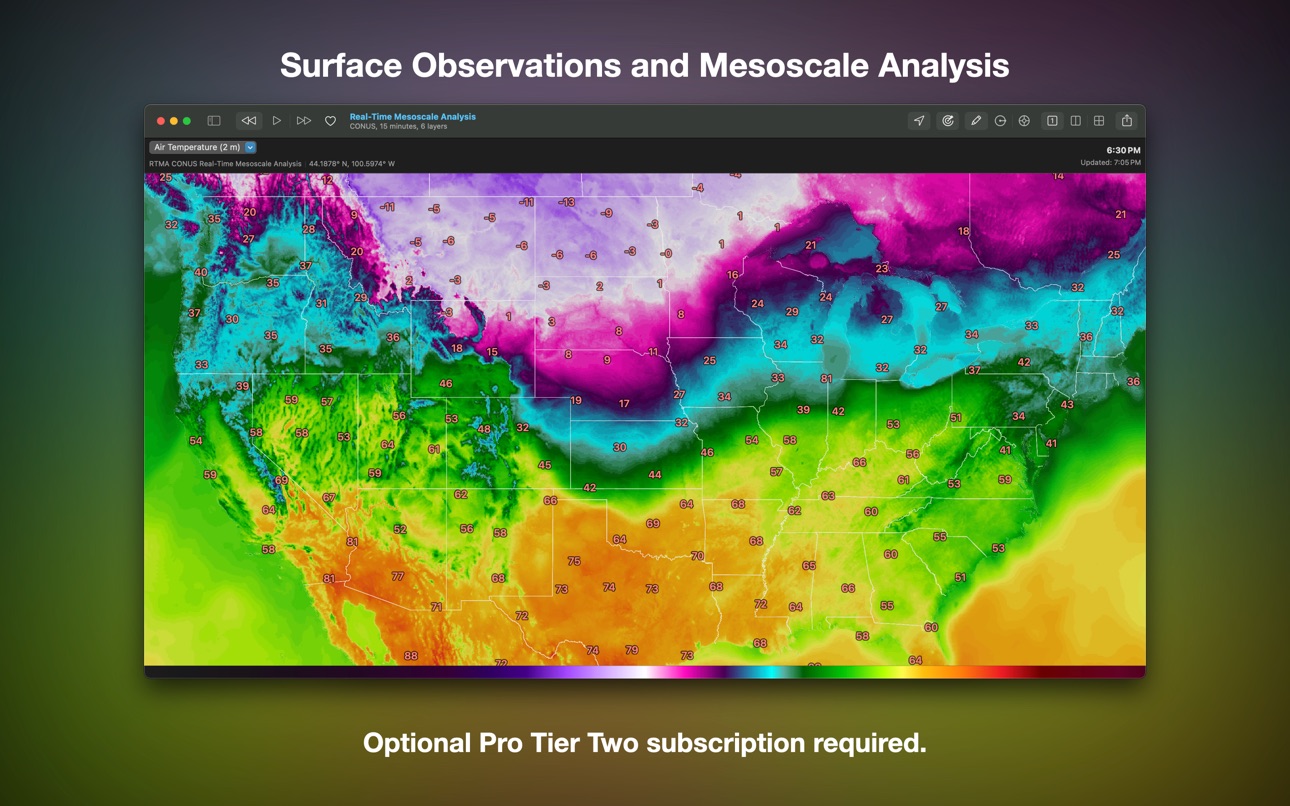
• Real-Time Mesoscale Assimilation (RTMA) data
• GFS, ECMWF, HRRR, HRW, and NAM forecast model data
• Surface observations
• Atmospheric soundings in the US
• Hail size, hail probability, and azimuthal shear contours with a 30-day archive
• More detailed transportation and satellite imagery maps
• Custom color palette support for GOES, MRMS, RTMA, and forecast products
• Server-sent events for radar and warning updates
• Cross-platform subscription sharing on up to 5 devices
• Family sharing support
If you choose to buy a RadarScope Pro subscription, it will be charged to your App Store account. The subscription will be auto-renewed within 24 hours prior to the end of the current period at the same price you originally paid. Subscriptions may be managed and auto-renewal disabled via your App Store account settings after the purchase. Once purchased, the subscription cannot be canceled during the active subscription period.
DTN is committed to safeguarding your privacy online. Our privacy policy is available for review at https://www.dtn.com/privacy-policy/
Please visit our web site for more information.
In-App Purchases US pricing
RadarScope Pro Subscription Subscription
Subscription$9.99
Pro Subscription
Tier 2 · Monthly$14.99
Tier 2 · Yearly$99.99
Tier 1 · Yearly$9.99
Capabilities
In-App PurchasesiMessage
Accessibility
ipadiphonemacrealityDevicetvoswatch
Version history 25 versions
Build 886300892v5.5.62026-07-01 18:42:11
• Added probabilistic category for day 3 outlook
• Improvements to download error reporting
• Optimized download behavior when switching radars
• Updated NWS zone names
• Updated city database
• Updated line with for land outlines
• Possible fix for a map jumping bug
• Fixed a bug when launching the app from a widget or URL
• Fixed incorrect mPING icing icon
• Fixed coordinate display bug for mPING and SN report submissions
• Fixed an issue with some archive L2 data
• Fixed watchOS full screen toggle when scrolling
• Fixed map tile crown rotation bug on watchOS
• Fixed a tool icon bug
• Fixed outlook drawing order
• Fixed a refresh jitter when changing the outlook type
Build 883350987v5.5.52026-03-17 16:49:34
• Fixed missing hail attributes in storm tracks
• Fixed missing statement text when using Weather Pulse feed
• Fixed incorrect risk level in outlook inspector
• Precipitable water in sounding detail view honors metric units setting
• Updated RTMA wind palette
• Updated some location names
Build 881869327v5.5.32026-03-02 18:33:15
• Support for recent SPC outlook changes
• Support for MZZU products
• Support for new Apple Watch Ultra complication size
• Fixed a detail view title
• Added an icon for snow squall LSRs
• Surface observation visibility honors metric units setting
• Improved validity checks for surface observation data
• AllisonHouse to Weather Pulse rebranding
Build 880951566v5.5.22025-12-29 20:05:04
• Fixed a bug that locked up the outlook detail view
• Fixed a bug that prevented switching outlooks in the detail view
Build 879986114v5.5.12025-12-03 14:57:47
• Fixed custom color palattes in widgets
• Fixed radar data display in detail views
Build 879682437v5.52025-11-12 15:26:01
New for Everyone:
• Hurricane warnings
• Tropical storm warnings
• Fire warnings
• Dust storm warnings
• Storm surge warnings
• Adjusted color of radar selection buttons in light mode
• URL scheme extensions for GOES, MRMS, RTMA, and single-site radar data
• Fixed info button size in annotation view
• Fixed units in wind gust impact tag
New for Pro Tier One:
• Hurricane watches
• Tropical storm watches
• Storm surge watches
• Fixed a rendering bug when sharing the outlook detail view
• Fixed some outlook risk and category descriptions
New for Pro Tier Two:
• Removed daytime only labels from true and false color satellite products
• Fixed display of archived rainfall outlooks
• Fixed a color palette bug affecting some RTMA products
Build 877008498v5.4.32025-08-18 14:20:55
• Fixed an incorrectly sized info button in annotation views
• Fixed incorrect impact tag units
• Fixed some spelling errors
• Fixed several sounding calculation bugs
• Fixed a map drawing glitch on launch
• Fixed a bug that prevented display of German differential reflectivity products
• Fixed a lightning disclosure bug
• Updated some location and radar names
• Updated Level II radar achive source
• Added logging to track down a gesture bug
• Added dual-pol products for KCRI
• Updated Spotter Network location reporting UI
• Adjusted minimum temperature in squared sounding view
Build 875206694v5.4.22025-06-09 15:48:27
• Added dual-pol products for German radars (data available soon)
• Added dual-pol products for German radars
• Updated message when trying to import a color palette without a Pro subscription
• Changed font for raw detail view text and replace the button with a segmented control
• Moved raw METAR text from header to body of detail view and changed the font
• Removed surface observations layer when running on OS versions that don't support it
• Fixed an issue with RadarScope accounts on watchOS
• Fixed an error with sounding data
• Fixed a bug that prevented the direction indicator from updating smoothly on iOS
• Improved map performance
• Improved settings list performance
Build 874567611v5.4.12025-05-09 14:08:53
• Added FIKAU in Finland
• Added a Merchandise link to the Help view
• Adjusted loop export timing to avoid missed frames
• Removed seconds from time stamp of exported images
• Fixed a bug that signed out of RadarScope accounts
• Fixed a crashing bug when selecting a Denmark radar product
• Fixed a crashing bug when processing map tiles
• Fixed a crashing bug when viewing certain soundings
• Fixed a receipt validation issue for apps purchasd via VPP
• Fixed a missing help link on tvOS
Build 870963072v5.42025-04-29 14:34:29
New for Everyone:
• UTC mode for displaying dates and times
• New annotation views for overlapping map layers
• Added a toggle to show raw bulletin text in detail views
• Added error reporting to photo export task
• Added support for Canadian snow squall warnings
• Added DKSOM in Denmark
• Removed DKVIR in Denmark
• Removed ABAP in Australia
• Decommissioned ROTN in Okinawa
• Updated NWS zone names
• Updated location names
• Updated in-app help documentation
• Improved support for Canadian and Australian bulletins
• Upgraded in-app purchase and account handling
• Fixed location of FIKAN
• Fixed location of ATHR
• Fixed an issue that caused all-caps location names in international feeds
• Fixed incorrect share text for composite products
• Fixed a bug that logged out of RadarScope accounts
• Fixed a bug with custom color palette selection for some products
• Fixed a crashing bug when viewing historical radar data
• Fixed a crashing bug on watchOS
• Fixed a text sizing issue with the soundings event picker
• Fixed an issue with widget tinting on iOS 18
• Fixed scaling issues with certain display types on macOS
New for Pro Tier One:
• SPC convective outlooks
• SPC fire weather outlooks
• WPC excessive rainfall outlooks
• Improved hatched outlook appearance
• Outlook text in detail view
• Day 2-8 outlooks in detail view
• Watches, discussions, statements, and outlooks on watchOS
• Added support for color palette importing via URL scheme
• County outlines for NWS watches
New for Pro Tier Two:
• Surface observations layer
• Historical NWS feeds back to ~2006 in archive mode
• GOES, MRMS, RTMA, and soundings on watchOS
• GOES, MRMS, RTMA, and soundings on tvOS
• Sounding locations map layer
• Annotation view for soundings
• Custom color palettes for GOES, MRMS, and RTMA products
• Archive mode now indicated with orange time stamp instead of banner
• Upgraded RadarScope account management
New for AllisonHouse Subscribers:
• Surface observations layer
• GOES, MRMS, and RTMA products on watchOS
• GOES, MRMS, and RTMA products on tvOS
• Custom color palettes for GOES, MRMS, and RTMA products
New for Spotter Network Members:
• Restrict User Locations renamed to Privacy Mode
• Privacy Mode setting persists across uses
• Spotter Network reports layer on watchOS
• Spotter Network locations layer on watchOS
Build 869156082v5.3.12024-09-23 16:36:35
• Added five radars in Denmark
• Added ATOO in Australia
• Added AKRR in Australia (data not yet available)
• Added full date to shared images
• Added watch number to tornado watch titles
• Changed KUEX name from Grand Island to Hastings
• Removed Zero, IA and Burntside, MN from cities
• Updated help text
• Fixed a bug that affected the auto lock setting on iOS 16
• Fixed a bug that affected resolution of tiled products
• Fixed a bug that affected line rendering on non-retina displays
• Fixed rendering of custom symbols
• Fixed tint color issues
Build 864801480v5.32024-06-12 18:36:56
• Added Real-Time Mesoscale Analysis (RTMA) products for Pro Tier Two and AllisonHouse subscribers
• Added mesoscale discussions for Pro Tier One subscribers
• Added ABAP radar in Brisbane, Australia
• Added dual-pol products for AMAC
• Added and updated CVD-friendly color palettes for single-site radar products
• Optimized data loading and processing tasks
• Optimized polygon animation
• Updated text localizations
• Updated some military base names
• Adjusted downloader to reduce the occurrance of missing tiles
• Corrected text in location menu
• Fixed a bug that sometimes prevented data from displaying in dual-pane mode
• Fixed a bug in the automatic radar selection algorithm
• Fixed a bug that prevented certain keyboard shortcuts from working in some situations
• Fixed a bug in the radar status feed
• Fixed a crashing bug when entereing multi-pane mode
• Fixed a bug that preventing view composite reflectivity for TDWRs
• Fixed a crashing bug in feed list views
• Fixed a bug that prevented loading certain precip products from the NOAA server
• Fixed a bug that prevented the refresh time stamp from updating
• Test warnings are properly labeled
Build 863458455v5.2.22024-02-07 15:43:40
• Added KHDC radar (data expected in late March)
• Added spotter name to spotter report detail view
• Added International Bulletins setting for watchOS
• Added icons for new mPING categories
• Fixed missing storm cell detail items
• Fixed a crash on Apple Watch Series 3 devices
• Fixed a bug that prevented button taps on older Apple Watch models
• Optimized sounding list updates
Build 862708506v5.2.12024-01-08 17:19:07
• Map no longer moves when switching to a tiled product
• Fixed a bug that prevented the Spotter Network account status from refreshing
• Fixed a bug that prevented VCP from updating when looping
• Fixed a regression that prevented data from refreshing when resuming the app
• Help file and city database corrections
Build 862246631v5.22023-12-19 15:15:19
• Redesigned Apple Watch app
• Added Complications and Widgets for Apple Watch
• Added Lock Screen Widgets for iPhone and iPad
• Added StandBy Widget support for iPhone
• Added support for Snow Squall Emergencies
• Added dual-pol products for AGOV and AMAR
• Added FIKAN radar
• Added MRMS precip depiction product
• Removed precip mask from MRMS reflectivity at lowest altitude
• The filter button now indicates when a filter is applied
• Fixed a bug that labeled PDS warnings as emergencies
Build 861885238v5.1.42023-12-04 15:43:45
• Fixed bug where the selected radar could change after launch
• Fixed a macOS bug affecting users with multiple displays
• Fixed a tvOS crash on the Saved Locations list view
Build 861406559v5.1.32023-11-13 15:21:53
• Fixed the appearance of the RadarScope account deletion button on macOS
• Fixed a bug that sometimes prevented data provider pickers from showing up in settings
• Fixed a bug that sometimes prevented radar data from displaying right after app launch
Build 860798764v5.1.22023-10-26 13:40:55
• Fixed a time zone bug in soundings UI
• Fixed a bug that prevented soundings from displaying in iOS 17.1
• Fixed a bug where some views were not completely removed in Full Screen Mode
• Fixed a bug that could prevent editing values of a Saved Location on iPhone
• Fixed the color of the default mPing icon
• Various map tile and city name updates
• Soundings require iOS 15 or higher
Build 860311142v5.1.12023-10-02 19:44:04
• Added impact tags to watchOS app
• Added available date ranges to soundings list
• Expanded soundings list
• Sounding filter to show only recent data
• Sounding date picker limited to available data
• Progress indicator for sounding downloads
• Improved error handing for soundings
• Fixed a case in which SSE could drop an active warning
• Fixed a bug that prevented looping of archived radar data
• Fixed a bug in the initial Spotter Network reporting duration
• Removed discontinued precipitation products (N1P, N3P, NTP, DSD, DOD)
• Removed Plympton-Wyoming from Ontario cities
Build 859743781v5.12023-09-12 14:35:00
New for Everyone:
• Extreme wind warnings
• Impact tags in annotation, list, and detail views when using RadarScope feed
• Emergency and PDS polygon styles for warnings when using the RadarScope feed
• Tap radar ID to access radar and favorites lists
• Long press radar ID for favorites menu
• Long press toolbar location button for custom location menu
• Worked around an image sharing bug for X and Mastodon apps
• Corrected spelling of Andersen AFB
• Inspector tool
• Removed XNI radar
New for Pro Tier One:
• Special Weather Statements
• Local Storm Reports
New for Pro Tier Two:
• NWS atmospheric soundings
• GOES satellite products
• NSSL Multi-Radar Multi-Sensor (MRMS) products
• SPC fire weather outlook
• WPC excessive rainfall outlook
• WPC precipitation discussions
• Server-sent events for warnings, watches, statements, and discussions
• Tap radar ID to access data source and favorites lists
• Favorites list can include composite and satellite data sources
New for AllisonHouse Subscribers:
• GOES satellite products
• NSSL Multi-Radar Multi-Sensor (MRMS) products
• Server-sent events for warnings
New for Spotter Network Members:
• Redesigned Spotter Network location reporting on iOS
• Location reported every 30 seconds when moving
• Location reported every 15 minutes when not moving
• Location reports include heading and speed
• Location reporting automatically ends after a specified time period
• Location reporting toggle moved to Spotter Network account view
• Long press toolbar location button for quick access to settings
• Location button menu includes reporting status
• Orange location button indicates location reporting enabled
• Red location button indicates location reporting error
• Optional privacy filter within three miles of a saved location
• Optional background location reporting
Build 858168623v5.0.92023-08-10 13:59:00
• Added diagnostic information to download error messages
• Added some missing icons for LSR, SNR, and mPING report types
• Adjusted the size of the macOS Settings General tab to fit the content
• Fixed a bug that added delays to feed refreshes
• Fixed a bug in the password reset UI
• Fixed a possible crashing bug in the data feed list view
• Fixed a crashing bug in tool drawer
• Fixed a bug that sometimes prevented detail views from displaying radar data
• Corrected region for ALCR radar
• Support for dual-pol products for APSE (available soon)
• Updated names for KEOX, KGRK, KPOE
• Removed the Tweet GIF action. Use the Twitter app's share extension instead.
• Removed WMB
• Removed FIIKA
Build 856410082v5.0.82023-04-24 14:11:39
• Fixed a memory leak in warning detail views
• Fixed a bug that sometimes prevented radar data from refreshing on app resume
Build 855688384v5.0.72023-03-21 20:31:53
• 16-bit L2 radar products display correctly
• AllisonHouse lightning layer remains visible in radar selection mode
Build 855170198v5.0.62023-02-24 21:59:36
• Fixed a crashing bug when parsing storm tracks
• Fixed drawing order of mPING reports
• Fixed potential error case when parsing warnings feed
• Added some localization strings for mPING reports and error reporting
• Added some debug logs to aid in troubleshooting
• Manage button now shown in Pro view when no subscription is active
Build 854876971v5.0.52023-02-13 17:32:13
• Added velocity and spectrum width for AHCK and AWIS
• Added CASMA in Québec
• Added Mastodon link to support view
• Added some support logs and simplified others
• Fixed delete button in color palette list
• Fixed importing of user locations on iOS
• Fixed alignment error with Level II data display
• Improved some error messages
• Exposed "Disable Auto-Lock" setting on tvOS
• Extended Level II archive cutoff to June 5, 1991 (limited data available)
• Lightning no longer appears in layer list when in archive mode
Price history by region
Currency
Show
Columns
Search
App performance US
Availability 8 of 15 storefronts
| Region | Language | Price | Ratings | Avg | Version |
|---|---|---|---|---|---|
 US US | en-US | USD 9.99 | 2.7k | 4.2 | 5.5.6 |
 DK DK | en-GB | DKK 89 | 4 | 3.0 | 5.5.6 |
 NL NL | nl | EUR 9.99 | 4 | 3.8 | 5.5.6 |
 FR FR | fr-FR | EUR 9.99 | 3 | 2.3 | 5.5.6 |
 CH CH | de-CH | CHF 9 | 2 | 1.0 | 5.5.6 |
 AL AL | en-GB | USD 11.99 | 0 | — | 5.5.6 |
 MN MN | en-GB | USD 9.99 | 0 | — | 5.5.6 |
 UZ UZ | en-GB | USD 9.99 | 0 | — | 5.5.6 |
Not available in: AT, CN, GR, KZ, QA, SI, VN
Reviews 30 reviews · US
★★★★★
Potential life saving app
Great app, as a weather enthusiast that knows how to read the radar, this is the most accurate available and well worth the money for the app and the mid tier. You are able to see rotation to see tornados which is very useful in the Midwest. I recommend to anyone who is looking for the best radar app!
Cool Guy!882026-06-01
★★★★★
Almost There
I love this app, but missing CarPlay for even a tier 1 subscription is a big miss.
They have competitors who have CarPlay options.
To level set… prior to Apple’s ruling to allow weather apps in CarPlay my wife had to use RadarScope to navigate us through two merging storms while I was driving (timing, etc)…. Now I just use a competitor of theirs if I’m driving. Their competitor in question helped me to avoid tornadic activity as I was driving family home from the airport.
Opinions Do Matter2026-05-30
★★★★★
Great for Logistics!
I have been using radar scope for years now and wouldn’t bother with any others - the radar I in real time. You can plan and stage ahead of the weather this way keeping one step ahead at all time.
For instance: when the trucks go out to stage for snow, start salting and when to be ready to plow, that is one, another large factor is in the construction industry, you need to know up to the minute, second almost at point of when you’re going to actually get dumped on! So you can hurry and finish the concrete or get out the cover material to wait it out or plan alternative measures. Five stars fro
SeñorProfessoré2026-05-28
★★★★★
Radar won’t update
Normally this app is amazing, today today won’t update. I’ve clicked on multiple “agencies” around my area and the newest is from 7:50 this morning….its 5:58pm right now…the one I normally use says it was last updated 1 day 3 hours and 33 minutes. I’ve closed the app out many times now and still nothing. Please get this fixed. There’s storms all week and I rely on this app specially because it’s the most accurate radar map I have found.
Kai have uAywyavba2026-05-22
★★★★★
Exceptional Raw Data
I’ve been using RadarScope since its inception back in 2008, and I’ve been consistently impressed with how far it has come over the years. The progression in available features, performance and overall capability has been remarkable, all while remaining reasonably priced for what it offers.
This is my go-to app for tracking storms in real time. Whether I’m looking at precipitation intensity, velocity data, or correlation coefficient, the level of detail on this mobile app is outstanding. It provides the kind of information you’d expect from professional grade tools, right in your hand.
In my
JaymanUK2026-04-16
★★★★★
Must have for the weather aware
I’ve been a RadarScope subscriber since at least 2013. It has given my family and me much peace of mind during the spring and fall storm seasons. Living in Oklahoma, the weather is life-threatening at times and through this app, I have become a trained weather spotter through their Spotter Scope affiliation. I keep the pro tier 1 subscription all year but bump it up to the more expensive tier 2 during the springtime. It is worth the extra money for the additional information. Highly recommended.
mHarrel2026-04-13
★★★★★ · edited
Almost a Great App
This radar app could be fantastic but it lacks some basic features that would make it more user friendly.
For starters, it would be nice to have the option to change how a PDS/Considerable tornado is displayed. As of now, they simply flash red, however the majority of the tornado community associates pink/magenta with these storms. They are easier to see and wouldn’t hurt to add. This would a great addition.
It would also be helpful to include cameras to see what’s happening in real time. Similar to Radar Omega.
This app is too expensive not to have customizable features. It could be grea
Ydntkmfn2026-03-06
★★★★★
Best mobile Radar app!!
This app is great! I’ve gone through several different radar apps, and radar wise this is the best!! It has soundings, satellite data, SPC outlooks, warnings and watches, lightning data, and NEXRAD data going back to 1991 for some radars. Keep in mind many of the things I mentioned are included in the Pro Tier 1 and 2 only. If this app included fronts, drylines, highs and lows, and historical data for all of those features, I would truly want for nothing with this app. Keep up the great work RadarScope!
Jo O’ Clock2026-01-30
★★★★★
I'm Not Sure How Anyone Can Rate This App Less Than *****
For me this is the best radar app. I know there are others now that are offering similar features and have everything else too, but RadarScope is well designed, is a pleasure to use and something I can count on to keep an eye on incoming weather Definitely recommend Pro Tier 2 for your inner weather geek.
hotrodhippie2025-12-17
★★★★★
Ok app
The app is good for a radar but the only thing I don’t like is how you used to be able to see all the readers at once with the pro version subscription. But now you can only choose one with the pro sub subscription and they want you to pay 16 bucks just to see the radar across the whole USA or any country. I would only suggest this app if you want to see a radar in one spot and only that spot.
HbmbejhfshjefsbhHjbddhjbcj2025-11-28
★★★★★
Favorite Radar App
As someone who has tried several radar apps now, this one is just tried and true my favorite. It’s fast, simple, and easy to use. It’s also so informative at the same time with my Tier 2 subscription. I have tried switching to Radar Omega which does offer more features, but I can’t make storm reports and my phone can’t run it without overheating. I don’t think I’ll ever use another radar app when I’m out storm chasing or even just monitoring it. I hope this app stays somewhat simple, but I always love it when they add features and customization tools.
TylerStorm2025-11-26
★★★★★
Sharing Not Working
We love this app but a problem has cropped up lately. We are paying for a tier 1 level subscription that was shared among our family which worked well until recently. My wife inadvertently deleted the app from her device. Now when she tries to download the app from the App Store the only option she’s given is to pay for another subscription.
Murgatroyd20092025-09-24
★★★★★
You have to pay to use the app
I’ve had this app for a while now and what I’ve noticed is you have to spend atleast 8$ a month you even see watches, discussions, etc. I believe this should be free and it is really really stupid that there is a paywall to see that. I would be fine to pay but not if you need to pay 15 dollars a month to use everything. A better list of things blocked by a paywall are watches, statements, discussions, outlooks, lightning, storm reports, observations, archive, and the list goes on. Aside from the paywall to get any information ahead, the app is fine. The radars are very advanced and work just f
BlastedGrenade2025-09-10
★★★★★
Top notch software
I’m not a pro but a very enthusiastic amateur and the quality of this software amazes me. Well worth buying at least the first tier. The display is stunningly accurate—I use it in conjunction with ham radio for storm watches and it pinpoints my location an conditions around me perfectly.
Marc Aaron2025-08-31
★★★★★
Great near real time tool
I have been using RadarScope for over 13 years, mainly in Florida but now when traveling the world. Yes, RadarScope has been branching out to other countries so I frequently check for coverage when we’re traveling.
The greatest benefit to me is the near real time presentation of data combined with landmarks and my physical location. These enable immediate decision making from trusted information that enhances my outdoor experience. While supporting safer activities.
The safety aspect cannot be underestimated. This is more than rain but lightning, wind speeds and meteorological watches/warn
STOVL2025-08-14
★★★★★
10+ Year User
I’ve used RadarScope for more than a decade on my iPhone and iPad and happily pay for the highest tiers. It’s the best weather radar in the App Store hands down. This is what all the storm chasers are using, it’s what meteorologists use in the field, and it’s flat out the best option on the market. No one else is close (and I’ve tried several). I live in tornado country and every year, without fail, Radarscope helps keep me aware and up to date about storms around me and when to take cover. There are a lot of radar apps out there, but there’s only one Radarscope.
1Lsudokufan2025-07-16
★★★★★
App uses fictional name for historic location
Only in the United States would a business that touts its scientifically dependable and accurate data bow so low to appease an American politician by using the term “Gulf of America” as the historic location known worldwide for hundreds of years as the Gulf of Mexico. I’m not going into a political rant but some things ARE written in stone like the name of the state you live in, the names of the oceans and the planet itself. You should not comply with the nonsense ‘orders’ of one mortal who doesn’t have even a shallow knowledge of history or the right to arbitrarily change any of it. I worked
Ceci@cicero2025-07-14
★★★★★
A little recommendation…
Make this app available on apple CarPlay if possible so we can see radar on the display on a screen in the car if a screen is available so we dont really need to look at our phones or buy a stand when we can just use carplay!
Decks6202025-07-07
★★★★★
Great Map, Only Missing Maps!
I love RadarScope, I have b using it for about 2 months now it is very accurate and up to date with live time, there are multiple different maps in the app like Velo Maps and Correlation Coefficient, the only thing that it is missing are detailed maps you only get cities which is not that great Overall a very good app I would recommend!
TheMaster7112025-06-29
★★★★★
Excellent Radar App
This is an excellent radar app for phones out there. People that leave out 1-3 start reviews not knowing how to use or misusing it should at least do research, watch tutorials, and/or read the users guide on how to use the app. This is an PROFESSIONAL radar app, not a normal weather forecast app.
DavidPlaysWX2025-06-16
★★★★★
Best iOS radar app. Hands down.
I have used and subscribed to all the high end radar apps including RadarOmega and WeatherWise and Scope provided better radar and more importantly their own feed on the higher sub so you are not left high and dry if NWS/NOAA servers are having issues. It also is easier to detect couplets and hook echoes on Scope.
The only thing I’d love to see Scope implement would be access to weather models and possibly a quicker way to switch radar sites.
toeds42025-06-15
★★★★★
Near Perfect App
This is an outstanding app, which I use nearly every day in Florida summers. The radar images appear to be right up to date and accurate. The only thing I would like to see added is CarPlay support so I can see radar at a glance while driving.
rjackb2025-06-11
★★★★★
Pro Tier 1 Deserves More
I love this app, as a storm spotter I love having high definition radar on my phone but as my needs have grown my budget is full. It simply is not worth it to use radar scope over other options any more now that GR2Analyst has most of the options that tier 2 contains in a one time price that covers advanced live volume rendering. Oddly enough if I wanted to use radar scope on my pc I would have to pay another fee for an app I already pay for on my phone to get less features even with a subscription. I mean if you made RadarScope for pc covered by the tier 1 subscription you would be getting so
Mason Nohl2025-06-10
★★★★★
For Meteorologists/Weather Enthusiasts
Almost no radar app comes close to this one in terms of functionality. The price, albeit steep despite previously being free, is well worth the investment for anyone looking to conduct comprehensive radar observation or analysis. Abundant radar products, soundings, satellite images, and warning tracker features (among many more) make this app stand out from a traditional App Store radar application.
they do not care about you2025-06-08
★★★★★
Radar Capability is good, but limited
I am not a weather professional, but have a keen interest in weather radar, living in a tornado prone zone in the southeast. I bought the Pro tier 1 version and it comes with the advanced radar features I was looking for. I didn’t want to get the Tier 2, because it is a significant monthly subscription. I looked to see if I got roads on the tier 1 version, and it was supposed to have that. That is where my problem is. I can tell from the app where the problem areas are (in general), but can’t get any reference to exactly where it is in relation to my location, or those of my family. The roa
DAS12345672025-06-06
★★★★★
People don’t understand
All the one star reviews are from people without a weather background. This is a pro app so you have to know something about meteorology. If you don’t, use one of the hundreds of gimmick radar apps. I use this app often to check on those Florida afternoon thunderstorms and tropical systems. Helps plan my day. An excellent radar only app. No fluff or simulations. loads fast, easy to use, and includes alerts.
chaos_992025-05-29
★★★★★
The best radar app, hands down.
Nothing else I have used has come close to all the features offered in RadarScope. Living in a manufactured home in Texas, staying informed on the weather could genuinely be the difference between life or death so I am incredibly grateful for this app.
tbvrg2025-05-26
★★★★★
Wonderful app! Don’t believe the 1 star reviews!
Everyone who has left a 1 star review clearly doesn’t know how radar works and doesn’t understand what this app is, and isn’t.
This is not a forecasting app. It does not show the future. It does not tell you what will happen in the future.
The app does not use graphical smoothing. There are many folks claiming the graphics are bad, but it’s just that they are seeing the raw data, which meteorologists use.
Yes, you have to pay for things. Maybe you can get regular reflectivity scans for free on other apps, but I don’t want the graphical smoothing. It’s not the raw data that I want to be a
Shannie922025-05-26
★★★★★
The King of Radar apps
I’ve tried them all, every single one of them. I know Ryan Hall blabs about omega and weatherwise but he also makes more money than the majority of us. Nothing will ever top Radar Scope. It’s 10 dollars for the basic package, which has everything you need. People whining about the price don’t understand the purpose of this app. If you want the best, look no further.
Multar2025-05-18
★★★★★
$$$
The radar in the app may great, but don’t expect it for $9,99 a year. Once you pay that you’ll see to get any of the helpful tools you’ll be paying an additional 15 a month, or 100 a year. The $9,99 annual is a waste, if that’s all you are willing to pay save the money and go with any free app, it’ll serve you better. As soon as my purchase is no longer pending I’ll be asking for a refund. I have no problem paying for a radar but give me all the prices up front.
DaGreen62025-05-17
Change log 29 changes · US
✎
releaseNotes updated
• Added probabilistic category for day 3 outlook
• Improvements to download error reporting
• Optimized download behavior when switching radars
• Updated NWS zo
✎
description updated
RadarScope is an AMS-award-winning weather visualization tool that empowers meteorologists, public safety officials, storm spotters, and weather enthusiasts to
✎
subtitle updated
Professional weather radar
✎
name updated
RadarScope
◆
Version 5.5.6 released
• Added probabilistic category for day 3 outlook
• Improvements to download error reporting
• Optimized download behavior when switching radars
• Updated NWS zone names
• Updated city database
• Updated line with for land outlines
• Possibl
◆
Version 5.5.5 released
• Fixed missing hail attributes in storm tracks
• Fixed missing statement text when using Weather Pulse feed
• Fixed incorrect risk level in outlook inspector
• Precipitable water in sounding detail view honors metric units setting
• Update
◆
Version 5.5.3 released
• Support for recent SPC outlook changes
• Support for MZZU products
• Support for new Apple Watch Ultra complication size
• Fixed a detail view title
• Added an icon for snow squall LSRs
• Surface observation visibility honors metric units
◆
Version 5.5.2 released
• Fixed a bug that locked up the outlook detail view
• Fixed a bug that prevented switching outlooks in the detail view
◆
Version 5.5.1 released
• Fixed custom color palattes in widgets
• Fixed radar data display in detail views
◆
Version 5.5 released
New for Everyone:
• Hurricane warnings
• Tropical storm warnings
• Fire warnings
• Dust storm warnings
• Storm surge warnings
• Adjusted color of radar selection buttons in light mode
• URL scheme extensions for GOES, MRMS, RTMA, and single
◆
Version 5.4.3 released
• Fixed an incorrectly sized info button in annotation views
• Fixed incorrect impact tag units
• Fixed some spelling errors
• Fixed several sounding calculation bugs
• Fixed a map drawing glitch on launch
• Fixed a bug that prevented displ
◆
Version 5.4.2 released
• Added dual-pol products for German radars (data available soon)
• Added dual-pol products for German radars
• Updated message when trying to import a color palette without a Pro subscription
• Changed font for raw detail view text and rep
◆
Version 5.4.1 released
• Added FIKAU in Finland
• Added a Merchandise link to the Help view
• Adjusted loop export timing to avoid missed frames
• Removed seconds from time stamp of exported images
• Fixed a bug that signed out of RadarScope accounts
• Fixed a cr
◆
Version 5.4 released
New for Everyone:
• UTC mode for displaying dates and times
• New annotation views for overlapping map layers
• Added a toggle to show raw bulletin text in detail views
• Added error reporting to photo export task
• Added support for Canadi
◆
Version 5.3.1 released
• Added five radars in Denmark
• Added ATOO in Australia
• Added AKRR in Australia (data not yet available)
• Added full date to shared images
• Added watch number to tornado watch titles
• Changed KUEX name from Grand Island to Hastings
•
◆
Version 5.3 released
• Added Real-Time Mesoscale Analysis (RTMA) products for Pro Tier Two and AllisonHouse subscribers
• Added mesoscale discussions for Pro Tier One subscribers
• Added ABAP radar in Brisbane, Australia
• Added dual-pol products for AMAC
• Add
◆
Version 5.2.2 released
• Added KHDC radar (data expected in late March)
• Added spotter name to spotter report detail view
• Added International Bulletins setting for watchOS
• Added icons for new mPING categories
• Fixed missing storm cell detail items
• Fixed a
◆
Version 5.2.1 released
• Map no longer moves when switching to a tiled product
• Fixed a bug that prevented the Spotter Network account status from refreshing
• Fixed a bug that prevented VCP from updating when looping
• Fixed a regression that prevented data fro
◆
Version 5.2 released
• Redesigned Apple Watch app
• Added Complications and Widgets for Apple Watch
• Added Lock Screen Widgets for iPhone and iPad
• Added StandBy Widget support for iPhone
• Added support for Snow Squall Emergencies
• Added dual-pol products f
◆
Version 5.1.4 released
• Fixed bug where the selected radar could change after launch
• Fixed a macOS bug affecting users with multiple displays
• Fixed a tvOS crash on the Saved Locations list view
◆
Version 5.1.3 released
• Fixed the appearance of the RadarScope account deletion button on macOS
• Fixed a bug that sometimes prevented data provider pickers from showing up in settings
• Fixed a bug that sometimes prevented radar data from displaying right after
◆
Version 5.1.2 released
• Fixed a time zone bug in soundings UI
• Fixed a bug that prevented soundings from displaying in iOS 17.1
• Fixed a bug where some views were not completely removed in Full Screen Mode
• Fixed a bug that could prevent editing values of a S
◆
Version 5.1.1 released
• Added impact tags to watchOS app
• Added available date ranges to soundings list
• Expanded soundings list
• Sounding filter to show only recent data
• Sounding date picker limited to available data
• Progress indicator for sounding downl
◆
Version 5.1 released
New for Everyone:
• Extreme wind warnings
• Impact tags in annotation, list, and detail views when using RadarScope feed
• Emergency and PDS polygon styles for warnings when using the RadarScope feed
• Tap radar ID to access radar and favor
◆
Version 5.0.9 released
• Added diagnostic information to download error messages
• Added some missing icons for LSR, SNR, and mPING report types
• Adjusted the size of the macOS Settings General tab to fit the content
• Fixed a bug that added delays to feed refre
◆
Version 5.0.8 released
• Fixed a memory leak in warning detail views
• Fixed a bug that sometimes prevented radar data from refreshing on app resume
◆
Version 5.0.7 released
• 16-bit L2 radar products display correctly
• AllisonHouse lightning layer remains visible in radar selection mode
◆
Version 5.0.6 released
• Fixed a crashing bug when parsing storm tracks
• Fixed drawing order of mPING reports
• Fixed potential error case when parsing warnings feed
• Added some localization strings for mPING reports and error reporting
• Added some debug logs
◆
Version 5.0.5 released
• Added velocity and spectrum width for AHCK and AWIS
• Added CASMA in Québec
• Added Mastodon link to support view
• Added some support logs and simplified others
• Fixed delete button in color palette list
• Fixed importing of user locati