Home › Utilities

 US
US
1 of 1 storefronts
Content in en-US
Content in en-US
Information
Preview 3 platforms
iPhone 5 images

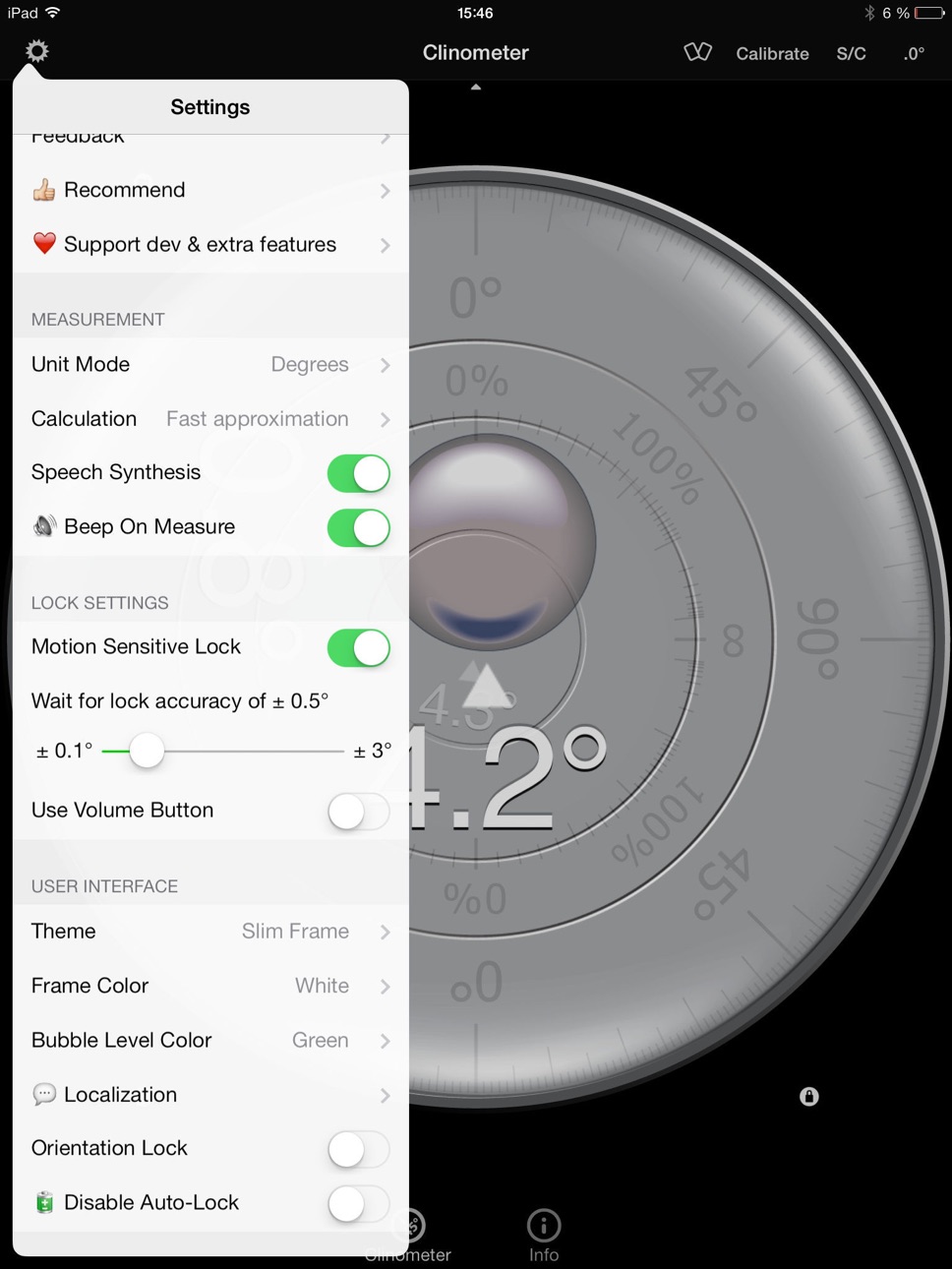
iPad 5 images


Apple Watch 1 image

What’s New Version 4.9.4
Fix rotation issue
Description
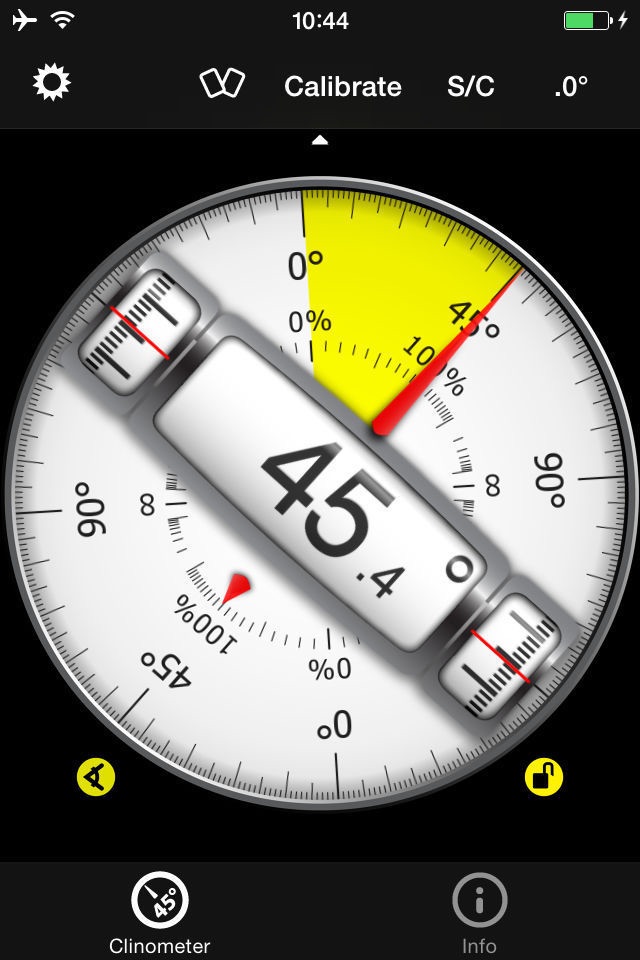
This professional tool called Clinometer is the most precise (all you can get with some calculations) slope measurement tool for the iPhone, iPod Touch and iPad using all sides of the device plus the camera. It can be used for simple applications like aligning a frame as well as for more sophisticated fields of applications where an arbitrary slope needs to be measured exactly. Read the reviews (and write your own) for all the applications you find! Thank for all your positive feedback! Please use our support link if you have questions and suggestions, we don't read the iTunes reviews every day!
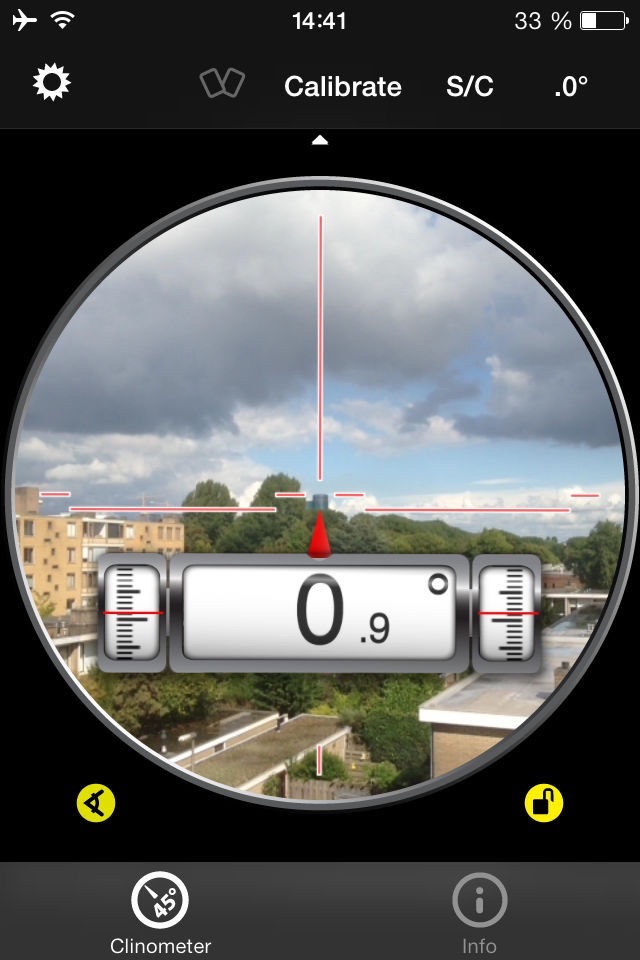
With this tool, the slope can be measured by all edges of the device and through the camera. The current features include:
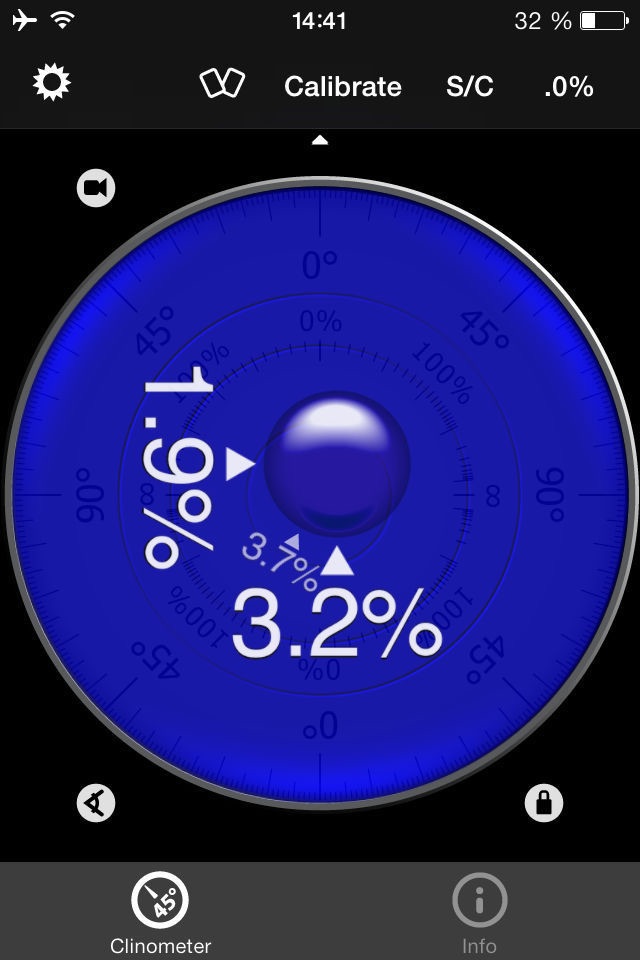
◆ 3 Modes (incl. auto switching): Clinometer mode (auto when holding upright), Camera mode (any direction, manual activation) and Bubble level (smoothly fading in when holding flat).
◆ Relative angles: Besides measuring absolute angles, for every mode you can measure the relative angle between device positions
◆ Advanced two way calibration on all sides: For every 4 sides plus the bubble mode you can calibrate in two steps, which allows you to calibrate exactly even on non-level surfaces. Each direction can be calibrated individually to achieve the optimal precision.
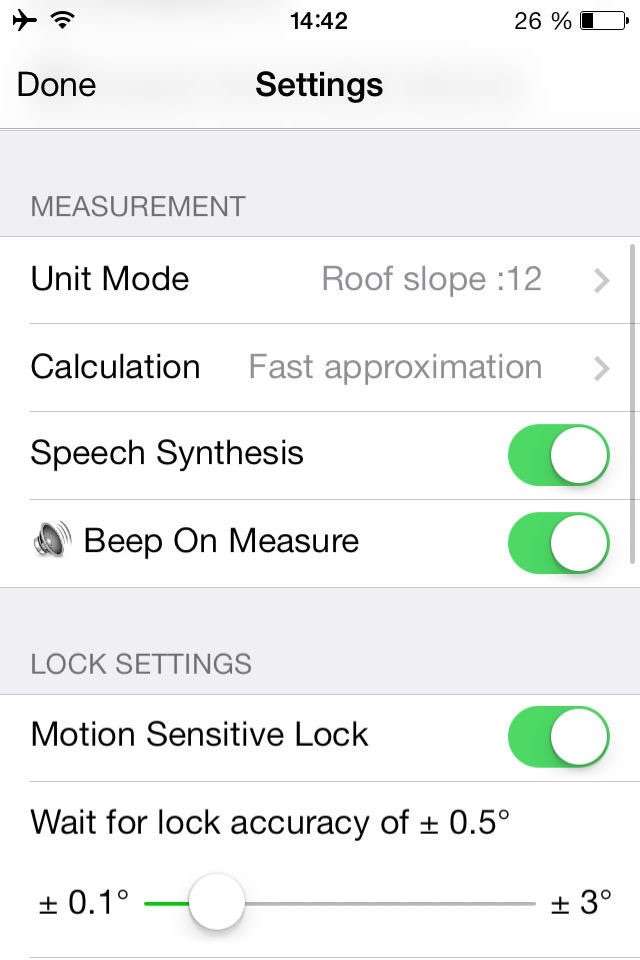
◆ Speech synthesis: The device will speak the current reading, so you don't have to watch the display while measuring/aligning your object.
◆ Five different unit modes: The device can display the slope in degrees (rounded or in tenth of degrees), percentage, rise over run (common for roof slope measurement in :12) and 1V:H (common in engineering)
◆ Dial Rotation: You can smoothly rotate the background dial and thus define which side of the device represents 0° and 90° degrees.
◆ Motion-sensitive Lock feature: Besides the common instant simple tap hold mechanism you can activate the motion-sensitive lock. If activated the device waits for the final lock until you hold your device steady enough for at least 2 seconds. You can set the lock sensitivity between 0.1° and 1.0° degrees.
◆ Peer Mode: Use two devices to measure angles: One as a display, the other as the measurement device that can be attached to the hardware you want to align.
◆ Fullscreen Mode: The full screen mode can be toggled by tapping the center of the screen and by the upper and lower arrows in the center. This prevents you from erroneous inputs while measuring.
◆ Different color schemes: Press the S/C Button to instantly switch the color. The color can be selected differently for the bubble and the clinometer mode. The predefined color sets include day and night color schemes (Black on White, White on Black and Red).
◆ Adjustable Auto-Lock: You can prevent the device from turning into the sleep mode.
According to wikipedia: An inclinometer or clinometer is an instrument for measuring angles of slope (or tilt), elevation or inclination of an object with respect to gravity. It is also known as a tilt meter, tilt indicator, slope alert, slope gauge, gradient meter, gradiometer, level gauge, level meter, declinometer, and pitch & roll indicator.
For recreational use only. After the calibration it CAN (!) be very accurate especially for the main axis after calibration. The measurement is performed as well as possible (we try our best) by using the three inbuilt accelerometers.
THANK YOU FOR YOUR SUPPORT!
We will improve the application long-term. This was the first application of this kind shortly after the opening of the App Store. Since then it is continuously updated and enriched with new features.
In-App Purchases US pricing
One-Time Purchases
Support Updates Level Bronze$0.99
Support Developer Level Silver$2.99
Support Developer Level Gold$7.99
Capabilities
In-App Purchases
Accessibility
ipadiphonemacrealityDevicetvoswatch
Version history 25 versions
Build 853967924v4.9.42022-12-18 23:25:01
Fix rotation issue
Build 834200760v4.9.22020-01-03 15:27:08
- Fixes peer connect feature to display measurement across iPhone/iPad devices
- Bugfixes and performance improvements
Build 832964437v4.9.12019-09-29 14:49:22
- Fixes missing calibration button on latest iOS
- Support of all new iPhone models
- Bugfixes and performance improvements
Build 832891577v4.92019-09-25 20:04:47
- Fixes missing calibration button on latest iOS
- Support of all new iPhone models
Build 830557349v4.82019-08-06 18:44:20
◆ Camera Mode can now be zoomed 1x - 16x
◆ Bugfixes & performance optimizations
Thanks for your support!
Build 827224047v4.72018-11-09 23:51:34
- Support for all current iPhone and iPad models
- Bugfixes & performance optimizations
Thanks for your support!
Build 823659957v4.62017-12-12 08:20:30
- iPhone X Support
- Bugfixes & performance optimizations
Thanks for your support!
Build 818939349v4.52016-11-07 18:07:46
• Fixes layout issues when changing orientation between app restarts
to honour our work and free updates you can voluntary contribute and get extra features (see settings - support dev) - thank you
Build 811941313v4.42015-04-12 06:14:30
• Support for the upcoming Apple Watch: check the level from the iPhone on your wrist
• iOS 8.3 with 64 bit support
to honour our work and free updates you can voluntary contribute and get extra features (see settings - support dev)
Build 808302675v4.2.12014-12-17 20:09:20
Preparation for the Apple Watch to display current slope!
Fixed video preview for your voluntary support donation (thanks to all who support us already!)
Stay tuned for updates! Merry christmas!
Build 423872634v4.22014-11-01 17:37:33
◆ iPhone 6 / 6 Plus support
◆ Corrected swapped /12 and 1H:V modes
◆ Improved speech synthesis
to honour our work and free updates you can voluntary contribute and get extra features (see settings - support dev).
Build 40602674v4.12014-02-19 18:30:42
◆ Polished Icon and more space for display
◆ Added alternative Unit Mode H:1V to 1V:H
to honour our work and free updates you can voluntary contribute and get extra features (see settings - support dev).
Build 17283032v4.02013-09-17 16:18:14
This is a major (and free) update to version 4.x of this app
◆ Measure slope with camera (!)
◆ Measure relative angles in all modes of operation
◆ More self-explanatory calibration dialog
◆ New user interface (the hardly used original theme had to go for technical reasons)
◆ New iOS Look&Feel when you update to iOS7
to honour our work and free updates you can voluntary contribute and get extra features (see settings - support dev)
Build 15581991v3.7.12013-07-08 08:11:37
Bug fixes & compatibility to next major iOS version
Build 15319452v3.72013-05-16 09:49:01
◆ German localization
◆ Lock with Volume Buttons (enable in settings)
◆ Larger Instrument (slim frame, old theme still available)
◆ New Unit Mode: 1V:H Mode common in engineering
◆ Rooftop Mode now labelled :12
Build 11610386v3.62012-11-17 12:32:34
✔ Speech Synthesis: Current angle will be read! (Turn up the volume)
Build 10753431v3.52012-09-22 00:21:19
iPhone 5 support for larger screen
Build 8890836v3.4.22012-09-13 09:59:56
Further improvement of the measurement algorithm
iOS 6 support
Build 4406396v3.4.12012-06-02 18:31:27
Nicer color animation when you press S/C
New Retina Icons
Build 3901696v3.42011-09-17 00:06:56
Optimizations
Preparation for new features
iOS 5 Compatibility
Build 3263854v3.32010-12-22 00:15:18
✔ Added new nice and smooth visualization
✔ Take use of gyroscope if present (iPhone 4)
✔ New Icon
✔ Original visualization still available (as theme in preferences)
✔ Bluetooth connectivity for measure with two devices is backward compatible
Build 2723224v3.2.12010-06-17 20:54:42
- High-Res Icons for iPhone 4
- Fixed calibration issue on iPad
- Fixed layout issue on iPhone/iPod Touch
Build 2658397v3.22010-05-28 22:41:38
Can now be used natively on iPad. Connect you iPhone / iPod touch with the iPad for remote reading angles.
If you need calibration on the iPad please wait for the next free update ready on around 7th of Jun.
Build 2091655v3.1.22009-11-11 01:34:49
Fixed a bug in the preference dialog.
Changed Dialogs to comply standards.
Build 1874151v3.1.12009-08-07 00:09:48
Fixed possible crash along with Bubble Mode.
Please try out the new peer-to-peer mode.
Price history by region
Currency
Show
Columns
Search
Availability 1 of 1 storefronts
| Region | Language | Price | Ratings | Avg | Version |
|---|---|---|---|---|---|
| US | en-US | USD 1.99 | 42 | 4.0 | 4.9.4 |
Change log 29 changes · US
✎
releaseNotes updated
Fix rotation issue
✎
description updated
This professional tool called Clinometer is the most precise (all you can get with some calculations) slope measurement tool for the iPhone, iPod Touch and iPad
✎
subtitle updated
+ slope finder (3 in 1)
✎
name updated
Clinometer + bubble level
◆
Version 4.9.4 released
Fix rotation issue
◆
Version 4.9.2 released
- Fixes peer connect feature to display measurement across iPhone/iPad devices
- Bugfixes and performance improvements
◆
Version 4.9.1 released
- Fixes missing calibration button on latest iOS
- Support of all new iPhone models
- Bugfixes and performance improvements
◆
Version 4.9 released
- Fixes missing calibration button on latest iOS
- Support of all new iPhone models
◆
Version 4.8 released
◆ Camera Mode can now be zoomed 1x - 16x
◆ Bugfixes & performance optimizations
Thanks for your support!
◆
Version 4.7 released
- Support for all current iPhone and iPad models
- Bugfixes & performance optimizations
Thanks for your support!
◆
Version 4.6 released
- iPhone X Support
- Bugfixes & performance optimizations
Thanks for your support!
◆
Version 4.5 released
• Fixes layout issues when changing orientation between app restarts
to honour our work and free updates you can voluntary contribute and get extra features (see settings - support dev) - thank you
◆
Version 4.4 released
• Support for the upcoming Apple Watch: check the level from the iPhone on your wrist
• iOS 8.3 with 64 bit support
to honour our work and free updates you can voluntary contribute and get extra features (see settings - support dev)
◆
Version 4.2.1 released
Preparation for the Apple Watch to display current slope!
Fixed video preview for your voluntary support donation (thanks to all who support us already!)
Stay tuned for updates! Merry christmas!
◆
Version 4.2 released
◆ iPhone 6 / 6 Plus support
◆ Corrected swapped /12 and 1H:V modes
◆ Improved speech synthesis
to honour our work and free updates you can voluntary contribute and get extra features (see settings - support dev).
◆
Version 4.1 released
◆ Polished Icon and more space for display
◆ Added alternative Unit Mode H:1V to 1V:H
to honour our work and free updates you can voluntary contribute and get extra features (see settings - support dev).
◆
Version 4.0 released
This is a major (and free) update to version 4.x of this app
◆ Measure slope with camera (!)
◆ Measure relative angles in all modes of operation
◆ More self-explanatory calibration dialog
◆ New user interface (the hardly used original them
◆
Version 3.7.1 released
Bug fixes & compatibility to next major iOS version
◆
Version 3.7 released
◆ German localization
◆ Lock with Volume Buttons (enable in settings)
◆ Larger Instrument (slim frame, old theme still available)
◆ New Unit Mode: 1V:H Mode common in engineering
◆ Rooftop Mode now labelled :12
◆
Version 3.6 released
✔ Speech Synthesis: Current angle will be read! (Turn up the volume)
◆
Version 3.5 released
iPhone 5 support for larger screen
◆
Version 3.4.2 released
Further improvement of the measurement algorithm
iOS 6 support
◆
Version 3.4.1 released
Nicer color animation when you press S/C
New Retina Icons
◆
Version 3.4 released
Optimizations
Preparation for new features
iOS 5 Compatibility
◆
Version 3.3 released
✔ Added new nice and smooth visualization
✔ Take use of gyroscope if present (iPhone 4)
✔ New Icon
✔ Original visualization still available (as theme in preferences)
✔ Bluetooth connectivity for measure with two devices is backward compatib
◆
Version 3.2.1 released
- High-Res Icons for iPhone 4
- Fixed calibration issue on iPad
- Fixed layout issue on iPhone/iPod Touch
◆
Version 3.2 released
Can now be used natively on iPad. Connect you iPhone / iPod touch with the iPad for remote reading angles.
If you need calibration on the iPad please wait for the next free update ready on around 7th of Jun.
◆
Version 3.1.2 released
Fixed a bug in the preference dialog.
Changed Dialogs to comply standards.
◆
Version 3.1.1 released
Fixed possible crash along with Bubble Mode.
Please try out the new peer-to-peer mode.