Home › Utilities

 US
US
1 of 1 storefronts
Content in en-US
Content in en-US
Information
Apple ID1669177716
Bundle IDcom.appinlet.solargain
SellerSeller
Min iOS14.0
Min macOS11.0
Device familiesiphone, ipad, ipod
Released2023-09-28
Copyright© 2026 Above Surveying
Privacy policyLink ↗
Preview 2 platforms
iPhone 10 images




iPad 10 images


What’s New Version 1.28.1
Tasks:
- Fixed inconsistent image sizes when uploading multiple images to a task.
- Resolved issue preventing addition of subtasks on some iOS devices.
Global:
- Various bug fixes and improvements.
Description
Above develops plant health software, helping solar companies generate more power from data.
Above has created desktop and mobile software to support you in improving quality and efficiency of your workflows for your digital solar plant management.
Desktop software:
SolarGain is designed especially for solar plants, utilising machine learning technology to produce detailed and accurate plant health reports.
Mobile application:
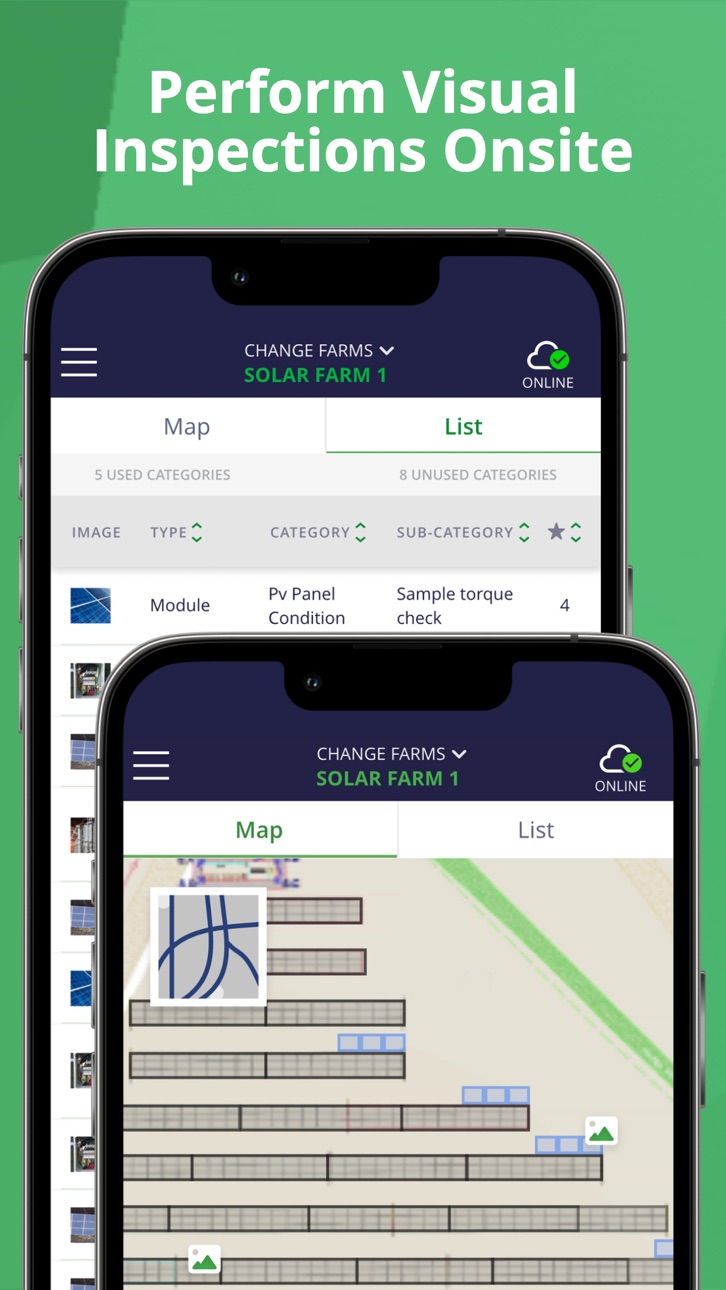
SolarGain Mobile is focused on digitalising your solar plant services and maintenance processes while onsite, and allows customers to:
- Conduct visual inspections
- Manage their work with task lists
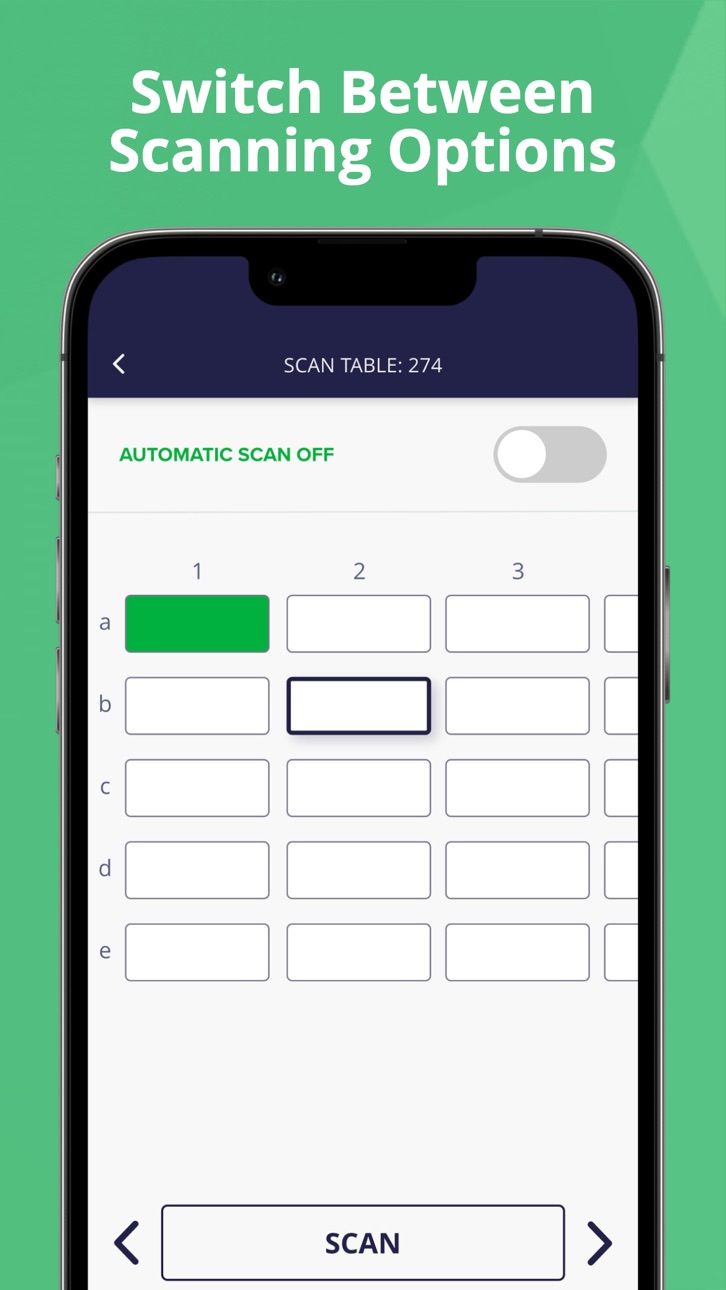
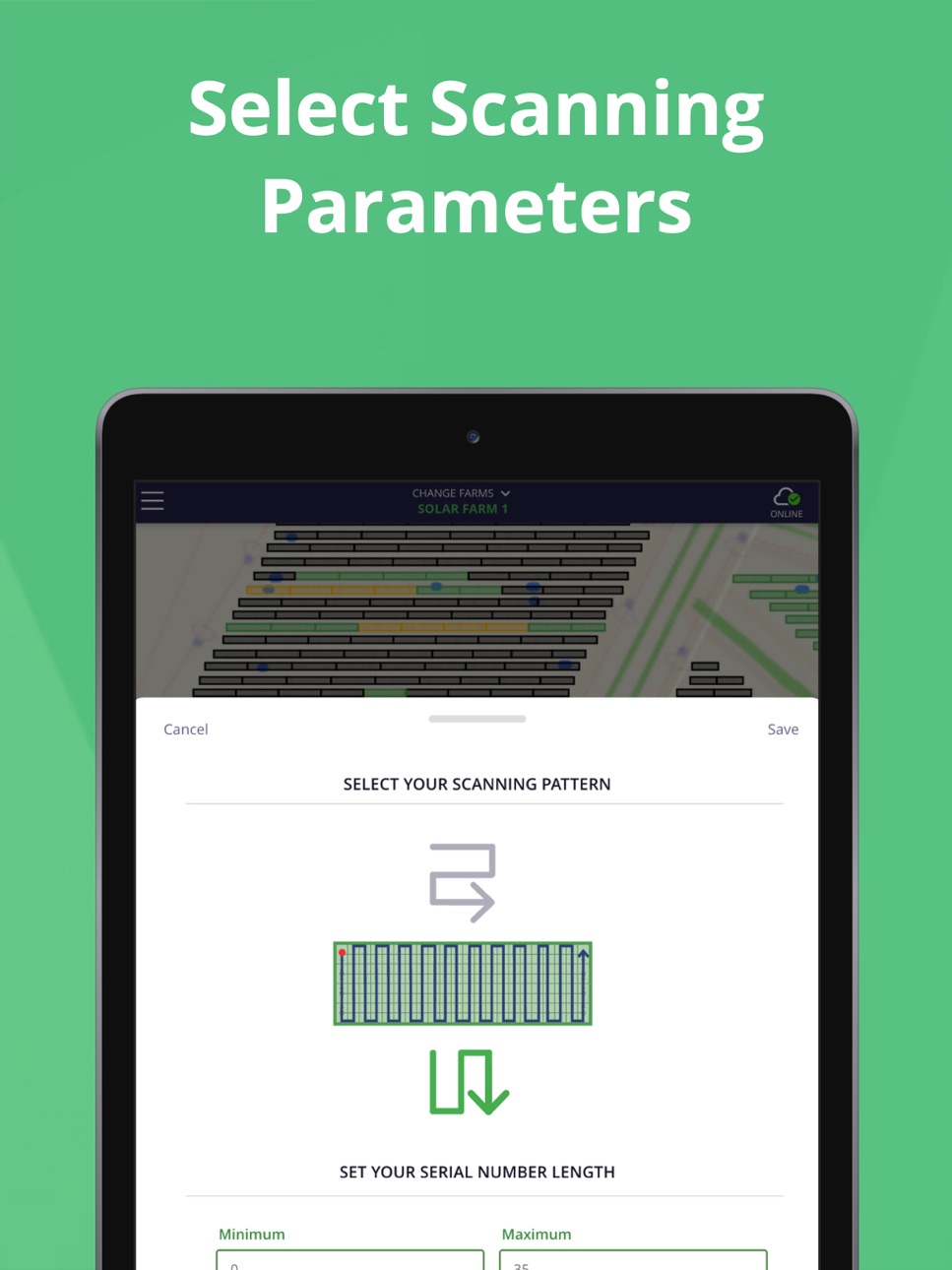
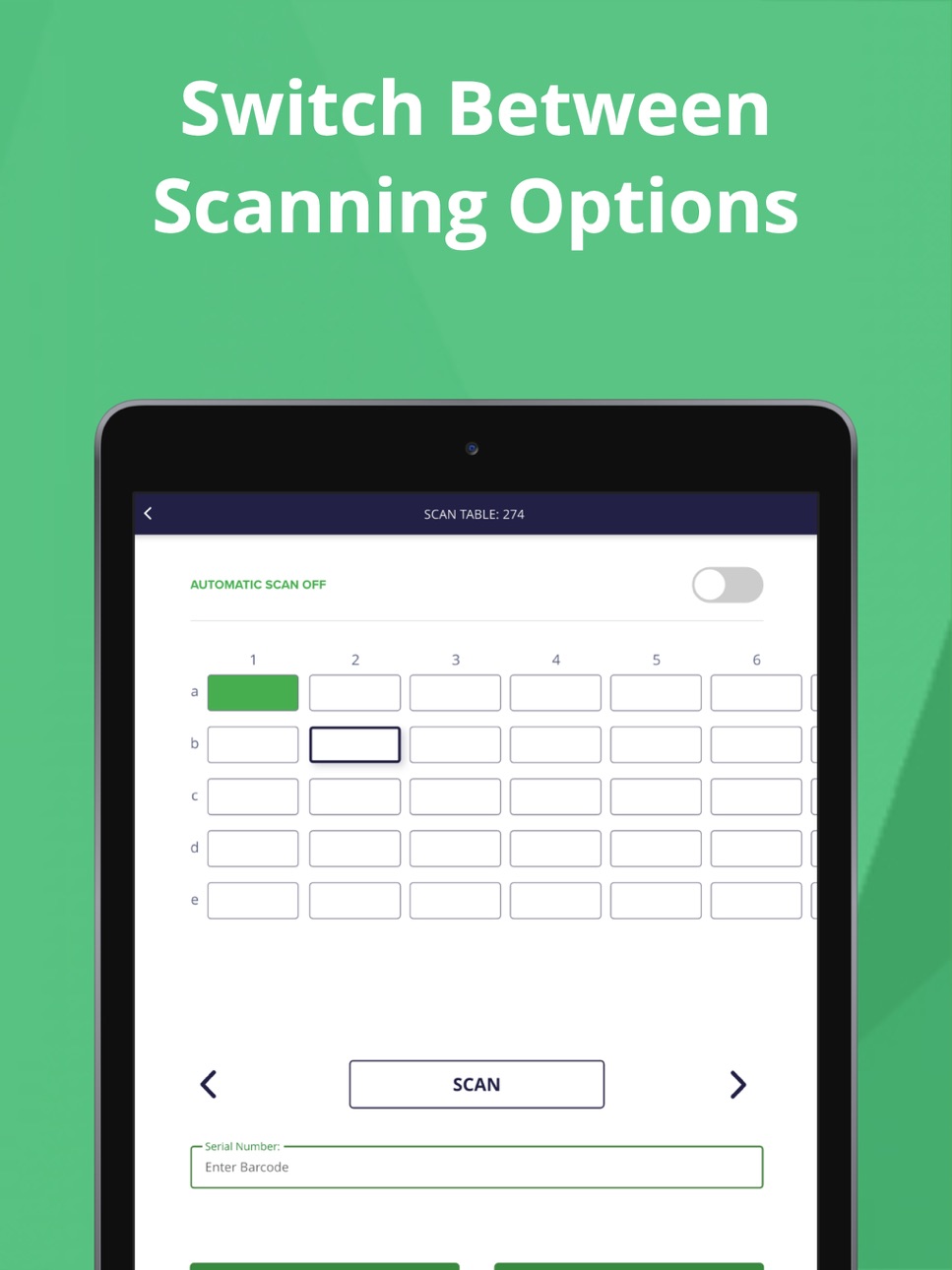
- Easily scan PV module serial numbers
- View data connected to specific components
- Use offline mode when there is no/poor connection
- Synchronise all data with desktop software
Above’s vision is to be the go-to company for scalable, innovative solutions within the solar industry, admired for its people, client service and technical excellence. With cutting edge-technology Above supports the solar industry to build and operate longer-lasting, higher-performing solar plants and accelerate global deployment.
Accessibility
ipadiphonemacrealityDevicetvoswatch
Version history 25 versions
Build 887724819v1.28.12026-07-03 18:01:39
Tasks:
- Fixed inconsistent image sizes when uploading multiple images to a task.
- Resolved issue preventing addition of subtasks on some iOS devices.
Global:
- Various bug fixes and improvements.
Build 887326909v1.28.02026-06-25 17:17:06
Inspections:
- Added 'clear' button to the second serial number field for Tracker components.
Global:
- Various bug fixes and improvements.
Build 886363627v1.27.02026-06-09 08:35:43
Inspections:
- Added support for GCP, Gate and Substation inspections.
- Added auto-select when category matches component type.
Tasks:
- Added clearer 64-character task title validation and display.
- Added a delete action next to serial number inputs.
- Added Tracker name visibility in anomaly details.
Serials:
- Improved component toggle and range selection consistency.
Global:
- Various bug fixes and improvements.
Build 885845420v1.26.02026-05-26 10:31:18
Tasks
- Added the shared map layer tool to task views.
Serials
- Updated the Serial Number scanning diagrams.
Global
- Added exit confirmation modals when leaving Inspections, Tasks and Serials with unsaved changes.
- Various bug fixes and improvements.
Build 885312829v1.25.02026-05-12 13:20:13
Inspections:
- Moved inspection map and component filtering into one map layer drawer.
- Kept Save/Cancel fixed at the top and removed old filter entry points.
Serials:
- Added the shared map layer tool to Serial Numbers.
- Added a serial status legend and moved serial filters into the same drawer.
Global:
- Layer icon now highlights active non-default map/filter settings.
- Updated all map North Arrow icons to red.
Build 884853071v1.24.02026-04-24 11:30:27
Offline Mode
- Added expanded component selection for Inspections, allowing users to specify individual inspection components for offline access.
- Inspection components now display with size and selection status for granular offline download control.
- Enhanced sync logic to respect component-level preferences during offline workflows.
Global
- Improved error handling with better recovery detection and error classification.
Build 884002668v1.23.02026-04-02 09:19:59
Offline Mode:
- Added individual task list selection with priority, size, assignee and due date display.
- Implemented task history toggle to exclude comments and images from offline downloads.
- Added search functionality for filtering task lists.
Global:
- Improved sync progress tracking with detailed status messages.
- Better error handling and state management during sync operations.
Build 883912215v1.22.12026-03-31 03:56:44
Serials:
- Improved module range defaults to ensure proper loading of serial data.
Build 882931384v1.22.02026-03-19 12:32:51
Offline Mode:
- Complete redesign of offline mode with new 3-step workflow for better user control.
- New plant selection interface with search functionality and relevance ordering.
Inspections:
- Fixed serial numbers disappearing in visual inspections due to cache issues.
Global:
- Fixed GPS button freezing map on some devices.
Build 882402235v1.21.12026-02-20 17:50:18
Inspections:
- Fixed missing serial numbers in visual inspections.
- Resolved issue where previously uploaded inspection details were pre-populating new inspections.
Tasks:
- Added robust draft autosave functionality to prevent data loss during app backgrounding.
- Fixed missing success screen after deleting failed offline items during sync.
Global:
- Fixed retry button sizing inconsistency on sync queue screen.
Build 882098218v1.21.02026-02-09 07:09:16
Tasks:
- Added enhanced offline upload failure handling with retry, delete, and cancel options.
- Improved error messaging with detailed item descriptions for failed uploads.
Inspections:
- Fixed GPS marker location issues when using Gallery option for adding images.
- Added draft autosave functionality to prevent data loss during camera/gallery operations.
Global:
- Fixed search functionality issue where backspacing in farm search left blank results.
Build 881451292v1.20.02026-01-22 14:50:55
Inspections:
- Added component caching system to improve loading times on subsequent loads.
- Fixed component type symbology for multiple inspections at identical coordinates.
Tasks:
- Fixed a critical intermittent data loss bug affecting subtask data persistence.
- Improved save state management to prevent data loss during rapid input.
Serials:
- Added clear/delete buttons to all serial number input fields.
- Enhanced keyboard buffer handling for improved scanning experience.
Build 880969358v1.19.12025-12-29 05:45:25
Inspections:
- Fixed critical issue where individual inspections were being incorrectly grouped together during upload instead of being uploaded separately.
Build 880790048v1.19.02025-12-23 04:27:39
Tasks:
- Changed "Resolved" status to "Completed" throughout the app.
Global:
- Added dynamic GPS with real-time location tracking.
- Resolved issue where Streetview layers did not render.
Build 880335575v1.18.02025-12-11 11:07:56
Tasks:
- Auto-resolve prompt when all subtasks are completed
- Improved status field positioning and workflow
Serials:
- Starting point selection now persists between tables
Global:
- Fixed "Earliest Activity" sort option not responding
- Enhanced upload success screen with portal navigation guidance
Build 879860514v1.17.12025-11-27 04:28:33
Tasks:
- Show the "Confirm Cancel" warning only if a task has been changed.
Build 879556302v1.17.02025-11-13 03:47:56
Serials:
- Added support for character patterns for serial number scanning.
Inspections:
- Fixed an issue where a blank map would load in some conditions.
Build 879180945v1.16.02025-11-03 07:40:12
Tasks:
- You can now scan and record serial numbers directly in Task details for Trackers, Transformers, Inverters and Combiner Boxes. Serial Number fields are read-only when a Task is Closed, the app is in Offline mode, or for users with Commenter permissions.
- Resolved a critical bug that prevented users with Contributor permissions from editing subtask fields (including "Text" types).
Inspections:
- Corrected an issue where some Solar Plant maps would load as blank/empty.
Build 879022528v1.15.22025-10-21 04:35:12
Inspections:
- Resolved an issue where markers defaulted to coordinates (51.13, -3.91) due to GPS failures, ensuring markers are now correctly linked to the appropriate solar farms.
Serials:
- Fixed a bug where the tracker control box serial number field incorrectly displayed green instead of red for invalid input upon reload.
Tasks:
- Corrected an issue preventing contributors from scanning serial numbers in task lists, restoring full functionality.
Build 878653681v1.15.12025-10-16 04:19:52
Global:
- Bug fixes and improvements.
Serials:
- Resolved an issue where selecting the "Minimum" or "Maximum" field in Serial Number Scanning would sometimes cause the screen to auto-scroll to the bottom of the page.
Build 878322699v1.15.02025-09-30 08:52:16
Tasks:
- Added orthomosaic map layer and map layer settings for enhanced task visualisation.
Serials:
- Enhanced Settings with green/red text input feedback for valid/invalid serial numbers across all components.
Build 877927518v1.14.02025-09-16 10:12:25
Serials:
- Add support for scanning Inverters, Transformers, Trackers and Combiner Boxes.
- Show module counts when loading plants.
Build 877526743v1.13.02025-09-02 10:33:37
Inspections:
- Add support for HV, MV, and LV cables.
Serials:
- Improve data handling for Modules.
Build 877182830v1.12.02025-08-19 10:54:24
General:
- Implement module pagination with visual loading feedback to improve performance for large Solar Plants.
Inspections:
- Add support for Weather Stations, CCTV, and SCADA structures.
Build 876604631v1.11.02025-08-05 03:04:12
Global:
- Change “Solar Farm” to “Solar Plant” to better align with the portal.
- Improve the layout of buttons and overlays for better usability.
Tasks:
- Add support for Subtask type “Text”.
No pricing data captured yet — comparisons appear once the app has paid storefronts or in-app purchases.
Availability 1 of 1 storefronts
| Region | Language | Price | Ratings | Avg | Version |
|---|---|---|---|---|---|
| US | en-US | Free | 0 | — | 1.28.1 |
Change log 28 changes · US
✎
releaseNotes updated
Tasks:
- Fixed inconsistent image sizes when uploading multiple images to a task.
- Resolved issue preventing addition of subtasks on some iOS devices.
Global:
✎
description updated
Above develops plant health software, helping solar companies generate more power from data.
Above has created desktop and mobile software to support you in
✎
name updated
SolarGain
◆
Version 1.28.1 released
Tasks:
- Fixed inconsistent image sizes when uploading multiple images to a task.
- Resolved issue preventing addition of subtasks on some iOS devices.
Global:
- Various bug fixes and improvements.
◆
Version 1.28.0 released
Inspections:
- Added 'clear' button to the second serial number field for Tracker components.
Global:
- Various bug fixes and improvements.
◆
Version 1.27.0 released
Inspections:
- Added support for GCP, Gate and Substation inspections.
- Added auto-select when category matches component type.
Tasks:
- Added clearer 64-character task title validation and display.
- Added a delete action next to serial
◆
Version 1.26.0 released
Tasks
- Added the shared map layer tool to task views.
Serials
- Updated the Serial Number scanning diagrams.
Global
- Added exit confirmation modals when leaving Inspections, Tasks and Serials with unsaved changes.
- Various bug fixes an
◆
Version 1.25.0 released
Inspections:
- Moved inspection map and component filtering into one map layer drawer.
- Kept Save/Cancel fixed at the top and removed old filter entry points.
Serials:
- Added the shared map layer tool to Serial Numbers.
- Added a serial
◆
Version 1.24.0 released
Offline Mode
- Added expanded component selection for Inspections, allowing users to specify individual inspection components for offline access.
- Inspection components now display with size and selection status for granular offline downlo
◆
Version 1.23.0 released
Offline Mode:
- Added individual task list selection with priority, size, assignee and due date display.
- Implemented task history toggle to exclude comments and images from offline downloads.
- Added search functionality for filtering tas
◆
Version 1.22.1 released
Serials:
- Improved module range defaults to ensure proper loading of serial data.
◆
Version 1.22.0 released
Offline Mode:
- Complete redesign of offline mode with new 3-step workflow for better user control.
- New plant selection interface with search functionality and relevance ordering.
Inspections:
- Fixed serial numbers disappearing in visua
◆
Version 1.21.1 released
Inspections:
- Fixed missing serial numbers in visual inspections.
- Resolved issue where previously uploaded inspection details were pre-populating new inspections.
Tasks:
- Added robust draft autosave functionality to prevent data loss d
◆
Version 1.21.0 released
Tasks:
- Added enhanced offline upload failure handling with retry, delete, and cancel options.
- Improved error messaging with detailed item descriptions for failed uploads.
Inspections:
- Fixed GPS marker location issues when using Galle
◆
Version 1.20.0 released
Inspections:
- Added component caching system to improve loading times on subsequent loads.
- Fixed component type symbology for multiple inspections at identical coordinates.
Tasks:
- Fixed a critical intermittent data loss bug affecting
◆
Version 1.19.1 released
Inspections:
- Fixed critical issue where individual inspections were being incorrectly grouped together during upload instead of being uploaded separately.
◆
Version 1.19.0 released
Tasks:
- Changed "Resolved" status to "Completed" throughout the app.
Global:
- Added dynamic GPS with real-time location tracking.
- Resolved issue where Streetview layers did not render.
◆
Version 1.18.0 released
Tasks:
- Auto-resolve prompt when all subtasks are completed
- Improved status field positioning and workflow
Serials:
- Starting point selection now persists between tables
Global:
- Fixed "Earliest Activity" sort option not responding
-
◆
Version 1.17.1 released
Tasks:
- Show the "Confirm Cancel" warning only if a task has been changed.
◆
Version 1.17.0 released
Serials:
- Added support for character patterns for serial number scanning.
Inspections:
- Fixed an issue where a blank map would load in some conditions.
◆
Version 1.16.0 released
Tasks:
- You can now scan and record serial numbers directly in Task details for Trackers, Transformers, Inverters and Combiner Boxes. Serial Number fields are read-only when a Task is Closed, the app is in Offline mode, or for users with C
◆
Version 1.15.2 released
Inspections:
- Resolved an issue where markers defaulted to coordinates (51.13, -3.91) due to GPS failures, ensuring markers are now correctly linked to the appropriate solar farms.
Serials:
- Fixed a bug where the tracker control box seri
◆
Version 1.15.1 released
Global:
- Bug fixes and improvements.
Serials:
- Resolved an issue where selecting the "Minimum" or "Maximum" field in Serial Number Scanning would sometimes cause the screen to auto-scroll to the bottom of the page.
◆
Version 1.15.0 released
Tasks:
- Added orthomosaic map layer and map layer settings for enhanced task visualisation.
Serials:
- Enhanced Settings with green/red text input feedback for valid/invalid serial numbers across all components.
◆
Version 1.14.0 released
Serials:
- Add support for scanning Inverters, Transformers, Trackers and Combiner Boxes.
- Show module counts when loading plants.
◆
Version 1.13.0 released
Inspections:
- Add support for HV, MV, and LV cables.
Serials:
- Improve data handling for Modules.
◆
Version 1.12.0 released
General:
- Implement module pagination with visual loading feedback to improve performance for large Solar Plants.
Inspections:
- Add support for Weather Stations, CCTV, and SCADA structures.
◆
Version 1.11.0 released
Global:
- Change “Solar Farm” to “Solar Plant” to better align with the portal.
- Improve the layout of buttons and overlays for better usability.
Tasks:
- Add support for Subtask type “Text”.