Home › Business

 US
US
 NLnl
NLnl AGen-GB
 AIen-GB
 AOen-GB
 ARes-MX
 ATde-DE
 AUen-AU
 BBen-GB
 BEen-GB
 BFen-GB
 BGen-GB
 BJen-GB
 BOes-MX
 BRpt-BR
 BSen-GB
 BWen-GB
 BZen-GB
 CAen-CA
 CDen-GB
 CGen-GB
 CHde-CH
 CIfr-FR
 CLes-MX
 CMfr-FR
 COes-MX
 CRes-MX
 CVen-GB
 CZen-GB
 DEde-DE
 DKen-GB
 DMen-GB
 DOes-MX
 DZen-GB
 ECes-MX
 ESes-ES
 FIen-GB
 FRfr-FR
 GAfr-FR
 GBen-GB
 GDen-GB
 GHen-GB
 GMen-GB
 GTes-MX
 GWen-GB
 GYen-GB
 HNes-MX
 HUen-GB
 IEen-GB
 ISen-GB
 ITit
ITit JMen-GB
 KEen-GB
 KNen-GB
 KYen-GB
 LCen-GB
 LRen-GB
 LUen-GB
 LYen-GB
 MAen-GB
 MGen-GB
 MLen-GB
 MSen-GB
 MUen-GB
 MWen-GB
 MXes-MX
 MZen-GB
 NAen-GB
 NEen-GB
 NGen-GB
 NIes-MX
 NOen-GB
 NZen-AU
 PAes-MX
 PEes-MX
 PLen-GB
 PTpt-PT
 PYes-MX
 ROen-GB
 RWen-GB
 SCen-GB
 SEsv
SEsv SKen-GB
 SLen-GB
 SNen-GB
 SRen-GB
 STen-GB
 SVes-MX
 SZen-GB
 TCen-GB
 TDen-GB
 TNen-GB
 TTen-GB
 TZen-GB
 UGen-GBUSen-US
 UYen-GB
 VCen-GB
 VEes-MX
 VGen-GB
 ZMen-GB
 ZWen-GB
101 of 101 storefronts
Content in en-US
Content in en-US
Information
Preview 2 platforms
iPhone 5 images


iPad 5 images


What’s New Version 20.15.0
What's New
• Added a new option to hide timestamps in the Inspections Inbox.
• Introduced Inspection Sync Range, allowing users to customize their sync span to balance performance and data availability.
• Specification Manager remark blocks now support 2 decimal places.
• Language preferences are now remembered after the app is closed.
• Completed Specification Manager inspections are automatically removed from all devices after synchronization.
• Upgraded the camera system for improved stability and performance.
Description
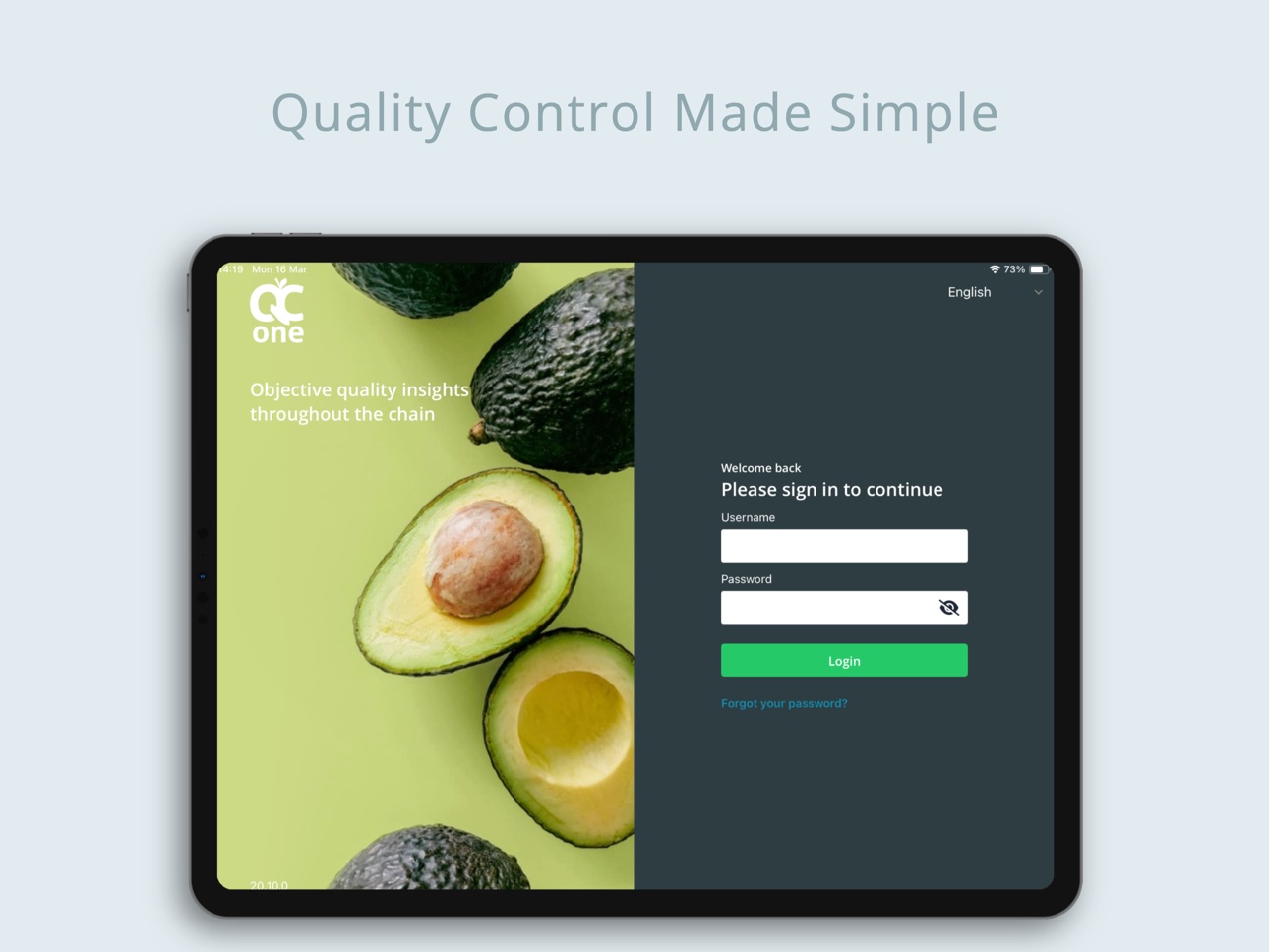
The QC One Inspector app allows users to conduct quality inspections as part of the QC One platform.
With the user-friendly hybrid offline app, inspections are synchronised when connected to the internet. The inspectors are guided step-by-step through the inspection. You can add photos real time to create professional reports and share them instantly. Ensuring you a fast and complete registration, preventing errors.
- Inspecting efficiently
- Fully customizable
- Multilingual
- Real-time report distribution
- Mobility
Accessibility
ipadiphonemacrealityDevicetvoswatch
Version history 25 versions
Build 887482340v20.15.02026-07-07 13:57:24
What's New
• Added a new option to hide timestamps in the Inspections Inbox.
• Introduced Inspection Sync Range, allowing users to customize their sync span to balance performance and data availability.
• Specification Manager remark blocks now support 2 decimal places.
• Language preferences are now remembered after the app is closed.
• Completed Specification Manager inspections are automatically removed from all devices after synchronization.
• Upgraded the camera system for improved stability and performance.
Build 886014033v20.14.02026-05-26 14:00:10
What’s New
- Platform upgrade to improve long-term stability
- Loading state added to help prevent accidental double taps on slower devices
- Data loss issue when switching licensees without syncing is solved
- Fix for preserving image blocks in SM inspections after syncing on android devices
Build 885114074v20.13.02026-05-05 14:16:27
What’s New
Workspace switcher added to the Inbox for a faster, smoother experience
Improved translations for the Specification Manager module
New date formatting options in the Settings
Enabled entry of negative values for relevant numerical parameters on mobile
Bug fixes and performance improvements
Build 883843733v20.12.02026-03-31 14:14:47
- Optimized synchronisation UI including clearer syncronisation warnings for a better user experience
- Organisation filter now also supports Specification Manager inspections
Build 883421258v20.11.02026-03-19 15:02:47
- Optimized synchronization process
- Updated parameter icons for Specification Manager
- Barcode scanner removed from remarks for Specification Manager
Build 882109112v20.10.02026-02-20 15:00:03
- Added a “Default Inspection Type” setting to streamline inspection creation
- Improved usability with alphabetical sorting for select parameters
- Enhanced clarity with grade element for select parameter items
- Improved syncing performance and clarity by limiting active licensees to one
Build 881774688v20.9.02026-01-27 15:01:04
What’s New
- A new network status UI now keeps you informed about your connection
- The Inbox shipper filter no longer resets after syncing
- Cleaner text alignment in specification inspections
Build 881216168v20.8.02026-01-08 15:03:17
What’s New
- Introduced Remark Conclusion Blocks in the QC One Inspector app
- Fully implemented image ordering in quality reports
- Fixed column filters in the unit overview page
- Improved visual consistency across inspection and unit overview pages with update
Build 880686534v20.7.02025-12-18 15:05:34
What’s New in Version 20.7.0
- Improved app performance with the first phase of optimizations
- Enhanced security: SSO (Single Sign-On) cache is now cleared for better privacy
- Multiple SSO users can now use the same device
- Camera permission UI updated for a smoother experience
- Various bug fixes and stability improvements
Update now for the best experience!
Build 879976789v20.6.02025-11-25 14:58:21
What’s New
- Improved Linking Units UI/UX
- Enhanced security messaging
- Added a search bar to key modals in the Add Inspection flow (Inspection Point, Inspection Type, Shipment Type) for faster selection and better efficiency
Build 879550972v20.5.02025-11-10 15:11:26
What’s New
- Added concluding blocks beta version for the Product Specification Manager module
- Sync screen optimization
- Added direct links to the portal for easy access
- Fixed several UI bugs to enhance overall stability and usability
Build 878895759v20.4.02025-10-16 14:00:21
What’s New
Rich Text: Better formatting for clearer text.
Sync Alerts: Get notified while data syncs.
EXPO 53 Ready: Stay up to date effortlessly.
Improvements: Easier unit overview and clearer delete icon.
Fixes: Modal and button issues resolved, Dutch translation updated, and unit tracking now accurate.
Build 877000278v20.3.02025-08-11 14:17:43
The upcoming release focuses on unit overview design fixes, Product Specification Manager improvements and bug fixes. These the areas which have been touched up:
1. Reimplementation of the unit Summary button
2. Newly-created units without any data are saved after syncing
3. Bug fix: requirement photos are not cropped out anymore
4. Optimizations of the Product Specification Manager inspection flow
5. Memory improvements
Build 876228591v20.2.02025-07-09 10:58:21
- New unit overview design (including bug fixes for the persistence of camera and check-mark icons)
- Adding a search engine to the ‘'show as a list’' parameters
- Product Specification Manager Improvements and bug fixes
- Optimization of the create inspection modal
- Optimization of the search behavior in the app Inbox (users can now search for inspections from tabs Archive, Today and Next week)
Build 874266594v20.1.02025-06-04 13:06:27
The upcoming release focuses on improving the infrastructure of the app. Most of the changes are behind the scenes improvements but these are some of the areas which have been touched up:
- Faster performance
- Better stability
- Optimization of all modals in the app
- Fixed small issues that came up during the upgrade to keep everything running smoothly.
- Fixed issue with some data fields not synchronized correctly.
Build 874180432v20.0.02025-04-23 13:44:36
Specification manager beta
Build 873060767v19.1.32025-03-09 23:45:33
Fixed a bug that occurred after upgrading between versions, ensuring a smoother transition.
Build 872600550v19.1.22025-03-06 14:55:54
Diverse bug fixes
Build 872451334v19.0.12025-02-17 13:04:05
This is a rollback to a previous feature set
Build 872371262v19.0.02025-02-12 15:05:09
- The settings page has been redesigned for a more intuitive user experience.
- Adding units to inspections has been streamlined, enabling a faster and smoother workflow.
- We’ve laid the groundwork for the upcoming Seats module, ensuring a seamless integration in future updates.
Build 870026175v18.5.02024-10-30 14:45:42
- Added translations for the new features.
- Introduced Camera Vision package and added photo data for better traceability.
- Updated camera orientation options
- Improved screen stability by fixing issues with screen jumping, keyboard display, and tab bar overlap.
- Fixed issues with syncing unit edits and added missing impressions.
Build 868904197v18.1.02024-09-11 05:55:06
- Enhanced Inspection Method: Streamline your workflow with a more straightforward process that reduces screen switching and boosts efficiency.
- Optimized Mobile Interface: Enjoy all the features you love from the tablet app, now perfectly tailored for smaller screens to ensure easy and efficient inspections on the go
Build 868595804v18.0.02024-09-10 12:08:22
- Enhanced Inspection Method: Streamline your workflow with a more straightforward process that reduces screen switching and boosts efficiency.
- Optimized Mobile Interface: Enjoy all the features you love from the tablet app, now perfectly tailored for smaller screens to ensure easy and efficient inspections on the go.
Build 868045865v17.4.02024-08-08 08:07:55
Minor improvements and bug fixes
Build 867141271v17.3.02024-07-17 11:36:40
- Improved camera orientation functionality
- Improved inspection inbox performance
- Updated synchronization animation
No pricing data captured yet — comparisons appear once the app has paid storefronts or in-app purchases.
Availability 101 of 101 storefronts
| Region | Language | Price | Ratings | Avg | Version |
|---|---|---|---|---|---|
| NL | nl | Free | 1 | 5.0 | 20.15.0 |
| AG | en-GB | Free | 0 | — | 20.15.0 |
| AI | en-GB | Free | 0 | — | 20.15.0 |
| AO | en-GB | Free | 0 | — | 20.15.0 |
| AR | es-MX | Free | 0 | — | 20.15.0 |
| AT | de-DE | Free | 0 | — | 20.15.0 |
| AU | en-AU | Free | 0 | — | 20.15.0 |
| BB | en-GB | Free | 0 | — | 20.15.0 |
| BE | en-GB | Free | 0 | — | 20.15.0 |
| BF | en-GB | Free | 0 | — | 20.15.0 |
| BG | en-GB | Free | 0 | — | 20.15.0 |
| BJ | en-GB | Free | 0 | — | 20.15.0 |
| BO | es-MX | Free | 0 | — | 20.15.0 |
| BR | pt-BR | Free | 0 | — | 20.15.0 |
| BS | en-GB | Free | 0 | — | 20.15.0 |
| BW | en-GB | Free | 0 | — | 20.15.0 |
| BZ | en-GB | Free | 0 | — | 20.15.0 |
| CA | en-CA | Free | 0 | — | 20.15.0 |
| CD | en-GB | Free | 0 | — | 20.15.0 |
| CG | en-GB | Free | 0 | — | 20.15.0 |
| CH | de-CH | Free | 0 | — | 20.15.0 |
| CI | fr-FR | Free | 0 | — | 20.15.0 |
| CL | es-MX | Free | 0 | — | 20.15.0 |
| CM | fr-FR | Free | 0 | — | 20.15.0 |
| CO | es-MX | Free | 0 | — | 20.15.0 |
| CR | es-MX | Free | 0 | — | 20.15.0 |
| CV | en-GB | Free | 0 | — | 20.15.0 |
| CZ | en-GB | Free | 0 | — | 20.15.0 |
| DE | de-DE | Free | 0 | — | 20.15.0 |
| DK | en-GB | Free | 0 | — | 20.15.0 |
| DM | en-GB | Free | 0 | — | 20.15.0 |
| DO | es-MX | Free | 0 | — | 20.15.0 |
| DZ | en-GB | Free | 0 | — | 20.15.0 |
| EC | es-MX | Free | 0 | — | 20.15.0 |
| ES | es-ES | Free | 0 | — | 20.15.0 |
| FI | en-GB | Free | 0 | — | 20.15.0 |
| FR | fr-FR | Free | 0 | — | 20.15.0 |
| GA | fr-FR | Free | 0 | — | 20.15.0 |
| GB | en-GB | Free | 0 | — | 20.15.0 |
| GD | en-GB | Free | 0 | — | 20.15.0 |
| GH | en-GB | Free | 0 | — | 20.15.0 |
| GM | en-GB | Free | 0 | — | 20.15.0 |
| GT | es-MX | Free | 0 | — | 20.15.0 |
| GW | en-GB | Free | 0 | — | 20.15.0 |
| GY | en-GB | Free | 0 | — | 20.15.0 |
| HN | es-MX | Free | 0 | — | 20.15.0 |
| HU | en-GB | Free | 0 | — | 20.15.0 |
| IE | en-GB | Free | 0 | — | 20.15.0 |
| IS | en-GB | Free | 0 | — | 20.15.0 |
| IT | it | Free | 0 | — | 20.15.0 |
| JM | en-GB | Free | 0 | — | 20.15.0 |
| KE | en-GB | Free | 0 | — | 20.15.0 |
| KN | en-GB | Free | 0 | — | 20.15.0 |
| KY | en-GB | Free | 0 | — | 20.15.0 |
| LC | en-GB | Free | 0 | — | 20.15.0 |
| LR | en-GB | Free | 0 | — | 20.15.0 |
| LU | en-GB | Free | 0 | — | 20.15.0 |
| LY | en-GB | Free | 0 | — | 20.15.0 |
| MA | en-GB | Free | 0 | — | 20.15.0 |
| MG | en-GB | Free | 0 | — | 20.15.0 |
| ML | en-GB | Free | 0 | — | 20.15.0 |
| MS | en-GB | Free | 0 | — | 20.15.0 |
| MU | en-GB | Free | 0 | — | 20.15.0 |
| MW | en-GB | Free | 0 | — | 20.15.0 |
| MX | es-MX | Free | 0 | — | 20.15.0 |
| MZ | en-GB | Free | 0 | — | 20.15.0 |
| NA | en-GB | Free | 0 | — | 20.15.0 |
| NE | en-GB | Free | 0 | — | 20.15.0 |
| NG | en-GB | Free | 0 | — | 20.15.0 |
| NI | es-MX | Free | 0 | — | 20.15.0 |
| NO | en-GB | Free | 0 | — | 20.15.0 |
| NZ | en-AU | Free | 0 | — | 20.15.0 |
| PA | es-MX | Free | 0 | — | 20.15.0 |
| PE | es-MX | Free | 0 | — | 20.15.0 |
| PL | en-GB | Free | 0 | — | 20.15.0 |
| PT | pt-PT | Free | 0 | — | 20.15.0 |
| PY | es-MX | Free | 0 | — | 20.15.0 |
| RO | en-GB | Free | 0 | — | 20.15.0 |
| RW | en-GB | Free | 0 | — | 20.15.0 |
| SC | en-GB | Free | 0 | — | 20.15.0 |
| SE | sv | Free | 0 | — | 20.15.0 |
| SK | en-GB | Free | 0 | — | 20.15.0 |
| SL | en-GB | Free | 0 | — | 20.15.0 |
| SN | en-GB | Free | 0 | — | 20.15.0 |
| SR | en-GB | Free | 0 | — | 20.15.0 |
| ST | en-GB | Free | 0 | — | 20.15.0 |
| SV | es-MX | Free | 0 | — | 20.15.0 |
| SZ | en-GB | Free | 0 | — | 20.15.0 |
| TC | en-GB | Free | 0 | — | 20.15.0 |
| TD | en-GB | Free | 0 | — | 20.15.0 |
| TN | en-GB | Free | 0 | — | 20.15.0 |
| TT | en-GB | Free | 0 | — | 20.15.0 |
| TZ | en-GB | Free | 0 | — | 20.15.0 |
| UG | en-GB | Free | 0 | — | 20.15.0 |
| US | en-US | Free | 0 | — | 20.15.0 |
| UY | en-GB | Free | 0 | — | 20.15.0 |
| VC | en-GB | Free | 0 | — | 20.15.0 |
| VE | es-MX | Free | 0 | — | 20.15.0 |
| VG | en-GB | Free | 0 | — | 20.15.0 |
| ZM | en-GB | Free | 0 | — | 20.15.0 |
| ZW | en-GB | Free | 0 | — | 20.15.0 |
Change log 28 changes · US
✎
releaseNotes updated
What's New
• Added a new option to hide timestamps in the Inspections Inbox.
• Introduced Inspection Sync Range, allowing users to customize their sync span to
✎
description updated
The QC One Inspector app allows users to conduct quality inspections as part of the QC One platform.
With the user-friendly hybrid offline app, inspections ar
✎
name updated
QC One Inspector
◆
Version 20.15.0 released
What's New
• Added a new option to hide timestamps in the Inspections Inbox.
• Introduced Inspection Sync Range, allowing users to customize their sync span to balance performance and data availability.
• Specification Manager remark blocks
◆
Version 20.14.0 released
What’s New
- Platform upgrade to improve long-term stability
- Loading state added to help prevent accidental double taps on slower devices
- Data loss issue when switching licensees without syncing is solved
- Fix for preserving image blo
◆
Version 20.13.0 released
What’s New
Workspace switcher added to the Inbox for a faster, smoother experience
Improved translations for the Specification Manager module
New date formatting options in the Settings
Enabled entry of negative values for relevant numeric
◆
Version 20.12.0 released
- Optimized synchronisation UI including clearer syncronisation warnings for a better user experience
- Organisation filter now also supports Specification Manager inspections
◆
Version 20.11.0 released
- Optimized synchronization process
- Updated parameter icons for Specification Manager
- Barcode scanner removed from remarks for Specification Manager
◆
Version 20.10.0 released
- Added a “Default Inspection Type” setting to streamline inspection creation
- Improved usability with alphabetical sorting for select parameters
- Enhanced clarity with grade element for select parameter items
- Improved syncing performan
◆
Version 20.9.0 released
What’s New
- A new network status UI now keeps you informed about your connection
- The Inbox shipper filter no longer resets after syncing
- Cleaner text alignment in specification inspections
◆
Version 20.8.0 released
What’s New
- Introduced Remark Conclusion Blocks in the QC One Inspector app
- Fully implemented image ordering in quality reports
- Fixed column filters in the unit overview page
- Improved visual consistency across inspection and unit ove
◆
Version 20.7.0 released
What’s New in Version 20.7.0
- Improved app performance with the first phase of optimizations
- Enhanced security: SSO (Single Sign-On) cache is now cleared for better privacy
- Multiple SSO users can now use the same device
- Camera permis
◆
Version 20.6.0 released
What’s New
- Improved Linking Units UI/UX
- Enhanced security messaging
- Added a search bar to key modals in the Add Inspection flow (Inspection Point, Inspection Type, Shipment Type) for faster selection and better efficiency
◆
Version 20.5.0 released
What’s New
- Added concluding blocks beta version for the Product Specification Manager module
- Sync screen optimization
- Added direct links to the portal for easy access
- Fixed several UI bugs to enhance overall stability and usability
◆
Version 20.4.0 released
What’s New
Rich Text: Better formatting for clearer text.
Sync Alerts: Get notified while data syncs.
EXPO 53 Ready: Stay up to date effortlessly.
Improvements: Easier unit overview and clearer delete icon.
Fixes: Modal and button issu
◆
Version 20.3.0 released
The upcoming release focuses on unit overview design fixes, Product Specification Manager improvements and bug fixes. These the areas which have been touched up:
1. Reimplementation of the unit Summary button
2. Newly-created units without
◆
Version 20.2.0 released
- New unit overview design (including bug fixes for the persistence of camera and check-mark icons)
- Adding a search engine to the ‘'show as a list’' parameters
- Product Specification Manager Improvements and bug fixes
- Optimization of t
◆
Version 20.1.0 released
The upcoming release focuses on improving the infrastructure of the app. Most of the changes are behind the scenes improvements but these are some of the areas which have been touched up:
- Faster performance
- Better stability
- Optimizati
◆
Version 20.0.0 released
Specification manager beta
◆
Version 19.1.3 released
Fixed a bug that occurred after upgrading between versions, ensuring a smoother transition.
◆
Version 19.1.2 released
Diverse bug fixes
◆
Version 19.0.1 released
This is a rollback to a previous feature set
◆
Version 19.0.0 released
- The settings page has been redesigned for a more intuitive user experience.
- Adding units to inspections has been streamlined, enabling a faster and smoother workflow.
- We’ve laid the groundwork for the upcoming Seats module, ensuring a
◆
Version 18.5.0 released
- Added translations for the new features.
- Introduced Camera Vision package and added photo data for better traceability.
- Updated camera orientation options
- Improved screen stability by fixing issues with screen jumping, keyboard disp
◆
Version 18.1.0 released
- Enhanced Inspection Method: Streamline your workflow with a more straightforward process that reduces screen switching and boosts efficiency.
- Optimized Mobile Interface: Enjoy all the features you love from the tablet app, now perfectly
◆
Version 18.0.0 released
- Enhanced Inspection Method: Streamline your workflow with a more straightforward process that reduces screen switching and boosts efficiency.
- Optimized Mobile Interface: Enjoy all the features you love from the tablet app, now perfectly
◆
Version 17.4.0 released
Minor improvements and bug fixes
◆
Version 17.3.0 released
- Improved camera orientation functionality
- Improved inspection inbox performance
- Updated synchronization animation