Home › Utilities

 US
US
1 of 1 storefronts
Content in en-US
Content in en-US
Information
Apple ID1659643835
Bundle IDcom.mopaigame.MPGamePadTool
SellerSeller
Min iOS12.0
Min macOS11.0
Device familiesiphone, ipad, ipod
Released2022-12-27
Copyright2024 © mopaigame
Privacy policyLink ↗
Preview 2 platforms
iPhone 6 images



iPad 6 images


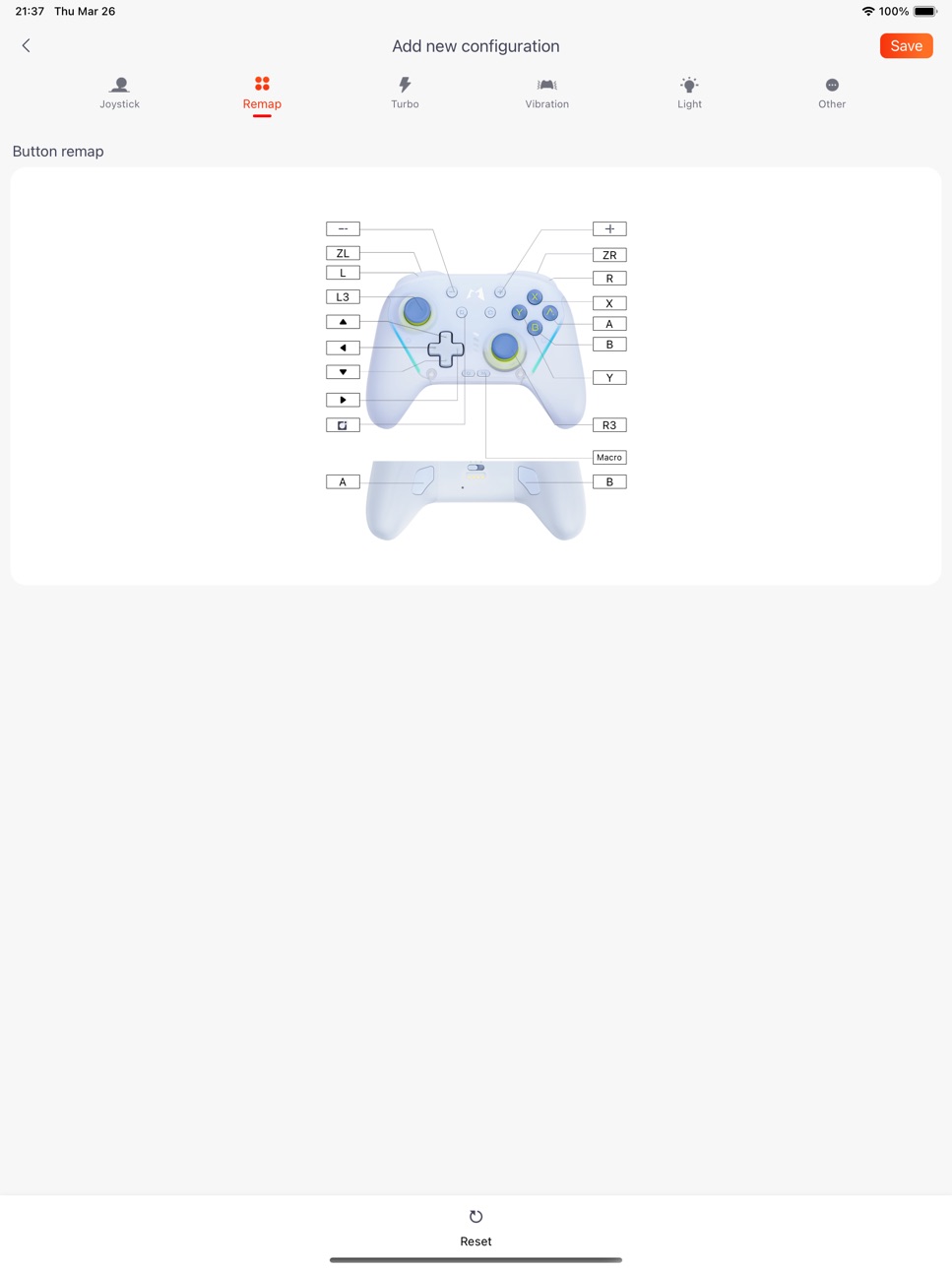
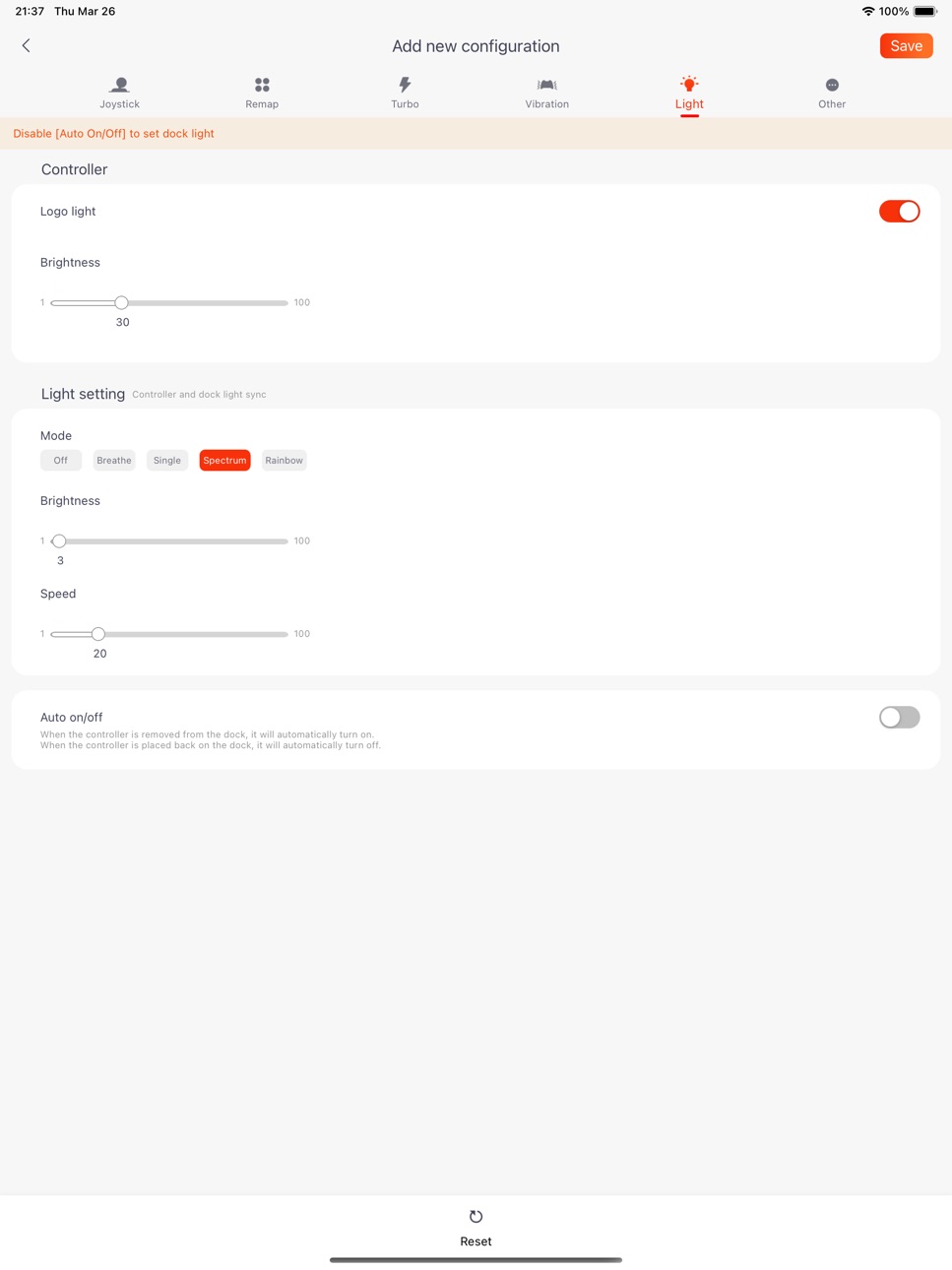
What’s New Version 2.8.4
Fixed known bugs.
Description
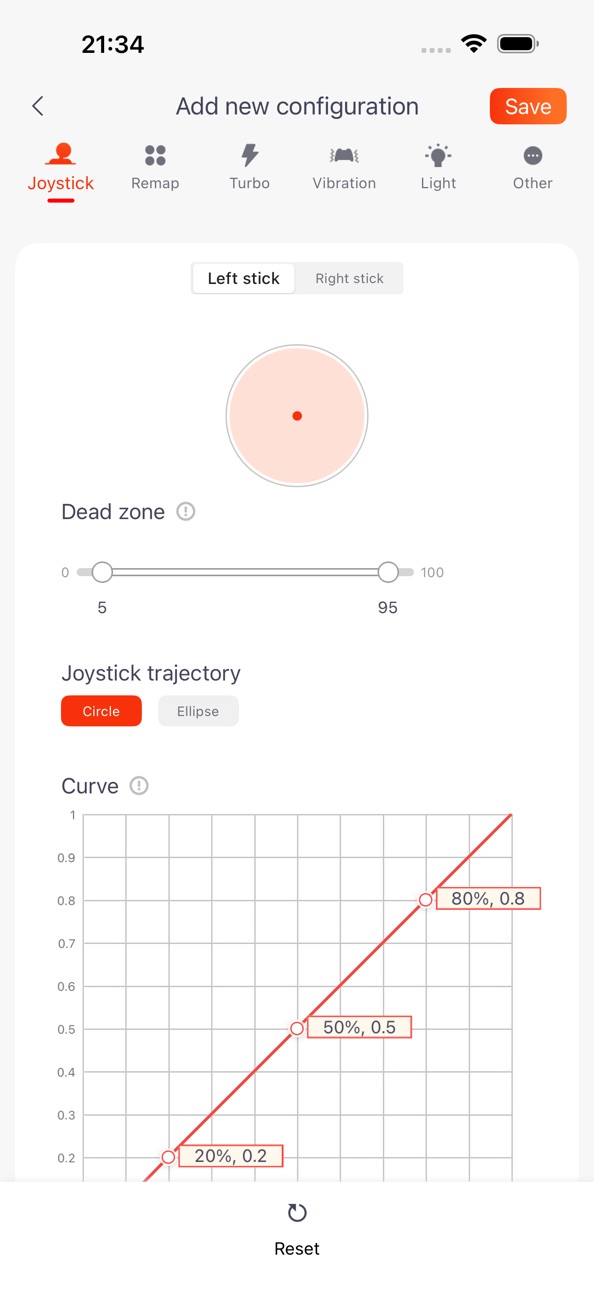
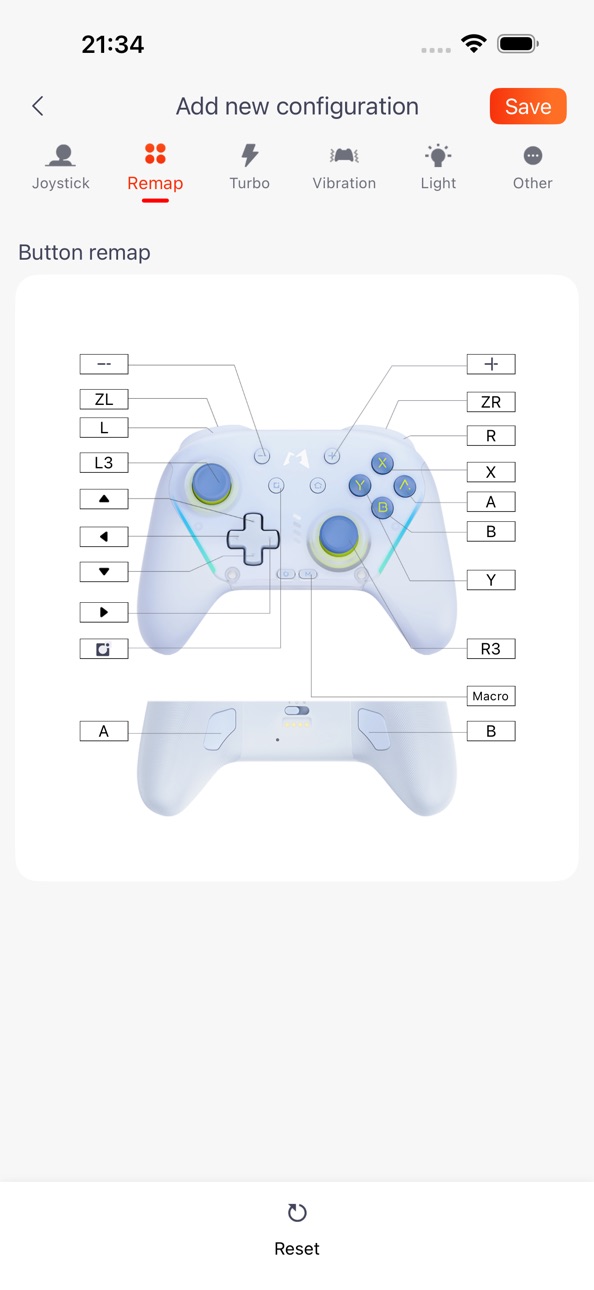
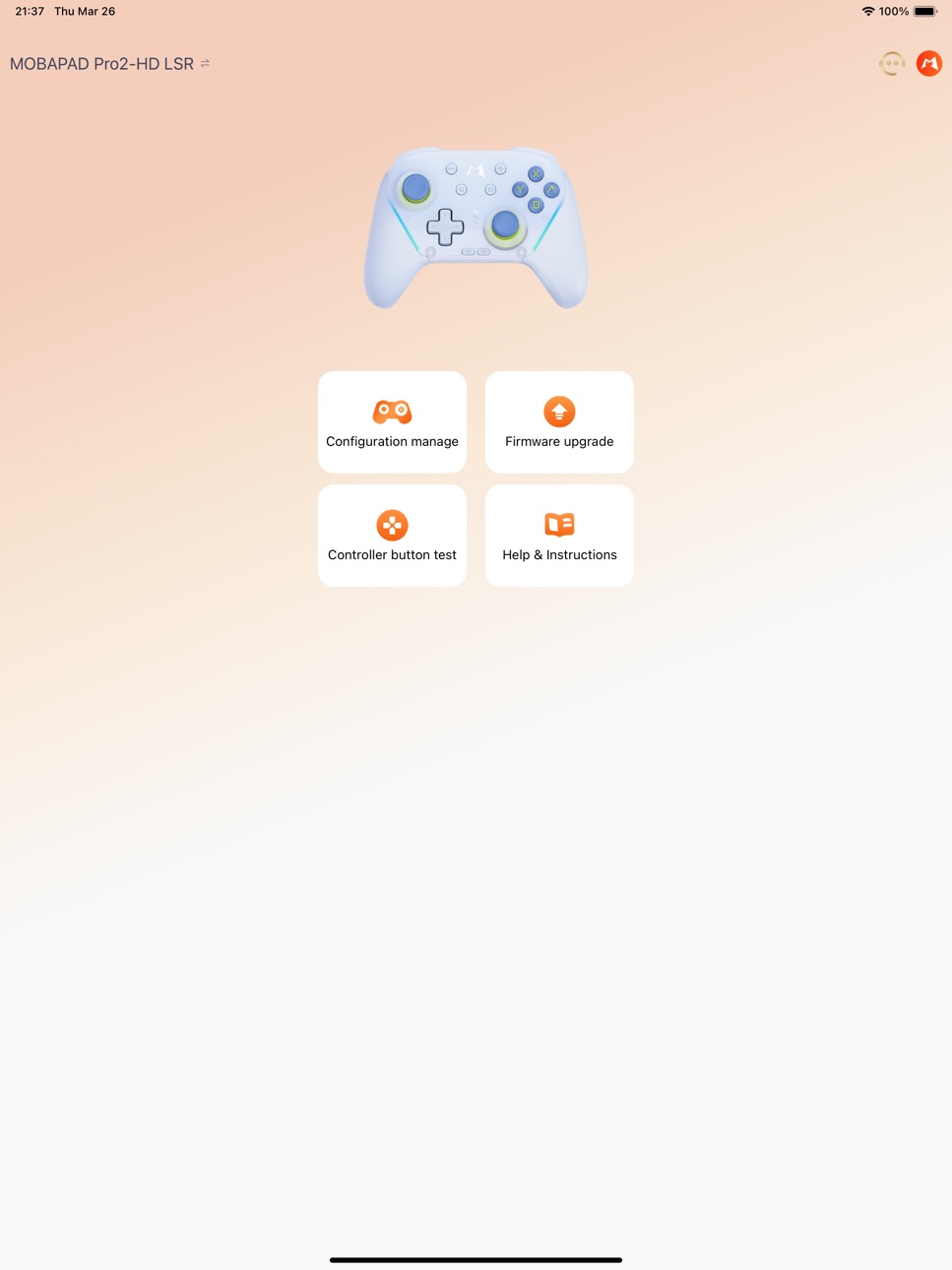
Mobapad App is designed to easily customize personalized operations with the Mopai controller, allowing for free modifications, simplifying complexities, and breaking gameplay limitations. Its main features include:
1.Refined Key Mapping Settings: To meet users’ personalized needs.
2.Rapid Fire Settings: To make gaming more effortless and efficient.
3.Lighting Effects and Brightness Adjustment: To create an immersive gaming atmosphere.
4.Precise Vibration Intensity Control: To enhance the realism of the gaming experience.
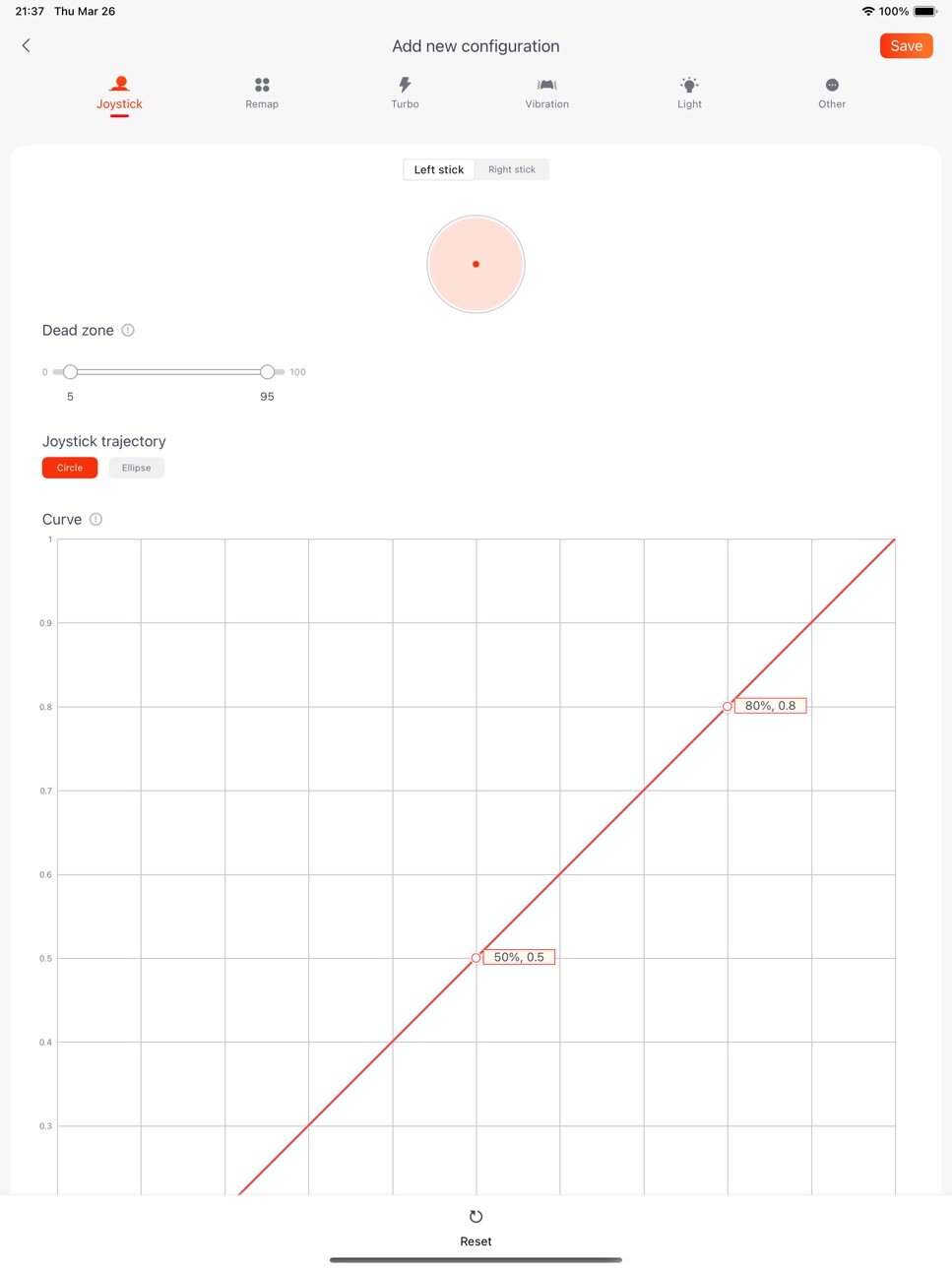
5.Personalized Joystick Curve Configuration: For smoother and more natural operations.
6.Trigger Response Speed Adjustment: To enable quicker reactions from players.
7.Auto Sleep Function: To save energy, protect the environment, and extend device lifespan.
With the comprehensive support of the Mobapad App, users can precisely adjust various parameters of the controller according to their usage habits and needs, achieving the best gaming control experience.
Accessibility
ipadiphonemacrealityDevicetvoswatch
Version history 25 versions
Build 887731310v2.8.42026-07-03 01:22:15
Fixed known bugs.
Build 886966876v2.8.32026-06-17 07:34:21
1.Mobapad M12-HD : Added joystick dead zone/dead zone compensation, motion control, turbo, and vibration settings.
2.Mobapad M12-S : Added joystick curve/dead zone and turbo settings.
Note:
1.Mobapad M12-HD requires a firmware update to v0.32 later.
2.Mobapad M12-S requires a firmware update to v1.18 or later.
Build 886048199v2.8.22026-05-24 22:53:26
1.Added support for: Mobapad M12-S
2.Fixed known bugs.
Build 885669653v2.8.02026-05-15 01:15:50
Added support for: Mobapad M12-S
1.Supports button mapping and one-click macro settings;
2.Supports lighting settings;
3.Supports firmware upgrades and button testing;
4.Fixed known bugs.
Build 885014144v2.7.02026-05-02 00:37:23
Added support for: Mobapad M12-HD
1.Supports button mapping and one-click macro settings;
2.Supports lighting settings;
3.Supports firmware upgrades and button testing;
4.Fixed known bugs.
Build 883795711v2.6.42026-03-28 05:45:40
This update from Apple will improve the functionality of this app. No new features are included.
1.Added support for the Chitu 2 LSR
2.Bug fixes and performance improvements
Build 882177123v2.6.32026-02-06 01:05:05
1.bug fix.
Build 881376677v2.6.22026-01-12 06:28:44
1.Set the default configuration for the Chitu 2 controller dock to have Auto On/Off turned off.
2.Bug fixes.
Build 880936499v2.6.12025-12-24 01:24:45
Newly Supported: Mobapad Pro2-HD Controller:
1.Supports joystick curves and dead zone settings;
2.Supports combo settings;
3.Supports button mapping and one-click macro settings;
4.Supports vibration settings;
5.Supports lighting settings;
6.Supports firmware upgrade and button test;
7.Bug fix.
Build 879668039v2.6.02025-12-16 02:32:29
Newly Supported: Mobapad Pro2-HD (chitu 2) Controller:
1.Supports joystick curves and dead zone settings;
2.Supports combo settings;
3.Supports button mapping and one-click macro settings;
4.Supports vibration settings;
5.Supports lighting settings;
6.Supports firmware upgrade and button test.
Build 877441624v2.5.02025-08-22 07:41:18
1.Button Test: Real-time key feedback feature added to the Huben 2 testing interface (firmware update to version 0.51 required).
2.Experience Optimization: Fixed known bugs.
Build 876832915v2.4.02025-07-31 01:59:52
1.Button Remapping: Huben 2 adds keyboard and mouse settings, supporting more diverse usage scenarios. (Firmware must be updated to version 0.41)
2.Configuration Saving: Streamlined steps to improve efficiency.
3.Configuration Sharing: Added the ability to customize and add game information for more accurate matching.
4.Experience Optimization: Fixed known bugs.
Build 875136737v2.3.02025-05-30 02:32:27
1.The Mobapad ML35 (Huben 2) controller now supports turbo mode, vibration, lighting, and auto shutdown time settings.
2.Fixed known bugs.
Build 874583081v2.2.12025-05-11 15:18:55
New Support Added: Mobapad ML35 (Huben 2) Gamepad
1.Supports joystick curve and dead zone adjustment;
2.Supports gyroscope settings;
3.Supports button mapping and one-key macro configuration;
4.Supports firmware upgrades and button testing.
Build 874430282v2.2.02025-05-04 03:17:51
New Support Added: Mobapad ML35 (Huben 2) Gamepad
1.Supports joystick curve and dead zone adjustment;
2.Supports gyroscope settings;
3.Supports button mapping and one-key macro configuration;
4.Supports firmware upgrades and button testing.
Build 873196573v2.1.12025-03-14 06:22:16
Fix known bugs and improve system stability.
Build 873042141v2.1.02025-03-07 07:48:19
1.M6-HD adds motor vibration intensity adjustment.
Note: This feature requires a firmware upgrade to version 1.26.
Build 871880401v2.02025-01-22 01:43:47
1.Unified icon style to highlight brand identity.
2.Added account system.
3.Enabled configuration sharing for easier player interaction.
4.Optimized controller connection interactions for smoother operation.
5.Fixed various bugs to enhance system stability.
Build 871761076v1.4.52025-01-15 11:01:58
Added vibration adjustment functionality for Mobapad S1.
Note: This feature requires a firmware update to version 1.13.
Build 871201609v1.4.42024-12-29 13:35:12
1.Add support for the new controller: MOBAPAD S1.
2.Bug fixes and experience optimizations.
Build 870558267v1.4.32024-12-15 06:11:19
1.Add support for the new controller: MOBAPAD S1.
2.Bug fixes and experience optimizations.
Build 870305908v1.4.22024-11-10 03:01:37
Added support for new controllers: Mobapad N1-HD and Mobapad N1s;
Bug fixes and experience optimizations.
Features supported for the new controllers:
1.Support for joystick curve and dead zone settings.
2.Support for rapid fire settings.
3.Support for key mapping and one-click macro settings.
4.Support for connection success sound effects and shutdown sound effects (only available for Mobapad N1-HD).
5.Support for vibration settings and automatic shutdown time settings.
6.Support for firmware upgrades and button testing.
Build 870238990v1.4.12024-11-07 01:44:31
Added support for new controllers: Mobapad N1-HD and Mobapad N1s;
Bug fixes and experience optimizations.
Features supported for the new controllers:
1.Support for joystick curve and dead zone settings.
2.Support for rapid fire settings.
3.Support for key mapping and one-click macro settings.
4.Support for connection success sound effects and shutdown sound effects (only available for Mobapad N1-HD).
5.Support for vibration settings and automatic shutdown time settings.
6.Support for firmware upgrades and button testing.
Build 870063805v1.4.02024-11-01 03:24:49
Added support for new controllers: Mobapad N1-HD and Mobapad N1s;
Bug fixes and experience optimizations.
Features supported for the new controllers:
1.Support for joystick curve and dead zone settings.
2.Support for rapid fire settings.
3.Support for key mapping and one-click macro settings.
4.Support for connection success sound effects and shutdown sound effects (only available for Mobapad N1-HD).
5.Support for vibration settings and automatic shutdown time settings.
6.Support for firmware upgrades and button testing.
Build 866691425v1.3.52024-06-20 06:36:10
1.M6 HD/S , Huben : Enabled setting the controller sleep time; Enabled adjustment of turbo settings.
2. Bug fixes and feature optimizations.
PS: The new features above require upgrading to the corresponding firmware versions:
1.M9 HD controller: Upgrade to V1.50 or higher.
2.M6 HD/S: Upgrade to V1.23 or higher.
No pricing data captured yet — comparisons appear once the app has paid storefronts or in-app purchases.
Availability 1 of 1 storefronts
| Region | Language | Price | Ratings | Avg | Version |
|---|---|---|---|---|---|
| US | en-US | Free | 24 | 2.5 | 2.8.4 |
Change log 29 changes · US
✎
releaseNotes updated
Fixed known bugs.
✎
description updated
Mobapad App is designed to easily customize personalized operations with the Mopai controller, allowing for free modifications, simplifying complexities, and br
✎
subtitle updated
Mobapad configuration
✎
name updated
Mobapad
◆
Version 2.8.4 released
Fixed known bugs.
◆
Version 2.8.3 released
1.Mobapad M12-HD : Added joystick dead zone/dead zone compensation, motion control, turbo, and vibration settings.
2.Mobapad M12-S : Added joystick curve/dead zone and turbo settings.
Note:
1.Mobapad M12-HD requires a firmware update to v0.
◆
Version 2.8.2 released
1.Added support for: Mobapad M12-S
2.Fixed known bugs.
◆
Version 2.8.0 released
Added support for: Mobapad M12-S
1.Supports button mapping and one-click macro settings;
2.Supports lighting settings;
3.Supports firmware upgrades and button testing;
4.Fixed known bugs.
◆
Version 2.7.0 released
Added support for: Mobapad M12-HD
1.Supports button mapping and one-click macro settings;
2.Supports lighting settings;
3.Supports firmware upgrades and button testing;
4.Fixed known bugs.
◆
Version 2.6.4 released
This update from Apple will improve the functionality of this app. No new features are included.
1.Added support for the Chitu 2 LSR
2.Bug fixes and performance improvements
◆
Version 2.6.3 released
1.bug fix.
◆
Version 2.6.2 released
1.Set the default configuration for the Chitu 2 controller dock to have Auto On/Off turned off.
2.Bug fixes.
◆
Version 2.6.1 released
Newly Supported: Mobapad Pro2-HD Controller:
1.Supports joystick curves and dead zone settings;
2.Supports combo settings;
3.Supports button mapping and one-click macro settings;
4.Supports vibration settings;
5.Supports lighting settings;
◆
Version 2.6.0 released
Newly Supported: Mobapad Pro2-HD (chitu 2) Controller:
1.Supports joystick curves and dead zone settings;
2.Supports combo settings;
3.Supports button mapping and one-click macro settings;
4.Supports vibration settings;
5.Supports lighting
◆
Version 2.5.0 released
1.Button Test: Real-time key feedback feature added to the Huben 2 testing interface (firmware update to version 0.51 required).
2.Experience Optimization: Fixed known bugs.
◆
Version 2.4.0 released
1.Button Remapping: Huben 2 adds keyboard and mouse settings, supporting more diverse usage scenarios. (Firmware must be updated to version 0.41)
2.Configuration Saving: Streamlined steps to improve efficiency.
3.Configuration Sharing: Adde
◆
Version 2.3.0 released
1.The Mobapad ML35 (Huben 2) controller now supports turbo mode, vibration, lighting, and auto shutdown time settings.
2.Fixed known bugs.
◆
Version 2.2.1 released
New Support Added: Mobapad ML35 (Huben 2) Gamepad
1.Supports joystick curve and dead zone adjustment;
2.Supports gyroscope settings;
3.Supports button mapping and one-key macro configuration;
4.Supports firmware upgrades and button testing.
◆
Version 2.2.0 released
New Support Added: Mobapad ML35 (Huben 2) Gamepad
1.Supports joystick curve and dead zone adjustment;
2.Supports gyroscope settings;
3.Supports button mapping and one-key macro configuration;
4.Supports firmware upgrades and button testing.
◆
Version 2.1.1 released
Fix known bugs and improve system stability.
◆
Version 2.1.0 released
1.M6-HD adds motor vibration intensity adjustment.
Note: This feature requires a firmware upgrade to version 1.26.
◆
Version 2.0 released
1.Unified icon style to highlight brand identity.
2.Added account system.
3.Enabled configuration sharing for easier player interaction.
4.Optimized controller connection interactions for smoother operation.
5.Fixed various bugs to enhance
◆
Version 1.4.5 released
Added vibration adjustment functionality for Mobapad S1.
Note: This feature requires a firmware update to version 1.13.
◆
Version 1.4.4 released
1.Add support for the new controller: MOBAPAD S1.
2.Bug fixes and experience optimizations.
◆
Version 1.4.3 released
1.Add support for the new controller: MOBAPAD S1.
2.Bug fixes and experience optimizations.
◆
Version 1.4.2 released
Added support for new controllers: Mobapad N1-HD and Mobapad N1s;
Bug fixes and experience optimizations.
Features supported for the new controllers:
1.Support for joystick curve and dead zone settings.
2.Support for rapid fire settings.
3.
◆
Version 1.4.1 released
Added support for new controllers: Mobapad N1-HD and Mobapad N1s;
Bug fixes and experience optimizations.
Features supported for the new controllers:
1.Support for joystick curve and dead zone settings.
2.Support for rapid fire settings.
3.
◆
Version 1.4.0 released
Added support for new controllers: Mobapad N1-HD and Mobapad N1s;
Bug fixes and experience optimizations.
Features supported for the new controllers:
1.Support for joystick curve and dead zone settings.
2.Support for rapid fire settings.
3.
◆
Version 1.3.5 released
1.M6 HD/S , Huben : Enabled setting the controller sleep time; Enabled adjustment of turbo settings.
2. Bug fixes and feature optimizations.
PS: The new features above require upgrading to the corresponding firmware versions:
1.M9 HD contro