Home › Photo & Video

 US
US
1 of 1 storefronts
Content in en-US
Content in en-US
Information
Preview 2 platforms
iPhone 9 images


iPad 8 images




What’s New Version 25.6.1200
Bug fix and improvement
Description
VidSub is a subtitle creator and editor that helps you create or edit subtitles then save them as SRT (SubRip) files or add them all as subtitle tracks inside the video so that every video player can display those subtitles on demand.
Support Voice to Text for faster input. Tired of entering characters from the keyboard? Voice to Text comes in rescue your time. Play fun adding subtitles using your speech.
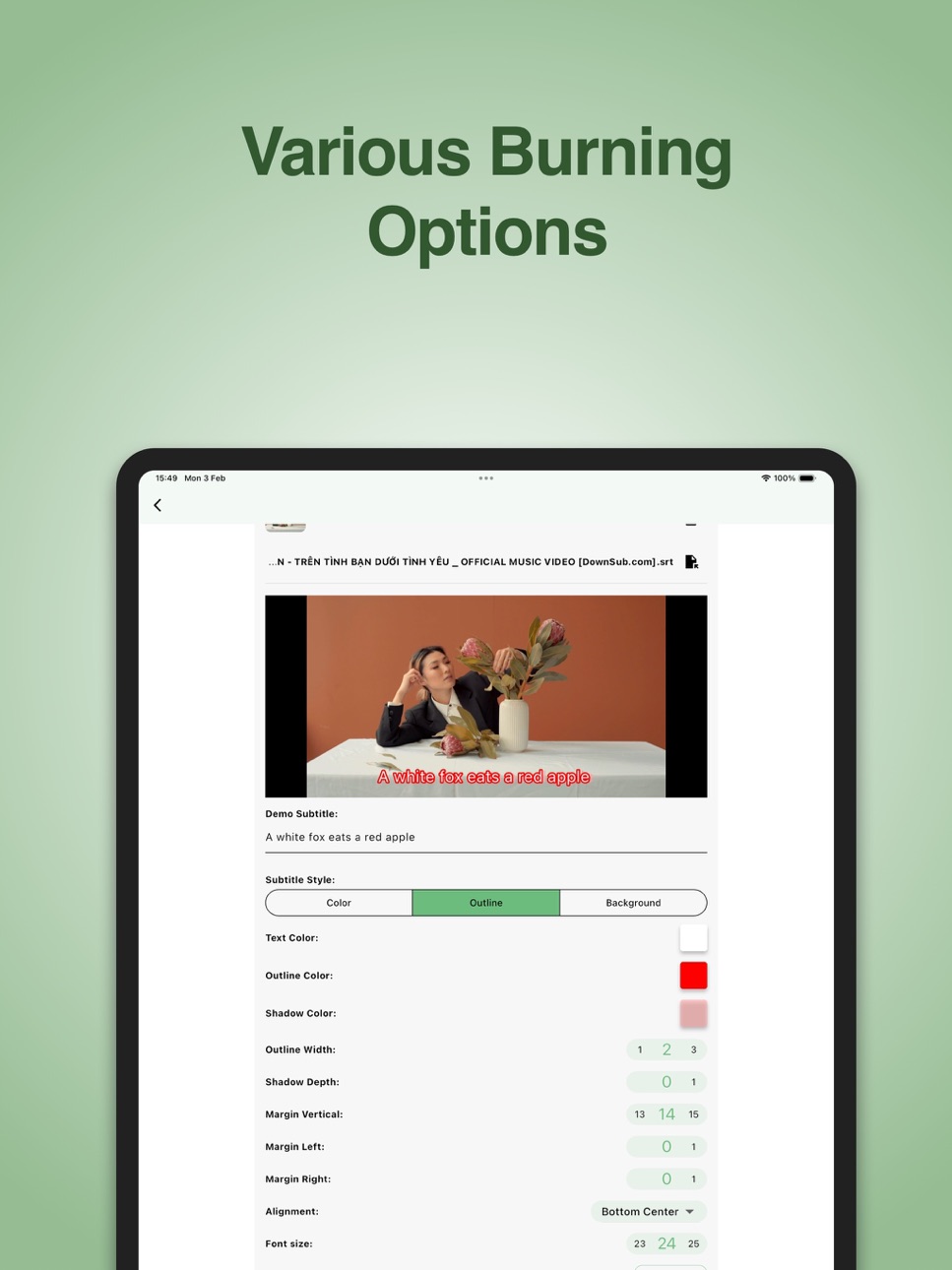
Burn subtitle or hardcode subtitle to your video is easier with VidSub. You can customize the subtitle styles using color, outline color and outline width, text shadow, alignment and background,... as you want to.
You can control the result Video Quality and Burning Speed to fit your needs.
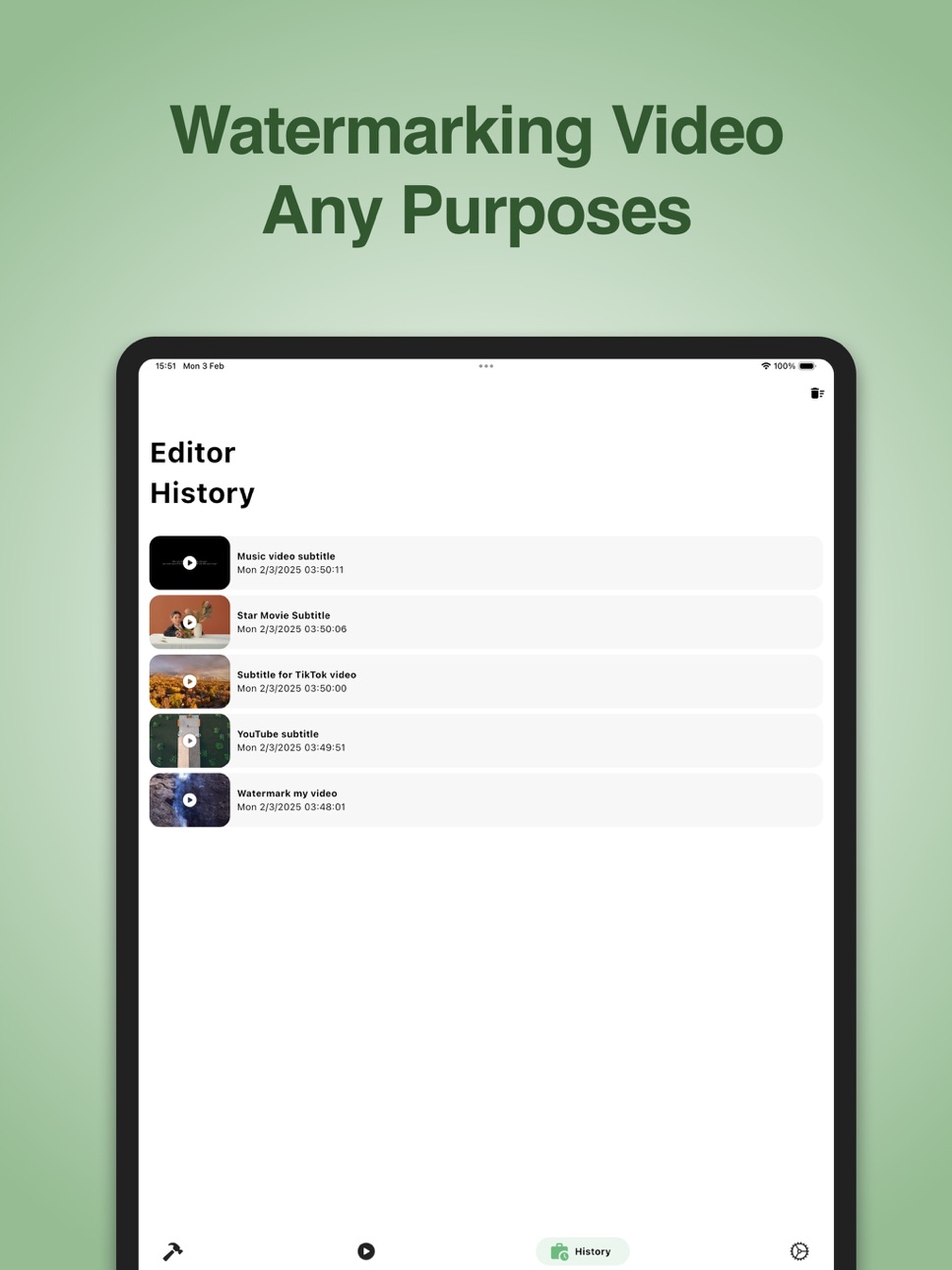
Watermark Video with your signature or any thing you want using the Burning tool before you upload your video to Youtube, Tiktok, Facebook, Instagram Reels or any where.
Font Download Manager to help you download custom fonts from Google Fonts and import to the app to use in the Burn Video tool. This way you can use any custom font styles you want to burn your subtitle to the video, very productive.
Built-in video player and subtitle editor/tools support MKV and many popular video formats.
You can even browse for the video file from your File Manager app if your gallery does not contain it so that you can play or edit subtitle with.
MAIN FEATURES:
Subtitle Editor:
- An easy and intuitive tool helps you create new or edit your existing SRT file.
- Voice to Text fast input. Record your voice to make subtitle lines.
- Change font color, bold, italic and underline style.
- Capture the current timestamp from the playing video for any subtitle line.
- You can add new lines or remove unwanted lines from you subtitle file.
- Save subtitle as SRT (SubRip) file
- Add subtitle to video file as a subtitle track
- Batch edit time
Subtitle Tools:
- Convert subtitle file to other formats: SRT, VTT, ASS
- Extract subtitle tracks from the video file
- Add multiple subtitle files to the video file
- Delete unwanted subtitle tracks from the video file
- Burn subtitle to the video file. Support subtitle styles: color, outline, shadow, background, alignment, margin space. Control burning Speed and Video Quality.
- Font Manager to download font, import and manage burning font
Built-in Video Player:
- Playback speed
- Subtitle list to select demand subtitle for the playing video
- Capture video frame
- Select video qualities or audio tracks
- Audio delay
- Subtitle delay
- Full screen mode
- Support MKV and many popular video formats
- Play video from Gallery or selected file
Focused and intuitive designed interface help you do your work faster.
Install VidSub now to create or edit your subtitle file and video.
If you like the app, please give it a good rating and review to support our development.
Thank you!
Capabilities
In-App Purchases
Accessibility
ipadiphonemacrealityDevicetvoswatch
Version history 17 versions
Build 875518064v25.6.12002025-06-12 09:52:39
Bug fix and improvement
Build 872913212v25.3.02002025-03-03 12:07:23
- Bug fix and improvement
Build 872199685v25.2.03002025-02-03 21:43:42
- Redesign UI
- Add features:
+ Create/edit subtitle history
+ Burning Custom Font
+ Burning Text outline
+ Burning Text background
- Improve editor
- Improve video player
- Bug fixes and more improvements
Build 871386613v24.12.26022024-12-28 18:36:08
Bug fix and improvement
Build 870225678v24.11.05002024-11-14 07:53:52
Bug fix and improvement
Build 869502229v24.10.05002024-10-06 02:27:19
Bug fix and improvement
Build 869446142v24.10.02032024-10-03 05:55:51
Bug fix and improvement
Build 863884792v24.2.202024-02-20 17:17:29
Bug fix and improvement
Build 861066829v23.10.292023-10-29 19:53:48
Bug fix & improvement
Build 860367236v23.10.32023-10-03 07:08:18
- Bug fixes and improvements
Build 860318697v23.9.3012023-10-01 13:41:37
- Bug fixes and improvements
Build 855953283v23.3.302023-03-31 19:38:32
- Hotfix error saving file
Build 855810746v23.3.242023-03-25 21:13:46
Bug fix and improvement
Build 853653187v22.12.12022-12-01 16:21:10
Bug fix and improvement
Build 852559381v22.10.32022-10-03 18:00:38
- Support Voice to Text input
- Bug fix and improvement
Build 852341263v22.9.212022-09-22 12:27:59
- Fix bug and improvements
Build 852036222v22.9.92022-09-10 14:53:12
No pricing data captured yet — comparisons appear once the app has paid storefronts or in-app purchases.
Availability 1 of 1 storefronts
| Region | Language | Price | Ratings | Avg | Version |
|---|---|---|---|---|---|
| US | en-US | Free | 11 | 4.3 | 25.6.1200 |
Change log 21 changes · US
✎
releaseNotes updated
Bug fix and improvement
✎
description updated
VidSub is a subtitle creator and editor that helps you create or edit subtitles then save them as SRT (SubRip) files or add them all as subtitle tracks inside t
✎
subtitle updated
Create, burn subtitle to video
✎
name updated
VidSub: Video Subtitle Creator
◆
Version 25.6.1200 released
Bug fix and improvement
◆
Version 25.3.0200 released
- Bug fix and improvement
◆
Version 25.2.0300 released
- Redesign UI
- Add features:
+ Create/edit subtitle history
+ Burning Custom Font
+ Burning Text outline
+ Burning Text background
- Improve editor
- Improve video player
- Bug fixes and more improvements
◆
Version 24.12.2602 released
Bug fix and improvement
◆
Version 24.11.0500 released
Bug fix and improvement
◆
Version 24.10.0500 released
Bug fix and improvement
◆
Version 24.10.0203 released
Bug fix and improvement
◆
Version 24.2.20 released
Bug fix and improvement
◆
Version 23.10.29 released
Bug fix & improvement
◆
Version 23.10.3 released
- Bug fixes and improvements
◆
Version 23.9.301 released
- Bug fixes and improvements
◆
Version 23.3.30 released
- Hotfix error saving file
◆
Version 23.3.24 released
Bug fix and improvement
◆
Version 22.12.1 released
Bug fix and improvement
◆
Version 22.10.3 released
- Support Voice to Text input
- Bug fix and improvement
◆
Version 22.9.21 released
- Fix bug and improvements
◆
Version 22.9.9 released