Home › Business

 US
US
1 of 1 storefronts
Content in en-US
Content in en-US
Information
Preview 2 platforms
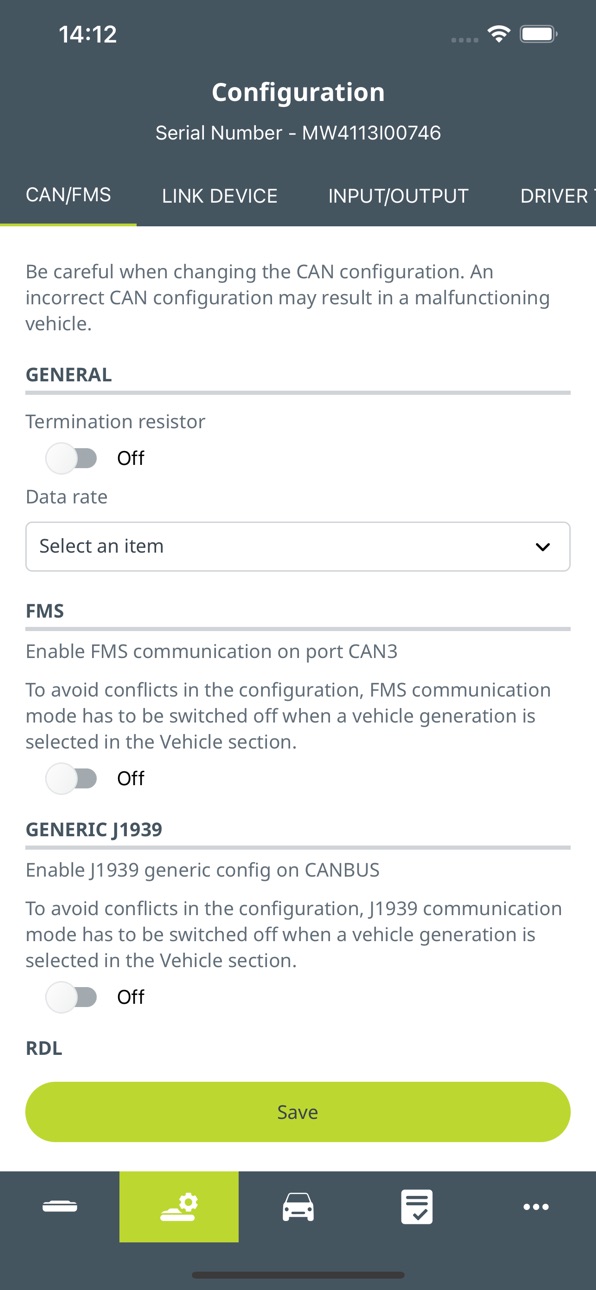
iPhone 6 images



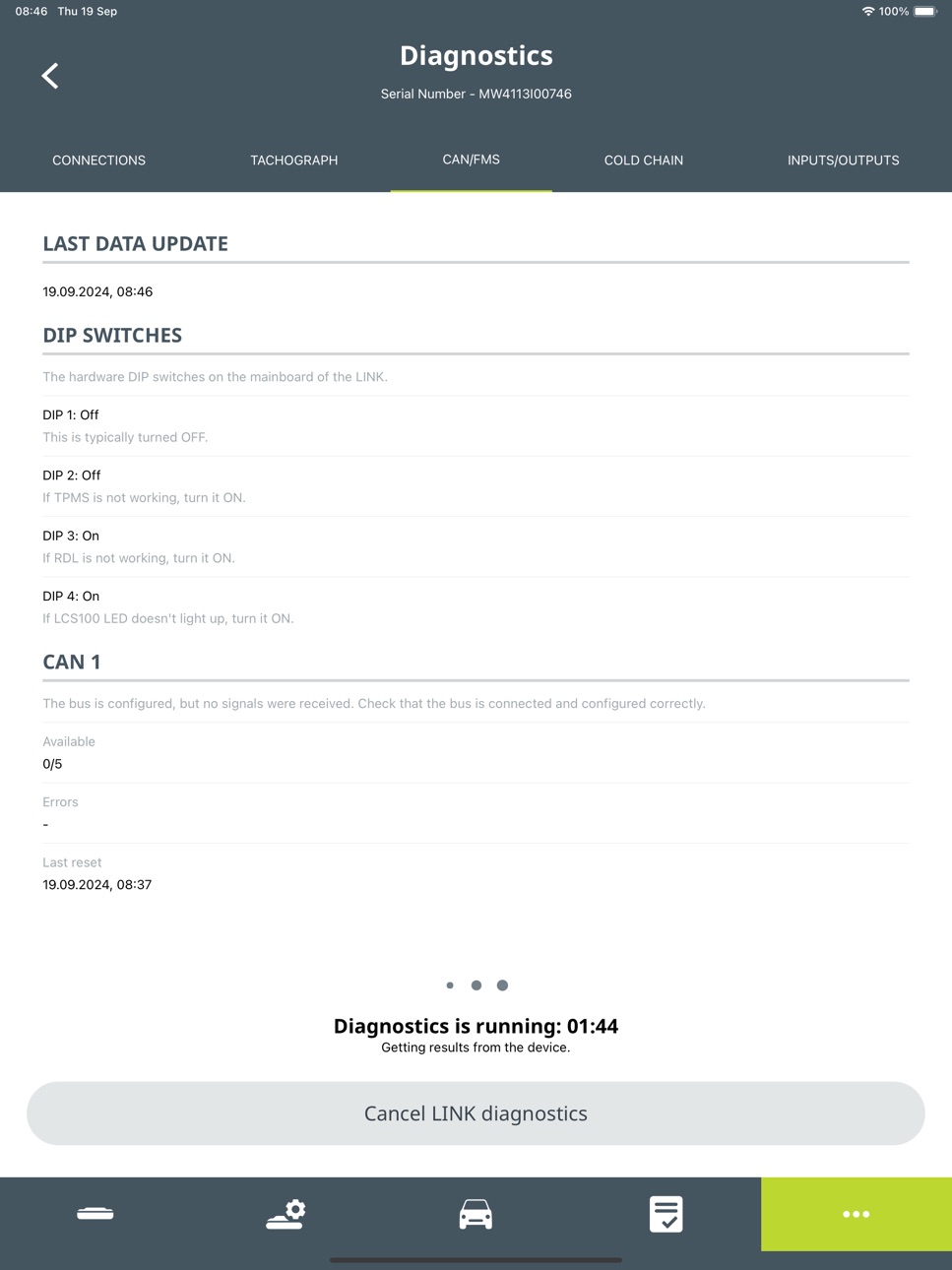
iPad 6 images


What’s New Version 3.9.0
- Knowledge Library: Video tutorials are now available directly in the app, making it easier to access training materials in one place.
- Pairing Mode: Fixed and flexible pairing modes can now be configured during installation, enabling full setup on site.
- CAM Settings: Added audio configuration for CAM Lite and CAM Pro, including volume control and language selection for alerts.
- General performance improvements and bug fixes.
Description
*** This is a Tool for Webfleet Solutions Resellers and Installers only ***
Webfleet Installer App is the second edition of the Webfleet Solutions LINK device and accessory installation support tool.
Installers are able to benefit from a number of re-design improvements, including:
- One-time QR code scanning which automatically reads the Serial Number and Device Activation Key
- Richer diagnostic capabilities with advanced CAN and RDL (Remote Download) checks
- Enhanced quality checks during installation
- Enhanced focus on the individual installation steps and the meaning of the data
A position check allows you to check if a device is properly connected to Webfleet without logging in to Webfleet or to contact Customer Support for this matter.
Webfleet Installer App is also equipped with diagnostic functionalities helping you to check the installation and connections such as power, GPS reception, digital Tachograph or FMS. Next to these functionalities the app gives you the option to do soft and hard resets if required and to update the firmware.
For creating a Webfleet Installer App user, please contact your local Sales Support team.
Accessibility
ipadiphonemacrealityDevicetvoswatch
Version history 25 versions
Build 886885334v3.9.02026-06-15 13:25:09
- Knowledge Library: Video tutorials are now available directly in the app, making it easier to access training materials in one place.
- Pairing Mode: Fixed and flexible pairing modes can now be configured during installation, enabling full setup on site.
- CAM Settings: Added audio configuration for CAM Lite and CAM Pro, including volume control and language selection for alerts.
- General performance improvements and bug fixes.
Build 886149538v3.8.32026-05-27 07:08:11
- General performance improvements and bug fixes.
Build 884982724v3.8.12026-04-29 12:55:53
- Knowledge Library: Added access to installation guides and training materials in PDF format directly within the app.
- OTA Firmware Update: Added support for triggering and monitoring firmware updates over the air for supported devices.
- General performance improvements and bug fixes.
Build 883585086v3.7.02026-03-23 09:24:02
- Installation Protocol - Added automatic detection of secondary hardware devices not configured in I/O, with photo capture support.
- Installation Protocol - Improved flow with clearer alerts when required information is missing.
- General performance improvements and bug fixes.
Build 882776834v3.6.22026-03-02 06:20:22
- Updated legal entity name.
Build 882294589v3.6.12026-02-10 07:37:53
- Added Revisit notes field in the Installation Protocol to document observations and changes during return visits.
- Added Type and Subtype fields to Digital Inputs and Outputs in I/O configuration.
- Added ability to manually enter Engine hours in Vehicle Specification when Engine state is configured in I/O configuration for LINK devices with Engine state configured in I/O (except LINK 645).
- Added ability to manually enter Odometer for LINK 340.
- Added Configuration for Camera assigned to LINK device.
- Added Driver camera recording default setting to Off for Standalone camera and Camera assigned to LINK device.
- General performance improvements and bug fixes.
Build 882081392v3.6.02026-02-06 07:40:30
- Added Revisit notes field in the Installation Protocol to document observations and changes during return visits.
- Added Type and Subtype fields to Digital Inputs and Outputs in I/O configuration.
- Added ability to manually enter Engine hours in Vehicle Specification when Engine state is configured in I/O configuration for LINK devices with Engine state configured in I/O (except LINK 645).
- General performance improvements and bug fixes.
Build 880730504v3.5.02025-12-17 13:58:31
- Added search field to the RMA/Upgrade screen for quick filtering by Serial number or License plate
- Added option to enable AUX camera as Driver Monitoring System (DMS) for CAM Pro & CAM Lite (BETA)
- General performance improvements and bug fixes
Build 879488375v3.4.02025-11-05 08:08:02
- Support for changing LINK RDL network address
- Support for setting the time when LINK power disconnection should be reported for emergency and special service vehicles
- Support for Brazilian Portuguese language
- Ability to download reports from the app in PDF format
- Option to upload an additional photo to Installation protocol for Primary Hardware
- General performance improvements and bug fixes
Build 879286432v3.3.12025-10-29 07:21:56
- PRO i Bluetooth pairing with LINK 7x0,
- Cold Chain support: Transcan Advance, Transcan2, Euroscan X3 for LINK 7x0
- DTC diagnostics for OBD Y-Cable
- Minor improvements and bug fixes
Build 878064430v3.3.02025-09-15 09:25:25
- PRO i Bluetooth pairing with LINK 7x0,
- Cold Chain support: Transcan Advance, Transcan2, Euroscan X3 for LINK 7x0
- DTC diagnostics for OBD Y-Cable
- Minor improvements and bug fixes
Build 877218903v3.2.22025-08-14 04:48:19
- New Installation protocol for Certified Installation Partner profile to log results of work with photos
- Minor improvements and bug fixes
Build 876838335v3.2.12025-08-04 11:00:26
- New Installation protocol for Certified Installation Partner profile to log results of work with photos
- Minor improvements and bug fixes
Build 876094755v3.1.02025-07-04 08:40:21
- Extended camera settings
- Support for Thermograph for LINKs 340: Transcan Advance and Euroscan X3
- Minor improvements and bug fixes
Build 875135843v3.0.12025-05-29 07:02:53
- Diagnostics for Ignition lock
- Support for firmware updates via Bluetooth
- Functionality for password change (for logged-in users)
- Support for CAM50 RMA
- Support for hard and soft reset via Bluetooth
- Improvements and bug fixes
Build 875024548v3.0.02025-05-27 07:30:13
- Diagnostics for immobilizer output
- Support for firmware updates via Bluetooth
- Functionality for password change (for logged-in users)
- Support for CAM50 RMA
- Support for hard and soft reset via Bluetooth
- Improvements and bug fixes
Build 874013570v2.10.02025-04-15 10:00:33
RMA Improvements:
- Separating hardware upgrade from swap for clearer handling
- Adding license plate field to devices selected for RMA
- Introducing filtering to view RMA devices by type: Swap, Upgrade or All
Other:
- Minor improvements and bug fixes
Build 873482093v2.9.12025-03-24 12:44:53
Minor error handling improvements.
Build 873215590v2.9.02025-03-17 09:32:24
- Limiting the number of subscriptions for Standard Installer Profile.
- Bug fixes and small improvements.
Build 872462251v2.8.02025-02-14 07:25:53
- OBD Y-Cable support
- Bug fixes and small improvements.
Build 871669140v2.7.02025-01-13 08:07:26
This update contains bug fixes and small improvements.
Build 871295015v2.6.02024-12-23 09:22:12
- Bluetooth Low Energy sensors support
- Bugs fixed and improvements
Build 871123193v2.5.22024-12-16 07:34:56
- The latest version contains bug fixes and improvements.
Build 871059936v2.5.12024-12-12 06:46:56
- The latest version contains bug fixes and improvements.
Build 870729065v2.5.02024-11-28 05:36:09
- The latest version contains bug fixes and improvements.
No pricing data captured yet — comparisons appear once the app has paid storefronts or in-app purchases.
Availability 1 of 1 storefronts
| Region | Language | Price | Ratings | Avg | Version |
|---|---|---|---|---|---|
| US | en-US | Free | 0 | — | 3.9.0 |
Change log 28 changes · US
✎
releaseNotes updated
- Knowledge Library: Video tutorials are now available directly in the app, making it easier to access training materials in one place.
- Pairing Mode: Fixed an
✎
description updated
*** This is a Tool for Webfleet Solutions Resellers and Installers only ***
Webfleet Installer App is the second edition of the Webfleet Solutions LINK devi
✎
name updated
Webfleet Installer App
◆
Version 3.9.0 released
- Knowledge Library: Video tutorials are now available directly in the app, making it easier to access training materials in one place.
- Pairing Mode: Fixed and flexible pairing modes can now be configured during installation, enabling ful
◆
Version 3.8.3 released
- General performance improvements and bug fixes.
◆
Version 3.8.1 released
- Knowledge Library: Added access to installation guides and training materials in PDF format directly within the app.
- OTA Firmware Update: Added support for triggering and monitoring firmware updates over the air for supported devices.
-
◆
Version 3.7.0 released
- Installation Protocol - Added automatic detection of secondary hardware devices not configured in I/O, with photo capture support.
- Installation Protocol - Improved flow with clearer alerts when required information is missing.
- General
◆
Version 3.6.2 released
- Updated legal entity name.
◆
Version 3.6.1 released
- Added Revisit notes field in the Installation Protocol to document observations and changes during return visits.
- Added Type and Subtype fields to Digital Inputs and Outputs in I/O configuration.
- Added ability to manually enter Engine
◆
Version 3.6.0 released
- Added Revisit notes field in the Installation Protocol to document observations and changes during return visits.
- Added Type and Subtype fields to Digital Inputs and Outputs in I/O configuration.
- Added ability to manually enter Engine
◆
Version 3.5.0 released
- Added search field to the RMA/Upgrade screen for quick filtering by Serial number or License plate
- Added option to enable AUX camera as Driver Monitoring System (DMS) for CAM Pro & CAM Lite (BETA)
- General performance improvements and
◆
Version 3.4.0 released
- Support for changing LINK RDL network address
- Support for setting the time when LINK power disconnection should be reported for emergency and special service vehicles
- Support for Brazilian Portuguese language
- Ability to download rep
◆
Version 3.3.1 released
- PRO i Bluetooth pairing with LINK 7x0,
- Cold Chain support: Transcan Advance, Transcan2, Euroscan X3 for LINK 7x0
- DTC diagnostics for OBD Y-Cable
- Minor improvements and bug fixes
◆
Version 3.3.0 released
- PRO i Bluetooth pairing with LINK 7x0,
- Cold Chain support: Transcan Advance, Transcan2, Euroscan X3 for LINK 7x0
- DTC diagnostics for OBD Y-Cable
- Minor improvements and bug fixes
◆
Version 3.2.2 released
- New Installation protocol for Certified Installation Partner profile to log results of work with photos
- Minor improvements and bug fixes
◆
Version 3.2.1 released
- New Installation protocol for Certified Installation Partner profile to log results of work with photos
- Minor improvements and bug fixes
◆
Version 3.1.0 released
- Extended camera settings
- Support for Thermograph for LINKs 340: Transcan Advance and Euroscan X3
- Minor improvements and bug fixes
◆
Version 3.0.1 released
- Diagnostics for Ignition lock
- Support for firmware updates via Bluetooth
- Functionality for password change (for logged-in users)
- Support for CAM50 RMA
- Support for hard and soft reset via Bluetooth
- Improvements and bug fixes
◆
Version 3.0.0 released
- Diagnostics for immobilizer output
- Support for firmware updates via Bluetooth
- Functionality for password change (for logged-in users)
- Support for CAM50 RMA
- Support for hard and soft reset via Bluetooth
- Improvements and bug fixes
◆
Version 2.10.0 released
RMA Improvements:
- Separating hardware upgrade from swap for clearer handling
- Adding license plate field to devices selected for RMA
- Introducing filtering to view RMA devices by type: Swap, Upgrade or All
Other:
- Minor improvements
◆
Version 2.9.1 released
Minor error handling improvements.
◆
Version 2.9.0 released
- Limiting the number of subscriptions for Standard Installer Profile.
- Bug fixes and small improvements.
◆
Version 2.8.0 released
- OBD Y-Cable support
- Bug fixes and small improvements.
◆
Version 2.7.0 released
This update contains bug fixes and small improvements.
◆
Version 2.6.0 released
- Bluetooth Low Energy sensors support
- Bugs fixed and improvements
◆
Version 2.5.2 released
- The latest version contains bug fixes and improvements.
◆
Version 2.5.1 released
- The latest version contains bug fixes and improvements.
◆
Version 2.5.0 released
- The latest version contains bug fixes and improvements.