Home › Finance

 US
US
 AGen-GB
 AIen-GB
 AOen-GB
 ARes-MX
 BBen-GB
 BFen-GB
 BJen-GB
 BOes-MX
 BRpt-BR
 BSen-GB
 BWen-GB
 BZen-GB
 CDen-GB
 CGen-GB
 CIfr-FR
 CLes-MX
 CMfr-FR
 COes-MX
 CRes-MX
 CVen-GB
 DMen-GB
 DOes-MX
 DZen-GB
 ECes-MX
 GAfr-FR
 GDen-GB
 GHen-GB
 GMen-GB
 GTes-MX
 GWen-GB
 GYen-GB
 HNes-MX
 JMen-GB
 KEen-GB
 KNen-GB
 KYen-GB
 LCen-GB
 LRen-GB
 LYen-GB
 MAen-GB
 MGen-GB
 MLen-GB
 MSen-GB
 MUen-GB
 MWen-GB
 MXes-MX
 MZen-GB
 NAen-GB
 NEen-GB
 NGen-GB
 NIes-MX
 PAes-MX
 PEes-MX
 PYes-MX
 RWen-GB
 SCen-GB
 SLen-GB
 SNen-GB
 SRen-GB
 STen-GB
 SVes-MX
 SZen-GB
 TCen-GB
 TDen-GB
 TNen-GB
 TTen-GB
 TZen-GB
 UGen-GBUSen-US
 UYen-GB
 VCen-GB
 VEes-MX
 VGen-GB
 ZMen-GB
 ZWen-GB
75 of 75 storefronts
Content in en-US
Content in en-US
Information
Preview 1 platform
iPhone 9 images


What’s New Version 2.1
Bug fixes and performance improvements in invoice coding during expense creation.
Description
Candis stands for digital invoice management with artificial intelligence. For small and medium-sized companies that do big things.
Whether you're a finance manager, a CFO or an accountant - digital invoice approval just got easier.
What can you expect?
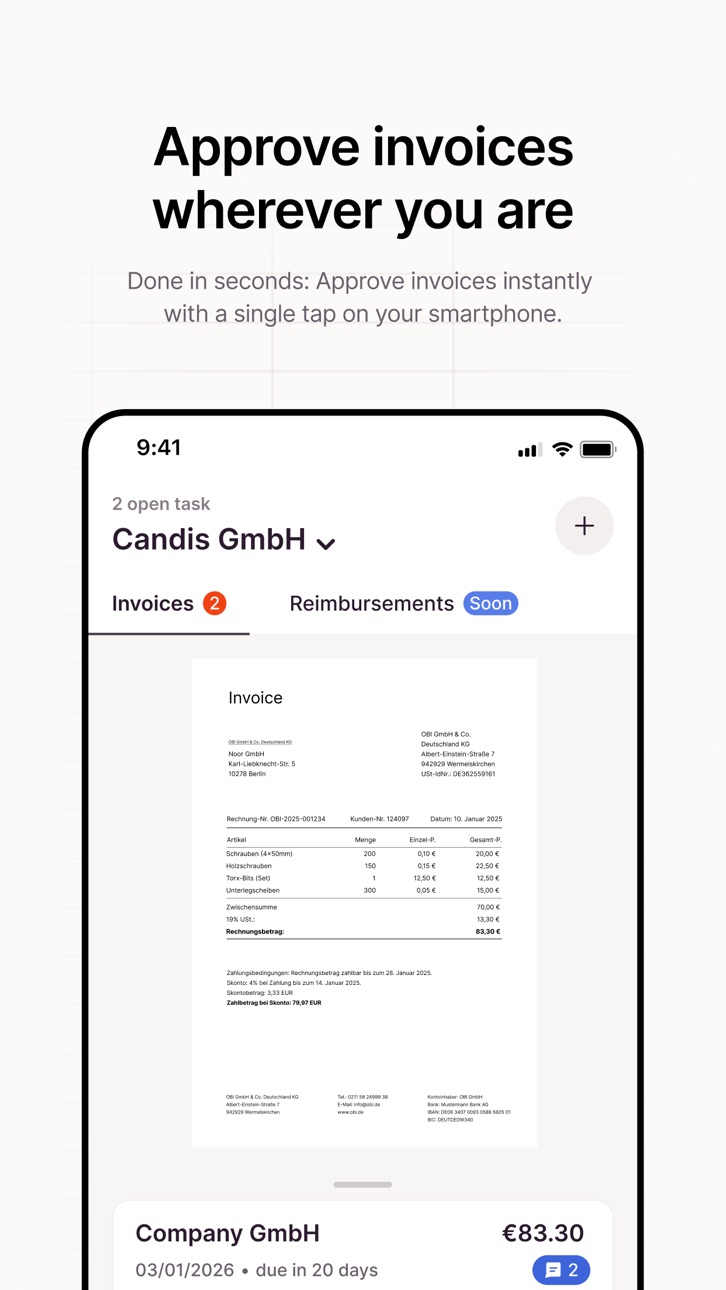
Whether you're in your home office, on a business trip or standing at the checkout line in the supermarket, you can now approve invoices wherever you are. Anytime and anywhere.
New pending approvals or new comments on an invoice - with our mobile app, you get push notifications in real time directly to your phone screen. What used to require a trip to the office, you can now easily do on the go.
View, verify, and approve invoices right from your phone. If you have a question about an invoice, just leave a comment. Fast, easy and reliable. Invoice management can be this relaxed.
If you’re using our Candis credit cards, you can see transaction details for all of your purchases and add an invoice.
*Psst! There's more to come soon. Keep an eye out for updates and new features.
**Use of this app requires a valid Candis account.
Capabilities
Wallet
Accessibility
ipadiphonemacrealityDevicetvoswatch
Version history 25 versions
Build 885618798v2.12026-06-11 08:34:14
Bug fixes and performance improvements in invoice coding during expense creation.
Build 884549081v2.02026-04-29 08:16:17
• Expense approvals - now in the app. Being rolled out gradually.
• Individual expense settings now sync from web.
• Minor UI fixes and improvements.
Build 884050626v1.382026-04-03 09:33:12
Fixed an issue with screen sharing and screenshots on Android
Build 882785266v1.372026-03-24 14:38:14
• Several fixes and stability improvements
• Increased invoice upload limit to 20 MB
• Minor UI improvements
Build 882414386v1.362026-02-24 09:23:28
Improved expense editing stability
We fixed an issue affecting updates to expense details.
Build 881282053v1.352026-02-03 15:11:05
New approval design
- We’ve reworked invoice approvals in the app. The new flow is clearer, faster, and easier to use on the go.
Also new
- Add comments to transactions after uploading an invoice. Keep important context in one place.
Build 880768918v1.342025-12-30 12:04:45
You can now submit and process expense receipts in foreign currencies.
This works for both general expenses and entertainment receipts, making it easier to handle costs from trips and meetings abroad.
Build 879715143v1.332025-11-24 09:26:11
Version 1.33 adds the new mandatory field configuration for workflows to the Candis app. This keeps your setup aligned on mobile as well.
Build 879362090v1.322025-11-12 07:22:16
We’ve made the app even better for you:
Private Accommodation rates are now available.
Performance improvements for a smoother experience.
Build 878136510v1.312025-09-29 12:02:56
With this update, we introduce the map and a new calendar date picker in the mileage flow, plus small fixes and improvements.
Build 877680526v1.302025-09-15 08:32:47
We’ve upgraded to a new app architecture for a faster, smoother, and more stable experience.
This update also includes bug fixes to keep everything running reliably.
Build 877060103v1.292025-08-13 10:24:59
With this update, we’re introducing Team Features in the mobile app! You can now:
See if you've received an approval request as part of a team
Approve documents on behalf of your team
Mention your team (or other teams) in the comments using @Teamname
This makes working with shared responsibilities easier and more transparent.
Build 876677190v1.282025-08-04 08:36:55
We’ve improved the per diems flow to make it faster and more reliable.
With this release, we’re also introducing the long-awaited Mileage flow – you can now add mileage directly to your reimbursement case and submit it through the app.
Build 874951953v1.272025-07-01 07:53:08
With this update, you can now manage per diem allowances directly in the app - add, edit, and view detailed calculations.
Build 874236794v1.262025-05-08 20:12:27
With this update, we’ve made general improvements to performance and fixed several bugs to enhance your overall experience.
Build 873728937v1.252025-04-05 16:02:57
Our in-app support is now powered by Intercom's EU servers - for improved performance and optimized data privacy within the EU.
Build 873499805v1.242025-03-31 08:40:38
Our in-app support is now powered by Intercom's EU servers - for improved performance and optimized data privacy within the EU.
Build 873209368v1.232025-03-19 09:10:48
With this update, we introduce our expense wizard, making expense reimbursements a seamless experience!
Expense Reimbursements:
Information from uploaded invoices is automatically extracted. Users can edit all fields and add pre-accounting details to the expense.
Users can now view submitted and closed reimbursement cases to see the status of the processing.
Notifications for all important expense-related events.
Bug Fixes:
Resolved an issue where filenames were hidden.
Fixed an app freeze on iOS.
Build 871751240v1.222025-01-23 16:14:07
This update introduces new features for expense reimbursement:
Submit expense collection: Submit your expense collections directly via the mobile app.
Set bank details in profile: Manage your bank details for reimbursement in your profile settings.
Notice for accounting: Add a notice for accounting to your expense collection.
History and comments: View action history and add comments for tracking.
If you have any questions or issues, please contact us at app@candis.io
Build 869980844v1.212024-12-16 08:17:57
This update introduces several improvements and bug fixes for Sage100 and SAP Business One users. In the background, we’re continuing to work on the release of expense reimbursements.
• Net amounts are now displayed correctly for SAP Business One. Previously, this may have caused errors.
• Reverse-charge invoices are also displayed correctly as of this update for SAP Business One.
• Sage100 customers are able to enter the company code for invoices.
• The purchase order number is now displayed as part of the document data.
• We have improved the PDF display for transactions: you can now see the page numbers. With a double tap, you can zoom in and out of the invoice.
If you have any questions, feedback, or suggestions, feel free to contact us at app@candis.io.
Build 868715434v1.202024-10-11 11:15:39
With this update, we have redesigned the transaction list and detail view. The history also has a new look.
• You can use the quick filter to filter by transactions with missing receipts or different credit cards.
• We have added a note that receipts cannot be deleted after uploading. Only administrators can do that. This is not ideal and we will change it in the future, but we first have to prepare a few other things.
If you have any questions or problems, please feel free to get in touch at app@candis.io
Build 868379224v1.192024-08-29 14:34:54
We have fixed a bug in the background that nobody should have noticed.
Pro tip: Did you know you can also scan documents with the Candis app since the last update? Simply click on the plus icon at the top right of the approval view.
If you have any questions or problems, please write to us at app@candis.io
Build 867425075v1.182024-08-20 13:05:18
This update introduces two features that many have been eagerly awaiting: Apple Pay and document scanning.
∙ Apple Pay is a simple, secure, and private way to pay—in ∙ stores, online, and even in your favorite apps. Available with your Candis Visa credit card on your iPhone, Apple Watch, iPad, and Mac. Simply launch the app and add your credit card.
∙ Scan documents: Administrators and requesters can scan documents via app. The documents arrive in the inbox as usual and can be further processed in the web app.
∙ Redesigned credit card view: We have completely revamped the design of the credit card view.
Do you have feedback, questions, or issues? Please contact us at app@candis.io.
Build 866239881v1.172024-07-10 11:19:24
This update marks the second major step in the redesign of the app:
∙ The navigation, switching between companies, and the profile now look nicer (at least we think so!)
∙ In the navigation, you can now see how many open approvals or missing receipts you have
∙ The indication that you are offline is no longer displayed in the foreground but as an indicator in the background
As always, please send any feedback, suggestions, or errors to app@candis.io.
Build 865208587v1.162024-05-21 08:39:01
With this update we have started to lay the foundation for future tablet support in the background. We have also fixed some login errors
∙ Sometimes the app simply displayed a blank screen after authentication with Face ID, which was very annoying
∙ You can now also insert one-time passwords by pasting them
∙ We have significantly improved the app start time again
∙ If you are logged out after a long period of inactivity for security reasons, we now inform you about this
∙ You can now contact support from the app even before logging in
As always, please send any feedback, questions or comments to app@candis.io
No pricing data captured yet — comparisons appear once the app has paid storefronts or in-app purchases.
Availability 75 of 75 storefronts
| Region | Language | Price | Ratings | Avg | Version |
|---|---|---|---|---|---|
| AG | en-GB | Free | 0 | — | 2.1 |
| AI | en-GB | Free | 0 | — | 2.1 |
| AO | en-GB | Free | 0 | — | 2.1 |
| AR | es-MX | Free | 0 | — | 2.1 |
| BB | en-GB | Free | 0 | — | 2.1 |
| BF | en-GB | Free | 0 | — | 2.1 |
| BJ | en-GB | Free | 0 | — | 2.1 |
| BO | es-MX | Free | 0 | — | 2.1 |
| BR | pt-BR | Free | 0 | — | 2.1 |
| BS | en-GB | Free | 0 | — | 2.1 |
| BW | en-GB | Free | 0 | — | 2.1 |
| BZ | en-GB | Free | 0 | — | 2.1 |
| CD | en-GB | Free | 0 | — | 2.1 |
| CG | en-GB | Free | 0 | — | 2.1 |
| CI | fr-FR | Free | 0 | — | 2.1 |
| CL | es-MX | Free | 0 | — | 2.1 |
| CM | fr-FR | Free | 0 | — | 2.1 |
| CO | es-MX | Free | 0 | — | 2.1 |
| CR | es-MX | Free | 0 | — | 2.1 |
| CV | en-GB | Free | 0 | — | 2.1 |
| DM | en-GB | Free | 0 | — | 2.1 |
| DO | es-MX | Free | 0 | — | 2.1 |
| DZ | en-GB | Free | 0 | — | 2.1 |
| EC | es-MX | Free | 0 | — | 2.1 |
| GA | fr-FR | Free | 0 | — | 2.1 |
| GD | en-GB | Free | 0 | — | 2.1 |
| GH | en-GB | Free | 0 | — | 2.1 |
| GM | en-GB | Free | 0 | — | 2.1 |
| GT | es-MX | Free | 0 | — | 2.1 |
| GW | en-GB | Free | 0 | — | 2.1 |
| GY | en-GB | Free | 0 | — | 2.1 |
| HN | es-MX | Free | 0 | — | 2.1 |
| JM | en-GB | Free | 0 | — | 2.1 |
| KE | en-GB | Free | 0 | — | 2.1 |
| KN | en-GB | Free | 0 | — | 2.1 |
| KY | en-GB | Free | 0 | — | 2.1 |
| LC | en-GB | Free | 0 | — | 2.1 |
| LR | en-GB | Free | 0 | — | 2.1 |
| LY | en-GB | Free | 0 | — | 2.1 |
| MA | en-GB | Free | 0 | — | 2.1 |
| MG | en-GB | Free | 0 | — | 2.1 |
| ML | en-GB | Free | 0 | — | 2.1 |
| MS | en-GB | Free | 0 | — | 2.1 |
| MU | en-GB | Free | 0 | — | 2.1 |
| MW | en-GB | Free | 0 | — | 2.1 |
| MX | es-MX | Free | 0 | — | 2.1 |
| MZ | en-GB | Free | 0 | — | 2.1 |
| NA | en-GB | Free | 0 | — | 2.1 |
| NE | en-GB | Free | 0 | — | 2.1 |
| NG | en-GB | Free | 0 | — | 2.1 |
| NI | es-MX | Free | 0 | — | 2.1 |
| PA | es-MX | Free | 0 | — | 2.1 |
| PE | es-MX | Free | 0 | — | 2.1 |
| PY | es-MX | Free | 0 | — | 2.1 |
| RW | en-GB | Free | 0 | — | 2.1 |
| SC | en-GB | Free | 0 | — | 2.1 |
| SL | en-GB | Free | 0 | — | 2.1 |
| SN | en-GB | Free | 0 | — | 2.1 |
| SR | en-GB | Free | 0 | — | 2.1 |
| ST | en-GB | Free | 0 | — | 2.1 |
| SV | es-MX | Free | 0 | — | 2.1 |
| SZ | en-GB | Free | 0 | — | 2.1 |
| TC | en-GB | Free | 0 | — | 2.1 |
| TD | en-GB | Free | 0 | — | 2.1 |
| TN | en-GB | Free | 0 | — | 2.1 |
| TT | en-GB | Free | 0 | — | 2.1 |
| TZ | en-GB | Free | 0 | — | 2.1 |
| UG | en-GB | Free | 0 | — | 2.1 |
| US | en-US | Free | 0 | — | 2.1 |
| UY | en-GB | Free | 0 | — | 2.1 |
| VC | en-GB | Free | 0 | — | 2.1 |
| VE | es-MX | Free | 0 | — | 2.1 |
| VG | en-GB | Free | 0 | — | 2.1 |
| ZM | en-GB | Free | 0 | — | 2.1 |
| ZW | en-GB | Free | 0 | — | 2.1 |
Change log 29 changes · US
✎
releaseNotes updated
Bug fixes and performance improvements in invoice coding during expense creation.
✎
description updated
Candis stands for digital invoice management with artificial intelligence. For small and medium-sized companies that do big things.
Whether you're a finance m
✎
subtitle updated
Digital invoice approval
✎
name updated
Candis
◆
Version 2.1 released
Bug fixes and performance improvements in invoice coding during expense creation.
◆
Version 2.0 released
• Expense approvals - now in the app. Being rolled out gradually.
• Individual expense settings now sync from web.
• Minor UI fixes and improvements.
◆
Version 1.38 released
Fixed an issue with screen sharing and screenshots on Android
◆
Version 1.37 released
• Several fixes and stability improvements
• Increased invoice upload limit to 20 MB
• Minor UI improvements
◆
Version 1.36 released
Improved expense editing stability
We fixed an issue affecting updates to expense details.
◆
Version 1.35 released
New approval design
- We’ve reworked invoice approvals in the app. The new flow is clearer, faster, and easier to use on the go.
Also new
- Add comments to transactions after uploading an invoice. Keep important context in one place.
◆
Version 1.34 released
You can now submit and process expense receipts in foreign currencies.
This works for both general expenses and entertainment receipts, making it easier to handle costs from trips and meetings abroad.
◆
Version 1.33 released
Version 1.33 adds the new mandatory field configuration for workflows to the Candis app. This keeps your setup aligned on mobile as well.
◆
Version 1.32 released
We’ve made the app even better for you:
Private Accommodation rates are now available.
Performance improvements for a smoother experience.
◆
Version 1.31 released
With this update, we introduce the map and a new calendar date picker in the mileage flow, plus small fixes and improvements.
◆
Version 1.30 released
We’ve upgraded to a new app architecture for a faster, smoother, and more stable experience.
This update also includes bug fixes to keep everything running reliably.
◆
Version 1.29 released
With this update, we’re introducing Team Features in the mobile app! You can now:
See if you've received an approval request as part of a team
Approve documents on behalf of your team
Mention your team (or other teams) in the comments us
◆
Version 1.28 released
We’ve improved the per diems flow to make it faster and more reliable.
With this release, we’re also introducing the long-awaited Mileage flow – you can now add mileage directly to your reimbursement case and submit it through the app.
◆
Version 1.27 released
With this update, you can now manage per diem allowances directly in the app - add, edit, and view detailed calculations.
◆
Version 1.26 released
With this update, we’ve made general improvements to performance and fixed several bugs to enhance your overall experience.
◆
Version 1.25 released
Our in-app support is now powered by Intercom's EU servers - for improved performance and optimized data privacy within the EU.
◆
Version 1.24 released
Our in-app support is now powered by Intercom's EU servers - for improved performance and optimized data privacy within the EU.
◆
Version 1.23 released
With this update, we introduce our expense wizard, making expense reimbursements a seamless experience!
Expense Reimbursements:
Information from uploaded invoices is automatically extracted. Users can edit all fields and add pre-accounti
◆
Version 1.22 released
This update introduces new features for expense reimbursement:
Submit expense collection: Submit your expense collections directly via the mobile app.
Set bank details in profile: Manage your bank details for reimbursement in your profile
◆
Version 1.21 released
This update introduces several improvements and bug fixes for Sage100 and SAP Business One users. In the background, we’re continuing to work on the release of expense reimbursements.
• Net amounts are now displayed correctly for SAP Busin
◆
Version 1.20 released
With this update, we have redesigned the transaction list and detail view. The history also has a new look.
• You can use the quick filter to filter by transactions with missing receipts or different credit cards.
• We have added a note th
◆
Version 1.19 released
We have fixed a bug in the background that nobody should have noticed.
Pro tip: Did you know you can also scan documents with the Candis app since the last update? Simply click on the plus icon at the top right of the approval view.
If yo
◆
Version 1.18 released
This update introduces two features that many have been eagerly awaiting: Apple Pay and document scanning.
∙ Apple Pay is a simple, secure, and private way to pay—in ∙ stores, online, and even in your favorite apps. Available with your Can
◆
Version 1.17 released
This update marks the second major step in the redesign of the app:
∙ The navigation, switching between companies, and the profile now look nicer (at least we think so!)
∙ In the navigation, you can now see how many open approvals or missi
◆
Version 1.16 released
With this update we have started to lay the foundation for future tablet support in the background. We have also fixed some login errors
∙ Sometimes the app simply displayed a blank screen after authentication with Face ID, which was very a