Home › Education

 US
US
1 of 1 storefronts
Content in en-US
Content in en-US
Information
Preview 4 platforms
iPhone 9 images


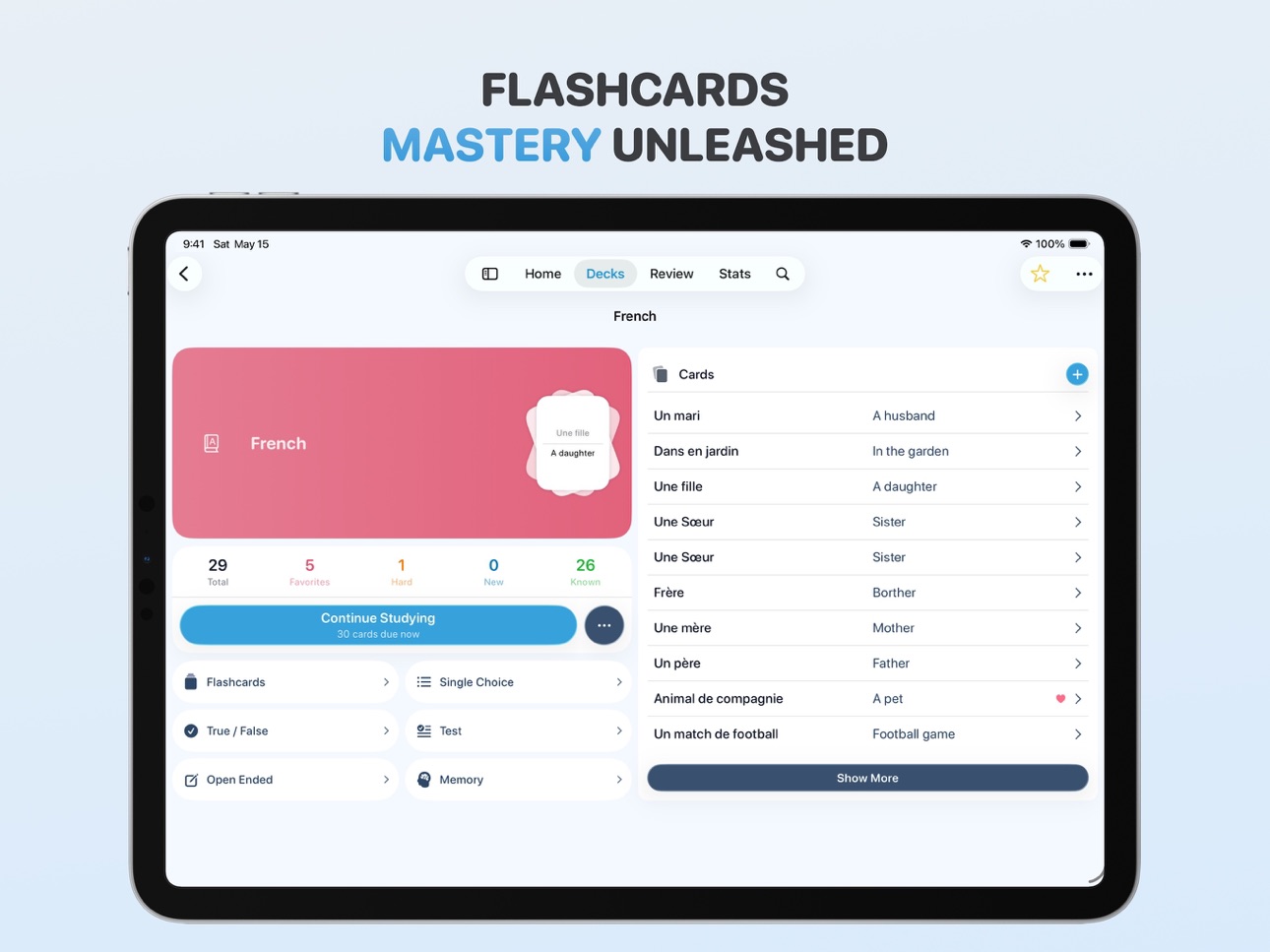
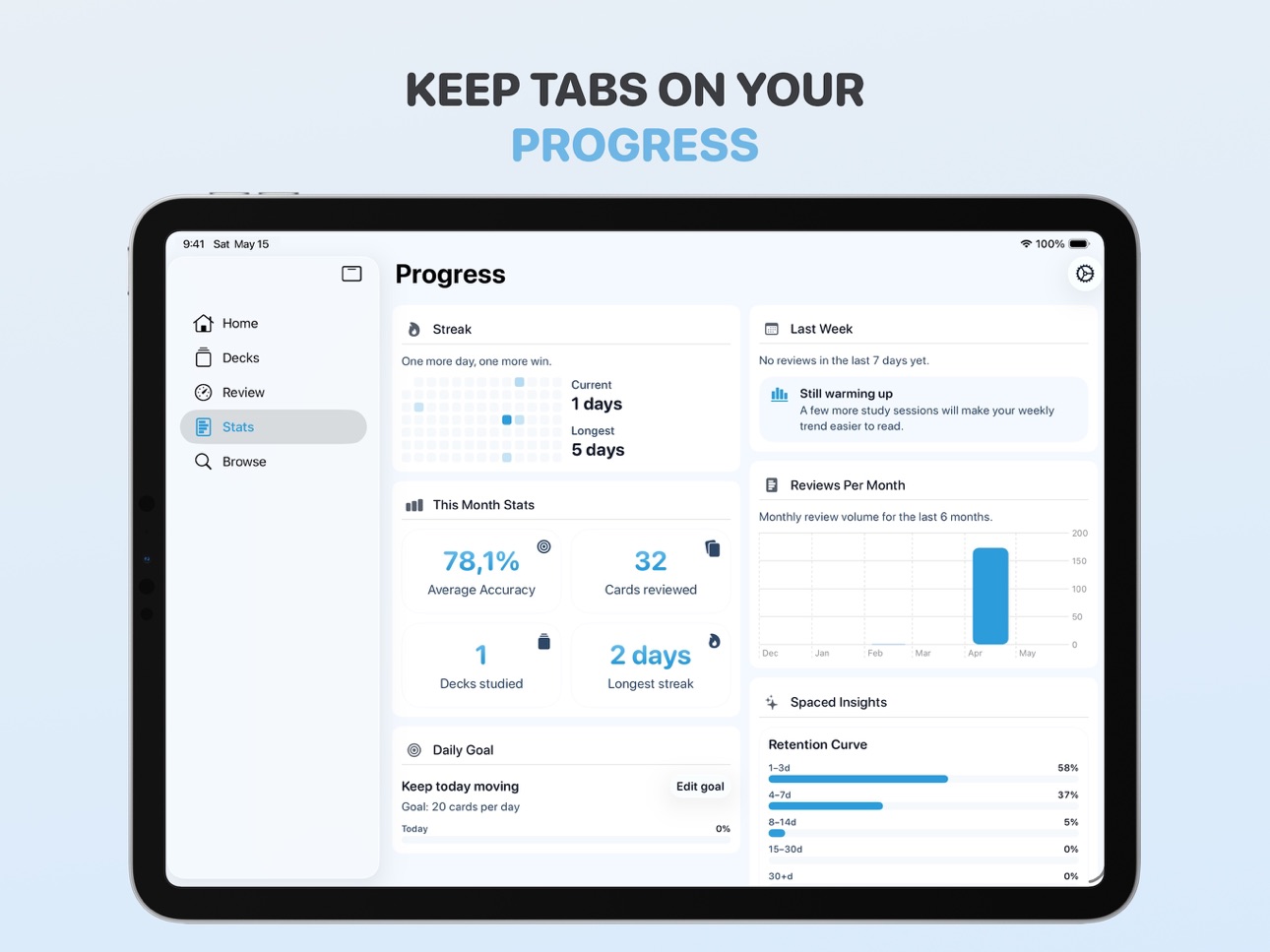
iPad 6 images



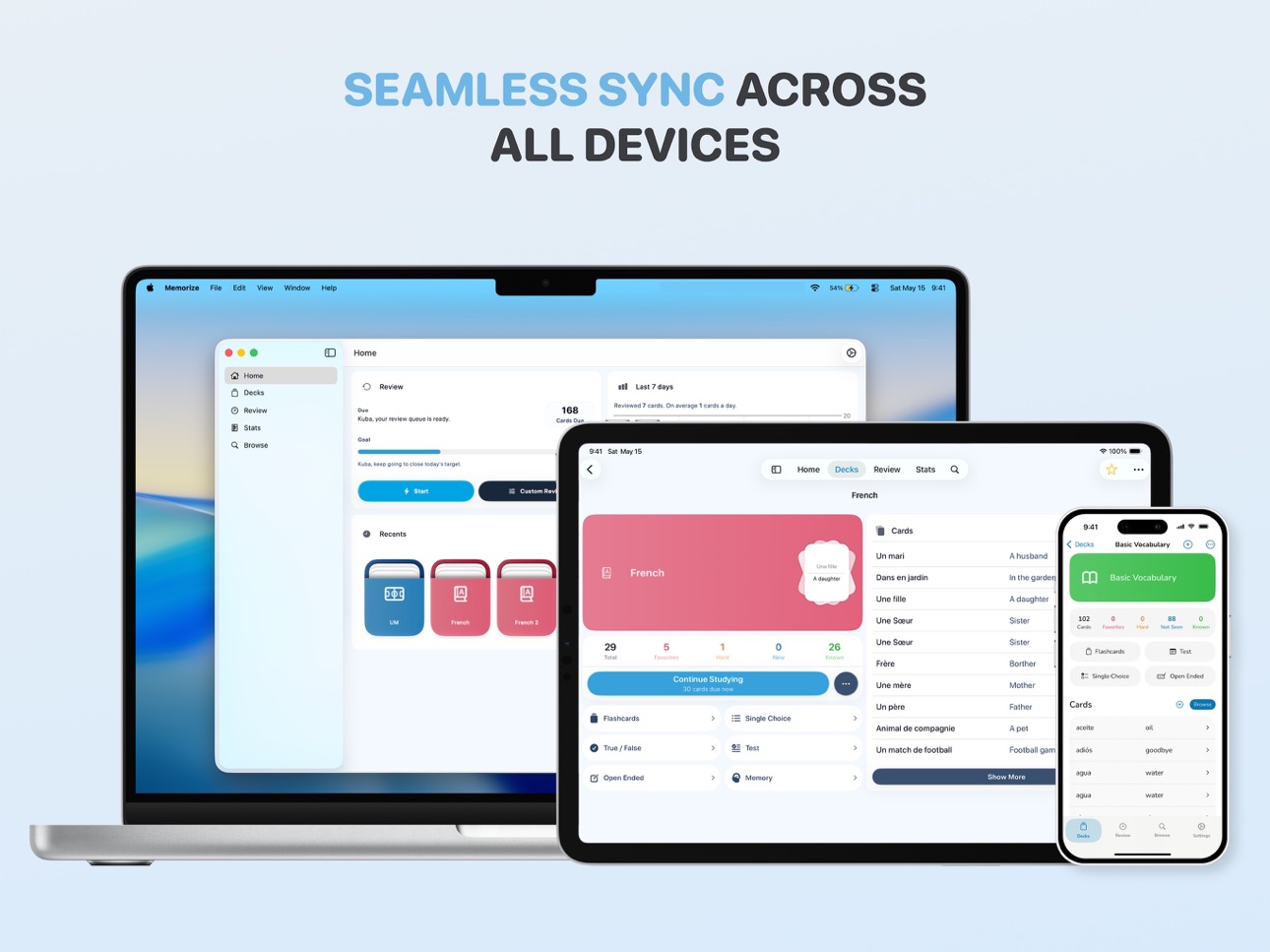
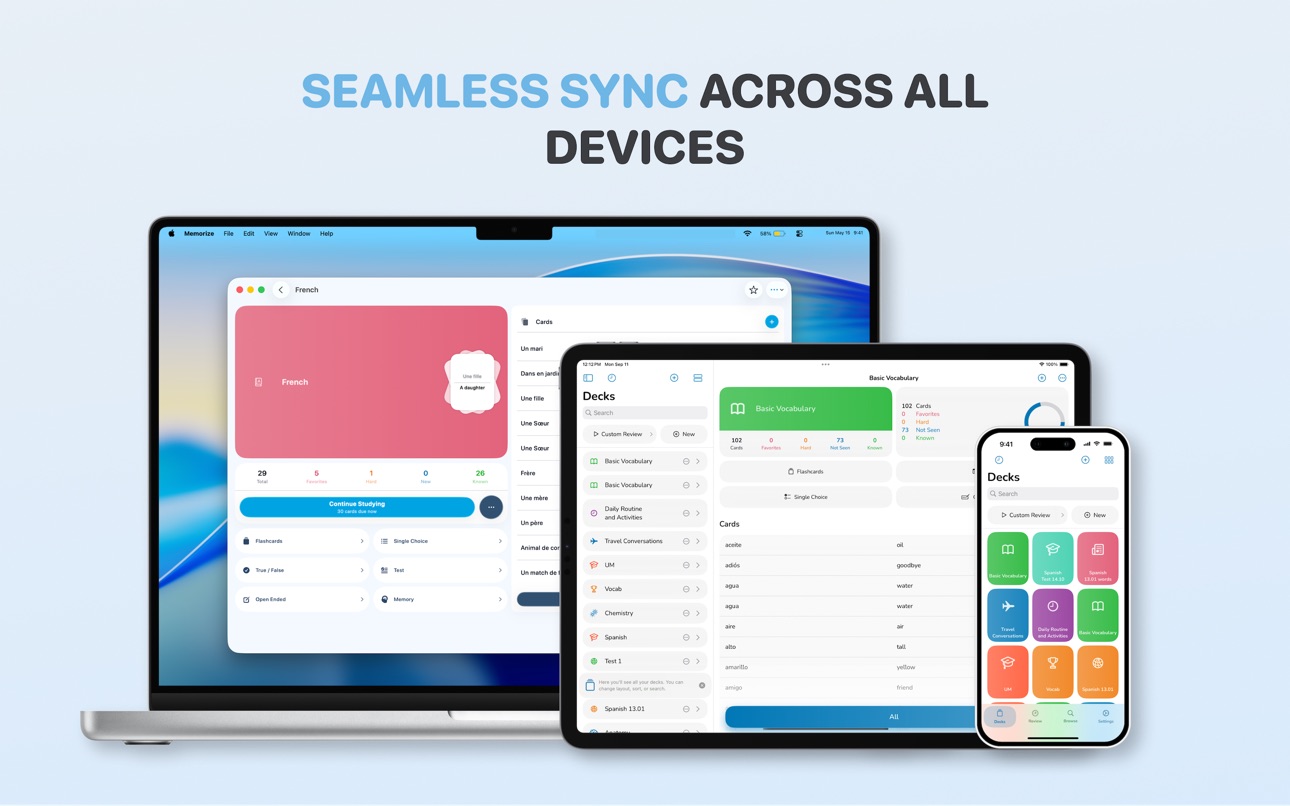
Mac 7 images


Apple Vision Pro 7 images


What’s New Version 3.2.0
This update brings powerful new study, backup, and organization tools to Memorize. Version 3.2.0 introduces cloze deletion cards (fill in the blank), full deck backup and restore, undo and redo in review sessions, and many refinements across deck management, sharing, filtering, themes, and reliability
What's New
- Added Cloze Deletion Cards, a new fill-in-the-blank card type for focused recall practice.
- Added editor actions for marking, unmarking, and creating multiple clozes.
- Added full deck backup export and import from Settings.
- Export and import decks using .memorize and CSV formats.
- Backup files opened from outside the app now jump directly into the import review screen.
- Added undo and redo during SRS review sessions.
- Improved SRS syncing, including a new Sync Cards action in the review menu.
- Added keyboard shortcuts badges for discoverability with a settings toggle to turn them off.
- Added deck sharing and Instagram Stories sharing support.
- Added the ability to hide decks and collections.
- Added a card type picker when creating new cards.
- Added card type filtering in browse.
- Improved merge decks, card detail, and deck management flows.
- Added clearer offer code redemption results in the paywall.
What’s Fixed
- Fixed a macOS crash when assigning an image to a card.
- Fixed dragged decks reappearing in their original location with a duplicate preview.
- Fixed restoration of hard status when undoing review ratings.
- Fixed subscribed users seeing the paywall.
- Fixed Daily Goal settings requesting notification permission too early.
- Fixed notification timing defaults and preview punctuation.
- Fixed filter sheet design regressions, quick link rating behavior, Core Data save reliability, and multiple localization, accessibility, and stability issues.
Description
Memorize - Elevate Your Learning Journey!
Efficient Tools: Navigate through a minimalist interface designed for efficient and organized studying.
Structured Learning: Personalize your study experience with subject-based decks for a streamlined approach.
Knowledge Chronicle: Record your learning moments with dates, notes, and real-time feedback. Relive your academic journey.
Insightful Learning Trends: Visualize your study habits, set goals, and enhance your learning experience with insightful trends.
Study Reminders: Stay on track with gentle nudges, capturing progress and reflections on your academic endeavors.
Seamless Across Devices: Switch seamlessly between iPhone, iPad, and Mac, maintaining harmony in your learning materials.
Memorize+: Unlock advanced features with unlimited flashcards, enhanced organization, and customized learning experiences.
Your learning journey, simply enhanced. Download Memorize now!
Terms of Use: https://www.apple.com/legal/internet-services/itunes/dev/stdeula/
In-App Purchases US pricing
Memorize+ Subscription
(Annual) · Yearly 7-day free trial$19.99
(Family) · Yearly 7-day free trial$9.99
(Monthly) · Monthly$3.99
(Weekly) · 7 days$1.99
One-Time Purchases
Memorize+ (Lifetime)$49.99
Capabilities
In-App Purchases
Accessibility
ipadiphonemacrealityDevicetvoswatch
Version history 25 versions
Build 886640512v3.2.02026-06-15 15:07:05
This update brings powerful new study, backup, and organization tools to Memorize. Version 3.2.0 introduces cloze deletion cards (fill in the blank), full deck backup and restore, undo and redo in review sessions, and many refinements across deck management, sharing, filtering, themes, and reliability
What's New
- Added Cloze Deletion Cards, a new fill-in-the-blank card type for focused recall practice.
- Added editor actions for marking, unmarking, and creating multiple clozes.
- Added full deck backup export and import from Settings.
- Export and import decks using .memorize and CSV formats.
- Backup files opened from outside the app now jump directly into the import review screen.
- Added undo and redo during SRS review sessions.
- Improved SRS syncing, including a new Sync Cards action in the review menu.
- Added keyboard shortcuts badges for discoverability with a settings toggle to turn them off.
- Added deck sharing and Instagram Stories sharing support.
- Added the ability to hide decks and collections.
- Added a card type picker when creating new cards.
- Added card type filtering in browse.
- Improved merge decks, card detail, and deck management flows.
- Added clearer offer code redemption results in the paywall.
What’s Fixed
- Fixed a macOS crash when assigning an image to a card.
- Fixed dragged decks reappearing in their original location with a duplicate preview.
- Fixed restoration of hard status when undoing review ratings.
- Fixed subscribed users seeing the paywall.
- Fixed Daily Goal settings requesting notification permission too early.
- Fixed notification timing defaults and preview punctuation.
- Fixed filter sheet design regressions, quick link rating behavior, Core Data save reliability, and multiple localization, accessibility, and stability issues.
Build 884071089v3.0.02026-05-13 14:06:41
This major update brings Memorize to its most powerful state yet. With a complete architectural overhaul and a redesigned experience across all devices, version 3.0.0 makes your learning journey faster, more intuitive, and more reliable.
What's New
- Major update to the macOS experience with refined platform-specific onboarding, settings, review sessions, and card creation flows.
- Review sessions now include Quick Review and Memory Mode, along with expanded spaced-repetition behaviors.
- Significantly upgraded iPad experience across onboarding, deck management, review interactions, and Home layouts.
- Comprehensive keyboard shortcut support added for review workflows on macOS and iPadOS.
- Expanded Share Composer support, including dedicated functionality for macOS.
- Enhanced Template support with new list and detail flows for faster deck creation.
What Changed
- Redesigned and refined core learning flows for cards, decks, collections, and browsing.
- Rebuilt onboarding process into a comprehensive multi-step journey with improved feature discovery.
- Updated premium flows and monetization states to provide more clarity on features and subscription benefits.
- Modernized app architecture with a modularized system to improve performance and reliability across all platforms.
- Strengthened routing and platform adaptation to ensure consistent behavior across iOS, iPadOS, and macOS.
What's Fixed
- Corrected SRS scheduling and due-date display issues.
- Fixed behavior when moving decks into collections.
- Improved loading reliability for deck details.
- Refined interaction reliability for card list rows and information bar tap targets.
- Resolved visual inconsistencies in the Share Composer.
- Improved review session quality-of-life with fixes for undo gestures and haptic feedback.
Build 870248952v2.9.12024-11-07 07:42:47
Bug fixes and improvements
Build 869731658v2.9.02024-10-15 21:07:39
You said, we listened! We fixed all the bugs and all the lags. Memorize works more smoothly than ever before!
Build 869187517v2.8.12024-09-25 16:12:37
Here is what's new:
- Study progress insights.
- Performance improvements.
- Settings tab moved to a sheet you can access from Home or Progress tabs.
Build 869273522v2.8.22024-09-25 19:34:35
Here is what's new:
- Enhanced onboarding.
- Added notifications.
Build 866927684v2.8.02024-06-24 09:58:13
We introduced study insights and all-new design language around the app. It's visible from the moment you open the app to the new and cozy home tab.
Memorize+ users can change app theme and color palette as well. It's our yet the sleekest release ever.
Build 866269552v2.7.12024-05-28 12:32:07
Improvements and bug fixes
Build 865061607v2.7.02024-04-09 15:04:57
Here's what's new:
– Color palettes to customize Memorize experience even further!
– Improvements and bug fixes.
Build 864383366v2.6.52024-03-12 16:26:21
Here's what's new:
– True/False study mode.
– Tag icon changed.
Build 863939748v2.6.12024-02-22 13:21:28
Here's what's new!
- Added support for Quick Note.
- Improved ASO.
- Improved stability and performance.
Build 863689804v2.6.02024-02-13 21:20:07
Here's everything what's new:
– Tags - organize your cards with tags and customize your studying,
– Browse - expanded browse for visionOS, macOS, and iPadOS,
– Layout Chooser - optimized design with new layout chooser.
Build 863240020v2.52024-01-31 20:41:41
This release something everyone was waiting for a long time - spaced repetition system!
Now Memorize intelligently knows when you are about to forget a card and will remind you to review it just before that happens.
Build 862969200v2.4.72024-01-18 12:13:50
Change Log
- Redesigned Paywall
- Stability improvements
Build 862757511v2.4.62024-01-09 13:00:47
Change Log
- Added option to switch front side with back side,
- Fixed issue with multiple lines not showing in Test & Single Answer mode,
- Optimized Memory mode.
Build 862078625v2.4.52024-01-06 04:18:53
Now you can add pictures to flashcards!
Change Log
- Fixed translation issues,
- Made user name optional during onboarding,
- Stability improvements.
Build 861891578v2.42023-12-01 01:46:34
Change Log
- Added Home tab
- Fixed translation errors
Build 861488395v2.3.42023-11-15 19:21:25
Change log:
Added support for Ukrainian.
Optimized data flow so Memorize runs smooth as butter.
iCloud syncing now happens faster and also in the background.
Build 860743299v2.3.32023-11-01 21:23:38
Bug fixes and optimization
Build 860229031v2.3.12023-09-28 08:07:56
New study mode and bug fixes
Build 859806708v2.32023-09-12 14:17:51
Here's what's new:
- daily goals - set a daily goal, receive notifications to hit it and study more,
- dedicated iPadOS & soon macOS app,
- new icons, colors, app personalization and customization features,
- new graphics and images,
- new onboarding process,
- app analytics
- updated Privacy Policy.
We are excited to announce the introduction of anonymous analytics in Memorize, designed to enhance your user experience. These analytics allow us to gather non-personally identifiable information about how you use the app, such as feature interactions and performance metrics. By analyzing this data, we can make informed decisions and improvements to provide you with a better app experience.
Please note that the analytics we collect are completely anonymous and do not include any personally identifiable information. Our commitment to privacy and data security remains unwavering, and we adhere to strict data protection measures in accordance with applicable laws and regulations.
We value your trust and appreciate your continued support as we strive to make Memorize even better.
As always thank you so much for using Memorize :)
Build 859452888v2.0.32023-08-28 11:29:58
Say hello to Deck Template Gallery!
Instead of making a deck from scratch, browse a collection of pre-made decks and start studying faster.
Bug fixes:
Unified UI, fixed issues with app's tab bar, and optimized memorize review.
Build 859032362v2.0.22023-08-12 01:05:48
Fixed issues with Memorize+ and brought back support for Español, Deutsch, Italiano, and Français.
Build 858696701v2.0.12023-07-31 16:05:19
Revamped tab bar now with support for landscape mode on both iPhone and iPad and fixed issues with Memorize+ purchase.
Build 858466902v2.02023-07-23 00:35:19
Discover our all-new review modes designed to supercharge your learning experience:
1. Flashcards: Tap to reveal the other side of the card and reinforce your knowledge effortlessly.
2. Single Choice: Test yourself with ABCD options to enhance your retention and decision-making skills.
3. Open Ended: Challenge yourself by writing answers in your own words, fostering deeper understanding and critical thinking.
4. Test: Generate customized tests ranging from 10 to 100 questions, combining the power of flashcards to evaluate your progress comprehensively.
Unlock the full potential of Memorize with the Memorize+ subscription. Gain access to all these incredible review modes and much more!
Upgrade now and revolutionize your learning journey with Memorize 2.0!
Price history by region
Currency
Show
Columns
Search
Availability 1 of 1 storefronts
| Region | Language | Price | Ratings | Avg | Version |
|---|---|---|---|---|---|
| US | en-US | Free | 13 | 4.5 | 3.2.0 |
Change log 29 changes · US
✎
releaseNotes updated
This update brings powerful new study, backup, and organization tools to Memorize. Version 3.2.0 introduces cloze deletion cards (fill in the blank), full deck
✎
description updated
Memorize - Elevate Your Learning Journey!
Efficient Tools: Navigate through a minimalist interface designed for efficient and organized studying.
Structured Le
✎
subtitle updated
Flashcards SRS Study Companion
✎
name updated
Memorize - Learn and Remember
◆
Version 3.2.0 released
This update brings powerful new study, backup, and organization tools to Memorize. Version 3.2.0 introduces cloze deletion cards (fill in the blank), full deck backup and restore, undo and redo in review sessions, and many refinements acros
◆
Version 3.0.0 released
This major update brings Memorize to its most powerful state yet. With a complete architectural overhaul and a redesigned experience across all devices, version 3.0.0 makes your learning journey faster, more intuitive, and more reliable.
W
◆
Version 2.9.1 released
Bug fixes and improvements
◆
Version 2.9.0 released
You said, we listened! We fixed all the bugs and all the lags. Memorize works more smoothly than ever before!
◆
Version 2.8.2 released
Here is what's new:
- Enhanced onboarding.
- Added notifications.
◆
Version 2.8.1 released
Here is what's new:
- Study progress insights.
- Performance improvements.
- Settings tab moved to a sheet you can access from Home or Progress tabs.
◆
Version 2.8.0 released
We introduced study insights and all-new design language around the app. It's visible from the moment you open the app to the new and cozy home tab.
Memorize+ users can change app theme and color palette as well. It's our yet the sleekest
◆
Version 2.7.1 released
Improvements and bug fixes
◆
Version 2.7.0 released
Here's what's new:
– Color palettes to customize Memorize experience even further!
– Improvements and bug fixes.
◆
Version 2.6.5 released
Here's what's new:
– True/False study mode.
– Tag icon changed.
◆
Version 2.6.1 released
Here's what's new!
- Added support for Quick Note.
- Improved ASO.
- Improved stability and performance.
◆
Version 2.6.0 released
Here's everything what's new:
– Tags - organize your cards with tags and customize your studying,
– Browse - expanded browse for visionOS, macOS, and iPadOS,
– Layout Chooser - optimized design with new layout chooser.
◆
Version 2.5 released
This release something everyone was waiting for a long time - spaced repetition system!
Now Memorize intelligently knows when you are about to forget a card and will remind you to review it just before that happens.
◆
Version 2.4.7 released
Change Log
- Redesigned Paywall
- Stability improvements
◆
Version 2.4.6 released
Change Log
- Added option to switch front side with back side,
- Fixed issue with multiple lines not showing in Test & Single Answer mode,
- Optimized Memory mode.
◆
Version 2.4.5 released
Now you can add pictures to flashcards!
Change Log
- Fixed translation issues,
- Made user name optional during onboarding,
- Stability improvements.
◆
Version 2.4 released
Change Log
- Added Home tab
- Fixed translation errors
◆
Version 2.3.4 released
Change log:
Added support for Ukrainian.
Optimized data flow so Memorize runs smooth as butter.
iCloud syncing now happens faster and also in the background.
◆
Version 2.3.3 released
Bug fixes and optimization
◆
Version 2.3.1 released
New study mode and bug fixes
◆
Version 2.3 released
Here's what's new:
- daily goals - set a daily goal, receive notifications to hit it and study more,
- dedicated iPadOS & soon macOS app,
- new icons, colors, app personalization and customization features,
- new graphics and images,
- new
◆
Version 2.0.3 released
Say hello to Deck Template Gallery!
Instead of making a deck from scratch, browse a collection of pre-made decks and start studying faster.
Bug fixes:
Unified UI, fixed issues with app's tab bar, and optimized memorize review.
◆
Version 2.0.2 released
Fixed issues with Memorize+ and brought back support for Español, Deutsch, Italiano, and Français.
◆
Version 2.0.1 released
Revamped tab bar now with support for landscape mode on both iPhone and iPad and fixed issues with Memorize+ purchase.
◆
Version 2.0 released
Discover our all-new review modes designed to supercharge your learning experience:
1. Flashcards: Tap to reveal the other side of the card and reinforce your knowledge effortlessly.
2. Single Choice: Test yourself with ABCD options to enh