Home › Travel

 US
US
1 of 1 storefronts
Content in en-US
Content in en-US
Information
Preview 2 platforms
iPhone 10 images





iPad 3 images


What’s New Version 20260617
The weather forecast has been changed
Description
[REALLY] USEFUL APP
Free, no in-app purchases, no email address required, no email newsletters, no ads, full functionality without registration.
WHAT IS IT?
This is a very useful app for any traveler. You can use it even if you haven't added anything to your travel plan.
MAIN GOAL
When creating the app, we wanted you to be part of your trip, not just from the outside.
EXAMPLE
Trip plan. In fact, you can take any other app screen with travel items; it will look pretty much the same.
Typically, a trip plan is a list of travel items sorted by date: departure, arrival, car rental, hotel check-in, etc., or something similar.
ENOT66
For each item in your plan, you have multiple options (icons on the item cell - image #3).
OPERATIONAL INFORMATION
- Open the flight tracker (for flights). Before, during, and after the flight.
- Open Google Navigation with this location as your destination and navigate there yourself (e.g., from the airport to a hotel).
- Open the Lyft or Uber app (if installed) with this location as your destination.
- Copy the coordinates or address of the location for use, for example, in other taxi apps to get to this location.
- Check the weather forecast for your stay at this location. For example, for the day of your flight or during your hotel stay.
- Open an internal travel map with this location as the center (travel geography).
- Open device maps (platform dependent).
EXPLORE
The last button is the menu; it contains options for exploring the location (you can use this even before you start your trip):
- Google Street View centered on this location.
- Google Search. Find out more about a hotel, restaurant, attraction, departure airport, etc.
- Weather forecast. Not just for your travel dates, as you saw above, but for today and 15 days in advance.
- Nearby towns. They might have something interesting to offer.
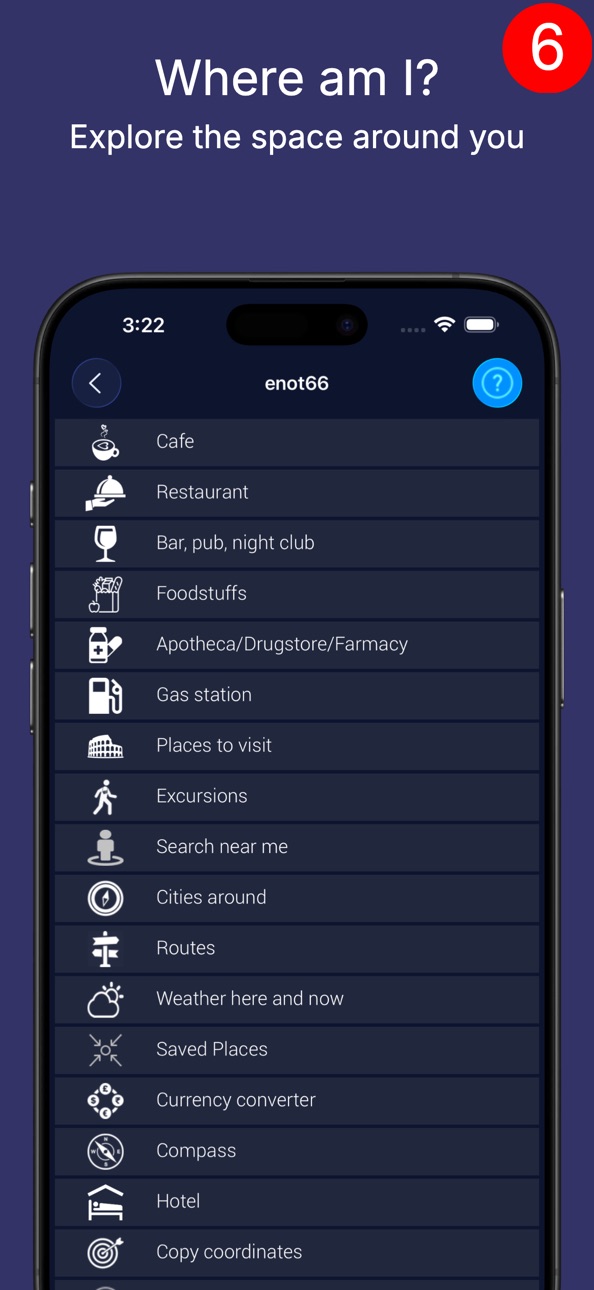
- Search for various nearby attractions (restaurants, gas stations, ATMs, beaches, parks, attractions, etc.)
- Routes. This is a list of other related travel attractions. For example, you can check the route or taxi fare from the airport to your hotel in advance.
- Photos taken in the surrounding area. This will give you additional information about the area where this attraction is located.
14 FUNCTIONS
This means that for each attraction in your plan, you have 14 functions available, all within one or two clicks (from the menu).
And, of course, if you click on the cell itself, you'll get a description of the attraction and more.
RESULT
That is, the object of your trip (be it a hotel or a beach) on the list is not just a name, it is a starting point to learn more about it.
BY THE WAY
You can add any destination you find in the app to your trip.
For example, if you find a restaurant near your hotel (or near you in the "Where am I?" section), you can add it to your trip plan from the destination's description menu (in this case, a restaurant).
By the way, from the same menu, you can immediately find parking near your hotel, an ATM near the parking lot, a pharmacy near the ATM, and so on.
HELP
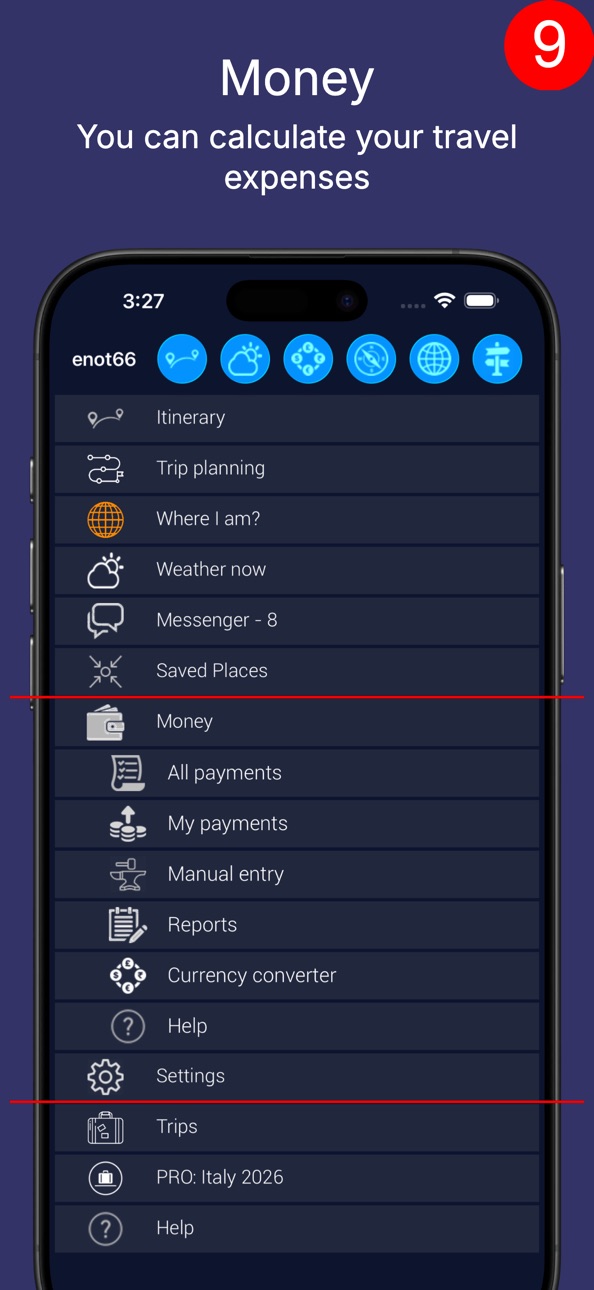
The above is only a small part of the app. We won't describe everything, because each app screen tells you what it can do.
For example, you open the currency converter, but you haven't added any converters yet.
In this case, you'll see a description of what this screen can do.
JUST ONE MORE THING
Did you forget that this is all free, with no ads, no annoying emails, and no in-app purchases?
Naturally, you can invite friends to your trip and join theirs.
And even without registering, you can add other devices or browsers to your account.
If you prefer planning trips on a computer, the same functionality is available at enot66.com.
Have a great trip!
Accessibility
ipadiphonemacrealityDevicetvoswatch
Version history 25 versions
Build 887098694v202606172026-06-22 16:06:36
The weather forecast has been changed
Build 883619622v202603212026-03-22 19:20:50
Added the ability to create a photo gallery on the trip map. This can be the entire trip or just a section of it.
Build 883391919v202603152026-03-16 01:59:52
Added the ability to create a photo gallery on the travel map.
Build 882160778v202602132026-02-24 00:30:07
Many new features have been added to the travel planner.
Build 879524889v202511052025-11-05 19:08:21
The search for attractions has been modified.
The ability to share geolocation between users in the messenger has been added.
Some changes have been made to the design.
Build 878690325v202510052025-10-22 07:58:47
The internal messenger has been completely redesigned.
Added the ability to change the location of already added objects.
Some interface changes have been made for devices running iOS 26.
Build 876548707v202507202025-07-21 08:34:29
Manual input forms have been redesigned
Build 874340490v202504272025-04-28 10:32:40
Transfers added, interface changed.
Build 873096976v202503092025-03-10 07:26:32
1. Added the ability to add photos for manual entry of hotels, places to visit and meetings.
2. Added the ability to view photos taken by other people near the travel object (hotels, places to visit, meetings).
Build 871322312v202412222024-12-22 15:58:50
1. Added the ability to add photos for manual entry of hotels, places to visit and meetings.
2. Added the ability to view photos taken by other people near the travel object (hotels, places to visit, meetings).
Build 870666670v202411252024-11-25 19:23:00
Added travel object "Meetings".
Build 869708509v202410142024-10-15 07:30:47
Transfers between travel destinations added
Build 867661530v202407222024-07-23 04:51:16
Work to improve the interface.
Build 866414666v202406032024-06-04 01:08:01
Added flight tracking for an arbitrary period.
Build 866331541v202405302024-05-30 14:40:44
Another provider of information on attractions has been added.
Build 865889246v202405132024-05-13 16:25:40
The messenger interface has been improved, information about the history of changes to travel objects has been added.
Build 865561787v202404292024-04-29 15:41:57
Added input of hotels by name and search for excursions around the place.
Build 865062833v202404272024-04-09 16:18:26
The possibilities of travel support have been significantly expanded.
Added "Accompaniment without planning".
Build 864005823v202402252024-02-26 00:10:50
Changed flight tracking
Build 862118253v202312102023-12-11 21:30:51
Flight tracking, Uber, adding documents, etc.
Build 860513385v202310092023-10-09 18:46:46
Added search for excursions.
Build 859450923v202308312023-08-27 18:40:48
Added search for excursions.
Build 857985950v0.12023-07-04 16:01:01
Added 13 languages.
Build 853543788v5.42022-11-25 17:09:46
Added direction display (N/E/S/W/NE/SE/SW/NW).
Build 853481910v5.32022-11-21 21:04:59
Changes according V3 requirements.
No pricing data captured yet — comparisons appear once the app has paid storefronts or in-app purchases.
Availability 1 of 1 storefronts
| Region | Language | Price | Ratings | Avg | Version |
|---|---|---|---|---|---|
| US | en-US | Free | 0 | — | 20260617 |
Change log 29 changes · US
✎
releaseNotes updated
The weather forecast has been changed
✎
description updated
[REALLY] USEFUL APP
Free, no in-app purchases, no email address required, no email newsletters, no ads, full functionality without registration.
WHAT IS IT?
T
✎
subtitle updated
[Really] useful travel planner
✎
name updated
Travel Planner - enot66
◆
Version 20260617 released
The weather forecast has been changed
◆
Version 20260321 released
Added the ability to create a photo gallery on the trip map. This can be the entire trip or just a section of it.
◆
Version 20260315 released
Added the ability to create a photo gallery on the travel map.
◆
Version 20260213 released
Many new features have been added to the travel planner.
◆
Version 20251105 released
The search for attractions has been modified.
The ability to share geolocation between users in the messenger has been added.
Some changes have been made to the design.
◆
Version 20251005 released
The internal messenger has been completely redesigned.
Added the ability to change the location of already added objects.
Some interface changes have been made for devices running iOS 26.
◆
Version 20250720 released
Manual input forms have been redesigned
◆
Version 20250427 released
Transfers added, interface changed.
◆
Version 20250309 released
1. Added the ability to add photos for manual entry of hotels, places to visit and meetings.
2. Added the ability to view photos taken by other people near the travel object (hotels, places to visit, meetings).
◆
Version 20241222 released
1. Added the ability to add photos for manual entry of hotels, places to visit and meetings.
2. Added the ability to view photos taken by other people near the travel object (hotels, places to visit, meetings).
◆
Version 20241125 released
Added travel object "Meetings".
◆
Version 20241014 released
Transfers between travel destinations added
◆
Version 20240722 released
Work to improve the interface.
◆
Version 20240603 released
Added flight tracking for an arbitrary period.
◆
Version 20240530 released
Another provider of information on attractions has been added.
◆
Version 20240513 released
The messenger interface has been improved, information about the history of changes to travel objects has been added.
◆
Version 20240429 released
Added input of hotels by name and search for excursions around the place.
◆
Version 20240427 released
The possibilities of travel support have been significantly expanded.
Added "Accompaniment without planning".
◆
Version 20240225 released
Changed flight tracking
◆
Version 20231210 released
Flight tracking, Uber, adding documents, etc.
◆
Version 20231009 released
Added search for excursions.
◆
Version 20230831 released
Added search for excursions.
◆
Version 0.1 released
Added 13 languages.
◆
Version 5.4 released
Added direction display (N/E/S/W/NE/SE/SW/NW).
◆
Version 5.3 released
Changes according V3 requirements.