Home › Productivity

 US
US
1 of 1 storefronts
Content in en-US
Content in en-US
Information
Preview 2 platforms
iPhone 8 images


iPad 8 images




What’s New Version 3.5.0
- Starter templates — launch a new board from a ready-made layout
- Double-tap the canvas to create a card
- A cleaner, less cluttered interface across the app
- Performance improvements and bug fixes
Description
Instaboard is a collaborative whiteboard, planner, trip planner, and PDF workspace for iPhone and iPad. Use it as a travel planner, project planner, visual organizer, document workspace, and meeting room—all on one infinite canvas.
Plan trips, organize projects, sketch ideas, annotate PDFs, capture notes, and collaborate live in one app. Start with a Planning Board, Drawing Board, trip board, or Pages mode, then build your plan with cards, lists, sections, files, maps, and real-time collaboration.
PLAN TRIPS AND ITINERARIES
• Build a trip itinerary on a map
• Add places, organize stops by day, and connect routes
• Plan trips before dates are locked
• Keep trip ideas, travel notes, and shared plans in one place
• Great for vacations, group travel, weekend getaways, and road trips
PLAN PROJECTS, EVENTS, AND EVERYDAY LIFE
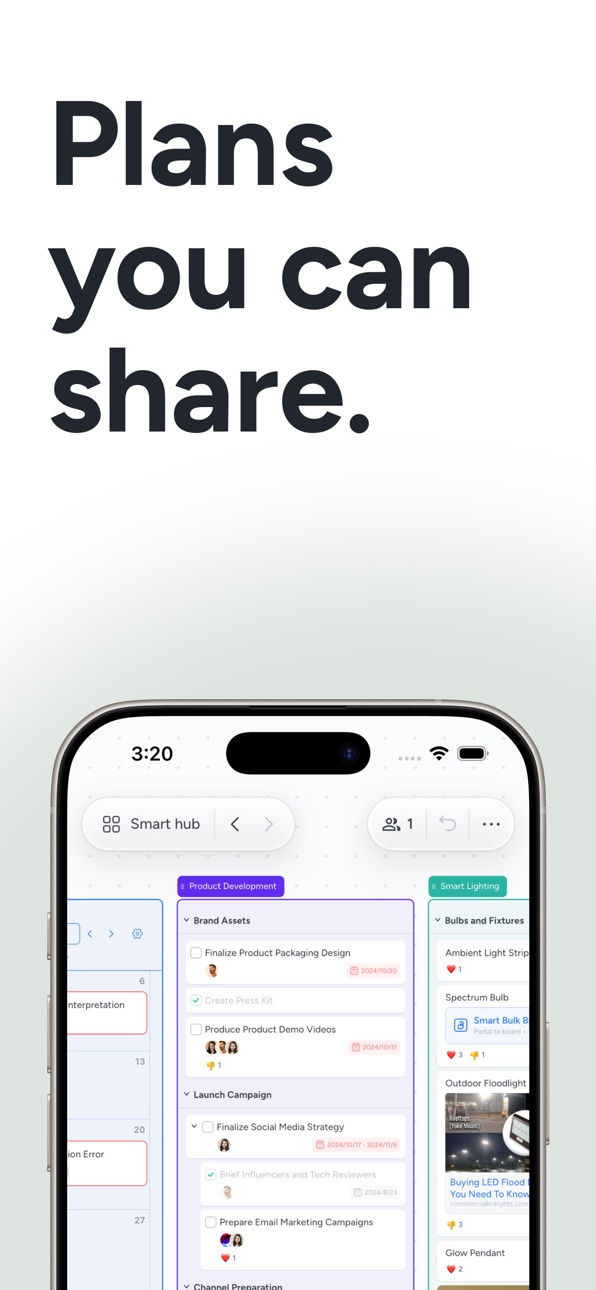
• Organize tasks, notes, links, files, and ideas on one visual board
• Use cards, lists, sections, checklists, tags, and due dates
• Plan projects, events, study sessions, moves, wedding details, and more
• Turn messy planning into a shared system everyone can follow
DRAW ON AN INFINITE WHITEBOARD
• Sketch freely with your finger or Apple Pencil
• Add text, shapes, arrows, images, and freehand drawings
• Create mind maps, diagrams, brainstorms, flowcharts, and visual notes
• Zoom out for the big picture or in for the details without running out of space
SAVE EVERYTHING TO PILE
• Pile is your inbox for planning
• Save links, notes, images, and PDFs in one place
• Capture ideas first and organize them later
• Drag items from Pile straight onto your board
TURN PDFs INTO BOARDS
• Open a PDF as its own board in Pages mode
• Add a PDF to an existing board and plan around it
• Review, annotate, and collaborate on documents visually
• Great for travel docs, homework, meeting materials, forms, and reference files
COLLABORATE IN REAL TIME
• Edit together live on the same board
• See cursors, comments, and changes as they happen
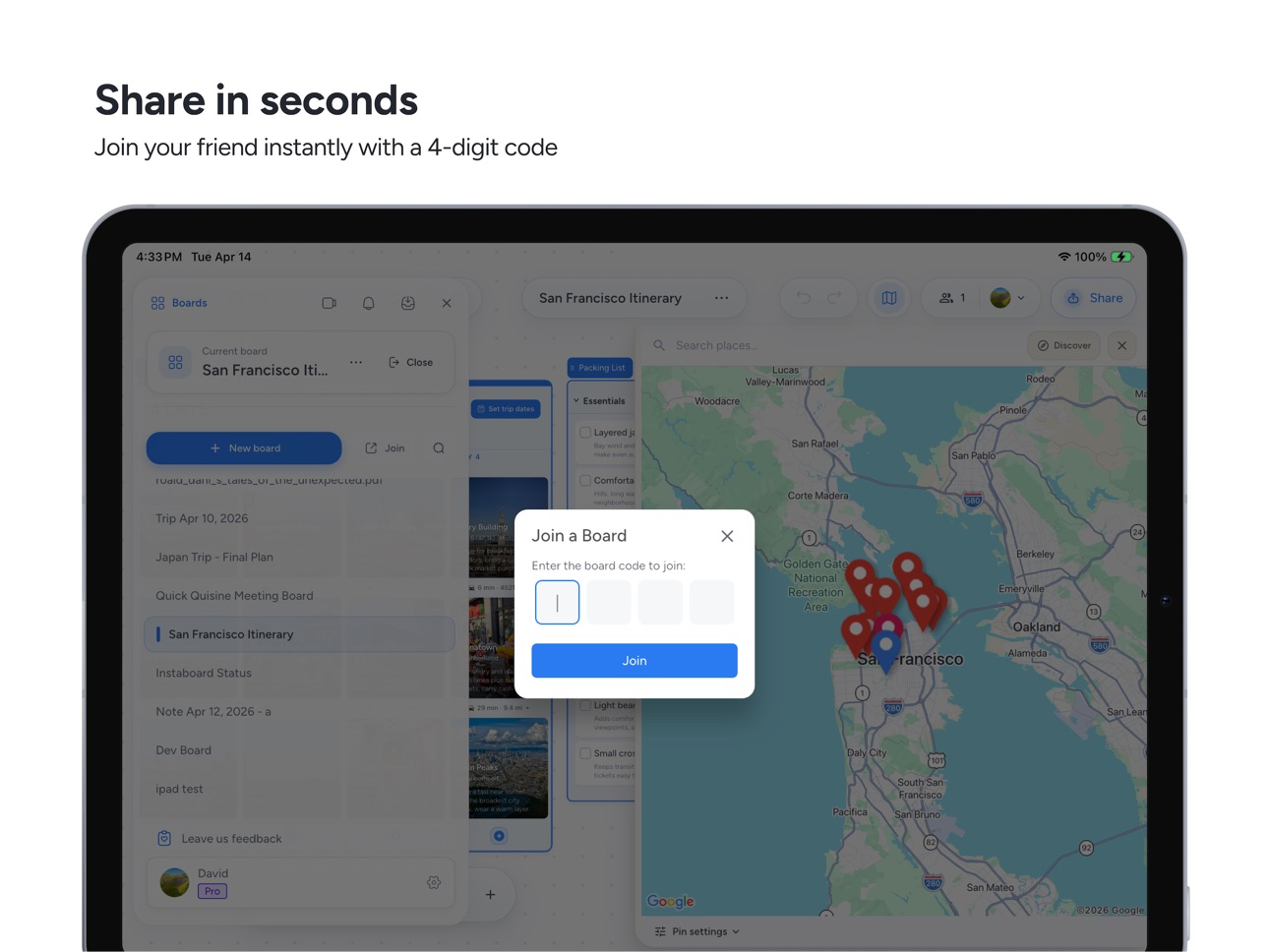
• Share by link, QR code, or 4 digit code
• Invite friends, teammates, clients, classmates, or family
MEET ON THE BOARD
• Start built-in video meetings without switching apps
• Talk, plan, and edit in the same space
• Use Instaboard for remote meetings, tutoring, study groups, workshops, and trip planning
WORK THE WAY YOU PLAN
• Create boards offline and sync later
• Export boards to PDF or image when you’re ready to share
• Use Instaboard across iPhone, iPad, and the web
Whether you’re planning a trip, organizing a project, drawing ideas on a whiteboard, reviewing a PDF, or running a live meeting, Instaboard gives you one visual space to plan, collaborate, and get things done.
Get started by creating your first board, adding a few cards, and organizing them with lists, sections, and calendar. Then invite others to join and turn ideas into action on a single visual workspace.
EULA: https://www.apple.com/legal/internet-services/itunes/dev/stdeula/
Privacy policy: https://instaboard.app/privacy
In-App Purchases US pricing
Instaboard Pro - Unlimited space & features Subscription
Instaboard Pro · Monthly 7-day free trial$7.99
Instaboard Pro (12 months) · Yearly 7-day free trial$59.99
Capabilities
In-App Purchases
Accessibility
ipadiphonemacrealityDevicetvoswatch
Version history 25 versions
Build 887735651v3.5.02026-07-03 15:26:25
- Starter templates — launch a new board from a ready-made layout
- Double-tap the canvas to create a card
- A cleaner, less cluttered interface across the app
- Performance improvements and bug fixes
Build 885642901v3.4.52026-05-15 00:53:43
Quality and performance improvements
Build 885307479v3.4.42026-05-06 16:33:04
Quality and performance improvements
Build 884522483v3.4.32026-04-15 17:18:58
Quality and performance improvements
Build 884086300v3.4.22026-04-03 13:46:11
Quality and performance improvements
Build 883879392v3.4.12026-03-28 21:28:14
Quality and performance improvements
Build 883485305v3.4.02026-03-24 17:44:31
Quality and performance improvements
Build 882908919v3.3.192026-03-03 22:02:05
Quality and performance improvements
Build 882292031v3.3.182026-02-09 09:45:24
Quality and performance improvements
Build 882040197v3.3.172026-02-03 08:34:56
Quality and performance improvements
Build 881692105v3.3.162026-01-22 07:05:39
Quality and performance improvements
Build 881604102v3.3.152026-01-20 09:12:46
Quality and performance improvements
Build 881153576v3.3.142026-01-02 08:30:22
Quality and performance improvements
Build 881011906v3.3.132025-12-28 19:35:10
Quality and performance improvements
Build 880830410v3.3.122025-12-23 10:01:21
Quality and performance improvements
Build 880742749v3.3.112025-12-17 18:43:03
Quality and performance improvements
Build 880674168v3.3.102025-12-16 10:42:39
Quality and performance improvements
Build 880248365v3.3.92025-12-02 14:00:48
Quality and performance improvements
Build 880019038v3.3.82025-11-25 10:28:36
- Link previews you can move around the board, plus link attachments now open while you’re editing.
- Upload videos straight from your camera roll to any board.
- New close-board option and a feedback button to share issues faster.
- Settings got a refresh: tabbed layout, clearer share dialog, board actions and version info all in one place.
- Smoother mobile & stylus editing with better scribble, keyboard bars, auto pen color by theme, and diagonal auto-scroll while dragging.
- UI polish and fixes: steadier top bar menus, safer overlays above the keyboard, improved search/selection hints, tab haptics, and dark-mode touch feedback.
Build 879373205v3.3.72025-11-02 09:37:07
Quality and performance improvements
Build 879249692v3.3.62025-10-28 10:25:53
Quality and performance improvements
Build 878602936v3.3.42025-10-02 09:30:42
Quality and performance improvements
Build 878096358v3.3.32025-09-20 05:20:04
Quality and performance improvements
Build 877175052v3.3.12025-08-12 22:29:54
Quality and performance improvements
Build 877138439v3.3.02025-08-11 14:37:21
Quality and performance improvements
Price history by region
Currency
Show
Columns
Search
Availability 1 of 1 storefronts
| Region | Language | Price | Ratings | Avg | Version |
|---|---|---|---|---|---|
| US | en-US | Free | 11 | 5.0 | 3.5.0 |
Change log 29 changes · US
✎
releaseNotes updated
- Starter templates — launch a new board from a ready-made layout
- Double-tap the canvas to create a card
- A cleaner, less cluttered interface across the app
✎
description updated
Instaboard is a collaborative whiteboard, planner, trip planner, and PDF workspace for iPhone and iPad. Use it as a travel planner, project planner, visual orga
✎
subtitle updated
Draw, Plan & Meet Together
✎
name updated
Instaboard: Whiteboard & Plan
◆
Version 3.5.0 released
- Starter templates — launch a new board from a ready-made layout
- Double-tap the canvas to create a card
- A cleaner, less cluttered interface across the app
- Performance improvements and bug fixes
◆
Version 3.4.5 released
Quality and performance improvements
◆
Version 3.4.4 released
Quality and performance improvements
◆
Version 3.4.3 released
Quality and performance improvements
◆
Version 3.4.2 released
Quality and performance improvements
◆
Version 3.4.1 released
Quality and performance improvements
◆
Version 3.4.0 released
Quality and performance improvements
◆
Version 3.3.19 released
Quality and performance improvements
◆
Version 3.3.18 released
Quality and performance improvements
◆
Version 3.3.17 released
Quality and performance improvements
◆
Version 3.3.16 released
Quality and performance improvements
◆
Version 3.3.15 released
Quality and performance improvements
◆
Version 3.3.14 released
Quality and performance improvements
◆
Version 3.3.13 released
Quality and performance improvements
◆
Version 3.3.12 released
Quality and performance improvements
◆
Version 3.3.11 released
Quality and performance improvements
◆
Version 3.3.10 released
Quality and performance improvements
◆
Version 3.3.9 released
Quality and performance improvements
◆
Version 3.3.8 released
- Link previews you can move around the board, plus link attachments now open while you’re editing.
- Upload videos straight from your camera roll to any board.
- New close-board option and a feedback button to share issues faster.
- Settin
◆
Version 3.3.7 released
Quality and performance improvements
◆
Version 3.3.6 released
Quality and performance improvements
◆
Version 3.3.4 released
Quality and performance improvements
◆
Version 3.3.3 released
Quality and performance improvements
◆
Version 3.3.1 released
Quality and performance improvements
◆
Version 3.3.0 released
Quality and performance improvements