Home › Productivity

 US
US
1 of 1 storefronts
Content in en-US
Content in en-US
Information
Preview 3 platforms
iPhone 6 images


iPad 7 images




Mac 6 images


What’s New Version 2.0.10
Features:
- OPML export
- Markdown export
- Mermaid export
- JSON export
- Simplified Chinese localization for the UI
- Hungarian localization for the UI
Improvements:
- Clearer indication of Pro-locked templates
If you like QuikFlow, please consider leaving a review. It really helps!
Description
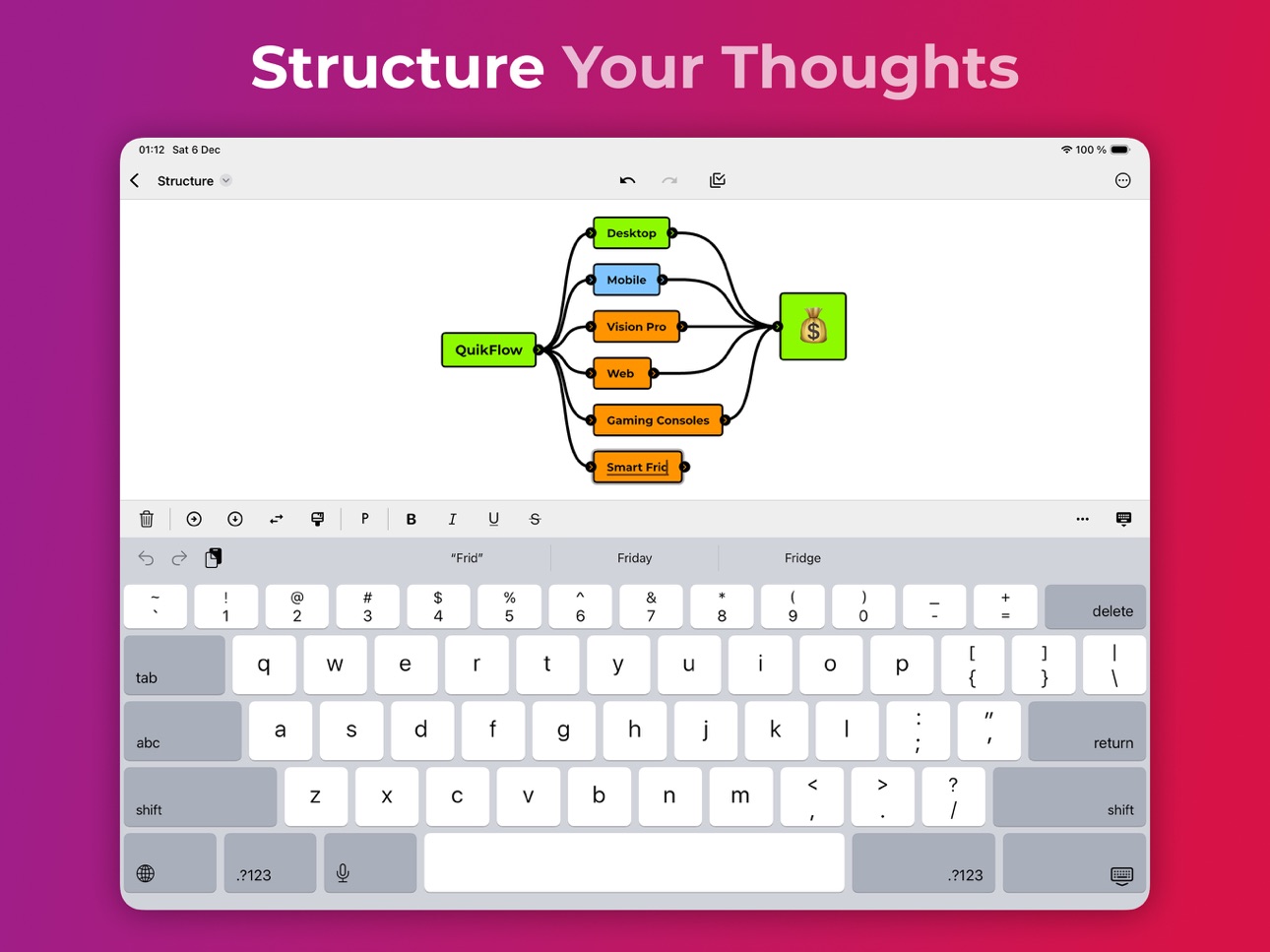
Create flowcharts (and mind maps) without worrying about layout in QuikFlow. With our innovative interactive layout algorithms, you can work as if you were using a mind mapping application while creating flowcharts. Define your structure and the app handles the layout!
CREATE FLOWS, NOT JUST MIND MAPS
Creating flows is just like creating mind maps. But without the restrictions. Let flows converge or loop back around. All while retaining the same intuitive workflow.
FOCUS ON YOUR CONTENT, NOT ON THE LAYOUT
Define your flow and the relationships between different elements. The layout happens automatically while you are working. To adjust the layout, you can reorganize elements using drag-and-drop.
MAKE CHANGES WITHOUT WORRYING ABOUT THE DETAILS
No matter what you change, the layout will automatically adapt. Paste a whole subflow into the middle of the flow. Delete any part of the flow, no matter how intertwined. You won’t have to spend most of your time fixing the layout.
EXPAND YOUR FLOW
A node is simple. But every node can expand into a full rich-text document with headlines, lists, images, links, dividers and more. On canvas or in off-canvas notes. There can even be interactive tasks and checklists, allowing you to do flow-based task management.
FIND YOUR STYLE
Style each node and connector. Quickly reuse styles across your graph using the automatically generated library. Find the right look for new files using our premade templates or your own custom templates.
SHARE AND EXPORT WITHOUT SURPRISES
Easily share your creations in popular file formats (PDF and PNG). In high quality and without fuss. It is that simple.
INPUT BEYOND THE TOUCH
We think we built the qui(c)kest way to create a flow using touch. But QuikFlow started on desktop. And we brought all the mouse and keyboard support over to iPad.
USE FOR FREE. UPGRADE IF YOU WANT TO
QuikFlow gives you access to many features, including all of our innovative layout features, for free without any strings attached.
You can upgrade to QuikFlow Pro to access expanded node content, styling, templates, and additional export features. Try QuikFlow Pro with a free 7-day trial. Buy it either as a monthly or yearly subscription, or as a one-time purchase.
Files created using QuikFlow Pro can be opened and edited in the free version.
Website: https://quikflow.app
Email: quikflow@coneno.com
Terms of Use: https://www.apple.com/legal/internet-services/itunes/dev/stdeula/
In-App Purchases US pricing
QuikFlow Pro Subscription Subscription
QuikFlow Pro (Monthly) · Monthly 7-day free trial$1.99
QuikFlow Pro (Yearly) · Yearly 7-day free trial$12.99
One-Time Purchases
QuikFlow Pro (Lifetime)$29.99
Capabilities
In-App Purchases
Accessibility
ipadiphonemacrealityDevicetvoswatch
Version history 7 versions
Build 884630368v2.0.102026-04-18 20:57:46
Features:
- OPML export
- Markdown export
- Mermaid export
- JSON export
- Simplified Chinese localization for the UI
- Hungarian localization for the UI
Improvements:
- Clearer indication of Pro-locked templates
If you like QuikFlow, please consider leaving a review. It really helps!
Build 883842647v2.0.82026-03-27 20:37:54
Features:
- The tutorial can now be opened from the file browser
Improvements:
- On first launch, the tutorial is opened immediately
- Clearer visual indication of which templates are Pro-locked
If you like QuikFlow, please consider leaving a review. It really helps!
Build 882954521v2.0.42026-03-02 22:20:20
Features:
- Links in PDF exports are now clickable
- Option to toggle strikethrough for completed tasks
If you like QuikFlow, please consider leaving a review. It really helps!
Build 882779751v2.0.32026-02-26 01:39:22
- Fixed situations where the magnifier could get stuck.
If you like QuikFlow, please consider leaving a review. It really helps!
Build 882094343v2.0.22026-02-23 19:44:39
Improvements:
- Selection outlines now scale thicker as you zoom out, so selections remain visible.
- In Vertical Layout, nodes now resize around their center for more natural scaling.
- The link dialog adapts better to smaller screens, especially when using German.
- Creating a sibling of a node without an output socket now creates it without an output socket.
Fixes:
- Pressing Enter on a template no longer occasionally creates a node.
- German tutorial: Fixed typos and spacing.
- State Restoration: After the app is terminated in the background, it returns to the document you had open.
- Long‑press notifications are far less likely to get stuck.
- Fixed a crash when a link contained a line break.
If you like QuikFlow, please consider leaving a review. It really helps!
Build 882012212v2.0.12026-01-31 13:35:00
Features:
- Vertical layout
- Duplicate the currently opened file
Improvements:
- Improved iCloud conflict resolution, including support for macOS
Fixes:
- Fixed an issue that caused list items to disappear when pasted into other list-items
- Reduced chance of glitches when dragging text selection within a node
If you like QuikFlow, please consider leaving a review. It really helps!
Build 858513892v1.8.02025-12-08 22:49:02
Price history by region
Currency
Show
Columns
Search
Availability 1 of 1 storefronts
| Region | Language | Price | Ratings | Avg | Version |
|---|---|---|---|---|---|
| US | en-US | Free | 4 | 5.0 | 2.0.10 |
Change log 11 changes · US
✎
releaseNotes updated
Features:
- OPML export
- Markdown export
- Mermaid export
- JSON export
- Simplified Chinese localization for the UI
- Hungarian localization for the UI
Impro
✎
description updated
Create flowcharts (and mind maps) without worrying about layout in QuikFlow. With our innovative interactive layout algorithms, you can work as if you were usin
✎
subtitle updated
Mind Mapping for Flowcharts
✎
name updated
QuikFlow: Flowchart & Mind Map
◆
Version 2.0.10 released
Features:
- OPML export
- Markdown export
- Mermaid export
- JSON export
- Simplified Chinese localization for the UI
- Hungarian localization for the UI
Improvements:
- Clearer indication of Pro-locked templates
If you like QuikFlow, ple
◆
Version 2.0.8 released
Features:
- The tutorial can now be opened from the file browser
Improvements:
- On first launch, the tutorial is opened immediately
- Clearer visual indication of which templates are Pro-locked
If you like QuikFlow, please consider leavi
◆
Version 2.0.4 released
Features:
- Links in PDF exports are now clickable
- Option to toggle strikethrough for completed tasks
If you like QuikFlow, please consider leaving a review. It really helps!
◆
Version 2.0.3 released
- Fixed situations where the magnifier could get stuck.
If you like QuikFlow, please consider leaving a review. It really helps!
◆
Version 2.0.2 released
Improvements:
- Selection outlines now scale thicker as you zoom out, so selections remain visible.
- In Vertical Layout, nodes now resize around their center for more natural scaling.
- The link dialog adapts better to smaller screens, esp
◆
Version 2.0.1 released
Features:
- Vertical layout
- Duplicate the currently opened file
Improvements:
- Improved iCloud conflict resolution, including support for macOS
Fixes:
- Fixed an issue that caused list items to disappear when pasted into other list-ite
◆
Version 1.8.0 released