Home › Finance

 US
US
USen-US CAen-CA
 GBen-GB
 AENot Available
 AGNot Available
 AINot Available
 AONot Available
 ARNot Available
 ATNot Available
 AUNot Available
 BBNot Available
 BENot Available
 BFNot Available
 BHNot Available
 BJNot Available
 BONot Available
 BRNot Available
 BSNot Available
 BWNot Available
 BZNot Available
 CDNot Available
 CGNot Available
 CHNot Available
 CINot Available
 CLNot Available
 CMNot Available
 CONot Available
 CRNot Available
 CVNot Available
 CZNot Available
 DENot Available
 DKNot Available
 DMNot Available
 DONot Available
 DZNot Available
 ECNot Available
 EGNot Available
 ESNot Available
 FINot Available
 FRNot Available
 GANot Available
 GDNot Available
 GHNot Available
 GMNot Available
 GRNot Available
 GTNot Available
 GWNot Available
 GYNot Available
 HNNot Available
 HUNot Available
 IENot Available
 ILNot Available
 IQNot Available
 ISNot Available
 ITNot Available
 JMNot Available
 JONot Available
 KENot Available
 KNNot Available
 KWNot Available
 KYNot Available
 LBNot Available
 LCNot Available
 LRNot Available
 LTNot Available
 LUNot Available
 LYNot Available
 MANot Available
 MENot Available
 MGNot Available
 MLNot Available
 MSNot Available
 MUNot Available
 MWNot Available
 MXNot Available
 MZNot Available
 NANot Available
 NENot Available
 NGNot Available
 NINot Available
 NLNot Available
 NONot Available
 NZNot Available
 OMNot Available
 PANot Available
 PENot Available
 PLNot Available
 PTNot Available
 PYNot Available
 QANot Available
 RONot Available
 RWNot Available
 SANot Available
 SCNot Available
 SENot Available
 SKNot Available
 SLNot Available
 SNNot Available
 SRNot Available
 STNot Available
 SVNot Available
 SZNot Available
 TCNot Available
 TDNot Available
 TNNot Available
 TRNot Available
 TTNot Available
 TZNot Available
 UANot Available
 UGNot Available
 UYNot Available
 VCNot Available
 VENot Available
 VGNot Available
 XKNot Available
 ZMNot Available
 ZWNot Available
3 of 117 storefronts
Content in en-US
Content in en-US
Information
Apple ID1617799877
Bundle IDcom.moneta.app
SellerSeller
Min iOS15.6
Min macOS12.5
Device familiesiphone, ipod
Released2022-09-28
Copyright© Moneta Group Investment Advisors, LLC
Privacy policyLink ↗
Preview 1 platform
iPhone 5 images



What’s New Version 3.0.19
- Minor changes
Description
Welcome to Moneta Central 3.0 — Your Gateway to Smarter Financial Management
Experience the perfect blend of cutting-edge technology and personalized service designed to make connection, communication, and decision-making effortless.
With Moneta Central 3.0, you can:
- Engage instantly with your dedicated service team through real-time conversations.
- Access investment details anytime, anywhere.
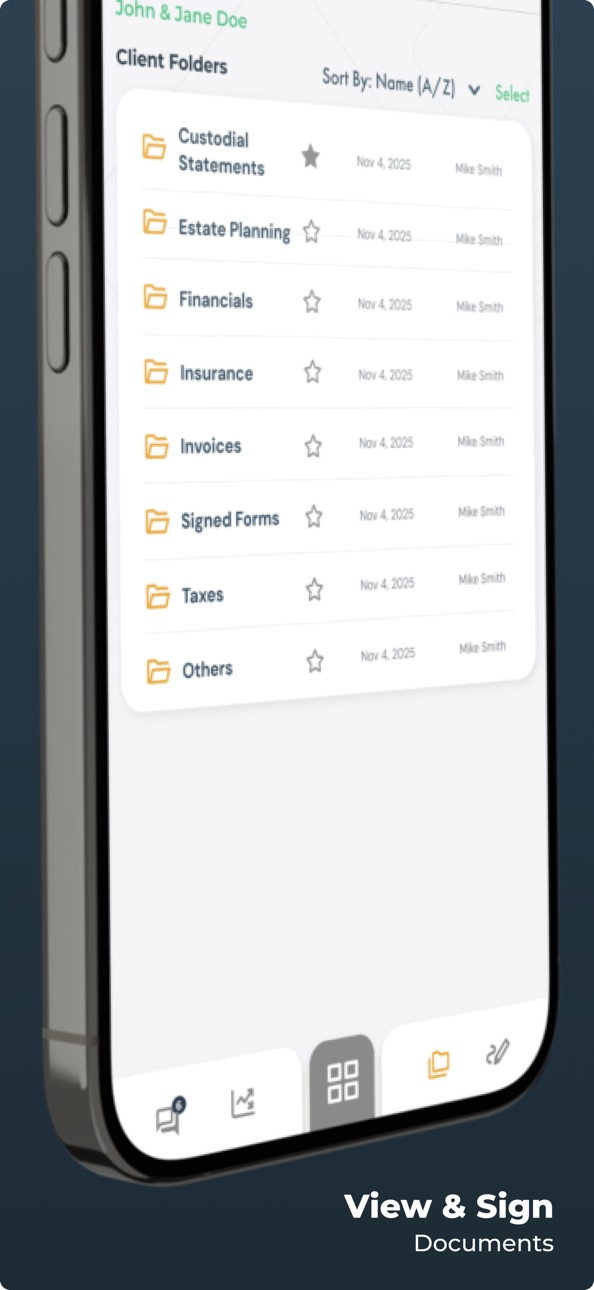
- Securely sign and share documents with confidence.
- Stay informed with tailored content that matters to you.
We know seamless communication and efficient information exchange are essential to your financial success. That’s why our enhanced portal is built to empower you every step of the way. Join us today and discover a transformative experience that elevates your financial journey.
Accessibility
ipadiphonemacrealityDevicetvoswatch
Version history 25 versions
Build 885396179v3.0.192026-05-08 11:49:51
- Minor changes
Build 881706717v3.0.152026-01-28 03:17:59
- Various improvements to caching and loading
- Improved UX for biometrics
- Misc changes
Build 881004116v3.0.132026-01-14 00:38:36
- Minor UI enhancements and consistency improvements
- Added Face ID reset if you hold down the Face ID button on the login page
- Misc fixes
Build 880858782v3.0.112025-12-22 13:01:48
- App now respects device font size
- Face ID now stays stored after session timeout
- Improved article formatting
- Minor fixes
Build 880554921v3.0.102025-12-15 14:35:10
What’s new in Moneta Central 3.0:
- Updated look and feel with flexible widgets dashboard for an all-in-one view
- Customizable dashboard with flexible widgets you can arrange to fit your needs
- Streamlined navigation bringing together messaging, documents, signatures, and real-time notifications
- Faster Performance with smoother loading, responsive widgets and content caching
- Pin conversations for quick access
- Enhanced conversation filters for better organization
- Archive/unarchive conversations easily
- Archived conversations reappear automatically when new messages arrive
- Texting menu item is now always visible for faster communication
- Minor bug fixes for a smoother experience
Build 877258591v2.9.002025-08-19 12:35:41
- Ability to pin conversations (Touch + Hold + Select `Pin` on conversation in list)
- Ability to archive/unarchive (Touch + Hold + Select `Archive` on conversation in list)
- Conversations reappear with new messages if it was archived
- Texting menu item is always visible
- Addressed additional scrolling issues
- Addressed minor issues with conversation filters
- Minor bug fixes
Build 876270154v2.8.912025-07-17 18:39:30
- Fixed scrolling bug
Build 875519067v2.8.902025-06-12 22:19:46
- New client homepage experience
- Additional conversation filters
- Updated designs
- Minor enhancements and changes
Build 875301467v2.8.802025-06-04 22:11:27
- Minor changes
Build 874429099v2.8.82025-05-01 19:07:20
- Integrated call forwarding for the texting feature
- Bug fixes and improvements
Build 872664893v2.8.72025-02-24 14:24:34
- The texting feature was upgraded to handle MMS (images, files, GIFs)
- Searching for texts was improved
• You can now search across all your conversations
• Clicking on a text result in search will take you directly to that text in the conversation
- The texting feature received minor UI enhancements and design alignments
- Client opt-in improvements:
• The mobile app now includes a push notification when a client opts in
- Updated iOS support
- Fixed general UI layout for new iPhone 16s
- Bug fixes and improvements
Build 869603084v2.8.62024-10-10 13:23:14
- Minor enhancements and QoL updates
Build 866892780v2.8.52024-06-24 05:42:06
- Fix network connection issues
Build 866507399v2.8.42024-06-13 22:37:07
- Minor changes
- Update iOS SDK
Build 864774792v2.8.22024-04-01 12:34:10
- New feature that will show a popup if your app is out of date
- Bug fixes
Build 863924035v2.8.02024-02-22 15:08:28
- Bug fixes and improvements
Build 863621325v2.7.02024-02-08 12:13:11
- Bug fixes and improvements to the investments feature.
Build 861668039v2.6.02024-01-17 19:17:25
Bug fixes and improvements
Build 860255852v2.4.02023-09-28 11:39:24
- The application was rebranded to Moneta Central, a centralized digital experience for clients and their service team.
- Search functionality was added to the ShareFile feature. Users can now directly search for a file or folder instead of navigating to it.
- Advisors can now decide to archive an article after a set cadence.
- General bug fixes and enhancements.
Build 859826827v2.3.02023-09-11 19:48:49
- Quiet Time now sends push notifications for all activity that occurred during the selected quiet hours, at the end of the quiet time.
- In the calendar feature, you can now click on the address of the conference room (or the address of another location) to get directions via Google Maps or Apple Maps.
Build 858874494v2.2.02023-08-01 16:07:34
• ShareFile now has push notifications.
• URL thumbnails were improved on messages.
• Image and chart formatting was improved on the home page.
• Investments Feature
• After launching eMoney, clients can now click the "Investments" icon to return to the summary page.
• The summary chart has been reformatted to fit the screen.
• After clicking on an individual account, "My Accounts" appears at the top so that the user can return to the selection screen.
• General bug fixes and enhancements.
Build 858094687v2.1.02023-06-27 12:41:07
- The mobile app now integrates with Orion to show portfolio investment detail.
- The font was updated for Messages (all users) and the Home page (clients only) to Segoe UI.
- General bug fixes.
Build 857643799v2.0.02023-06-06 19:11:38
- Users can now opt out of push notifications for articles.
- User preference page is now more efficient.
- Addresses in the Calendar feature can be opened directly in Google Maps or Apple Maps.
- Moneta employees will see a confirmation prompt before changing settings for a client.
- General bug fixes and improvements.
Build 856892707v1.8.02023-05-05 20:37:50
- Badge notifications that will appear on the app’s icon when you receive push notifications.
- ShareFile file type icons and better file name display.
- Improvements to thumbnails when sharing URL links via Messages.
- General bug fixes and improvements.
Build 856181709v1.7.02023-04-07 20:01:28
Bug fixes and enhancements.
No pricing data captured yet — comparisons appear once the app has paid storefronts or in-app purchases.
Availability 3 of 117 storefronts
| Region | Language | Price | Ratings | Avg | Version |
|---|---|---|---|---|---|
| US | en-US | Free | 10 | 5.0 | 3.0.19 |
| CA | en-CA | Free | 0 | — | 3.0.19 |
| GB | en-GB | Free | 0 | — | 3.0.19 |
Not available in: AE, AG, AI, AO, AR, AT, AU, BB, BE, BF, BH, BJ, BO, BR, BS, BW, BZ, CD, CG, CH, CI, CL, CM, CO, CR, CV, CZ, DE, DK, DM, DO, DZ, EC, EG, ES, FI, FR, GA, GD, GH, GM, GR, GT, GW, GY, HN, HU, IE, IL, IQ, IS, IT, JM, JO, KE, KN, KW, KY, LB, LC, LR, LT, LU, LY, MA, ME, MG, ML, MS, MU, MW, MX, MZ, NA, NE, NG, NI, NL, NO, NZ, OM, PA, PE, PL, PT, PY, QA, RO, RW, SA, SC, SE, SK, SL, SN, SR, ST, SV, SZ, TC, TD, TN, TR, TT, TZ, UA, UG, UY, VC, VE, VG, XK, ZM, ZW
Change log 28 changes · US
✎
releaseNotes updated
- Minor changes
✎
description updated
Welcome to Moneta Central 3.0 — Your Gateway to Smarter Financial Management
Experience the perfect blend of cutting-edge technology and personalized service de
✎
name updated
Moneta Central
◆
Version 3.0.19 released
- Minor changes
◆
Version 3.0.15 released
- Various improvements to caching and loading
- Improved UX for biometrics
- Misc changes
◆
Version 3.0.13 released
- Minor UI enhancements and consistency improvements
- Added Face ID reset if you hold down the Face ID button on the login page
- Misc fixes
◆
Version 3.0.11 released
- App now respects device font size
- Face ID now stays stored after session timeout
- Improved article formatting
- Minor fixes
◆
Version 3.0.10 released
What’s new in Moneta Central 3.0:
- Updated look and feel with flexible widgets dashboard for an all-in-one view
- Customizable dashboard with flexible widgets you can arrange to fit your needs
- Streamlined navigation bringing together mes
◆
Version 2.9.00 released
- Ability to pin conversations (Touch + Hold + Select `Pin` on conversation in list)
- Ability to archive/unarchive (Touch + Hold + Select `Archive` on conversation in list)
- Conversations reappear with new messages if it was archived
- Te
◆
Version 2.8.91 released
- Fixed scrolling bug
◆
Version 2.8.90 released
- New client homepage experience
- Additional conversation filters
- Updated designs
- Minor enhancements and changes
◆
Version 2.8.80 released
- Minor changes
◆
Version 2.8.8 released
- Integrated call forwarding for the texting feature
- Bug fixes and improvements
◆
Version 2.8.7 released
- The texting feature was upgraded to handle MMS (images, files, GIFs)
- Searching for texts was improved
• You can now search across all your conversations
• Clicking on a text result in search will take you directly to that text in th
◆
Version 2.8.6 released
- Minor enhancements and QoL updates
◆
Version 2.8.5 released
- Fix network connection issues
◆
Version 2.8.4 released
- Minor changes
- Update iOS SDK
◆
Version 2.8.2 released
- New feature that will show a popup if your app is out of date
- Bug fixes
◆
Version 2.8.0 released
- Bug fixes and improvements
◆
Version 2.7.0 released
- Bug fixes and improvements to the investments feature.
◆
Version 2.6.0 released
Bug fixes and improvements
◆
Version 2.4.0 released
- The application was rebranded to Moneta Central, a centralized digital experience for clients and their service team.
- Search functionality was added to the ShareFile feature. Users can now directly search for a file or folder instead of
◆
Version 2.3.0 released
- Quiet Time now sends push notifications for all activity that occurred during the selected quiet hours, at the end of the quiet time.
- In the calendar feature, you can now click on the address of the conference room (or the address of an
◆
Version 2.2.0 released
• ShareFile now has push notifications.
• URL thumbnails were improved on messages.
• Image and chart formatting was improved on the home page.
• Investments Feature
• After launching eMoney, clients can now click the "Investments" icon t
◆
Version 2.1.0 released
- The mobile app now integrates with Orion to show portfolio investment detail.
- The font was updated for Messages (all users) and the Home page (clients only) to Segoe UI.
- General bug fixes.
◆
Version 2.0.0 released
- Users can now opt out of push notifications for articles.
- User preference page is now more efficient.
- Addresses in the Calendar feature can be opened directly in Google Maps or Apple Maps.
- Moneta employees will see a confirmation pr
◆
Version 1.8.0 released
- Badge notifications that will appear on the app’s icon when you receive push notifications.
- ShareFile file type icons and better file name display.
- Improvements to thumbnails when sharing URL links via Messages.
- General bug fixes an
◆
Version 1.7.0 released
Bug fixes and enhancements.