Home › Business

 US
US
1 of 1 storefronts
Content in en-US
Content in en-US
Information
Preview 2 platforms
iPhone 5 images



iPad 6 images


What’s New Version 2.5.0
Release 2.5 includes the following:
- Enhanced Help page which now includes product documentation
Description
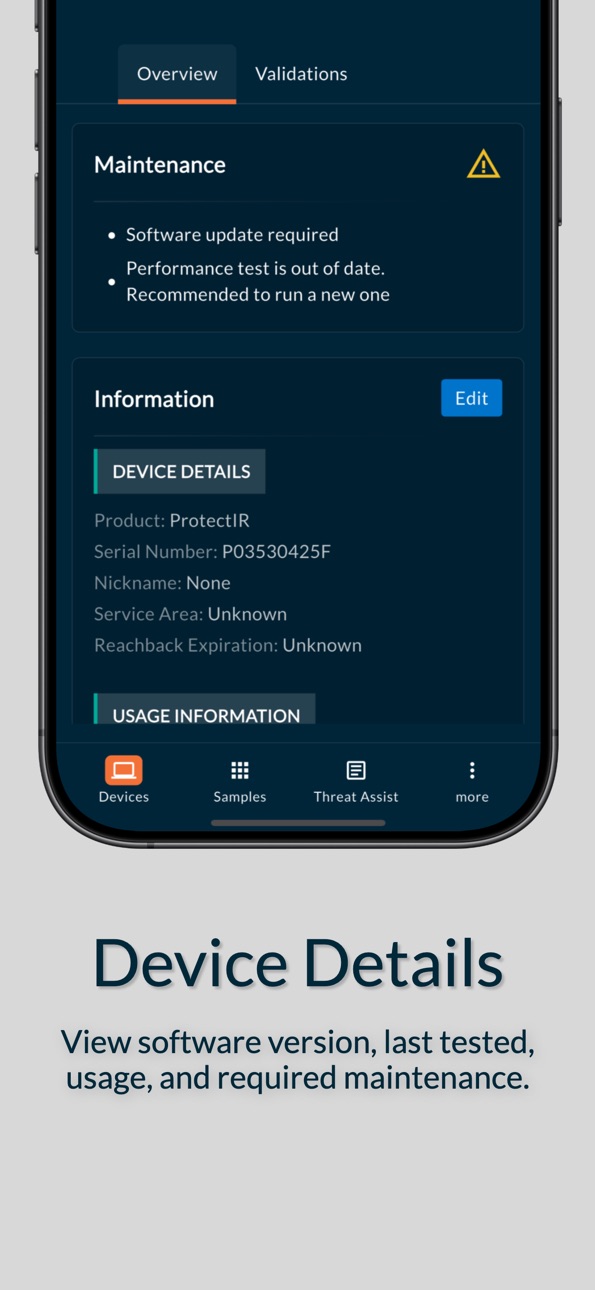
Team Leader is a must-have for government agencies that want to view their FTIR sensor data from anywhere, anytime. Sample information includes identifications, spectra with the ability to overlay results, and also gives you the ability to download sample files, like your sample SPC, reports, and more. You can also manage your device fleet by monitoring validation tests and software versions. Invite as many users as you need to ensure effective and efficient communication amongst your team. Or, search our 25,000+ compound library for chemical property and hazard information.
Accessibility
ipadiphonemacrealityDevicetvoswatch
Version history 25 versions
Build 886293093v2.5.02026-05-29 18:50:33
Release 2.5 includes the following:
- Enhanced Help page which now includes product documentation
Build 884205531v2.4.02026-04-06 23:34:55
2.4 includes the following:
- Minor UI updates to sample report PDF
- Carved out Raman libraries in Threat Assist -> Libraries page
- Fixed issue where users kept getting logged out after closing the app
Build 882023271v2.3.02026-02-01 18:53:56
Version 2.3.0 includes:
- Fix UX issue in Samples -> Filter form
- Fix issue where login credentials weren’t being cleared out after logging out
Build 881759717v2.2.02026-01-24 12:20:18
Version 2.2 includes:
- Ability for admin to delete users
- Fixed Resend MFA link
- Added Settings page
Build 879119981v2.1.112025-10-22 11:54:20
2.1 includes...
- Redesigned Team page
- Redesigned Profile page
- Fixed timezone issue
Build 876616945v2.0.72025-07-23 07:23:35
Release 2.0.7 includes the following changes...
- Added a filter to the Samples page
- Integrated VipIR into Team Leader
- Added ability to add/edit a device’s nickname
Build 873879532v2.0.42025-04-09 08:18:21
The following updates are included in 2.0.4:
- Made minor UI changes to the Help page.
- Added ability to copy answers in the Help page.
- Added ability to download documents in the Help page.
Build 873705948v2.0.32025-04-02 14:10:39
- UI updates
- Improved ability to download files
Build 860907865v1.0.172023-10-24 06:39:17
- fixed issue where some users couldn’t access MQTT services
- fixed TextField editing where cursor moves to end during editing
- fixed MQTT indicator status light
- made MQTT Service more reliable in background mode or internet is disconnected
Build 860467463v1.0.162023-10-10 10:22:09
Add improvements to Device Manager
Build 859574170v1.0.152023-08-31 21:58:27
Fixed a few minor bugs. Added ability to generate a report from the sample page.
Build 857843370v1.0.142023-06-15 07:14:48
- ability to create a PDF report
- changed link colors
- minor text edits
Build 856113853v1.0.132023-04-05 15:54:28
Device management features have been added.
Build 852954156v1.0112022-10-31 19:07:24
- added ability to search samples
- fixed an authentication issue
- adjusted font sizes on some pages
Build 852712273v1.0.102022-10-12 18:35:28
- Divided the sample detail page into tabs for easier navigation
- Added Reachback service
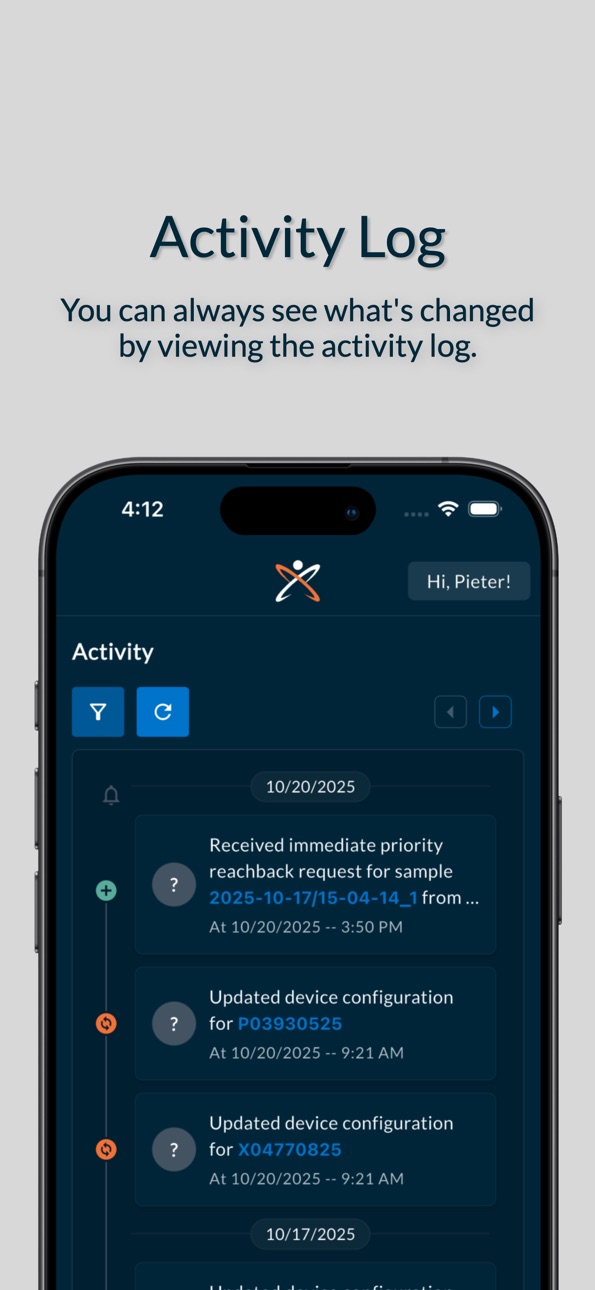
- Added Activity tab
Build 852252814v1.0.92022-09-19 21:55:34
- UI changes to splash page
- UI changes to Threat Assist detail page
- Added error messages to Forgot Password page
- Added agreement alert dialog box before using Threat Assist for first time users
Build 851782726v1.0.82022-08-24 17:19:51
- Added ability to retain Text Search results
- Added ability to change Top Hit
Build 851405817v1.0.72022-08-07 21:56:05
- added ability to do Text Searches
Build 850919677v1.0.62022-07-19 17:30:46
Added user profile page
Added “admin” badge to users list
Added ability to prevent disabled users from logging in
Added ability for users to reset their password
Fixed Forgot Password functionality
Build 849809075v1.0.52022-06-04 23:50:39
Notifications - a new “notifications” page has been added. You can access this page by clicking the bell icon in the top right of any screen. This notifications page displays your notification history. Clicking on a notification will take you to the notification’s details. For now, only “new sample” notifications are displayed but expect “device updates”, “release notes” and “sample updates” (when we add the ability to comment and add pictures to a sample) in the future.
System Notifications - you can also receive system notifications. These notifications will popup on your phone even when your app is running in the background. To turn these on, open the notifications page and toggle the “Get Notifications” switch at the top.
Zooming - doubleTap zooming has been added to spectral graphs
Crosshairs - longpressing on a spectral graph with now show you crosshairs with X/Y coordinates
Normalization - all library spectra data has been normalized
Build 848946491v1.0.42022-05-10 08:13:25
- Added ability to overlay library spectra for gas samples
- Added pinch-to-zoom capability to spectral graphs
- Moved map and address info to the bottom of the sample page
- Added ability to expand/collapse Primary/Mixture hit lists based on overall confidence > 95
- Fixed “blank screen” on 12.9" 5th Gen iPad
Build 848617677v1.0.32022-04-27 19:27:53
Added gas spectra to ThreatAssist
Build 848196039v1.0.22022-04-08 00:33:46
- Added ability to sort compound libraries by tags
- Added ability to filter samples by the past 3, 7, 14, 30 & 60 days
- Add page headers to all pages
Build 848053145v1.0.12022-04-01 17:31:58
- Added compound libraries
- Added pie charts to Mixture Analysis
- Added ability to open PDF and Image files
- Added device information on samples page
- Changed view of pictograms so they're all displayed vs hidden in a scrolling row
- Added list of last five samples on device page
Build 847580411v1.02022-03-16 11:30:45
No pricing data captured yet — comparisons appear once the app has paid storefronts or in-app purchases.
Availability 1 of 1 storefronts
| Region | Language | Price | Ratings | Avg | Version |
|---|---|---|---|---|---|
| US | en-US | Free | 9 | 5.0 | 2.5.0 |
Change log 29 changes · US
✎
releaseNotes updated
Release 2.5 includes the following:
- Enhanced Help page which now includes product documentation
✎
description updated
Team Leader is a must-have for government agencies that want to view their FTIR sensor data from anywhere, anytime. Sample information includes identifications
✎
subtitle updated
Realtime device data.
✎
name updated
Team Leader by 908 Devices
◆
Version 2.5.0 released
Release 2.5 includes the following:
- Enhanced Help page which now includes product documentation
◆
Version 2.4.0 released
2.4 includes the following:
- Minor UI updates to sample report PDF
- Carved out Raman libraries in Threat Assist -> Libraries page
- Fixed issue where users kept getting logged out after closing the app
◆
Version 2.3.0 released
Version 2.3.0 includes:
- Fix UX issue in Samples -> Filter form
- Fix issue where login credentials weren’t being cleared out after logging out
◆
Version 2.2.0 released
Version 2.2 includes:
- Ability for admin to delete users
- Fixed Resend MFA link
- Added Settings page
◆
Version 2.1.11 released
2.1 includes...
- Redesigned Team page
- Redesigned Profile page
- Fixed timezone issue
◆
Version 2.0.7 released
Release 2.0.7 includes the following changes...
- Added a filter to the Samples page
- Integrated VipIR into Team Leader
- Added ability to add/edit a device’s nickname
◆
Version 2.0.4 released
The following updates are included in 2.0.4:
- Made minor UI changes to the Help page.
- Added ability to copy answers in the Help page.
- Added ability to download documents in the Help page.
◆
Version 2.0.3 released
- UI updates
- Improved ability to download files
◆
Version 1.0.17 released
- fixed issue where some users couldn’t access MQTT services
- fixed TextField editing where cursor moves to end during editing
- fixed MQTT indicator status light
- made MQTT Service more reliable in background mode or internet is disconne
◆
Version 1.0.16 released
Add improvements to Device Manager
◆
Version 1.0.15 released
Fixed a few minor bugs. Added ability to generate a report from the sample page.
◆
Version 1.0.14 released
- ability to create a PDF report
- changed link colors
- minor text edits
◆
Version 1.0.13 released
Device management features have been added.
◆
Version 1.011 released
- added ability to search samples
- fixed an authentication issue
- adjusted font sizes on some pages
◆
Version 1.0.10 released
- Divided the sample detail page into tabs for easier navigation
- Added Reachback service
- Added Activity tab
◆
Version 1.0.9 released
- UI changes to splash page
- UI changes to Threat Assist detail page
- Added error messages to Forgot Password page
- Added agreement alert dialog box before using Threat Assist for first time users
◆
Version 1.0.8 released
- Added ability to retain Text Search results
- Added ability to change Top Hit
◆
Version 1.0.7 released
- added ability to do Text Searches
◆
Version 1.0.6 released
Added user profile page
Added “admin” badge to users list
Added ability to prevent disabled users from logging in
Added ability for users to reset their password
Fixed Forgot Password functionality
◆
Version 1.0.5 released
Notifications - a new “notifications” page has been added. You can access this page by clicking the bell icon in the top right of any screen. This notifications page displays your notification history. Clicking on a notification will take
◆
Version 1.0.4 released
- Added ability to overlay library spectra for gas samples
- Added pinch-to-zoom capability to spectral graphs
- Moved map and address info to the bottom of the sample page
- Added ability to expand/collapse Primary/Mixture hit lists based
◆
Version 1.0.3 released
Added gas spectra to ThreatAssist
◆
Version 1.0.2 released
- Added ability to sort compound libraries by tags
- Added ability to filter samples by the past 3, 7, 14, 30 & 60 days
- Add page headers to all pages
◆
Version 1.0.1 released
- Added compound libraries
- Added pie charts to Mixture Analysis
- Added ability to open PDF and Image files
- Added device information on samples page
- Changed view of pictograms so they're all displayed vs hidden in a scrolling row
- Ad
◆
Version 1.0 released