Home › Music

 US
US
1 of 1 storefronts
Content in en-US
Content in en-US
Information
Preview 2 platforms
iPhone 10 images




iPad 10 images




What’s New Version 2.6
A Tuner Made for Guitar
The built-in tuner now has a guitar mode built around the way guitarists actually tune:
• A guitar headstock shows exactly which string to turn
• Tap any string to hear its reference pitch and tune by ear
• Alternate tunings — Drop D, Half-Step Down, DADGAD, Open G, and more
Also new: read PDFs with continuous vertical scrolling plus general improvements and bug fixes.
Description
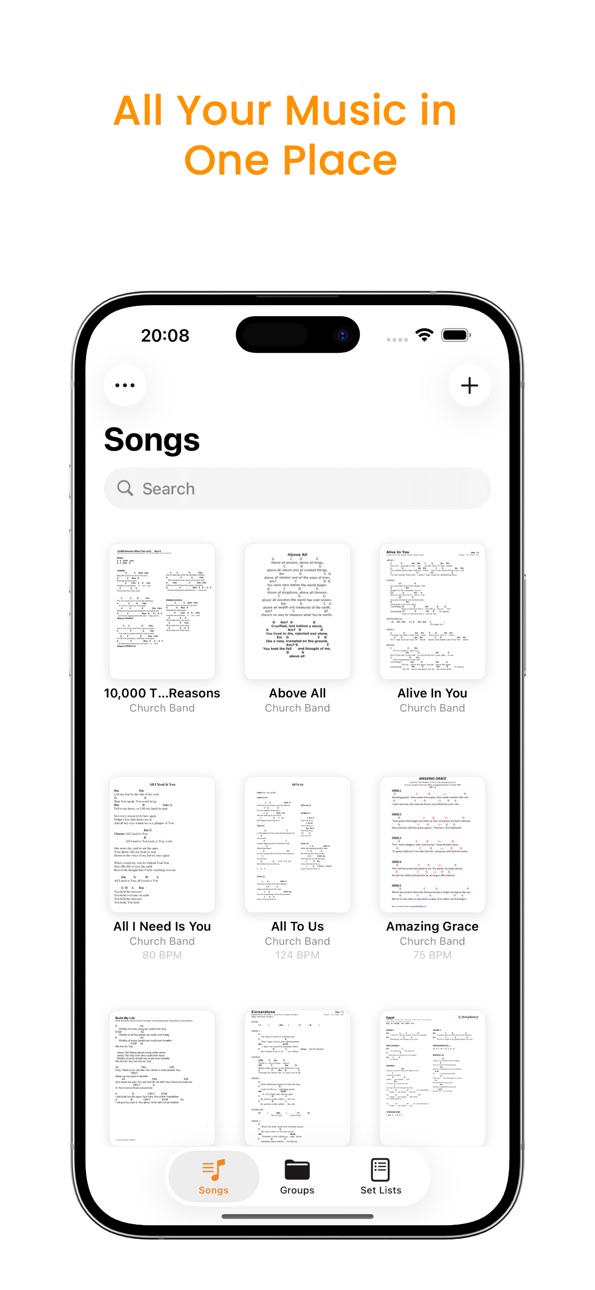
Music Folder is the sheet music organizer built for performing musicians. Import your PDFs, sort them into groups and set lists, annotate your scores, and keep everything in sync across your devices — with the tools you need on stage built right in.
ORGANIZE YOUR WHOLE LIBRARY
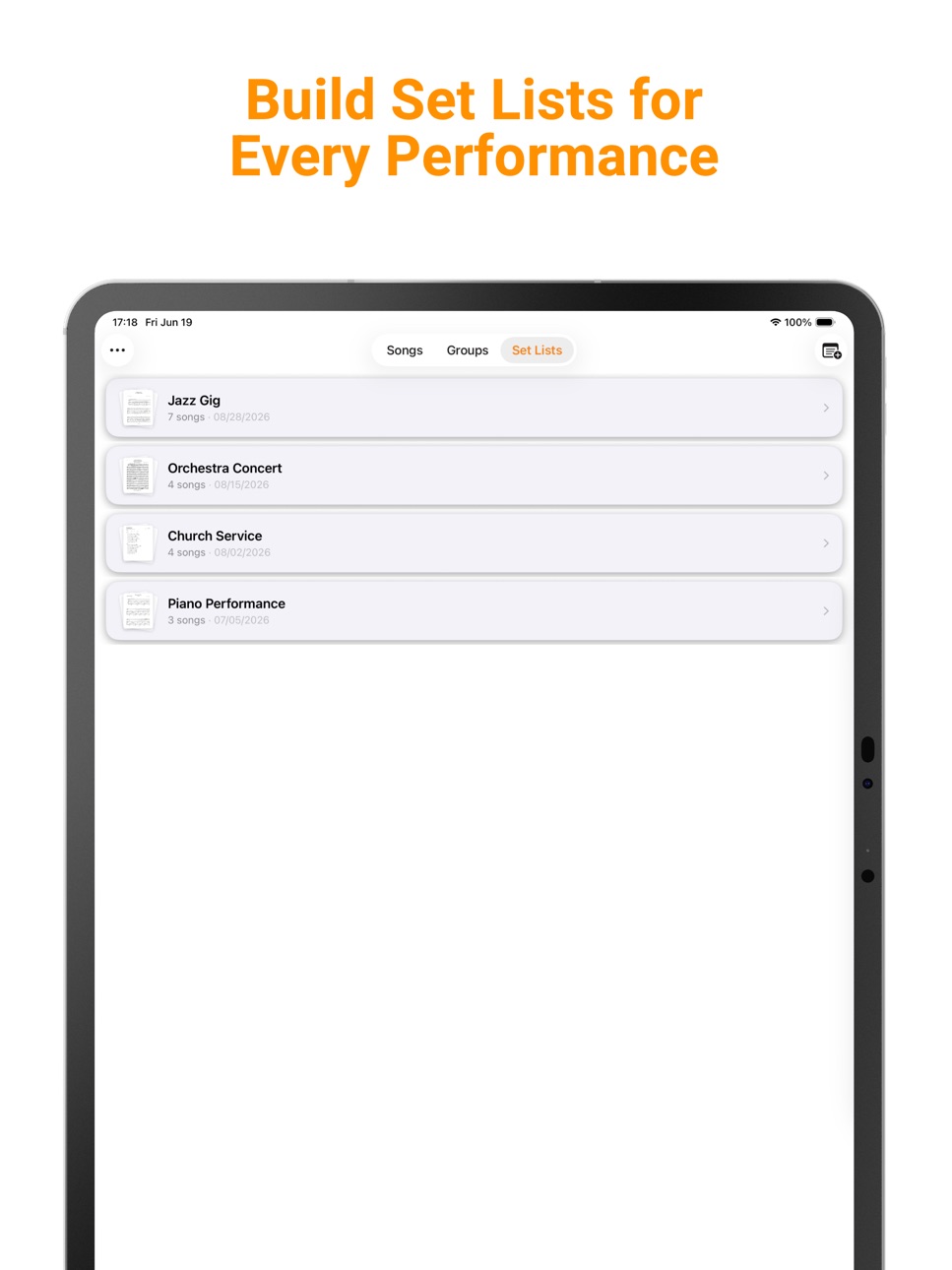
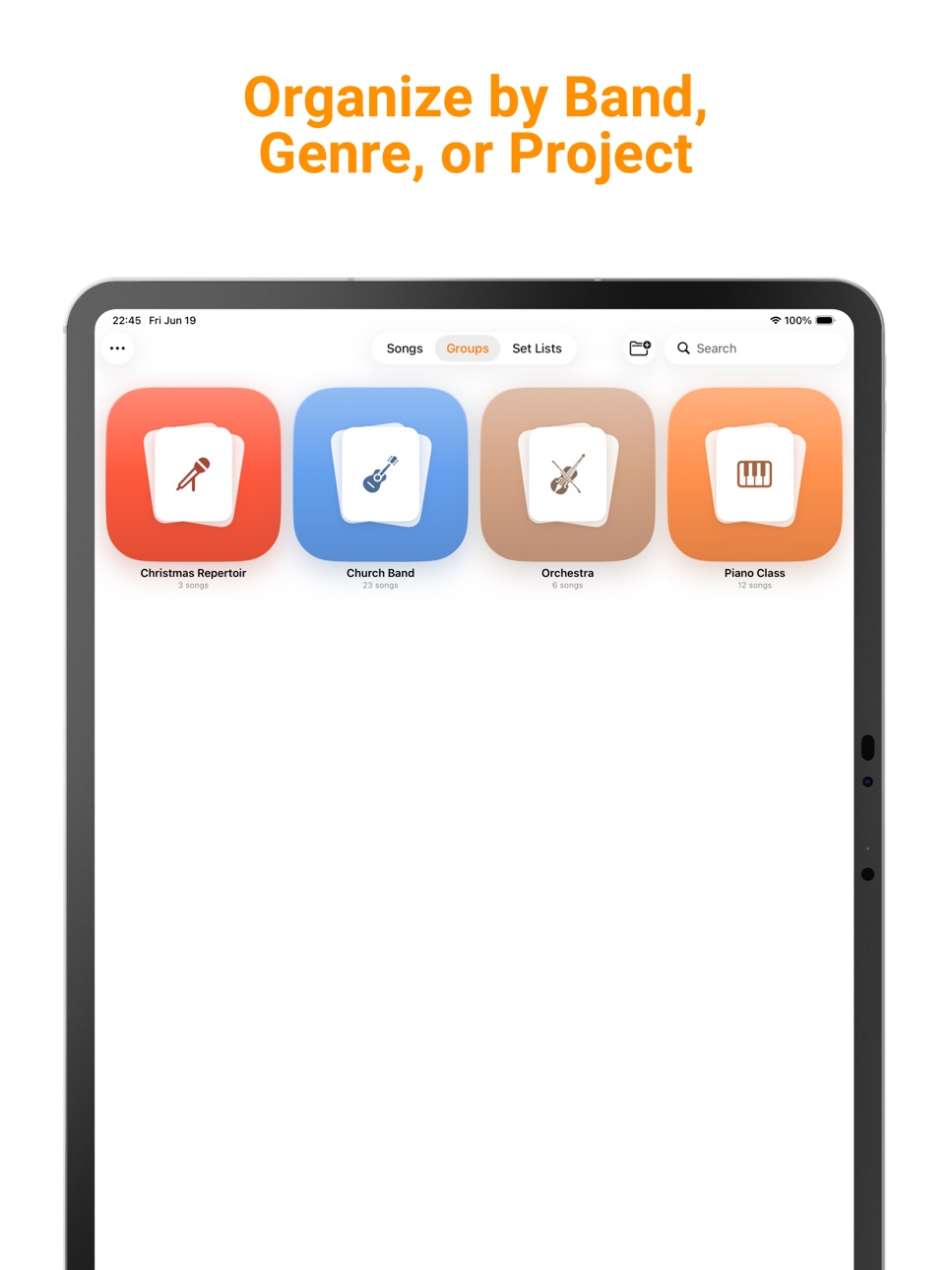
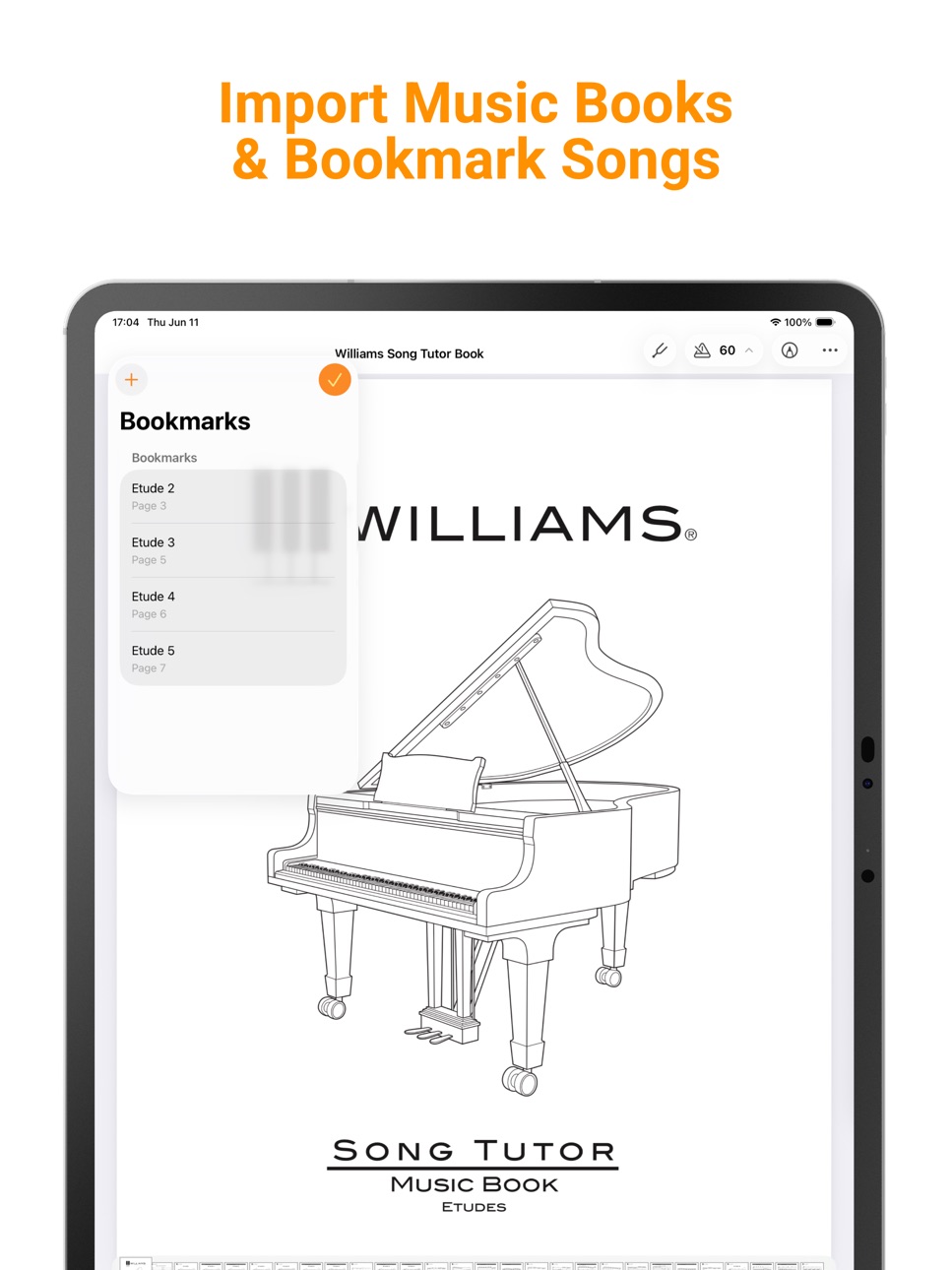
Bring all your sheet music into one place and keep it tidy. Sort pieces into groups by band, ensemble, or instrument, and build a set list for every concert, service, or rehearsal — reordered into the exact order you'll perform. For longer books, add bookmarks so you can jump straight to the piece you need.
READ YOUR WAY
Read page by page, or switch on continuous vertical scrolling — whichever suits the piece and your style. A built-in scanner turns paper sheet music into clean PDFs, and a Bluetooth page-turner pedal lets you keep both hands on your instrument.
ANNOTATE ON THE PAGE
Mark up your music with your finger, Apple Pencil, or any stylus. Add notes, fingerings, and reminders right on the score — they save automatically.
PRACTICE TOOLS, ONE TAP AWAY
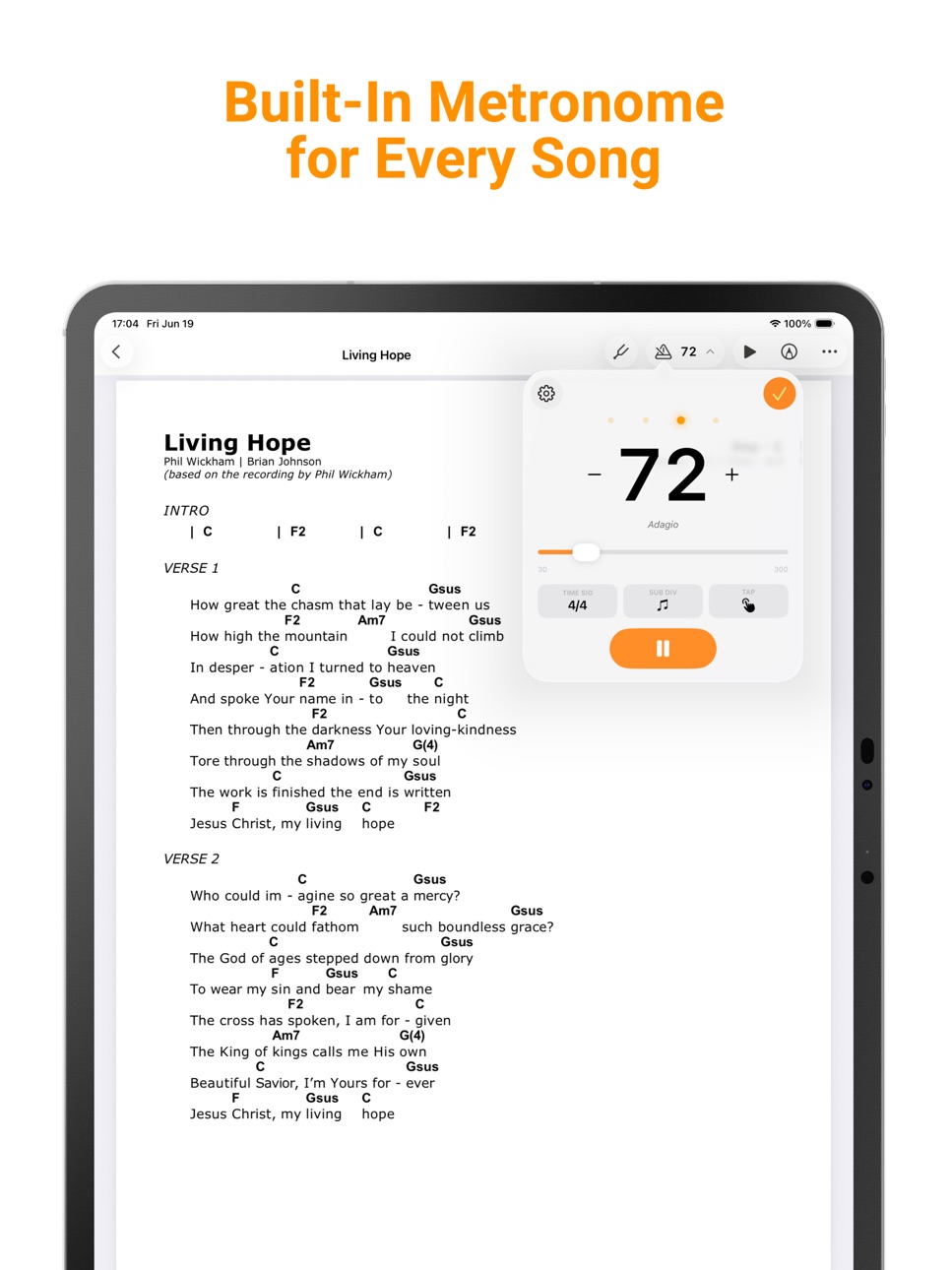
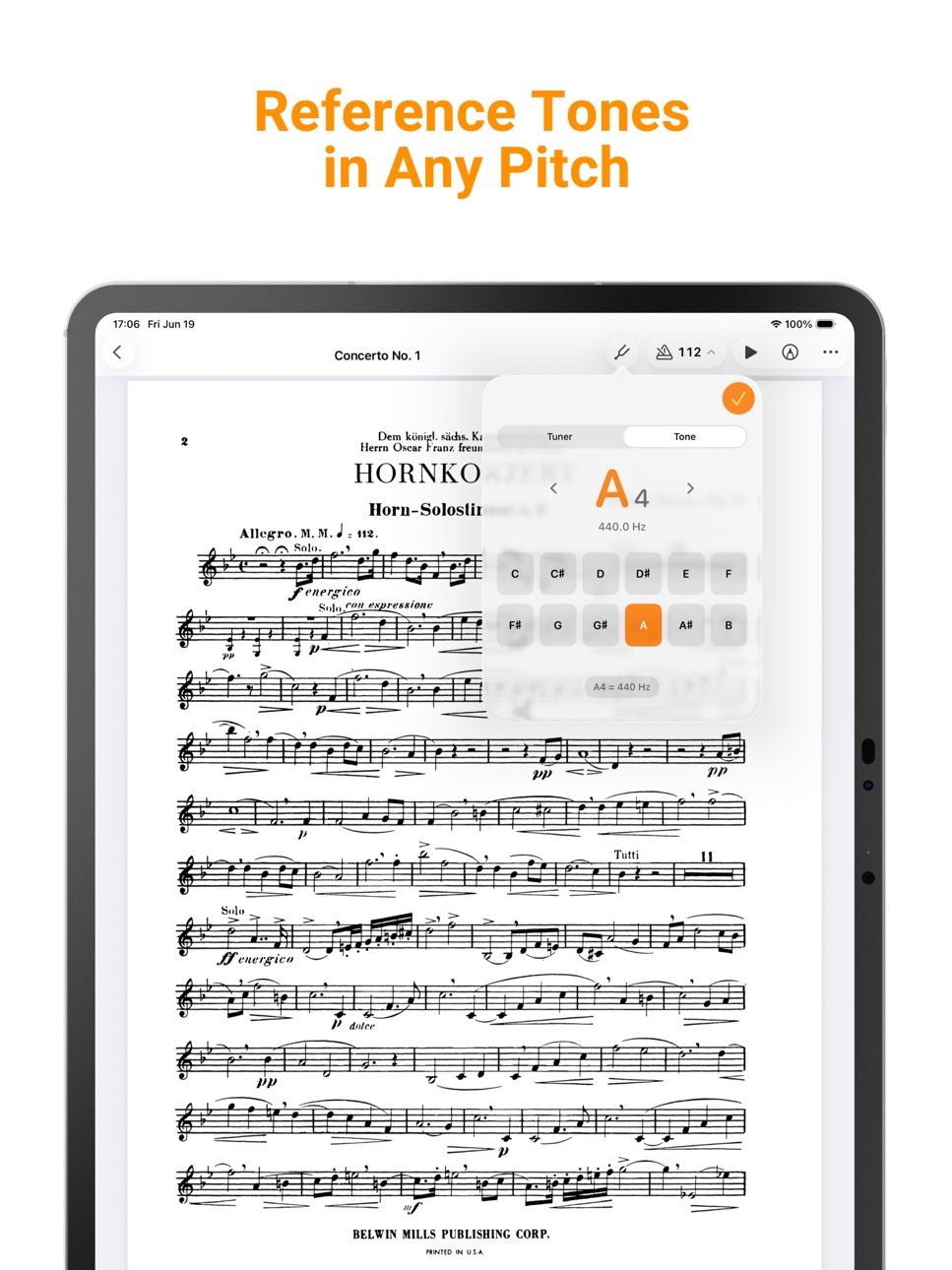
A metronome and a chromatic tuner are always within reach while you read, so you can set a tempo or tune up without leaving your music. The tuner includes a guitar mode with alternate tunings like Drop D and DADGAD.
EVERYTHING IN SYNC
Your library syncs across your iOS devices through iCloud, so your music is the same everywhere you sign in under the same account.
IMPORT FROM ANYWHERE
Add music from the Files app, AirDrop, email, and more — and import in bulk when you're setting up.
Built for bands, orchestras, choirs, worship teams, and solo musicians — anyone who wants their sheet music organized and ready to perform.
Accessibility
ipadiphonemacrealityDevicetvoswatch
Version history 25 versions
Build 887301389v2.62026-06-23 13:57:36
A Tuner Made for Guitar
The built-in tuner now has a guitar mode built around the way guitarists actually tune:
• A guitar headstock shows exactly which string to turn
• Tap any string to hear its reference pitch and tune by ear
• Alternate tunings — Drop D, Half-Step Down, DADGAD, Open G, and more
Also new: read PDFs with continuous vertical scrolling plus general improvements and bug fixes.
Build 887235388v2.5.12026-06-21 14:52:08
Play Along — you can now attach audio to any song.
• Record a take with the mic, import an audio file, or add a track from your Music library
• Tap play in the reader to hear it while you follow the sheet music
• Your recordings sync across all your devices with iCloud
Also includes general improvements and bug fixes.
Questions or feedback? musicfolder.app@gmail.com
Build 887206629v2.52026-06-20 20:50:56
Play Along — you can now attach audio to any song.
• Record a take with the mic, import an audio file, or add a track from your Music library
• Tap play in the reader to hear it while you follow the sheet music
• Your recordings sync across all your devices with iCloud
Also includes general improvements and bug fixes.
Questions or feedback? musicfolder.app@gmail.com
Build 887002463v2.42026-06-16 17:52:14
Browse Free Sheet Music
Discover thousands of free, public-domain scores without leaving the app. Browse by composer or instrument, search by title, composer, or instrument, preview any piece full-screen, and add it to your library with one tap.
Also in this update:
• Search your library by composer, not just title
• Bug fixes
Build 886909563v2.3.12026-06-13 18:29:24
Meet the Tuner
Tune any instrument without leaving your music. Switch to Tone to play a reference pitch for tuning by ear, on any note in any octave. Concert pitch is adjustable (A4 = 415–466 Hz) and shared between both modes.
Build 886851334v2.3.02026-06-12 16:18:47
Meet the Tuner
Tune any instrument without leaving your music. Switch to Tone to play a reference pitch for tuning by ear, on any note in any octave. Concert pitch is adjustable (A4 = 415–466 Hz) and shared between both modes.
Build 886806605v2.2.32026-06-11 17:42:11
• Add text annotations to your sheet music - tap the new + button in Annotate to drop notes anywhere on a page.
• Share songs as standard PDFs with all annotations baked in and opens in any PDF app.
• Reliability improvements to keep your library safe across updates and iCloud sync.
Build 886168374v2.2.22026-05-27 00:21:51
• Expanded Metronome — Practice with subdivisions, tap tempo, custom time signatures, and personalized settings
• Music Books & Bookmarks — Import full music books and bookmark individual songs within them
• Bulk Import — Add multiple PDFs at once from a single screen
• Share Groups & Set Lists — Send an entire group or set list as one file with all songs included
• Multiple Groups — Songs can now belong to more than one group
• Redesigned UI — Refreshed interface optimized for iOS 26 and iPad
• Help & Support — Quick access to FAQ, contact, and feedback from the ⋯ menu on any tab
• Bug fixes and performance improvements
Build 886128437v2.2.12026-05-26 18:21:55
• Expanded Metronome — Practice with subdivisions, tap tempo, custom time signatures, and personalized settings
• Music Books & Bookmarks — Import full music books and bookmark individual songs within them
• Bulk Import — Add multiple PDFs at once from a single screen
• Share Groups & Set Lists — Send an entire group or set list as one file with all songs included
• Multiple Groups — Songs can now belong to more than one group
• Redesigned UI — Refreshed interface optimized for iOS 26 and iPad
• Help & Support — Quick access to FAQ, contact, and feedback from the ⋯ menu on any tab
• Bug fixes and performance improvements
Build 885962180v2.1.52026-05-21 17:58:49
• Music Books & Bookmarks — Import full music books and bookmark individual songs within them
• Bulk Import — Add multiple PDFs at once from a single screen
• Share Groups & Set Lists — Send an entire group or set list as one file with all songs included
• Multiple Groups — Songs can now belong to more than one group
• Redesigned UI — Refreshed interface optimized for iOS 26 and iPad
• Help & Support — Quick access to FAQ, contact, and feedback from the ⋯ menu on any tab
• Bug fixes and performance improvements
Build 885836071v2.1.42026-05-19 16:10:01
• Music Books & Bookmarks — Import full music books and bookmark individual songs within them
• Bulk Import — Add multiple PDFs at once from a single screen
• Share Groups & Set Lists — Send an entire group or set list as one file with all songs included
• Multiple Groups — Songs can now belong to more than one group
• Redesigned UI — Refreshed interface optimized for iOS 26 and iPad
• Help & Support — Quick access to FAQ, contact, and feedback from the ⋯ menu on any tab
• Bug fixes and performance improvements
Build 885784758v2.1.32026-05-18 21:48:15
• Music Books & Bookmarks — Import full music books and bookmark individual songs within them
• Bulk Import — Add multiple PDFs at once from a single screen
• Share Groups & Set Lists — Send an entire group or set list as one file with all songs included
• Multiple Groups — Songs can now belong to more than one group
• Redesigned UI — Refreshed interface optimized for iOS 26 and iPad
• Bug fixes and performance improvements
Build 885735462v2.1.22026-05-16 22:31:12
• Music Books & Bookmarks — Import full music books and bookmark individual songs within them
• Bulk Import — Add multiple PDFs at once from a single screen
• Share Groups & Set Lists — Send an entire group or set list as one file with all songs included
• Multiple Groups — Songs can now belong to more than one group
• Redesigned UI — Refreshed interface optimized for iOS 26 and iPad
• Bug fixes and performance improvements
Build 885669905v2.1.12026-05-14 20:42:11
• Music Books & Bookmarks — Import full music books and bookmark individual songs within them
• Bulk Import — Add multiple PDFs at once from a single screen
• Share Groups & Set Lists — Send an entire group or set list as one file with all songs included
• Multiple Groups — Songs can now belong to more than one group
• Redesigned UI — Refreshed interface optimized for iOS 26 and iPad
• Bug fixes and performance improvements
Build 885543319v2.12026-05-12 19:20:19
• Music Books & Bookmarks — Import full music books and bookmark individual songs within them
• Bulk Import — Add multiple PDFs at once from a single screen
• Share Groups & Set Lists — Send an entire group or set list as one file with all songs included
• Multiple Groups — Songs can now belong to more than one group
• Dark PDF Background — Easier reading on stage and in low light
• Redesigned UI — Refreshed interface optimized for iOS 26 and iPad
• Bug fixes and performance improvements
Build 885477584v2.02026-05-11 18:35:13
Music Folder 2.0 — a major update:
• Music Books & Bookmarks — Import full music books and bookmark individual songs within them
• Bulk Import — Add multiple PDFs at once from a single screen
• Share Groups & Set Lists — Send an entire group or set list as one file with all songs included
• Multiple Groups — Songs can now belong to more than one group
• Dark PDF Background — Easier reading on stage and in low light
• Redesigned UI — Refreshed interface optimized for iOS 26 and iPad
• Bug fixes and performance improvements
Build 851912581v1.72022-08-30 20:32:04
Thanks for using Music Folder! This release includes bug fixes and improvements to your workflow.
Build 851321413v1.62022-08-03 20:09:29
Thanks for using Music Folder! This release includes bug fixes and improvements to your workflow.
Build 850923382v1.52022-07-20 18:49:51
Thanks for using Music Folder! This release includes bug fixes and improvements to your workflow.
Build 850869456v1.42022-07-15 19:40:49
Thanks for using Music Folder! This release includes bug fixes and improvements to your workflow.
Build 849109331v1.32022-05-15 04:23:56
Thanks for using Music Folder! This release includes bug fixes and improvements to your workflow.
Build 848559655v1.22022-04-24 22:00:09
Thanks for using Music Folder! This release includes bug fixes and improvements to your workflow.
Build 848536465v1.12022-04-23 16:41:49
Bug fixes
Build 848469218v1.0.12022-04-21 16:48:03
In-app purchases are now available to use the premium version.
Build 847398700v1.02022-04-20 18:51:03
No pricing data captured yet — comparisons appear once the app has paid storefronts or in-app purchases.
Availability 1 of 1 storefronts
| Region | Language | Price | Ratings | Avg | Version |
|---|---|---|---|---|---|
| US | en-US | Free | 22 | 4.4 | 2.6 |
Change log 29 changes · US
✎
releaseNotes updated
A Tuner Made for Guitar
The built-in tuner now has a guitar mode built around the way guitarists actually tune:
• A guitar headstock shows exactly which string
✎
description updated
Music Folder is the sheet music organizer built for performing musicians. Import your PDFs, sort them into groups and set lists, annotate your scores, and keep
✎
subtitle updated
Organizer, Scanner & Reader
✎
name updated
Music Folder: Sheet Music PDF
◆
Version 2.6 released
A Tuner Made for Guitar
The built-in tuner now has a guitar mode built around the way guitarists actually tune:
• A guitar headstock shows exactly which string to turn
• Tap any string to hear its reference pitch and tune by ear
• Alternate
◆
Version 2.5.1 released
Play Along — you can now attach audio to any song.
• Record a take with the mic, import an audio file, or add a track from your Music library
• Tap play in the reader to hear it while you follow the sheet music
• Your recordings sync acros
◆
Version 2.5 released
Play Along — you can now attach audio to any song.
• Record a take with the mic, import an audio file, or add a track from your Music library
• Tap play in the reader to hear it while you follow the sheet music
• Your recordings sync acros
◆
Version 2.4 released
Browse Free Sheet Music
Discover thousands of free, public-domain scores without leaving the app. Browse by composer or instrument, search by title, composer, or instrument, preview any piece full-screen, and add it to your library with one
◆
Version 2.3.1 released
Meet the Tuner
Tune any instrument without leaving your music. Switch to Tone to play a reference pitch for tuning by ear, on any note in any octave. Concert pitch is adjustable (A4 = 415–466 Hz) and shared between both modes.
◆
Version 2.3.0 released
Meet the Tuner
Tune any instrument without leaving your music. Switch to Tone to play a reference pitch for tuning by ear, on any note in any octave. Concert pitch is adjustable (A4 = 415–466 Hz) and shared between both modes.
◆
Version 2.2.3 released
• Add text annotations to your sheet music - tap the new + button in Annotate to drop notes anywhere on a page.
• Share songs as standard PDFs with all annotations baked in and opens in any PDF app.
• Reliability improvements to keep your l
◆
Version 2.2.2 released
• Expanded Metronome — Practice with subdivisions, tap tempo, custom time signatures, and personalized settings
• Music Books & Bookmarks — Import full music books and bookmark individual songs within them
• Bulk Import — Add multiple PDFs
◆
Version 2.2.1 released
• Expanded Metronome — Practice with subdivisions, tap tempo, custom time signatures, and personalized settings
• Music Books & Bookmarks — Import full music books and bookmark individual songs within them
• Bulk Import — Add multiple PDFs
◆
Version 2.1.5 released
• Music Books & Bookmarks — Import full music books and bookmark individual songs within them
• Bulk Import — Add multiple PDFs at once from a single screen
• Share Groups & Set Lists — Send an entire group or set list as one file with all
◆
Version 2.1.4 released
• Music Books & Bookmarks — Import full music books and bookmark individual songs within them
• Bulk Import — Add multiple PDFs at once from a single screen
• Share Groups & Set Lists — Send an entire group or set list as one file with all
◆
Version 2.1.3 released
• Music Books & Bookmarks — Import full music books and bookmark individual songs within them
• Bulk Import — Add multiple PDFs at once from a single screen
• Share Groups & Set Lists — Send an entire group or set list as one file with all
◆
Version 2.1.2 released
• Music Books & Bookmarks — Import full music books and bookmark individual songs within them
• Bulk Import — Add multiple PDFs at once from a single screen
• Share Groups & Set Lists — Send an entire group or set list as one file with all
◆
Version 2.1.1 released
• Music Books & Bookmarks — Import full music books and bookmark individual songs within them
• Bulk Import — Add multiple PDFs at once from a single screen
• Share Groups & Set Lists — Send an entire group or set list as one file with all
◆
Version 2.1 released
• Music Books & Bookmarks — Import full music books and bookmark individual songs within them
• Bulk Import — Add multiple PDFs at once from a single screen
• Share Groups & Set Lists — Send an entire group or set list as one file with all
◆
Version 2.0 released
Music Folder 2.0 — a major update:
• Music Books & Bookmarks — Import full music books and bookmark individual songs within them
• Bulk Import — Add multiple PDFs at once from a single screen
• Share Groups & Set Lists — Send an entire gro
◆
Version 1.7 released
Thanks for using Music Folder! This release includes bug fixes and improvements to your workflow.
◆
Version 1.6 released
Thanks for using Music Folder! This release includes bug fixes and improvements to your workflow.
◆
Version 1.5 released
Thanks for using Music Folder! This release includes bug fixes and improvements to your workflow.
◆
Version 1.4 released
Thanks for using Music Folder! This release includes bug fixes and improvements to your workflow.
◆
Version 1.3 released
Thanks for using Music Folder! This release includes bug fixes and improvements to your workflow.
◆
Version 1.2 released
Thanks for using Music Folder! This release includes bug fixes and improvements to your workflow.
◆
Version 1.1 released
Bug fixes
◆
Version 1.0.1 released
In-app purchases are now available to use the premium version.
◆
Version 1.0 released