Home › Productivity

 US
US
1 of 1 storefronts
Content in en-US
Content in en-US
Information
Apple ID1599281978
Bundle IDcom.wago.smartscript
SellerSeller
Min iOS12.2
Min macOS11.0
Device familiesiphone, ipad, ipod
Released2024-11-05
Copyright© 2024 WAGO GmbH & Co. KG
Privacy policyLink ↗
Preview 2 platforms
iPhone 5 images

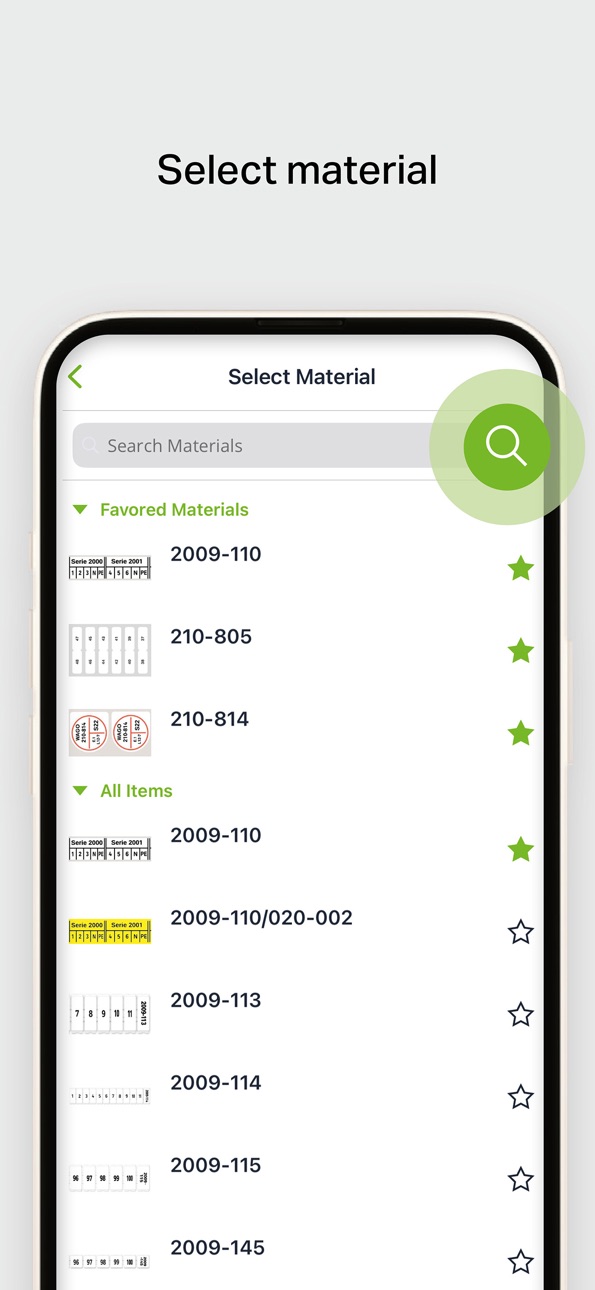


iPad 5 images


What’s New Version 1.2.1
- added new materials 210-816, 2009-141, 211-170 and 2009-110/020-000
- improved printability of several materials
Description
Our free intuitive marking app now lets you flexibly print your marking solutions from your current location anywhere - whether on the shop floor or at the construction site. How? Simply open the app on your mobile device (smartphone or tablet) and print out your marking via Bluetooth® using our WAGO Thermal Transfer Smart Printer.
Our marking app provides significant time savings in your marking process - thanks above all to automatically generated content. Simply pick the marking media you need, insert your text in the editor - taking advantage of the automatic text suggestion feature - and then start the print job directly at your current location for immediate mobile marking.
Functions:
- Create various marking accessories: labels for devices, marking strips for components, marking for conductors
- Automatic text suggestion feature with automatic formatting
- Connection and printing via Bluetooth® with the WAGO Thermal Transfer Smart Printer
- Saving and managing of projects
Benefits:
- Can be used offline via smartphone or tablet
- Use from any location - Maximum versatility
- Intuitive operation
Possible applications:
- In production/on the shop floor
- Mobile use at the construction site
Compatibility:
- Free application
Accessibility
ipadiphonemacrealityDevicetvoswatch
Version history 6 versions
Build 884798069v1.2.12026-04-28 01:51:22
- added new materials 210-816, 2009-141, 211-170 and 2009-110/020-000
- improved printability of several materials
Build 874431972v1.22025-08-06 18:23:51
Network Printing Support
- You can now print via network using Smart Printers of the second generation, connecting them via an automatic search or add them manually.
Improvements
- The on-screen keyboard now behaves more intuitively across multiple pages.
- Removed adapters from series selection.
Build 873433469v1.1.12025-03-21 22:55:25
- fixed an issue where opening the grid insertion could crash the app
- fixed an issue where new grids were created instead of text boxes when navigating
- added missing translations
Build 872443195v1.12025-02-13 06:23:43
NEW FEATURES:
- added capability to change print settings
- added capability to add new grids on TOPJOB® S markings
- extended WAGO icon set
IMPROVEMENTS:
- slight visual updates
Build 871661239v1.0.12025-01-10 19:15:10
- fixed a crash during printer search
Build 845820105v1.02024-11-06 07:48:05
No pricing data captured yet — comparisons appear once the app has paid storefronts or in-app purchases.
Availability 1 of 1 storefronts
| Region | Language | Price | Ratings | Avg | Version |
|---|---|---|---|---|---|
| US | en-US | Free | 0 | — | 1.2.1 |
Change log 10 changes · US
✎
releaseNotes updated
- added new materials 210-816, 2009-141, 211-170 and 2009-110/020-000
- improved printability of several materials
✎
description updated
Our free intuitive marking app now lets you flexibly print your marking solutions from your current location anywhere - whether on the shop floor or at the cons
✎
subtitle updated
Mobile Marking
✎
name updated
WAGO Smart Script
◆
Version 1.2.1 released
- added new materials 210-816, 2009-141, 211-170 and 2009-110/020-000
- improved printability of several materials
◆
Version 1.2 released
Network Printing Support
- You can now print via network using Smart Printers of the second generation, connecting them via an automatic search or add them manually.
Improvements
- The on-screen keyboard now behaves more intuitively across
◆
Version 1.1.1 released
- fixed an issue where opening the grid insertion could crash the app
- fixed an issue where new grids were created instead of text boxes when navigating
- added missing translations
◆
Version 1.1 released
NEW FEATURES:
- added capability to change print settings
- added capability to add new grids on TOPJOB® S markings
- extended WAGO icon set
IMPROVEMENTS:
- slight visual updates
◆
Version 1.0.1 released
- fixed a crash during printer search
◆
Version 1.0 released