Home › Productivity

 US
US
1 of 1 storefronts
Content in en-US
Content in en-US
Information
Preview 3 platforms

iPhone 10 images



iPad 7 images




Mac 7 images


What’s New Version 3.1.716
What's New:
- We've added quick access buttons to easily view completed tasks and priority tasks.
- You can now choose a favorite external calendar where new activities will be added automatically.
- We've added a new task list view, alongside the staggered card view, so you can see the activities inside each list at a glance.
- When creating a new activity, the duration picker now shows possible overlapping activities.
- Various other fixes and improvements
Let us know what you think!
Description
The Moleskine Planner App (previously Moleskine Balance) combines minimalistic design with powerful functionality, offering you a seamless way to manage your calendars and tasks all in one place.
Whether you're a student or a professional, Moleskine Planner allows you to visually organize your day with all the details you need to ensure nothing is forgotten.
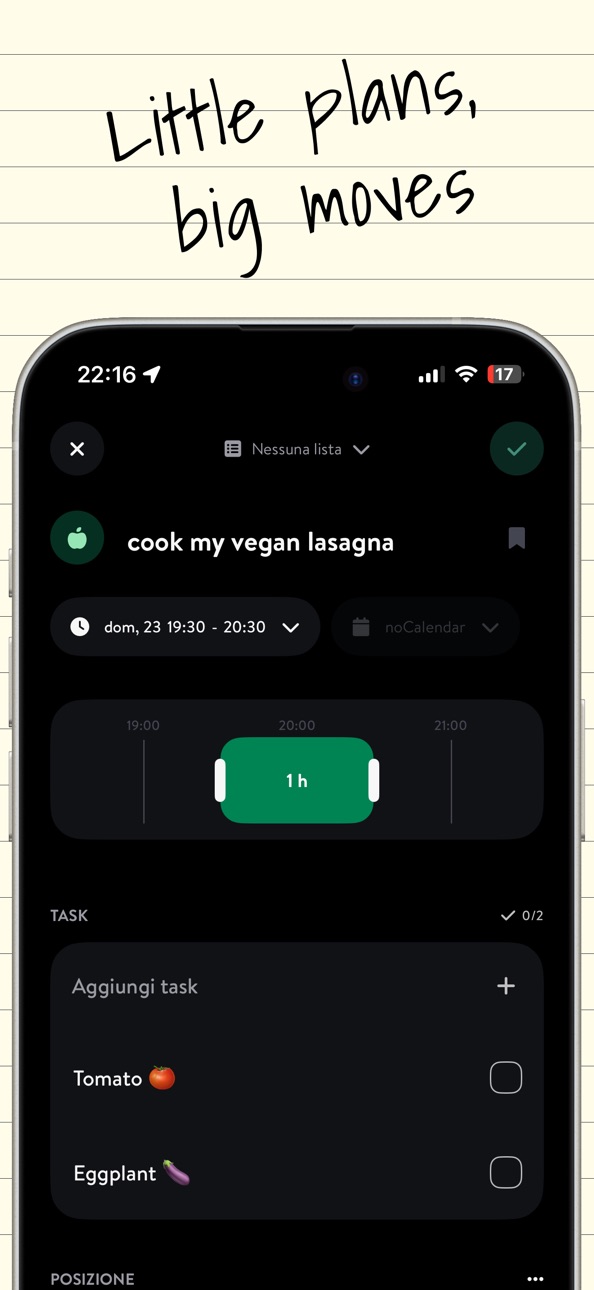
Effortlessly create reminders, to-do lists, and view calendars, all customizable with icons, colors, subtasks, and notes. The Moleskine Planner App is your perfect companion for managing personal and professional activities, ensuring you stay on top of your schedule with style and ease.
Features:
WEEKLY OVERVIEW
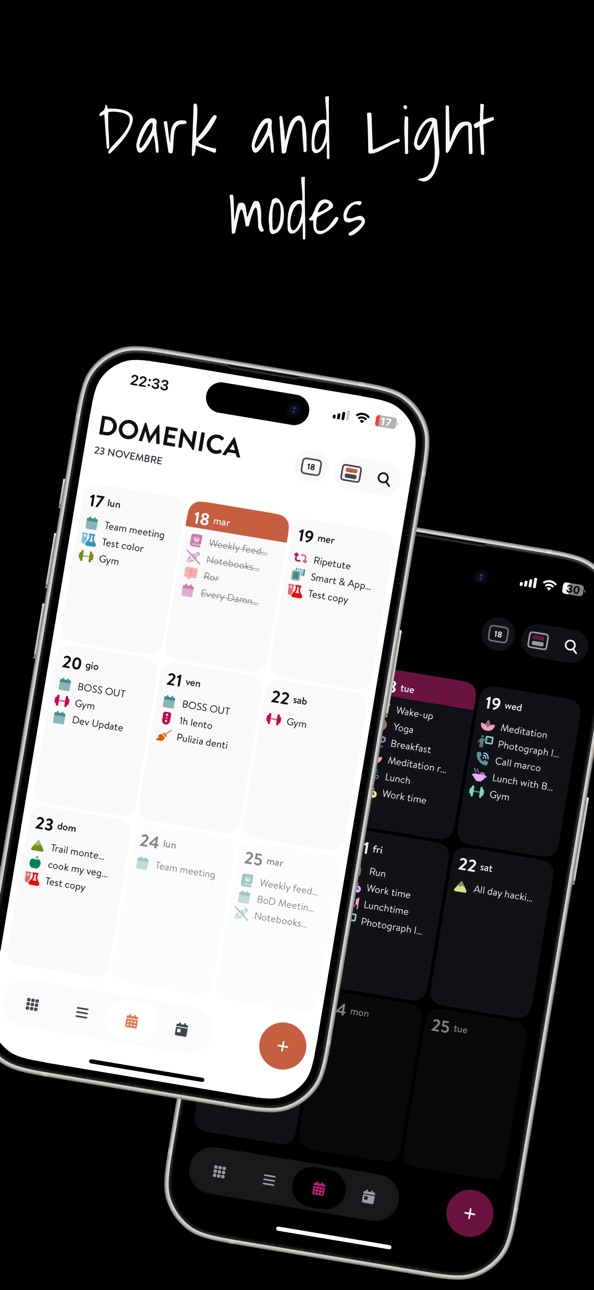
Effortlessly capture the big picture with a comprehensive view of all your appointments and tasks for the week.
FOCUS ON TODAY
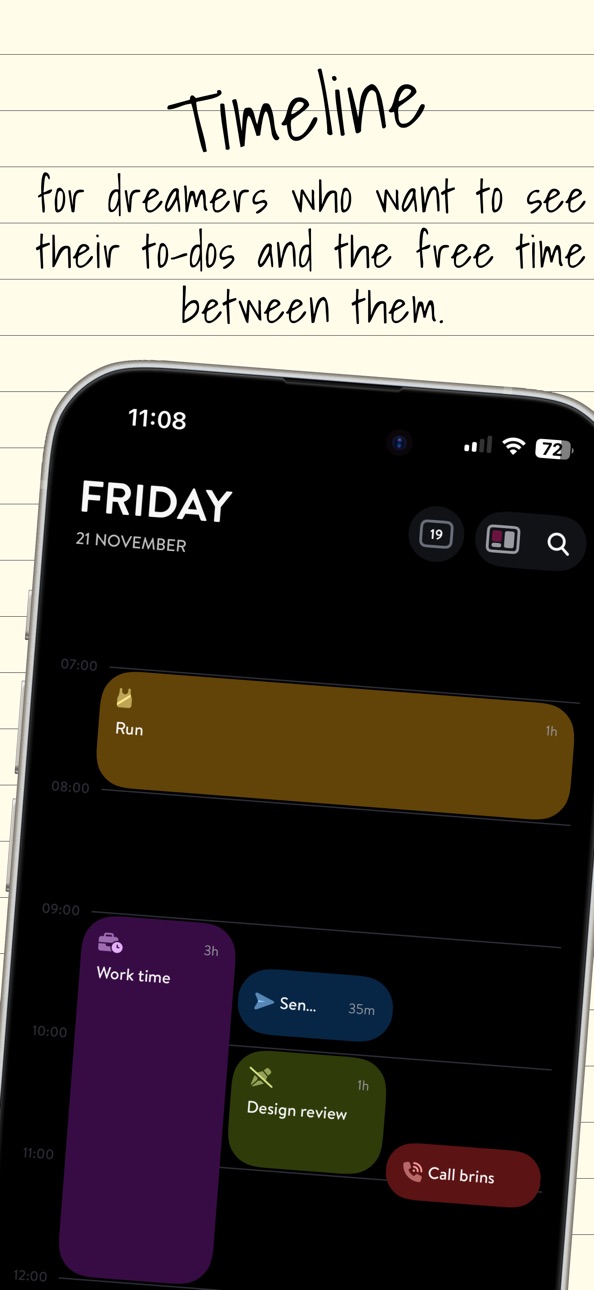
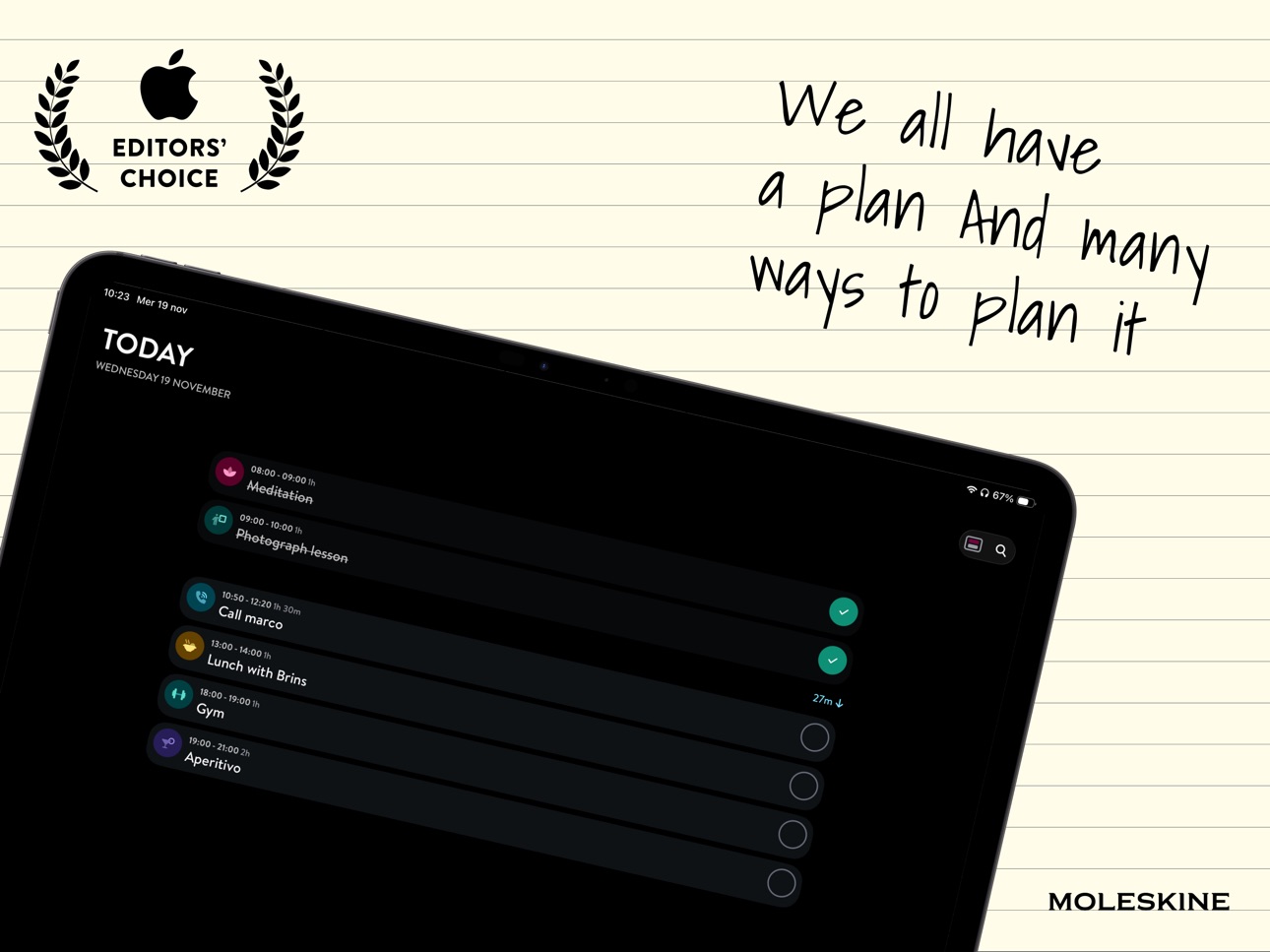
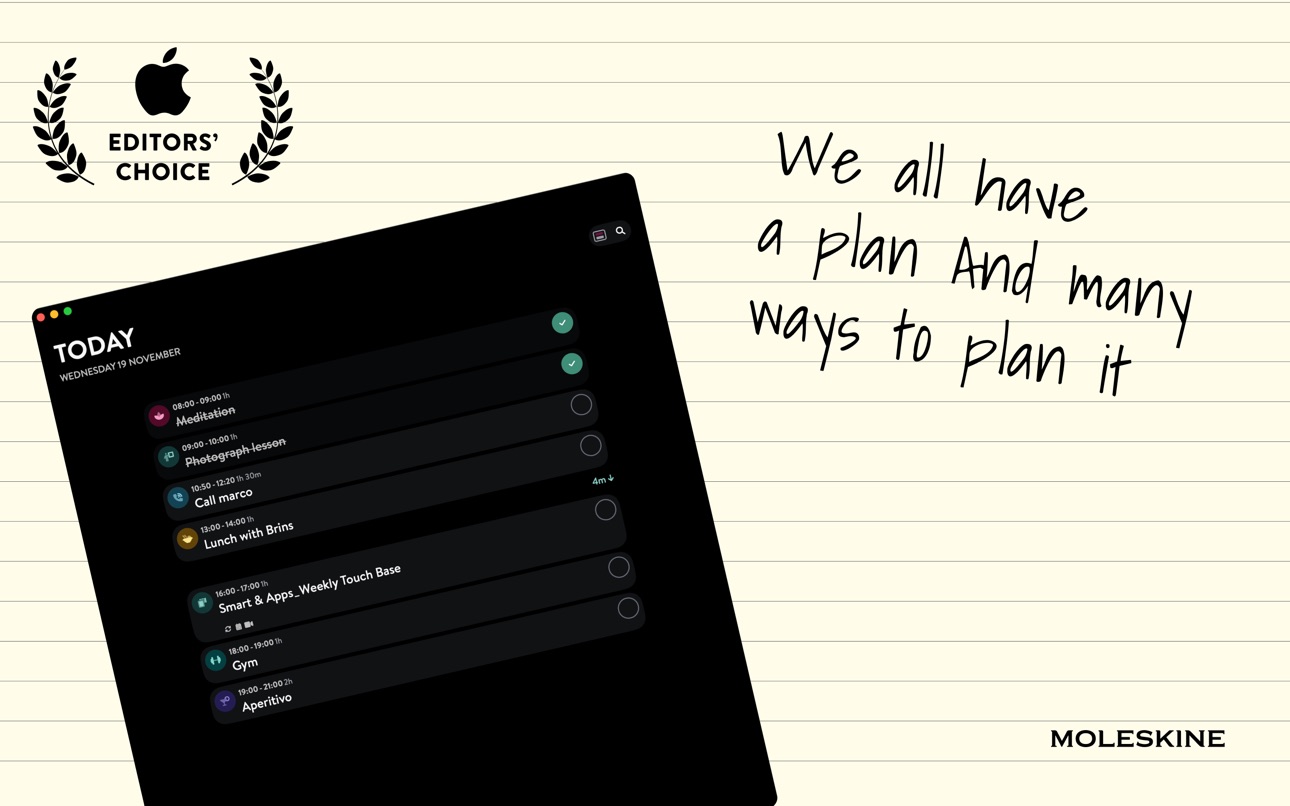
Transform your day with a beautifully organized visual timeline. Experience clarity with a seamless view of your schedules and tasks.
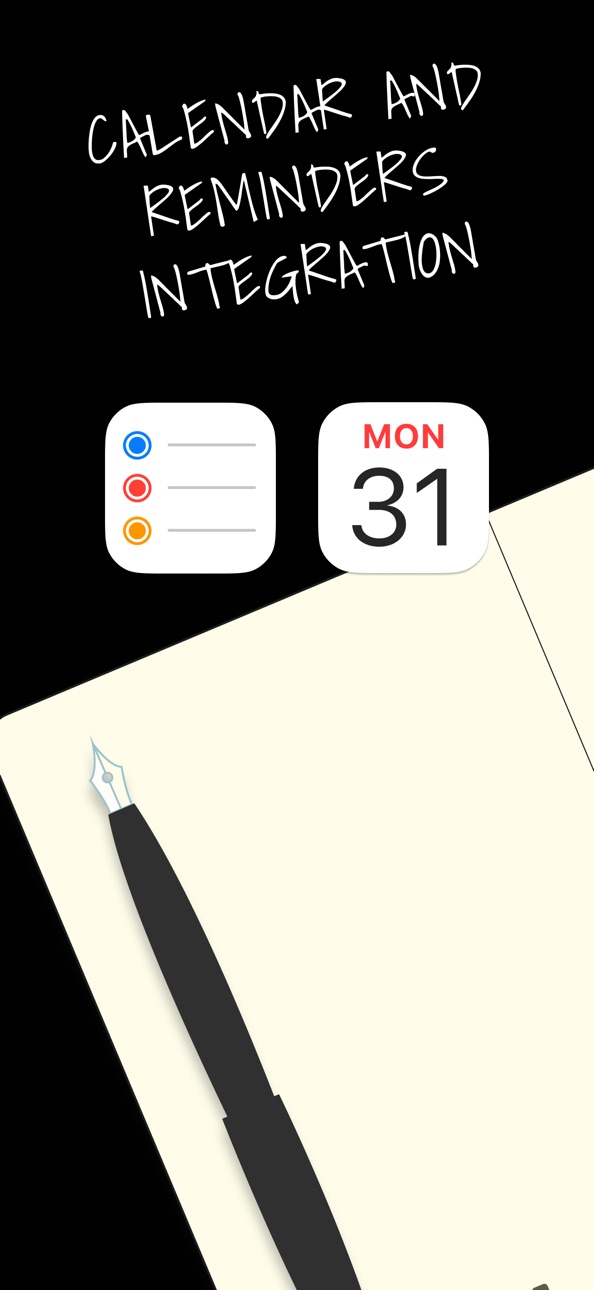
CALENDAR INTEGRATION AND CUSTOMIZATION
Empower your planning by marking tasks as completed and adding a personal touch with customizable icons, colors, subtasks, and notes.
THEMATIC LISTS
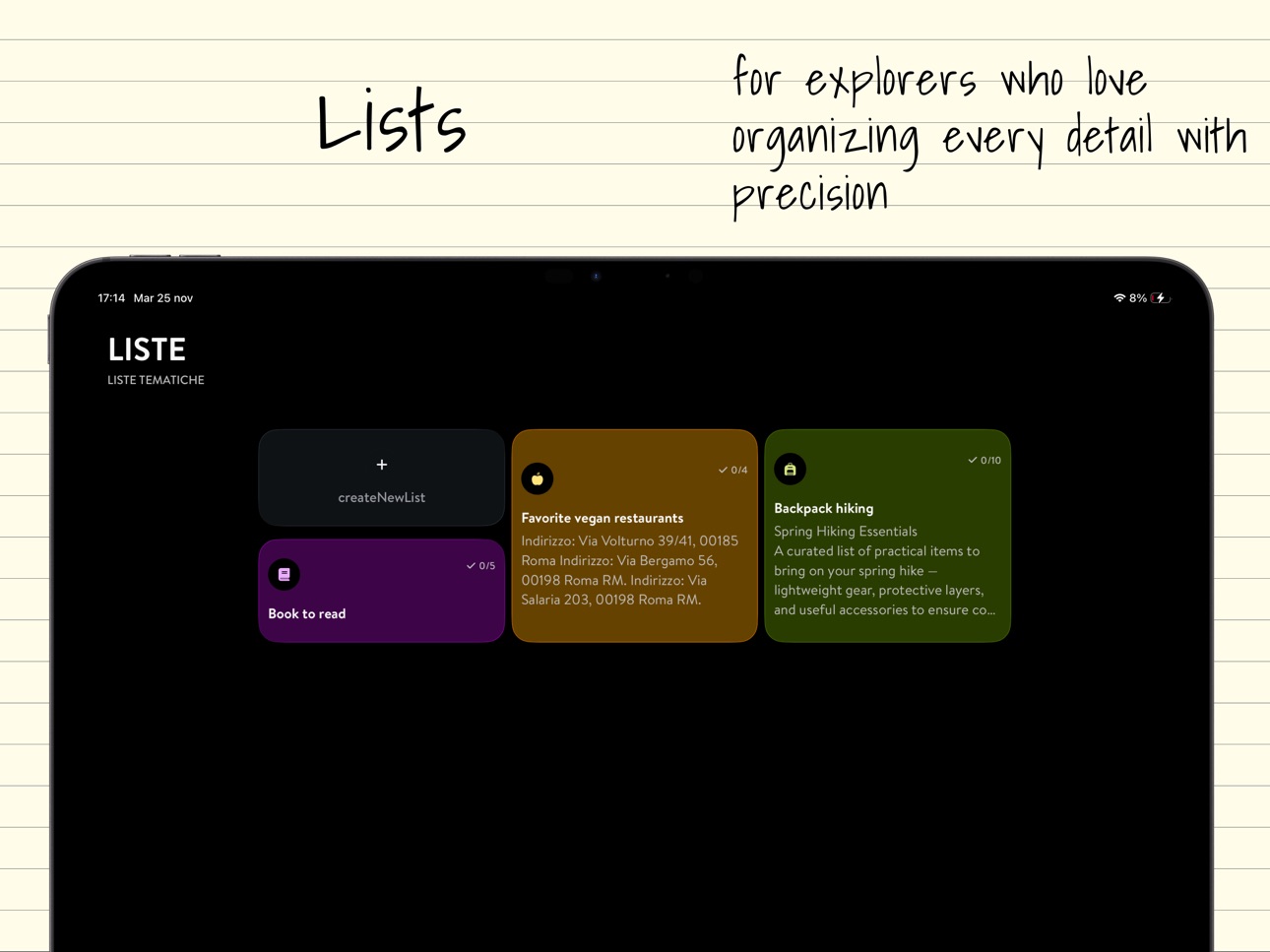
Create stunning thematic lists to beautifully organize your personal and professional tasks with style and ease.
Terms of Service: https://www.moleskineeveryday.com/terms
Capabilities
In-App Purchases
Accessibility
ipadiphonemacrealityDevicetvoswatch
Version history 25 versions
Build 887394410v3.1.7162026-06-30 07:01:30
What's New:
- We've added quick access buttons to easily view completed tasks and priority tasks.
- You can now choose a favorite external calendar where new activities will be added automatically.
- We've added a new task list view, alongside the staggered card view, so you can see the activities inside each list at a glance.
- When creating a new activity, the duration picker now shows possible overlapping activities.
- Various other fixes and improvements
Let us know what you think!
Build 887334086v3.1.7152026-06-24 08:22:45
What's New:
- We've added quick access buttons to easily view completed tasks and priority tasks.
- You can now choose a favorite external calendar where new activities will be added automatically.
- We've added a new task list view, alongside the staggered card view, so you can see the activities inside each list at a glance.
- When creating a new activity, the duration picker now shows possible overlapping activities.
- Various other fixes and improvements
Let us know what you think!
Build 887248944v3.1.7142026-06-22 08:58:09
What's New:
- We've added quick access buttons to easily view completed tasks and priority tasks.
- You can now choose a favorite external calendar where new activities will be added automatically.
- We've added a new task list view, alongside the staggered card view, so you can see the activities inside each list at a glance.
- When creating a new activity, the duration picker now shows possible overlapping activities.
- Various other fixes and improvements
Let us know what you think!
Build 886850457v3.1.7112026-06-15 10:42:26
What's New:
- Added completed/total task counters in different Planner views for a clearer overview of your to-dos.
- Made the "Hide completed" option consistent across all views.
- Simplified the creation of multi-day tasks.
- Improved the UI for archived lists.
- Improved attachment handling.
- Performance optimizations and various other fixes and improvements
Let us know what you think!
Build 886549568v3.1.7092026-06-08 20:31:37
What's New:
- Added completed/total task counters in different Planner views for a clearer overview of your to-dos.
- Made the "Hide completed" option consistent across all views.
- Simplified the creation of multi-day tasks.
- Improved the UI for archived lists.
- Improved attachment handling.
- Performance optimizations and various other fixes and improvements
Let us know what you think!
Build 885536632v3.1.7052026-05-13 00:25:35
What's New:
- Tasks scheduled for future days now default to 9:00 AM and are created as timed tasks instead of all-day events
- Expanded Apple Reminders integration, improved syncing, alarms in lists, and a more seamless experience
- Enhanced lists with activity counters and archived lists
- Improved login flow and overall app experience with various fixes and optimizations
Let us know what you think!
Build 884697264v3.1.6982026-04-20 20:28:19
What's New:
This update focuses on improving reliability and smoothing out a few rough edges you reported.
- Fixed issues with photo uploads and attachments in tasks, making the experience more consistent.
- Addressed several bugs and malfunctions reported by users.
Thanks for your feedback — keep it coming!
Build 884070453v3.1.6962026-04-03 07:27:13
What's New:
- We integrated on-device transcription and AI to convert speech into activities: just long press the add button and start speaking, your voice will be turned into an activity with the correct time and date.
- You can now set an illustration as the icon for your list.
- Various other fixes and improvements
Let us know what you think!
Build 883671257v3.1.6952026-03-24 16:02:42
What's New:
- We integrated on-device transcription and AI to convert speech into activities: just long press the add button and start speaking, your voice will be turned into an activity with the correct time and date.
- You can now set an illustration as the icon for your list.
- Various other fixes and improvements
Let us know what you think!
Build 883583329v3.1.6932026-03-22 10:32:55
What's New:
- We integrated on-device transcription and AI to convert speech into activities: just long press the add button and start speaking, your voice will be turned into an activity with the correct time and date.
- You can now set an illustration as the icon for your list.
- Various other fixes and improvements
Let us know what you think!
Build 883199480v3.1.6872026-03-10 21:46:18
What's New:
- Show all-day activities expanded and listed above scheduled ones, with a quick add button. Perfect if your focus is more on what to do rather than when to do it. You can enable it in the daily view options.
- Display preferences: we added several options to customize the experience to suit your needs. Choose which view opens by default, set a preset color for new tasks, or make activities all-day by default when creating them. You can find these options in the Settings menu > General > Display preferences.
- We've optimized the new monthly view.
- Various other fixes and improvements
Let us know what you think!
Build 882668658v3.1.6792026-02-22 18:07:28
What's New:
- Added the monthly view section, with settings now accessible from the top right corner.
- Introducing the new monthly view with infinite scroll and a 10-day weather forecast.
- Fixed an issue with the 'hide completed activities' feature.
- Various bug fixes and UX improvements
Let us know what you think!
Build 882235489v3.1.6732026-02-10 00:22:46
What's New:
- We've added a shortcut to quickly move an activity to the next day, week, or month.
- We've fixed an issue with recurring and external activities that could lead to unexpected behavior.
- You can now set a custom location without requiring a specific address.
- We've resolved rare crashes that could occur when saving in certain edge cases.
Let us know what you think!
Build 881456872v3.1.6712026-01-16 00:37:54
What's New:
- New app icon: Welcome 2026!
- Completely redesigned the activity editor for a simpler and more intuitive experience.
- Updated the entire app design to take full advantage of iOS 26.
- Improved color palette for light mode.
Let us know what you think!
Build 881123553v3.1.6662026-01-03 12:13:12
What's New:
- New app icon: Welcome 2026!
- Completely redesigned the activity editor for a simpler and more intuitive experience.
- Updated the entire app design to take full advantage of iOS 26.
- Improved color palette for light mode.
Let us know what you think!
Build 880838449v3.1.6622025-12-19 20:47:50
What's New:
• Completely redesigned the activity editor for a simpler and more intuitive experience.
• Updated the entire app design to take full advantage of iOS 26.
• Improved color palette for light mode.
• New app icon.
Let us know what you think!
Build 880729592v3.1.6612025-12-17 22:41:22
What's New:
• Completely redesigned the activity editor for a simpler and more intuitive experience.
• Updated the entire app design to take full advantage of iOS 26.
• Improved color palette for light mode.
• New app icon.
Let us know what you think!
Build 880560008v3.1.6602025-12-12 21:25:00
What's New:
• Completely redesigned the activity editor for a simpler and more intuitive experience.
• Updated the entire app design to take full advantage of iOS 26.
• Improved color palette for light mode.
• New app icon.
Let us know what you think!
Build 879449000v3.1.6452025-11-04 08:56:11
What's New:
- A brand-new daily view experience! Choose the style that fits you best, timeline or task blocks, and make planning your day smoother than ever.
- Activities got a glow-up: enjoy the fresh, modern look!
- And that's just the beginning, many exciting updates are on the way.
Let us know what you think!
Build 879179649v3.1.6432025-10-25 13:59:04
What's New:
- A brand-new daily view experience! Choose the style that fits you best, timeline or task blocks, and make planning your day smoother than ever.
- Activities got a glow-up: enjoy the fresh, modern look!
- And that's just the beginning, many exciting updates are on the way.
Let us know what you think!
Build 878714080v3.1.6382025-10-08 06:37:51
Moleskine Balance becomes Moleskine Planner, a new Moleskine app that will change the way you manage your time and keep track of your tasks and routines.
What's New:
- You can now search all your journal entries: open Settings to start searching.
- Improved usability with multiple fixes.
Let us know what you think!
Build 878648123v3.1.6362025-10-06 08:01:04
Moleskine Balance becomes Moleskine Planner, a new Moleskine app that will change the way you manage your time and keep track of your tasks and routines.
What's New:
- Enhanced drag & drop experience: now it's smoother and more intuitive to rearrange your activities and subtasks.
- Improved app stability: we've resolved several issues that caused unexpected crashes, ensuring a more reliable experience.
- General performance optimizations for a faster and smoother workflow.
Let us know what you think!
Build 878564795v3.1.6342025-10-01 08:52:20
Moleskine Balance becomes Moleskine Planner, a new Moleskine app that will change the way you manage your time and keep track of your tasks and routines.
What's New:
- Enhanced drag & drop experience: now it's smoother and more intuitive to rearrange your activities and subtasks.
- Improved app stability: we've resolved several issues that caused unexpected crashes, ensuring a more reliable experience.
- General performance optimizations for a faster and smoother workflow.
Let us know what you think!
Build 878120494v3.1.6302025-09-15 23:06:19
Moleskine Balance becomes Moleskine Planner, a new Moleskine app that will change the way you manage your time and keep track of your tasks and routines.
What's New:
- You can now add a location to your activities and calendar events.
- Tasks now support attachments: keep everything organized in one place.
- Smart icons are automatically associated with your events for easier recognition.
- Fixed reported crashes and improved overall stability.
Let us know what you think!
Build 875700539v3.1.6222025-08-11 07:57:01
Moleskine Balance becomes Moleskine Planner, a new Moleskine app that will change the way you manage your time and keep track of your tasks and routines.
What's New:
- You can now edit imported events and change their day or time directly from the app.
- The app now sends reminders for imported events (you can turn them off from Settings > Notifications).
- Many visual and usability improvements.
- Various other fixes and improvements
Let us know what you think!
No pricing data captured yet — comparisons appear once the app has paid storefronts or in-app purchases.
Availability 1 of 1 storefronts
| Region | Language | Price | Ratings | Avg | Version |
|---|---|---|---|---|---|
| US | en-US | Free | 478 | 4.5 | 3.1.716 |
Change log 29 changes · US
✎
releaseNotes updated
What's New:
- We've added quick access buttons to easily view completed tasks and priority tasks.
- You can now choose a favorite external calendar where new a
✎
description updated
The Moleskine Planner App (previously Moleskine Balance) combines minimalistic design with powerful functionality, offering you a seamless way to manage your ca
✎
subtitle updated
Organize your time and tasks
✎
name updated
Moleskine Planner
◆
Version 3.1.716 released
What's New:
- We've added quick access buttons to easily view completed tasks and priority tasks.
- You can now choose a favorite external calendar where new activities will be added automatically.
- We've added a new task list view, along
◆
Version 3.1.715 released
What's New:
- We've added quick access buttons to easily view completed tasks and priority tasks.
- You can now choose a favorite external calendar where new activities will be added automatically.
- We've added a new task list view, along
◆
Version 3.1.714 released
What's New:
- We've added quick access buttons to easily view completed tasks and priority tasks.
- You can now choose a favorite external calendar where new activities will be added automatically.
- We've added a new task list view, along
◆
Version 3.1.711 released
What's New:
- Added completed/total task counters in different Planner views for a clearer overview of your to-dos.
- Made the "Hide completed" option consistent across all views.
- Simplified the creation of multi-day tasks.
- Improved th
◆
Version 3.1.709 released
What's New:
- Added completed/total task counters in different Planner views for a clearer overview of your to-dos.
- Made the "Hide completed" option consistent across all views.
- Simplified the creation of multi-day tasks.
- Improved t
◆
Version 3.1.705 released
What's New:
- Tasks scheduled for future days now default to 9:00 AM and are created as timed tasks instead of all-day events
- Expanded Apple Reminders integration, improved syncing, alarms in lists, and a more seamless experience
- Enhan
◆
Version 3.1.698 released
What's New:
This update focuses on improving reliability and smoothing out a few rough edges you reported.
- Fixed issues with photo uploads and attachments in tasks, making the experience more consistent.
- Addressed several bugs and malf
◆
Version 3.1.696 released
What's New:
- We integrated on-device transcription and AI to convert speech into activities: just long press the add button and start speaking, your voice will be turned into an activity with the correct time and date.
- You can now set a
◆
Version 3.1.695 released
What's New:
- We integrated on-device transcription and AI to convert speech into activities: just long press the add button and start speaking, your voice will be turned into an activity with the correct time and date.
- You can now set a
◆
Version 3.1.693 released
What's New:
- We integrated on-device transcription and AI to convert speech into activities: just long press the add button and start speaking, your voice will be turned into an activity with the correct time and date.
- You can now set a
◆
Version 3.1.687 released
What's New:
- Show all-day activities expanded and listed above scheduled ones, with a quick add button. Perfect if your focus is more on what to do rather than when to do it. You can enable it in the daily view options.
- Display preferen
◆
Version 3.1.679 released
What's New:
- Added the monthly view section, with settings now accessible from the top right corner.
- Introducing the new monthly view with infinite scroll and a 10-day weather forecast.
- Fixed an issue with the 'hide completed activiti
◆
Version 3.1.673 released
What's New:
- We've added a shortcut to quickly move an activity to the next day, week, or month.
- We've fixed an issue with recurring and external activities that could lead to unexpected behavior.
- You can now set a custom location wit
◆
Version 3.1.671 released
What's New:
- New app icon: Welcome 2026!
- Completely redesigned the activity editor for a simpler and more intuitive experience.
- Updated the entire app design to take full advantage of iOS 26.
- Improved color palette for light mode.
L
◆
Version 3.1.666 released
What's New:
- New app icon: Welcome 2026!
- Completely redesigned the activity editor for a simpler and more intuitive experience.
- Updated the entire app design to take full advantage of iOS 26.
- Improved color palette for light mode.
L
◆
Version 3.1.662 released
What's New:
• Completely redesigned the activity editor for a simpler and more intuitive experience.
• Updated the entire app design to take full advantage of iOS 26.
• Improved color palette for light mode.
• New app icon.
Let us know wha
◆
Version 3.1.661 released
What's New:
• Completely redesigned the activity editor for a simpler and more intuitive experience.
• Updated the entire app design to take full advantage of iOS 26.
• Improved color palette for light mode.
• New app icon.
Let us know wha
◆
Version 3.1.660 released
What's New:
• Completely redesigned the activity editor for a simpler and more intuitive experience.
• Updated the entire app design to take full advantage of iOS 26.
• Improved color palette for light mode.
• New app icon.
Let us know wha
◆
Version 3.1.645 released
What's New:
- A brand-new daily view experience! Choose the style that fits you best, timeline or task blocks, and make planning your day smoother than ever.
- Activities got a glow-up: enjoy the fresh, modern look!
- And that's just the be
◆
Version 3.1.643 released
What's New:
- A brand-new daily view experience! Choose the style that fits you best, timeline or task blocks, and make planning your day smoother than ever.
- Activities got a glow-up: enjoy the fresh, modern look!
- And that's just the be
◆
Version 3.1.638 released
Moleskine Balance becomes Moleskine Planner, a new Moleskine app that will change the way you manage your time and keep track of your tasks and routines.
What's New:
- You can now search all your journal entries: open Settings to start sear
◆
Version 3.1.636 released
Moleskine Balance becomes Moleskine Planner, a new Moleskine app that will change the way you manage your time and keep track of your tasks and routines.
What's New:
- Enhanced drag & drop experience: now it's smoother and more intuitive to
◆
Version 3.1.634 released
Moleskine Balance becomes Moleskine Planner, a new Moleskine app that will change the way you manage your time and keep track of your tasks and routines.
What's New:
- Enhanced drag & drop experience: now it's smoother and more intuitive to
◆
Version 3.1.630 released
Moleskine Balance becomes Moleskine Planner, a new Moleskine app that will change the way you manage your time and keep track of your tasks and routines.
What's New:
- You can now add a location to your activities and calendar events.
- Tas
◆
Version 3.1.622 released
Moleskine Balance becomes Moleskine Planner, a new Moleskine app that will change the way you manage your time and keep track of your tasks and routines.
What's New:
- You can now edit imported events and change their day or time directly f