Home › Medical

 US
US
1 of 1 storefronts
Content in en-US
Content in en-US
Information
Apple ID1597063716
Bundle IDcom.philips.hearlink2
SellerSeller
Min iOS15.0
Min macOS12.0
Device familieswatch, iphone, ipad, ipod
Released2023-02-09
Copyright© 2023 SBO Hearing A/S
Privacy policyLink ↗
Preview 3 platforms
iPhone 7 images



iPad 7 images


Apple Watch 4 images


What’s New Version 1.7.1
To improve your experience, we regularly update the app to make it more reliable and easier to use.
In this update, we have made improvements and bug fixes to make the app more stable.
Description
This app lets you control your hearing aids from your mobile device. It comes with an app for Apple Watch helping you discreetly change programs and adjust volume (when within Bluetooth range).
Note: some features may be available depending on your hearing aid model. Check below for details.
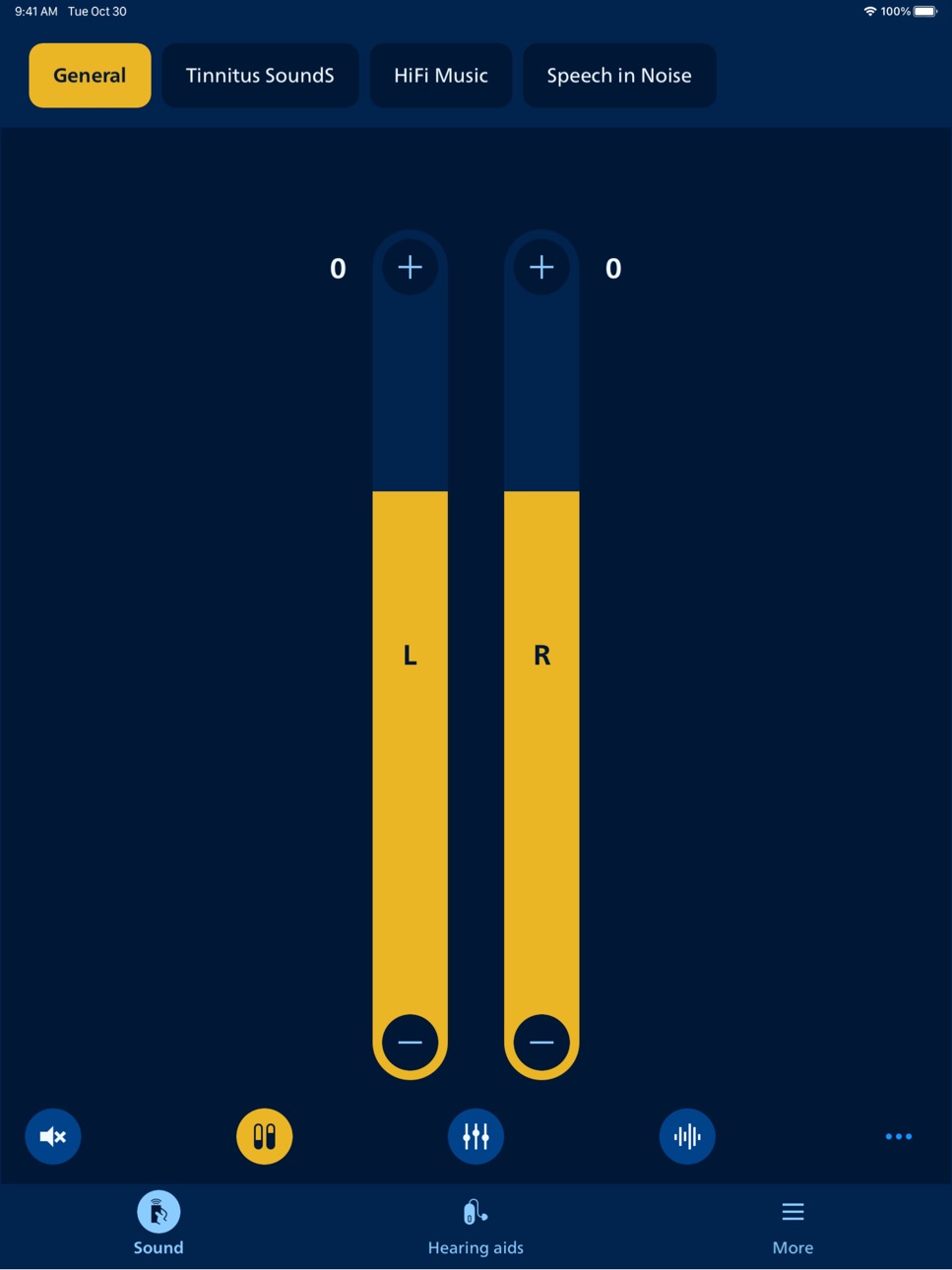
• Adjust sound volume for each hearing aid together or separately
• Mute surroundings for better focus
• Switch between programs set by your hearing care professional
• Check battery level
• Stream calls, music, and podcasts directly to your hearing aids (availability may vary depending on your phone model)
• Find your hearing aids if lost (requires location services always turned on)
• Access app support and troubleshooting solutions
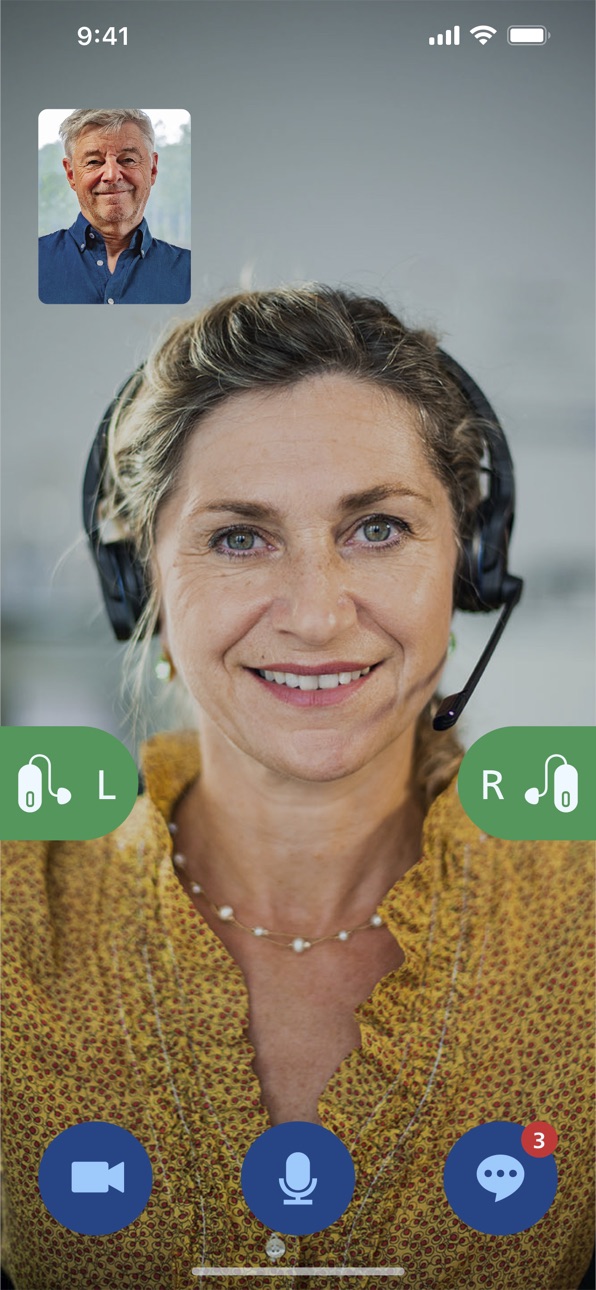
• Meet your hearing care professional for an online visit (by appointment)
• Adjust streaming sounds with streaming equalizer (available for all hearing aid models except Philips HearLink 00)
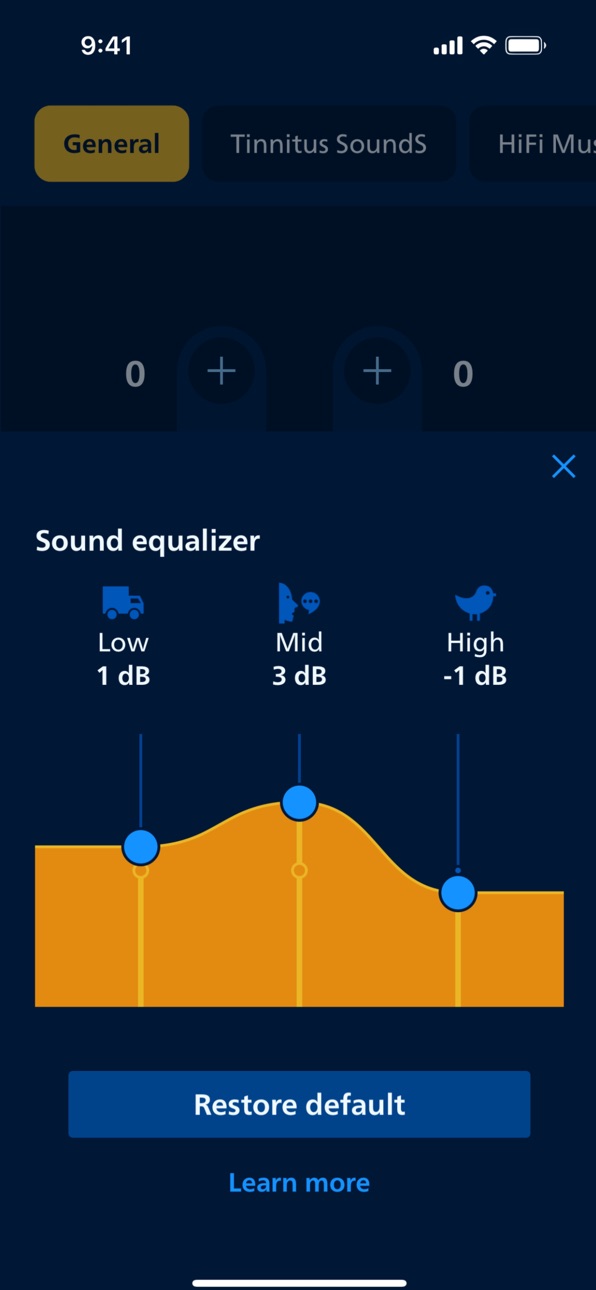
• Adjust sounds around you with sound equalizer (available for Philips HearLink 50 and 40 models)
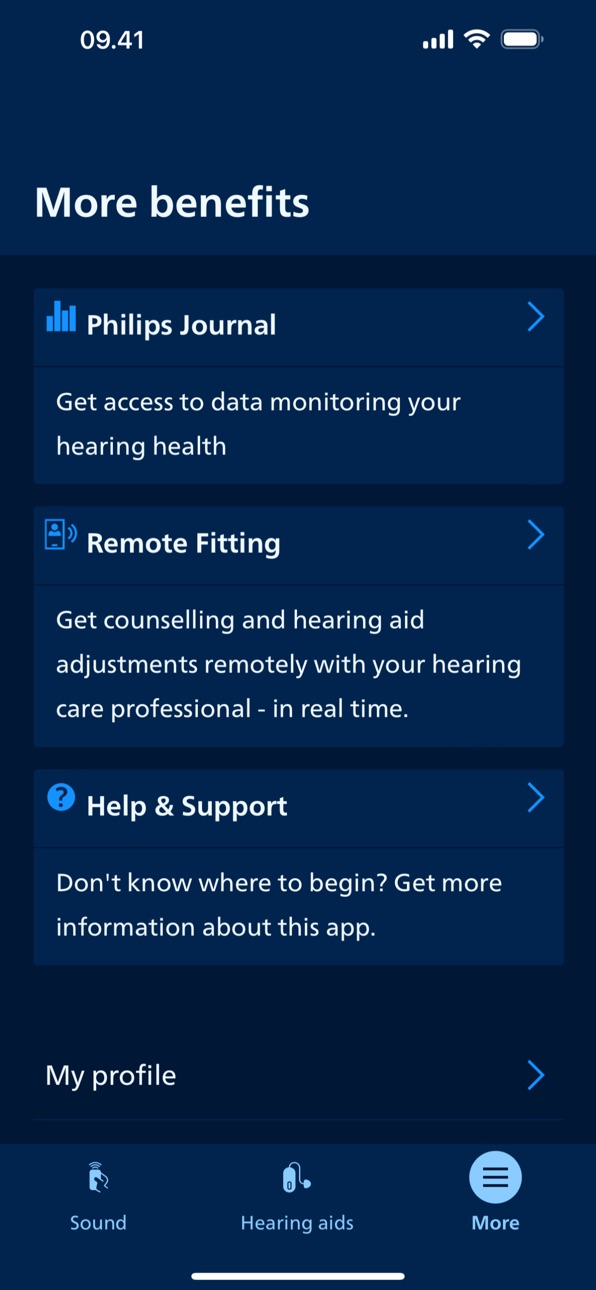
• Track your progress with Philips Journal feature (available for Philips HearLink 50 and 40 models)
• Handle wireless accessories paired with your hearing aids such as TV Adapters and AudioClip
• Connect to and adjust an Auracast™ broadcast (available for Philips HearLink 50 models)
First use:
You need to pair your hearing aids with this app to use it to control your hearing aids.
App availability:
We recommend regular hearing aid updates during your routine check-up with your hearing care professional.
For optimal performance, we recommend updating your device to iOS 15.2 or later. To check the latest list of compatible devices, please visit: hearingsolutions.philips.com/compatibility
Accessibility
ipadiphonemacrealityDevicetvoswatch
Version history 15 versions
Build 883343182v1.7.12026-04-27 11:19:08
To improve your experience, we regularly update the app to make it more reliable and easier to use.
In this update, we have made improvements and bug fixes to make the app more stable.
Build 879480854v1.7.02026-03-02 12:16:49
To improve your experience, we regularly update the app to make it more reliable and easier to use.
In this update, we have made improvements and bug fixes to make the app more stable.
Build 879260181v1.6.12025-11-03 09:41:04
This app version comes with smoother switching between programs. It also lets you find and join available Auracast™ broadcasts directly from the app. Auracast broadcast (available with select hearing aids) allows you to connect to public broadcasts in e.g. airports, theaters, lectures.
Build 877887081v1.6.02025-10-27 08:27:16
This app version comes with smoother switching between programs. It also lets you find and join available Auracast™ broadcasts directly from the app. Auracast broadcast (available with select hearing aids) allows you to connect to public broadcasts in e.g. airports, theaters, lectures.
Build 872204065v1.5.22025-04-22 10:13:21
To improve your experience, we regularly update the app to make it more reliable and easier to use.
In this update, we have made improvements and bug fixes to make the app more stable.
Build 871975175v1.5.12025-02-03 11:07:53
To improve your experience, we regularly update the app to make it more reliable and easier to use.
In this update, we have made improvements and bug fixes to make the app more stable.
Build 871005022v1.5.02025-01-20 11:11:02
Introducing a new feature for our users with a particular tinnitus setup. You can now use sound patterns (different pulsations) to adjust relief sounds to your needs, providing a more personalized and comfortable experience. In addition, we have made overall improvements to enhance your experience, including faster start-up and improved reconnection time between your hearing instruments and the app.
Build 868887694v1.4.02024-10-14 09:53:47
To improve your experience, we regularly update the app to make it more reliable and easier to use.
In this update, we have made improvements and bug fixes to make the app more stable.
Build 864987929v1.3.12024-04-29 07:32:54
To improve your experience, we regularly update the app to make it more reliable and easier to use.
In this update, we have made improvements and bug fixes to make the app more stable.
Build 862414837v1.3.02024-02-29 13:14:32
We've added the option of monitoring the charging status of your hearing aids in the app. You can check if your hearing aids are charging or fully charged while in charger.* In addition, you can now turn on or off notifications for the Philips Journal feature according to your preference. *Only available with Philips HearLink 9050/7050/5050/3050
Build 859771549v1.2.22023-09-12 15:58:47
To improve your experience, we regularly update the app to make it more reliable and easier to use.
In this update, we have made improvements and bug fixes to make the app more stable.
Build 859417129v1.2.12023-09-07 11:12:36
To improve your experience, we regularly update the app to make it more reliable and easier to use.
In this update, we have made improvements and bug fixes to make the app more stable.
Build 857793451v1.2.02023-08-08 09:13:38
Thank you for using Philips HearLink 2!
To improve your experience, we regularly update the app to make it more reliable and easier to use. In this update, we have included a new Sound equalizer and introduced the Philips Journal feature.
The Sound equalizer allows you to adjust the volume settings of your surroundings. The Philips Journal feature aims to make your hearing journey more successful. It enables you to set a hearing aid wear-time goal and track your progress. A Firmware Updater feature is also included that allows you to make minor hearing aid updates for improved performance, directly in the app.
As usual we’ve made some minor improvements and fixed some bugs to improve app stability.
Build 855359227v1.1.02023-04-19 09:51:59
Thank you for using the Philips HearLink 2 app!
We’ve put even more control at your fingertips. Or more precisely : on your wrist. With our brand new Apple Watch app you can discretely and effectively adjust sound or switch programs from your watch. Use our new complications to monitor your battery levels and program usage or even to quickly launch the app from your Watch Face.
Naturally, we also squashed a few bugs along the way.
Enjoy our new app release!
Build 845534423v1.0.02023-02-09 11:08:26
No pricing data captured yet — comparisons appear once the app has paid storefronts or in-app purchases.
Availability 1 of 1 storefronts
| Region | Language | Price | Ratings | Avg | Version |
|---|---|---|---|---|---|
| US | en-US | Free | 40.3k | 4.5 | 1.7.1 |
Change log 19 changes · US
✎
releaseNotes updated
To improve your experience, we regularly update the app to make it more reliable and easier to use.
In this update, we have made improvements and bug fixes
✎
description updated
This app lets you control your hearing aids from your mobile device. It comes with an app for Apple Watch helping you discreetly change programs and adjust volu
✎
subtitle updated
Hearing aid remote control
✎
name updated
Philips HearLink 2
◆
Version 1.7.1 released
To improve your experience, we regularly update the app to make it more reliable and easier to use.
In this update, we have made improvements and bug fixes to make the app more stable.
◆
Version 1.7.0 released
To improve your experience, we regularly update the app to make it more reliable and easier to use.
In this update, we have made improvements and bug fixes to make the app more stable.
◆
Version 1.6.1 released
This app version comes with smoother switching between programs. It also lets you find and join available Auracast™ broadcasts directly from the app. Auracast broadcast (available with select hearing aids) allows you to connect to public br
◆
Version 1.6.0 released
This app version comes with smoother switching between programs. It also lets you find and join available Auracast™ broadcasts directly from the app. Auracast broadcast (available with select hearing aids) allows you to connect to public br
◆
Version 1.5.2 released
To improve your experience, we regularly update the app to make it more reliable and easier to use.
In this update, we have made improvements and bug fixes to make the app more stable.
◆
Version 1.5.1 released
To improve your experience, we regularly update the app to make it more reliable and easier to use.
In this update, we have made improvements and bug fixes to make the app more stable.
◆
Version 1.5.0 released
Introducing a new feature for our users with a particular tinnitus setup. You can now use sound patterns (different pulsations) to adjust relief sounds to your needs, providing a more personalized and comfortable experience. In addition, we
◆
Version 1.4.0 released
To improve your experience, we regularly update the app to make it more reliable and easier to use.
In this update, we have made improvements and bug fixes to make the app more stable.
◆
Version 1.3.1 released
To improve your experience, we regularly update the app to make it more reliable and easier to use.
In this update, we have made improvements and bug fixes to make the app more stable.
◆
Version 1.3.0 released
We've added the option of monitoring the charging status of your hearing aids in the app. You can check if your hearing aids are charging or fully charged while in charger.* In addition, you can now turn on or off notifications for the Phil
◆
Version 1.2.2 released
To improve your experience, we regularly update the app to make it more reliable and easier to use.
In this update, we have made improvements and bug fixes to make the app more stable.
◆
Version 1.2.1 released
To improve your experience, we regularly update the app to make it more reliable and easier to use.
In this update, we have made improvements and bug fixes to make the app more stable.
◆
Version 1.2.0 released
Thank you for using Philips HearLink 2!
To improve your experience, we regularly update the app to make it more reliable and easier to use. In this update, we have included a new Sound equalizer and introduced the Philips Journal feature.
◆
Version 1.1.0 released
Thank you for using the Philips HearLink 2 app!
We’ve put even more control at your fingertips. Or more precisely : on your wrist. With our brand new Apple Watch app you can discretely and effectively adjust sound or switch programs from y
◆
Version 1.0.0 released