Home › Finance

 US
US
1 of 1 storefronts
Content in en-US
Content in en-US
Information
Preview 2 platforms
iPhone 6 images



iPad 6 images


What’s New Version 1.4.13
- Fix cost code issue in the Roster and Timesheet.
Description
Smart Labor Management is an innovative temp labor management platform that helps you manage your temp labor force via software, mobile applications, and services. Our app enables you to remotely clock in and clock out your workforce across all the job sites where you leverage temporary labor. Combined with our general temp labor management platform, the app removes a significant burden for you and your team across construction sites of any size or scale.
Accessibility
ipadiphonemacrealityDevicetvoswatch
Version history 21 versions
Build 883722274v1.4.132026-03-25 14:32:11
- Fix cost code issue in the Roster and Timesheet.
Build 879596708v1.4.102025-11-08 17:35:27
- Implement timesheet management.
Build 878569771v1.4.92025-10-01 01:41:13
- Fix pdf rendering issue
- Improve timesheet view
Build 877553348v1.4.82025-08-25 23:03:03
- Implemented all workers mode in roster.
- Improved roster worker search.
- Implemented mixpanel analytics.
Build 876815459v1.4.72025-07-30 01:06:14
- Implemented create new job request.
- Enhanced roster jobsite select.
Build 875863202v1.4.62025-06-25 08:01:55
- Implemented worker profile image upload
- Implemented worker compliance images upload
- Implemented worker timesheet upload
- Enhanced file view
Build 875264795v1.4.52025-06-03 14:16:28
- Implemented doc file view.
- Implemented time management and job request access permission.
- Improved worker note flow.
- Improved roster view.
- Improved lunch feature.
Build 873067722v1.4.32025-04-05 06:53:28
- Implement favorite worker.
Build 872949926v1.4.22025-03-04 23:54:05
We’ve been hard at work improving your Smarter Labor experience! In this update, we’ve:
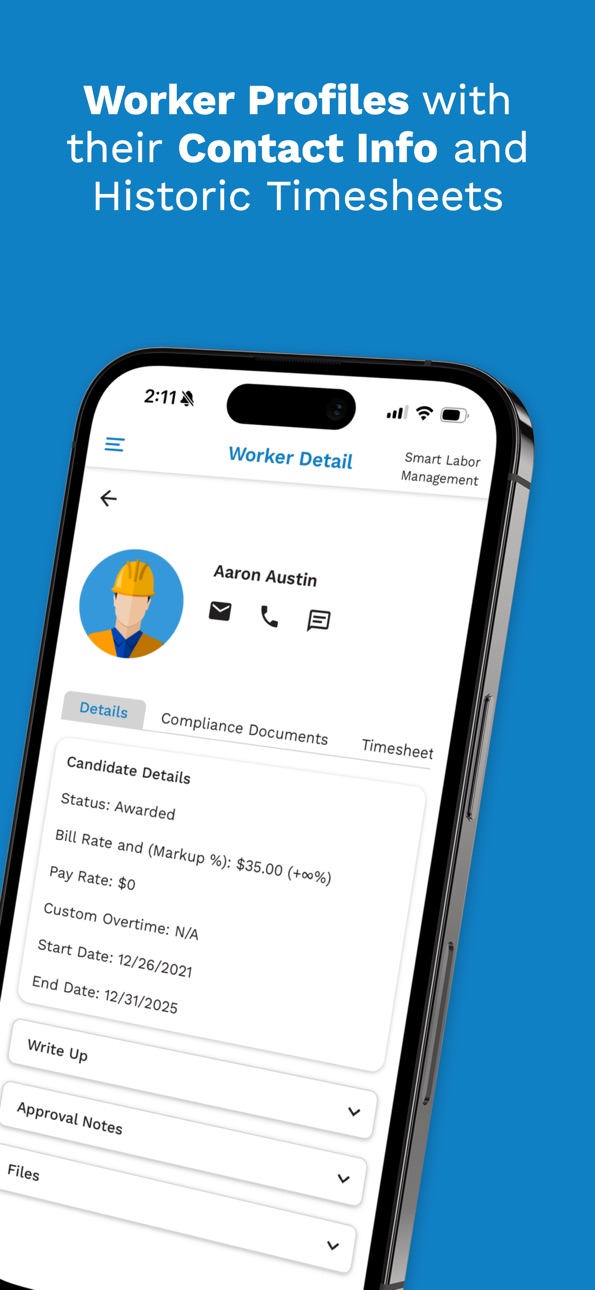
- Enhanced worker profiles to better support temporary labor management.
- Made contact information easier to access.
- Added a lunch tracking feature for more precise timekeeping.
- Improved the bulk actions menu to streamline how you start and end your day.
- Introduced a new feature for job requisition visibility and managing candidate hiring flows.
Build 870299738v1.4.12024-11-12 02:30:21
- Clock out launch note.
- Worker Timesheet table.
- Bug fixes.
Build 869005025v1.4.02024-09-16 21:56:21
- The menu has been adjusted to a left-side menu
- Colors updated to match new brand colors
- Bug fixes and authentication improvements
- UI/UX improvements to create smoother transitions and easier use, as well as consistent user experience
- Improved performance
Build 863425220v1.3.62024-02-17 02:08:44
Updates to fix a bug where people could be clocked in twice while first clock-in was being processed.
Build 861648083v1.3.52023-11-21 21:38:39
Updated Look and Feel to some pages
Added button to change cost code mid-week
Build 860126808v1.3.22023-09-23 06:31:37
Updated UI in Worker Clock in / Clock Out Management
Updated UI for Bulk Clock In
Added defaulting to Client and Jobsite, if user is only associated with one.
Build 859679393v1.3.02023-09-06 03:19:09
Updated the Worker List UI and functionality - Updated manual clock-in and clock-out flows, as well as updated bulk functionality.
The layout is more phone-friendly, as well as optimized for iPad.
New Iconography for indicating job site team lead
Build 858194272v1.2.72023-07-01 07:43:04
Updated Layout / UI Fixes
New Iconography for indicating job site team lead
Build 857203264v1.2.62023-05-19 05:35:21
Bug Fixes
Clock in and Out multiple workers with Bulk Mode
Trigger an SMS text message from a worker profile page
Build 856356389v1.2.12023-04-14 12:43:54
Minor Update to Clock In and Clock Out Buttons
Build 856173928v1.22023-04-07 11:09:13
Updated UI and Layouts
Added timezone tracking based on device location
Updated Worker profile pages and info
Added support for various file types in worker files
Bugfixes and improvements
Build 855057616v1.12023-02-21 01:28:00
- Better workforce management workflows
- UI Improvements to clock in and the settings page
- Workers section added to list awarded workers on a particular job site
- Various Bug fixes
Build 845339326v1.02022-03-16 18:46:06
No pricing data captured yet — comparisons appear once the app has paid storefronts or in-app purchases.
Availability 1 of 1 storefronts
| Region | Language | Price | Ratings | Avg | Version |
|---|---|---|---|---|---|
| US | en-US | Free | 1 | 5.0 | 1.4.13 |
Change log 25 changes · US
✎
releaseNotes updated
- Fix cost code issue in the Roster and Timesheet.
✎
description updated
Smart Labor Management is an innovative temp labor management platform that helps you manage your temp labor force via software, mobile applications, and servic
✎
subtitle updated
Easily Track Temp Labor Time!
✎
name updated
Smart Labor Management
◆
Version 1.4.13 released
- Fix cost code issue in the Roster and Timesheet.
◆
Version 1.4.10 released
- Implement timesheet management.
◆
Version 1.4.9 released
- Fix pdf rendering issue
- Improve timesheet view
◆
Version 1.4.8 released
- Implemented all workers mode in roster.
- Improved roster worker search.
- Implemented mixpanel analytics.
◆
Version 1.4.7 released
- Implemented create new job request.
- Enhanced roster jobsite select.
◆
Version 1.4.6 released
- Implemented worker profile image upload
- Implemented worker compliance images upload
- Implemented worker timesheet upload
- Enhanced file view
◆
Version 1.4.5 released
- Implemented doc file view.
- Implemented time management and job request access permission.
- Improved worker note flow.
- Improved roster view.
- Improved lunch feature.
◆
Version 1.4.3 released
- Implement favorite worker.
◆
Version 1.4.2 released
We’ve been hard at work improving your Smarter Labor experience! In this update, we’ve:
- Enhanced worker profiles to better support temporary labor management.
- Made contact information easier to access.
- Added a lunch tracking feature f
◆
Version 1.4.1 released
- Clock out launch note.
- Worker Timesheet table.
- Bug fixes.
◆
Version 1.4.0 released
- The menu has been adjusted to a left-side menu
- Colors updated to match new brand colors
- Bug fixes and authentication improvements
- UI/UX improvements to create smoother transitions and easier use, as well as consistent user experienc
◆
Version 1.3.6 released
Updates to fix a bug where people could be clocked in twice while first clock-in was being processed.
◆
Version 1.3.5 released
Updated Look and Feel to some pages
Added button to change cost code mid-week
◆
Version 1.3.2 released
Updated UI in Worker Clock in / Clock Out Management
Updated UI for Bulk Clock In
Added defaulting to Client and Jobsite, if user is only associated with one.
◆
Version 1.3.0 released
Updated the Worker List UI and functionality - Updated manual clock-in and clock-out flows, as well as updated bulk functionality.
The layout is more phone-friendly, as well as optimized for iPad.
New Iconography for indicating job site te
◆
Version 1.2.7 released
Updated Layout / UI Fixes
New Iconography for indicating job site team lead
◆
Version 1.2.6 released
Bug Fixes
Clock in and Out multiple workers with Bulk Mode
Trigger an SMS text message from a worker profile page
◆
Version 1.2.1 released
Minor Update to Clock In and Clock Out Buttons
◆
Version 1.2 released
Updated UI and Layouts
Added timezone tracking based on device location
Updated Worker profile pages and info
Added support for various file types in worker files
Bugfixes and improvements
◆
Version 1.1 released
- Better workforce management workflows
- UI Improvements to clock in and the settings page
- Workers section added to list awarded workers on a particular job site
- Various Bug fixes
◆
Version 1.0 released