Home › Productivity

 US
US
1 of 1 storefronts
Content in en-US
Content in en-US
Information
Preview 4 platforms
iPhone 6 images



iPad 5 images


Mac 4 images



Apple Watch 5 images


What’s New Version 6.302
Improvements to subtasks and location. Design adjustments and minor bug fixes.
Description
Clear task management
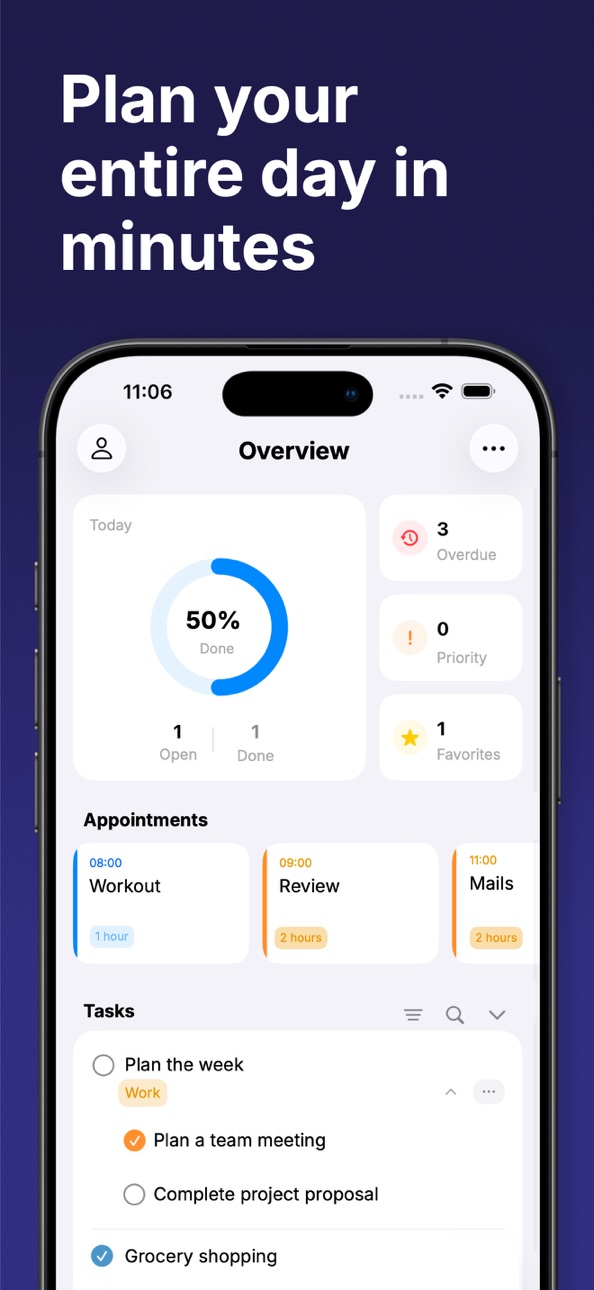
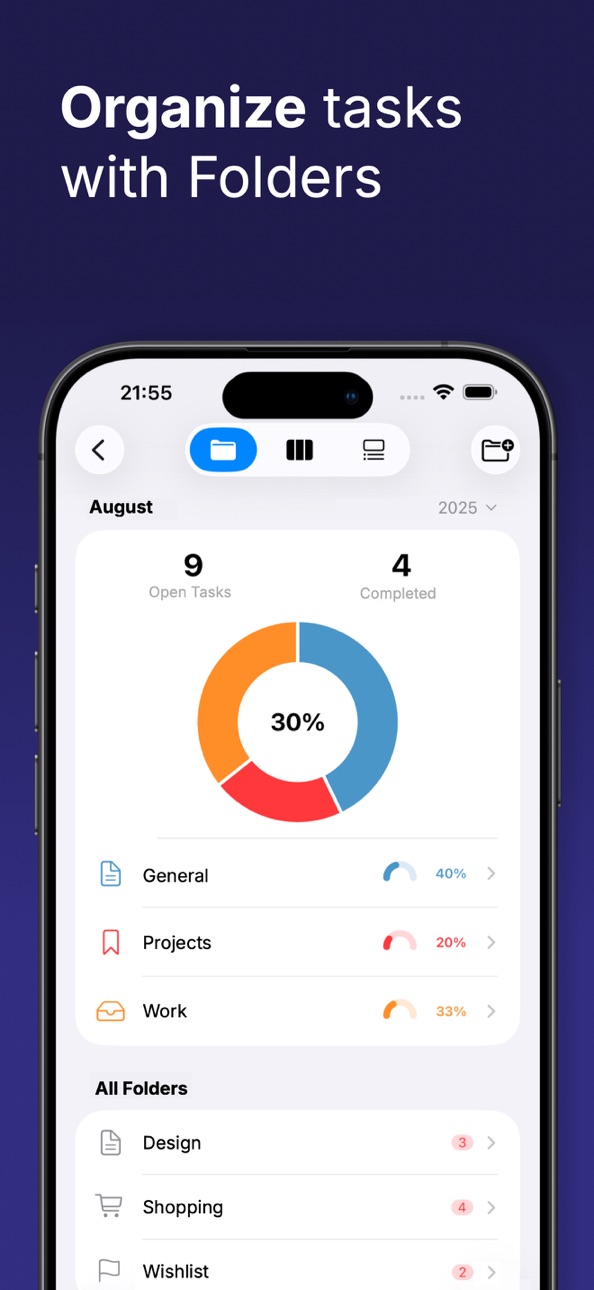
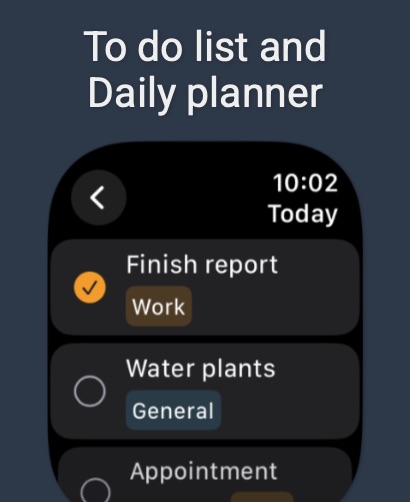
“TaskMind” is your digital daily planner for work and everyday life. Create and organize your tasks effortlessly. Organize them into custom folders and label them to organize your to-dos.
Effective task management
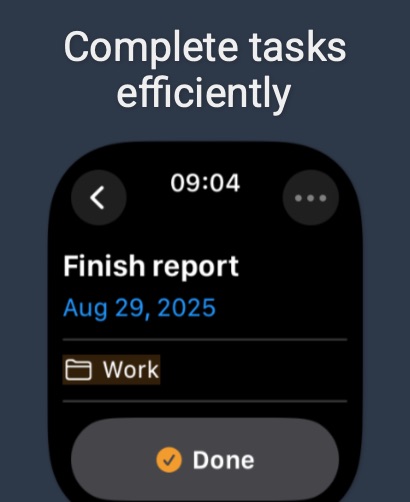
- Never lose track of your tasks again. Add subtasks, images, and links to detail your tasks and have all important information in one place.
Calendar view and focus timer
- Use the calendar view to keep track of open, completed and overdue tasks. The integrated focus timer helps you to concentrate specifically on individual tasks and increase your productivity.
Kanban board for efficient work
- Work according to the proven Kanban principle. Manage your tasks visually and move them through the process with additional labels. Keep an eye on progress and optimize your processes.
Customizable folders and focus options
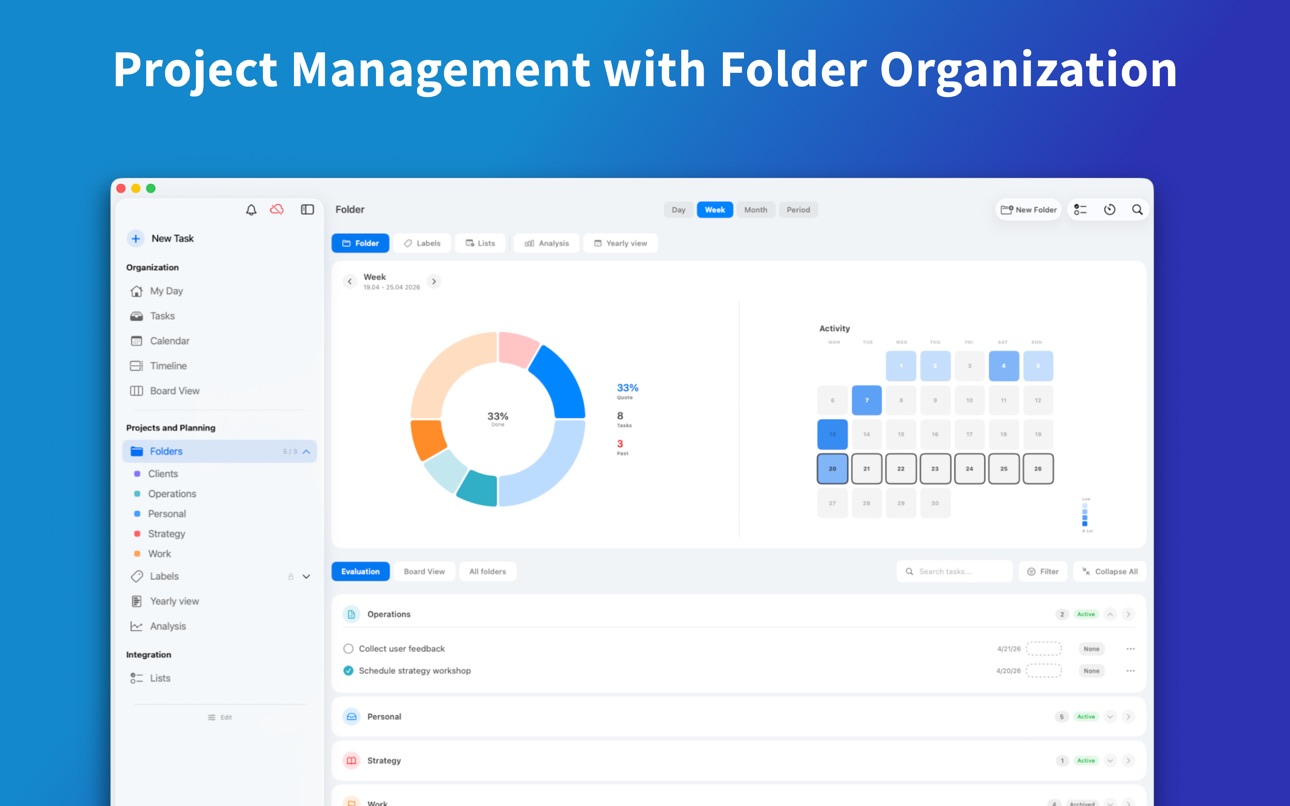
- Customize your folders according to your needs and focus on specific tasks in individual folders. Structure your work and keep focus.
Seamless data import and export
- “TaskMind” enables seamless data exchange with the iOS calendar and reminders app. Easily import your tasks from the iOS Calendar app and Reminders app to manage them in TaskMind. Export your created tasks back to the iOS Calendar or Reminders app just as easily
Easily share data with iCloud Sync
- “TaskMind” offers seamless integration with iCloud Sync. Your tasks will automatically sync between all your Apple devices. Work seamlessly on your tasks on your iPhone, iPad or Mac and always stay up to date.
Start your efficient planning now
- Discover “TaskMind” and organize your everyday life and work in an effective way. Start your efficient planning now and always keep an overview!
Capabilities
In-App Purchases
Accessibility
ipadiphonemacrealityDevicetvoswatch
Version history 25 versions
Build 887919033v6.3022026-07-07 11:29:32
Improvements to subtasks and location. Design adjustments and minor bug fixes.
Build 887420957v6.3012026-06-29 11:03:06
Minor calendar bug fixes and further interface design adjustments.
Build 886657450v6.3002026-06-10 22:49:57
This update includes an improved onboarding experience and an optimized overview page. In addition, numerous minor improvements have been made to the user interface.
Build 884680384v6.2012026-04-22 08:05:31
This update includes stability improvements. It also fixes dark mode and calendar bugs.
Build 884234586v6.2002026-04-14 19:26:06
What's new:
Centralized planning: Experience the new planning page that intelligently combines folders and labels. Keep all your information and views in one place for maximum clarity.
Calendar upgrade: We've completely optimized the calendar. Enjoy noticeably faster performance and new features for your time management.
Design refinement: The user interface has been subtly refined and visually enhanced to provide you with an even smoother user experience.
Build 884010166v6.1752026-04-02 09:02:02
Minor errors in the calendar and on the overview page have been fixed.
Build 883397381v6.1742026-03-26 22:58:49
- Improved dashboard
- Improved dark mode experience
- Many minor bugs have been fixed
- New features on the dashboard and task page
- Further improvements to the folder and label area
Build 883112811v6.1732026-03-14 17:01:24
New: Tasks can now be assigned locations.
New: Additional information icons for tasks.
Board view improvements.
Calendar entry bug fixes.
Minor user interface improvements.
Calendar bug fixes.
Build 883072782v6.1722026-03-06 00:11:34
Calendar bug fixed
Build 882779942v6.1712026-02-26 19:38:12
This version includes an improved calendar and board view. Stability has also been improved and many bugs have been fixed.
Build 882675704v6.1702026-02-24 14:40:31
Numerous improvements and bug fixes. Further design adjustments for a consistent look.
Build 882372942v6.1612026-02-13 17:30:25
This update includes bug fixes for reminders and improved navigation. Design errors have also been corrected.
Build 882268527v6.1602026-02-09 02:35:25
This update includes improvements to language and loading times. Minor surface adjustments have also been made.
Build 882138709v6.1592026-02-04 17:23:11
Minor bug fixes and design adjustments
Build 881995586v6.1582026-02-01 16:22:21
Fixed a bug that prevented statistics and the annual view from being displayed.
Build 881767194v6.1572026-01-29 21:19:15
This update includes significant accessibility improvements. Many small, useful features have also been added, along with improved widgets and streamlined integration of Apple Reminders. These can now also be viewed via lists.
Build 881610707v6.1562026-01-22 00:18:22
Fixed widget bugs
Adjusted widget interfaces
Improved timeline design
Further improvements to the overall interface and more reliable loading of tasks and calendar entries
Build 881556773v6.1552026-01-18 00:44:42
Improved iPhone calendar view
Optimized timeline for multi-hour appointments
Performance improvements in folder view
Widget bug fixes
Build 881351687v6.1542026-01-12 14:43:26
This version includes bug fixes for older device versions as well as numerous design adjustments.
Build 881213559v6.1532026-01-07 02:23:27
This update includes significant performance and background code optimizations. Further design adjustments have been made for a consistent user experience.
Build 881108938v6.1522026-01-05 04:19:53
This update includes major improvements for devices with large screens. Many settings have been adjusted and the overview page restructured. Loading times for large amounts of data have also been improved.
Build 881033269v6.1512025-12-30 11:12:42
This update includes further improvements to the entire user interface. The main page and calendar page have also been further enhanced.
Build 880991661v6.1502025-12-26 09:15:10
This update includes improved onboarding and an optimized home screen for easier navigation within the app. It also offers an improved appointment display, which is now available to all users.
Build 880667152v6.1482025-12-15 22:25:11
Minor bugs have been fixed.
The appointment booking page has been improved.
The overview page has a redesigned look.
Speed improvements: Loading times for large amounts of data have been reduced.
Build 880630118v6.1472025-12-14 23:03:30
– New task view for maximum insight and productivity
– Improved calendar and timeline view
– Timeline bugs fixed
– Significantly improved app design
No pricing data captured yet — comparisons appear once the app has paid storefronts or in-app purchases.
Availability 1 of 1 storefronts
| Region | Language | Price | Ratings | Avg | Version |
|---|---|---|---|---|---|
| US | en-US | Free | 53 | 4.7 | 6.302 |
Change log 29 changes · US
✎
releaseNotes updated
Improvements to subtasks and location. Design adjustments and minor bug fixes.
✎
description updated
Clear task management
“TaskMind” is your digital daily planner for work and everyday life. Create and organize your tasks effortlessly. Organize them into custo
✎
subtitle updated
Daily Planner, Agenda, Kanban
✎
name updated
TaskMind: Daily Planner To do
◆
Version 6.302 released
Improvements to subtasks and location. Design adjustments and minor bug fixes.
◆
Version 6.301 released
Minor calendar bug fixes and further interface design adjustments.
◆
Version 6.300 released
This update includes an improved onboarding experience and an optimized overview page. In addition, numerous minor improvements have been made to the user interface.
◆
Version 6.201 released
This update includes stability improvements. It also fixes dark mode and calendar bugs.
◆
Version 6.200 released
What's new:
Centralized planning: Experience the new planning page that intelligently combines folders and labels. Keep all your information and views in one place for maximum clarity.
Calendar upgrade: We've completely optimized the cale
◆
Version 6.175 released
Minor errors in the calendar and on the overview page have been fixed.
◆
Version 6.174 released
- Improved dashboard
- Improved dark mode experience
- Many minor bugs have been fixed
- New features on the dashboard and task page
- Further improvements to the folder and label area
◆
Version 6.173 released
New: Tasks can now be assigned locations.
New: Additional information icons for tasks.
Board view improvements.
Calendar entry bug fixes.
Minor user interface improvements.
Calendar bug fixes.
◆
Version 6.172 released
Calendar bug fixed
◆
Version 6.171 released
This version includes an improved calendar and board view. Stability has also been improved and many bugs have been fixed.
◆
Version 6.170 released
Numerous improvements and bug fixes. Further design adjustments for a consistent look.
◆
Version 6.161 released
This update includes bug fixes for reminders and improved navigation. Design errors have also been corrected.
◆
Version 6.160 released
This update includes improvements to language and loading times. Minor surface adjustments have also been made.
◆
Version 6.159 released
Minor bug fixes and design adjustments
◆
Version 6.158 released
Fixed a bug that prevented statistics and the annual view from being displayed.
◆
Version 6.157 released
This update includes significant accessibility improvements. Many small, useful features have also been added, along with improved widgets and streamlined integration of Apple Reminders. These can now also be viewed via lists.
◆
Version 6.156 released
Fixed widget bugs
Adjusted widget interfaces
Improved timeline design
Further improvements to the overall interface and more reliable loading of tasks and calendar entries
◆
Version 6.155 released
Improved iPhone calendar view
Optimized timeline for multi-hour appointments
Performance improvements in folder view
Widget bug fixes
◆
Version 6.154 released
This version includes bug fixes for older device versions as well as numerous design adjustments.
◆
Version 6.153 released
This update includes significant performance and background code optimizations. Further design adjustments have been made for a consistent user experience.
◆
Version 6.152 released
This update includes major improvements for devices with large screens. Many settings have been adjusted and the overview page restructured. Loading times for large amounts of data have also been improved.
◆
Version 6.151 released
This update includes further improvements to the entire user interface. The main page and calendar page have also been further enhanced.
◆
Version 6.150 released
This update includes improved onboarding and an optimized home screen for easier navigation within the app. It also offers an improved appointment display, which is now available to all users.
◆
Version 6.148 released
Minor bugs have been fixed.
The appointment booking page has been improved.
The overview page has a redesigned look.
Speed improvements: Loading times for large amounts of data have been reduced.
◆
Version 6.147 released
– New task view for maximum insight and productivity
– Improved calendar and timeline view
– Timeline bugs fixed
– Significantly improved app design