Home › Productivity

 US
US
1 of 1 storefronts
Content in en-US
Content in en-US
Information
Preview 2 platforms
iPhone 9 images



iPad 8 images




What’s New Version 2.6
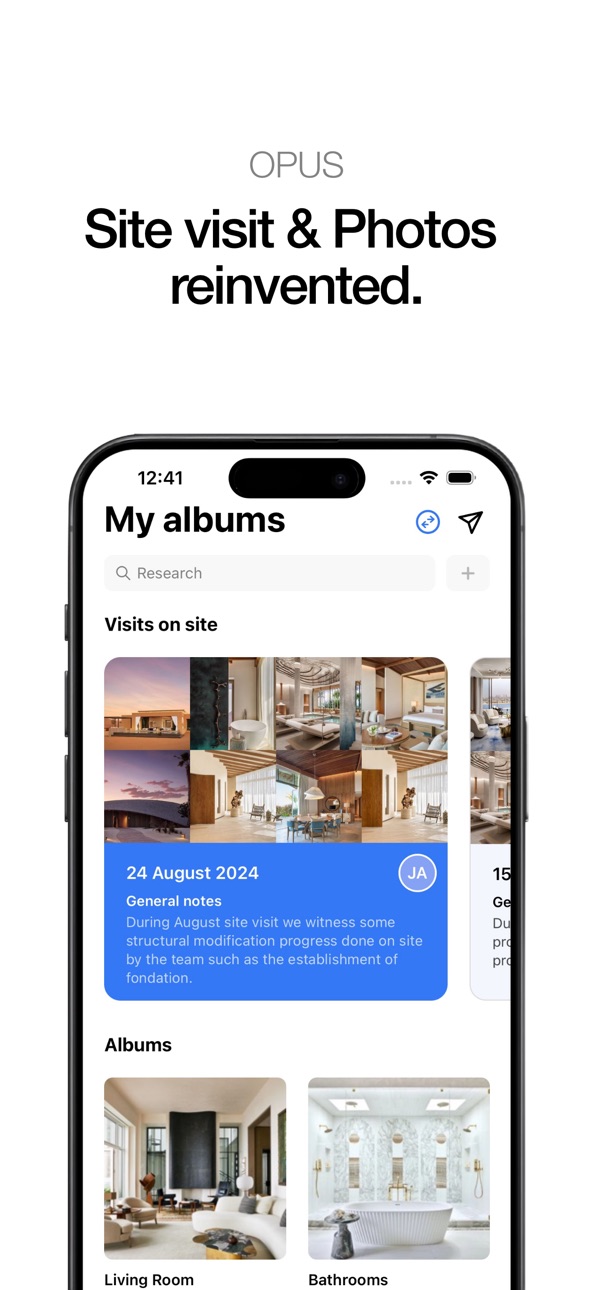
Follow your project planning and share photos and files from your iPhone’s apps straight into Opus.
Description
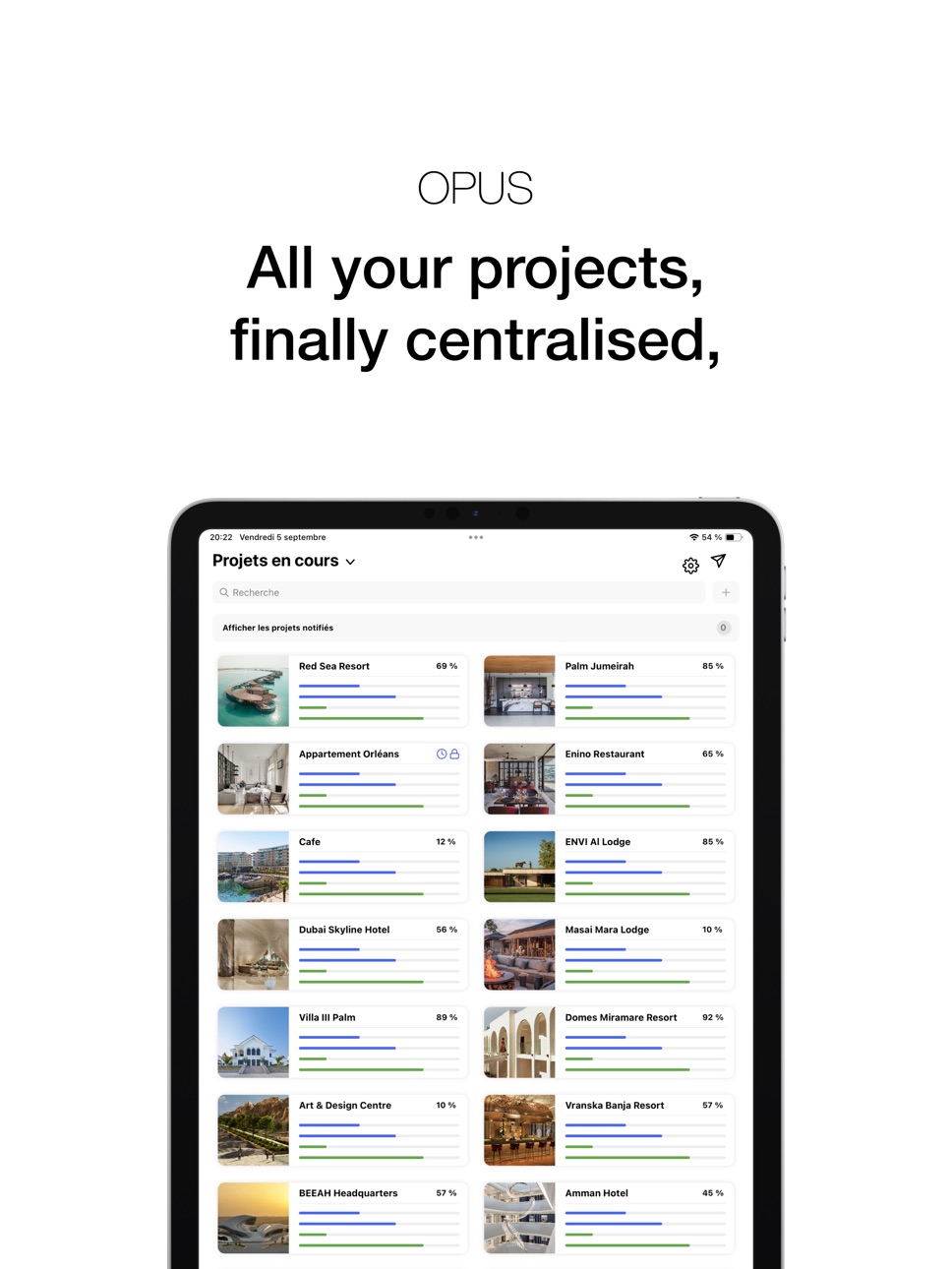
Following your project has never been this easy. With OPUS, take it with you wherever you go and keep on easily with its progress.
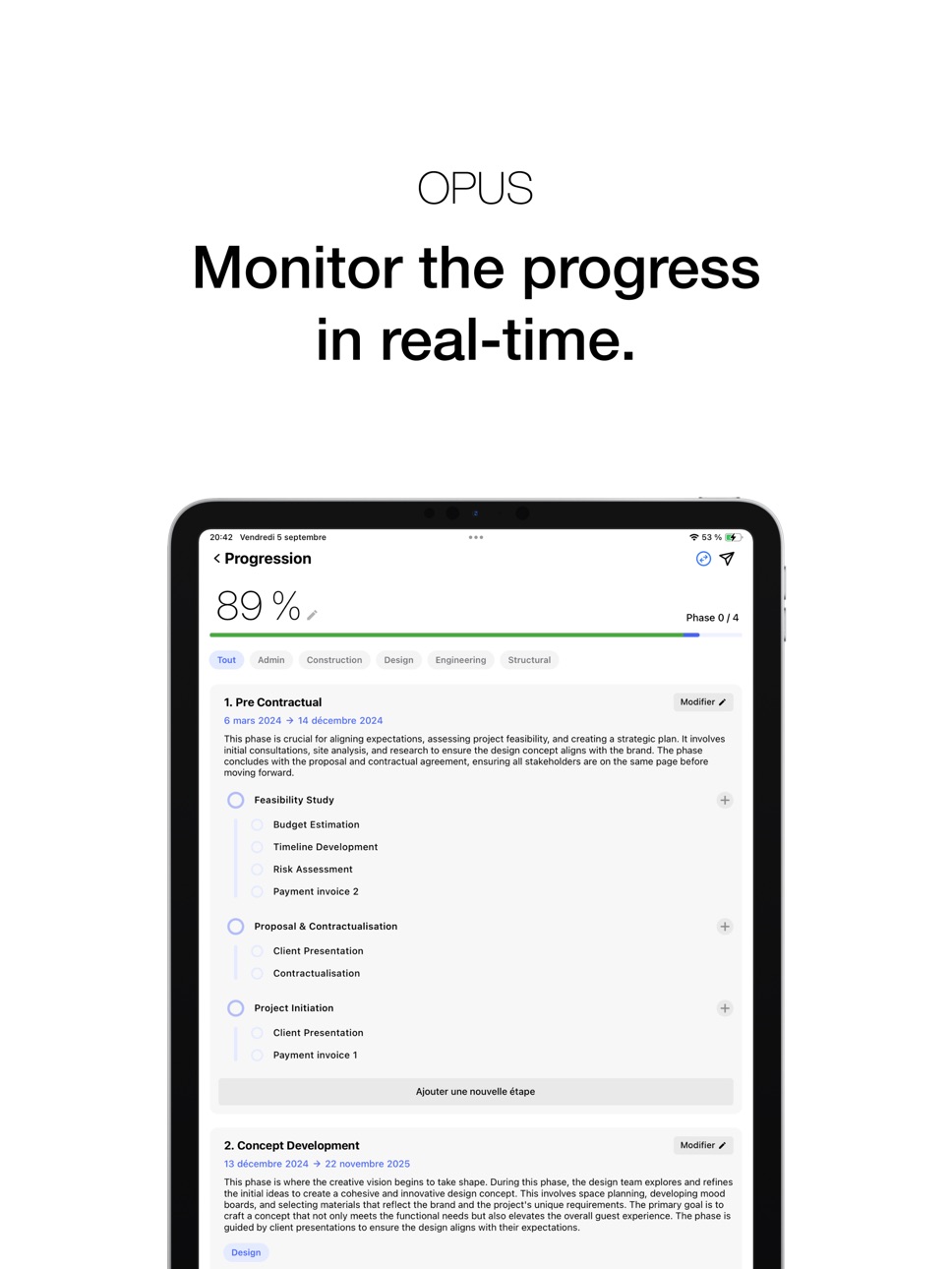
Access all your project's information in one app. Start following its journey in real-time using a well-tailored tool conceived for you and your project.
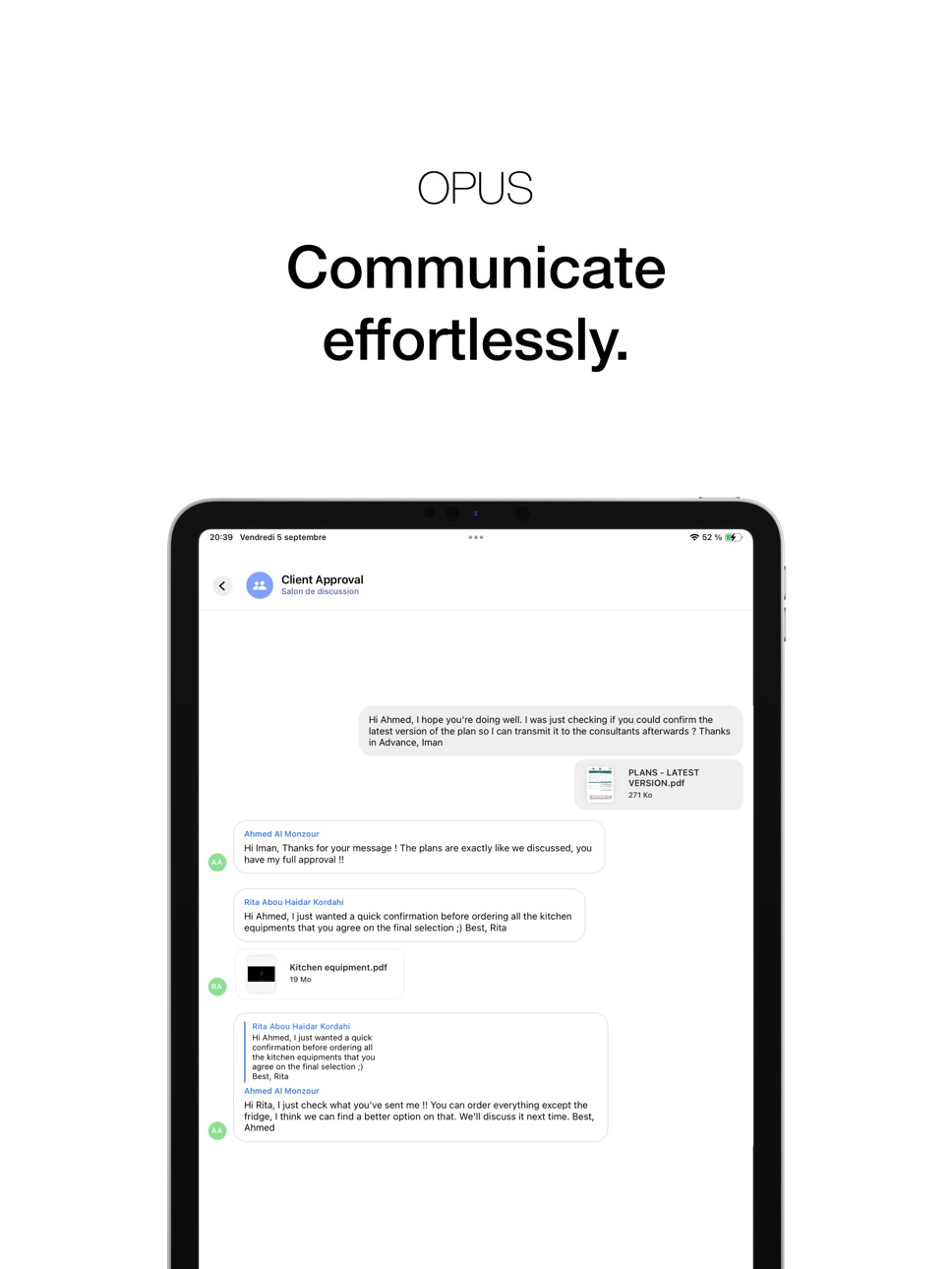
All the tools needed for an optimal monitoring such as messaging, photo sharing, file management, and appointment planning, have been reinvented to serve beyond your ambitions.
With OPUS, discover a new way to follow your project, in clarity and serenity.
We do our utmost to satisfy your wish to monitor, under the best conditions, the project that drives you. Therefore, we partner with the agency responsible of your project, to enable you to rediscover the follow-up of your project.
Accessibility
ipadiphonemacrealityDevicetvoswatch
Version history 25 versions
Build 884253470v2.62026-04-08 15:59:46
Follow your project planning and share photos and files from your iPhone’s apps straight into Opus.
Build 880238726v2.5.12025-12-02 07:02:17
Improvements and bug fixes.
Build 879676494v2.52025-11-11 21:00:06
Improvements and bug fixes.
Build 879029295v2.4.22025-10-17 15:02:11
Improvements and bug fixes.
Build 878719752v2.4.12025-10-08 08:08:58
Compatibility with iOS 26 and bug fixes.
Build 877819253v2.42025-09-10 10:58:33
Discover the digital twin: monitor your project remotely as if you were right there.
Build 874194513v2.3.12025-04-22 09:12:07
You can now capture photos and videos directly in Opus to instantly enrich your albums and site visits.
Build 873820238v2.32025-04-07 05:18:50
Bug fixes.
Build 873518769v2.2.12025-03-26 05:49:46
Bug fixes.
Build 872947756v2.22025-03-05 20:58:30
The visits are now organized by level and location, making it easier to navigate and find the information you need.
Build 872271885v2.12025-02-06 07:16:44
You can now create projects directly from the mobile app!
Build 872142667v2.0.12025-01-31 11:24:37
Bug fixes and improvements.
Build 871834309v2.02025-01-19 08:57:31
You can now pick a specific day for your progression phase dates! We’ve also squashed some bugs for a smoother experience.
Build 871106215v1.9.22024-12-13 19:42:01
Easily manage access authorizations for your on-site visits for optimal control!
Build 870640279v1.9.12024-11-26 09:32:13
Easily manage internal access permissions for your files for optimal control!
Build 870301808v1.9.02024-11-10 09:56:57
File versioning is here! Easily view previous versions of your files for improved tracking and organization.
Build 869931173v1.8.92024-10-24 08:04:18
Improvements and bug fixes.
Build 869945458v1.8.912024-10-24 10:50:59
Improvements and bug fixes.
Build 869806113v1.8.82024-10-18 09:42:43
Bug fixes and improvements.
Build 869576311v1.8.72024-10-09 10:45:38
You can now manage access permissions to your project information more precisely for external companies.
Build 869332118v1.8.62024-09-30 17:35:08
Improvements and bug fixes.
Build 868190482v1.8.52024-08-14 09:30:39
Improvements and bug fixes.
Build 868010511v1.8.42024-08-07 06:43:39
You can now change the language of the application without affecting the language of your iPhone.
Build 867766673v1.8.32024-07-27 09:37:32
You now have the ability to add tags to the different phases of your project progress, making sorting and searching easier.
Build 867592859v1.8.22024-07-20 08:00:23
The progress page has been completely revamped, now featuring dynamic advancement statuses and detailed sub-steps for a better experience.
No pricing data captured yet — comparisons appear once the app has paid storefronts or in-app purchases.
Availability 1 of 1 storefronts
| Region | Language | Price | Ratings | Avg | Version |
|---|---|---|---|---|---|
| US | en-US | Free | 0 | — | 2.6 |
Change log 29 changes · US
✎
releaseNotes updated
Follow your project planning and share photos and files from your iPhone’s apps straight into Opus.
✎
description updated
Following your project has never been this easy. With OPUS, take it with you wherever you go and keep on easily with its progress.
Access all your project's inf
✎
subtitle updated
Gestion et suivi de projets
✎
name updated
OPUS Architecture & Design
◆
Version 2.6 released
Follow your project planning and share photos and files from your iPhone’s apps straight into Opus.
◆
Version 2.5.1 released
Improvements and bug fixes.
◆
Version 2.5 released
Improvements and bug fixes.
◆
Version 2.4.2 released
Improvements and bug fixes.
◆
Version 2.4.1 released
Compatibility with iOS 26 and bug fixes.
◆
Version 2.4 released
Discover the digital twin: monitor your project remotely as if you were right there.
◆
Version 2.3.1 released
You can now capture photos and videos directly in Opus to instantly enrich your albums and site visits.
◆
Version 2.3 released
Bug fixes.
◆
Version 2.2.1 released
Bug fixes.
◆
Version 2.2 released
The visits are now organized by level and location, making it easier to navigate and find the information you need.
◆
Version 2.1 released
You can now create projects directly from the mobile app!
◆
Version 2.0.1 released
Bug fixes and improvements.
◆
Version 2.0 released
You can now pick a specific day for your progression phase dates! We’ve also squashed some bugs for a smoother experience.
◆
Version 1.9.2 released
Easily manage access authorizations for your on-site visits for optimal control!
◆
Version 1.9.1 released
Easily manage internal access permissions for your files for optimal control!
◆
Version 1.9.0 released
File versioning is here! Easily view previous versions of your files for improved tracking and organization.
◆
Version 1.8.91 released
Improvements and bug fixes.
◆
Version 1.8.9 released
Improvements and bug fixes.
◆
Version 1.8.8 released
Bug fixes and improvements.
◆
Version 1.8.7 released
You can now manage access permissions to your project information more precisely for external companies.
◆
Version 1.8.6 released
Improvements and bug fixes.
◆
Version 1.8.5 released
Improvements and bug fixes.
◆
Version 1.8.4 released
You can now change the language of the application without affecting the language of your iPhone.
◆
Version 1.8.3 released
You now have the ability to add tags to the different phases of your project progress, making sorting and searching easier.
◆
Version 1.8.2 released
The progress page has been completely revamped, now featuring dynamic advancement statuses and detailed sub-steps for a better experience.