Home › Developer Tools

 US
US
1 of 1 storefronts
Content in en-US
Content in en-US
Information
Preview 2 platforms
iPhone 9 images





iPad 9 images


What’s New Version 5.9.1
- minor changes
Description
Receive notifications of docker events such as "start,create,delete,tag etc" of "container/image/volume/network" directly to your mobile.
Connect via ssh to your Linux/MacOS machine to monitor/manage your docker.
This application allows you to:
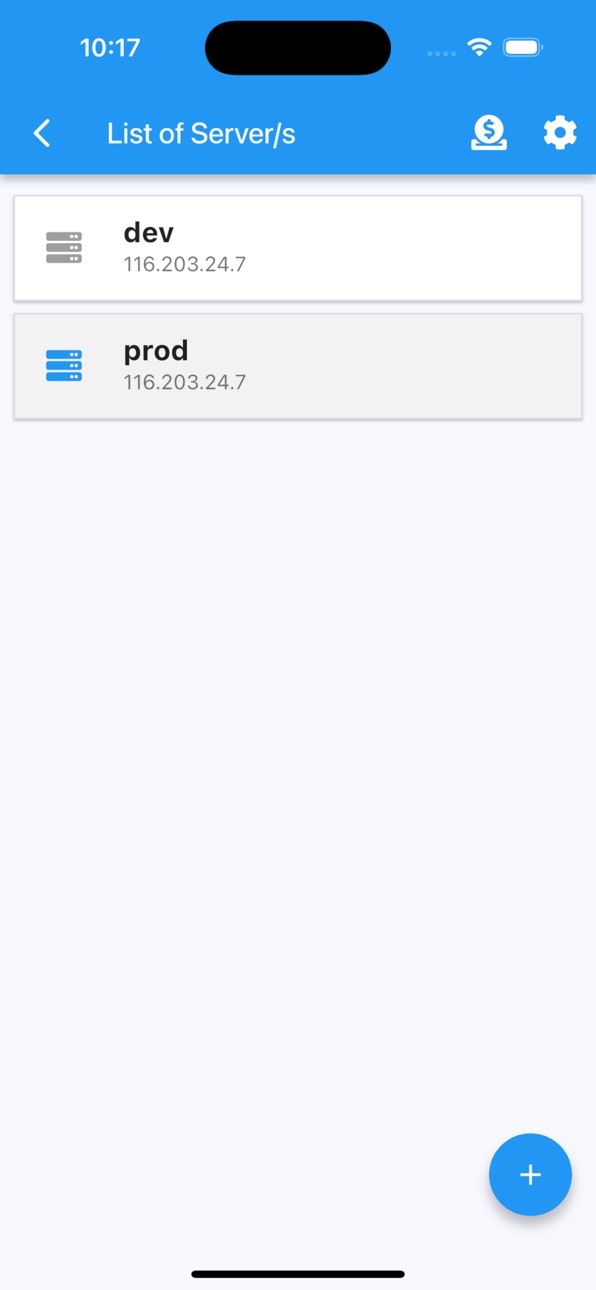
- add multiple servers
- connect through password or ssh key
- receive notifications on docker events
- ability to customize notification triggers
- select events to be notified
- choose what to exclude/include
- pick a silence window (to not receive notifications)
- list containers
- create containers
- start containers (multiple at once)
- stop containers (multiple at once)
- restart containers (multiple at once)
- remove containers (multiple at once)
- inspect containers
- view resource usage of containers
- view logs of containers (real time)
- search on logs of containers
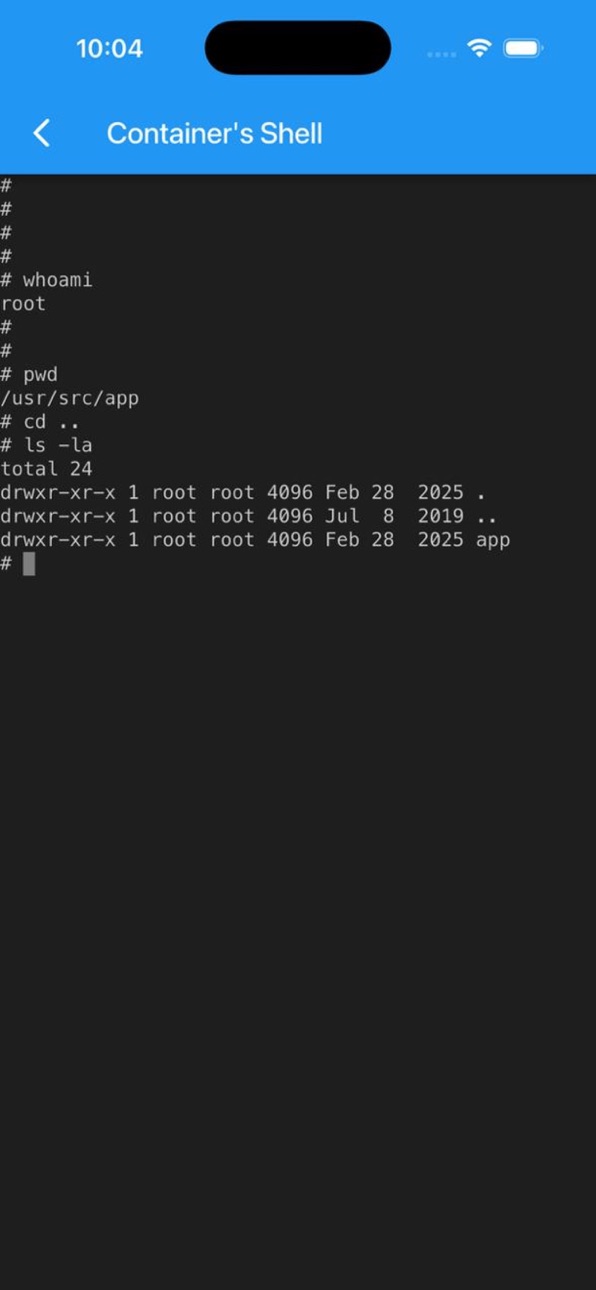
- enter shell of containers
- list images
- build images
- search images on registries
- pull images (also from private registries)
- remove images (multiple at once)
- inspect images
- list volumes
- remove volumes (multiple at once)
- inspect volumes
- list networks
- remove networks (multiple at once)
- inspect networks
Features
- Server info is stored on phone only (the data is wiped out once the app is removed)
- Receive notifications on docker events
- Run "docker system prune" to clean up unnecessary resources
NOTE
No docker daemon or docker api is required to be enabled for this app, simply connect via ssh. It is strongly recommended NOT to open unnecessary ports on your server (such as enabling docker daemon) as it can expose your server to more security threads.
Q/A
Q: Why I can not connect with non-root users?
A: The docker commands are executed by the app without "sudo" so you will need to add your non-root user to the docker group with the following command:
sudo usermod -aG docker $USER
sudo reboot
Q: How to connect to Docker Desktop on MacOS?
A: On MacOS, enable 'Remote Login' and if using non-root user, add user to the docker group.
Q: How to connect to Synology server?
A: If using non-root user, then add user to docker group on your server:
sudo synogroup --add docker
sudo synogroup --memberadd docker $USER
sudo chown root:docker /var/run/docker.sock
Q: How to connect to QNAP server?
A: If non-root user, then add user to docker group on your server:
sudo addgroup $USER administrators
Terms of Use (EULA) - https://www.apple.com/legal/internet-services/itunes/dev/stdeula/
Found a bug?
Send an email to: nevis.applications@gmail.com
In-App Purchases US pricing
pro Subscription
Docker Monthly Pro · Monthly$1.99
Docker Yearly Pro · Yearly$12.99
One-Time Purchases
Docker Lifetime$29.99
Capabilities
In-App Purchases
Accessibility
ipadiphonemacrealityDevicetvoswatch
Version history 25 versions
Build 879848679v5.9.12025-11-18 19:54:48
- minor changes
Build 879051679v5.8.72025-10-21 06:57:26
- improvements of push notifications
Build 878208993v5.8.62025-09-20 04:20:57
- new layout of exec to container
- gradient backgroud
Build 876976231v5.8.52025-08-05 12:40:19
- select docker events to get notifications
- add silence window (to not receive notifications)
- fixed container color in dark mode
Build 876944059v5.8.42025-08-04 16:06:51
Ability to customize notifications
- select docker events to get notifications
- add silence window (to not receive notifications)
Build 874194897v5.8.32025-04-28 06:25:31
- Receive notifications on docker events such as container stop,start,remove and many more events
- Improved settings screen layout
Build 872416829v5.8.22025-02-20 01:29:35
- Enabled search on container logs
- Fixed funny chars on logs and console
- Fixed volume/network deletion
Build 872072301v5.8.12025-01-31 21:41:50
Manage docker volumes and networks
Build 871947916v5.8.02025-01-27 17:22:27
Managing docker volumes
Build 871923850v5.7.92025-01-22 15:28:20
Minor improvements
Build 869972383v5.7.82024-10-26 14:43:47
- Auto detecting docker path
Build 869306227v5.7.72024-10-20 13:58:02
- Remove multiple images at once.
- Stop/Restart multiple containers at once.
- Start/Remove multiple containers at once.
Build 866552137v5.7.32024-06-09 14:33:51
- Searching and pulling docker images
Build 863121944v5.7.22024-01-24 17:50:40
Enabled to enter shell of containers
Build 862668767v5.7.12024-01-04 10:19:05
Added support to manage docker desktop on MAC OS
Build 862606443v5.7.02024-01-01 23:26:15
Updated ssh library (works on local network as well)
Build 858304757v5.6.72023-07-06 16:50:52
Manage docker from your mobile
Build 857026443v5.6.62023-05-23 19:58:50
Minor improvements
Build 853850809v5.6.42022-12-12 18:56:10
Updated additional dependencies
Build 853808068v5.6.32022-12-11 12:36:57
Updated application dependencies
Build 851431651v5.6.22022-08-08 23:32:51
Minor improvements
Build 848666879v5.6.12022-04-29 13:59:14
Minor improvements
Build 846594794v5.6.02022-01-14 01:15:50
Option to "docker system prune"
Build 846270533v5.5.92021-12-28 20:44:39
- centralized settings in a new view
Build 844667764v5.5.82021-10-13 22:14:06
Added the option to inspect images
Price history by region
Currency
Show
Columns
Search
Availability 1 of 1 storefronts
| Region | Language | Price | Ratings | Avg | Version |
|---|---|---|---|---|---|
| US | en-US | Free | 2 | 2.0 | 5.9.1 |
Change log 29 changes · US
✎
releaseNotes updated
- minor changes
✎
description updated
Receive notifications of docker events such as "start,create,delete,tag etc" of "container/image/volume/network" directly to your mobile.
Connect via ssh to you
✎
subtitle updated
Get Notified and Manage Docker
✎
name updated
Docker Management
◆
Version 5.9.1 released
- minor changes
◆
Version 5.8.7 released
- improvements of push notifications
◆
Version 5.8.6 released
- new layout of exec to container
- gradient backgroud
◆
Version 5.8.5 released
- select docker events to get notifications
- add silence window (to not receive notifications)
- fixed container color in dark mode
◆
Version 5.8.4 released
Ability to customize notifications
- select docker events to get notifications
- add silence window (to not receive notifications)
◆
Version 5.8.3 released
- Receive notifications on docker events such as container stop,start,remove and many more events
- Improved settings screen layout
◆
Version 5.8.2 released
- Enabled search on container logs
- Fixed funny chars on logs and console
- Fixed volume/network deletion
◆
Version 5.8.1 released
Manage docker volumes and networks
◆
Version 5.8.0 released
Managing docker volumes
◆
Version 5.7.9 released
Minor improvements
◆
Version 5.7.8 released
- Auto detecting docker path
◆
Version 5.7.7 released
- Remove multiple images at once.
- Stop/Restart multiple containers at once.
- Start/Remove multiple containers at once.
◆
Version 5.7.3 released
- Searching and pulling docker images
◆
Version 5.7.2 released
Enabled to enter shell of containers
◆
Version 5.7.1 released
Added support to manage docker desktop on MAC OS
◆
Version 5.7.0 released
Updated ssh library (works on local network as well)
◆
Version 5.6.7 released
Manage docker from your mobile
◆
Version 5.6.6 released
Minor improvements
◆
Version 5.6.4 released
Updated additional dependencies
◆
Version 5.6.3 released
Updated application dependencies
◆
Version 5.6.2 released
Minor improvements
◆
Version 5.6.1 released
Minor improvements
◆
Version 5.6.0 released
Option to "docker system prune"
◆
Version 5.5.9 released
- centralized settings in a new view
◆
Version 5.5.8 released
Added the option to inspect images