Home › Utilities

 US
US
1 of 1 storefronts
Content in en-US
Content in en-US
Information
Preview 3 platforms
iPhone 10 images


iPad 8 images



Mac 9 images


What’s New Version 21.0
(New) Besides scanning objects, you can now scan your room and get a CAD styled 2D/3D floor-plan
Description
Get high definition 3D models by following AR instructions. Generated locally on your device. And share .usdz (mobile friendly, AR) or .obj (professional use) or .stl (3D printing) as a file, via messages, mail, iCloud Drive link, or Sketchfab with just a few taps! Besides scanning objects, you can also scan your room and get a CAD styled 2D/3D floor-plan.
**You will need a compatible iPhone Pro or iPad Pro device**
You can scan your art works, favorite hand-crafted items, toys, anime figures, and more.
This app is using Apple's newest photogrammetry framework.
1. Point to the object and tap continue
2. The bounding box of the object will automatically appear, you can manually adjust as well; then, tap continue
3. Follow the AR instruction on-screen to fill in the white circle
4. Repeat for lower angle and upper angle
5. Generate the model and preview (in AR)
6. Share the file, get a link using iCloud Drive, or upload to Sketchfab with 1~3 taps
In-App Purchases US pricing
One-Time Purchases
Premium Feature$5.99
Capabilities
In-App Purchases
Accessibility
ipadiphonemacrealityDevicetvoswatch
Version history 15 versions
Build 885058759v21.02026-04-29 20:06:24
(New) Besides scanning objects, you can now scan your room and get a CAD styled 2D/3D floor-plan
Build 882052363v20.52026-02-02 04:27:53
(New) Export as .stl for 3D printing (pro feature)
(Fixed) Some issues with model uploading and sharing
Build 881916215v20.32026-01-29 16:33:28
(New) Share a downloadable model link using iCloud Drive
Build 881241110v20.12026-01-06 15:17:21
Critical Fix: Cannot scan for additional rounds of other angles.
Build 881151061v20.02026-01-05 13:12:07
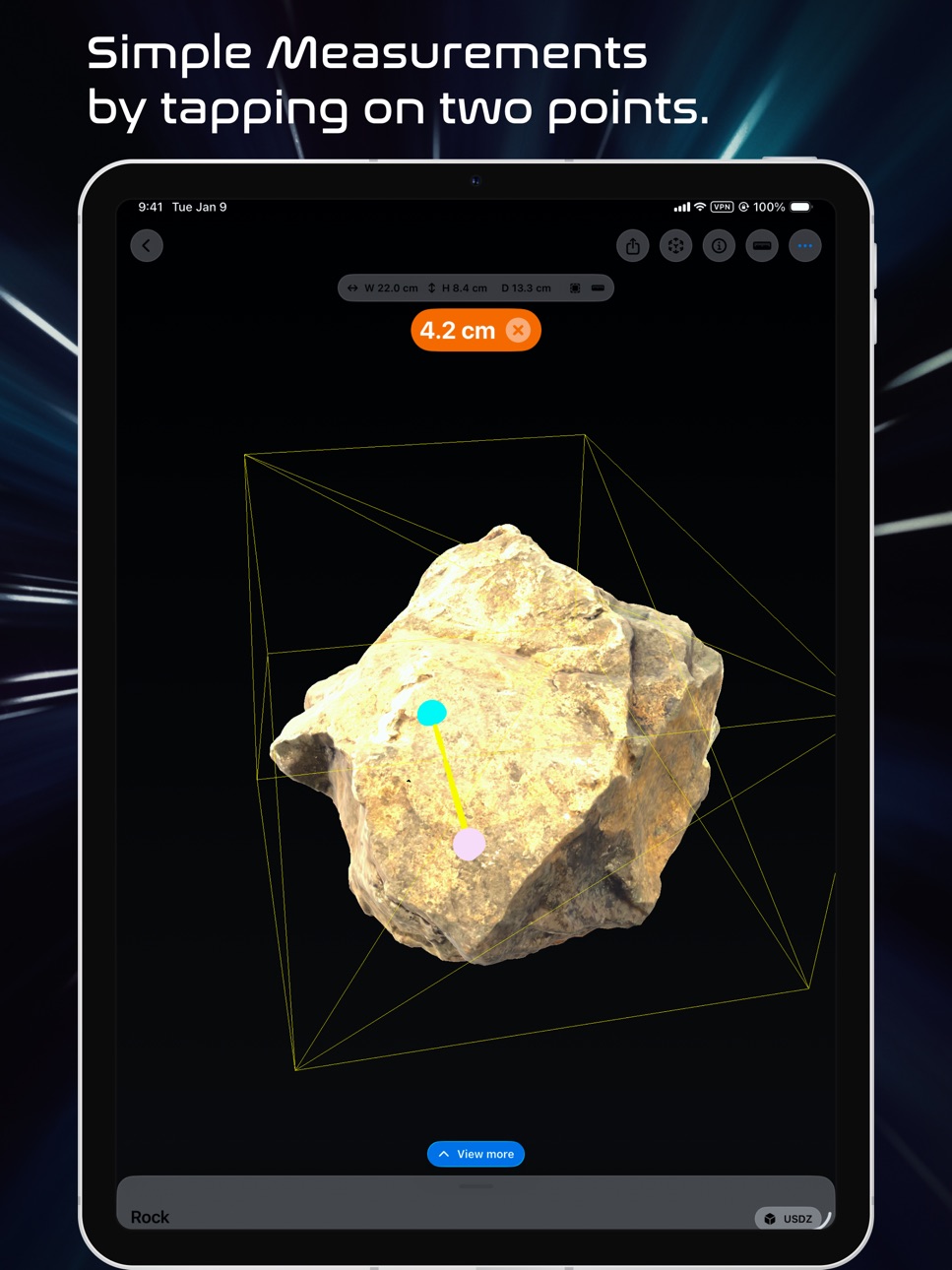
(New) Take measurements by tapping on two dots to measure the distance
(New) Revised interface to show generated 3D model
(Fix) Added bug reporting code to quickly track and resolve app issues
Build 878381090v15.02025-09-24 21:18:15
(Improved) Redesigned app UI to provide a smooth experience
(Fixed) Fixed some issues related to file and image picking
Build 876148049v12.02025-07-07 15:55:06
- (New) Choose between exporting .usdz or .obj (with texture files) if you run the 3D reconstruction on your device (iPhone or iPad)
- (Improved) Improved scanning logic, correctly showing the 2nd and 3rd scan step.
- (Improved) While waiting for the 3D model to be generated on the device, you can now vote the hotness of cat pictures.
Build 861856896v11.0.22023-11-29 17:05:42
(Minor update) the instruction labels are now hidden after taking 5 picture
(Improvement) Show error message when device does not support AR guided capture process
Build 861152373v11.0.12023-11-01 15:10:15
(New) You can now pick multiple pictures for the manual object reconstruction session
Build 860481219v11.02023-10-13 15:50:41
Brand new AR capture guidance and generating 3D model on-device.
This is archived by using the newest photogrammetry framework announced at WWDC 2023.
Build 851734422v2.22022-08-23 21:32:21
- Updated the app icon
- Added timer time display in automatic mode
- Start capturing immediately after switching to automatic mode
Build 849079294v2.1.22022-05-14 11:48:54
Updated app icon
Build 847501279v2.02022-03-04 01:07:27
Select to upload asset to Sketchfab automatically, and view it immediately on your iPhone.
Build 845911514v1.12021-12-15 09:41:36
- (Added) View your capture jobs and track the progress in one tab.
- (Added) View depth and gravity data within the capture job summary view
- Improved user interface for camera capture view
Build 843667463v1.02021-09-21 00:41:03
Price history by region
Currency
Show
Columns
Search
Availability 1 of 1 storefronts
| Region | Language | Price | Ratings | Avg | Version |
|---|---|---|---|---|---|
| US | en-US | Free | 59 | 4.3 | 21.0 |
Change log 19 changes · US
✎
releaseNotes updated
(New) Besides scanning objects, you can now scan your room and get a CAD styled 2D/3D floor-plan
✎
description updated
Get high definition 3D models by following AR instructions. Generated locally on your device. And share .usdz (mobile friendly, AR) or .obj (professional use) o
✎
subtitle updated
Generate high quality 3d scans
✎
name updated
3D Object Capture
◆
Version 21.0 released
(New) Besides scanning objects, you can now scan your room and get a CAD styled 2D/3D floor-plan
◆
Version 20.5 released
(New) Export as .stl for 3D printing (pro feature)
(Fixed) Some issues with model uploading and sharing
◆
Version 20.3 released
(New) Share a downloadable model link using iCloud Drive
◆
Version 20.1 released
Critical Fix: Cannot scan for additional rounds of other angles.
◆
Version 20.0 released
(New) Take measurements by tapping on two dots to measure the distance
(New) Revised interface to show generated 3D model
(Fix) Added bug reporting code to quickly track and resolve app issues
◆
Version 15.0 released
(Improved) Redesigned app UI to provide a smooth experience
(Fixed) Fixed some issues related to file and image picking
◆
Version 12.0 released
- (New) Choose between exporting .usdz or .obj (with texture files) if you run the 3D reconstruction on your device (iPhone or iPad)
- (Improved) Improved scanning logic, correctly showing the 2nd and 3rd scan step.
- (Improved) While waiti
◆
Version 11.0.2 released
(Minor update) the instruction labels are now hidden after taking 5 picture
(Improvement) Show error message when device does not support AR guided capture process
◆
Version 11.0.1 released
(New) You can now pick multiple pictures for the manual object reconstruction session
◆
Version 11.0 released
Brand new AR capture guidance and generating 3D model on-device.
This is archived by using the newest photogrammetry framework announced at WWDC 2023.
◆
Version 2.2 released
- Updated the app icon
- Added timer time display in automatic mode
- Start capturing immediately after switching to automatic mode
◆
Version 2.1.2 released
Updated app icon
◆
Version 2.0 released
Select to upload asset to Sketchfab automatically, and view it immediately on your iPhone.
◆
Version 1.1 released
- (Added) View your capture jobs and track the progress in one tab.
- (Added) View depth and gravity data within the capture job summary view
- Improved user interface for camera capture view
◆
Version 1.0 released